


Social media community management is about what happens after you publish.
It includes replying to comments, joining conversations, listening to feedback, and building stronger relationships with the people who follow your brand.
Done well, it can turn an audience into an active online community.
In this guide, we’ll cover practical ways to understand your community, encourage participation, handle difficult conversations, and measure whether your efforts are working.

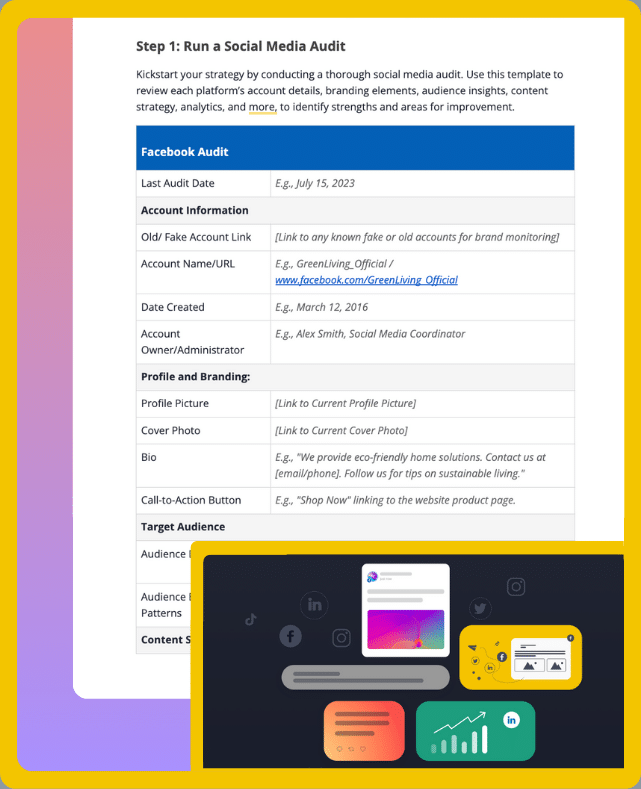
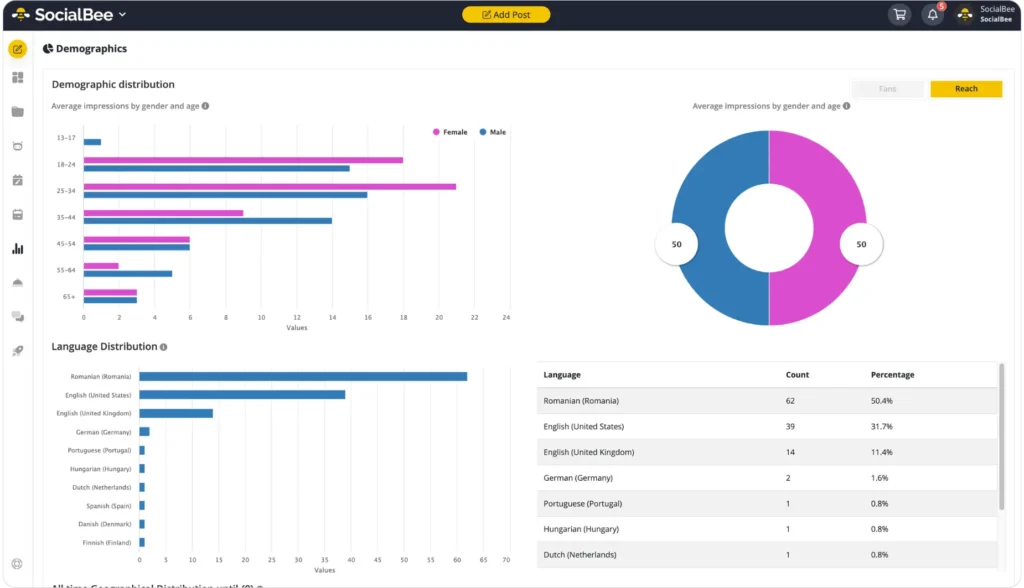
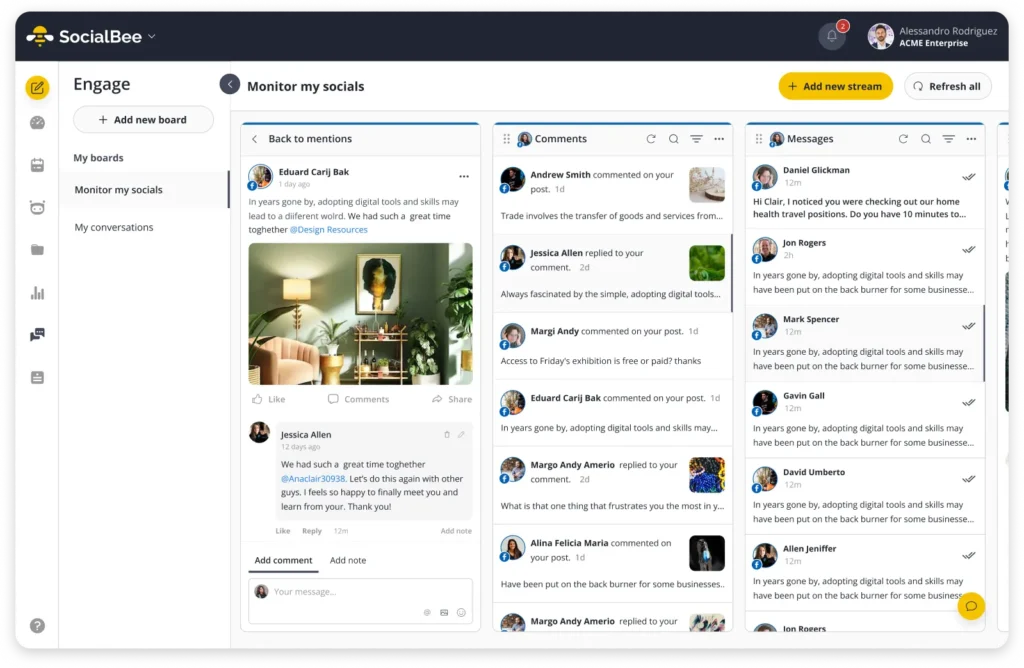
PRO TIP: Look beyond direct brand mentions. Track relevant hashtags, industry keywords, and competitor mentions as well.
Also pay attention to sentiment. Negative feedback can point to recurring problems, while positive conversations can reveal what your audience already values about your brand.
4. Engage Your Community Members Consistently
Community management works best when engagement goes both ways.
Instead of only publishing content, give people regular opportunities to respond, contribute, and take part in the conversation. That makes engagement a more meaningful part of your social media strategy.
Here are a few ways to encourage participation:
- Use interactive formats: Polls, questions, quizzes, and contests can make it easier for people to join the conversation.
- Share community contributions: Include user-generated content in your content mix and acknowledge the people behind it.
- Create more direct interactions: Use live streams, Stories, DMs, Q&As, product demos, or behind-the-scenes content to make conversations feel more immediate.
- Reward participation when it makes sense: Discounts, exclusive content, early access, or entries into giveaways can encourage more people to get involved.
- Make replies personal: Address people by name when appropriate and respond to the specific point they raised instead of relying on generic replies.
Check out this example from @Target’s Instagram profile:
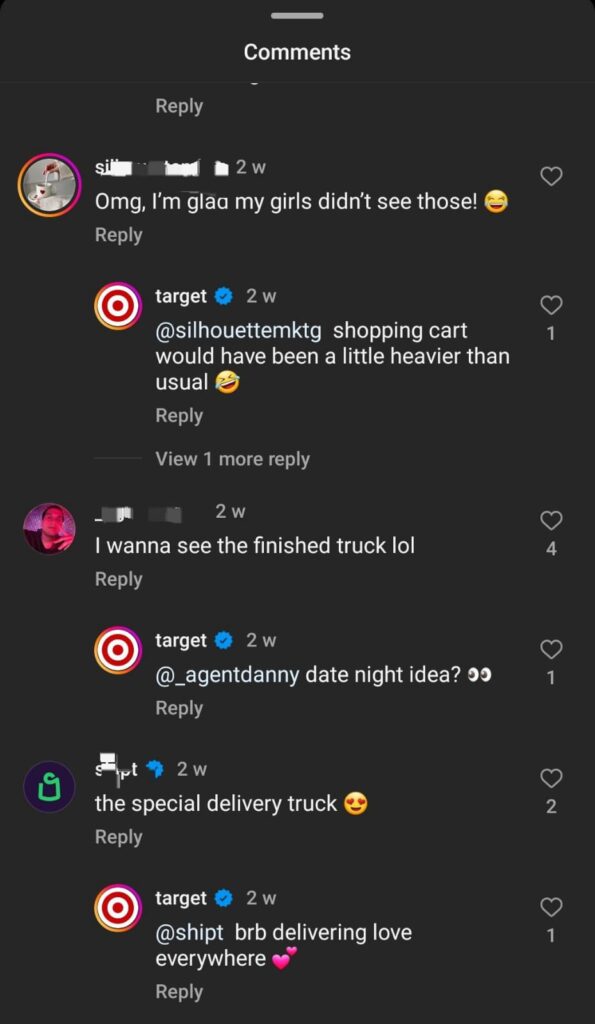
Personal replies show that there is an actual person behind the brand and that community contributions are worth acknowledging.
5. Use the Right Community Management Tools
The right community management tools depend on what you need help with.
Some teams mainly need better monitoring and replies. Others need stronger analytics, social listening, or customer support features.
Here are the main types of tools used for social media community management:
Tool type | What it helps with | Examples |
Social media management platforms | Scheduling posts, managing comments and mentions, handling DMs, and reviewing performance | |
Social listening tools | Tracking brand mentions, competitor conversations, keywords, and audience sentiment | Brand24, Brandwatch, Mention |
CRM tools for social media | Connecting social interactions with customer data and relationship history | Salesforce Social Studio |
Engagement and community management tools | Replying to comments, moderating conversations, and managing community interactions | Khoros, Sprinklr |
Direct message management tools | Organizing and responding to high volumes of DMs and customer inquiries | ManyChat, Zendesk |
Analytics and reporting tools | Measuring engagement, audience activity, sentiment, and community performance | Socialbakers, Keyhole |
You may not need a separate tool for every category. In many cases, one social media management platform can cover several of these needs.
PRO TIP: Automate repetitive tasks where it saves time, but keep human judgment involved in conversations that require context, empathy, or a personalized response.
6. Create a Content Feedback Loop
Your community can tell you a lot about what they want to see next.
A content feedback loop gives you a repeatable way to collect those signals, use them to improve your content creation process, and show your audience that their input matters.
Here’s how to build one:
- Ask for feedback directly: Add simple questions to your posts, such as “What do you think?” or “Would you like to see more of this?”
- Give people different ways to respond: Use polls, comments, voice messages, testimonials, or dedicated feedback links. When appropriate, you can also offer small incentives such as discounts, free resources, or early access.
- Pay attention to smaller signals: Emoji reactions, Story responses, saves, and other quick interactions can reveal preferences even when people do not leave detailed feedback.
- Look for recurring themes: Bring feedback together and group similar comments, requests, or concerns. Patterns are usually more useful than reacting to a single response.
- Bring your community into the creative process: Ask followers for topic ideas, questions they want answered, or content they would like to help create.
- Show what changed: When audience feedback influences your content, tell people. Closing the loop shows that you are listening rather than simply asking for engagement.
Check out this example from @optikmizen:

Showing how you acted on feedback can encourage more people to share useful input in the future.
7. Set Community Rules and Guidelines
Clear community rules make moderation easier because people know what kind of behavior is acceptable from the start.
They should cover the situations your brand is most likely to encounter and explain how your team will respond when problems come up.
Here are some common social media community management scenarios and how to handle them:
Scenario | How to handle it |
Spam or irrelevant promotions | Remove or hide spam and use moderation filters to catch repeat issues automatically. |
Offensive language | Remind people of your community rules and reinforce respectful behavior. |
Personal attacks | Warn users when appropriate. If the behavior continues, remove or ban repeat offenders. |
Misinformation or false claims | Correct inaccurate information with reliable sources. At the same time, step in quickly when false claims could mislead others. |
Personal or sensitive information | Ask users to move sensitive conversations to private channels. You can also remind them not to share personal details publicly and provide guidance on what to do when personal information has been compromised. |
Self-promotion or solicitation | Set clear limits on promotional content. If self-promotion is relevant to your community, create dedicated spaces where members can share it. |
Most importantly, apply your rules consistently.
If the same behavior is handled differently from one day to the next, people may become unsure about what is actually allowed.
8. Check on Your Community Regularly
Community management works best when you stay present.
So, set aside time each day to review comments, DMs, mentions, and other interactions across your social channels.
Regular check-ins help you catch questions sooner. They also make it easier to notice recurring concerns and understand how people are responding to your content.
At the same time, these check-ins give you more opportunities to acknowledge people who contribute to your online community.
For instance, you can answer a question, thank someone for useful feedback, or recognize a thoughtful comment.
9. Show Appreciation to Your Online Community
Showing appreciation helps strengthen relationships with the people who regularly interact with your brand.
It also gives active community members a reason to stay involved and, in turn, can encourage others to participate more often.
Here are a few ways to show appreciation to your online community:
- Personalize your responses: Acknowledge people individually and respond to the specific point they made instead of relying on generic replies.
- Offer rewards or recognition: Give active members access to special discounts, exclusive content, early access, or public recognition when appropriate.
- Share behind-the-scenes content: For instance, give your community sneak peeks of upcoming products, invite them to live Q&As, or show them parts of your process they would not normally see.
- Thank people directly: A short DM, reply, or public shoutout can go a long way, especially when someone has shared useful feedback or supported your brand consistently.
- Highlight community contributions: Feature user-generated content, testimonials, or customer stories to recognize the people contributing to your community.
You can see this approach in action in the example below:

Recognizing community contributions does more than make individual members feel valued. It can also show the rest of your audience that participation is noticed and appreciated.
10. Maintain Your Brand Voice Across All Social Media Accounts
Start by defining how your brand should sound online.
Look at your values, audience, and positioning, then document the language, tone, and communication style your team should follow. That way, everyone has the same reference point when creating posts or replying to community members.
Consistency matters because your audience should be able to recognize your brand regardless of the platform. So, use similar language, terminology, and visual cues to reinforce your brand identity.
However, consistency does not mean communicating exactly the same way everywhere.
Each social network has different formats and audience expectations. For example, your LinkedIn content may sound more professional, while your tone on X can be shorter and more conversational.
At the same time, leave some room to adapt your messaging as trends, audience preferences, and conversations change. Your brand voice should stay recognizable without sounding rigid.
PRO TIP: If several people manage your social media accounts, train the whole team on your brand voice guidelines. This makes it easier to keep posts and community responses consistent, even when different people are writing them.
11. Prepare to Answer Difficult Questions
Some questions require more care than a quick reply.
Start by reviewing past conversations and keeping up with relevant industry news or changes. That way, you can anticipate sensitive topics before they come up.
Next, prepare a few talking points for common concerns. These do not need to be rigid scripts, but they should give your team a consistent starting point.
When a difficult question does appear, respond to the actual concern behind it. Stay professional, use clear facts, and explain what your brand can do next.
Here’s an example from @Popeyes:
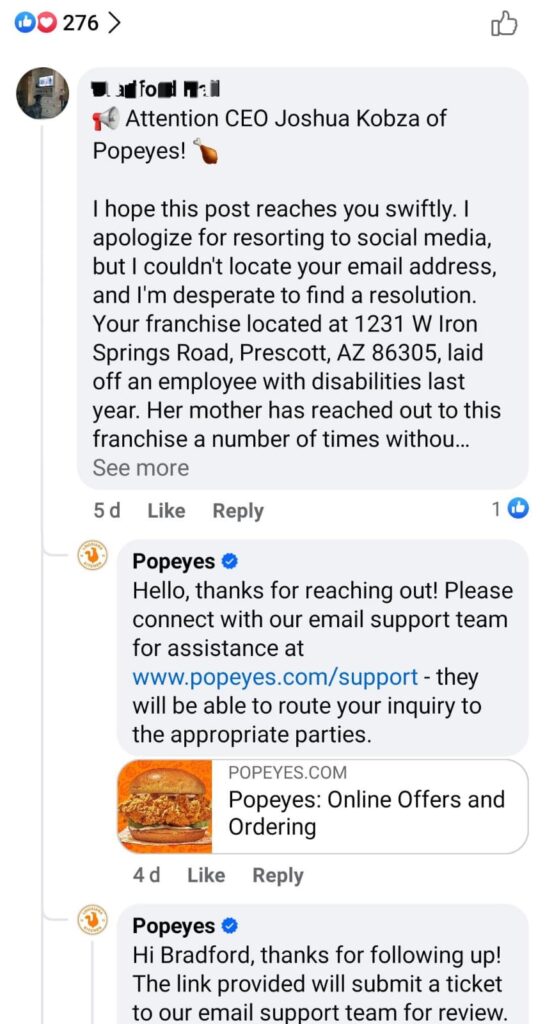
If your brand made a mistake, acknowledge it clearly. Then explain what happened and what you are doing to fix the issue.
Some questions may also need more context or specialist input. In those cases, share helpful resources or involve the right colleague, manager, or subject-matter expert before responding.
That way, your answer stays accurate while still giving the community a clear next step.
Start Building Your Social Media Community with SocialBee!
Good community management comes down to listening, responding, and giving people reasons to stay involved.
Start with the basics: understand your audience, track the right metrics, monitor conversations, and show up consistently. From there, use feedback to improve your content and adapt how you engage.
As your community grows, having the right tools can make that work easier to manage.
SocialBee helps you plan content, monitor interactions, review performance, and keep your social media activity organized in one place.
Start your 14-day SocialBee trial and put your community management strategy into practice.