Schedule, create & grow on X (Twitter) with SocialBee's tweet scheduler

SocialBee is a simple Twitter scheduler that helps you plan tweets, create content with AI and track your growth, all from one dashboard.

No credit card required

Supported post types for SocialBee X (Twitter) scheduler

Text

Fit your message into 280 characters and use SocialBee to schedule a post at the best time for your audience.

Images

Add up to 4 images to any tweet. A good visual grabs attention and brings in more likes and retweets.

Videos

Upload movies that are up to 2 minutes and 20 seconds long. Give people something worth stopping to watch.

Generate scroll-stopping Twitter content with AI

Write tweets in seconds with AI

Let SocialBee’s AI write engaging tweets and generate custom images for you, so you can schedule Twitter posts faster and spend less time staring at a blank screen.

Customize for every platform

Write one post and let AI reshape it to fit X, Instagram, LinkedIn, and more, all from a single dashboard, no extra work needed.

Built for busy teams

Use these AI tools alongside SocialBee’s Twitter automation tool to save time on writing, scheduling, and tracking engagement – all in one place.

Bulk post editor

Approve, unapprove, delete, or reassign posts in bulk, so managing your queue takes minutes, not hours.

Add your RSS feed

Connect an RSS feed, upload up to 100 articles, and watch them turn into ready-to-post tweets.

Preview your content

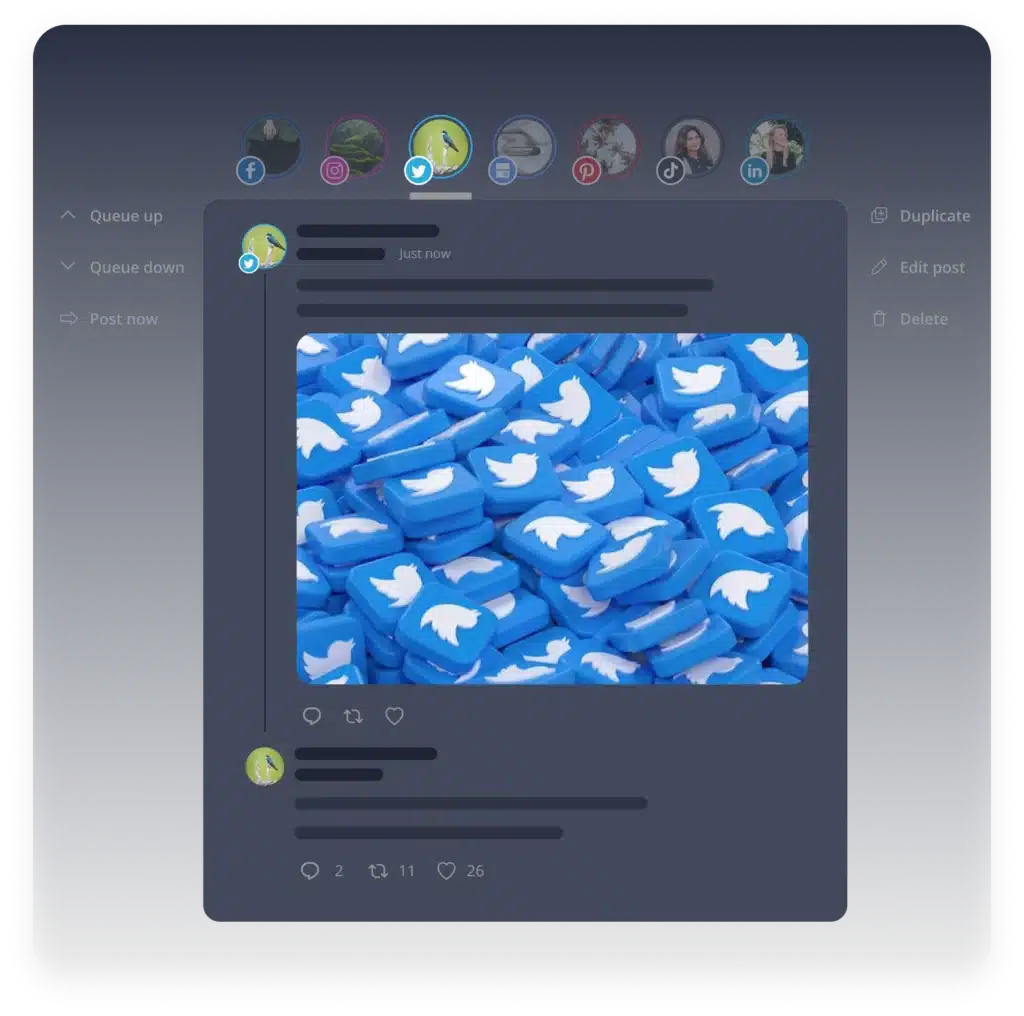
See exactly how your tweet will look on X before it goes live, so you can fix it while it’s still a draft.

Get smart hashtag suggestions

Add your tweet’s text and visuals, and SocialBee’s AI will suggest hashtags you can save and reuse as collections.

Tags other users

Tag accounts in your tweets to give credit, say thanks, start a conversation, or simply widen your reach.

Engage with your audience

You can keep track of all comments and mentions and respond to them all from one place, making sure that nothing gets missed.

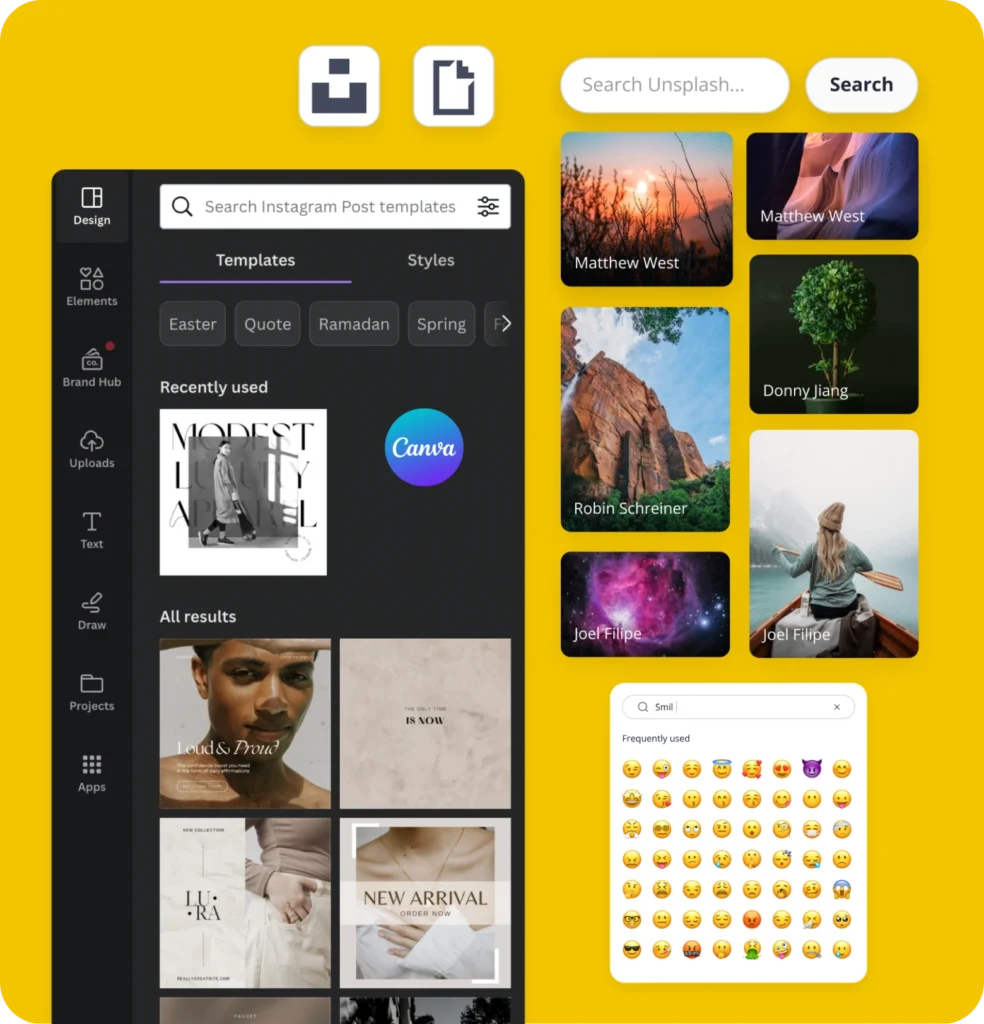
Import visuals from Canva

Bring your Canva designs straight into SocialBee and build posts without switching between apps.

Use Unsplash and GIPHY from SocialBee

Add stock photos or GIFs to your tweets in just a couple of clicks, right from the SocialBee editor.

Add emojis easily

Drop emojis into your posts straight from the SocialBee editor to give your tweets extra personality and warmth.

Everything you need to manage X (Twitter) in one place

Schedule & Publish

Use SocialBee’s tweet scheduler to plan your posts ahead and publish them automatically at the best time.

Generate with AI

Generate tweets and images in seconds with AI, so you spend less time writing and more time growing.

Analyze & Report

See what’s working on your X scheduler with easy-to-read stats and downloadable reports.

Collaborate as a Team

Bring your team into one workspace to draft, review and approve posts before they go out.

Collaborate, review, and approve Twitter content as a team

Plan, review, and publish your tweets together, all from the same Twitter scheduler - no more back-and-forth over email or chat.

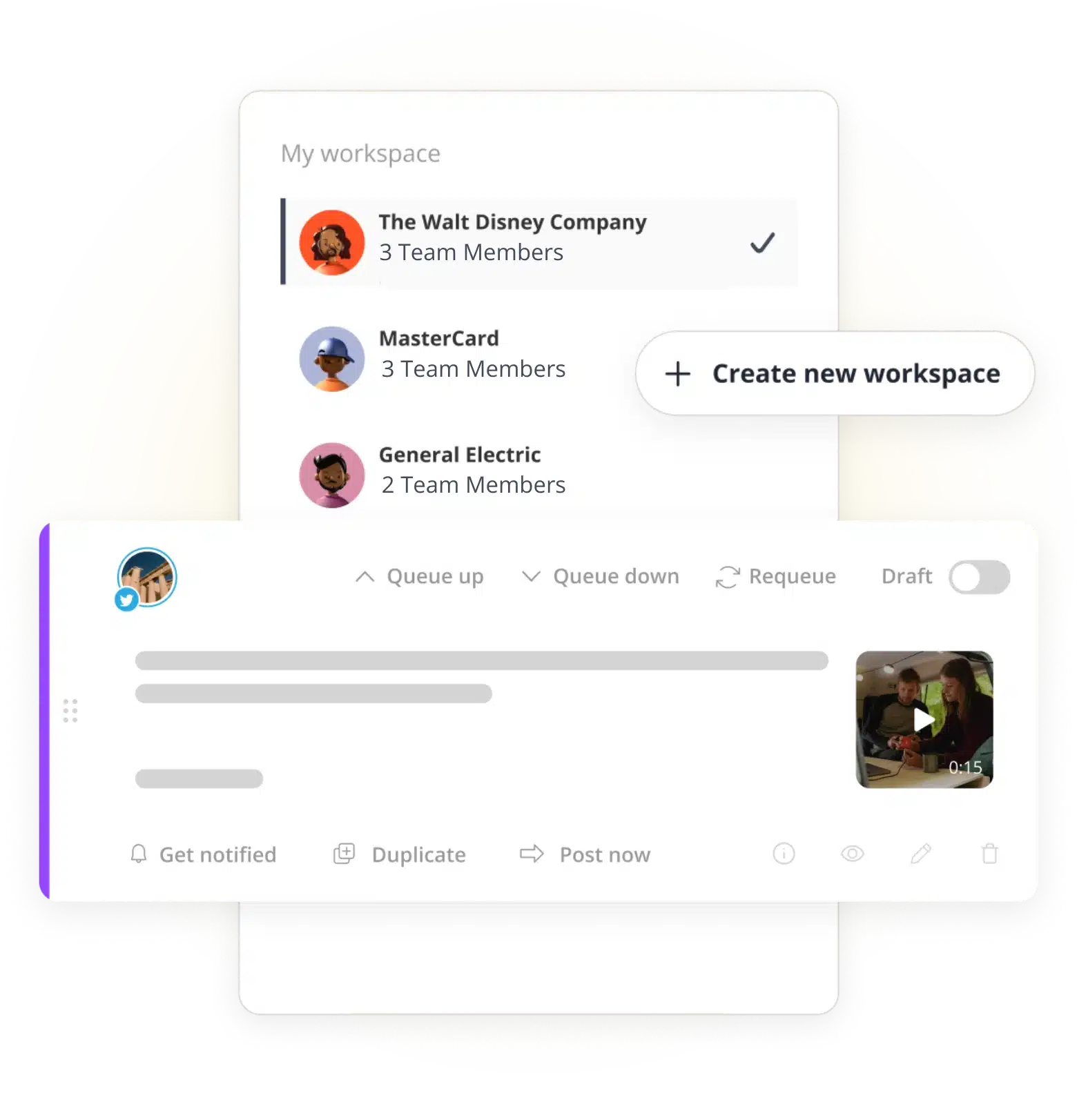
Workspaces & user roles

Set up separate workspaces for each business or client, and assign roles so everyone knows exactly what they can edit, approve, or post.

Content approval, made simple

Save posts as drafts, tag teammates, leave comments and request edits, all inside your X scheduler. Catch mistakes before they go live, not after.

Faster, fewer errors

With everyone working from one shared queue, posts move from draft to publication faster, with fewer slip-ups and less confusion over who’s doing what.

Track X (Twitter) performance with real-time analytics

Get a clear view of how your tweets are performing with SocialBee's Twitter analytics tool.

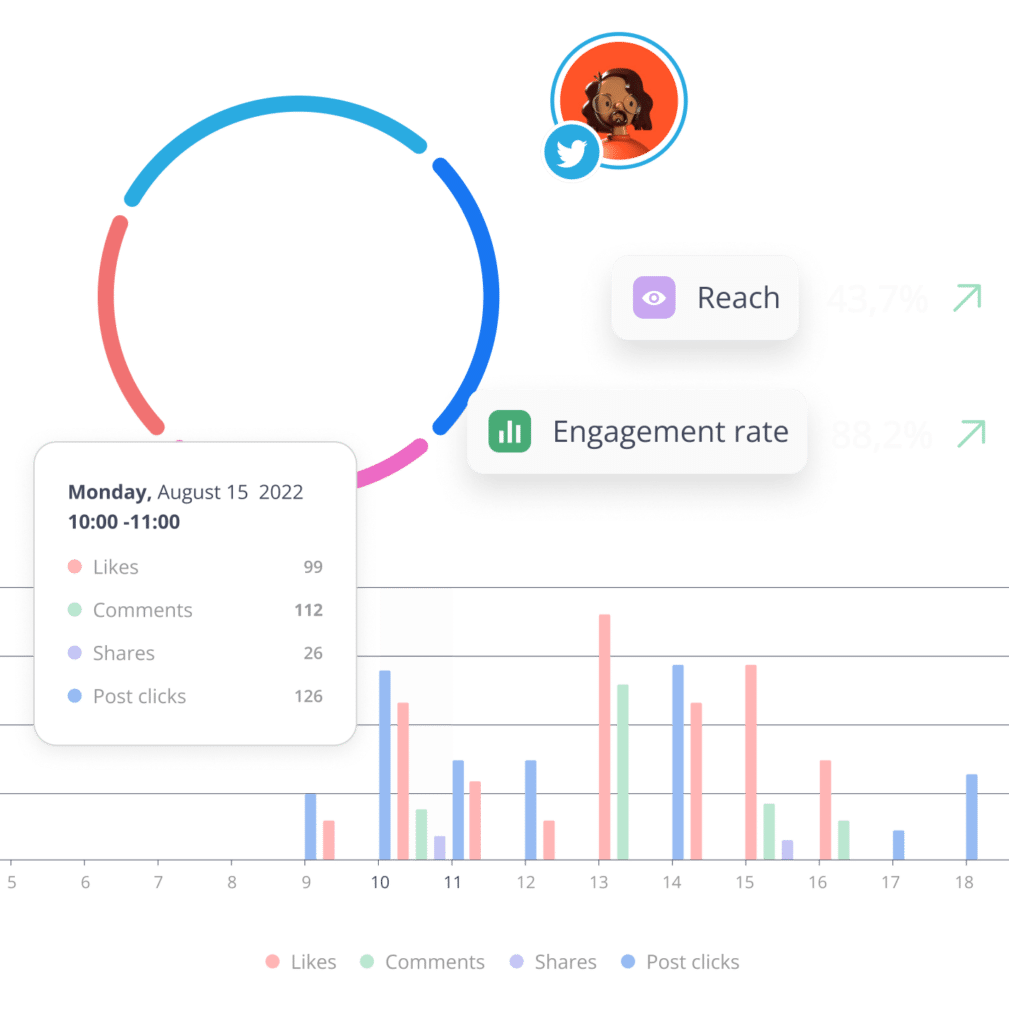
Engagement metrics dashboard

See likes, comments, shares, and clicks for every post in one place. This Twitter analytics dashboard makes it easy to understand your reach and engagement at a glance.

Best-performing content

Use this Twitter analysis tool to spot your top tweets and understand what your audience responds to, so you can do more of it.

Follower growth tracking

Watch your audience grow over time with a simple, visual breakdown of your follower count and account trajectory.

Hashtag performance

Find out which hashtags are driving the most engagement, and use that insight to shape your next posts.

Exportable reports

Turn your results into a polished report in seconds with the SocialBee Twitter report tool. Use a clean PDF export to share it with your team or clients.

See what our customers say about growing on X with SocialBee

Jobs in football
cosmopolitan logo
harper's bazaar logo
Expatica
Washington university
Lehigh university
Slow cooker club
elle logo
mark cuban companies
esquire logo
Beaufort hotel
Dublin Bus
Charles university
D-Link gray logo
Compass logo

Get started in 3 simple steps

People who love using SocialBee
Join thousands of people that love SocialBee
No credit card required

Link your X (Twitter) account to SocialBee in just a few clicks. No complicated setup, no technical steps – just connect and you are ready to go. 

Plan your posts ahead of time using categories to keep your content varied and consistent. This Twitter management tool makes organizing your calendar simple, even for busy teams.

Set your posting times and let SocialBee publish for you. Use built-in Twitter engagement tools to track replies and mentions, so you can grow your audience steadily, without extra effort. 

That’s it – no learning curve, no wasted time. Just connect, plan, and post.

X (Twitter) Management FAQs

Do you have questions left unanswered?

Contact us or schedule a call.

Can I schedule tweets in advance with SocialBee?

Yes. SocialBee lets you plan and schedule your tweets ahead of time, so you don’t have to post manually every day. Just write your tweet, pick a time, and SocialBee shares it for you – even while you’re away from your desk.

Does SocialBee offer analytics for X (Twitter)?

Yes. SocialBee comes with a built-in Twitter analytics tool that shows you likes, comments, shares, and follower growth. You can use the Twitter analytics dashboard to see which posts are working and adjust your strategy from there.

Can I manage multiple X (Twitter) accounts?

Yes, SocialBee is built to handle multiple profiles at once. Whether you’re managing your own accounts or working with clients, you can switch between them easily from one dashboard, making it a solid Twitter management tool for agencies and teams.

Is there a free trial available?

Yes, SocialBee offers a free trial with no credit card required. You can try out the scheduler, AI tools and analytics dashboard before deciding on a plan that fits your needs.

Can AI help me write tweets?

Yes. SocialBee AI can generate tweet ideas and custom images for you in seconds. While making sure your content stays original, you can use them as they are or change them to fit your style.

Can I import content from an RSS feed?

Yes, you can connect your RSS feed to SocialBee and upload up to 100 articles at once. SocialBee turns them into ready-to-post tweets, so you always have fresh content in your queue.

How does SocialBee compare to other tools?

SocialBee is built to be the best Twitter tool for scheduling, creating, and analyzing content, all in one place. Unlike tools that only handle scheduling, SocialBee also works as a Twitter reporting tool, helping you turn your results into shareable insights.

Can I track how my hashtags are performing?

Yes, our Twitter analysis tool shows which hashtags bring in the most engagement, so you can decide what to use again on your next post.

Do I need technical skills to use SocialBee?

No. SocialBee is designed to be simple, even if you’ve never used a scheduling tool before. Connect your account, set up your calendar, and you’re ready to post, no learning curve involved.

Ready to transform your X (Twitter) strategy?

Join thousands of teams using SocialBee's tweet scheduler app to plan, create, and grow their X presence, all from one simple dashboard.

14-day free trial, no credit card required

Fill in the form and get our calendar delivered to your inbox

We’re SocialBee LABS SRL, part of WebPros. We use the information you provide to share relevant content and product updates, as outlined in our Privacy Policy. You can opt out anytime.


Grab our 2026 social media calendar and unlock 500+ content ideas and ready-to-use Canva templates!