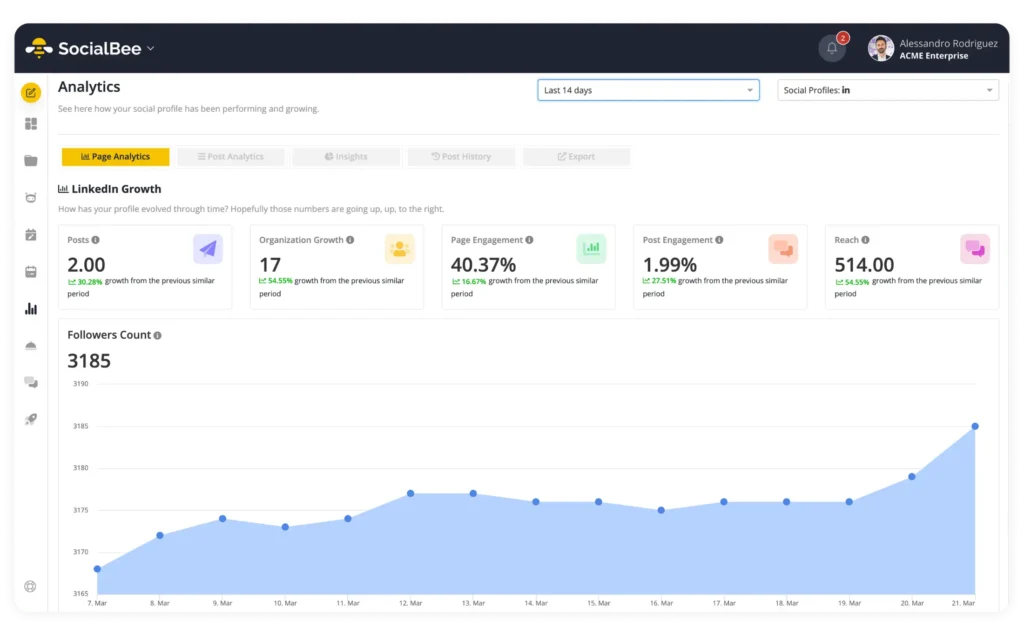
Facebook analytics tools cover image

Top 10+ Facebook Analytics Tools for Your Business

Facebook is still an important marketing channel for businesses, but posting alone isn’t enough. You also need to know what’s working, what isn’t, and what your audience responds to.

Facebook analytics tools help you track things like reach, engagement, audience growth, and content performance. Some also let you compare Facebook with your other social media channels and turn the data into reports you can actually use.

In this guide, we’ll cover 10+ Facebook analytics tools and what to look for when choosing one.

Whether you’re a small business owner, a marketer, or trying to grow your brand online, you’ll be able to compare your options and find a tool that fits your needs.

SocialBee logo featuring a stylized yellow bee icon on a dark hexagonal background.
SocialBee – Social media management tool
Social media management tool
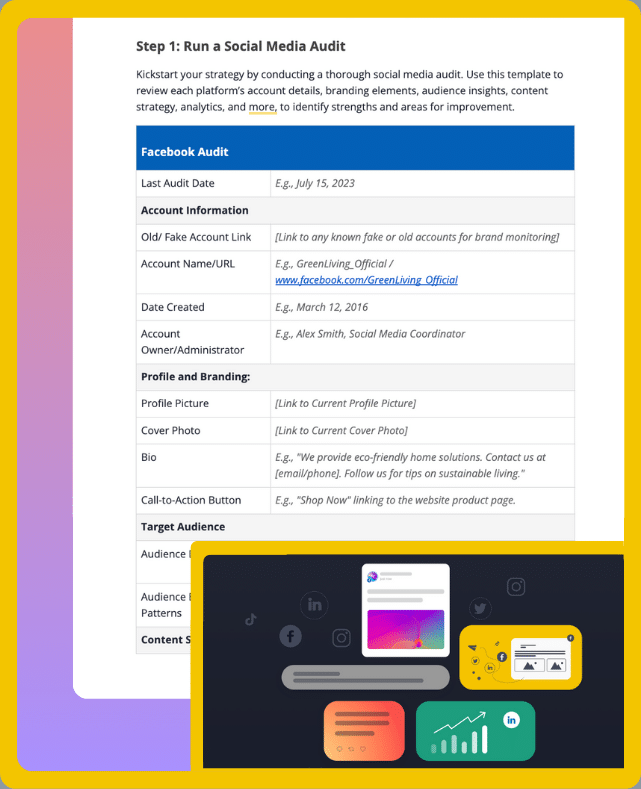
Get your free social media strategy template!

We’re SocialBee LABS SRL, part of WebPros. We use the information you provide to share relevant content & updates, as outlined in our Privacy Policy. You can opt out anytime.

Short Summary

  • Facebook analytics can show you who your audience is, which content gets the best response, and whether your social media strategy is working.
  • When comparing Facebook analytics tools, look at the data they provide, how easy they are to use, how much you can customize reports, which platforms they support, and how quickly their data updates.
  • Free tools can cover basic reporting needs, while paid tools usually offer more detailed analytics, cross-platform reporting, and additional features for teams and larger marketing campaigns.
  • The Facebook analytics tools covered in this guide are SocialBee, NapoleonCat, Later, Coupler.io, StoryChief, Agorapulse, Brand24, Sprout Social, Social Champ, Oktopost, and Facebook Insights.

Why Do Facebook Analytics Matter for Your Business?

Facebook analytics help you understand what happens after you publish a post or launch a campaign. Instead of relying on assumptions, you can use performance data to decide what to post, when to post, and what to change.

For example, Facebook analytics can help you:

  • Understand your audience: Learn more about the people interacting with your Facebook presence, including available demographic data.
  • See which content works: Compare reach, views, engagement, and other metrics to find the posts that perform best.
  • Improve your posting strategy: Use performance patterns to refine your content and identify better times to post.
  • Measure campaigns: Track relevant performance metrics to see whether your Facebook marketing is producing the results you expected.
  • Spot areas for improvement: Identify declining engagement, underperforming content, and other patterns that may require a change in strategy.

The point isn’t to collect as much data as possible. It’s to use the right data to make better decisions about your Facebook content.

How to Choose the Right Facebook Analytics Tool

The right Facebook analytics tool depends on what you need to measure and what you plan to do with that information.

When comparing your options, look at these five areas:

  1. Comprehensiveness of data
  2. Ease of use and customization
  3. Real-time insights
  4. Integration with other platforms
  5. Reporting and visualization tools

1. Comprehensiveness of Data

Start with the metrics you actually need.

Depending on your goals, that could include:

  • Reach and impressions
  • Engagement
  • Post and page views
  • Audience growth
  • Audience demographics
  • Content performance

A tool that tracks a wider range of metrics can give you a more complete picture of how your Facebook presence is performing. But more data isn’t automatically better. Make sure the tool covers the metrics you’ll actually use to make decisions.

2. Ease of Use and Customization

You shouldn’t have to dig through several menus every time you want to check how a post performed.

Look for a tool with a clear interface that makes your most important metrics easy to find. If you’re creating reports, check whether you can customize them to focus on the information that matters to your business, team, or clients.

This becomes especially useful when different people need different information. A social media manager may care about engagement and content performance, while a client or manager may only need a quick overview of results.

3. Real-time Insights

How quickly do you need your data?

Up-to-date analytics can help you see how posts and campaigns are performing and make faster changes to your strategy.

This matters most for time-sensitive campaigns, launches, events, and trending topics. If you mainly create monthly reports, real-time data may be less important than historical data and reporting options.

4. Integration with Other Platforms

If Facebook isn’t your only social channel, look for a tool that also supports the other platforms you use.

Being able to analyze Facebook alongside Instagram, TikTok, YouTube, Pinterest, LinkedIn, X, and Google Business Profile can save you from jumping between separate analytics dashboards.

Also consider integrations that make other parts of social media management easier. For example, a Canva integration can help with content creation, while content curation tools can help you find content to share.

The important question is whether an integration removes a step you would otherwise have to complete manually.

5. Reporting and Visualization Tools

Raw numbers are useful, but they’re much easier to understand when they’re presented clearly.

Look for reporting features such as:

  • Charts and graphs
  • Customizable reports
  • Date-range comparisons
  • Export options
  • Reports you can share with clients or stakeholders

The right reporting features depend on who needs to see the data. If you only track performance for yourself, a simple dashboard may be enough. If you report to clients or management, customizable and exportable reports become much more important.

Do you need to pay for a Facebook analytics tool? Not necessarily.

Free tools can be enough if you only need basic performance data. Paid tools make more sense when you need deeper analytics, better reporting, more users, or data from several social media platforms in one place.

Here are some of the main benefits of paid Facebook analytics tools:

  • More detailed analytics and reports: Paid tools often give you access to more metrics, longer data history, cross-platform analytics, and reports you can customize.
  • Faster access to data: Some paid tools update data more frequently, which can be useful when you’re tracking an active campaign or need to react quickly.
  • Customer support: Access to dedicated customer support can help when something goes wrong, or you need help using a feature.
  • More security controls: Paid tools may offer additional security and privacy features, particularly on plans built for larger teams and organizations.
  • More room to grow: As you add social accounts, team members, clients, or reporting needs, paid tools usually give you more options to manage them.

Free Facebook analytics tools have their own advantages:

  • No added cost: They’re a practical starting point if you have a limited budget or aren’t ready to pay for an analytics platform.
  • Basic performance data: You can usually track essential metrics such as views, engagement, and likes.
  • Simpler features: If you only need a few key metrics, a basic tool may be easier to use than a platform packed with advanced analytics.
  • Easy to try: You can start tracking your Facebook performance without committing to a paid plan.
  • Enough for simpler needs: If you manage a small Facebook presence and don’t need detailed reports or cross-platform analytics, a free option may give you everything you need.

The better choice comes down to what you actually need from your analytics. If you only want to check basic Facebook performance, start with a free option. If you need deeper analysis, reports for clients or stakeholders, multiple social accounts, or more advanced features, a paid tool may be worth the cost.

Either way, having more data won’t automatically improve your Facebook strategy. What matters is whether the tool gives you information you can understand and use to make better decisions.

Top 10+ Best Facebook Analytics Tools for Businesses

If you’re on the hunt for the best Facebook analytics tool out there, we’ve got your back. 

Here are the 10+ best Facebook analytics tools for businesses:

  1. SocialBee
  2. NapoleonCat
  3. Coupler.io
  4. StoryChief
  5. Brand24
  6. ContentStudio
  7. Agorapulse
  8. Later
  9. Sprout Social
  10. Social Champ
  11. Oktopost
  12. Facebook Insights

1. SocialBee

SocialBee lets you track your Facebook performance from one dashboard, with analytics for both your page and individual posts.

You can see how your audience and engagement change over time, find your best-performing content, compare your page with competitors, and use past performance to find the best times to post.

You can also export your Facebook analytics as PDF or CSV reports, which is useful when you need to share results with your team or clients.

Beyond analytics, SocialBee lets you create, schedule, and publish Facebook posts, collaborate with your team, and manage messages, comments, and mentions from the same platform.

 Monitor your Facebook Business page from SocialBee to improve your performance in real time.

Start your 14-day free SocialBee trial today!

A. Competitor Analysis

SocialBee has a dedicated Competitor Analysis tab for Facebook. You can search for competitor Facebook pages and compare their page likes and followers with yours.

This gives you extra context for your own performance and can help you spot areas where your Facebook presence could improve.

B. Page Analytics

SocialBee lets you track how your Facebook page performs over time using key metrics such as:

  • Followers gained and lost
  • Overall page engagement and views
  • An hourly breakdown of post performance for each day of the week

C. Post Analytics

For individual Facebook posts, you can track:

  • Post views: How many times your posts were displayed, including multiple views from the same person
  • Unique post views: How many individual people saw your content
  • Post engagement: The clicks, likes, comments, and shares each post received
  • Average post performance: The average engagement your posts received during a selected period
  • Best-performing content: Your top posts, content types, and content categories

Note: SocialBee’s analytics features are available on all subscription plans.

Pros of SocialBee:

  • Easy-to-use analytics dashboard
  • Page, post, audience, and competitor insights
  • PDF and CSV report exports
  • Facebook analytics alongside your other social media accounts
  • Unified social inbox and team collaboration features
  • Analytics connected with AI post generation, content planning, publishing, bulk scheduling, and post recycling
  • Customer support available across all plans

Cons of SocialBee:

  • Can take some time to learn when you first get started

Subscription Plans:

Monitor Your Facebook Page with SocialBee!
Create posts, publish, analyze, engage and collaborate, all from SocialBee.

2. NapoleonCat

NapoleonCat gives you Facebook analytics, customizable dashboards, and reports that help you track your page and audience performance.

You can follow metrics such as engagement and audience demographics, then use charts and graphs to make the data easier to understand.
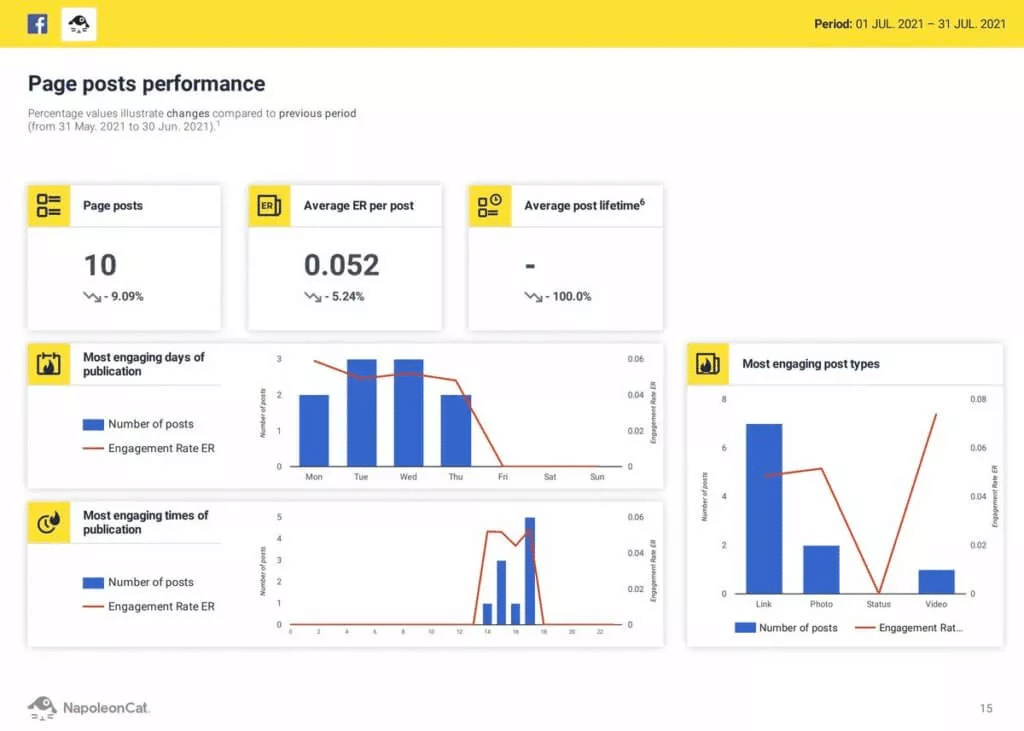
NapoleonCat Analytics Dashboard

Pros of NapoleonCat:

  • Tracks Facebook engagement, audience demographics, and other key metrics
  • Uses charts and graphs to make performance data easier to understand
  • Lets you customize your dashboard around the metrics that matter to you

Cons of NapoleonCat:

  • Can take some time to learn when you first start using it

Pricing:

  • Plans start at $32/month

3. Coupler.io

Coupler.io is a data analytics and reporting tool that you can use to track Facebook Ads performance.

Its ready-made dashboards let you monitor metrics such as views, ad spend, clicks, and CPC. You can also bring data from different marketing channels together to compare performance in one place.
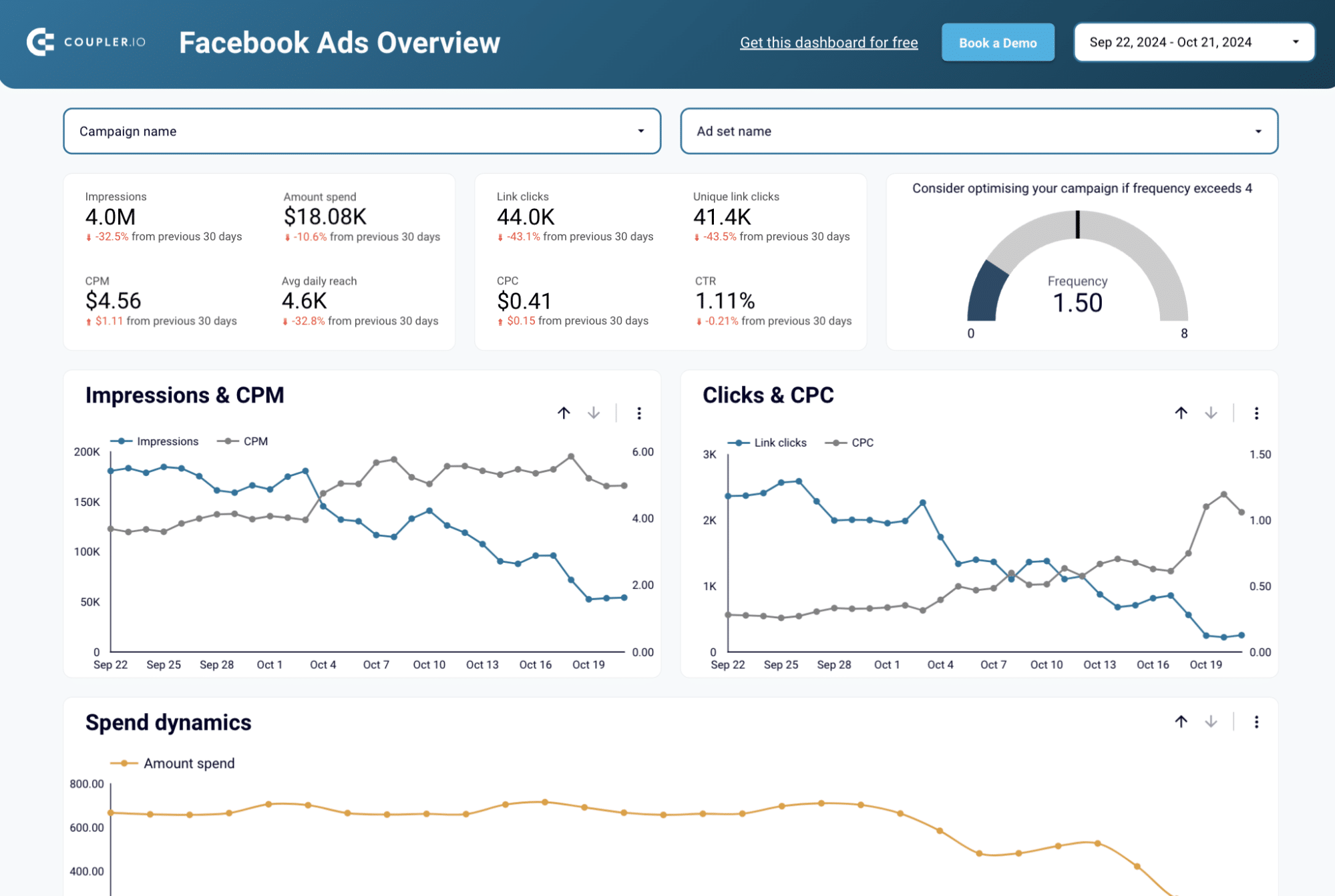
Coupler.io

Pros of Coupler.io:

  • Custom dashboards for tracking important Facebook Ads metrics
  • Ability to connect Facebook Ads to Google Sheets for easier reporting and data management
  • Integrations with other marketing platforms for cross-channel analysis
  • Automatic data refreshes that keep reports up to date

Cons of Coupler.io:

  • Can take some time to learn if you want to use its more advanced features

Pricing:

  • Free plan with limited features
  • Paid plans start at $24/month
  • 7-day free trial

4. StoryChief

StoryChief gives you Facebook analytics for tracking page performance and audience engagement.

You can use its reports and dashboards to see how your Facebook content is performing and use those insights to improve your social media strategy and work toward your business goals.
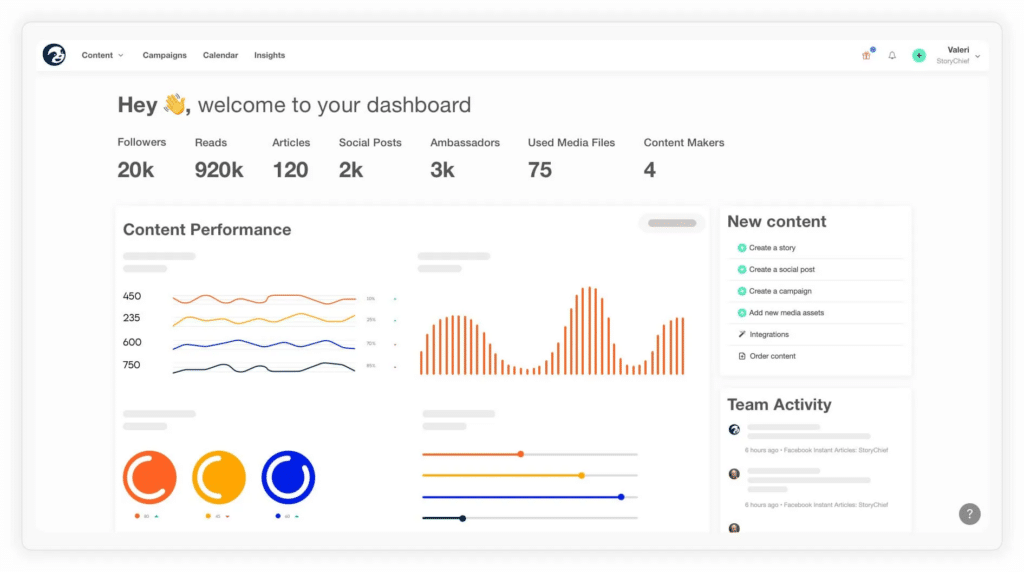
StoryChief Analytics Dashboard

Pros of StoryChief:

  • Tracks metrics such as likes, comments, shares, and views
  • Provides reports on Facebook page performance, competitors, and audience insights
  • Lets you customize dashboards around the metrics that matter to your business

Cons of StoryChief:

  • Its analytics may be too basic for teams managing a large number of clients

Pricing:

  • Plans start at €30/month

5. Brand24

Brand24 is primarily a social listening and monitoring tool. You can use it to track conversations around your brand and analyze the data to better understand how people are talking about you online.

Its analytics can also help you spot patterns and trends in those conversations.
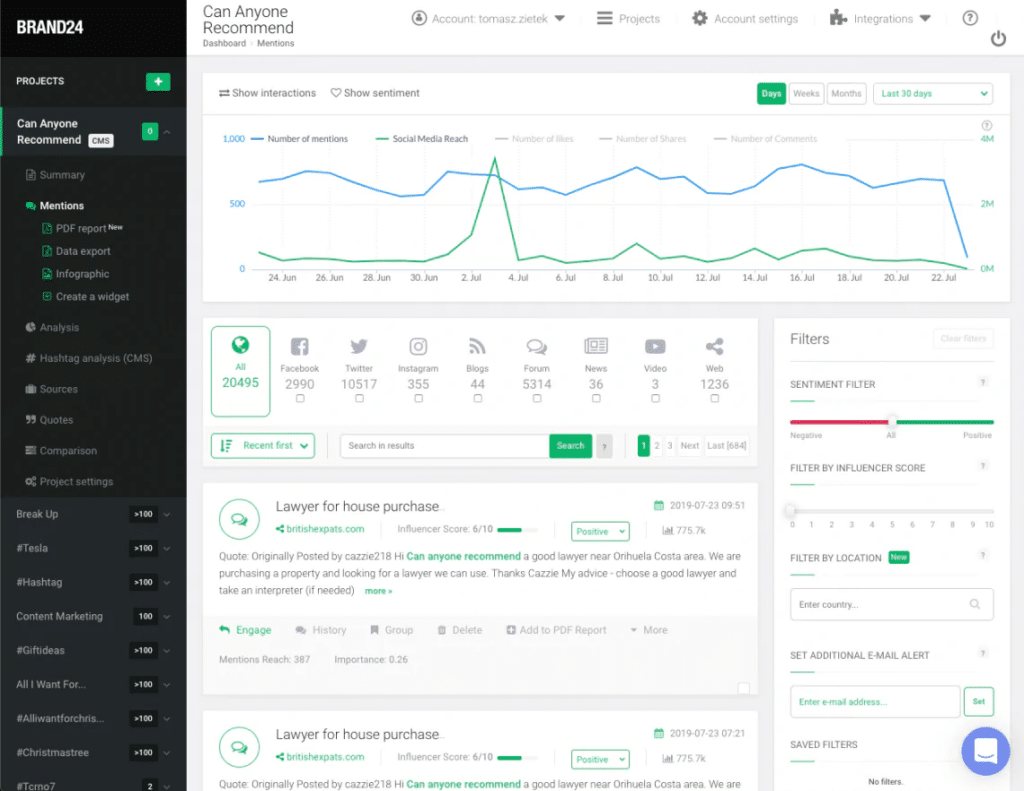
Brand24 Analytics Dashboard

Pros of Brand24:

  • AI-powered analytics on higher-tier plans can help identify patterns and trends
  • Provides real-time data for monitoring changes as they happen
  • Lets you customize your analytics dashboard around the metrics you want to follow

Cons of Brand24:

  • More advanced analytics are limited to higher-tier plans
  • Data exports are limited to CSV format

Pricing:

  • Plans start at $99/month

6. ContentStudio

ContentStudio combines Facebook analytics with social media scheduling, publishing, and engagement tools.

You can track audience growth and top-performing content, compare your performance with competitors, and create reports. It also includes a Social Inbox for managing comments and messages and AI tools for creating captions, hashtags, and visuals.
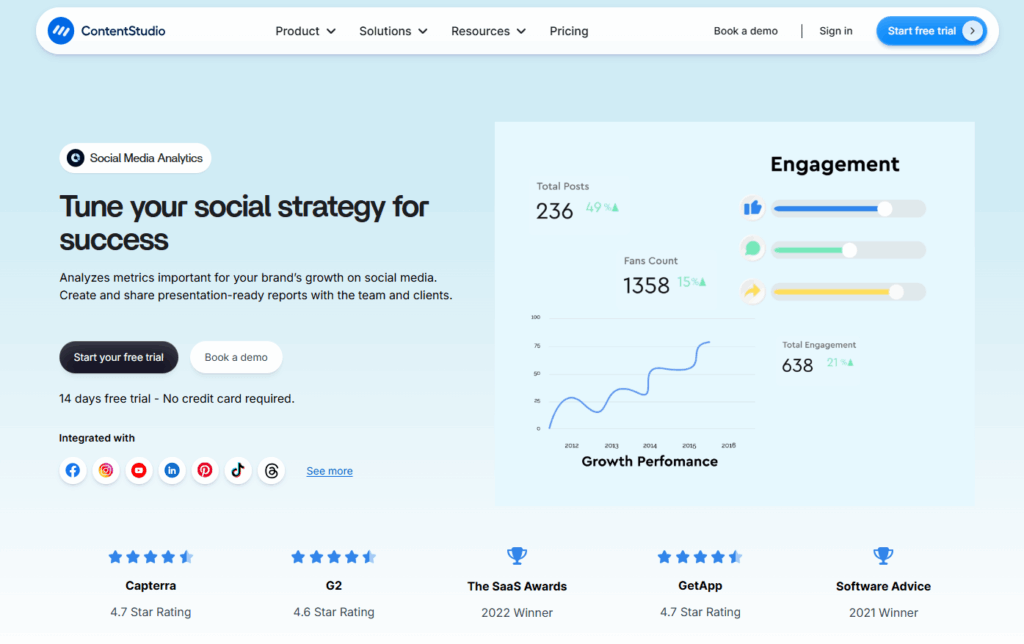
ContentStudio landing page showcasing multi-platform social media analytics, including growth performance, engagement metrics, total posts, and reviews.

Pros of ContentStudio:

  • Scheduling and analytics in one tool
  • Competitor insights for comparing performance
  • AI tools for captions, hashtags, and visuals
  • White-label reports for agencies
  • Approval features for teams

Cons of ContentStudio:

  • Can take some time to learn when you first start using it
  • More advanced features require higher-tier plans

Pricing:

  • Paid plans start at $29/month
  • 14-day free trial

7. Agorapulse

Agorapulse lets you track Facebook page and post performance, audience data, and other important metrics from one dashboard.

You can also analyze Facebook alongside your other social media accounts, making it useful if you want to compare performance across platforms.
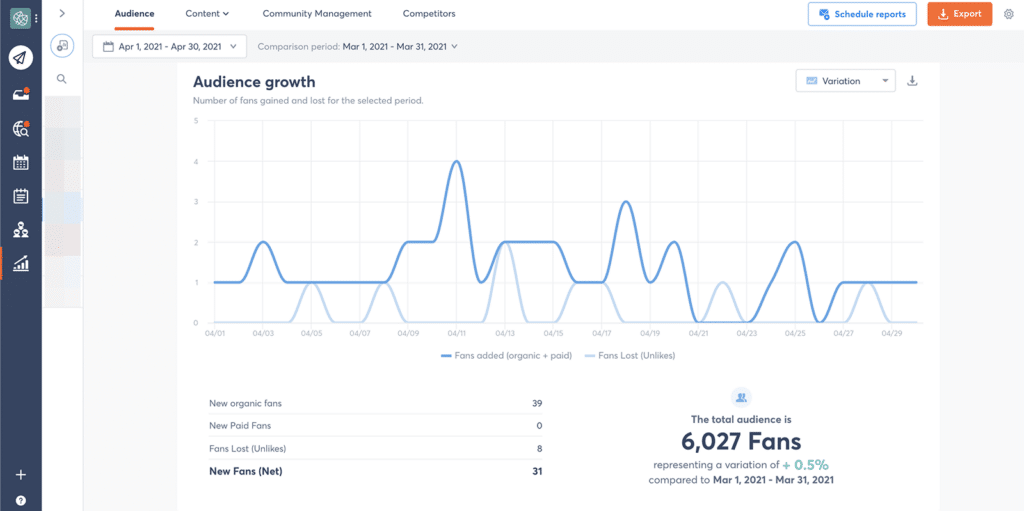
Agorapulse Analytics Dashboard

Pros of Agorapulse:

  • Easy-to-use analytics dashboard
  • Real-time Facebook performance data
  • Cross-platform analytics for comparing Facebook with other social accounts
  • Reports you can use to track and share performance

Cons of Agorapulse:

  • Doesn’t provide separate analytics for every type of Facebook content, so you can’t analyze Reels as a category separately from images or Stories

Pricing:

  • Free plan available for individual users
  • Paid plans start at $69/month

8. Later

Later is mainly a social media scheduling tool, but it also includes Facebook analytics for tracking the basics.

You can monitor your Facebook Page performance, see which posts get the best response, look at performance trends, and create reports to share with your team or clients.
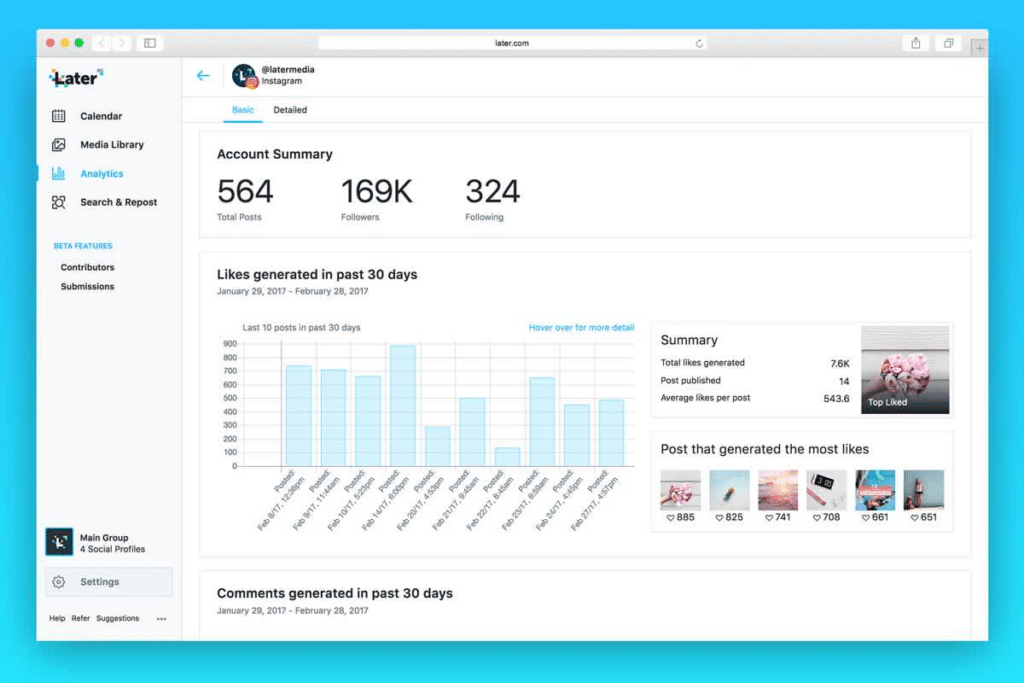
Later-analytics-dashboard

Pros of Later:

  • Tracks Facebook Page views, engagement, and follower growth
  • Shows which posts perform best
  • Helps you spot performance trends over time
  • Lets you create reports for your team or clients

Cons of Later:

  • Doesn’t support Facebook Groups or personal profiles
  • Some data, including certain audience demographics, isn’t available because of Meta API limitations
  • Analytics are only available on desktop with a paid plan
  • Your Facebook Page needs at least 100 followers to access analytics

Pricing:

  • Plans start at $25/month

Later makes sense if you already use it for scheduling and only need basic Facebook analytics. If analytics and detailed reporting are a bigger priority, you may need a more advanced tool.

9. Sprout Social

Sprout Social offers advanced Facebook analytics and reporting features, making it a better fit for larger businesses and teams with more detailed reporting needs.

You can track Facebook performance and audience data, create reports, and use customizable dashboards to focus on the metrics that matter most to your team.
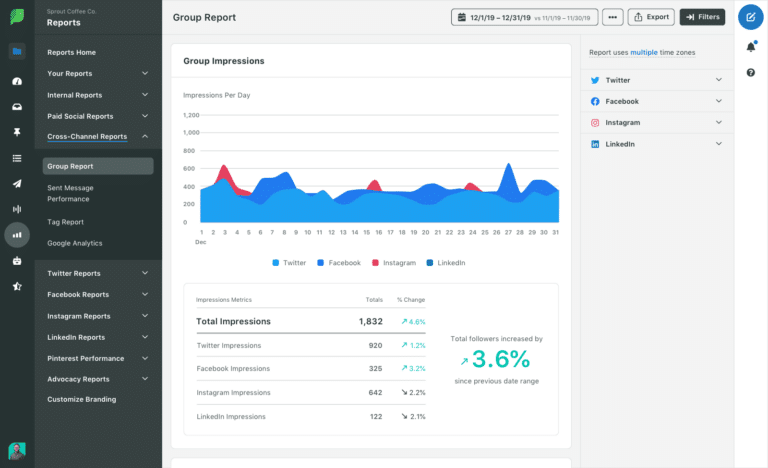
Sprout Social Analytics Dashboard

Pros of Sprout Social:

  • Tracks Facebook metrics such as post engagement, audience demographics, and social trends
  • Provides reports on page performance, competitors, and audience insights
  • Uses charts and graphs to make performance data easier to understand
  • Customizable dashboards for tracking the metrics you care about

Cons of Sprout Social:

  • More expensive than many other Facebook analytics tools
  • Can take more time to learn if you only need basic Facebook analytics

Pricing:

  • Plans start at $249/month

See how Sprout Social compares with other social media management solutions.

10. Social Champ

Social Champ combines Facebook analytics with other social media management features, so you can track performance and manage your content from the same platform.

You can monitor your Facebook results alongside your other social accounts and use the data to see what’s working and where you may need to make changes.
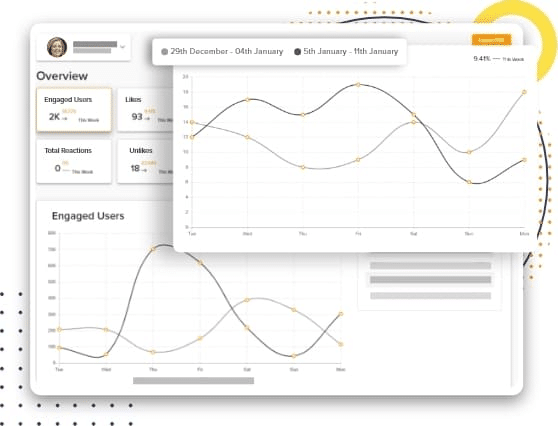
Social Champ Analytics Dashboard

Pros of Social Champ:

  • Tracks Facebook performance data
  • Lets you compare Facebook with your other social media accounts
  • Combines analytics with scheduling, publishing, and engagement features

Cons of Social Champ:

  • You can’t customize the analytics dashboard around your specific needs

Pricing:

  • Free plan for individual users with up to three social accounts
  • Paid plans start at $29/month

11. Oktopost

Oktopost is a social media management and analytics platform built for B2B and enterprise teams.

For Facebook, you can track metrics such as clicks, reactions, comments, and shares and use reports to understand how your page and content are performing.
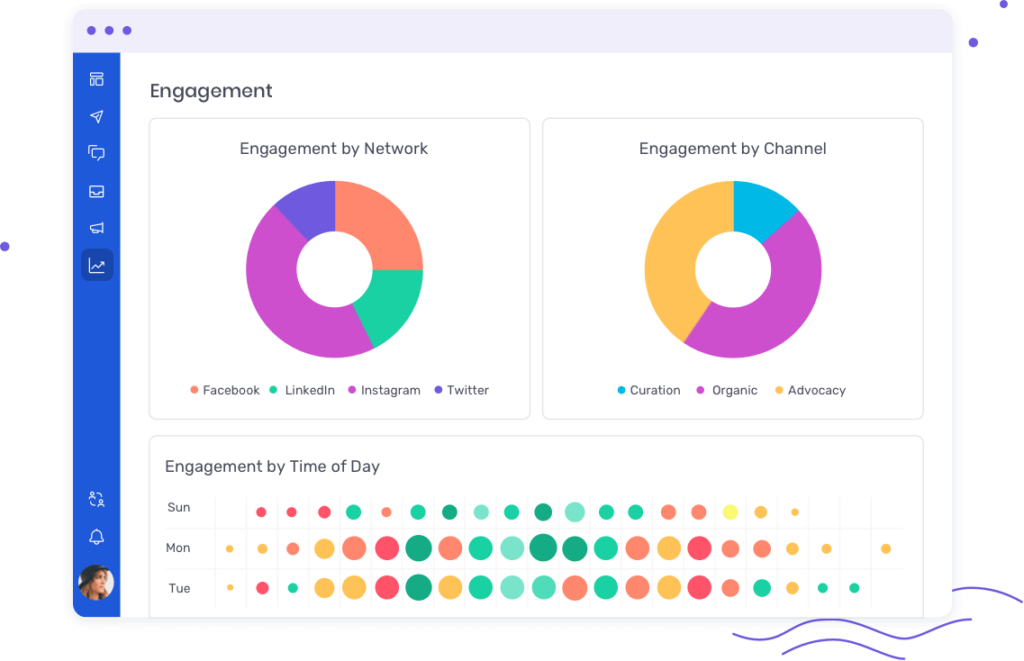
Oktopost social media analytics dashboard

Pros of Oktopost:

  • Tracks Facebook metrics such as clicks, reactions, comments, and shares
  • Provides detailed reports on Facebook performance
  • Offers analytics alongside other social media management features
  • Built for the more detailed reporting needs of enterprise teams

Cons of Oktopost:

  • Analytics can take some time to set up
  • Data exports are limited to CSV format

Pricing:

  • Pricing is available upon request

12. Facebook Insights

Facebook Insights, available through Meta Business Suite, gives you access to Facebook performance data without paying for a separate analytics tool.

It’s a useful starting point if you mainly want to track basic metrics such as views, engagement, and audience activity directly from Facebook.
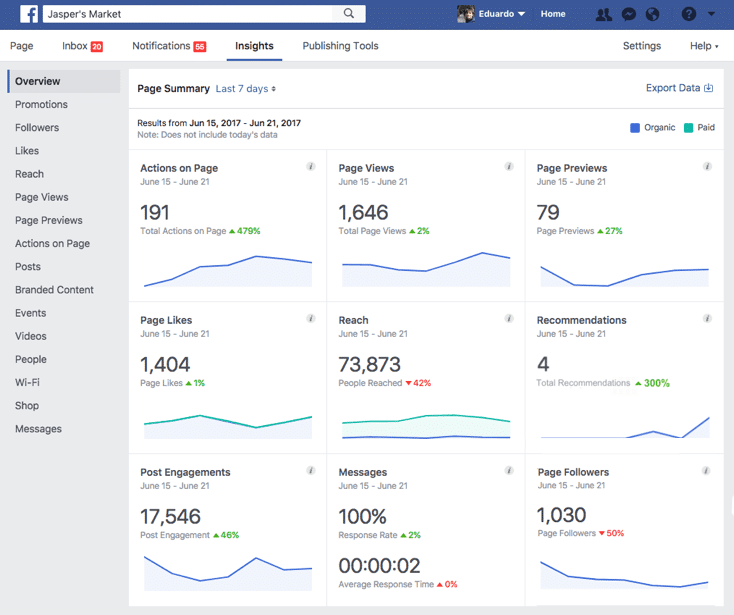
Facebook Insights Screenshot

Source

Pros of Facebook Insights:

  • Free to use
  • Covers basic Facebook performance metrics
  • Easy to access through Meta Business Suite
  • Useful if you only need Facebook data and don’t need cross-platform reporting

Cons of Facebook Insights:

  • Less detailed than many dedicated analytics tools
  • Fewer reporting options
  • Limited dashboard customization
  • Doesn’t give you the same cross-platform view as a social media analytics platform

Pricing:

  • Free

Frequently Asked Questions

1. Which Are the Best Free and Paid Social Media Analytics Tools?

The best option depends on what you need to measure. If you only need basic Facebook data, Facebook Insights is a free place to start.

If you want to analyze several social media platforms from one place, SocialBee is a paid option that lets you track page and post performance, compare competitors, and create reports alongside your other social media management tasks.

2. What Are Some Free and Reliable Tools for Measuring Facebook Engagement?

Facebook Insights is a good free option if you want to track engagement directly through Meta Business Suite. You can use it to see how people interact with your Facebook content without paying for a separate analytics platform.

If you need more detailed reporting or want to manage Facebook alongside other social networks, you may need a paid analytics tool.

3. Which Free or Inexpensive Tools Are Best for Social Media Analytics?

If you only need basic analytics for one platform, start with the free analytics available through the social network itself.

For businesses managing several social accounts, SocialBee starts at $29/month and brings your analytics together with content creation, scheduling, publishing, and engagement tools. You can also use the 14-day free trial to test the analytics features before choosing a paid plan.

Turn Your Facebook Data Into Better Content

The best Facebook analytics tool isn’t necessarily the one that gives you the most data. It’s the one that makes it easy to understand what’s working and use those insights to improve what you post next.

If you only need basic Facebook metrics, a free tool may be enough. If you manage multiple accounts, create reports for clients, or want analytics alongside your scheduling and content tools, a paid platform will usually give you more room to work.

With SocialBee, you can track your Facebook performance, find your best-performing content, compare competitors, and manage the rest of your social media from the same place.

Start your 14-day SocialBee trial and use your Facebook data to make smarter content decisions.

Looking for a Facebook Analytics Tool? Try SocialBee!
Create posts, publish, analyze, engage and collaborate, all from SocialBee.
Summarize this post
SocialBee logo featuring a stylized yellow bee icon on a dark hexagonal background.
SocialBee – Social Media Management Tool
Works with 10+ social media platforms

Related articles

Level up your social media marketing with exclusive resources delivered straight to your inbox

We’re SocialBee LABS SRL, part of WebPros. We use the information you provide to share relevant content and product updates, as outlined in our Privacy Policy. You can opt out anytime.

Something special for you!

Get 20% off your SocialBee plan for 3 months. Just enter your email below and we’ll send you the discount code.

Email us at [email protected] if you need any help.