
Ever stared at your Facebook Page thinking, “What on earth am I supposed to post today?”
I’ve been there: juggling clients, pages, groups, and trying to keep everything consistent across different social media accounts. It gets messy fast.
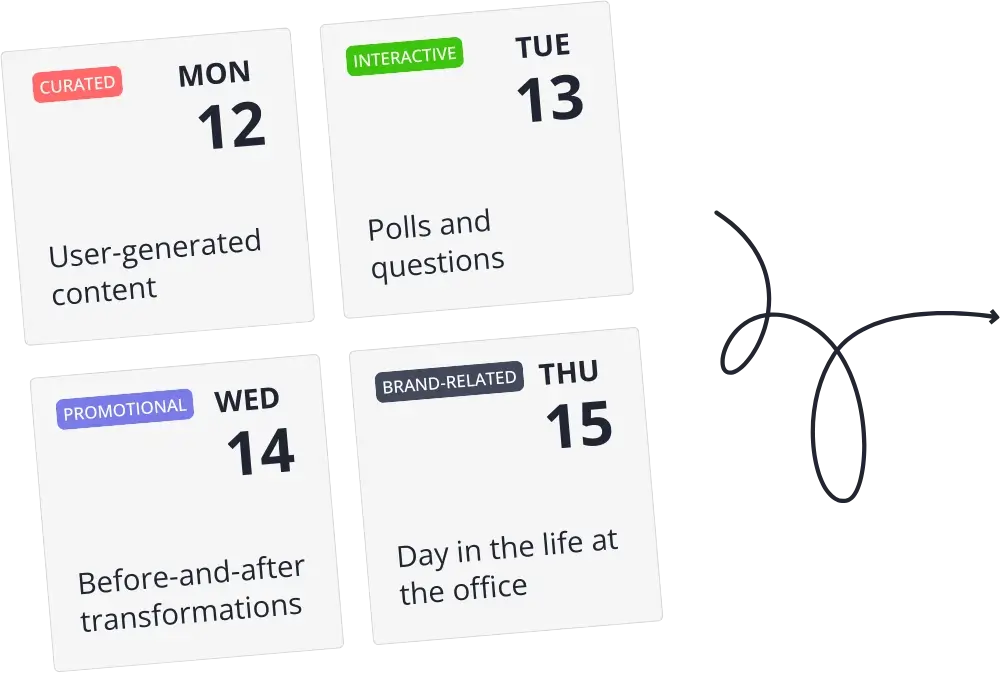
Over time, I noticed that the issue wasn’t ideas. It was timing. I often thought of good content when I was busy, and when I finally had a few minutes to post, I felt rushed. Planning posts ahead helped keep things steady and cut down the day-to-day stress.
In this guide, I’ll go over what actually matters when choosing a Facebook scheduler and which tools make it easier to plan and post without constantly jumping back into the app.
What to look for in a Facebook scheduler?
A good Facebook publishing scheduler should make my life easier, not add extra steps to my already packed workflow.
Here’s what actually matters when scheduling Facebook posts:
- Ability to schedule various content formats (like Stories, Reels, images, videos, and link posts)
- Support for posting to Facebook Pages, Groups, and personal profiles
- Recommendations for the best posting times
- Option to upload and schedule multiple posts at once
- Allows multiple users to work together
- Provides data on post performance
- Makes it easy to create content and manage engagement
1. Ability to schedule various content formats
The scheduler I choose should support everything I already post on my Facebook Page: video posts, Facebook Reels, carousel posts, Facebook Stories, and posts with multiple images or alt text. I want to be able to create and preview posts easily, and publish them across different social media platforms without jumping between apps.
2. Support for posting to Facebook Pages, Groups, and personal profiles
As I’m managing multiple clients or even just several Facebook spaces at once, I need a scheduler that can actually cover all of them. Posting only to Facebook Pages isn’t enough anymore. A lot of day-to-day engagement still happens in Groups, and sometimes the content lives on a personal profile, especially for founders, coaches, freelancers, or anyone building a personal brand.
That’s why it’s important for a scheduler to support all three: Pages, Groups, and personal profiles. It keeps everything in one place and saves me from opening the Facebook app just to publish something manually.
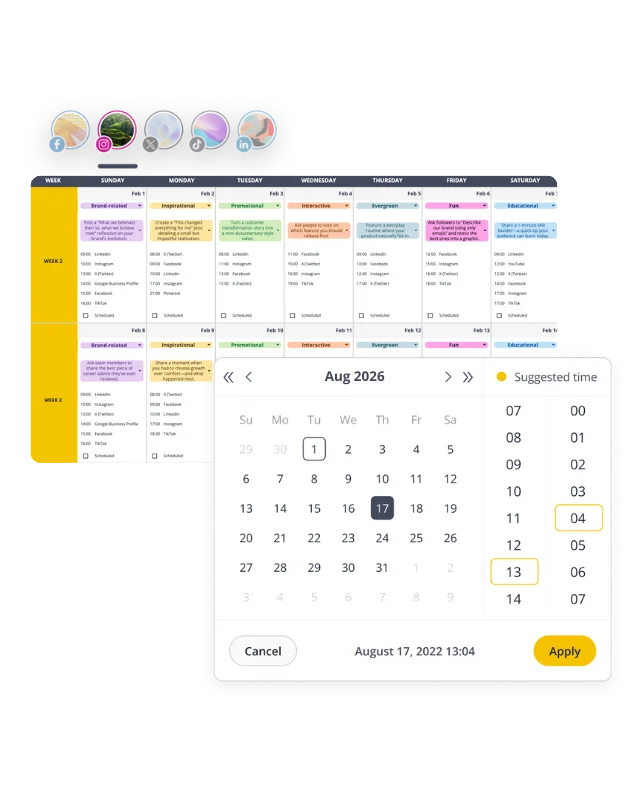
3. Recommendations for the best posting times
Choose a scheduler that recommends the best times to post. In my experience, this saves a lot of trial and error.
Tools that analyze your past posts and show when your audience is usually active make planning much easier. Instead of guessing, you can schedule your content at times when it’s more likely to be seen and engaged with.
4. Option to upload and schedule multiple posts at once
If you want to save time, look for a scheduler that allows bulk scheduling. This simply means you can upload several posts at the same time. There’s no need to build each post from zero every time.
I’ve found that this works best when you batch your content. Instead of creating one post here and another one tomorrow, you sit down once, prepare a handful of posts, and add them all in one session.
A tool that supports bulk uploads makes this process smoother. You can load your images, videos, or links, arrange them on your calendar, and move on with your day.
5. Allows multiple users to work together
If I’m teaming up with someone or managing content for multiple clients, shared access is key. I need a tool that lets people leave comments, review upcoming posts, and manage social accounts together without confusion.
6. Provides data on post performance
A scheduler should give you simple, easy-to-read data about how your posts perform. In my day-to-day work, I mainly look at reach, clicks, comments, shares, and overall engagement. These numbers tell me whether people are actually noticing the content and if it’s encouraging any kind of interaction.
7. Makes it easy to create content and manage engagement
A strong Facebook scheduler should streamline both creation and engagement. I want tools that help me plan posts, create graphics, and publish content without switching between multiple apps. AI content suggestions, built-in editors, and integrations with design tools like Canva make this even easier.
A unified inbox is a big plus: being able to reply to comments and messages in one place saves a lot of time and keeps day-to-day engagement organized.
Top 5 schedulers to use for planning your Facebook posts ahead
After digging into the features, testing different tools, and comparing what actually matters day to day, it’s much easier for me to see which schedulers truly fit my workflow. The tools below make it simple to plan Facebook posts, stay consistent, and keep my social accounts organized without the usual stress. Each one has its own style, so I can choose the one that matches how I like to work.
Here are the top 5 tools I’d use to schedule Facebook posts:
- SocialBee
- Meta Business Suite
- CoSchedule
- Loomly
- Pallyy
1. SocialBee
You might expect SocialBee to appear first, but I used it long before writing this blog. It helped me plan posts across platforms for clients, use AI when I needed ideas, work with my team, manage comments and messages in one inbox, and check performance without extra tools.
Why is SocialBee the best Facebook scheduler?
SocialBee is one of the best Facebook schedulers I’ve worked with because it keeps everything in one place and removes a lot of the busywork around planning and publishing.
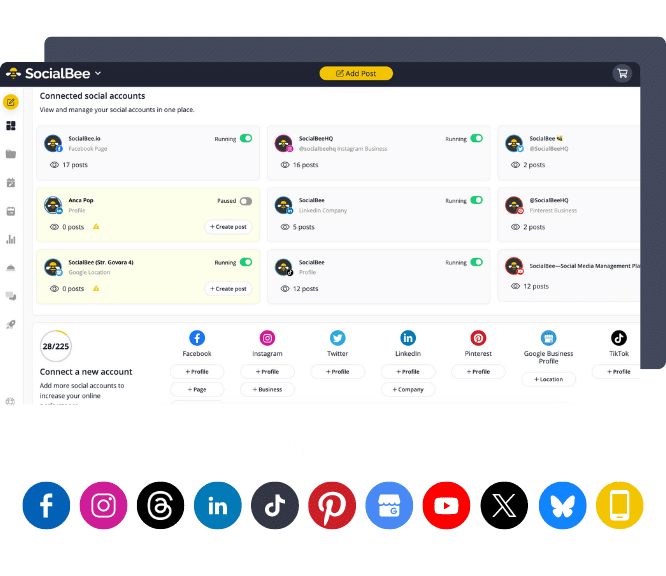
I can post directly to Facebook Pages from the platform, and for Personal Profiles and Facebook Groups, SocialBee uses reminders: Meta doesn’t allow direct publishing there, so the app sends you a notification with the post ready to go. It’s a simple workaround, but it keeps everything inside the same flow instead of juggling notes and drafts.
SocialBee also supports all the main Facebook content types I actually use day to day: regular feed posts, images, videos, links, and Stories (plus Reels through reminders, since Meta doesn’t allow third-party tools to publish them directly). That alone makes planning a lot smoother, especially when I’m managing several clients or pages at once.
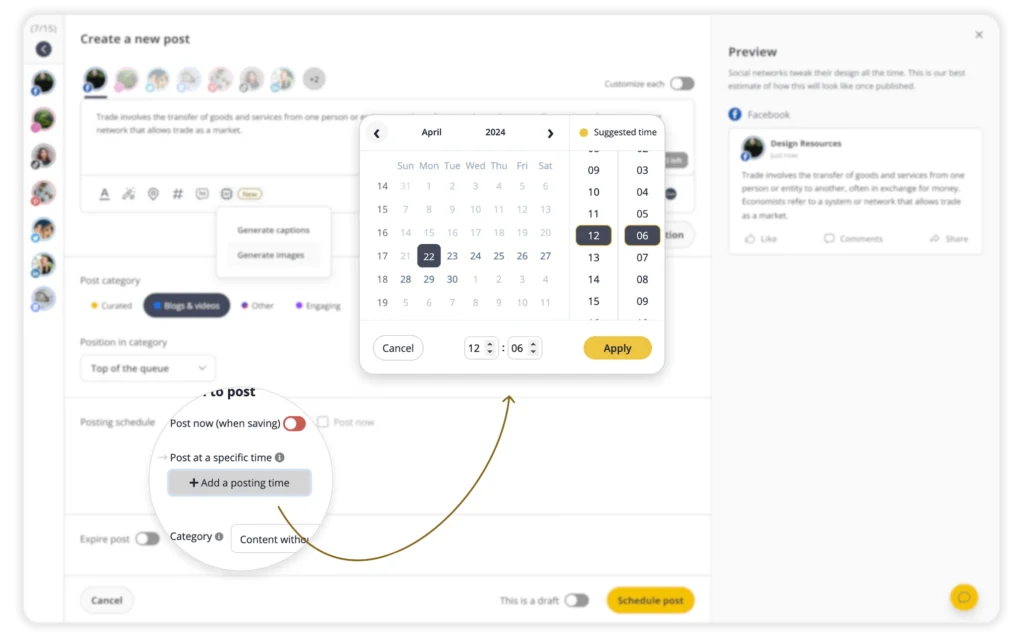
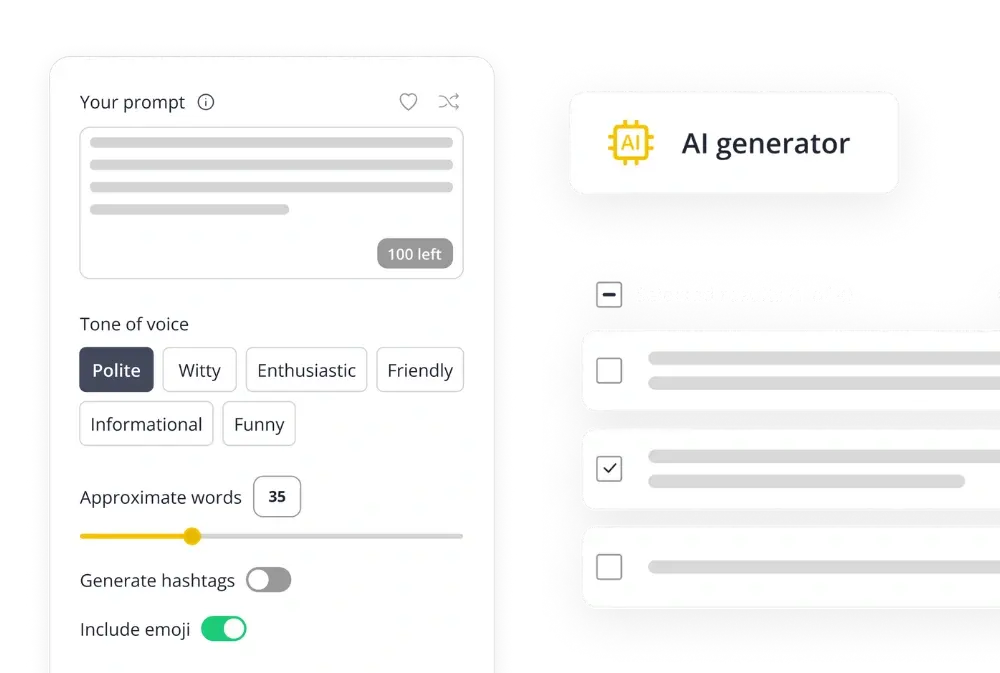
What I appreciate most is how much time it saves. The caption ideas, posting time suggestions, AI image generation, and collaboration tools help me move faster without having to switch between apps. On busy weeks, this is honestly the only reason I stay consistent with Facebook content.
Who is SocialBee best for?
In my experience, SocialBee is a great fit for freelancers, social media managers, startups, small businesses, and agencies handling multiple clients. It’s especially useful for teams that need smooth collaboration, support for more platforms beyond Facebook, and strong publishing features, without paying extra every time they need one more tool or upgrade.
SocialBee feature overview
SocialBee really stands out when it comes to scheduling Facebook posts and managing multiple social accounts from one dashboard. One of the most impressive features is Copilot, the built-in AI assistant.
Copilot can help with ideas even when I don’t have much to give it. I can paste a link to my website or any piece of content, and it pulls in the details it needs to suggest post ideas, recommend good posting times, and even generate batches of posts for Facebook, Instagram, YouTube, or other channels. It’s genuinely helpful on days when I’m low on ideas or short on time.
Another thing that caught my attention is Universal Posting. It gives me a way to publish to platforms that normally don’t support direct scheduling: like a Facebook Group, Reddit, WhatsApp, Telegram, Mastodon, or Quora. When it’s time to publish, I simply get a notification on the SocialBee mobile app, tap a few times, and the post goes live. It’s a simple way to manage all my social platforms, even the ones that don’t connect easily.
I also like how SocialBee organises posts into categories. You can separate content by theme and set a posting schedule for each category, which keeps everything structured and easy to manage without feeling overwhelming.
Here are the key SocialBee features:
- Schedule posts and publish content to Facebook, Instagram, LinkedIn, X (Twitter), Pinterest, TikTok, YouTube, Threads, Bluesky, and Google Business Profile.
- Quickly generate captions, hashtags, and images through AI when I need fresh ideas.
- Customize posts for each platform by adjusting the caption, cropping the image, changing the format.
- Create variations so your Facebook posts, Instagram posts, and video posts don’t all look the same.
- Adjust captions, resize images, tag accounts, add first comments, swap hashtags, and edit alt text.
- Generate hashtags and save them in collections for later.
- Choose custom thumbnails for videos and manage all visuals inside the app.
- Get data-driven suggestions on the best times to schedule Facebook posts to maximize engagement based on past performance.
- Set unique posting schedules for each social account and manage everything from one platform.
- Edit or adjust multiple posts at once with the bulk schedule editor.
- Save drafts and come back to them anytime.
- Access Canva, Unsplash, and GIPHY inside SocialBee without opening another app.
- Collaborate with any team member by leaving notes, approving posts, and reviewing scheduled content.
- Manage multiple clients in separate workspaces for better organization.
- Track results across all social channels and export custom reports.
- Use the unified inbox to reply to comments and messages across accounts from one place.
- Import blog posts automatically and let SocialBee suggest captions, images, and links (it also adds the blog URL to the social post for you)
- Shorten URLs with over 10 link-shortener integrations.
SocialBee pros
I really like how practical SocialBee is day-to-day. It lets me manage several social accounts, plan posts ahead of time, and check how everything is performing. The AI tools definitely save time when I need quick ideas, and having a social inbox in the same place makes it easier to keep up with comments and messages.
From what I’ve seen in my research, other users appreciate the same things. People often mention that it’s easy to get comfortable with, the support team is quick to respond, and the overall value is strong compared to other schedulers.
What users highlight about SocialBee’s pros:
- “We have been using SocialBee for number of years now, and it has significantly improved our social media management process. The platform is incredibly user friendly and offers a wide range of features that make scheduling and posting content a breeze.” – Ben O., Network Manager, Source
- “Comprehensive social media management platform with all features including AI content generation, detailed analytics, and social inbox.” – Uli K., Director, Online Media, Source
- “SocialBee is the easiest social media scheduling tool ever! It’s good value for money and, even if you’re technically challenged, they offer a free teaching class too! I’ve been using SocialBee for over 4 years now and don’t plan on moving.” – Rachael R., Psychic Medium & Reiki Master, Source
- “If you’re a small business owner struggling with social media, SocialBee is a game-changer! I had no idea where to start with posting consistently, and hiring a social media manager just wasn’t an option. SocialBee made everything simple and manageable, and the support team went above and beyond to help me get set up and running. I never expected such hands-on assistance from a scheduling tool, but they genuinely care about their users’ success. Can’t recommend it highly enough!” – Dr. Michelle D., Small Business Owner, Source
SocialBee cons
Overall, people seem happy with SocialBee, but a few small issues do get mentioned. Some users say the setup takes a bit of patience at first, and others feel the RSS feed features could offer a little more flexibility.
What users mention about SocialBee’s cons:
- “I wish it was easier to remove chunks of proposed content from RSS feeds that generate content at a much faster rate than I might schedule posts. Sometimes I discover that my RSS schedule fills up for this reason.” – Jason B., Marketing Systems Manager, Source
- “It takes 1-2 hours to set up but totally worth it and will save you time!” – Rachael R., Psychic Medium & Reiki Master, Source
SocialBee pricing
- Offers a 14-day free trial
- Paid plans start at $29
2. Meta Business Suite

Who is Meta Business Suite best for?
From my research, Meta Business Suite is best for small businesses, solo creators, and anyone who mainly posts and engages on Facebook (and Instagram if the accounts are connected).
Meta Business Suite feature overview
From what I found while researching it, Meta Business Suite is Meta’s free dashboard for managing Facebook and Instagram in one place. It’s pretty straightforward and works well if you only need to stay inside Meta’s ecosystem.
It lets you create and schedule Facebook posts, Stories, and cross-post to Instagram when the accounts are linked. You also get a unified inbox for comments, messages, and mentions, which makes everyday engagement easier to handle.
There’s a calendar view for drafts and scheduled posts, options to boost posts or create ads directly from the dashboard, and basic analytics like reach, engagement, and audience details. It also supports multiple Facebook Pages, and you can add team members and set roles if you’re working with others.
It’s not as feature-heavy as third-party schedulers, but based on what I saw, it covers the essentials well for people who want everything in one simple place.
Here are Meta Business Suite’s key features:
- Create and schedule Facebook posts, Stories and even cross-post to connected Instagram accounts during peak times.
- Manage comments, messages and mentions from Facebook (and Instagram/WhatsApp if linked) in one place.
- View scheduled posts, drafts and published content to plan ahead.
- From the same dashboard you can boost posts or create ads for Facebook and Instagram.
- Metrics such as reach, engagement, audience demographics, content interactions and comparative benchmarks.
- Supports Facebook business Pages plus linked Instagram (and works across Meta’s ecosystem) so you can handle both from one dashboard.
- Add team members, set roles and manage access for different tasks in your social workflow
- Available on desktop-version, as well as an app for a mobile device
Meta Business Suite pros
From what I’ve noticed, people like Meta Business Suite because it keeps everything in one place. It’s easy to switch between Facebook and Instagram, check messages, and schedule posts without bouncing between different apps. A lot of users rely on it every day because it helps them plan content ahead of time and avoid the morning scramble. The built-in analytics and ad tools are a nice bonus too, especially considering the platform is free.
What users mention about Meta Business Suite’s pros:
- “I love it. I use it daily and I like being able to manage and switch between all the profiles I help admin. I just recently helped a friend get the business suite app on his phone so that he could better market his own business.” – Regina, Marketing & Advertising, Source
- “Overall, Facebook Meta Suite has been a reliable tool for managing social media. I appreciate having both Facebook and Instagram accounts connected in one place, with organized inboxes and convenient scheduling tools that save time and effort. The Ad Manager is also a strong feature that makes running campaigns straightforward.” – Shelby, Marketing & Advertising, Source
- “I really love the Facebook/Meta Business Suite. I use it almost every day for managing client social media channels and accounts and it incorporates all of the necessary functionality for post scheduling and maintenance, as well as dashboard analytics” – Laura, Marketing & Advertising, Source
- “It has helped me plan and set aside time to schedule weekly content so I’m not scrambling every morning. It gives me more air cover to talk to customers and see what’s happening with our posts.” – Tim, Civil Engineering, Source
Meta Business Suite cons
From everything I found while researching, a lot of users run into similar frustrations with Meta Business Suite. The interface changes often, which makes it harder to find things, and managing several Pages at once can feel clunky. Some people also mention slow loading times, broken Instagram connections, or simple posting issues like distorted images.
Another big limitation is that Meta Business Suite can’t schedule posts to personal Facebook profiles or to Facebook Groups, which makes it less flexible than third-party schedulers.
What users mention about Meta Business Suite’s cons:
- “Super confusing interface. I couldn’t get the Instagram API to work after hours of fiddling with it. Unfortunately, Meta has a monopoly on the world, so using it is sort of unavoidable.” – Tess, Environmental Services, Source
- “The software is too unintuitive to be of any use. The software is CONSTANTLY going through frivolous updates that do nothing more than cause more confusion by switching up where everything is. It is slow and hard to navigate. Having many pages to manage, this does not allow it to play nicely to overlook and work on multiple pages at the same time.” – Tyler, Veterinary, Source
- “When publishing on both platforms Facebook & Instagram, the Instagram photo is distorted and ruined. MIssing some basic features that worked fine before: No option to publish in multiple languages like before. No option to simply drag & drop photo. Switching to Business Manager / Ad account very confusing.” – Marko, Marketing & Advertising, Source
Meta Business Suite pricing
- Free
3. CoSchedule
Who is CoSchedule best for?
Based on my research, CoSchedule works best for larger marketing teams, agencies, or content-focused organizations that need more than just a simple Facebook post scheduler.
CoSchedule feature overview
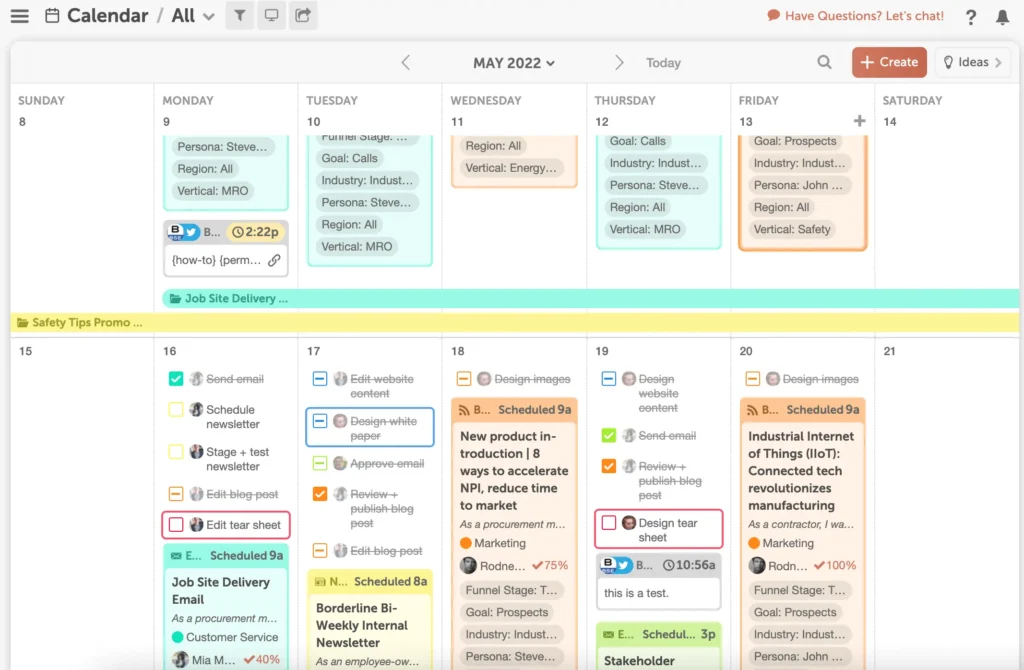
While looking into CoSchedule, what I liked most is how it brings everything into one place. It really feels like a central calendar where you can plan Facebook posts, map out campaigns, and keep track of what’s coming up without switching between different tools.
You get one combined editorial and social calendar, so your Facebook posts, Instagram content, blog posts, and tasks all sit in the same view. Moving things around is easy: you can drag and drop posts or campaigns and adjust your schedule on the fly.
It also lets you publish across multiple platforms, including Facebook posts, videos, and carousels. There’s a unified inbox for handling comments and messages, plus reporting dashboards that help you see what’s performing well.
If you’re working with a team, the built-in workflows are genuinely helpful. You can set up templates, manage approvals, assign roles, and keep client projects organised without feeling overwhelmed.
Here are some of CoSchedule’s key features:
- An editorial content calendar and social calendar where you see your upcoming Facebook posts, Instagram posts, blog posts, and more in one view.
- Drag and drop scheduling: move your posts, campaigns, or tasks around easily, and your social messages update accordingly.
- The ability to schedule across multiple social platforms, create and publish Facebook posts, video posts, carousel posts, and keep everything in sync.
- A unified social inbox and monitoring tools to manage comments, messages, and mentions across social channels.
- Custom reports, insights dashboards, and performance measurement tools to track content strategy, post performance, and team productivity.
- Collaboration and workflow features: task templates, approvals, team roles, and project views designed for agencies or large teams working with multiple clients.
CoSchedule pros
I noticed that CoSchedule gets a lot of praise for helping users stay organized and plan posts ahead without worrying about what’s coming next. People like how easy it is to move content around when plans change, and many appreciate that the platform brings social media, content planning, and analytics together in one place.
What users mention about CoSchedule’s pros:
- “I love that I am able to plan my posts ahead of time so that I can move on and not worry about if I have something planned to post 2 days from now or 4 days from now. I also love the ease of moving things around in case something comes up that needs to be added to my schedule.” – Rhiannon R, Social Media Strategist, Source
- First of all, the suite includes a range of features that cover all aspects of marketing, from social media to content creation to analytics. This means that I can manage all my marketing efforts from one place, without having to switch between multiple tools. – Verified User, Small Business, Source
- “CoSchedule Marketing Suite impresses me with its all-inclusive arsenal of marketing tools, harmoniously working together to simplify campaign planning, automate workflows, foster collaboration, and maximize marketing effectiveness, ultimately boosting efficiency and achieving outstanding results.” – Verified User, Marketing and Advertising, Source
CoSchedule cons
On the downside, some users mention that CoSchedule can feel slow at times, which makes day-to-day use a bit frustrating. Customer support is another concern, with reports of delayed responses and difficulties around cancellations.
A few people also note that while the platform is feature-rich, it does come with a learning curve: it takes time to get comfortable with everything CoSchedule offers.
What users mention about CoSchedule’s cons:
- “CoSchedule has a slow load time, which can make it difficult and frustrating to use on a Monday morning. It is also challenging to keep up with the in-program notifications.” – Marianella O, Project Manager, Source
- “Customer support has been incredibly disappointing. I requested to cancel our subscription on May 13, well before the annual renewal reminder, and even provided proof that we didn’t want to renew. Despite multiple follow-ups to cancel our subscription and repeated requests for a refund, I was told we’d have to wait another year. My recent emails have since been ignored, and there’s no option to cancel directly within the app.” – Natalya L., Marketing Specialist, Source
- “While CoSchedule Marketing Suite offers a robust set of features, a minor drawback is the learning curve involved in fully harnessing its capabilities, requiring some time to become acquainted with all the functionalities and maximize its potential.” – Verified User, Marketing and Advertising, Source
CoSchedule pricing
- Starts at $29/month
4. Loomly
Who is Loomly best for?
From my research, Loomly is a strong option for small businesses, startups, and agencies that want an easy way to keep their Facebook content organized and scheduled.
Loomly feature overview
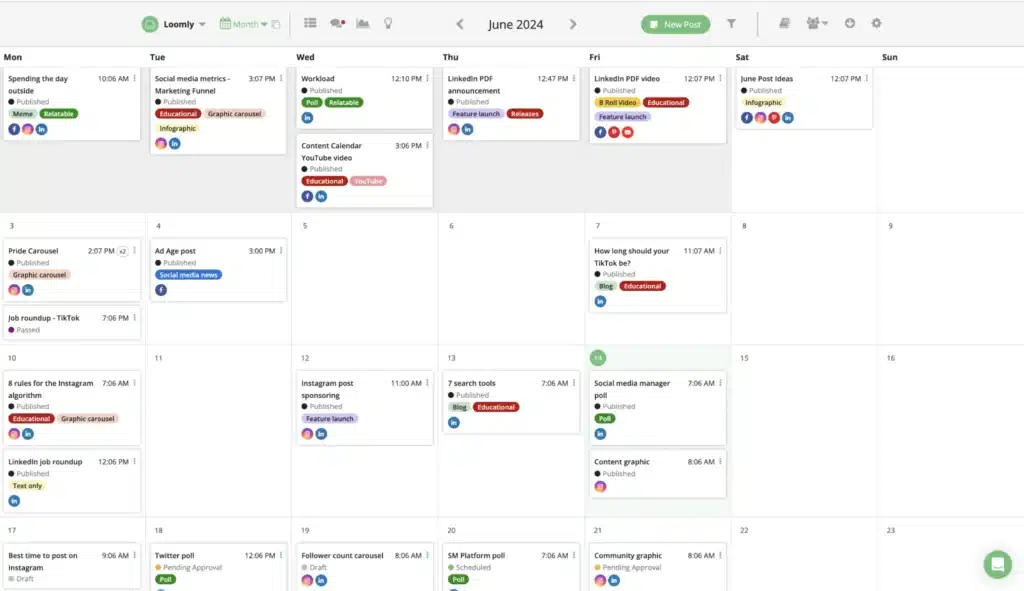
While digging into Loomly, what stood out to me is how clean and structured it feels. It’s built for teams that want to stay organised without getting overwhelmed, and it works especially well if you manage multiple Facebook Pages or need a reliable posting routine. I like that each account gets its own calendar, making planning Facebook content way clearer.
Loomly also packs in a mix of practical features: labels, templates, hashtag suggestions, collaboration tools, a shared inbox, and performance reports. Everything is laid out in a way that keeps planning, publishing, and engagement in one place.
You can plan and publish Facebook posts, Stories, and other Facebook formats, and it also supports the rest of your social platforms if you need them. The AI caption and idea tools are helpful for getting unstuck when you’re trying to come up with new post concepts. And if you’re juggling different brands or Pages, the separate calendars keep everything tidy.
Here are Loomly’s key features:
- Plan and publish Facebook posts, Facebook Stories, and Facebook content alongside other platforms when needed.
- AI caption writer and post ideas to help you shape new Facebook post concepts faster.
- Separate calendars for each Facebook Page or brand you manage.
- Labels and templates to keep your Facebook workflow structured.
- Hashtag suggestions to help improve reach on posts that also go to Instagram.
- Facebook audience targeting and post boosting options.
- Role-based permissions and smooth approval workflows for teams managing Facebook content together.
- Comment threads and feedback on scheduled posts.
- Real-time alerts for updates or activity related to your Facebook posts.
- Unified inbox for Facebook comments, mentions, and messages, with the ability to assign conversations.
- Tracking links to monitor clicks on Facebook posts.
- Easy image imports from Google Drive, Unsplash, or Canva.
Loomly pros
From what I’ve seen in my research, Loomly is well-liked because it’s straightforward and easy to get comfortable with. It helps teams stay organized, keep their posting schedule consistent, and avoid the usual last-minute rush. The built-in content ideas are useful when inspiration is low, and the collaboration features make reviews and approvals much smoother for teams or agencies.
What users are saying about Loomly’s pros:
- “Being able to organize our social media posts and schedule them with an easy process. The suggestions for content, day, time, etc., have also been invaluable.” – Anthony D., CIO (Source)
- “Love that it’s super easy to collaborate with my clients and editors. I’ve had one or two tech/service issues and the support team has been very responsive.” – Verified User in Marketing and Advertising (Source)
- “Ease of use, multiple social platforms can be utilized and edited, adding pictures and/or videos is simple. I also like the duplicate post feature if I want to use the same hashtags or image and just tweak the copy.” – Tonya T., Principal (Source)
- “All of the features are very intuitive! I love the Post Ideas the most. When I’m at a loss for what to post, I use the ideas to create content based of the ideas provided.” – Verified User in Government Relations (Source)
Loomly cons
I noticed that some users mentioned that Loomly’s analytics feel a bit basic and they’d prefer more detailed insights. Pricing is another concern for a few people, who feel the plans are slightly high for what you get. Others pointed out that some features could go further and that improvement requests aren’t always addressed quickly.
What users are saying about Loomly’s cons:
- “The lack of transparency in terms of roadmap plans. I put a simple request in and discussed it with multiple advisors, but they refuse to remove the annoying button on the lower right-hand corner that blocks the view of work on certain screens.” – Samuel J., Director (Source)
- “For one business with multiple platforms Loomly can be expensive.” – Steve M., Marketing Manager (Source)
- “Lacks in-depth analytics.” – Akhil R., iOS Developer (Source)
- “Integrating with newer platforms or providing additional templates for content ideas would make it even better.” – Gage H., Owner / Videographer (Source)
- “The analytics don’t always agree with the actual platform’s analytics.” – Karen B., Director of Marketing (Source)
Loomly pricing
- Offers a free trial
- Paid plans start at $65/month
5. Pallyy
Who is Pallyy best for?
After reviewing its features and pricing, Pallyy is a strong choice if you’re a freelancer, solo creator, small business, or agency juggling multiple social accounts but not managing huge teams.
Pallyy feature overview
From what I found while researching the tool, Pallyy is a simple, visual scheduler that works well for creators, small teams, and agencies that want something easy to use. It supports Facebook, Instagram, LinkedIn, Twitter/X, Google Business Profile, Pinterest, and TikTok, and it handles the main post types you’d normally publish on each platform.
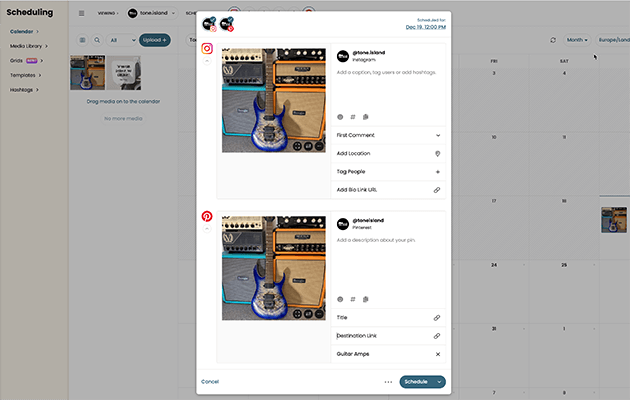
The calendar is the part that stands out most: you can drag posts around, shift dates, and see your whole week or month at once. The post builder also covers the basics: carousels, alt text, first comments, tagging, and quick resizing so posts fit different formats. There’s also a media library to keep images and videos organised.
Some of the standout features of Pallyy include:
- A shared calendar view where you can upload content, drag and drop onto time slots, and schedule posts for Facebook, Instagram, Twitter, LinkedIn, Google Business Profile, Pinterest and TikTok.
- A media library for storing images and videos and organising them into folders.
- Drag-and-drop scheduling and preset sizing/cropping options for different platforms (square, landscape, story formats).
- Post builder with features like multi-image/carousel posts (Facebook & Instagram), first comment scheduling, tagging users, adding locations, alt text for accessibility.
- Shared inbox to manage comments, messages and mentions across your social platforms within one dashboard.
- Analytics for key platforms (Facebook, Instagram, LinkedIn) showing engagement, follower growth, top posts and geography data.
- Collaboration tools: shared calendars, post comments, approval status (pending/approved), and team member access.
- Affordable pricing that caters to individuals or smaller teams, making it a cost-effective social media scheduler.
Pallyy pros
From what I’ve seen, people appreciate Pallyy for being simple, clean, and easy to use. A lot of users mention how straightforward the scheduler feels and how refreshing it is compared to more complicated tools.
What users are saying about Pallyy’s pros:
- “I have nothing but great things to say about Pallyy. They are user friendly, simple to use product; I use the product in the most basic of ways, but still recieve a fantastic level of service when I run into an issue.” – Rebecca, Civil Engineering, Source
- “I really love this software, so much so that we’ve recommended it consistently for the last few months, to pretty much everyone. If you’re an agency or in a space where you’re ready to take the plunge and purchase software, then this is cool and the price point is right (especially for unlimited postings).” – Melle P, Creative Manager, Source
- “This social media scheduler is like no other! It has a simple, efficient layout and an appealing scheduler calendar. The customer service is amazing. Very friendly and understanding representatives. Pallyy made some updates recently and removed a feature that wasn’t being used by many people.” – Elisabeth, Real Estate, Source
Pallyy cons
I’ve also noticed some recurring complaints. Previews can be hit-or-miss, especially on platforms like LinkedIn, and some users still deal with uploading issues when adding images.
A few people mention that customer service can be less helpful when it comes to technical bugs, and since the tool is newer, it’s still a little buggy for some workflows. There’s also feedback about limited control over posting times across multiple channels, which leads to extra manual work.
What users are saying about Pallyy’s cons:
- “Working with the program is great. Easy to use, but their previews could use some upgrades. I have an issue with LinkedIn posts that I know is not my fault (the problem doesn’t exist when posting with Loomly) and Pallyy won’t help correct it because they just want to blame me.” – Kevin, Marketing and Advertising, Source
- “The constant uploading problems when uploading pictures” – Nathalie H., Architecture and Planning, Source
- “The customer service isn’t great. It’s also fairly buggy, being relatively new. There are a lot of uploading and posting errors, but in fairness the frequency seems to be reducing. You also can’t control the posting times for multiple channels, which means a lot of double entry and the free account is useless.” – Melle P, Creative Manager, Source
- “There are some little issues, like checking images are correct for posting, especially on single image posts for Instagram.” – Rebecca, Civil Engineering, Source
Pallyy pricing
- Offers a free trial
- Paid plans start at $15/month
Frequently asked questions
1. What is the best Facebook post scheduler?
SocialBee is one of the best options because it helps with both planning and creating Facebook content. You can schedule posts to Facebook Pages, Groups, and personal profiles, and it supports all major Facebook post types, including images, videos, links, Stories, and even Reels (with Meta-approved reminders).
You also get helpful extras like AI caption suggestions, AI image creation, Canva integration, and a Copilot-style assistant that speeds up your content workflow without overcomplicating it.
2. Does Facebook have its own scheduler?
Yes. Meta Business Suite includes a built-in Facebook scheduler that lets you publish Facebook posts, Stories, and some Instagram formats directly from your Page dashboard.
However, it doesn’t support scheduling to Groups from a personal profile, and it lacks advanced features like bulk posting, AI content tools, evergreen content queues, and multi-user collaboration, features that tools like SocialBee do offer.
3. How do I schedule posts on Facebook?
Open Meta Business Suite, create a new post, choose your Facebook Page, add your text and media, then click Schedule instead of Publish. Pick your preferred posting time, and your scheduled post will go live automatically.
What will you choose to schedule Facebook posts?
For me, the best Facebook scheduler is the one that helps me stay consistent and keeps my Facebook posts organized without adding extra work. When I don’t want to rush last-minute posts or bounce between different apps, having everything in one place makes a big difference.
If I’m looking for something simple, reliable, and easy to use across all my social channels, SocialBee is the tool that makes the most sense, especially when I’m managing multiple clients or planning content ahead.
Start your 14-day free SocialBee trial and see if it fits the way you work.