
Facebook engagement is harder to earn than most brands expect. The median engagement rate for a Facebook page sits at around 0.046% across industries, which means the vast majority of posts barely register in the news feed.
That low benchmark makes it tempting to celebrate any interaction at all, but engagement only matters when it signals real audience interest. Likes, comments, shares, and clicks are how Facebook’s algorithm decides whether your content deserves organic reach or quietly disappears.
In this guide, I’ll break down what engagement actually means on Facebook, why it matters for your Facebook marketing strategy, and how to increase it using a clear 10-step system.
What does Facebook engagement mean?
Facebook engagement refers to how how Facebook users interact with your content through reactions, comments, shares, and clicks. It shows whether a Facebook post is relevant enough for your audience to stop scrolling and take action.
Engagement matters because Facebook’s algorithm uses these interactions to decide how widely your posts appear in the news feed. When people actively comment, share, or click, your post reach increases. When they don’t, organic reach declines, regardless of your follower count. For most brands, Facebook engagement is the main signal that determines whether content gets seen or ignored.
Engagement also gives you direct insight into what your Facebook audience cares about. If posts with original photos or short videos consistently receive more comments than professional or stock photos, that’s a clear signal to adjust your Facebook content and overall social media strategy. In other words, engagement shows which ideas connect and which ones miss.
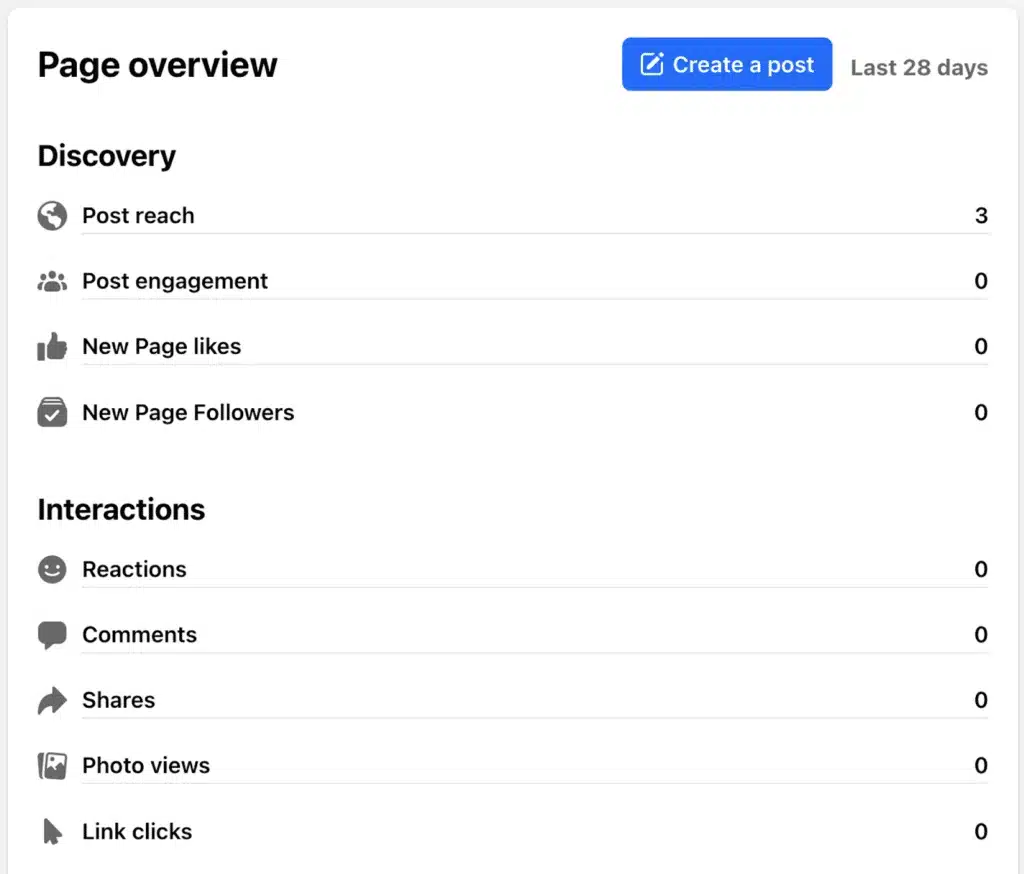
You can monitor Facebook page engagement using Facebook Insights inside Meta Business Suite or through a Facebook analytics tool that fits your workflow. These tools surface related engagement metrics such as post reach, interactions, and audience behavior, helping you understand how people respond to what you publish and where to focus next.
How to calculate your Facebook engagement rate
To calculate your Facebook engagement rate, you need two numbers from your Facebook page dashboard or your Facebook analytics tool:
- Total interactions: reactions, comments, and shares on a post
- Post reach: the total number of Facebook users who saw that post
The standard engagement rate formula looks like this:
Facebook engagement rate = (total interactions ÷ post reach) × 100
For example, if a Facebook post reached 2,000 people and received 60 interactions, the engagement rate would be 3%. This makes it easier to compare how different posts perform, even when their reach varies.
If you don’t want to calculate this manually, you can use SocialBee’s free Facebook engagement rate calculator to get the number instantly without spreadsheets or extra work.
What is a good Facebook engagement rate?
A good Facebook engagement rate depends on context. The median across industries is around 0.046%, but what matters is how your brand page compares to similar businesses and to its own past performance.
Start by comparing your engagement rate to your industry average. Some sectors, such as fashion, naturally see lower engagement. In those cases, a rate closer to 0.03% can still be competitive when measured against similar Facebook pages.
Next, compare your current results to your own 30–90 day baseline. If your Facebook page engagement is trending upward over time, your content strategy is moving in the right direction, even if you’re still near the median.
Finally, look at engagement by content type. Facebook Reels and Facebook Stories often generate more interaction than link posts, while original photos usually outperform generic stock photos. These patterns matter more than chasing a single “good” number.
What does Facebook recommend for boosting engagement?
Facebook’s own guidance on Facebook page engagement is intentionally broad. It focuses on behaviors that align with Facebook’s algorithm and encourage meaningful interactions, rather than tactical hacks. These recommendations won’t replace a full strategy for your social media posts, but they set a clear baseline for how Facebook expects a business page to behave.
Below are the best practices Facebook highlights for increasing engagement.
1. Plan what and when to post
Facebook recommends posting when your followers are most active, not when it’s most convenient for you. You can find this data in Facebook Insights, where you’ll see when your audience is online and which days and hours drive more interaction.
If your Facebook audience spans time zones, scheduling becomes essential. Posting while your audience is asleep almost guarantees lower post reach and fewer interactions, regardless of content quality.
Facebook also advises adjusting post frequency. Posting too often can suppress engagement, while posting too rarely can make your page appear inactive. The goal is moderation, guided by performance data, not guesswork.
2. Use immersive and interactive content formats
Facebook prioritizes content that keeps users active on the platform. That’s why posts with photos, videos, polls, and other interactive elements tend to perform better than text-only posts or link-heavy posts.
Facebook specifically encourages:
- Videos and photos over plain links
- Interactive elements like polls and questions
- Content that invites comments or reactions
- Facebook Stories for casual, in-the-moment updates
You don’t need professional or stock photos for this to work. Original photos and videos often feel more authentic and drive more engagement because they’re easier for users to relate to.
3. Respond and encourage conversation
Working on increasing your engagement doesn’t stop once you post content. Facebook explicitly recommends responding to comments and messages, since users are more likely to keep interacting when they see a page is active and responsive.
This includes:
- Replying to comments on your posts
- Responding to Facebook Messenger inquiries
- Acknowledging feedback, both positive and negative
These interactions signal to Facebook’s algorithm that your page is active and worth showing to more people in the news feed.
4. Build community beyond individual posts
Facebook encourages brands to think beyond single posts and focus on ongoing connections. This includes:
- Using Facebook Groups to create discussion spaces
- Hosting live sessions or events
- Encouraging followers to share their own content or experiences
Community-driven content often generates higher page engagement because it shifts the focus from broadcasting to participation.
5. Boost content that already performs well
Rather than promoting random posts, Facebook recommends boosting content that already shows strong organic engagement. If a post earns more comments, shares, or reactions than usual, paid promotion can help extend its reach to more relevant Facebook users.
This approach reduces wasted ad spend and increases the chances of getting more interaction from people likely to care.
6. Use page features that support action
Facebook highlights several built-in tools that directly support engagement and conversions:
- Page-level CTA buttons like Learn more, Contact us, or Book now
- Crossposting content from platforms like Instagram to reduce duplication
- Facebook Stories to share frequent, low-friction updates
These features are free and designed to help businesses connect, respond, and stay active without relying solely on ads.
How to increase engagement on Facebook: 10 steps
Facebook’s own recommendations are a starting point, but they don’t cover everything. To increase Facebook engagement consistently, you need a system that combines content, timing, interaction, and measurement.
Below is a practical 10-step framework for building a Facebook engagement strategy that works for most brands, especially those that already post regularly but struggle to get more interaction.
1. Optimize your Facebook page for trust, discovery, and action
Before improving individual posts, make sure your Facebook page does its job. Visitors should immediately understand what your business offers and why they should follow or engage.
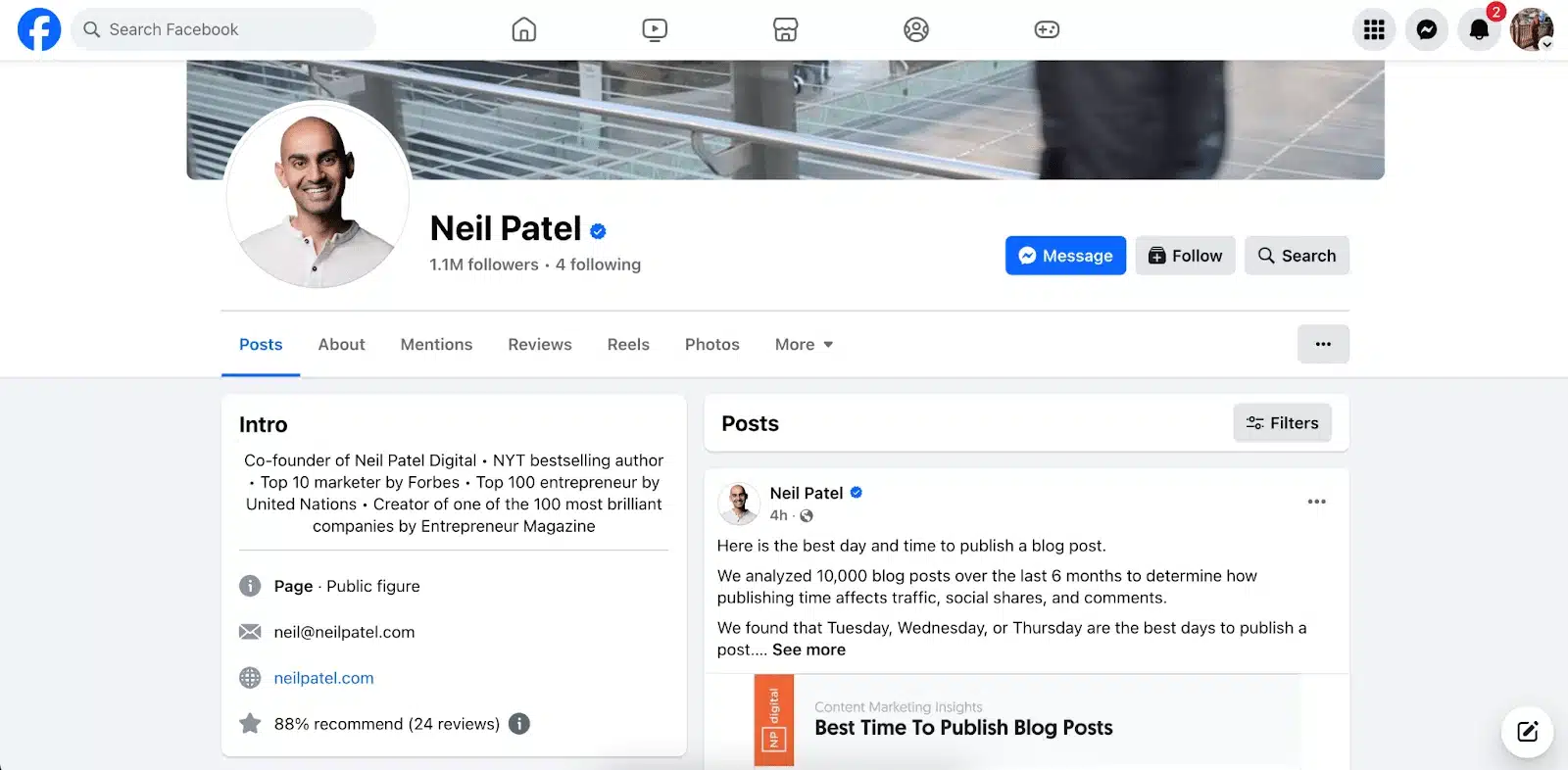
Focus on three areas:
- Trust signals: up-to-date contact details, accurate hours, fast response time, and clear branding
- Discovery signals: relevant keywords in the About section, correct category, and location or service area if applicable
- Conversion signals: a clear CTA button, a pinned post explaining what followers can expect, and one primary link you actually want clicks on
A well-optimized page improves page engagement because people are more likely to interact with content from brands that feel credible and clear.
2. Understand your Facebook audience using real data
You can’t increase engagement if you don’t know who you’re posting for. Use Facebook Insights or your Facebook analytics tool to understand:
- Audience demographics like age and gender distribution
- Top cities and countries
- When your audience is most active
- Which posts and formats get the most interactions
Turn audience insights into decisions. If your audience skews older, prioritize clear captions and informative video content. If most followers are local, publish community-focused posts and local updates. Engagement improves when content matches audience context.
3. Create posts people can respond to
Engaging content gives people something to react to, not just something to read. Posts perform better when they invite a response.
Examples of post formats that drive interaction:
- Questions based on real customer experiences
- Short videos that explain one useful idea
- Before-and-after photos with context
- Opinion prompts related to your industry
- Behind-the-scenes content using original photos
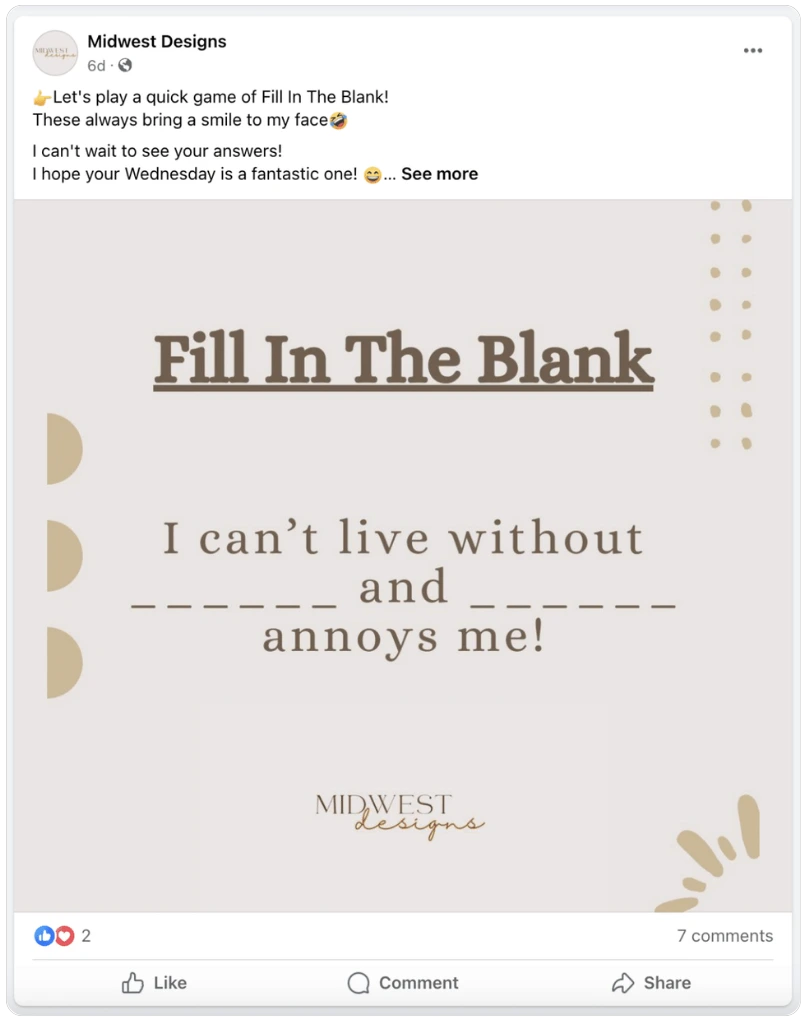
In general, video and photo posts outperform link posts, especially when they keep users on the platform. Content resonates more when it’s relevant, timely, and easy to engage with.
4. Collaborate with influencers and use user-generated content
People trust people more than brands. That’s why user-generated content often drives higher engagement than polished brand posts.
UGC can include:
- Customer reviews or testimonials
- Photos or videos of customers using your product
- Short quotes or stories shared by real users

To use UGC effectively:
- Ask customers directly after a positive experience
- Be clear about how you’ll use the content
- Credit the creator when you publish
Influencer collaborations work best when the creator already speaks to your target audience and the content feels natural, not scripted.
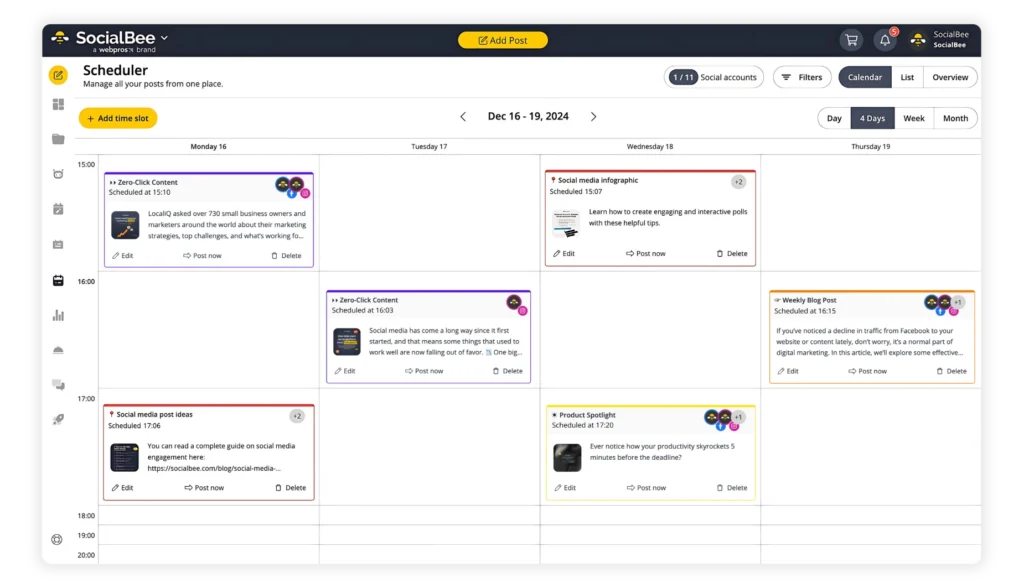
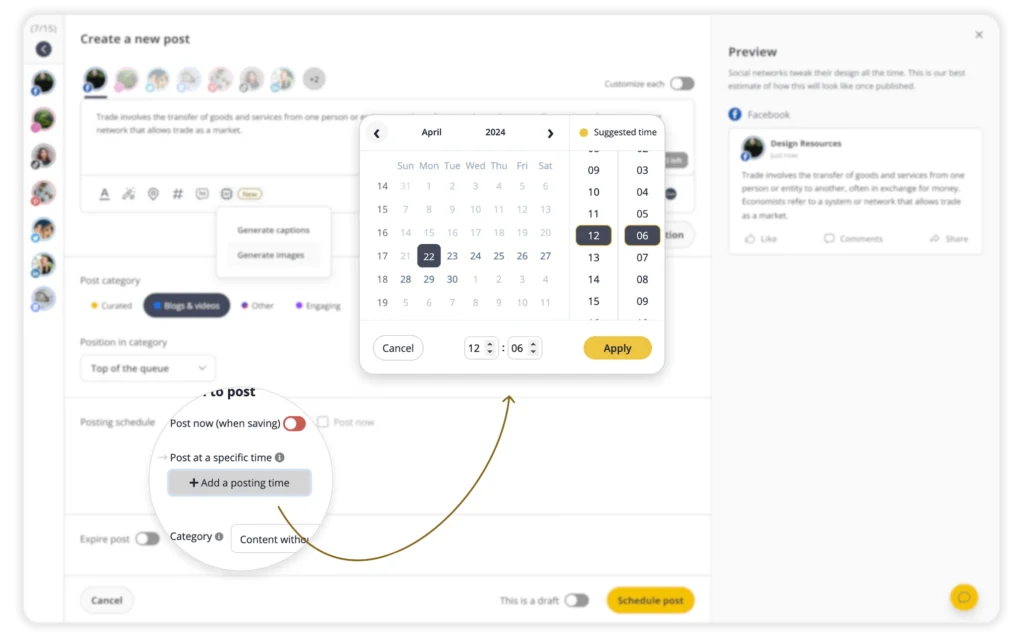
5. Post consistently at the right times
Consistency matters because Facebook’s algorithm favors active pages. Posting once and disappearing rarely leads to more interaction.
General starting points:
- Posting 1–2 times per day works for most pages. Brands typically post around 43 times per month, or about 1.5 posts per day.
- The best times to post on Facebook are Monday through Friday in the mornings from 9 AM to 10 AM and in the early afternoons around 1 PM to 4 PM.
These are guidelines, not rules. Always validate them against your own Facebook Insights.
6. Add clear calls to action to every Facebook post
Engagement often drops because posts don’t tell people what to do next.
Examples of effective CTAs:
- “Comment with your experience”
- “Send us a message”
- “Save this for later”
- “Click to learn more”

CTAs matter for organic posts, not just ads. Test different prompts and track which ones lead to more comments, clicks, or messages.
7. Follow relevant industry trends without chasing everything
Trends can boost engagement, but only when they fit your audience and brand.
Before posting about a trend, ask:
- Does my audience care about this?
- Can my brand comment on this credibly?
- What format is performing best right now?
You can spot trends by following industry leaders, monitoring niche Facebook groups, and paying attention to recurring topics in comments and messages.
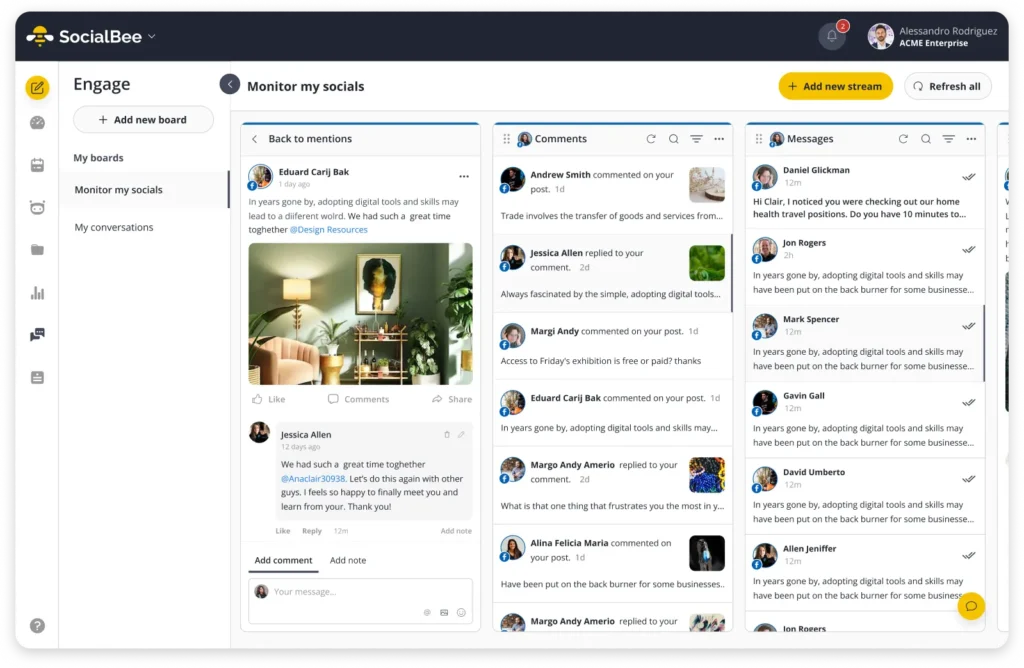
8. Engage actively with comments, messages, and mentions
Facebook engagement isn’t one-sided. Responding matters.
Make it a habit to:
- Reply to comments on your posts
- Respond to messages promptly
- Acknowledge mentions and tags
- Address criticism calmly and publicly when appropriate
Facebook Groups and Messenger can deepen relationships and increase page engagement by creating more direct, ongoing conversations.
9. Promote high-performing posts with ads
Ads work best when they amplify what’s already working.
Instead of promoting random posts:
- Identify organic posts with strong engagement
- Promote those posts to a wider but relevant audience
- Use engagement-focused objectives when the goal is interaction
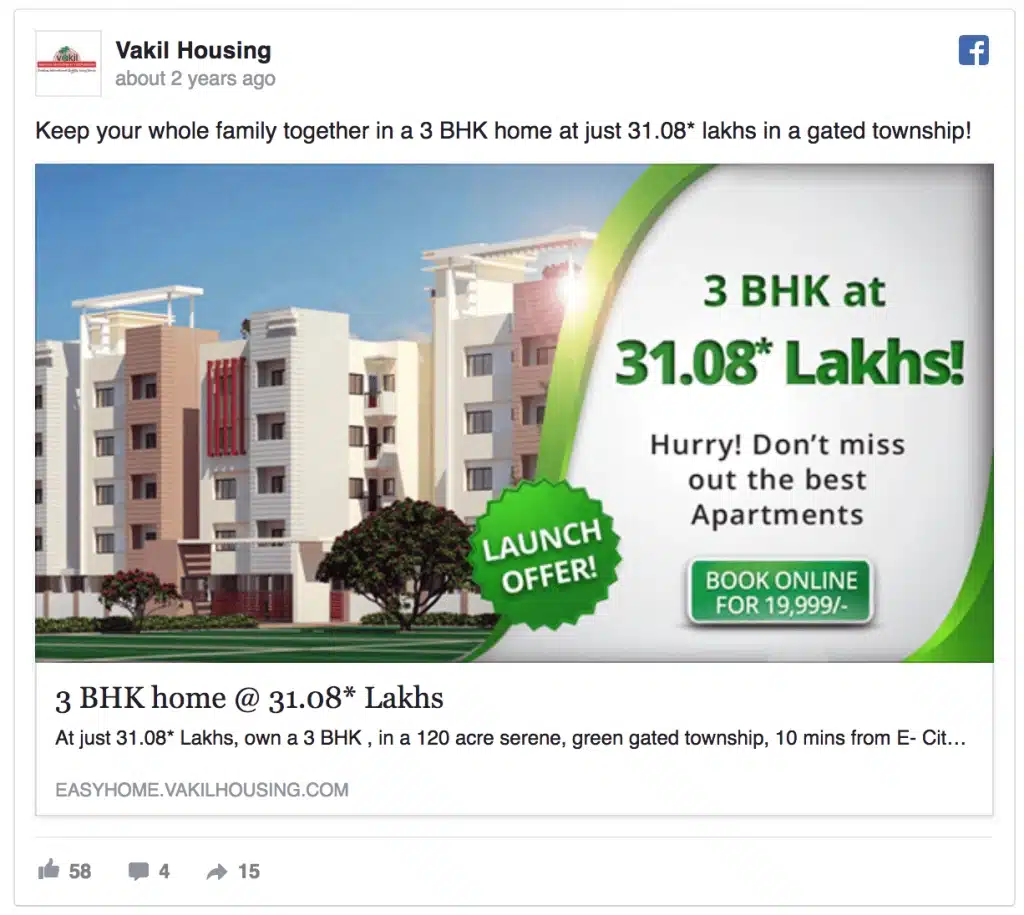
Paid support should extend reach, not replace good content.
10. Test, analyze, and improve what you publish
Improving engagement means testing instead of guessing.
Keep tests simple:
- Change one variable at a time (format, caption style, CTA)
- Compare results over at least two weeks
- Focus on comments, shares, and saves, not just reach
Use Facebook Insights to spot patterns and double down on what consistently performs. Over time, small improvements compound into more engagement and stronger organic reach.
Frequently asked questions
1. Why is my Facebook engagement so low?
Low Facebook engagement usually means your content isn’t prompting enough interaction. Common causes include posting at the wrong times, sharing content that doesn’t match your target audience, or relying too heavily on link posts. Facebook’s algorithm prioritizes posts that generate comments, shares, and other meaningful interactions, so low engagement often leads to lower organic reach in the news feed.
2. How do I boost my Facebook page effectively?
To boost a Facebook page effectively, focus on consistency and relevance. Publish content your audience cares about, use photos, videos, and Facebook Stories to increase visibility, and add clear calls to action to encourage interaction. Responding to comments and messages also plays a big role, since active pages tend to earn more engagement and reach over time. Paid boosts work best when used to amplify posts that already perform well organically.
3. How do you see your engagement on Facebook?
You can see your Facebook page engagement inside Facebook Insights, available through Meta Business Suite. There, you’ll find related metrics such as post reach, reactions, comments, shares, and overall page engagement. These insights help you track how your audience interacts with your content and identify which posts perform best so you can refine your social media strategy.
Ready to boost your Facebook engagement rate?
Improving Facebook engagement comes down to doing the fundamentals well, then repeating what works. The brands that see steady results focus less on one-off wins and more on building habits around relevant content, timing, and active responses.
What I’ve seen work best is treating engagement as a feedback loop, not a goal. When you pay attention to how your audience interacts with different posts, formats, and messages, your Facebook content naturally improves. Small adjustments, such as replacing stock photos with original photos or refining a CTA, often make a bigger difference than a complete strategy overhaul.
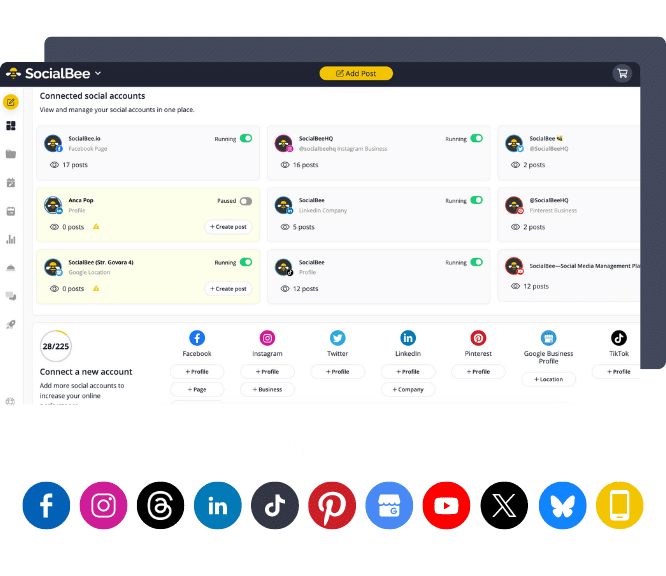
Consistency is where most teams struggle, not ideas. If scheduling, tracking performance, and following up on comments feels like heavy lifting, using a tool like SocialBee can help you stay organized without adding more work. It lets you plan posts in advance, track engagement through Facebook analytics, and manage interactions in one place, so nothing gets overlooked.
If you want a simpler way to stay consistent and improve engagement over time on all your social media channels, you can explore SocialBee with a 14-day free trial.