

Social media for schools has become one of the easiest ways to keep parents informed, celebrate student achievements, and stay connected with the wider school community. But for many educators and school administrators, posting consistently is difficult when social media is just one of many responsibilities.
You don’t need to be active on every platform or publish content every day to make a difference. What matters is choosing the right channels, sharing updates your community actually wants to see, and having a simple process for managing your accounts.
In this guide, you’ll learn how to choose the right social media platforms for your school, create engaging content, communicate more effectively with parents and students, and manage your accounts without adding hours to your workload.

Why is social media marketing important for schools?
For most schools, when they incorporate social media it gives them a practical way to keep families informed, celebrate student achievements, and strengthen relationships across the entire community. A thoughtful social media strategy can help you communicate more consistently while giving prospective families a glimpse into everyday school life.
Here are some of the biggest benefits of school social media:
1. Strengthen communication with parents and guardians
Parents expect timely, accessible updates about what’s happening at school. Social media makes it easy to share resources, reminders, event photos, classroom highlights, and student achievements between newsletters or emails.
Schools are also facing more communication challenges than ever. According to the National School Public Relations Association (NSPRA), 83% of school communicators say message overload is the biggest barrier to engaging families, making it increasingly important to communicate across multiple channels while keeping messages clear and consistent.
2. Showcase what makes your school unique
Your website explains what your school offers. Social media shows what it feels like to be there and what the learning environment is like.
Sharing student projects, performances, athletic events, classroom activities and the learning process, and community service gives prospective families an authentic look at your school’s culture. These everyday moments often build more trust than polished marketing materials because they show real experiences instead of promotional messages.
3. Build a stronger school community
Social media creates opportunities for parents, students, staff, alumni, and local community members to celebrate successes together.
Schools that involve students in telling these authentic stories often see even better results. NSPRA’s 2025 research found that 61% of districts tracking performance reported higher engagement on student-created content than staff-created content, and 55% said direct communication with students improves academic outcomes.
4. Extend learning beyond the classroom
Social media shouldn’t replace classroom instruction, but it can reinforce it.
Many schools use their social channels to encourage collaborative learning and share reading recommendations, student work, competition results, educational resources, and reminders about upcoming learning opportunities. Used thoughtfully and in line with school policies, these posts help keep students and families connected to learning outside school hours and increase student motivation.
5. Promote responsible digital citizenship
Schools also have an opportunity to model responsible social media use and teach digital skills.
Teaching students about digital footprints, online privacy, respectful and consistent communication, and evaluating online information has become an important part of digital literacy. These conversations complement what many families are already doing at home.
How to use social media for schools (best practices)
As it’s clear by now, schools can use social media to improve communication, engage students, and market their programs. Now, let’s look at some practical tips for using social media effectively for schools.
1. Share important school updates
Social media is a great way to make important announcements more visible. Whether you’re reminding families about an upcoming event, sharing a schedule change, or posting a last-minute update, a quick post can help more people see the relevant information.
For example, South River High School used Instagram to let high school students and parents know about the deadline for ordering a yearbook. It’s the kind of announcement people can easily share with friends or revisit later if they need to double-check the details.

Just remember that social media should complement your existing communication channels, not replace them. Important information should still be shared through your school’s website, email, parent portal, or other official marketing channels, with social media helping extend its reach.
2. Share educational resources your community can use
Your school’s social media accounts don’t have to focus only on announcements. They can also become a valuable source of educational content for students, parents, and the wider community, which will improve the school’s reputation.
Share book recommendations, study tips, learning activities, articles, video content, career resources, or highlights from classroom projects. During awareness months or seasonal events, you can also post age-appropriate resources that help current and prospective families continue learning at home.
This type of content shows that your school is committed to education beyond the classroom while giving followers a reason to keep coming back to your social media pages. Over time, it helps position your school as a trusted source of information, not just a place that posts event reminders.
With SocialBee, you can make sure posting on social media doesn’t take too much of your time. Use it to create, schedule, and share your content from one place.
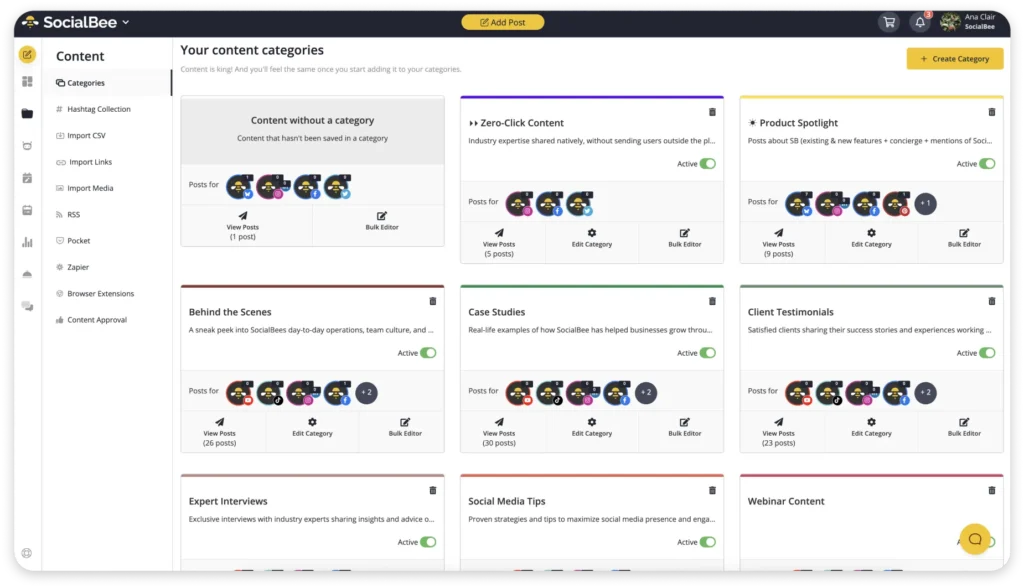
SocialBee makes it super easy to take a strategic approach and organize your posts in folders called Content Categories dedicated to classroom updates, events, educational resources, and more. This way, you’ll design a mix of social media content that keeps everyone in the loop without feeling repetitive.
3. Use polls and questions to involve your school community
Social media polls are a simple way to encourage participation without asking people to write long comments. They give parents, students, staff, and alumni an easy way to interact with your school’s content while making them feel included.
For example, you could ask your community to vote on a spirit week theme, choose the design for this year’s yearbook cover, pick the next book for a school-wide reading challenge, or select a movie for family movie night. Even small decisions like choosing between two event poster designs can generate meaningful engagement.
Instagram Stories, Facebook, and X all offer built-in polling features that make it easy to collect responses in just a few taps.
4. Highlight student work and achievements on the school’s social media accounts
Showcasing student work on the school’s social media channels is a great way to recognize and celebrate their achievements. This could include sharing prizes, artwork, research projects, presentations, or even inspiring stories.
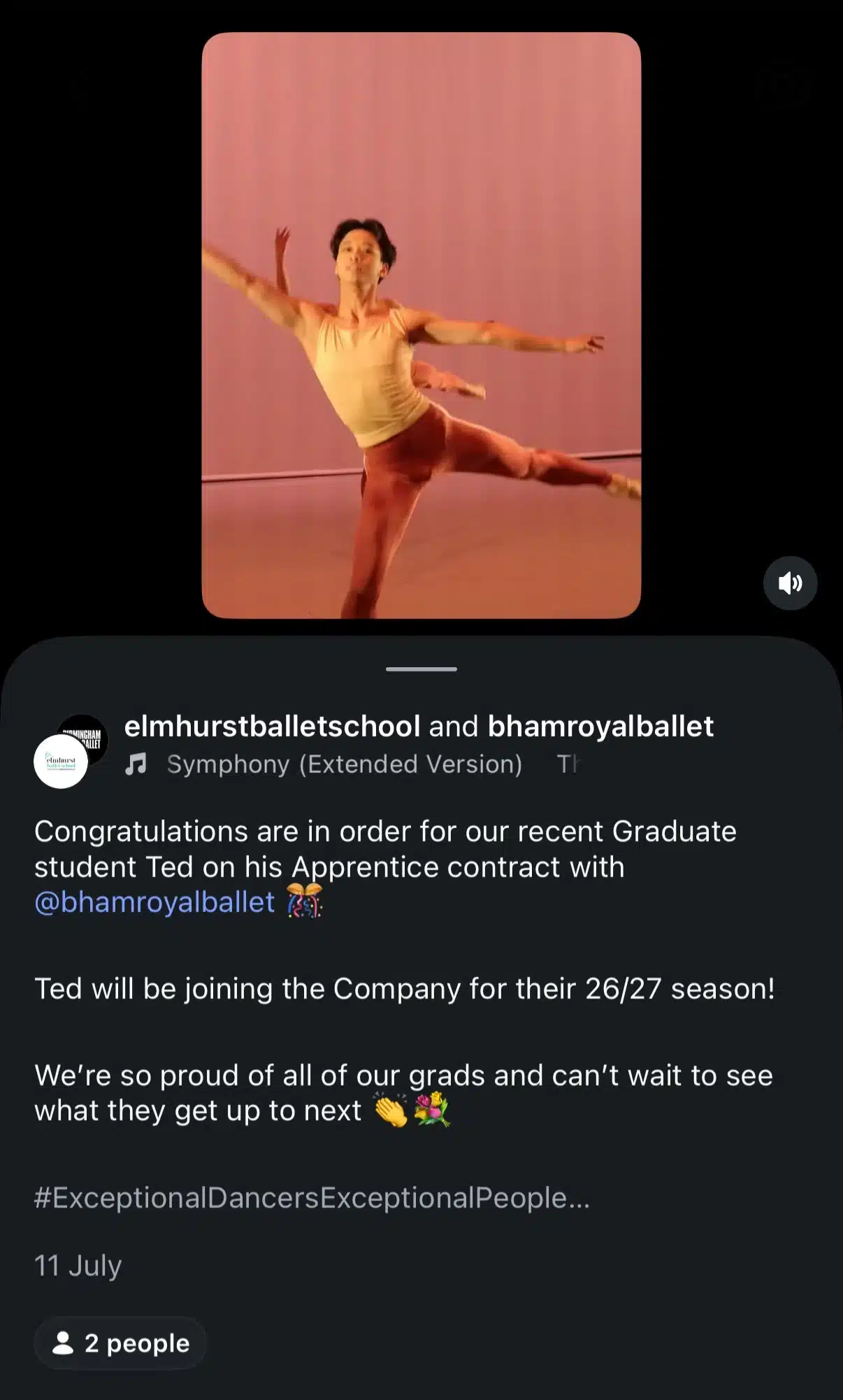
Highlighting student work boosts their confidence and allows parents and online community members to see the great work being done in the school.
5. Feature student-created content
Your students are some of your school’s best storytellers. Featuring their work on your official social media accounts gives your community an authentic look at what’s happening in the classroom while recognizing students for their creativity and achievements.
This could include student artwork, science projects, writing assignments, performances, robotics competitions, photography, or short videos where students talk about a project they’re proud of. Atlantic Acting School, for example, regularly shares videos of students reflecting on what they’ve learned and their experiences in class.

Giving students a chance to contribute content not only celebrates their accomplishments but also creates more engaging social media posts. Parents, staff, alumni, and prospective families are often more interested in seeing real student experiences than polished promotional content.
6. Promote school events to prospective students
Using social media to promote school events can attract prospective students. Schools can post about open houses, sports events, and performances on platforms like Facebook and Instagram.
Sharing photos and videos from these events gives a real sense of the school’s energy and culture.
Take a look at this Wellness Resource Fair by Columbus High School:
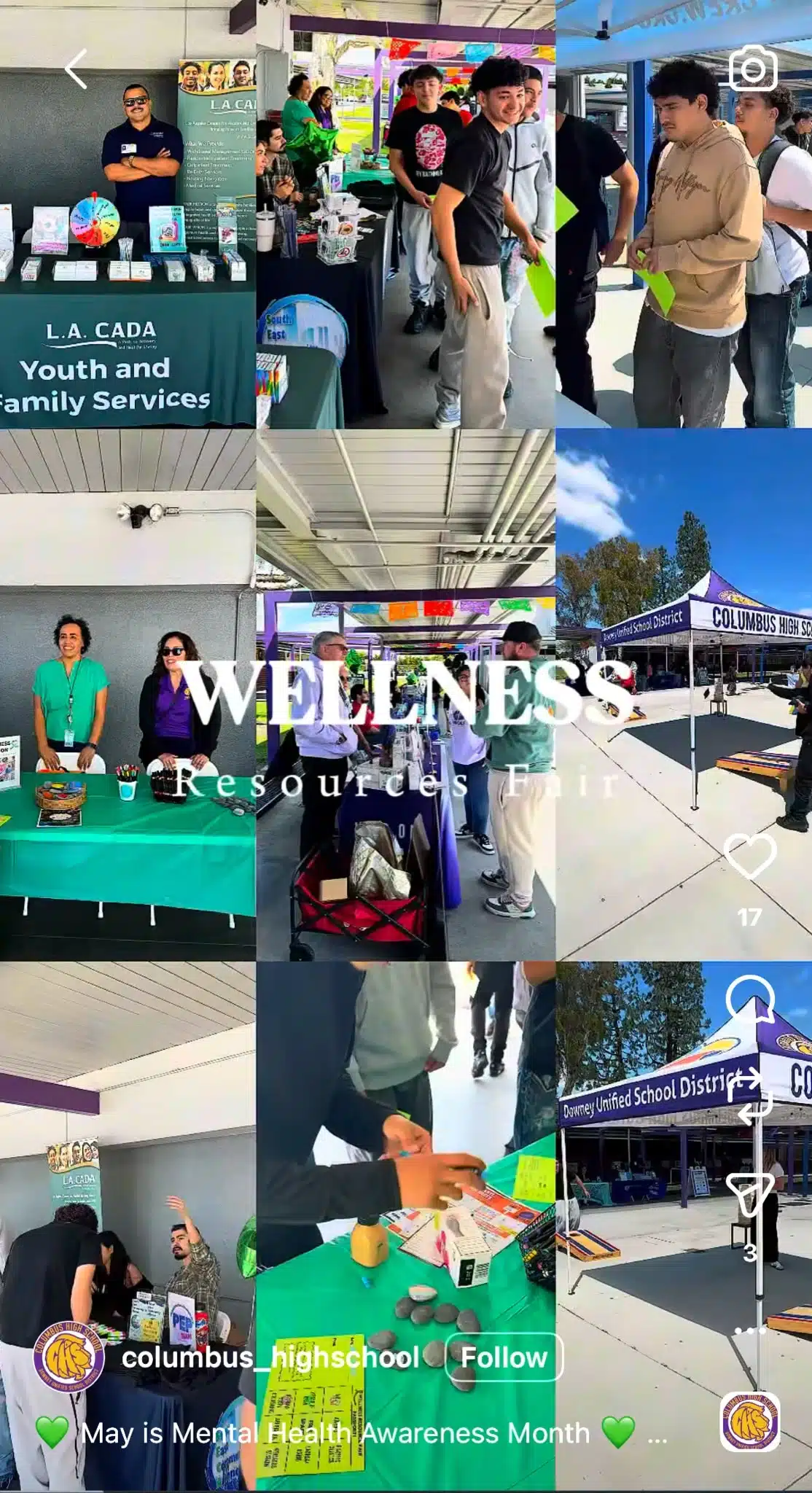
Encouraging current students and parents to share these posts helps reach a wider audience. Regular updates on social media links and easy-to-find event details can further increase engagement.
7. Use social media advertising to reach prospective students
Social media ads can effectively target prospective students based on various filters, such as age, location, interests, educational background, and online behavior.
Schools can create targeted advertising on Facebook and Instagram to reach these specific groups. These paid ads can highlight unique educational programs, extracurricular activities, campus life, sports teams, and even practical information like loan disbursement timelines to help prospective students plan their finances.
Tracking ad performance helps ensure they are reaching the right audience. Adjusting strategies based on engagement and feedback can improve effectiveness.
8. Highlight unique academic programs
Presenting unique academic programs on social media can attract students interested in those areas.
Schools can create social media posts about:
- Specialized courses
- Innovative projects
- Student achievements
Using photos, videos, and infographics can make the content more engaging.

Featuring these programs prominently on social media and the school website keeps the audience informed. Regular updates show an ongoing commitment to academic excellence.
9. Host live Q&A sessions for prospective families
Choosing a school is a big decision, and prospective students and parents often have questions they can’t answer by browsing your website alone. Hosting live Q&A sessions on platforms like Instagram or Facebook gives them an opportunity to hear directly from your school and increase brand awareness.
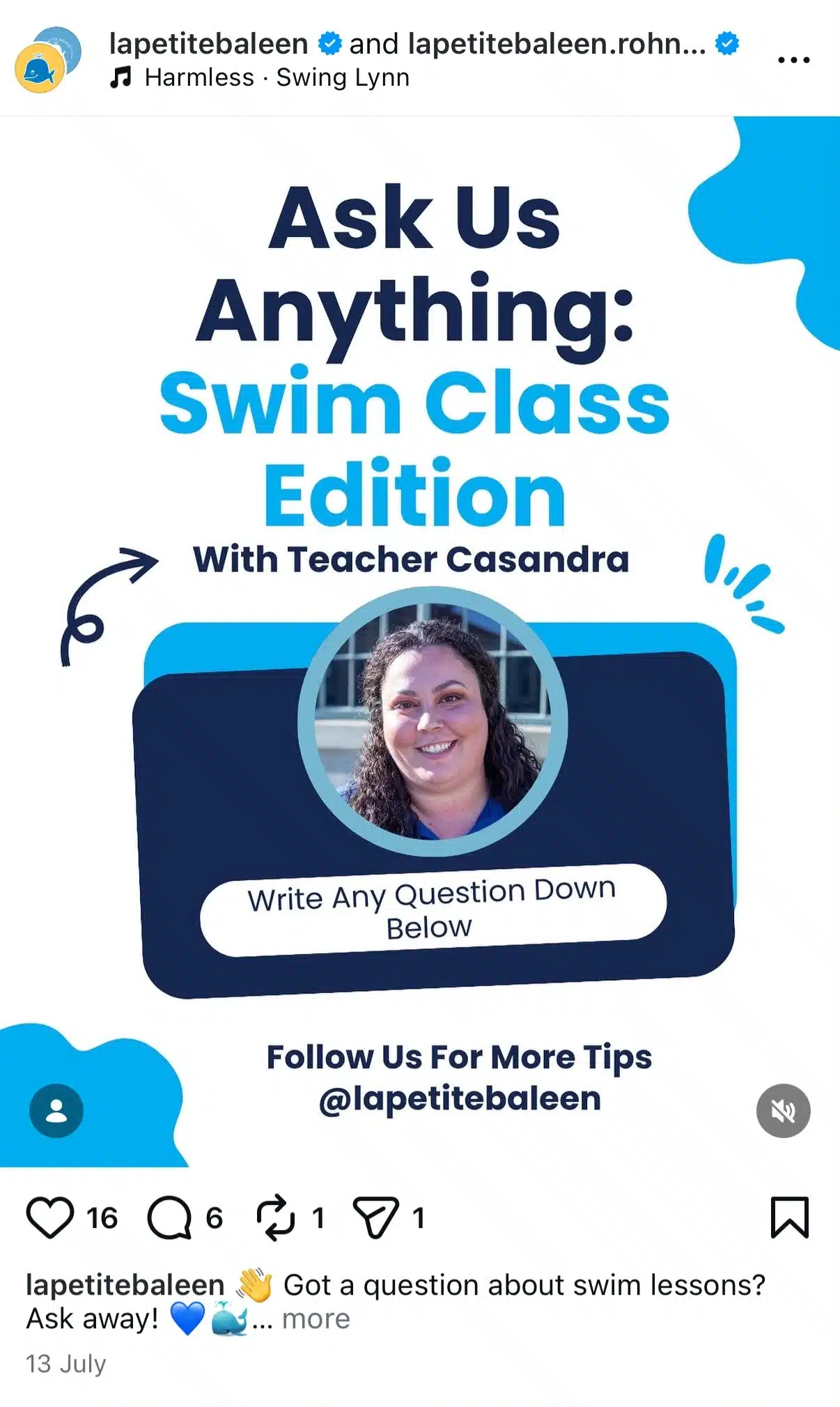
You can answer common questions about admissions, academic programs, extracurricular activities, campus life, or upcoming events. Invite students, teachers, school leaders, or alumni to join the conversation and share their experiences. Scheduling these sessions before open houses, enrollment periods, or application deadlines can also help answer questions when families are actively making decisions.
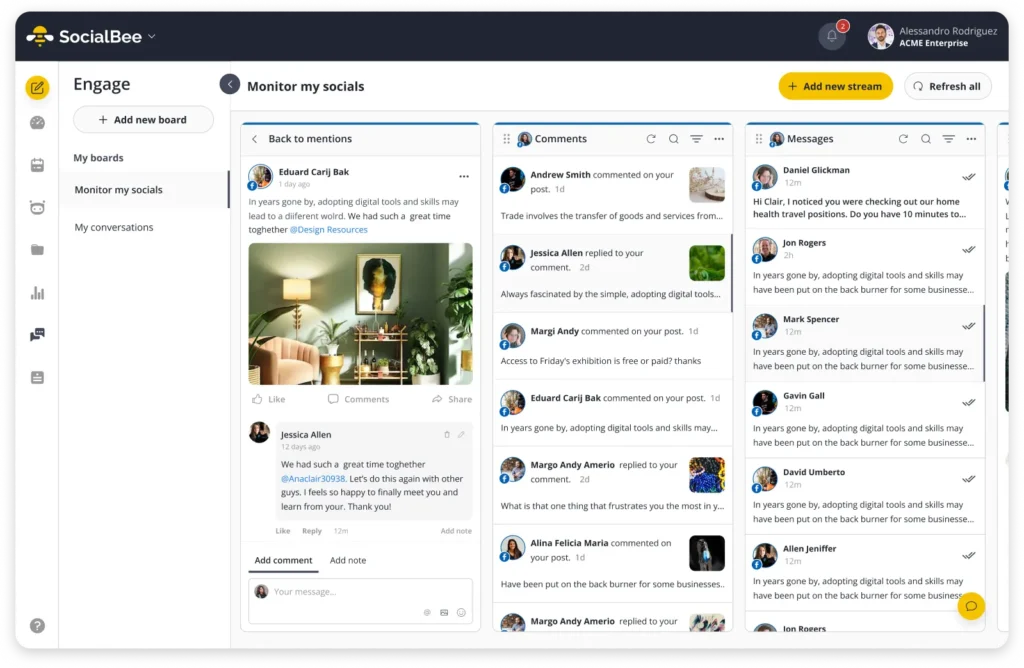
Instead of checking each platform separately, SocialBee’s Social Inbox lets you manage comments, mentions, and direct messages across your connected social media accounts from one dashboard. That makes it easier to respond promptly, keep conversations organized, and make sure no question goes unanswered during busy enrollment periods.
10. Provide virtual tours and open houses via social media
Virtual tours and open houses on social media can give prospective students a feel for the school and student life without needing to visit in person. Schools can create videos and live tours showing the campus and facilities.
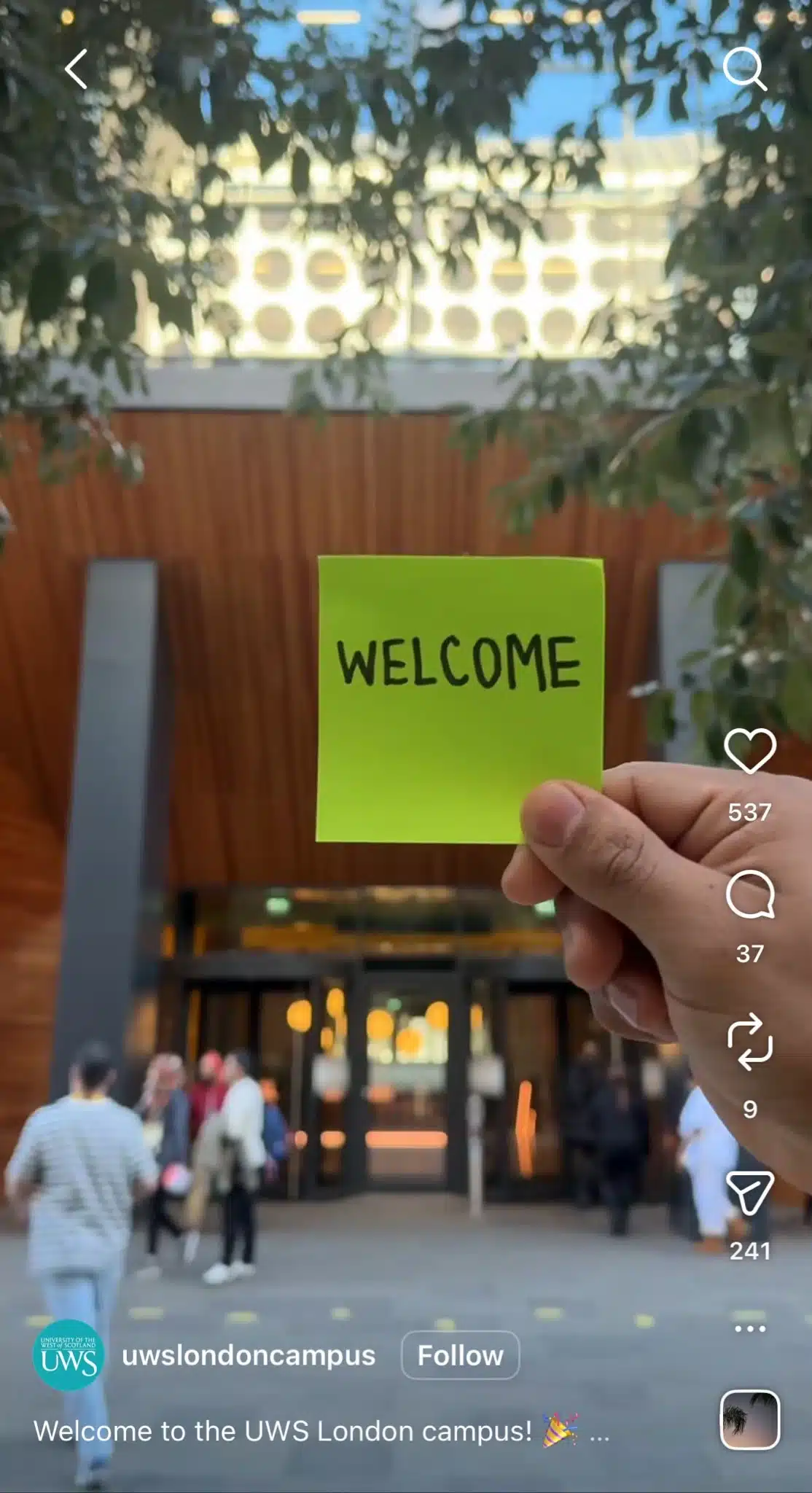
Promoting these virtual events ahead of time and making access easy ensures they reach a wide audience. Highlighting key aspects of the school spirit during these tours can leave a lasting impression.
11. Create a social media policy before you start posting
A social media policy gives everyone clear guidelines on how your school’s accounts should be managed and how to create a strong online presence. Without one, it’s easy for responsibilities to become unclear, passwords to get shared informally, or posts to go live without the right approvals.
Your policy doesn’t need to be overly complicated, but it should answer questions like:
- Who owns each social media account?
- Which platforms will the school use?
- Who is allowed to create, review, and publish content?
- How will passwords and account access be managed?
- What consent is required before sharing photos or videos of students?
- What personal information should never be shared?
- How will comments be moderated?
- How should the school respond during emergencies or sensitive situations?
- How long should social media records be retained?
- What accessibility standards should posts follow?
Having these expectations documented makes it much easier to manage social media consistently, even when staff roles change.
12. Set up a clear content approval workflow
Not every post needs multiple rounds of approval, but every school should have a clear publishing process for their social media calendar. Knowing who creates, reviews, approves, and publishes content reduces mistakes and helps everyone work more efficiently.
Depending on your school’s size, your approval workflow might include:
- A content creator/social media manager who drafts posts and gathers photos or videos.
- A reviewer/public relations director who checks for accuracy, tone, school identity, and branding.
- A final approver, such as a principal or communications lead, for important announcements.
- A community manager who responds to comments and direct messages from current and future students and prospective parents, offering ongoing support.
- Admissions or enrollment staff who review recruitment content.
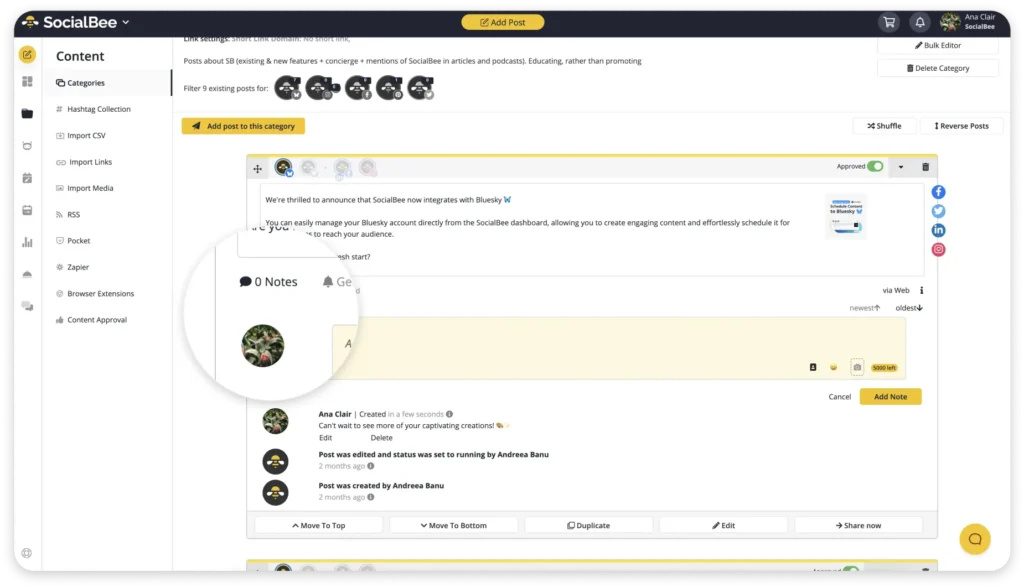
If multiple people help manage your school’s social media, SocialBee makes collaboration much easier. You can invite team members with different permission levels, leave internal notes on drafts, send posts for approval before they’re published, and organize separate workspaces for different schools, campuses, or departments.