

|
Every app in our best apps lists is independently researched and reviewed by our team. |
At some point, managing social media starts to feel more like juggling tabs than doing actual digital marketing.
Social media keeps getting bigger, faster, and more demanding every year. Global social media ad spend is projected to surpass $338 billion in 2026, while the influencer marketing industry is now valued at around $32 billion. At the same time, brands are expected to publish content faster, manage more channels, and keep up with platforms that constantly reward those who maintain consistency.
In fact, the average brand actively uses more than six social platforms every month, based on our 2026 report analyzing over 9 million posts and the activity of tens of thousands of users across 10 social networks.
When you run an agency, you don’t want your team wasting time logging in just to post, answer comments, and then repeat the same process for every client and platform. On top of that, you end up with far too many spreadsheets just to keep track of multiple client accounts. Every time a client asks for a quick change or a report, it turns into a whole process that strains your marketing efforts.
That pressure has only increased as social media becomes more central to marketing. Platforms are pushing brands toward more video-first content, audiences expect faster responses, and AI-powered agency workflows are rapidly changing how agencies create, schedule, and manage campaigns.
Over the years, I’ve used a lot of social media management software while handling client work.
In this article, I’ll walk you through the ones that actually held up when managing multiple brands, and the kind of day-to-day chaos you only truly understand if you’ve worked inside an agency.

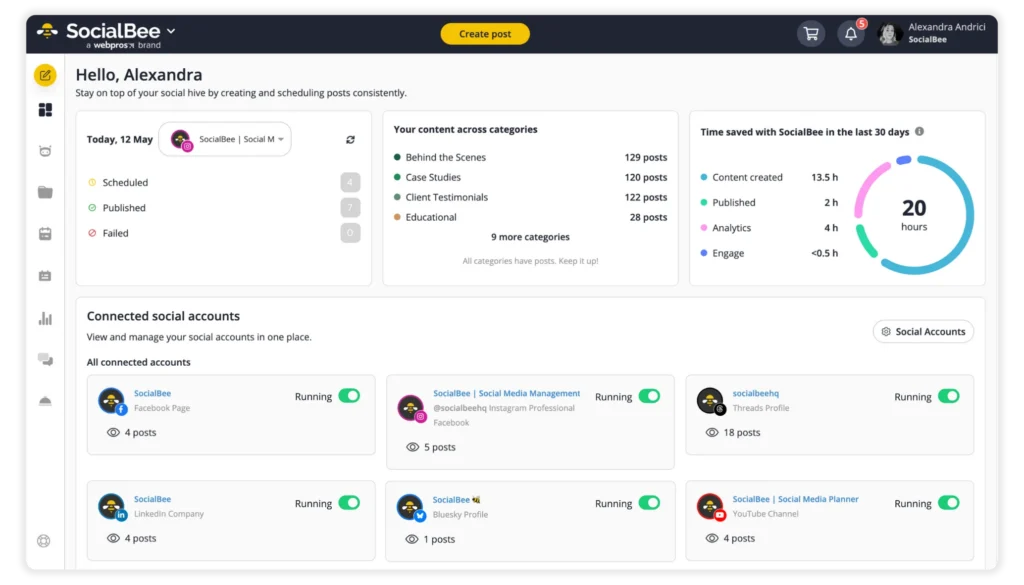
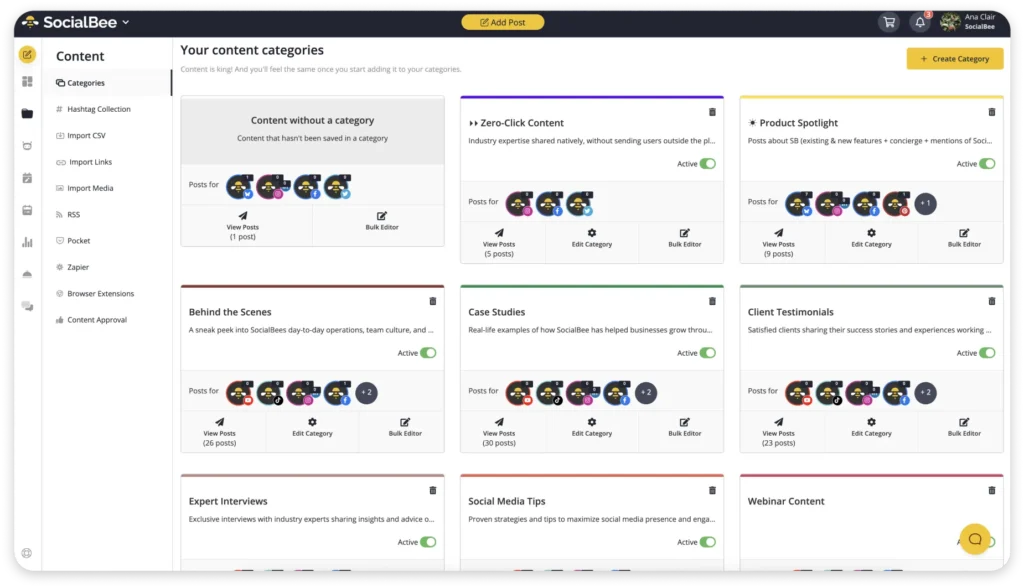
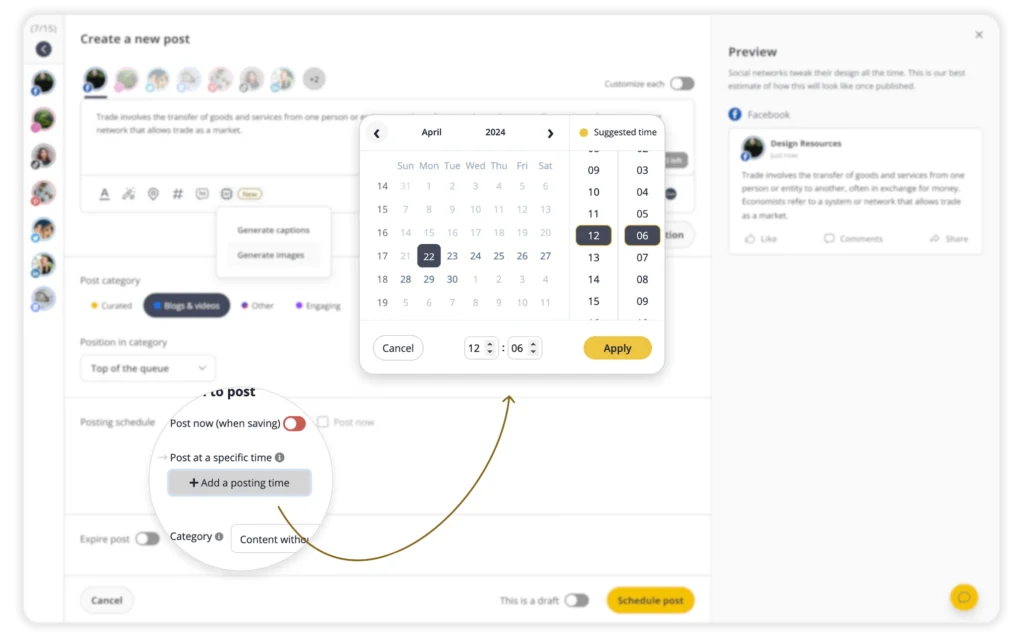
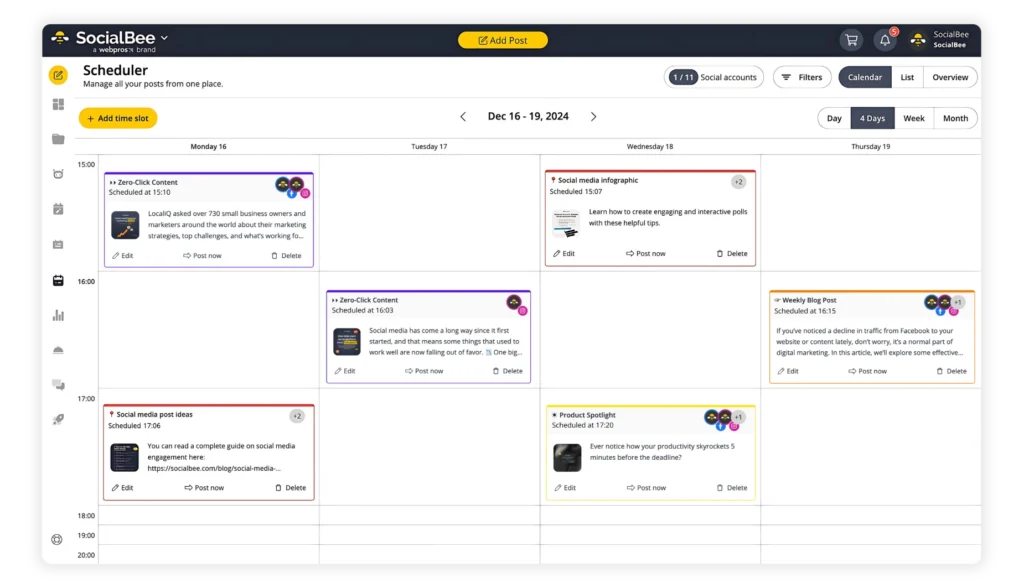
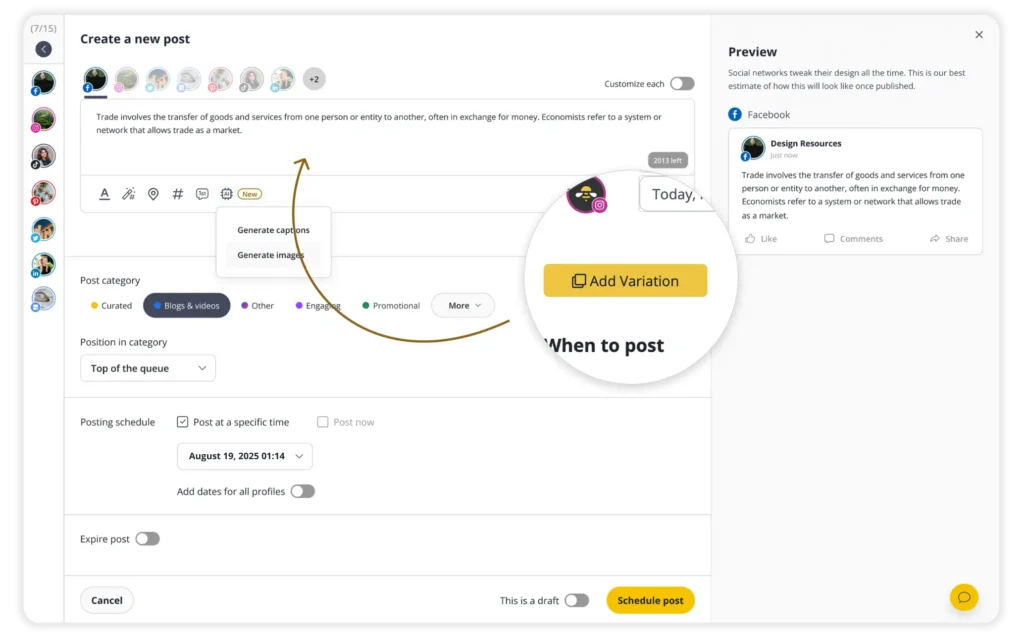
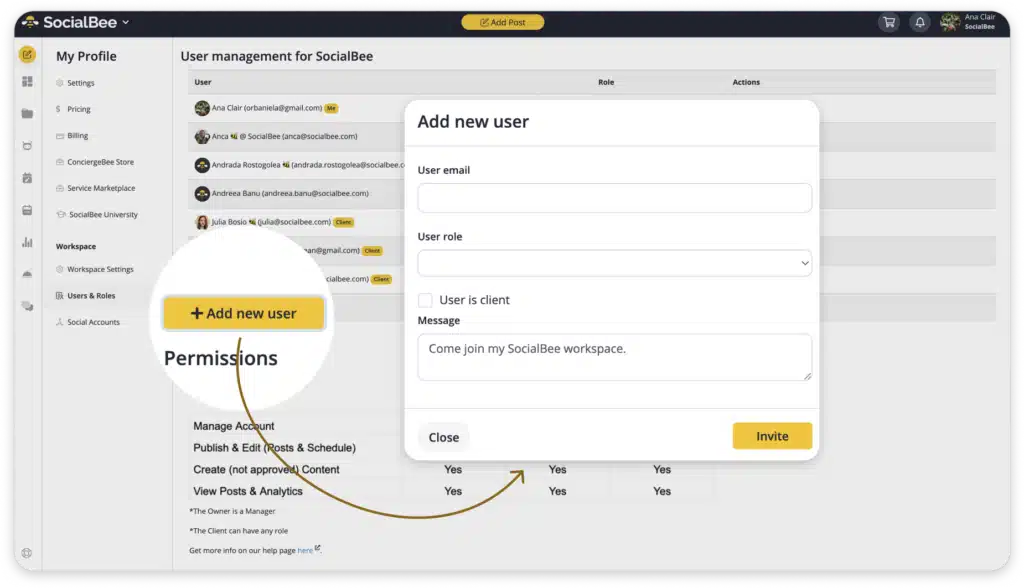
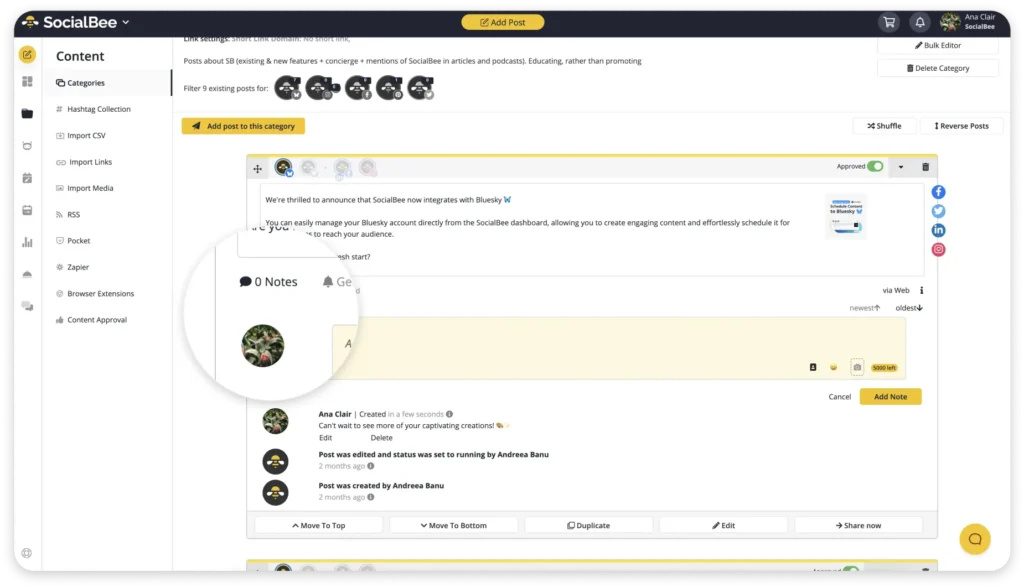
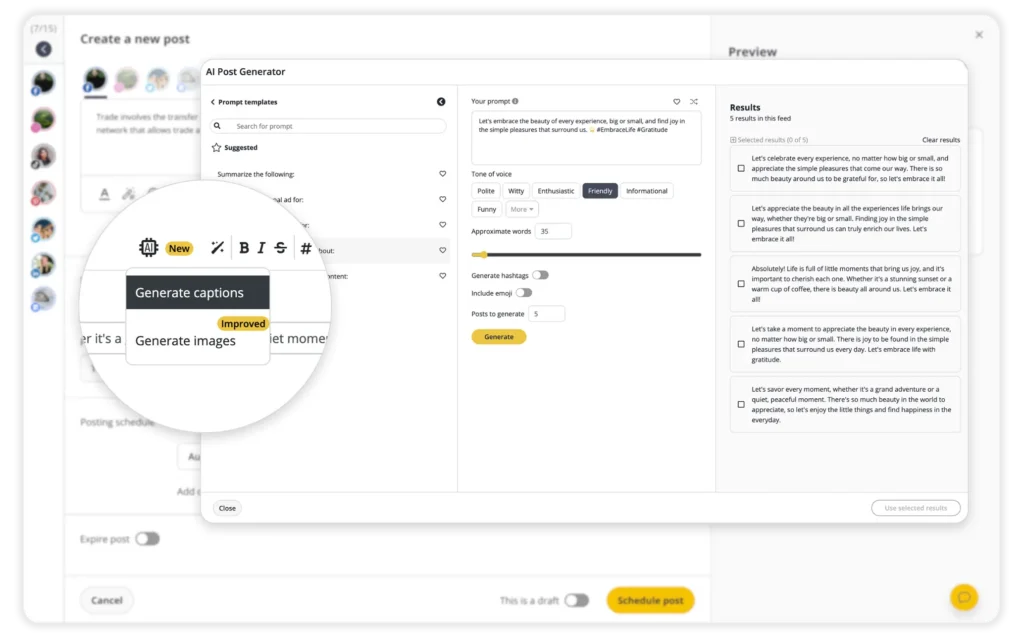
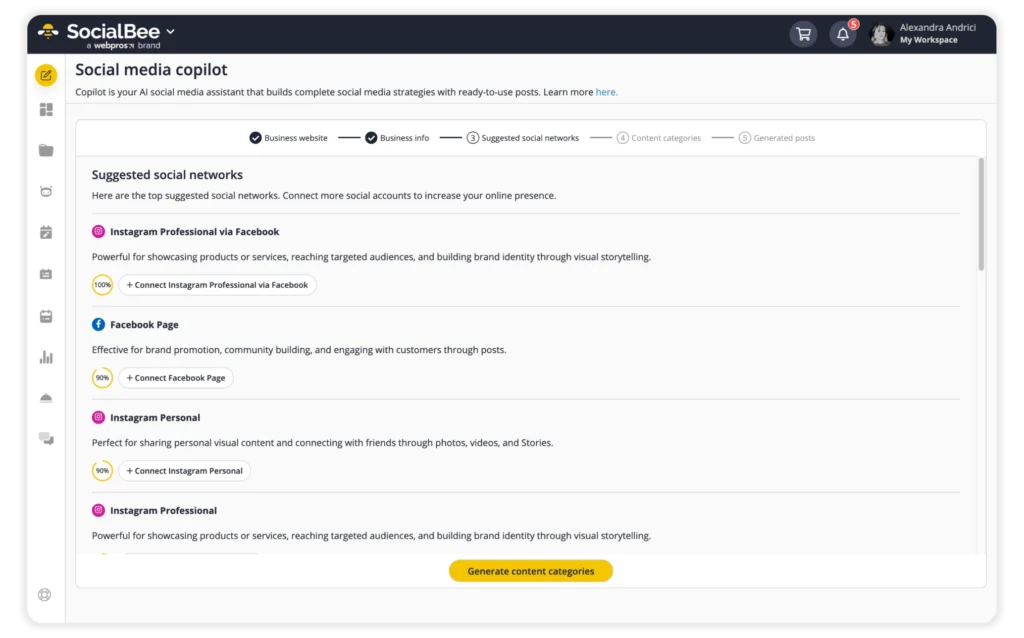
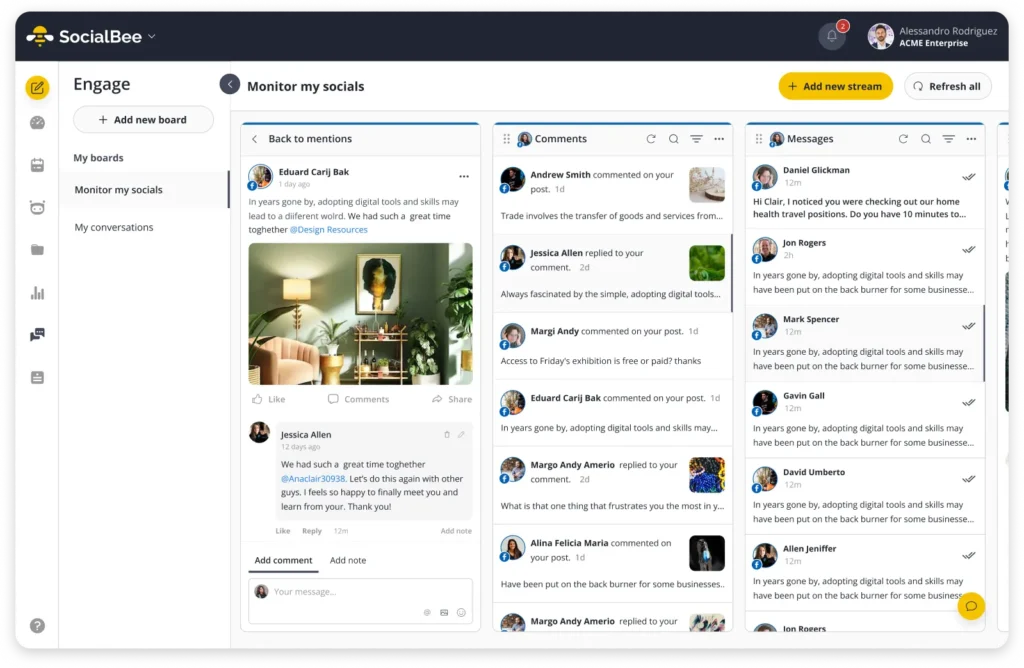
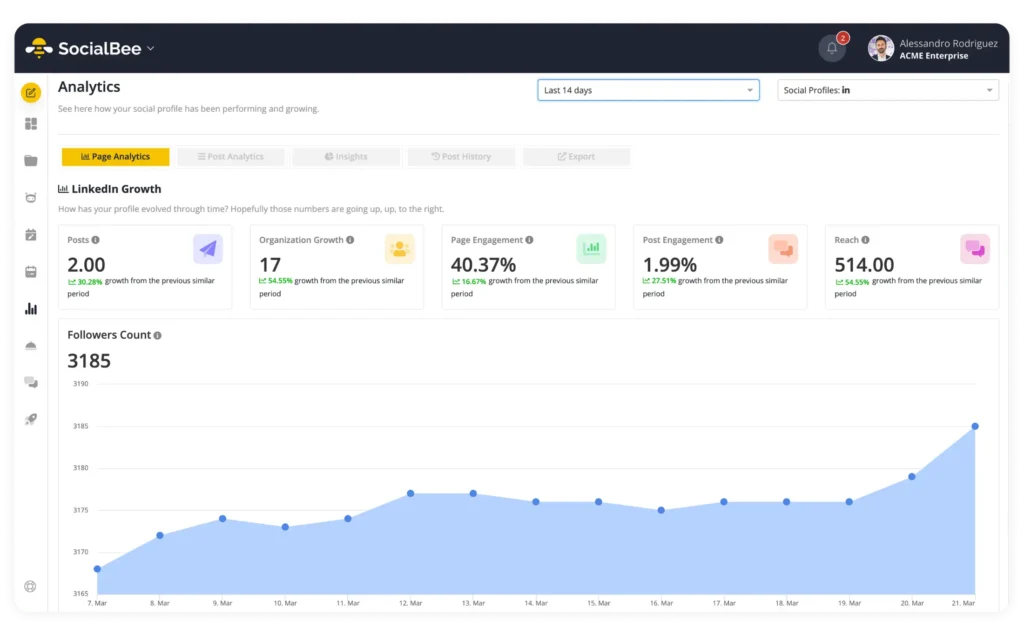
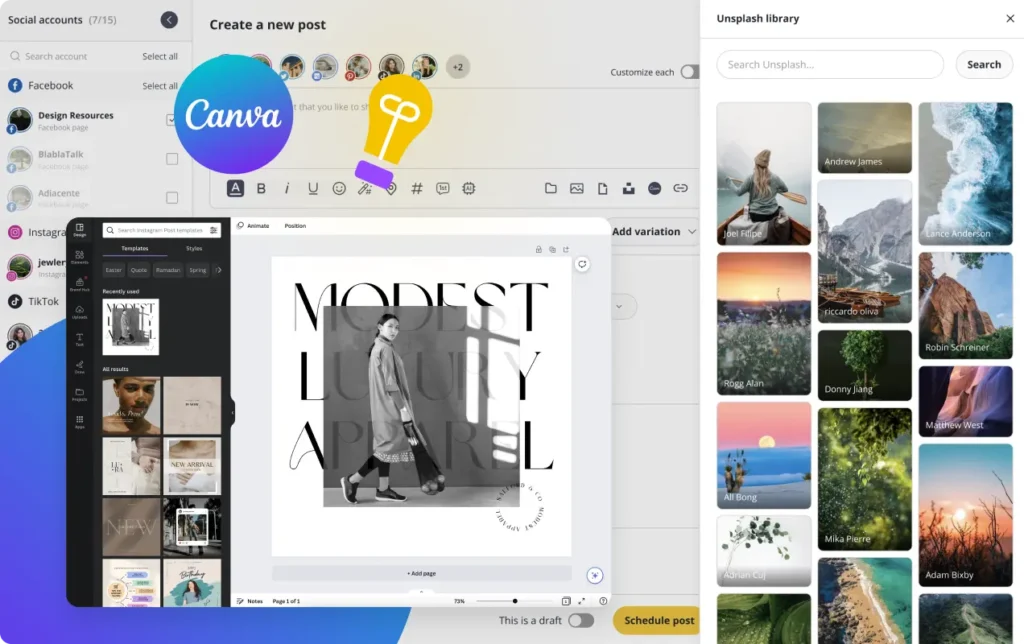
One thing I appreciate about SocialBee is how actively the platform keeps improving with constant monthly updates and feature releases. Recent changes include upgrades to the scheduler, a redesigned post editor, improvements to the mobile app, and useful new features like LinkedIn carousel posting, Instagram post collaborators, and support for replying to Threads mentions and comments.
Compared to tools like Sprout Social, SocialBee feels less enterprise-focused, far more affordable, and much easier to manage day to day. It also includes features like AI tools, analytics, the social inbox, approvals, and collaboration tools, even on lower-tier plans, instead of hiding them behind expensive upgrades or add-ons. And compared to simpler scheduling tools, it offers more structure for agencies without becoming overwhelming.
That said, it does take some time to set everything up. But once everything is configured, it becomes much easier to create content at scale, customize posts for each platform, cross-post efficiently, and keep your best-performing content in rotation.
SocialBee pricing
- 14-day free trial available; paid plans start at $29/month.
2. Sendible – Best social media management tool for agencies that work closely with clients
Sendible was founded in 2008 by Gavin Hammar, originally as a small side project built from a £10 second-hand server connected to his home router in London.
Fun fact, the first version was actually created to help schedule birthday emails, but as social platforms like Facebook, LinkedIn, and Twitter started growing, Sendible quickly expanded into a social media publishing tool.
Over time, it expanded beyond scheduling into approvals, white-label dashboards, reporting, client collaboration, and multi-brand management aimed specifically at agencies. In 2021, Sendible was acquired by Traject/ASG, which helped the company grow further while keeping its agency-focused direction.
Sendible pros
- Excellent approval and client access features
- White-label dashboards and reports
- Easy to customize posts for each platform
- Bulk scheduling and recurring posting save time
- Affordable compared to most agency-focused competitors
Sendible cons
- Analytics feel more limited than enterprise-focused tools
- Some features are restricted depending on the plan
- Occasional bugs
Sendible feels less like a content planning platform and more like a client management system that happens to handle social media really well.
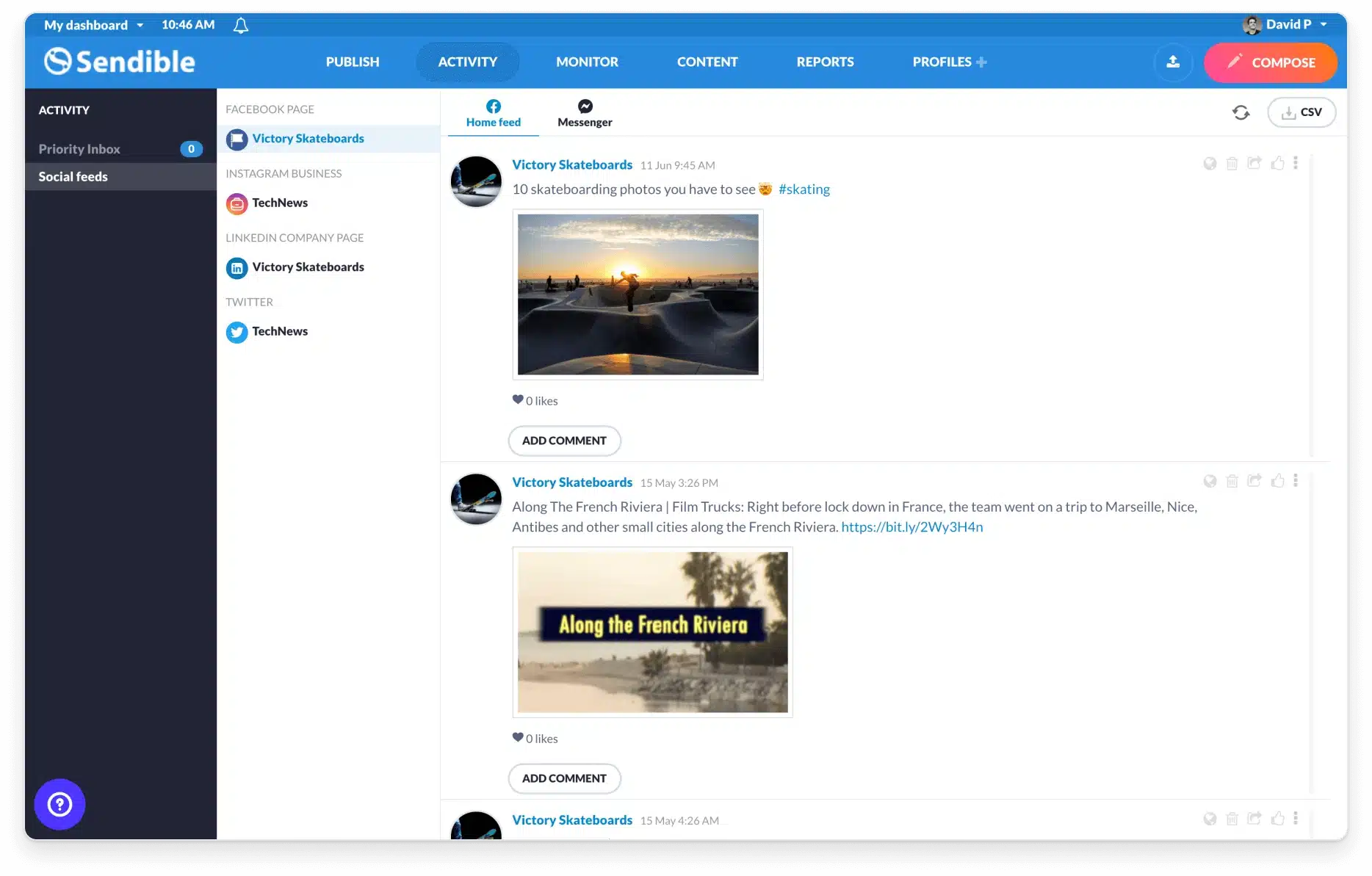
Sendible focuses more on the operational side of social media agency work: approvals, permissions, client communication, and keeping multiple accounts manageable once things start getting busy.
That becomes obvious pretty quickly when working with clients directly inside the platform.
Instead of constantly exporting screenshots, forwarding drafts, or chasing feedback across Slack and email, I could invite clients into their own dashboard, let them review posts, approve content, and leave comments directly where the work was happening.
The permission controls are another area where Sendible feels agency-oriented. I could control who had publishing access, who could approve content, and who could only review drafts. That becomes especially important when agencies want to reduce operational risk and avoid accidental publishing mistakes across client accounts.
Publishing itself is clean and straightforward. I could customize captions, hashtags, mentions, and formatting for each social platform from one screen while still previewing how the final post would actually look once published. The drag-and-drop calendar also made rescheduling content feel quick instead of frustrating, especially when priorities shifted mid-week.
The reporting system is also clearly designed with agencies in mind. Reports are easy to brand, simple to export, and fast to send to clients without needing much cleanup first. Compared to Sprout Social, though, the analytics are noticeably lighter. You still get the important social engagement and performance metrics, but this isn’t really the platform I’d choose for advanced reporting or deep social listening.
The engagement tools follow a similar pattern. The priority inbox does a good job of highlighting important conversations first, which helps when managing larger volumes of comments and messages across accounts. But compared to heavier enterprise platforms, the engagement side still feels more lightweight overall.
Sendible has expanded a lot over the years. Recent updates added TikTok reporting, Threads and Bluesky scheduling, Zapier integration, built-in video editing, and improvements to Client Connect (their tool for onboarding and managing social media profiles), showing a clear focus on helping agencies manage clients and newer social platforms more efficiently.
That said, it’s not perfect. I ran into a few bugs during testing, and some plan limitations become more noticeable once you start adding extra users or managing a larger number of social profiles.
Still, for large or mid-sized agencies where client collaboration is just as important as publishing itself, Sendible is one of the stronger options in this category.
Sendible pricing
- 14-day free trial available; paid plans start at $29/month.
3. Sprout Social – Best social media management platform for advanced analytics and reporting
Sprout Social was founded in 2010 by Justyn Howard, Aaron Rankin, Gil Lara, and Peter Soung, right as brands started taking social media management more seriously.

Over the years, the platform expanded from basic publishing into analytics, customer engagement, and social listening, while partnering early with platforms like Facebook, Twitter, LinkedIn, and Instagram.
The company went public on Nasdaq in 2019 under the ticker SPT, which pushed it further into the enterprise market and helped position Sprout Social as one of the biggest premium social media management platforms today.
Sprout Social pros
- Strong analytics and reporting tools
- Great social inbox and engagement tracking for community management
- Powerful social listening and social monitoring features
- Clean interface despite the large feature set
- Strong integrations with CRM and customer support platforms
Sprout Social cons
- Expensive, especially for agencies managing many users or accounts
- Some advanced reporting features are locked behind higher plans
- Social listening takes time to configure properly
- Reports can feel overly data-heavy for some clients
What makes Sprout Social stand out is that it focuses much more heavily on analytics, engagement management, and reporting than most social media management tools I tested.
The calendar is clean, bulk scheduling works well, and organizing large amounts of content across multiple platforms never felt difficult during testing. I could plan marketing campaigns, move posts around quickly, and manage different content formats without constantly fixing formatting issues afterward.
The social inbox is one of the best I’ve tested. Instead of simply replying to comments from one dashboard, I could assign conversations to teammates, track reply history, add tags, and monitor exactly who handled each interaction. Once accounts start getting a high volume of messages or customer support requests, that level of organization becomes extremely useful.
The analytics are also much deeper than what most social media management platforms offer.
I could compare platform performance over time, analyze engagement trends, monitor audience growth, track competitor activity, and generate reports that felt far more client-ready than the basic exports many cheaper tools provide.
Sprout Social also introduced Custom Metrics in early 2026, which lets you create your own reporting formulas using social media metrics like impressions, clicks, comments, shares, and video views. It’s especially useful for agencies or larger marketing teams that want more customized reporting without relying on spreadsheets.
Another big part of the platform is social listening and reputation tracking.
I tested keyword monitoring, brand mention tracking, and sentiment analysis. These features are especially useful for businesses that care about brand reputation management or campaign performance. They also help track conversations happening beyond the brand’s own social profiles.
That said, these features also make the platform feel heavier than most alternatives.
Compared to Sendible or SocialBee, there’s simply more data, more settings, and more reporting options to manage. Smaller agencies or solo marketers may not fully use everything Sprout Social offers, especially considering the price.
And the pricing model is hard to ignore.
Starting at $199/month, Sprout Social is easily one of the most expensive tools on this list. Costs also increase quickly once you start adding users, social profiles, or higher-tier reporting features. Some of the best analytics and listening tools are restricted to more expensive plans, which makes the platform harder to justify unless reporting and engagement are central to your service offering.
Still, if your social media marketing agency spends a lot of time building reports, managing customer conversations, tracking brand sentiment, or proving ROI to clients, Sprout Social does that side of social media management better than most tools I tested.
Sprout Social pricing
- 30-day free trial available; paid plans start at $199/month.
4. PostPlanify – Best social media management tool for agencies that want unlimited users and one workspace per client
PostPlanify was founded in 2025 by Hasan Cagli, with a clear focus on agencies that manage social media for multiple clients. Over the following year, the platform expanded from scheduling into approvals, a social inbox, analytics, client reports, and white-label dashboards for agency branding.
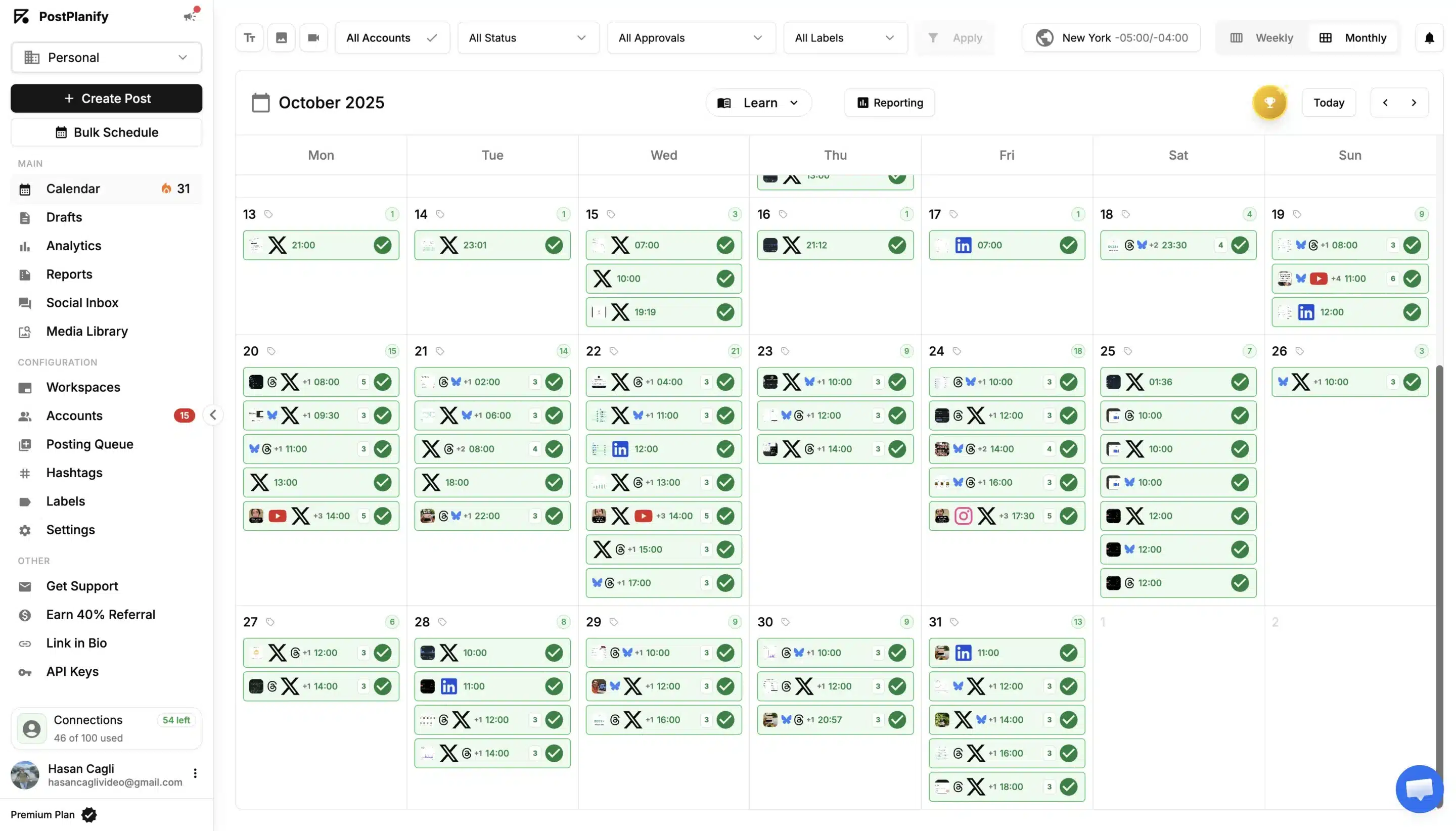
In 2026, it also became one of the first social media management tools with an official connector for both Claude and ChatGPT, letting agencies schedule and analyze posts directly from AI assistants.
PostPlanify pros
- Unlimited users on every plan, with no per-seat fees
- Separate workspaces keep each client’s accounts and content organized
- Built-in approval workflows and custom roles for client collaboration.
- Clean, simple interface that’s quick to learn
- White-label dashboards, emails and reports on the Scale plan
PostPlanify cons
- Younger platform with a shorter track record than most tools on this list
- No social listening or brand monitoring features
- Mobile app is still in development
- White labeling is only available on the highest plan
What makes PostPlanify stand out is that it’s built around how agencies actually split their work: one client at a time. That becomes obvious as soon as you start adding clients.
Every client gets its own workspace, with its own logo, connected social accounts, content calendar, media library, and team access. While testing, switching between client accounts took one click and I never had to double-check which brand a post was about to go out on.
The pricing model is the part most agencies will notice first. Instead of charging per user, PostPlanify charges per workspace, and the more workspaces you add, the less each one costs. Every plan includes unlimited users, so bringing in editors, freelancers, or clients as reviewers doesn’t change the bill.
Publishing is clean and straightforward. PostPlanify supports 11 platforms, including Instagram, Facebook, TikTok, LinkedIn, YouTube, Threads and Google Business Profile. I could customize captions per platform, schedule up to 20 posts at once with bulk scheduling, and pull designs straight from Canva or Google Drive.
The approval workflow is where it feels most agency-oriented. Clients can review and approve posts before anything goes live, and custom roles let you give a social media manager full access to client accounts without sharing your own login.
The AI assistant turned out to be more useful than I expected. Each workspace stores the client’s description, target audience, and brand voice, so captions and comment replies sound like that client instead of a generic template.
The social inbox brings comments and DMs from Instagram, Facebook, LinkedIn, Google Business Profile, and YouTube into one feed. You can filter by client account or message type, and AI-suggested replies make it easy to clear the inbox quickly.
Analytics and client reports cover every connected platform, with best-time-to-post suggestions built in. On the Scale plan, white-label dashboards, emails, and reports show your agency’s branding, so clients never see PostPlanify’s name.
Team collaboration is also built into every plan. You can invite teammates and clients to specific workspaces, leave comments directly on posts, and mention people so feedback doesn’t get lost in Slack or email threads.
Compared to Sprout Social or Sendible, PostPlanify feels lighter and much easier to learn. It doesn’t try to cover enterprise listening or heavy CRM integrations, but for day-to-day client publishing, it covers what most agencies actually use.
There are a few drawbacks to the tool though. It’s a younger and smaller company than most tools on this list, there’s no social listening yet and the mobile app is still in development. Some inbox actions, like liking comments, aren’t fully available yet either.
For growing agencies managing multiple clients who don’t want to pay for every new team member, PostPlanify is still one of the easiest tools to scale with.
PostPlanify pricing
- 14-day free trial available; paid plans start at $39/month.
5. Later – Best social media management tool for visual content planning and Instagram marketing
Later was founded in 2014 as Latergramme, one of the first tools built specifically for scheduling Instagram posts, back when Instagram barely supported third-party publishing.
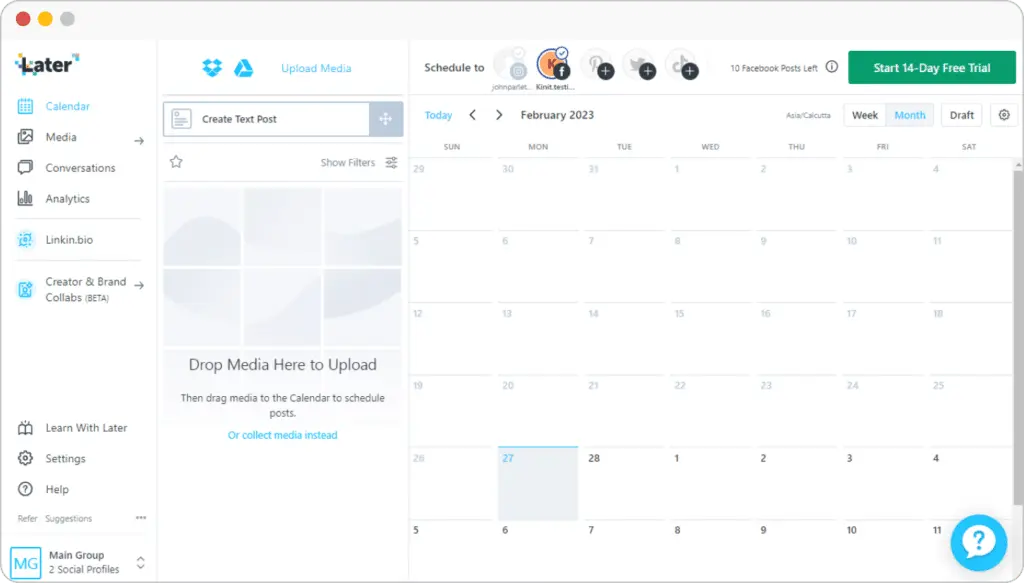
As Instagram and creator marketing grew, Later expanded into TikTok, Pinterest, LinkedIn, analytics, and Link in Bio tools, becoming much more than a simple scheduler.
In 2022, the platform for influencer campaigns Mavrck acquired Later as part of a larger push into the creator economy, and by 2024, the two companies fully merged under the Later brand. More recently, Later expanded again by acquiring creator affiliate platform Mavely in 2025.
Later pros
- Very easy to use for visual content planning
- Excellent Instagram-focused scheduling experience
- The Link in Bio feature is genuinely useful
- Affordable starting price
- Reliable publishing and story scheduling
Later cons
- Analytics feel limited compared to larger platforms
- Some collaboration features require higher-tier plans
- Media management works better on a desktop than on mobile
- Less suited for agencies focused heavily on reporting or engagement management
Other tools try to become all-in-one platforms. Later doesn’t really feel like it’s trying to do everything and cover all the features.
Instead, it focuses heavily on making visual content planning easier, especially for Instagram-focused brands. And honestly, that focus helps the platform feel simpler and more polished than a lot of larger social media management tools.
The visual calendar is the biggest reason for that.
While testing Later, planning content felt fast and intuitive. I could drag posts around, preview how the Instagram feed would look before publishing, organize visuals quickly, and spot gaps in campaigns without digging through complicated dashboards.
Compared to platforms like Sprout Social or Sendible, Later feels much lighter and far less operational, with basic features. It’s clearly built more for content marketers, creators, lifestyle brands, ecommerce businesses, and agencies managing visually driven accounts who want basic social media automation.
I also liked how easy it was to manage media.
Filtering between used and unused visuals sounds like a small feature, but it genuinely helps once you’re handling large content libraries. I could quickly reuse assets, organize campaigns, and avoid reposting the same visuals accidentally.
The AI tools are there too, though I treated them more like assistants than core features.
They’re useful for generating quick caption ideas or helping rewrite posts when you’re stuck, but I wouldn’t rely on them to fully create content. In my experience, they work best when you already have a strong post idea and just want help speeding things up.
One feature that stood out much more to me was Link in Bio.
A lot of social media tools include some version of it now, but Later’s implementation is genuinely useful if your strategy depends on driving traffic from Instagram or TikTok. You can build customizable landing pages, track clicks, highlight products or campaigns, and connect everything with analytics, email capture tools, and simple lead generation workflows. For creator brands and ecommerce clients, that adds real value beyond scheduling posts.
Later also added several useful updates in late 2025, including Threads and Snapchat scheduling, a unified social inbox for managing DMs and comments, external approval tools for clients, competitive benchmarking, custom analytics with post tagging, and improved “best time to post” recommendations for Reels, feed posts, and Stories.
The downside is that Later starts feeling more limited once reporting and collaboration become a major part of the job.
The basic analytics are good enough for performance tracking, but compared to Sprout Social, reporting feels much lighter. I could still monitor engagement and identify top-performing content, but deeper insights, competitor tracking, and advanced reports are mostly tied to higher plans.
The same thing applies to collaboration features.
Approvals, shared calendars, activity logs, and the social inbox exist, but many of them are restricted depending on your subscription. Smaller teams may not mind this, but agencies managing multiple stakeholders will probably notice the limitations quickly.
Still, if your work revolves heavily around Instagram, visual campaigns, creator content, or ecommerce brands, Later is one of the easiest and most enjoyable tools to manage content day to day.
Later pricing
- 14-day free trial available; paid plans start at $25/month.
6. Zoho Social – Best social media management tool for managing conversations across multiple accounts
Zoho Corporation was founded in 1996 as AdventNet by Sridhar Vembu and Tony Thomas, initially focusing on network management software before expanding into cloud-based business applications in the mid-2000s.
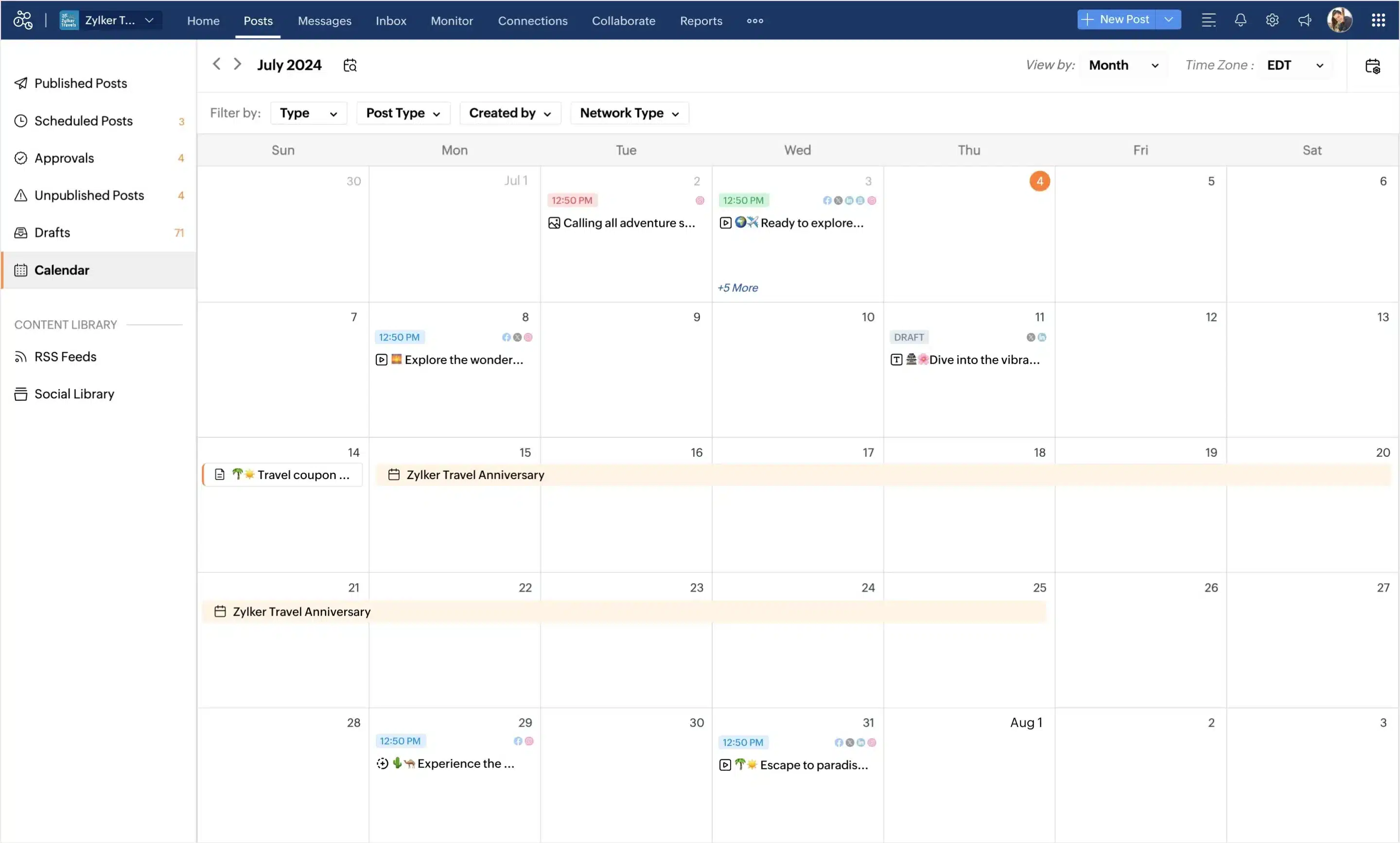
The company rebranded to Zoho Corporation in 2009 as its SaaS ecosystem grew to include CRM, productivity, finance, and collaboration tools.
Zoho Social launched in 2015 as the company’s dedicated social media management platform, evolving from a simple publishing tool into a full social media suite with scheduling, analytics, collaboration, CRM integrations, and agency-focused features.
Zoho Social pros
- Affordable pricing, even for teams
- Strong inbox and engagement management
- Easy to set up and learn quickly
- Good team collaboration features for agencies
- Generous free plan
Zoho Social cons
- Some integrations feel limited compared to competitors
- Occasional upload or attachment issues
- Templates can feel restrictive
- Analytics are solid, but not as advanced as enterprise tools
Zoho Social surprised me a bit during testing.
I expected it to feel like a lightweight scheduling tool, especially at its price point, but it’s actually much stronger than I anticipated.
The inbox is the part I kept coming back to most.
Managing conversations across multiple social media platforms usually becomes chaotic pretty quickly, especially once multiple clients, comments, reviews, and DMs are involved. Zoho Social handles that side well. I could filter conversations, assign replies to teammates, leave notes internally, and clearly track what had already been handled versus what still needed attention.
The calendar covers everything most agencies need: bulk scheduling, drafts, queues, platform customization, and cross-platform publishing. What I liked most was SmartQ, which recommends posting times based on audience activity instead of forcing you to guess manually. Small feature, but useful in day-to-day scheduling.
The collaboration tools are also well integrated into the platform itself.
Approvals, internal comments, tagging teammates, and role permissions all feel naturally built into the system instead of being added later as separate features.
Analytics are good enough for most agency reporting needs, too. I could track engagement, monitor performance across platforms, generate reports with custom date ranges, and export branded PDFs fairly easily.
Zoho Social has also been steadily improving over the past year, especially around collaboration, analytics, inbox management, and mobile publishing, while expanding support for platforms like YouTube, TikTok, Google Business Profile, Bluesky, and Mastodon.
On another note, Zoho Social is more affordable than most agency-focused tools for social media managers. Compared to Sprout Social or even Sendible, it offers a surprisingly strong feature set for the cost, especially if you already use other Zoho products.
Zoho Social is strong for the price, but it’s not flawless. I ran into occasional issues, like slow loading, upload errors, and social accounts needing to be reconnected. I also found the reporting solid for basic client updates, but not deep enough for advanced performance analysis.
Still, for agencies that care more about day-to-day engagement management, collaboration, and affordability than advanced enterprise analytics tools, Zoho Social offers a lot of value for the price.
Zoho Social pricing
- 15-day free trial available; paid plans start at €15/month.
Frequently asked questions
1. What are the benefits of a social media management app?
A social media management app helps you save time, stay organized, and handle multiple social networks without losing track of tasks.
Instead of logging into each platform separately, you can plan content in advance, schedule posts, and see exactly what’s going out and when from one place. This makes it easier to stay consistent, especially if you post frequently or manage several accounts.
It also improves how you handle engagement. You can check comments, messages, and mentions in one place, so it’s easier to respond on time and keep conversations organized.
Another benefit is visibility into performance. You can track how your posts are doing over time and see what content gets the most engagement. That makes it easier to adjust your approach based on real results and increase social media ROI.
2. What is the best social media management tool for agencies?
In my opinion, the best tools for agencies are SocialBee, Sendible, and Sprout Social, but SocialBee is the one I’d pick if I had to choose just one. It’s easier to manage when you’re juggling multiple clients and constant changes. Sendible is useful if you need to give clients access to review posts, leave feedback, and approve content before it goes live, and Sprout Social is strong on a few features like reporting, but it gets expensive fast.
3. How do I choose the best social media management tool for my business?
Start with the part of the job that takes the most time or causes the most problems. Is it paid social media advertising? Is it getting proper performance data?
If scheduling is messy, look for all the tools with a clear calendar and bulk posting. If reporting is slow, pay closer attention to analytics and export options. If you’re missing comments or messages, the inbox matters more than anything else. And if more than one person touches the content, you’ll also need approvals, notes, and separate access levels, preferably with unlimited users.
The best choice is usually the tool that solves your biggest problem first and caters to your social media services, not the one with the longest feature list.
Improve your agency’s social media presence with the best tools
Most tools can schedule posts. That part is easy.
What actually matters is how they handle the rest. Planning content, getting approvals, keeping up with messages, and pulling reports when a client asks for them.
If you’re trying to decide, don’t overthink it. Pick one or two tools and try them with real work. Add your accounts, plan a few days of content, and go through your usual steps.
You’ll figure it out pretty quickly.
This article was originally published in January 2026 by Melania and most recently updated in October 2026. |