How we calculate your YouTube engagement rate
Your engagement rate shows how often your subscribers interact with your content compared to your total following. Our calculator uses this formula:
Engagement Rate = (Likes + Comments + Shares + Saves) ÷ Followers × 100
To calculate it, enter your channel’s total followers along with the likes, comments, shares, and saves on a video. The calculator instantly gives you a percentage you can use to track growth, compare videos, or report results.
What’s a good engagement rate on YouTube?
A strong YouTube engagement rate usually falls between 3% and 7%, depending on your channel size and niche.
Here are general YouTube engagement rate benchmarks:
- Below 3%: Low engagement
- 3-5%: Average engagement rate
- 5-7%: High engagement
- 7% or more: Excellent, often seen on smaller or highly active channels
Smaller creators often achieve higher engagement rates because their audiences are more tightly connected, while larger channels may see lower percentages since their content reaches a broader, less concentrated audience.
Looking at both the average YouTube engagement rate and the median engagement rate across your industry will give you a more accurate picture. The best way to interpret your results is by comparing them with channels of a similar size and audience demographics.
How to improve your YouTube engagement rate
To raise your YouTube engagement rate, focus on what matters most. Hook viewers in the first 30 seconds, reply consistently to comments, optimize titles and descriptions for SEO, organize your videos into playlists, and use analytics to refine your strategy.
1. Optimize your first 30 seconds
The first 30 seconds of a YouTube video decide whether someone keeps watching or clicks away. Watch time is one of the strongest signals the algorithm uses to recommend content, so a strong opening directly improves your engagement rate.
Skip long intros or logo animations and get to the point quickly. Lead with a hook that sparks curiosity or promises value. For example: “Here are three mistakes killing your email open rates” works better than a generic welcome message. Visual hooks can be just as powerful. A quick demo, bold text overlay, or an unexpected image often convinces viewers to stay.
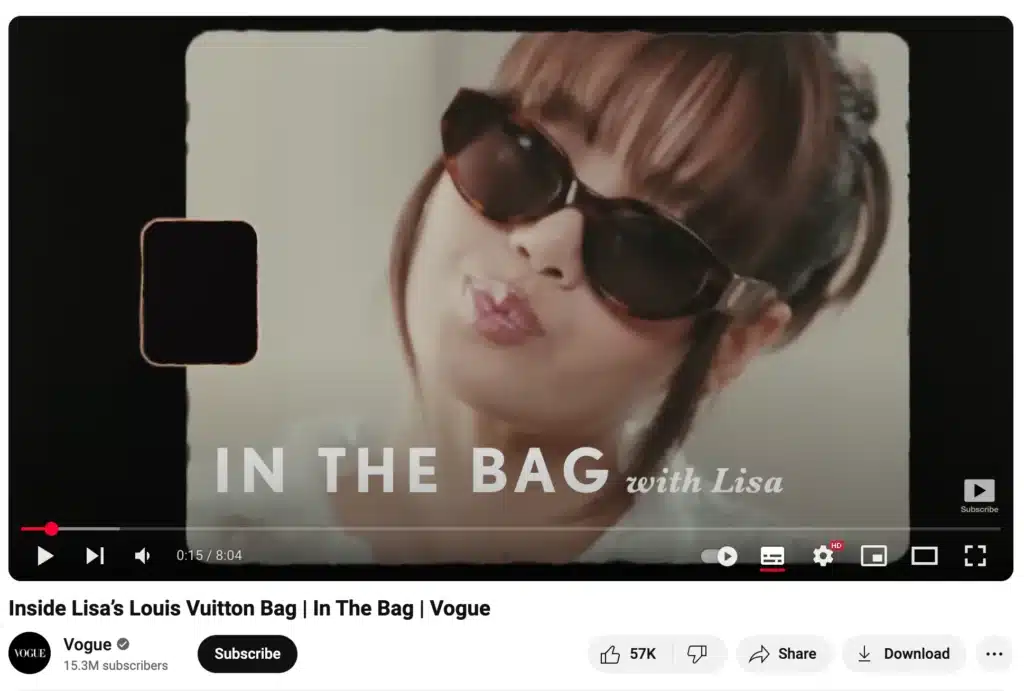
Use the opening to show why your video is worth their time. Tease the result, outline what they will learn, or highlight the problem you are about to solve. If people watch past the first half-minute, they are much more likely to like, comment, and share.
2. Reply to comments consistently
Comments are one of the clearest signs of engagement on YouTube, but many creators miss the chance to build on them. When you reply, you not only double the interaction on that comment but also show viewers that their input matters. This makes them more likely to keep engaging with future videos.
Consistency is key. Make it a habit to respond within the first 24 hours after publishing, when most activity happens. Short acknowledgments like “Great point” are fine, but thoughtful replies go further. For example, if someone asks a follow-up question on your tutorial, answer it with an extra tip or link to another video that explains more.
Replies also create space for longer conversations between you and your audience, which YouTube’s algorithm sees as stronger community activity. Over time, this builds loyalty and raises your overall engagement rate.
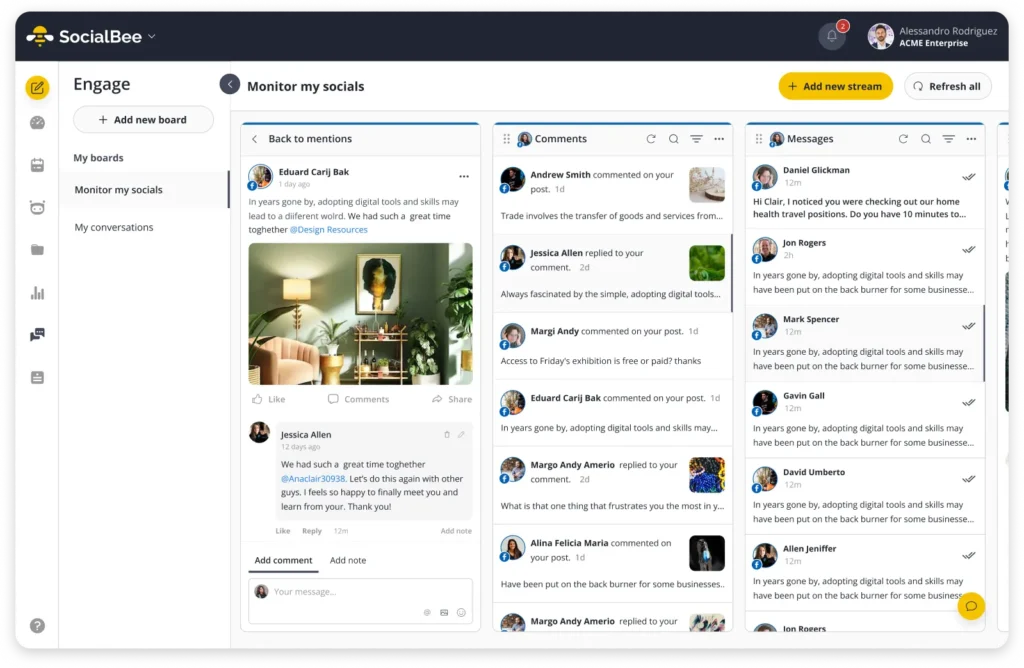
With SocialBee, you do not have to jump between platforms to stay on top of your YouTube comments. You can manage comments alongside messages and mentions from other channels in one unified inbox, making it easier to stay on top of audience engagement.
3. Optimize titles and descriptions for SEO
A strong title and description make your videos easier to find, which directly impacts engagement. If people cannot discover your content, they cannot watch, comment, or share it.
Start with clear, keyword-rich titles that match what your audience is searching for. For example, “How to Edit YouTube Videos on a Budget” will perform better than “My Editing Setup.” Keep titles concise, but make sure they communicate the value of the video.
Descriptions matter too. Use the first few lines to summarize what the video delivers and include keywords naturally. Adding timestamps, resources, or quick takeaways helps viewers stick around longer, which improves watch time and engagement.
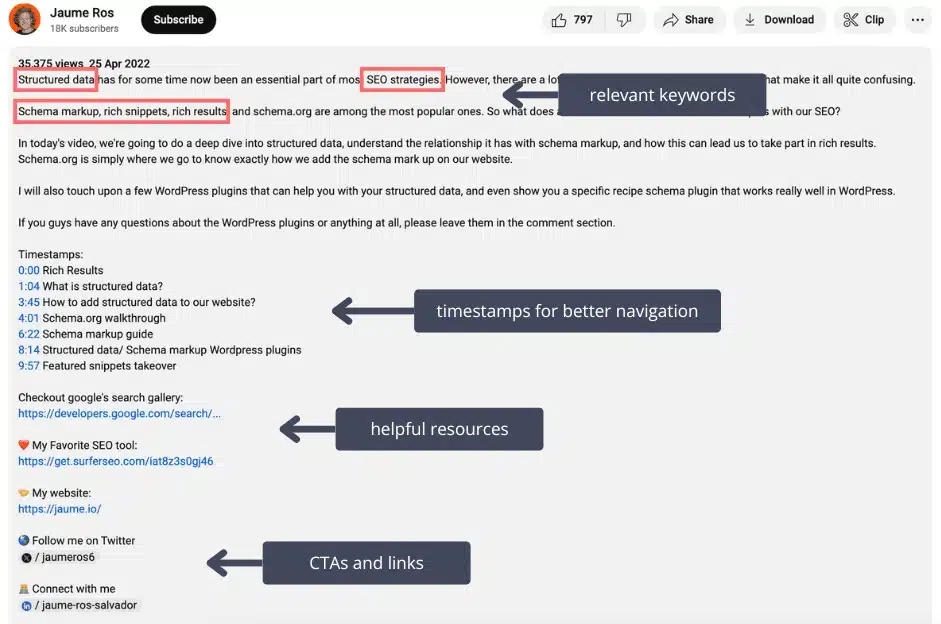
Think of your title and description as both a hook for people and a signal for YouTube’s search engine. The better they align with what people want, the more likely your video will reach the right audience and generate interactions.
4. Organize content into playlists
Playlists are one of the simplest ways to boost engagement on YouTube. By grouping related videos, you guide viewers from one video to the next, which increases watch time and encourages more likes, comments, and shares. For example, a marketing specialist might group their videos into influencer marketing strategies, campaign case studies, and tutorials.
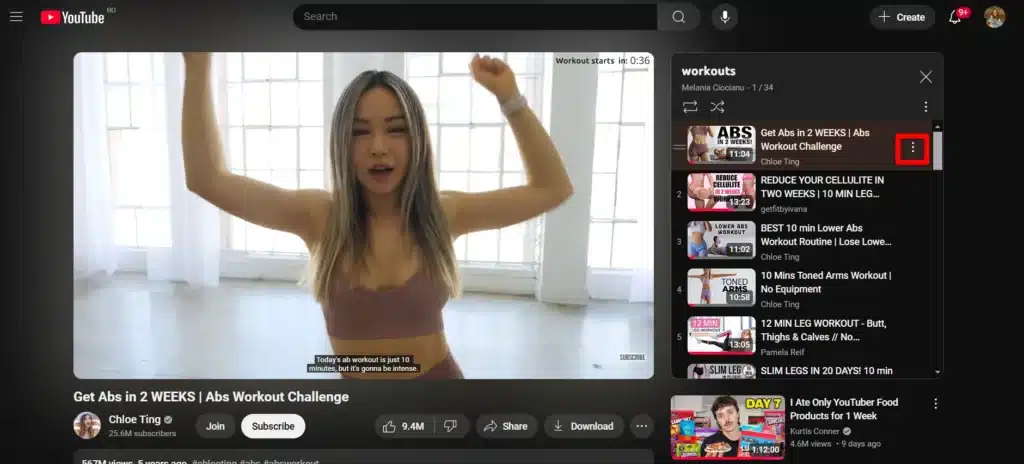
Think of playlists as categories that make your channel easier to navigate. A fitness creator might build separate playlists for quick workouts, nutrition tips, and full training sessions. A marketing channel could organize content into tutorials, case studies, and live Q&A replays. When viewers know where to find what they need, they are more likely to stay longer and interact more often.
Playlists also appear in search results, which gives your videos another chance to get discovered. Adding clear titles and short descriptions for each playlist can help them rank and attract new viewers.
By turning your content into a structured library instead of a random feed, you create a smoother viewing experience that naturally leads to higher engagement.
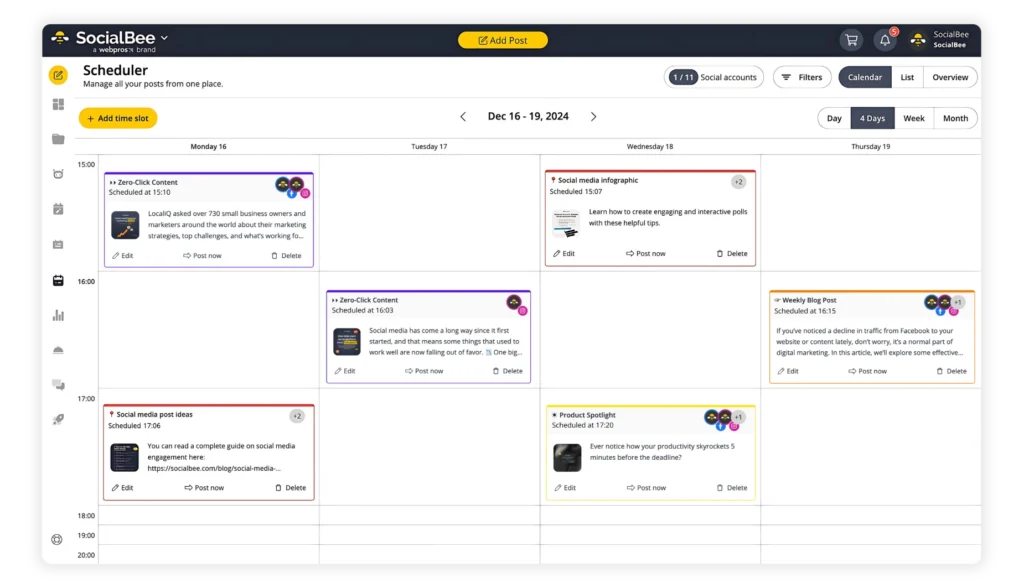
By turning your content into a structured library instead of a random feed, you create a smoother viewing experience that naturally leads to higher engagement. SocialBee is a YouTube scheduler that helps you plan and publish videos in advance, keep content organized, and maintain a consistent flow that supports both engagement and growth.