


Managing social media today goes far beyond posting a few updates each week. If you manage multiple accounts, handling client approvals, tracking performance, and trying to stay consistent across every platform, the tool you choose directly affects how efficiently you can work.
I’ve tested a wide range of platforms, and I’ve seen firsthand how different tools either simplify your day or slow you down. Each review is based on real use, real feedback, and a clear look at what every tool does well and where it struggles.
My goal is simple. By the end, you should know exactly which platform fits your workload, your team, and the way you create content.
Let’s look at the best social media management tools and who each one is really for.


2. Social Champ
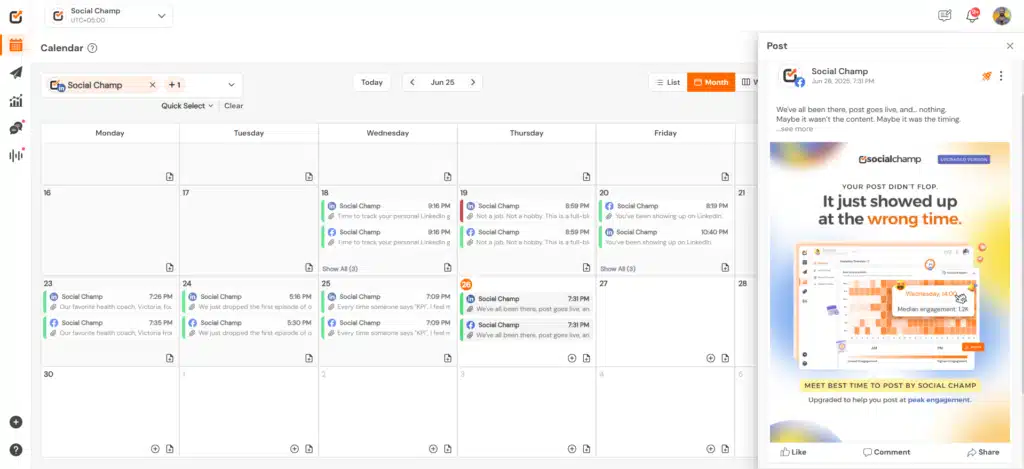
Social Champ includes several helpful posting options like bulk scheduling, location tags, first comments, custom thumbnails, polls, LinkedIn documents, and threaded posts, a game-changer for any social media manager. Based on what I’ve seen in user reviews, many teams stick with it because these key features simplify daily publishing.
The AI tools also get a lot of positive feedback. The Content Wizard and image generator make it easy to produce quick ideas, and the sentiment checker helps ensure the tone feels right before posting.
What stands out most to me is how well Social Champ organizes content. You can manage hashtags, save drafts, label posts, preview your Instagram grid, and store visuals in a central media library. These small touches make the editor feel efficient.
The social media analytics are solid too. You can track post performance, export reports, view best posting times, and access competitor insights on higher plans so you can determine how your strategy is improving your business outcomes and what needs tweaking. The data is easy to understand and useful for your social media efforts.
The inbox ties everything together by letting you reply to comments, messages, and Google Business Profile reviews from one place. Many users appreciate saved replies and message labels because they help keep communication structured, especially for teams.
Who is Social Champ best for?
Overall, I believe Social Champ is best suited for freelancers, small teams, and growing agencies that want an affordable scheduler.
What I like about Social Champ:
- Upload and manage large batches of posts
- Add first comments, custom thumbnails, and location tags
- Tag people or products in Instagram photos
- Organize hashtags and label posts
- Edit images and add alt text directly in the platform
- Generate captions, ideas, images, and posting times with AI
- Check sentiment before publishing
- Store visuals in a built-in media library
- Track performance and export reports easily
- Respond to comments, messages, and reviews in one inbox
- Integrate with powerful tools like Canva, Google Drive, OneDrive, Dropbox, and WordPress
What could be better about Social Champ:
- The free plan is very limited
- The mobile app needs smoother navigation and faster loading
- X (Twitter) access requires a paid plan
Social Champ pricing:
- Free plan: Yes
- Free trial: 7 days
- Paid plans: Start at $4 per month for each social media account you connect
3. Socialinsider
After looking into Socialinsider more closely, I can see why so many marketers use it as their main analytics and benchmarking tool. It pulls data from Instagram, Facebook, LinkedIn, TikTok, YouTube, and other platforms into one clean dashboard, and based on what I’ve found in user feedback, its competitive insights are the real standout.

You can compare your performance with competitors, track industry benchmarks, and even analyze content themes through AI-generated pillars.
One-click PDF or PPT exports, automatic benchmarking, and clean post-level breakdowns make it easier to explain what worked and why. The dashboard is simple enough for beginners, yet detailed enough for analysts.
Who is Socialinsider best for?
In my opinion, Socialinsider is best for marketers, agencies, and analysts who need reliable cross-channel analytics and strong competitive benchmarking.
What I like about Socialinsider:
- Compare your results with competitors and industry benchmarks
- Group posts into content pillars and understand which themes drive audience engagement
- Use AI summaries and “Organic Value” for strategic takeaways
- Generate custom reports as PDF or PPT for clients or internal teams
- Track short-form videos like Reels, TikToks, and YouTube Shorts with dedicated performance social media metrics
- Filter results by industry or audience segments
- View detailed post-level metrics, hashtag insights, and social media engagement trends
- Organize profiles into projects for easier comparisons
- Export clean, presentation-ready data that saves hours each month
What could be better about Socialinsider:
- Some Instagram numbers, especially Reels views, do not always match native data
- Credit slots for competitor profiles can feel restrictive
- Pricing may be high for smaller teams
Socialinsider pricing:
- Free trial: 14 days
- Paid plans: Start at $99 per month
4. Planable
After reviewing a wide range of recent user experiences, it’s clear that Planable has built its reputation around one thing: collaboration.
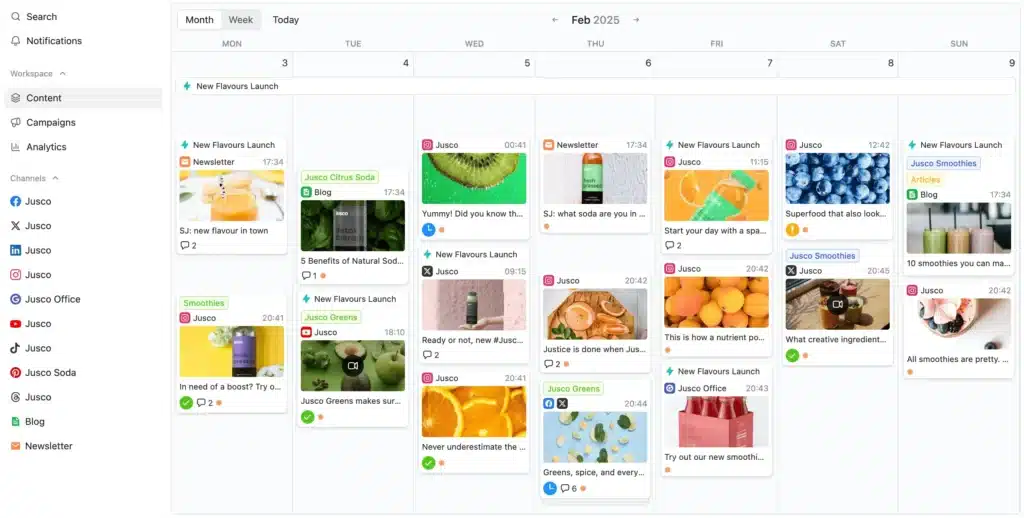
What I found most useful was the ability to share posts with clients using a simple link. They can leave comments, suggest edits, and approve everything without creating an account.
Scheduling is straightforward, and I liked how easy it was to group posts into campaigns and store assets in the media library.
Planable also offers optional upgrades for engagement and analytics. If you turn these on, you get a unified comments inbox, AI-assisted replies, sentiment sorting, cross-channel stats, target audience insights, and custom reports.
Who is Planable best for?
Agencies, freelancers, and small teams that need fast approvals from multiple users, clean previews, and a simple space for clients to review posts.
What I like about Planable:
- View content in feed, calendar, grid, or list layouts
- Share posts with clients through links, without creating extra accounts
- Collect feedback with comments, text annotations, and suggested edits
- Set optional, required, or multi-step approvals
- Store visuals in a built-in media library and reuse them easily
- Write content faster with AI assistance for captions
- Create, edit, and organize campaigns across the month
What could be better about Planable:
- Pricing feels high for some freelancers and small businesses, especially with analytics and engagement sold separately
- Multi-reviewer approval flows are limited and can be clunky in heavily regulated teams
- Analytics on lower tiers are basic, and some data types (like personal LinkedIn stats or best time to post) are still missing
Planable pricing:
- Free plan: Yes
- Paid plans: Start at $33 per workspace per month
5. Buffer
Buffer is one of the easiest social media marketing tools to pick up if you just want a clean, simple way to plan and publish social media posts without a complicated setup.
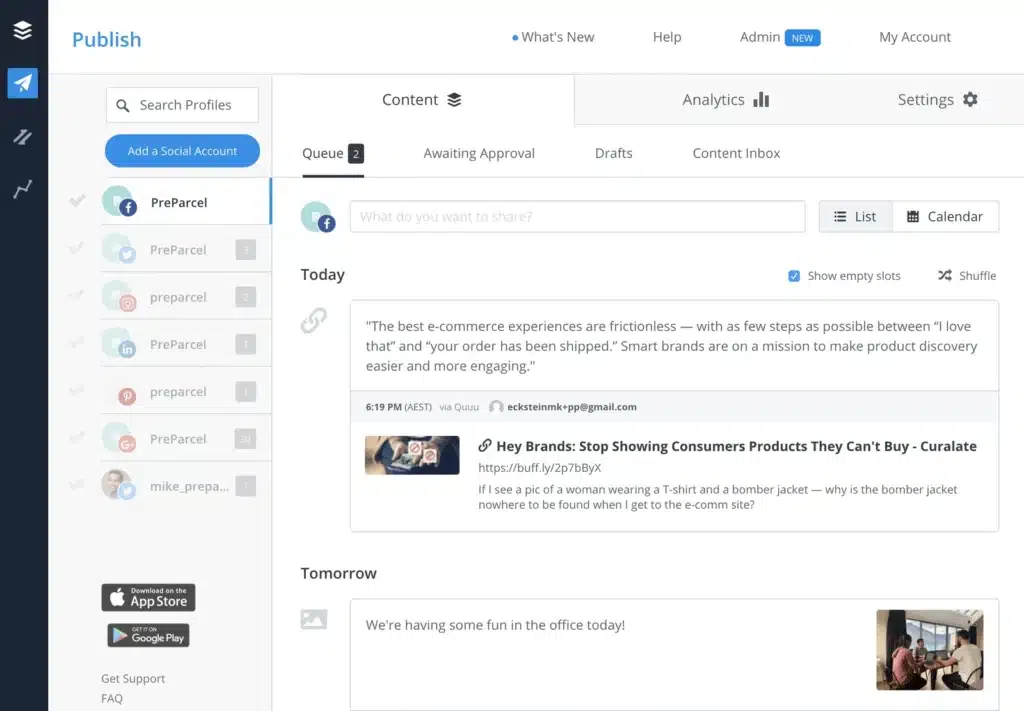
The interface is user-friendly, the planner is easy to navigate, and the integrations with Canva, Google Drive, Dropbox, and Unsplash save a lot of time when you are pulling in visuals. I also found the hashtag manager and AI caption assistant helpful for speeding up the content creation process.
The unified inbox is another strong point if you manage multiple social accounts. You can respond to Instagram and Facebook comments directly inside Buffer, and the prioritization filters make it easier to spot questions or negative feedback that needs attention.
From my own experience, the analytics are useful if you keep things simple. You get post-level key metrics, unlimited history, and automated reports. But after exploring it more deeply, I do think teams that rely heavily on data may outgrow the lower plans quickly.
Who is Buffer best for?
Based on what I’ve found in user feedback, Buffer is one of the most approachable tools for solopreneurs and small businesses that just want to plan and publish posts without spending hours learning a new system.
What I like about Buffer:
- Create posts quickly with a clean, simple interface
- Customize content for each platform without extra steps
- Use the visual calendar to see everything at a glance
- Pull images and videos straight from Canva, Dropbox, Google Drive, or Unsplash
- Organize and reuse hashtags
- Use the AI assistant to refine or repurpose posts
- Schedule first comments on Instagram and LinkedIn
- Customize video covers for TikTok, Instagram, and Facebook
- Respond to Instagram and Facebook comments in one inbox
- Analyze post-level performance with unlimited history
- Export reports in PDF, spreadsheet, or image formats
- Share drafts and set approvals for team workflows
- Extend functionality through Zapier, Feedly, WordPress, Bitly, and more
What could be better about Buffer:
- The free plan is limited
- Bulk scheduling is locked behind paid tiers
- The interface feels dated compared to newer tools
- Managing multiple clients can feel restrictive
Buffer pricing:
- Free plan: Yes
- Paid plans: Start at $6 per month per connected social account
6. Hootsuite
Hootsuite is one of the strongest options for teams that need structure, permissions, and full oversight across many social accounts. It is powerful, but definitely built with larger organizations in mind that follow a more complex process.
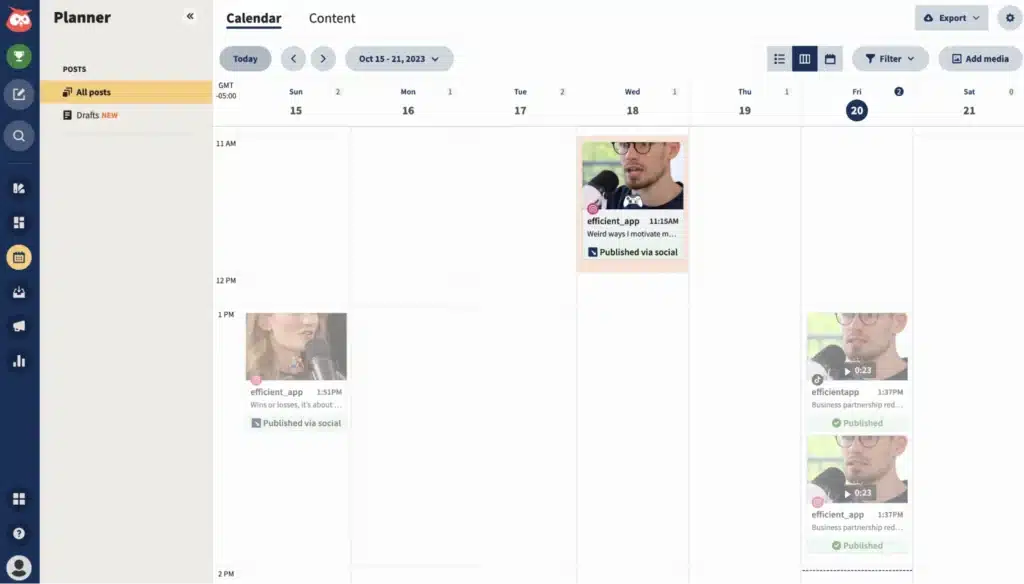
When I tested Hootsuite, what struck me first was its depth. You can connect just about every major platform, plan content in a visual calendar, customize posts for each network, and use bulk scheduling when you’re dealing with high-volume workflows.
I also appreciated how well the team features work. Approvals, permissions, shared calendars, and the content library make it easier to keep several people aligned without slowing anyone down.
Where it becomes especially valuable is in reporting and listening. You can create detailed dashboards, track social media performance across platforms, measure campaigns, and monitor brand mentions across the web.
Who is Hootsuite best for?
Large teams, agencies, and enterprise-level organizations that need advanced scheduling, detailed reporting, and strong approval workflows.
What I like about Hootsuite:
- Connect and manage most major social media platforms
- Draft, schedule, and publish posts individually or in bulk
- Collaborate with teams using approvals, permissions, and shared calendars
- Use AI to refine captions and build content ideas that match your brand voice
- Access Canva, GIPHY, and stock visuals inside the composer
- Store reusable assets in a shared content library
- Get posting time suggestions based on audience behavior
- Create link-in-bio pages to support campaigns
- Track performance with customizable dashboards and post-level metrics
- Respond to messages, comments, and DMs in a unified social media inbox
- Automate replies with saved responses, smart routing, and chatbots
- Track brand mentions and sentiment across a large range of online sources
- Track paid campaigns alongside organic content
- Connect to Google Analytics and create trackable links for your social media posts
What could be better about Hootsuite:
- Pricing is steep for smaller teams or those needing only basic scheduling
- The mobile app feels less smooth than the desktop version
- Some features are locked behind higher-tier plans
- Autosaving would help prevent losing drafts when you step away
Hootsuite pricing:
- Free trial: 30 days
- Paid plans: Start at 149 dollars per month
7. Sprout Social
While testing Sprout Social, the feature that immediately stood out was the unified inbox. It gathers messages, comments, and mentions from every channel into one place, which makes daily engagement much easier.
I also liked how organized incoming messages felt. Labels help sort everything by category, whether it is customer support, sales, or general engagement.
The planning side is solid too. The content calendar is clean, easy to understand, and makes scheduling posts across multiple social media apps simple. The approval workflows feel reliable and are especially useful when content needs to pass through several people.
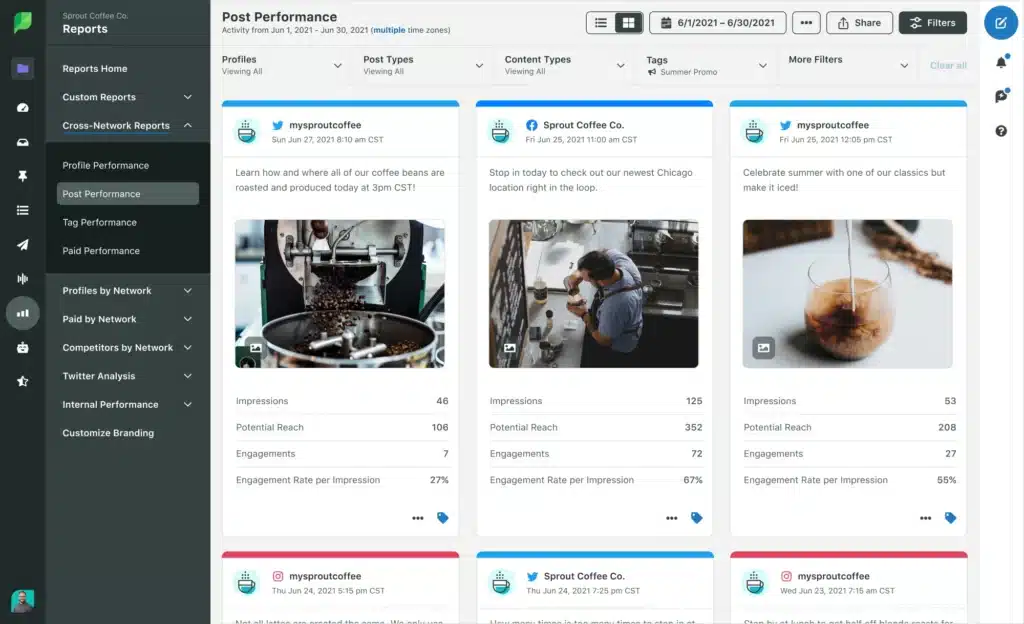
What about Sprout Social’s analytics? You can create custom dashboards, analyze performance by campaign or hashtag, monitor audience behavior, and pull reports that actually help guide decisions.
Sprout also includes advanced features like social listening tools, sentiment analysis, and influencer discovery. These are impressive, but they come at a steep price, and that is where most downsides appear.
I agree with users who say Sprout Social is one of the most expensive tools on the market, especially when you start adding more users or enabling premium features like listening.
Who is Sprout Social best for?
Larger teams, agencies, and enterprise-level organizations that need strong analytics, structured workflows, and a unified space to handle high-volume engagement.
What I like about Sprout Social:
- Reply to messages, comments, and mentions from one unified inbox
- Sort incoming messages with labels to prioritize responses
- Plan, schedule, and publish content using a clean visual calendar
- Use approval workflows to keep multi-stakeholder teams aligned
- Boost Facebook and Instagram posts directly from the platform
- Track hashtags and discover new ones for campaign planning
- Build detailed custom reports for stakeholders
- Monitor conversations and sentiment around your brand
- Analyze audience interests and demographics
- Identify potential influencers and creators
What could be better about Sprout Social:
- Pricing is high, especially as you add more users
- Important features like advanced social listening capabilities sit behind premium add-ons
- Limited support for newer social media networks like Bluesky and Reddit
- Posting certain formats still requires manual steps
Sprout Social pricing
- Free trial: 30 days
- Paid plans: Start at $249 per month
8. Statusbrew
Statusbrew is one of the strongest choices if you manage multiple brands and need reliable engagement tools, clear permissions, and want to streamline workflows.
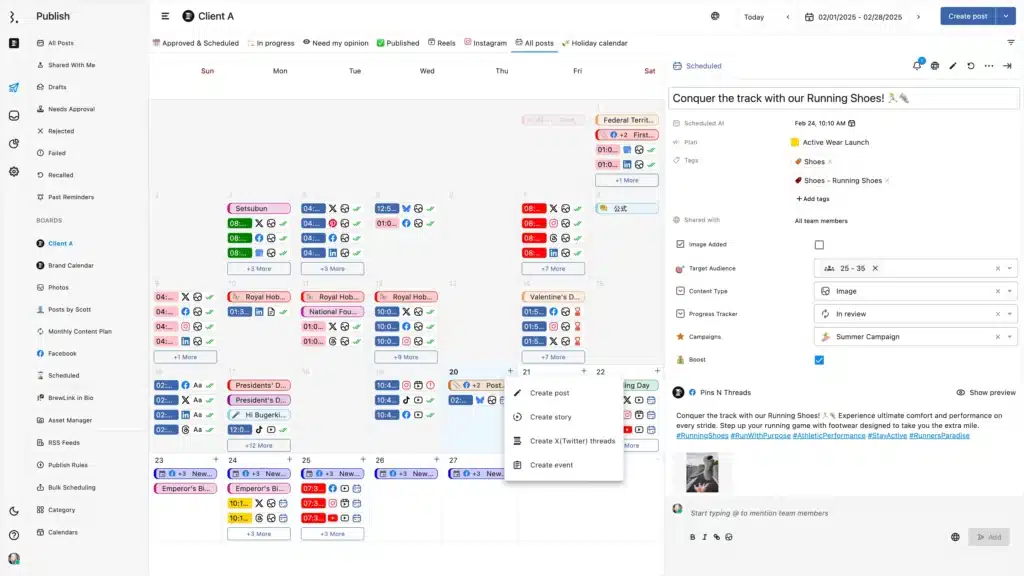
What impressed me first was the calendar. It is clean, flexible, and makes it easy to plan posts across every major platform. Editing posts for each network, tagging locations, adding hashtags, and previewing Instagram grids all felt straightforward.
The unified inbox is very helpful. Messages, comments, reviews, and even TikTok DMs all show up in one place. I liked being able to filter conversations, use saved replies, and set automation rules.
All the features for collaboration also make a big difference. You can assign tasks, set permissions, require approvals, and track activity. For me, the real value comes from how clearly it keeps everyone aligned, especially when multiple people touch the same content.
With Statusbrew, you can also break down performance by profile, campaign, or hashtag, benchmark competitors, monitor brand keywords, and export data by creating reports. It is detailed without feeling overwhelming.
Who is Statusbrew best for?
Agencies, mid-size teams, and enterprise groups that need structured approvals, detailed reporting, and a unified inbox.
What I like about Statusbrew:
- Create drafts, edit posts per network, and preview Instagram grids
- Organize content, upload content in bulk, and connect RSS feeds
- Boost Facebook and Instagram posts directly
- Assign tasks, set permissions, and require approvals
- Track user activity with audit logs
- Manage comments, messages, and reviews in one unified inbox
- Use filters, saved replies, and automation tools for faster engagement
- Monitor brand keywords and hashtags across multiple channels
- Track performance with cross-platform analytics and custom dashboards
- Export branded reports in PDF or CSV
- Benchmark against competitors
- Connect Canva, Slack, Google Business Profile, Dropbox, Bitly, and more
What could be better about Statusbrew:
- Takes time to learn if you’re new to such tools
- Occasional glitches or slow syncing reported by users
- Needs a more complete media library for reusing assets
- Bulk uploading can be heavy on RAM
- Inbox can lag slightly compared to native apps
Statusbrew pricing
- Free trial: 14 days
- Paid plans: Start at $89 per month
9. HipSocial
HipSocial is a simple, low-cost scheduler that works best if you only need the basics. The pricing is its biggest strength, especially since it includes access to the full 500apps suite.
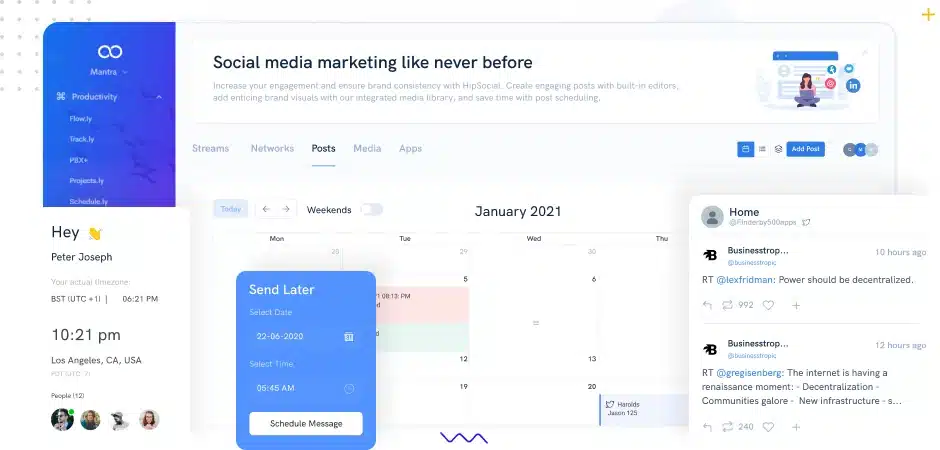
The web scraper is surprisingly handy for pulling text and images from your website, and the built-in media sources like Giphy and Pixabay help you create posts quickly. The AI writer is useful when you need fast content ideas, and the CRM integrations make sense if you want social activity connected to your sales tools.
Who is HipSocial best for?
Small teams or solo creators who want a very affordable scheduler.
What I like about HipSocial:
- Use a simple calendar and approval workflow
- Bulk schedule many posts at once
- Generate captions with AI in just a few clicks
- Pull images and text using the web scraper
- Create posts with Giphy and Pixabay
- Connect CRM tools to track leads
- Access more than 50 apps with one paid subscription
What could be better about HipSocial:
- Limited platform support
- No social inbox for messages or comments
- Basic analytics
- Lighter features compared to other notable tools
HipSocial pricing:
- Free trial: 14 days
- Paid plans: Start at $14.99 per month
10. ContentStudio
ContentStudio feels like a “do-a-little-of-everything” tool, and in practice, that’s exactly why it works.
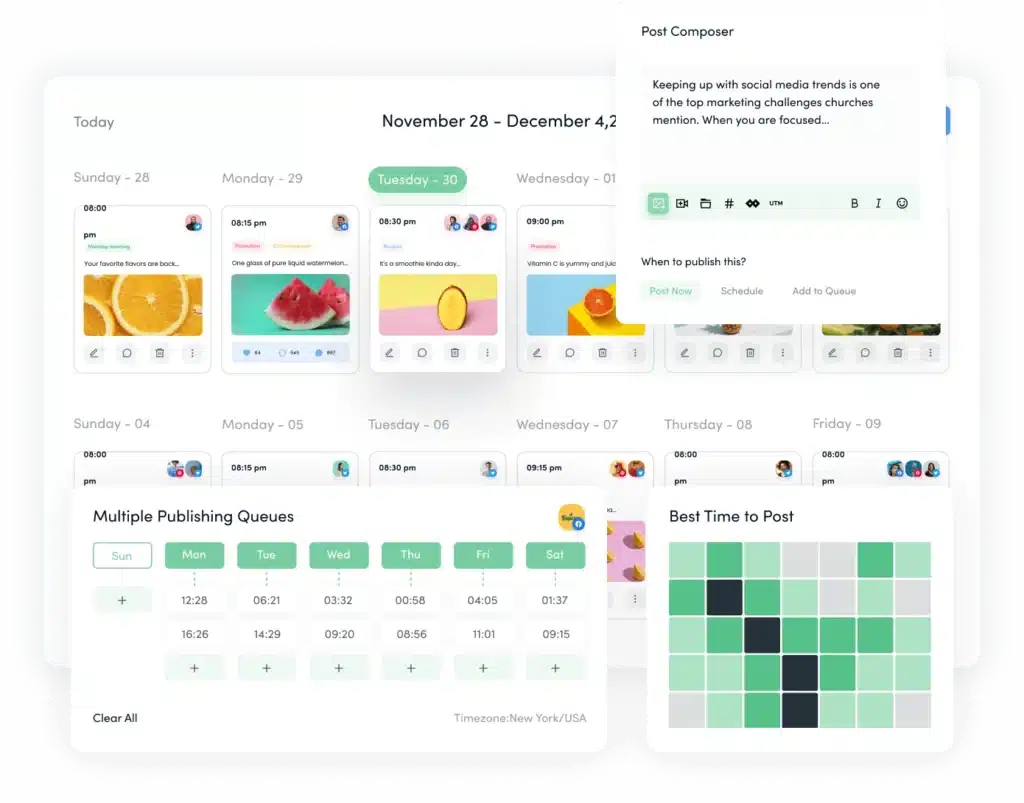
The planner itself is clean. Switching between list, grid, and calendar views makes planning feel more natural than mechanical.
What surprised me most was how flexible the post composer is. I could customize each network version without it feeling tedious. Adding first comments, thumbnails, or hashtags takes seconds, and the AI tools help generate captions or images when you’re short on time.
The platform also does a good job with automation. Evergreen marketing campaigns, best-time-to-post insights, bulk uploads, and saved categories help keep things moving even on slower weeks.
On the analytics side, ContentStudio gives you enough to understand what’s working: profile insights, competitor comparisons, audience data, and exportable reports. Pair that with a smart inbox for messages, and you get a tool that covers the full cycle without feeling heavy.
Who is ContentStudio best for?
Social marketing teams, agencies, and small businesses that want content discovery, automation, and scheduling in one tool.
What I like about ContentStudio:
- Plan and publish posts from a clean visual content calendar
- Customize content per network with first comments, thumbnails, and grid previews
- Speed up creation with AI-generated content like captions, hashtags, and images
- Find ideas through RSS feeds, keyword search, and curated suggestions
- Keep content flowing with evergreen recycling and best-time-to-post insights
- Use labels, categories, and bulk scheduling to stay organized
- Collaborate with clients through shareable links and approvals
- Pull visuals from Canva, Unsplash, Pexels, GIPHY, Flickr, and more
- Track performance with analytics, audience demographics insights, and competitor benchmarks
- Manage comments and messages in a unified inbox
- Work with mobile apps, Chrome extensions, and third-party integrations
What could be better about ContentStudio:
- Some UI elements feel slightly dated
- Influencer features are basic and need more depth
- Limited link shortener options
- AI writing features require higher-tier plans
- A few advanced tools are gated behind paywalls
ContentStudio pricing:
- Free trial: 14 days
- Paid plans: Start at $29 per month
Frequently asked questions
How much does social media management cost?
Social media management typically costs $0 to $10,000+ per month, depending on whether you use a free tool, paid software, hire a freelancer, or work with an agency.
If you rely on social media scheduling tools for campaign management, you may only pay for the software, which usually ranges from a free version to $300 per month, depending on features. Freelancers often charge $300 to $1,500 per month, while agencies range from $1,500 to $10,000+ per month based on how many social media platforms they manage, how much content they create, and whether they handle community management or ads.
What does social media management include?
Social media management includes creating posts, scheduling them, replying to comments and messages, and checking how your content performs.
Social media management can also involve:
- Planning a monthly content calendar and social strategy
- Editing images or videos
- Preparing reports for clients or stakeholders
- Handling customer questions in comments or DMs across social media channels
- Monitoring mentions of your brand (social media listening)
- Managing approvals if you work with a team
How to outsource social media management tasks?
You can outsource social media work by hiring freelance social media marketers, partnering with a marketing agency, or bringing in a part-time contractor to handle specific tasks.
Start by deciding which tasks you want to hand off, set a monthly budget, and choose someone with experience managing social media campaigns on the multiple social media profiles you have for your business. Many teams also use top social media tools to stay organized, share access safely, and make approvals and communication easier.
Choose the best social media management platform for you
The best social media tools are the ones that fit how you plan, publish, and collaborate.
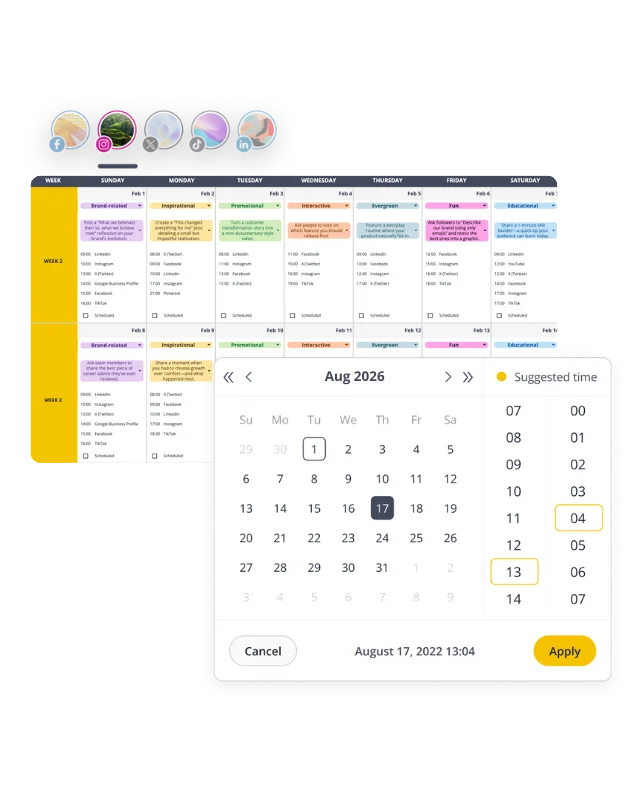
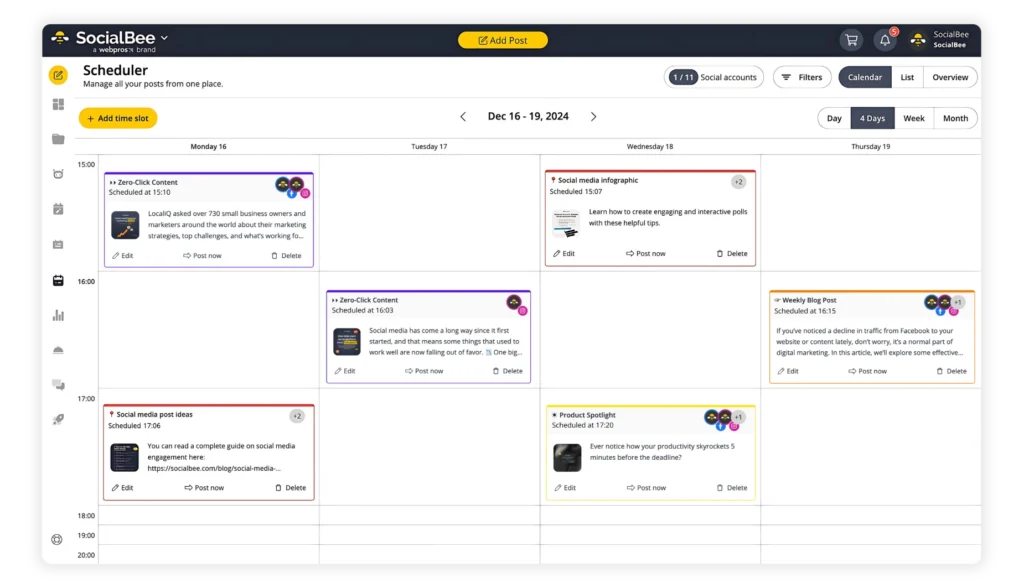
Each social media marketing software in this list has strengths, but the right choice depends on your workflow and the social channels you manage. If you want an organized calendar, helpful AI tools, strong collaboration features, and support for every major platform, SocialBee is a great place to start.
Start your 14-day free trial and see how much smoother your overall social media presence can be with SocialBee!