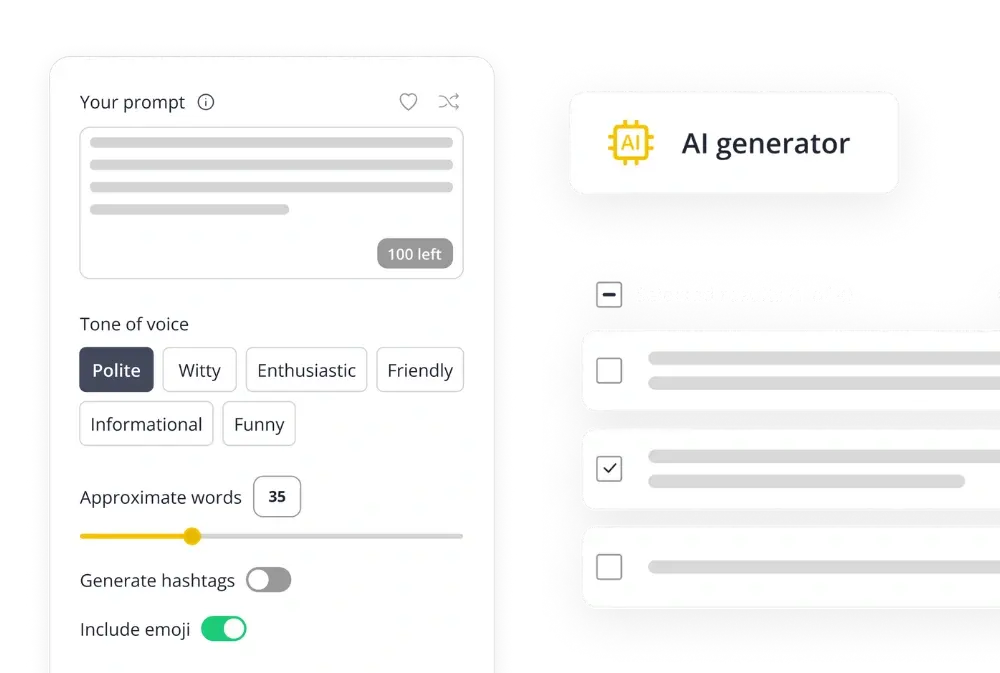
If you’ve ever scrambled to post something on Instagram at the last minute, you know how stressful and ineffective that can be. Successful brands and creators don’t rely on inspiration striking at the right moment; they rely on a plan, and the most effective way to plan your posts is with an Instagram content calendar.
A well-structured social media content calendar helps you plan ahead, maintain a consistent posting schedule, and keep your brand’s messaging on track across Instagram as well as multiple other social media platforms. It’s the foundation of any strong social media marketing strategy, ensuring your posts are aligned with your broader business goals.
In this guide, I’ll walk you through exactly how to build your Instagram content calendar using a free content calendar template. You’ll learn how to organize your future content ideas, schedule posts efficiently, and measure performance using a social media management platform like SocialBee, all in one place.
Get a bundle of free, fully editable Instagram content calendar templates and customize them in seconds.
We’re SocialBee LABS SRL, part of WebPros. We use the information you provide to share relevant content and product updates, as outlined in our Privacy Policy. You can opt out anytime.
Short summary
- An Instagram content calendar helps you plan, create, and schedule posts strategically.
- Use the free Google Sheets, Google Docs, or Google Slides downloadable Instagram calendar template to map out captions, visuals, and posting times.
- SocialBee lets you organize posts, automate publishing, and track key metrics across multiple social channels.
- Keep your entire team on the same page with category tags, approval workflows, and built-in analytics.
- Review your calendar monthly to refine your Instagram strategy and drive consistent follower growth.
What is an Instagram content calendar?
An Instagram content calendar is a simple planning system that outlines what you’ll post, when you’ll post it, and how each piece fits into your overall strategy. It helps social media marketers stay consistent, keep your feed intentional, and avoid last-minute posting.
At its core, an Instagram content calendar includes:
- The publish date and time for each post
- The format (Reel, Carousel, Story, Collab post, static image)
- Captions, hashtags, tagged accounts, and links
- Media files or drafts
- The post status (draft, approved, scheduled, or published)
While a general social media calendar covers different platforms, an Instagram-specific one goes deeper into the visual and storytelling elements that matter for this channel. It helps social media managers:
- Plan a cohesive grid and maintain visual consistency
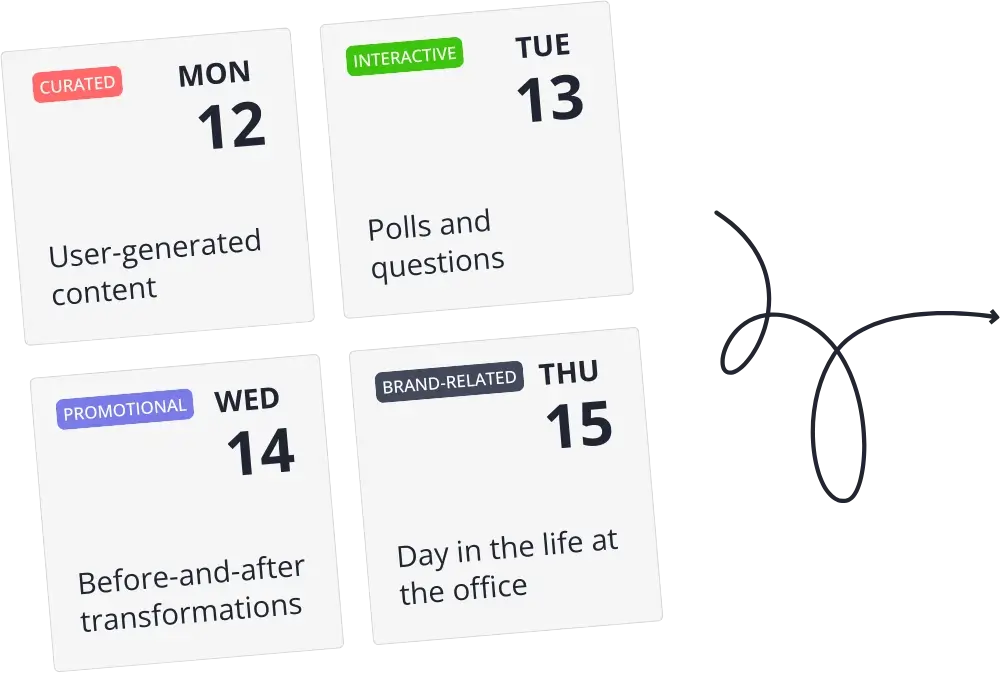
- Balance different content types (Reels, carousels, Stories, UGC, promos)
- Schedule content around launches, events, trends, and seasons
- See your posting cadence at a glance and avoid gaps
Different teams manage their Instagram calendars in different ways:
- Platform-specific Instagram calendars track everything: captions, hashtags, visual order, Story sequences.
- Campaign-based calendars organize posts for product drops, seasonal content, or collaborations.
- Weekly or monthly planners help you map out upcoming posts without losing the bigger picture.
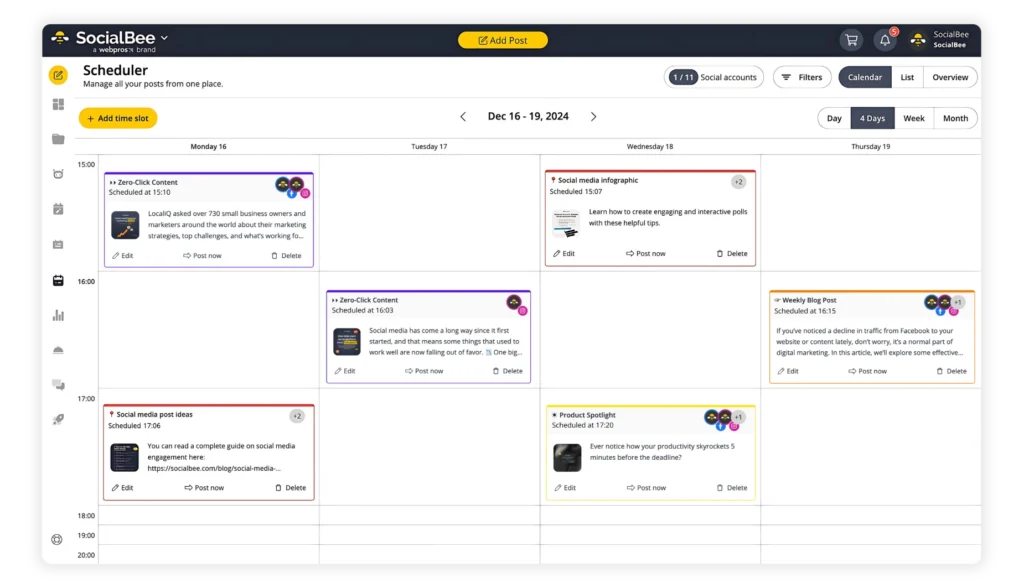
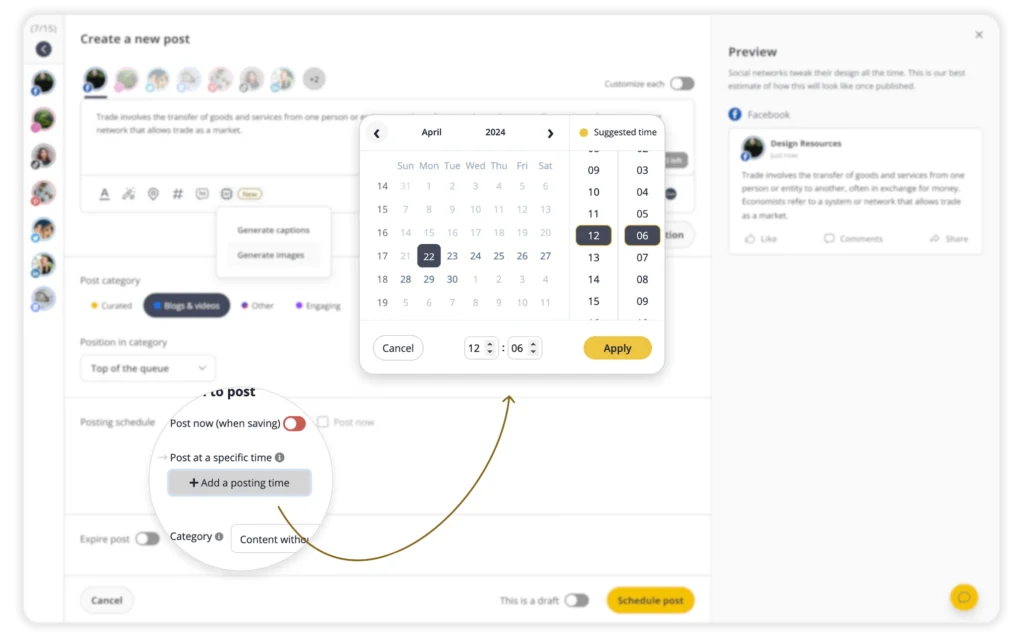
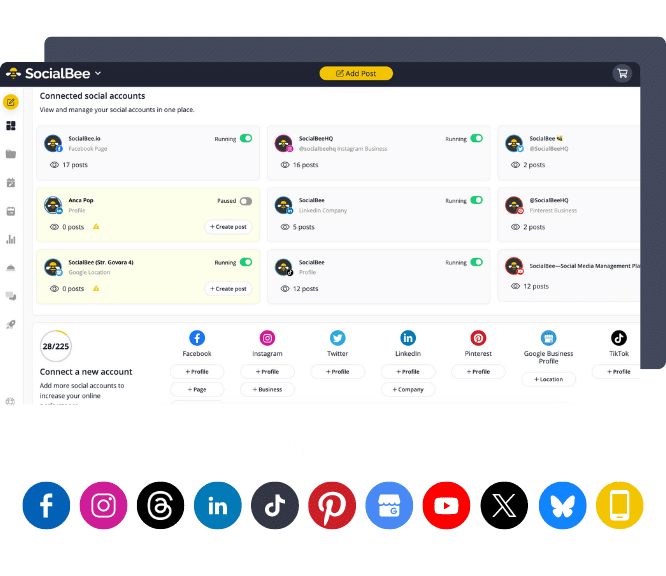
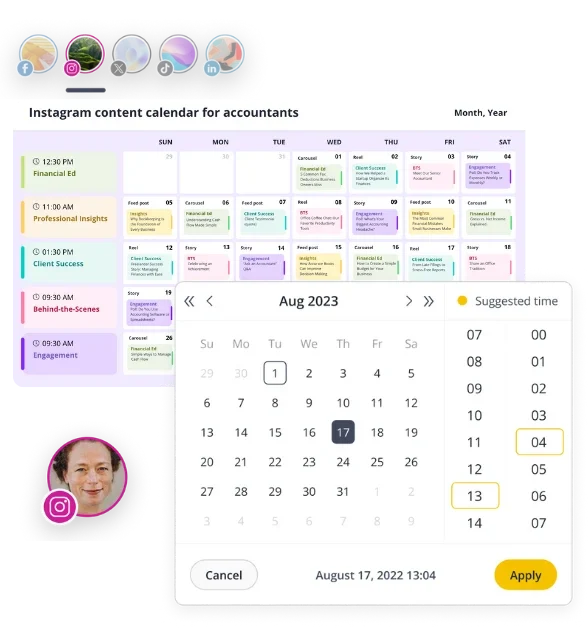
You can build an Instagram calendar in tools like Google Sheets or Google Calendar, but dedicated platforms give you more control. With SocialBee’s visual content calendar, you can preview posts, choose the exact posting time in the editor, organize content into categories, collaborate with your team, and automate publishing across over 10 platforms.
Benefits of using an Instagram content calendar
A strong Instagram calendar transforms your social media marketing efforts into measurable results. Here’s how:
1. Save time and reduce stress
When you plan content ahead, you remove the pressure of daily posting. Instead of scrambling for ideas, your marketing team can batch-create visuals, captions, and relevant hashtags weeks in advance. SocialBee is just the tool you need to make this even faster, allowing you to schedule content across multiple platforms from one place.
2. Build a consistent posting schedule
Consistency matters. Digital marketers know that Instagram’s algorithm favors active accounts, and audiences are more likely to engage with brands that post regularly. A social media content calendar keeps your rhythm steady and helps you maintain brand voice and visual cohesion.
3. Improve collaboration and alignment
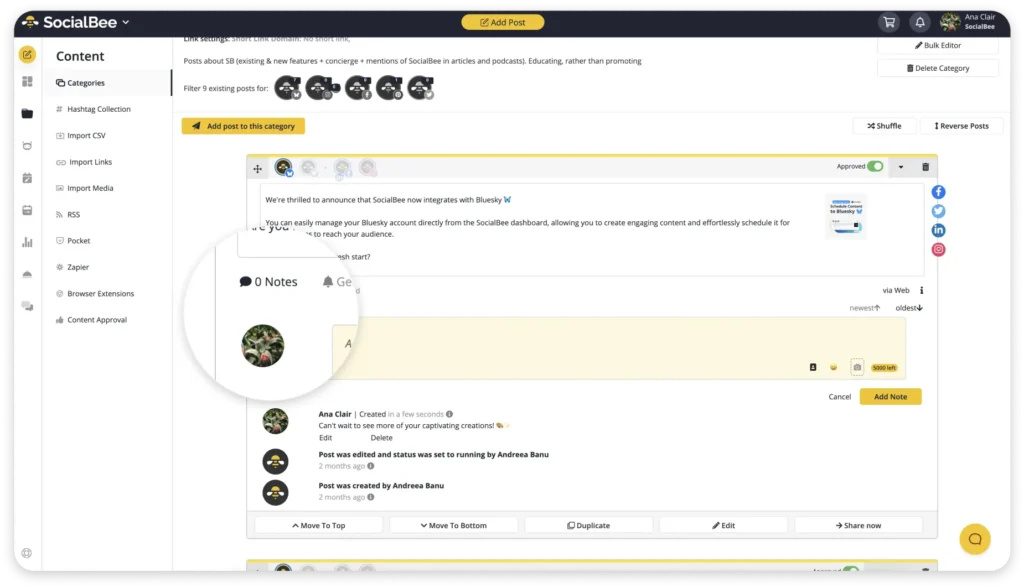
When your social media team or clients can see what’s planned, it’s easier to provide feedback and approve posts. With SocialBee’s approval process and shared calendar views, your entire team stays aligned on social media campaigns and deadlines.
4. Strengthen your content strategy
An Instagram planner makes it easy to see gaps in your social media strategy. You can quickly balance promotional content with educational, entertaining, or community posts, ensuring variety and relevance for your target audience.
5. Measure and refine your results
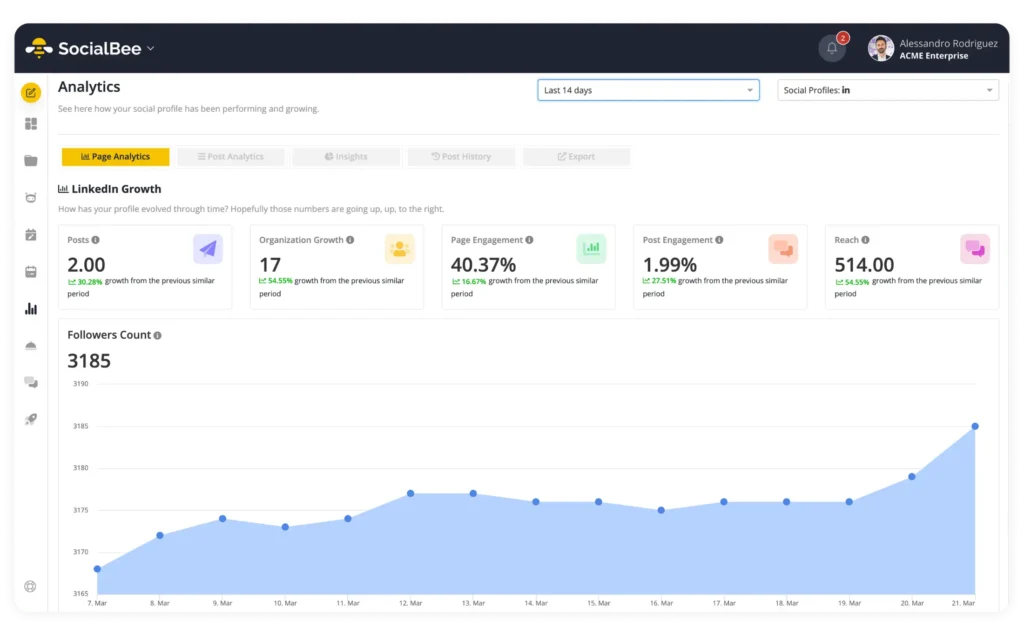
Because your posts are organized by date and type, it’s easier to track engagement, compare performance, and identify what drives results. With SocialBee’s analytics, you can view top-performing posts, export PDF reports, and use data to refine your posting strategy.
Types of Instagram content calendars
There is no single “right” way to plan your Instagram content. The best social media calendar is the one that matches your workflow, your team, and the level of detail you need. These are the main types of Instagram content calendars you can use, along with how each one helps you plan more effectively.
1. Format-based: Google Docs, Google Sheets, and Google Slides
Each format supports a different planning style.
Google Docs calendars are best when you want a strategy-first view. Teams use them to outline campaign goals, define content pillars, and map out themes before creating posts. They work well for client approvals and internal planning because everything is laid out in a clean, readable format.
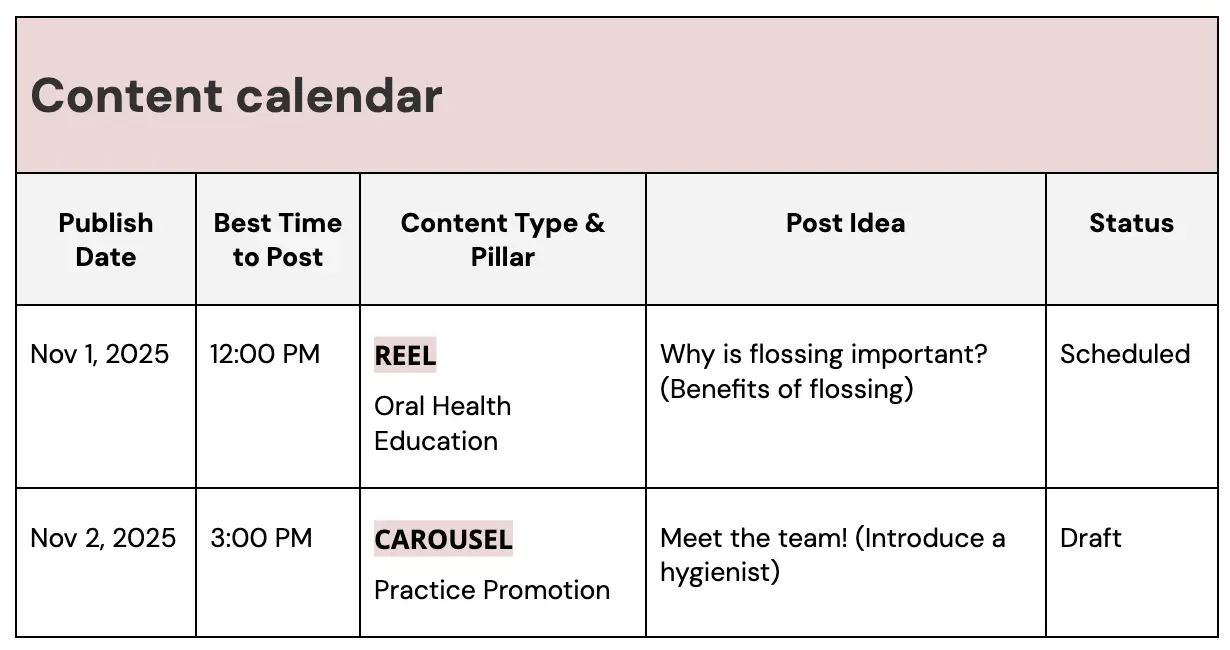
Google Sheets calendars are ideal for daily scheduling. The grid layout of a Google Sheets document helps you track posting times, formats, all your ideas, and status updates in one place. If you prefer to see your month at a glance or need a free social media calendar template that keeps you accountable to a consistent posting rhythm, Sheets is the most flexible option.
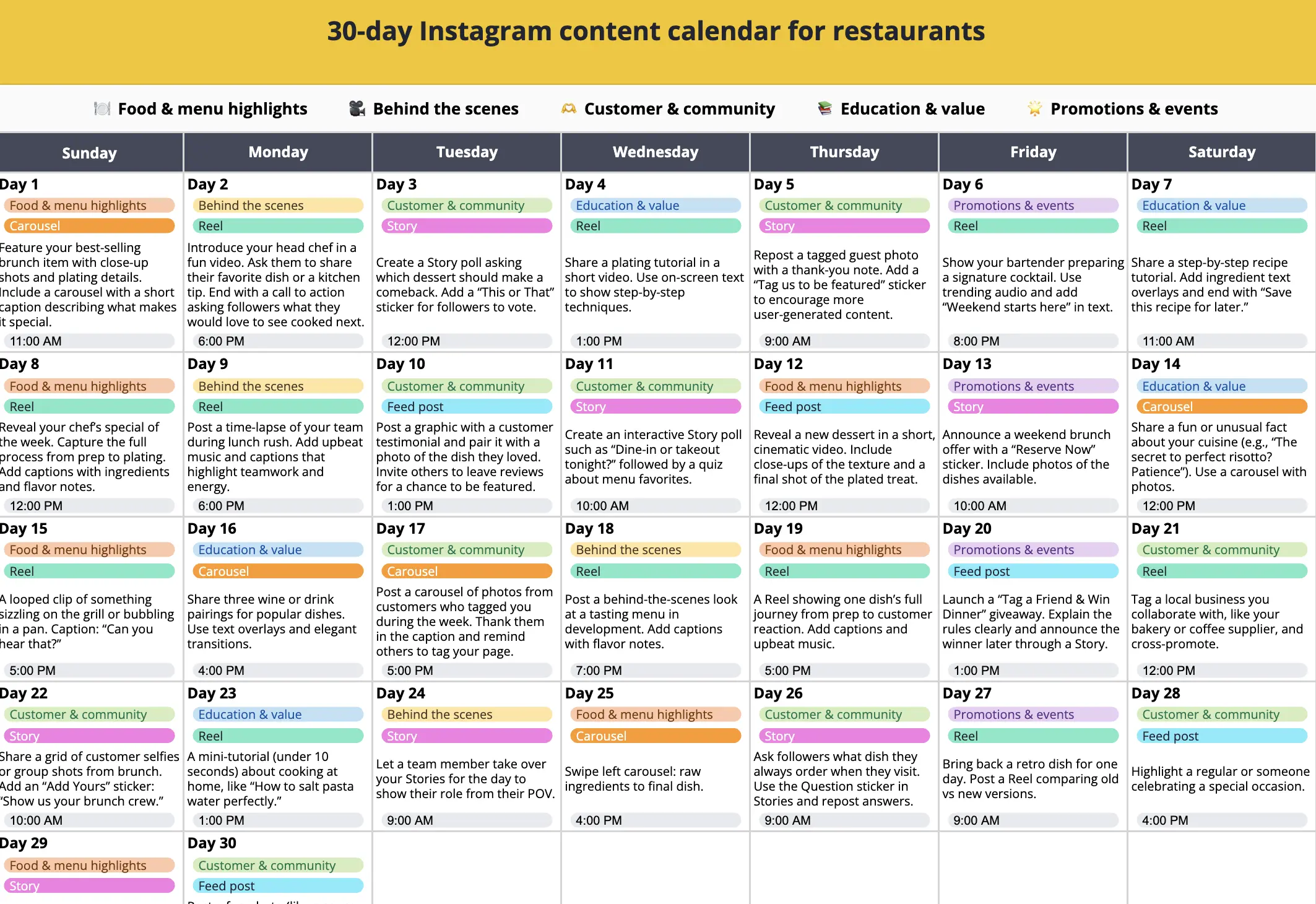
Google Slides calendars are built for visual planning. Agencies and creators use them to present content plans, review ideas as a team, and spot gaps in storytelling. The visual format makes it easy to compare days, balance content pillars, and communicate your plan to clients or stakeholders.
2. Monthly vs. weekly Instagram calendars
Both calendar styles serve different purposes, and many teams use them together.
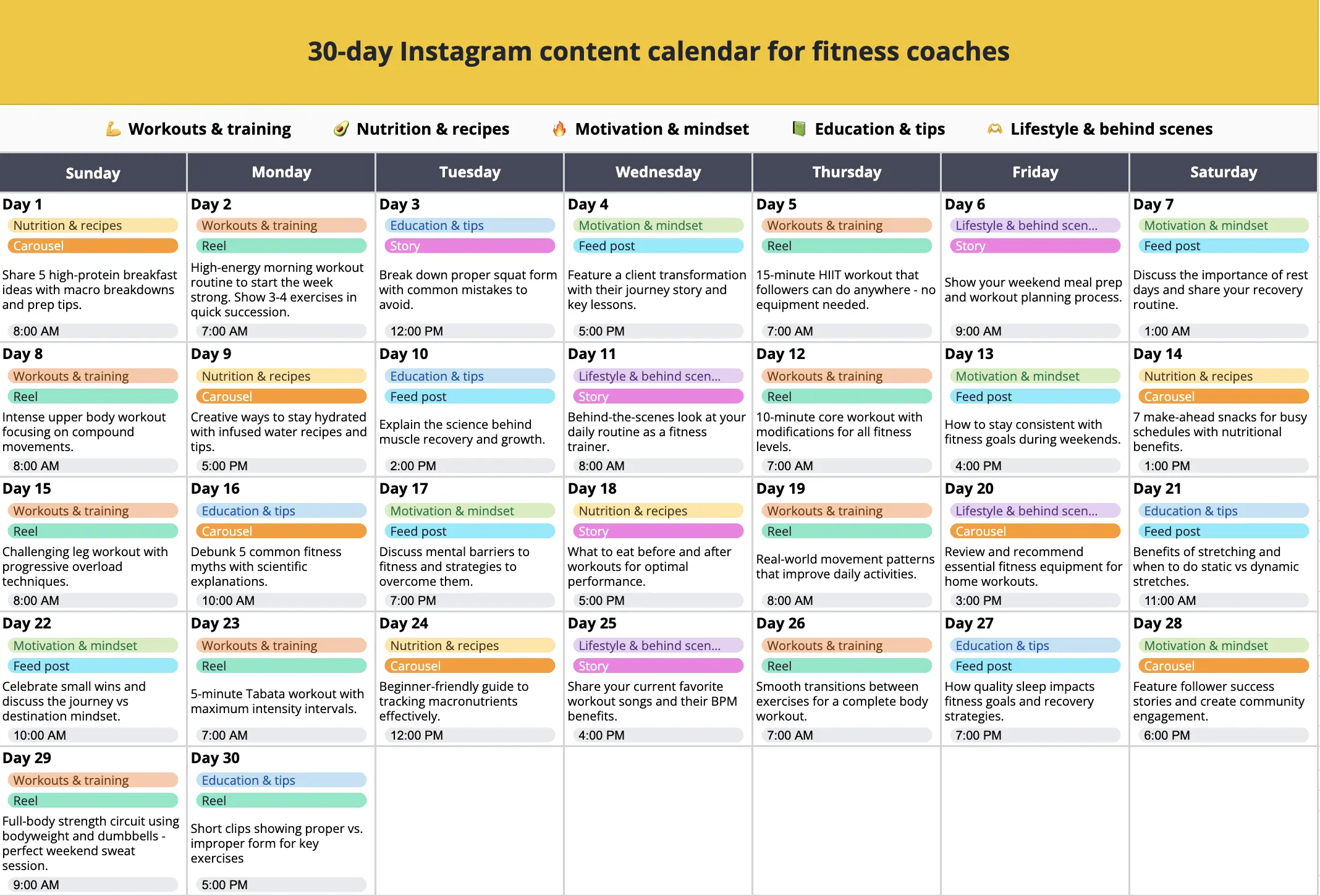
A monthly Instagram calendar helps you map out campaigns, seasonal content, and story arcs. It gives you a high-level view of how your posts support business goals and ensures you maintain a balanced mix of formats and topics over time, just like the Google Sheets template below.
A weekly Instagram calendar focuses on day to day execution. It helps you plan captions, assets, posting times, and calls to action with more precision. If your posting schedule changes often or you need a tight production workflow, the weekly view makes planning much easier.
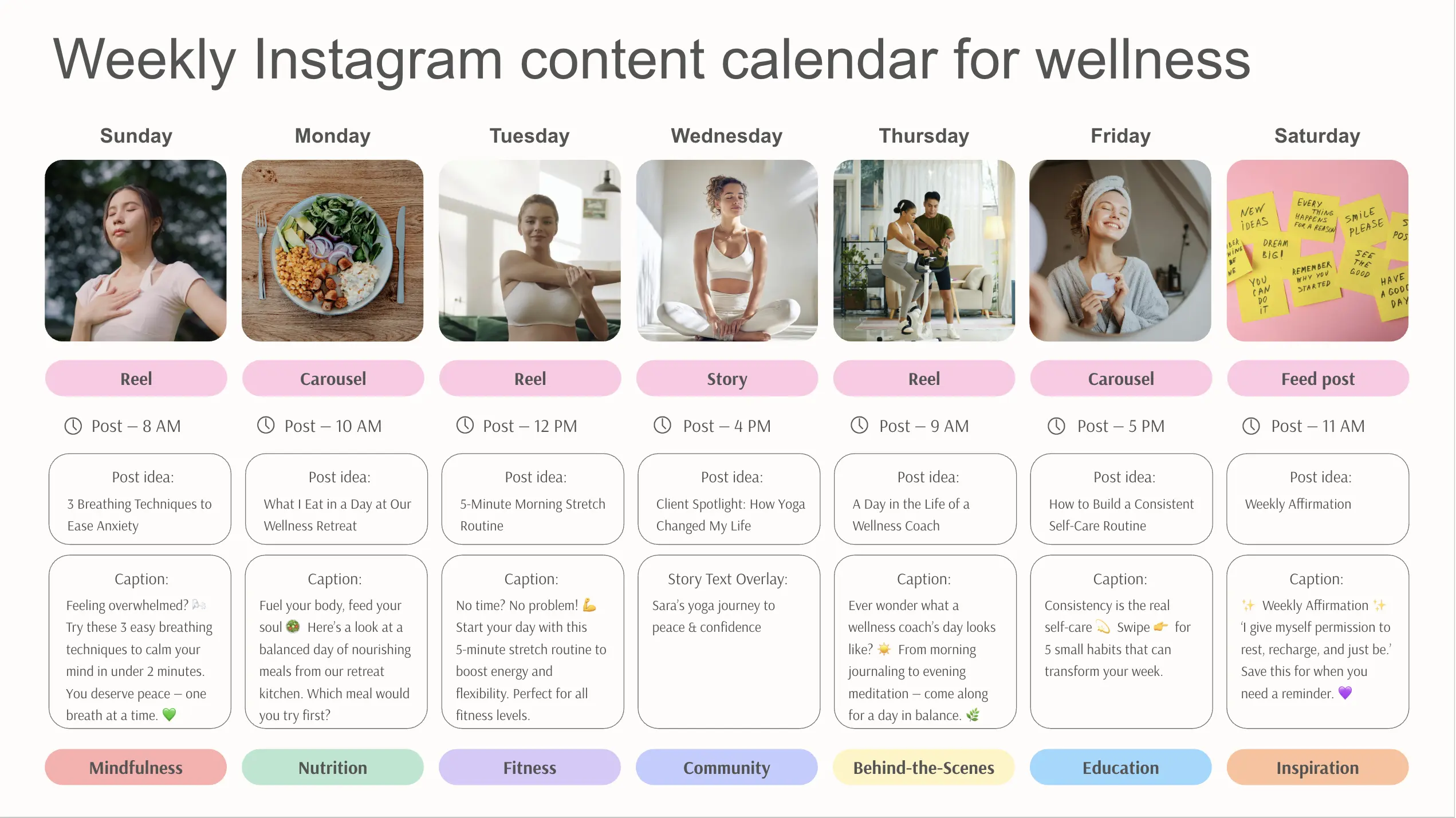
3. Industry specific Instagram calendars
An Instagram plan should reflect how your industry communicates, sells, and educates. Industry templates give you a head start by including content pillars and post ideas that already match your niche.
For example:
- Real estate calendars highlight listing tours, client stories, neighborhood spotlights, and educational market updates.
- Fitness calendars focus on workout tips, routines, transformations, and motivational content that keeps your audience engaged and consistent.
- Education calendars prioritize learning resources, behind-the-scenes classroom moments, student highlights, and informative posts that break down complex topics in simple ways.
Using an industry-specific social media editorial calendar helps you skip the guesswork, organize ideas faster, and build a content plan that resonates with your audience.
How to build your Instagram content calendar
1. Set clear goals for your Instagram strategy
Every effective calendar starts with a goal. Without one, your content creation can feel aimless. Start by identifying what you want your Instagram profile to achieve.
Common goals include:
- Growing brand awareness
- Driving traffic to your website
- Increasing engagement
- Generating leads or sales
Your Instagram goals describe what you want to achieve. Your KPIs (key performance indicators) show how you’ll measure whether you achieved it.
- A goal is the destination.
- A KPI is the metric that tells you if you’re getting there.
For example:
- Goal: Grow your Instagram community.
- KPI: Follower growth rate per month.
- Goal: Increase conversions from Instagram.
- KPI: Link clicks or profile visits to your website.
To make goal-setting easier, use simple formulas that show what you want and how you’ll measure it:
Goal formulas you can use:
- Increase [metric] by [percentage or number] in [timeframe].
- Example: Increase Story views by 20% in 60 days.
- Achieve [result] by posting [frequency] for [timeframe].
- Example: Achieve consistent weekly engagement by posting 4 times per week for 3 months.
- Grow [specific area] to [target number] by [date].
- Example: Grow Reel reach to 50,000 views per month by June.
- Improve [metric] by testing [action] over [timeframe].
- Example: Improve carousel saves by testing new cover designs for 30 days.
2. Audit your existing content and audience insights
Before filling your calendar with new ideas, review what’s already working. Run a quick audit of your past 3–6 months of content.
Ask yourself:
- Which social posts earned the most likes, comments, or saves?
- What posting times performed best?
- Which topics or hashtags resonated with your target audience?
You can use Instagram Insights or SocialBee’s analytics to analyze these patterns across social channels. Record your findings in the “Performance Tracker” section of your downloadable template. For instance:
“Reels posted at 6 PM on weekdays drove 40% higher engagement.”
Understanding what works ensures your new content calendar builds on proven social media success. It’s also important to look at general trends; for example, in 2024, carousels had the highest engagement rate of 0.5%.
3. Define your content pillars and themes
If your posts feel scattered, content pillars can help you stay focused. These are recurring themes that represent your brand’s key topics.
Katie Steckly, YouTuber and entrepreneur, gives some great advice for building your strategy: “To determine your sustainable Instagram strategy, ask yourself three questions: what do you love to make, what performs well for your audience, and what do you actually have time to make. Your ideal strategy exists at the intersection of those three areas.”
Examples include:
- Educational – How-to tips, tutorials, or FAQs
- Inspirational – Quotes, success stories, or testimonials
- Promotional – Product launches or service highlights
- Community – User-generated content or local partnerships
- Behind-the-scenes – Office moments, culture, or team features
Categorizing your posts ensures balance and variety. In SocialBee, you can organize these into content categories, each with its own color or label, so your social media team can visualize how often you’re posting within each theme.
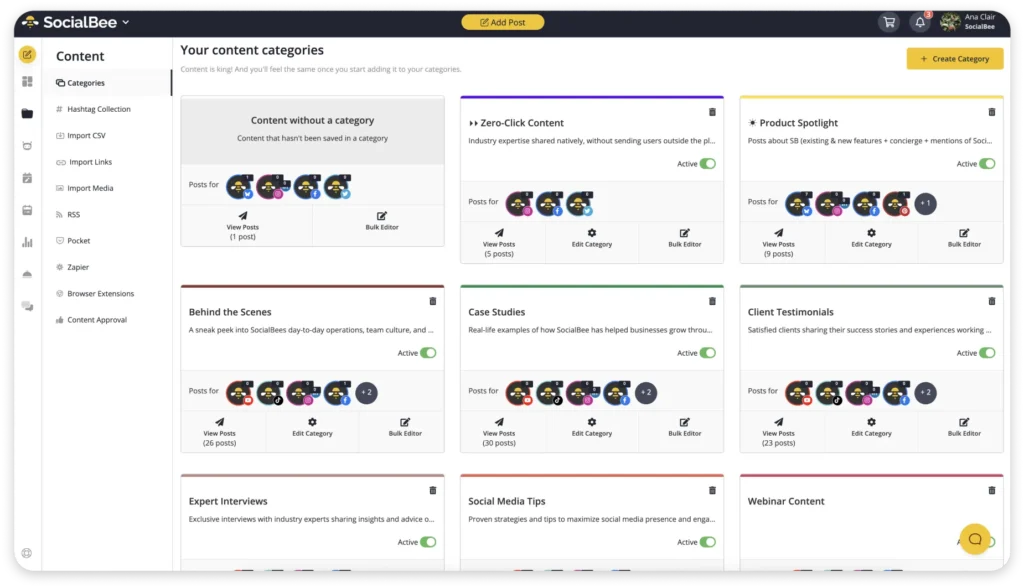
Color-code the same pillars in your calendar template to make your content mix instantly clear. For instance, you might see three “educational” Reels, two “promotional” posts, and one “community” Story per week.
This method helps your team stay on the same page about your upcoming content.
4. Decide how often and when to post
Posting too often can overwhelm your audience; posting too little makes you forgettable. The key is to find a consistent posting frequency that fits your workflow and audience habits. Start by checking when your followers are most active in Instagram Insights, then test a few different time slots for a couple of weeks. Compare how each post performs and look for patterns based on format (Reels, carousels, Stories).
According to SocialInsider, most brands average about 20 Instagram posts per month (~5/week): roughly 10 images (50%), 4 carousels (20%), and 6 Reels (30%). But your posting frequency should depend on engagement trends.
Use tools like Instagram Insights or SocialBee’s posting time suggestions based on your past content performance to determine your optimal times to post. The platform analyzes how your audience interacts with your social posts and recommends the best time slots.
Mark those time slots in your template to create a data-driven content schedule. For example:
- Monday: Educational carousel at 11 AM
- Wednesday: Behind-the-scenes Reel at 6 PM
- Friday: Product post at 1 PM
5. Fill in your Instagram calendar template
Now that you know your goals, pillars, and timing, it’s time to start planning. The calendar template is designed to help you organize everything in one place: captions, visuals, hashtags, and dates.
Start by organizing your creative assets. Store visuals, captions, and hashtags in one place. Whether that’s a shared drive, Google Sheets, or a social media management platform, keeping your content centralized helps you and your team plan content, spot gaps, and update posts easily without losing track of versions.
Each row in the template should include:
- Date and time (your publish date)
- Post type (Reel, Carousel, Story, Feed Post)
- Category or pillar
- Caption or content idea
- Visual asset link (Canva design, photo, or video)
- Status (draft, scheduled, or posted)
To illustrate, here’s how a week might look:
Date | Post Type | Pillar | Caption/Idea | Status |
Mon | Carousel | Educational | “5 ways to repurpose content” | Draft |
Wed | Reel | Behind-the-scenes | “Office setup before campaign launch” | Scheduled |
Fri | Story | Promotional | “Weekend offer reminder” | Posted |
If your team prefers, you can import this data into Google Sheets or Google Calendar for quick access. SocialBee already offers ready-to-use Google Sheets and Google Slides templates, so you can organize your posts, map out campaigns, or present upcoming content to clients without building anything from scratch.
You can even upload media by asset type (photo, video, text) and organize it into folders. Having a central hub for your visuals helps your entire team stay organized and eliminates duplicate work.
6. Create, schedule, and collaborate on your posts
Once your Instagram calendar is filled, it’s time to turn your plan into real posts. The goal here isn’t just to “get content out,” but to build a reliable production process that keeps quality high and everyone aligned.
When it comes to scheduling capabilities, choose a workflow that supports how your team actually works:
- Solo creators might prefer a simple spreadsheet paired with manual scheduling on Instagram or Google Calendar reminders.
- Marketing teams often benefit from a social media content planner like SocialBee, which combines scheduling, collaboration, and publishing in one view.
No matter the tool, here’s what your workflow should include:
- Batch-create posts. Write several captions or design visuals at once. This saves time and keeps the tone consistent.
- Customize for each platform. Even if your campaign spans multiple social channels, adapt captions and visuals so they feel native to each one.
- Set your publish date and posting time. Use data from your insights to plan when your audience is most active.
- Assign ownership. Make sure every post has a person responsible for reviewing, scheduling, or publishing it.
- Include checkpoints. A lightweight approval step, especially for client work, helps prevent errors and ensures consistent quality.
“First rule of batching is that we need to start small(…). We can’t go from never batching content… to batching months’ worth of content(…). For most people, I recommend you start by batching one week’s of content in advance. Your first goal: come up with ideas, plan, create, and schedule one week’s worth of content on your respective social media channel in advance,” says Jade Beason, content creator specialist.
If you’re using an Instagram scheduler like SocialBee, this process becomes easier: you can upload all your content, set your posting schedule, and manage approvals from a single workspace. But the key principle holds true across any system: create once, schedule smartly, and collaborate early so you’re never chasing deadlines.
7. Track performance and optimize
The real power of an Instagram content calendar is that it turns your creative work into measurable data. Once you’ve published your posts, use your calendar to track engagement and identify what’s working.
Start by reviewing your key performance indicators regularly, and look for patterns over time. Do Reels outperform carousels? Do posts tied to trending topics perform better than evergreen tips? These insights guide your next social media strategy, helping you focus on what resonates with your target audience.
Use your social media marketing calendar as a reference log with all the necessary details. Add a column for “results” or “notes” where you can record how posts performed week by week. This turns your template into a living document, a bridge between planning and analytics.
The point is to translate data into smarter decisions. A simple reflection exercise every month can help:
- Which posts performed above average?
- Why do you think they worked?
- What underperformed, and what can you change?
- How can you test a new idea next month?
Refining your social media planning calendar based on insights keeps your strategy dynamic and effective. Over time, you’ll notice how small optimizations, like adjusting your posting frequency or format, can dramatically improve results across all your social media channels.
Frequently asked questions
1. How often should I update my Instagram content calendar?
You should update your Instagram content calendar weekly or monthly, depending on your goals and workflow. A weekly review helps you analyze post performance, refine captions, and plan upcoming content. A monthly update provides a high-level view of your campaigns, content themes, and posting rhythm. Keep your schedule flexible so you can include trending topics or real-time engagement opportunities.
2. What types of posts should I include in my Instagram content calendar?
Include a mix of Reels, Carousels, Stories, and static feed posts to keep your content varied and engaging. Reels drive reach and discovery, Carousels work best for educational or storytelling content, and Stories are ideal for behind-the-scenes updates or interactive polls. Balancing different formats in your social media content creation helps maintain interest and attract your target audience across content types.
3. How do I measure if my content calendar is working?
Measure the success of your content calendar by tracking engagement, reach, and follower growth over time. Use Instagram Insights or the analytics dashboard in SocialBee to evaluate how posts performed. Reviewing these key performance indicators monthly helps you identify trends, adjust your posting strategy, and strengthen your overall social media presence.
Turn your Instagram calendar into a growth system
An Instagram content calendar takes the guesswork out of posting. It keeps your ideas organized, your feed consistent, and your social media efforts tied to real goals instead of last-minute decisions.
The free social media content calendar template gives you a clear starting point to plan ahead and stay focused week after week. If you want to take it a step further, try SocialBee as your Instagram scheduling tool. You can plan, post, and review your social media posts from one dashboard, without jumping between apps.
Start your 14-day free trial to see how much smoother your social media planning can be.