How to use our IG Line Breaker
Formatting captions on Instagram can be tricky. The app often removes extra spaces and line breaks, which makes long captions look like one block of text. Our Instagram text spacer helps you create line breaks and keep your spacing clean so your captions stay readable and engaging.
- Write or paste your caption into the first text box.
- Add emojis, hashtags, or mentions exactly where you want them.
- Copy and paste the formatted version into your post.
Tips for Instagram captions that grab attention
Strong captions don’t just fill space under your posts. They hook your audience, guide them through your message, and encourage them to take action. The key is to make them easy to read, personal, and engaging. Here are some practical ways to structure your captions so they connect and stand out.
1. Start with a hook
The first line of your caption determines if someone taps “Read more” or scrolls past. To capture attention, open with something that speaks directly to your audience.
Types of hooks that grab attention:
- The question hook: Ask something that’s easy to answer and sparks conversation. For example, “What’s the one ingredient you can’t live without in your food?” You could also ask a question that you know will encourage some funny and relatable answers, like in the example below.

- The statistic hook: Use a surprising or relevant number to stop the scroll. For example, “Did you know 80% of customers check Instagram before visiting a new restaurant?”
- The myth-busting hook: Challenge a common belief to make people curious. For example, “Posting every day won’t grow your business account.”
- The mistake hook: Point out a mistake your audience might be making and tease the fix. For example, “Most small businesses make this mistake.”
- The story teaser hook: Hint at a bigger story to keep readers engaged. For example, “We almost closed our shop last year. Here’s what saved us.”
- The benefit hook: Lead with the result your audience wants. For example, “Double your engagement in just 10 minutes a day.”
- The surprise hook: Share something unexpected that sparks curiosity. For example, “We sold out of every product in under two hours.”

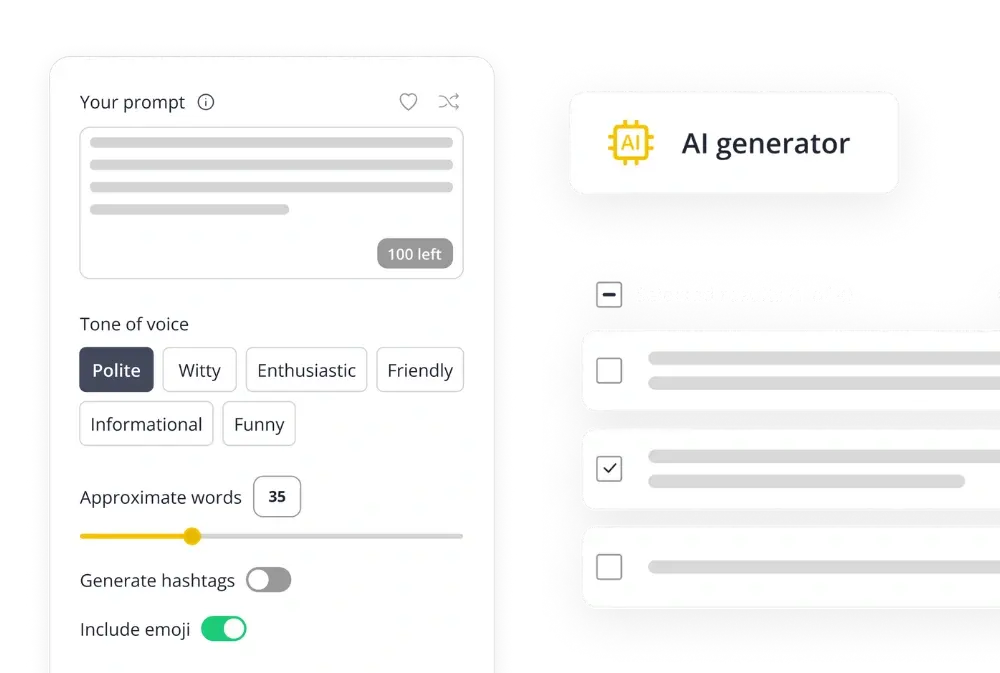
If writing strong openings feels like a challenge, SocialBee’s AI Caption Generator makes it simple. It comes with a library of over 1,000 prompts to help you brainstorm, and it can also add hashtags and emojis automatically if you want them included. You can control the length and tone of each suggestion, giving you multiple hook variations to test until you find the one that connects best with your audience.
Add your prompt, hit enter, and get multiple caption variations to choose from.
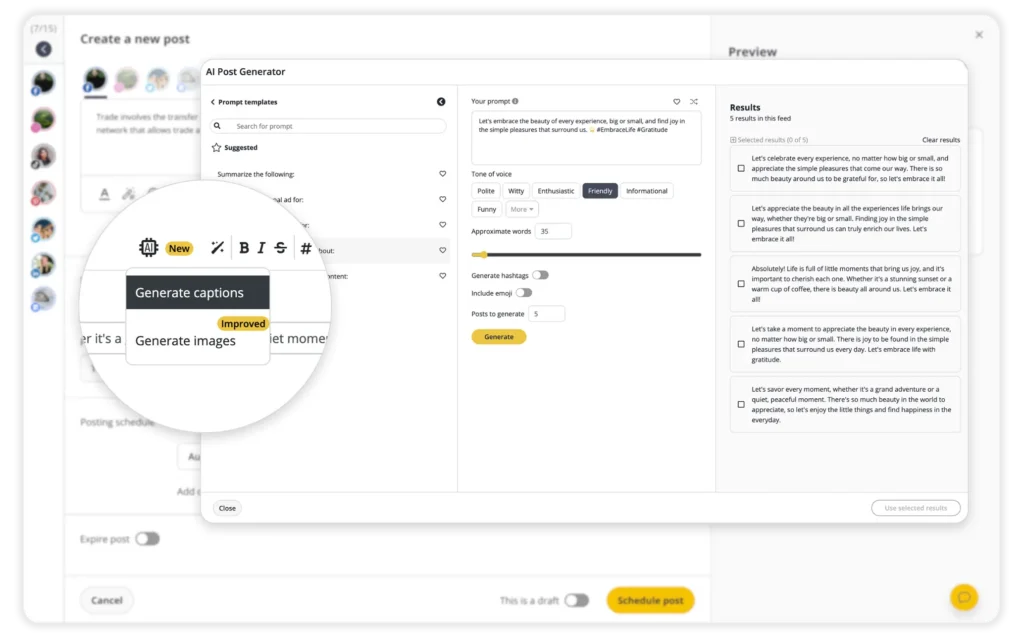
As an Instagram scheduler, it’s designed to do more than just plan your posts; it gives you tools to create, optimize, publish, and engage without leaving your dashboard.
SocialBee helps you:
- Schedule and publish posts across Instagram Business, Creator, and Personal accounts.
- Generate captions, hashtags, and images with AI when you need quick content ideas.
- Customize posts for each platform manually or let AI optimize them with one click.
- Adjust posts for every platform: tweak captions to fit character limits, resize images, swap hashtags, tag accounts, add first comments, and even set alt text for accessibility.
- Manage media seamlessly: edit images, pick custom video thumbnails, and pull content directly from Canva, Unsplash, or GIPHY.
- Optimize timing: get best posting time recommendations based on your past performance.
- Collaborate with your team: leave notes, approve drafts, and manage multiple clients or brands in separate workspaces.
- Track performance: monitor engagement across platforms, export detailed PDF reports, and refine your strategy.
- Engage from one place: reply to comments, messages, and mentions in SocialBee’s unified inbox so no interaction slips through the cracks.
Why juggle multiple tools when you can plan, create, and grow your Instagram presence seamlessly with SocialBee?
👉 Start your 14-day free trial today and see how much easier Instagram management can be.
2. Highlight key points with line breaks or emojis
Captions are easier to read when you break them into short sections. Line breaks make your text feel lighter, and emojis add visual cues that draw the eye to what matters most.
Think about how you read online. Dense blocks of text are tiring, but short lines are easy to scan. A single emoji can sometimes say more than a word, helping readers pick up your main ideas at a glance.
You can even swap simple words for icons, like “coffee” for ☕, to make your post stand out in the feed. The key is to use them with intention. For instance, to structure your lists:
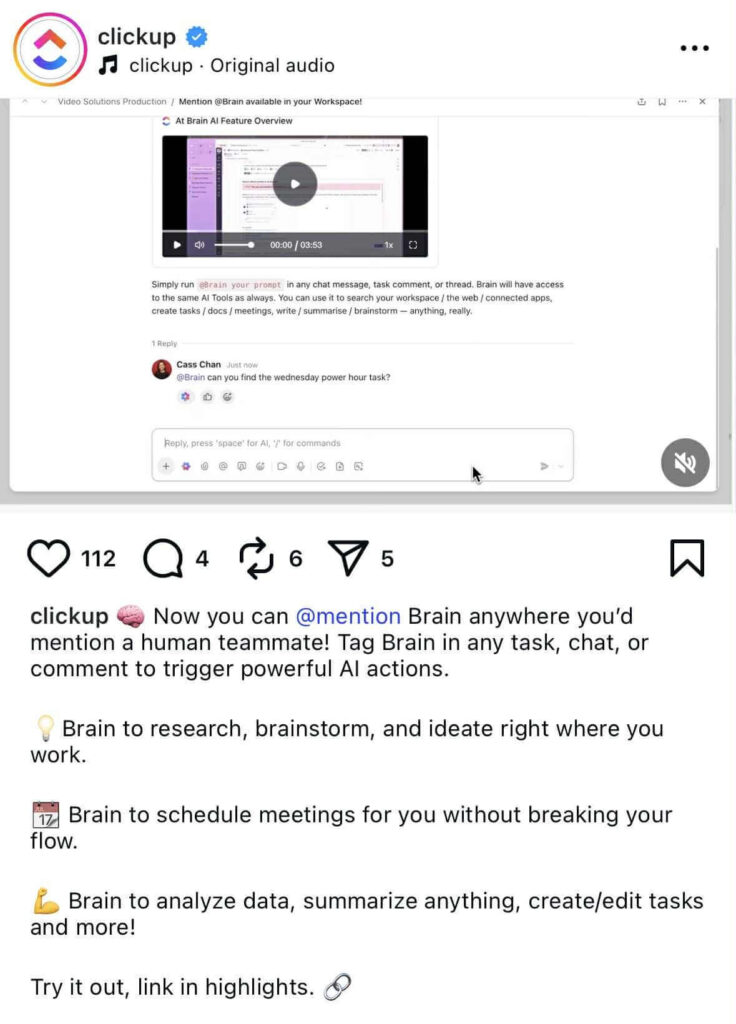
Add line breaks before your calls to action and emojis to grab attention. This makes the next step stand out and harder to miss.
Finally, mix one-line statements with short paragraphs to create rhythm. Emojis can also set the tone where plain words might fall flat. Adding 🔥, for example, instantly communicates excitement.
3. Write like you’re talking to one person
The easiest captions to read are the ones that feel personal. When you write as if you’re speaking directly to one follower, your language naturally becomes simpler, clearer, and more engaging.
Using “you” and “your” pulls readers in and makes the text feel like a one-on-one conversation instead of an announcement to a crowd. Compare these two lines:
- “You can try this trick to cut your editing time in half.”
- “Many people use tricks like this to cut their editing time.”
Instead of dense, formal sentences, you’ll naturally write shorter lines that mirror how people talk. This style also breaks down complex ideas into a friendlier format. Long captions feel less heavy when written in a direct, one-on-one voice. Shorter sentences, casual phrasing, and direct address reduce cognitive load, so your followers can skim quickly and still get the message.