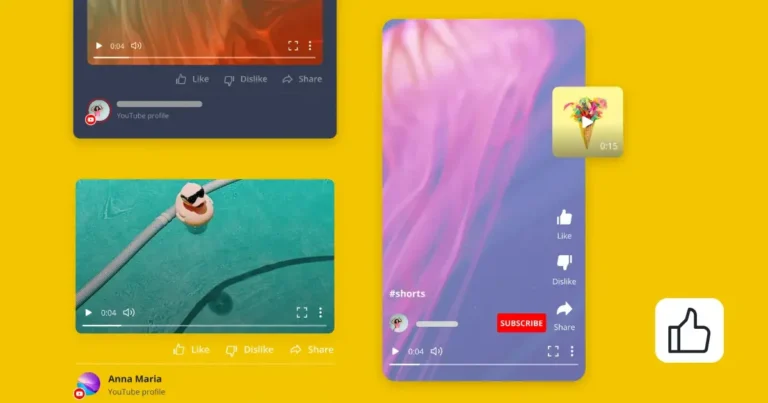
Illustration showing how one YouTube video can be repurposed into short-form videos and social media content for multiple platforms.

The YouTube content strategy I swear by in 2026

YouTube is still one of the most powerful platforms for creators and brands, but it’s also more competitive than ever. Every minute, thousands of creators upload content, making it harder for individual videos to stand out. 

That’s why having a clear YouTube content strategy matters. The channels growing fastest in 2026 aren’t necessarily producing the most content. They’re creating the right content for the right audience and distributing it consistently.

Over the past few years, I’ve stopped treating YouTube like “just another content channel.” Instead, I’ve built a system that combines audience research, YouTube SEO, content planning, and cross-platform promotion. 

In this guide, I’ll walk you through the exact YouTube marketing strategy I use to create video content that keeps attracting viewers long after I hit publish.

SocialBee logo featuring a stylized yellow bee icon on a dark hexagonal background.
SocialBee – Social media management tool
Social media management tool
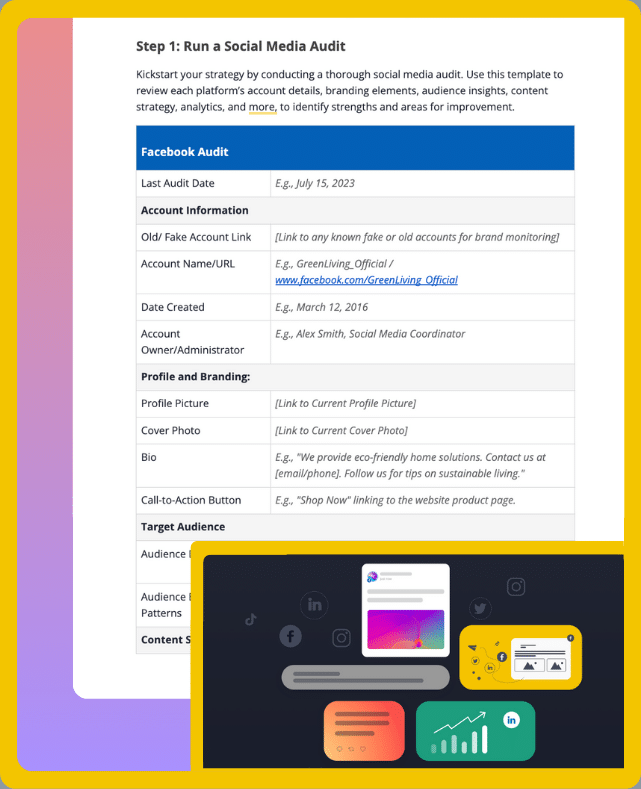
Get your free social media strategy template!

We’re SocialBee LABS SRL, part of WebPros. We use the information you provide to share relevant content & updates, as outlined in our Privacy Policy. You can opt out anytime.

Short summary

  • Know exactly who you’re creating for. The most successful YouTube channels solve specific problems for a specific audience instead of trying to appeal to everyone.
  • Plan before you press record. Build your content around a few clear pillars, validate ideas with YouTube search, and use keyword research to improve discoverability.
  • Create content efficiently. Batch similar tasks, hook viewers within the first 30 seconds, and prioritize clarity over expensive production quality.
  • Optimize every upload for clicks and search. Strong titles, thumbnails, descriptions, playlists, chapters, and consistent branding all help viewers find and remember your channel.
  • Keep every video working after it’s published. Repurpose long-form content into posts for other platforms and promote each upload multiple times instead of sharing it once and moving on.
  • Measure, improve, and stay consistent. Review your analytics, double down on what works, avoid chasing viral trends, and use tools like SocialBee to keep your entire YouTube marketing workflow organized.

How to create a YouTube content strategy that works in 2026

A lot of advice about YouTube is either too simple (“just stay consistent”) or too focused on hacks and algorithm tricks.

The reality is that most successful creators and brands follow a process. They know who they’re creating for, what topics they want to be known for, and how each video fits into their bigger content strategy. They aren’t relying on luck every time they upload.

Building a successful YouTube channel takes time, consistency, and a willingness to learn. Better equipment, editing skills, and experience can absolutely give you an advantage. But what separates channels that grow from those that don’t is having a repeatable system for planning, creating, optimizing, and improving every video.

Here’s the exact process I follow when planning, creating, optimizing, and promoting YouTube content in 2026:

  1. Define your target audience before creating content.
  2. Build your YouTube channel around a few clear content pillars.
  3. Use YouTube search to find content opportunities.
  4. Do keyword research before recording.
  5. Plan content in batches instead of one video at a time.
  6. Focus heavily on the first 30 seconds of every video.
  7. Make your video title and thumbnail work together.
  8. Prioritize clarity over perfect production quality.
  9. Optimize every upload for YouTube SEO.
  10. Build recognizable channel branding.
  11. Make every YouTube video work for weeks.
  12. Track what’s actually working.
  13. Keep improving instead of chasing viral moments.
  14. Use SocialBee to keep your YouTube marketing organized.

Step 1: I define my target audience before creating content

Before I think about video ideas, YouTube SEO, or production quality, I think about who I’m creating for.

One of the biggest mistakes I see is trying to make YouTube videos for everyone. When your target audience is too broad, your content becomes too generic. You end up with a YouTube channel that covers lots of topics but doesn’t really connect with anyone.

The channels that grow consistently are usually very easy to describe. You immediately know who they’re for and what you’ll learn by watching them.

Before planning any video content, I ask myself a few simple questions:

  • Who is this video for?
  • What problem are they trying to solve?
  • What would they search for on YouTube?
  • Why would they click on this video instead of another one?
  • What do I want them to do after watching?

For example, instead of creating a video about “social media marketing,” I might create one about “how small businesses can create a month of social media content in one afternoon.” The topic is narrower, but it’s much more relevant to a specific audience.

To figure out what viewers actually want to watch, I don’t rely on guesses. I look at comments, customer questions, conversations in online communities, and topics that perform well for other channels in my niche. I also spend time on YouTube search because the suggestions often reveal exactly what people are looking for.

Step 2: I build my YouTube channel around a few clear content pillars

Once I know who I’m creating videos for, I decide what I want my channel to be known for.

The easiest way to do that is by choosing a few topics and building most of my content around them.

For example, if I’m a real estate agent, my topics might be:

  • Home buying tips
  • Home-selling advice
  • Property tours
  • Local market updates
  • Neighborhood guides

Not every video has to fit perfectly into one category, but most of my content should be relevant to people who are interested in buying or selling a home.

If one week I’m sharing home-buying advice and the next I’m reviewing camping gear, it’s harder for viewers to understand why they should subscribe. It also gives YouTube less information about who might be interested in my videos.

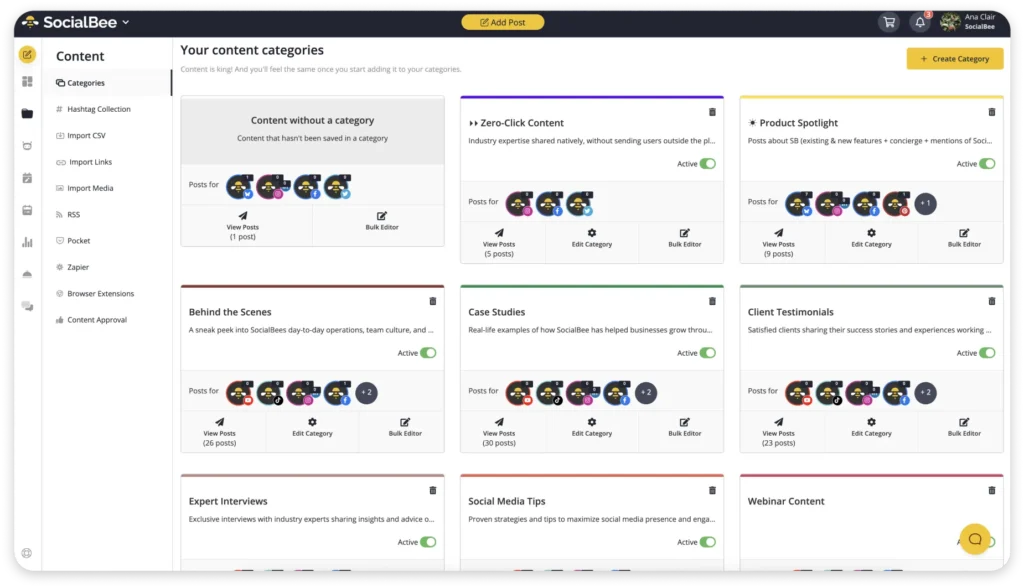
What helps me stick to my content pillars is the category system in SocialBee.

Categories are basically like folders for your posts. Each one holds a type of content, like “Home buying tips,” “Home selling advice,” or “Property tours.” You can also set a posting schedule for each category, for example buying tips on Monday, selling advice on Wednesday, and property tours on Thursday.

Then you just drop new posts into the right folder, and they get published one by one based on the schedule. It takes away the need to constantly figure out what to post next and helps keep your content mix balanced without repeating the same type of posts too often.

Step 3: I do keyword research before recording anything

Before I record anything, I check what people are already searching for.

70%+ of what people watch on YouTube comes from the platform’s recommendation system, making discoverability one of the biggest growth levers.

I start by typing a topic into the YouTube search bar and looking at the autocomplete suggestions. These are the predictions YouTube shows based on real searches people make. For example, if you type “how to cook,” YouTube might suggest things like “how to cook rice,” “how to cook steak,” or “how to cook lobster.”

YouTube Search autocomplete suggestions showing how creators can discover popular topics and keyword ideas before recording a video.

Each of these can become a video idea.

There are also other ways to do keyword research, like:

  • YouTube Studio analytics
  • SEO tools like Ahrefs and Semrush
  • Comment sections on popular videos
  • Reddit and niche forums
  • TikTok and Instagram search
  • Google “People also ask”
  • Competitor channel research

Once I find a good idea, I save it for later.

This step is simple. Instead of guessing what to create, I use YouTube search to see what people are actually looking for.

Step 5: I create content in batches instead of one video at a time

What made YouTube easier for me was stopping the weekly cycle of starting from zero.

What works better is grouping similar tasks and doing them in batches, so you stay in the same mindset longer.

I usually work in three steps.

1/ First, I write several scripts in one sitting. It’s much easier to stay in writing mode than to come back and restart that process every time.

2/ Then I move to filming. I make sure everything is already set up, then record all the videos I need in one go. This avoids resetting the camera, lights, and energy for every single video.

3/ After that, I switch to editing and focus only on finishing everything for publishing.

The whole point is to reduce moving between different types of work. When you create videos one by one, you go from thinking to writing to filming to editing over and over. Each change breaks your focus and forces you to rebuild your momentum from scratch.

Step 6: I focus heavily on the first 30 seconds of every video

Most viewers decide within seconds whether they’re going to keep watching.

That’s why I spend more time thinking about the first 30 seconds of a video than almost any other part of it.

A common mistake is starting with a long introduction:

“Hi everyone, welcome back to our channel…”

The problem is that viewers have already clicked because your title and thumbnail caught their attention. They don’t need another introduction. They need a reason to stay.

Let’s say you’re creating content for a medical centre and your video is called “5 Signs You Shouldn’t Ignore Before Visiting a Cardiologist.”

Instead of spending the first minute introducing the clinic, start with the problem:

“Many people dismiss these symptoms as stress or fatigue. But in some cases, they can be early warning signs of a heart condition. Here are five symptoms cardiologists recommend paying attention to.”

You’ve immediately told viewers why the topic matters and what they’re about to learn.

I usually try to do three things in the opening:

  • Tell viewers what they’ll learn
  • Explain why it’s important
  • Give them a reason to keep watching

Here’s how it can look in practice:

Cardiologist explaining the warning signs that indicate when to see a heart specialist in a YouTube educational video. 

Source

That’s often enough to significantly improve watch time.

This matters because audience retention is one of the most important signals in the YouTube algorithm. If people click on your video and leave after 20 seconds, YouTube assumes the content wasn’t what they expected. If they stay and keep watching, YouTube is more likely to recommend the video to other viewers.

Another simple tactic is creating small open loops throughout the video.

For example:

“Before we get to the symptom most patients ignore, let’s start with the one that sends people to the emergency room most often.”

You’re giving viewers a reason to keep watching without resorting to clickbait.

The goal isn’t to keep people watching at all costs. It’s to quickly show them that your video will answer the question they came for. The faster you deliver value, the better your audience retention will be, and the more likely YouTube is to put your content in front of new viewers.

Step 7: I make my video title and thumbnail work together

You can create the most valuable video in the world, but if nobody clicks on it, nobody will see it.

That’s why I spend a lot of time on the title and thumbnail. They’re the first things people see in YouTube search results, recommendations, and on your channel homepage.

I don’t think about them separately. I think about them as a team.

This thumbnail is a good example because the title and thumbnail each do a different job.

The thumbnail grabs your attention with a simple visual: Google’s logo stretched across the screen with the word “Pointless” pointing toward page two. Even before reading the title, you understand the core idea.
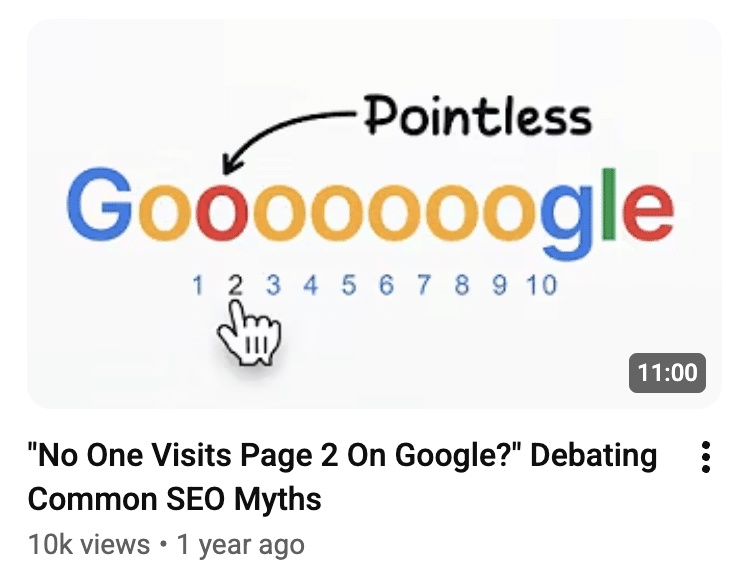
Example of a YouTube thumbnail and title working together to create curiosity without repeating the same message.

The title then adds the missing context: “No One Visits Page 2 On Google?” Debating Common SEO Myths. Together, they create curiosity without repeating the same message twice. If the thumbnail already said “No One Visits Page 2 on Google,” it would waste valuable space.

That’s how titles and thumbnails should work together. Each element should contribute new information, giving viewers a reason to click without revealing everything upfront.

The reality is that viewers decide whether to click before they know how good your content is. That’s why packaging matters just as much as the video itself.

Your title and thumbnail aren’t there to trick people. They’re there to communicate value and convince the right audience that your video is worth watching.

Step 8: I prioritize clarity over “perfect” production quality

Let’s say you’re launching a small beauty brand and want to start a YouTube channel.

It’s easy to think you need a professional camera, studio lighting, and a full production team before posting your first video.

You probably don’t.

Most people aren’t watching beauty content because they’re impressed by the equipment. They’re watching because they want to learn something, discover a product, or solve a problem.

For example, if your video is called “How to Stop Concealer From Creasing”, viewers aren’t clicking because they want cinematic shots of makeup brushes. They’re clicking because their concealer keeps creasing, and they want a fix.

That’s why I always prioritize clarity.

Can viewers see the technique properly? Can they hear the explanation? Can they follow along without getting confused?

Those things matter much more than fancy editing.

If I were starting a beauty brand today, I’d focus on getting a few basics right:

  • Good lighting
  • Clear audio
  • Clean product shots
  • Simple editing
  • Helpful explanations

That’s enough to create high-quality videos that people actually want to watch.

Step 9: I optimize every upload for YouTube SEO

Hitting publish isn’t the last step. It’s where YouTube SEO starts.

YouTube is the second-largest search engine in the world, processing billions of searches every month.

I’ve seen creators spend hours recording and editing a video, then rush through the upload process in two minutes. If you want your content to show up in search results, you need to give YouTube as much context as possible.

The first thing I focus on is the video description. I make sure it clearly explains what the video is about and naturally includes the main keyword I’m targeting.

For example, if the video is about creating a YouTube content strategy, I’ll mention that phrase in the first few lines of the description and explain exactly what viewers will learn.

I also pay attention to:

  • The video title
  • Video description
  • Chapters
  • Closed captions
  • Keywords
  • Playlists

Playlists are one of the most overlooked YouTube SEO features.

Let’s say you’re a real estate agent. Instead of uploading dozens of individual videos, you could organize them into playlists such as:

  • First-Time Homebuyer Tips
  • Neighborhood Tours
  • Market Updates
  • Home Selling Advice

If someone watches a neighborhood tour, they’re much more likely to watch another video about the local market than a random upload. Playlists help create that journey and keep viewers on your channel longer.

Here’s a short sneak peek at how it can look for viewers:
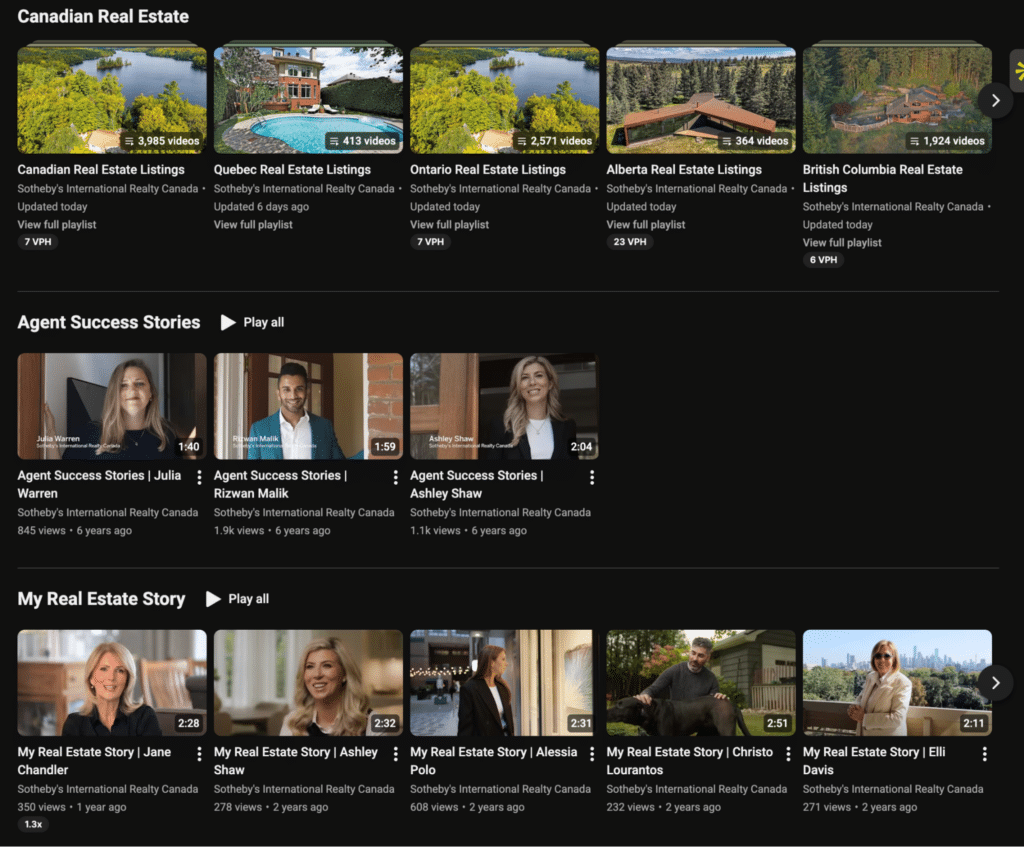
Example of a YouTube channel using playlists to organize videos by topic, making it easier for viewers to discover related content.

Source

I also recommend adding chapters whenever possible. They’re helpful for viewers and helps them navigate your video, but they also help YouTube understand the structure of your video.

The goal of YouTube SEO isn’t to cram keywords into every field. It’s to clearly communicate what your video is about.

Think of it this way: if someone searched for your topic tomorrow, would YouTube have enough information to know your video is relevant?

If the answer is yes, you’re on the right track. The easier you make it for YouTube to understand your content, the easier it becomes for new viewers to discover it through YouTube search.

Step 10: I build recognizable channel branding

Imagine you discover a great video through YouTube search.

You watch it, enjoy it, and decide to visit the creator’s YouTube channel.

But when you get there, the profile picture is blurry, the banner says nothing about what the channel does, and the videos all look completely different.

Would you subscribe?

Probably not.

That’s why channel branding matters.

I’m not talking about hiring a designer or spending weeks building a visual identity. I’m talking about making it easy for people to understand who you are and what kind of content they’ll get from your channel.

Start with the basics:

  • A clear profile picture or logo
  • A banner that explains what your channel is about
  • A simple channel trailer
  • Organized playlists
  • A consistent thumbnail style

Let’s say you’re a real estate agent. If someone lands on your channel, they should immediately know whether you help first-time buyers, luxury homeowners, investors, or people relocating to a new city.

Your channel should answer that question before they watch a single video.

I also try to keep things consistent across platforms. If someone finds my YouTube content and then visits my website or LinkedIn page, the branding shouldn’t feel completely different.

This doesn’t mean every thumbnail needs to look identical. It just means there should be some consistency. Similar colors, fonts, photo styles, or layouts can make your content instantly recognizable over time.

One thing I recommend is looking at your channel as if you’re seeing it for the first time.

Ask yourself:

  • Would I know what this channel is about in five seconds?
  • Would I know who it’s for?
  • Would I know why I should subscribe?

If the answer is no, your channel branding probably needs some work.

Good branding won’t save bad content. But when someone enjoys one of your videos, strong branding makes it easier for them to remember you, find you again, and eventually become part of your audience.

Step 11: I make every YouTube video work for weeks

One thing I never do is let a video live on YouTube only.

Creating a YouTube video takes time. You have to research the topic, record it, edit it, optimize it, and publish it. If you’ve already invested that effort, you should get as much value from it as possible.

Let’s say you’re a real estate agent and you’ve just uploaded a 10-minute video about the biggest mistakes first-time homebuyers make.

That single video could easily become:

  • 5 Instagram Reels
  • 3 TikToks
  • A LinkedIn post
  • A blog post
  • An email newsletter
  • Several social media posts

For example, if one section explains why buyers should get pre-approved before house hunting, that can become a short-form video. If another section covers budgeting mistakes, that could become a LinkedIn post.

Now you’re reaching people who may never have found your YouTube channel through YouTube search.

Repurposing is only half the strategy. Timing matters too.

One mistake I see all the time is creators promoting a video once and then forgetting about it. They publish it, share the link on LinkedIn, maybe mention it on Instagram, and move on.

The reality is that most people won’t see that first post. They might not have been online, the algorithm may not have shown it to them, or they simply weren’t ready to watch.

That’s why I treat promotion as a timeline rather than a single event.

For that same real estate video, my promotion schedule might look like this:

  • Day 1: Share the video link.
  • Day 3: Share one key takeaway.
  • Day 7: Post a short clip.
  • Day 14: Highlight another lesson from the video.
  • Day 30: Re-share the video from a completely different angle.

It’s still the same video, but each post starts a different conversation.

I usually plan all of this the day I publish the video. With SocialBee, I can turn one YouTube video into multiple posts, customize them for each platform, and schedule everything from a single dashboard.
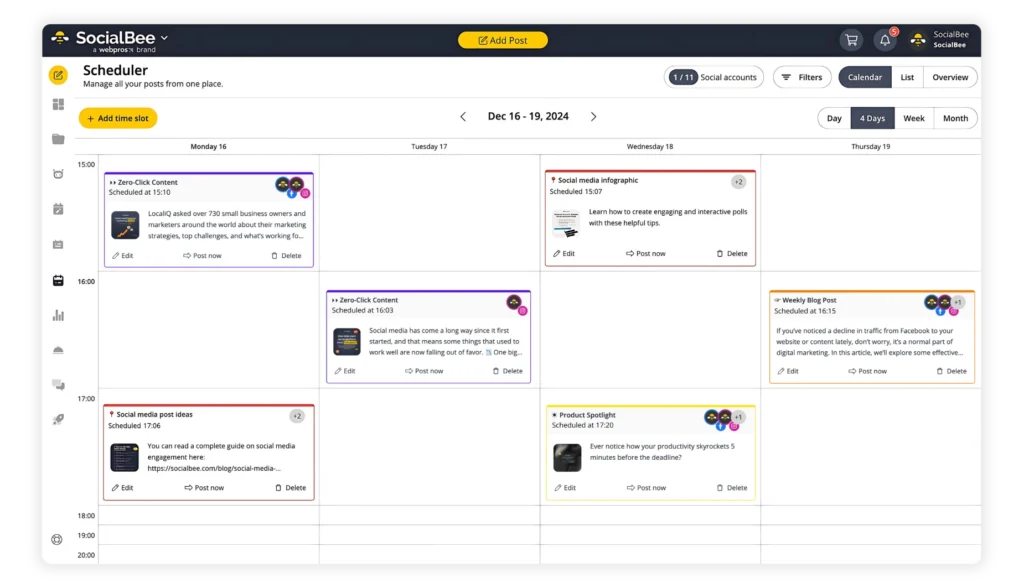
Instead of remembering to post on LinkedIn one day, Instagram the next, and Facebook a week later, I know the content will keep working for me automatically.

That’s why I see YouTube as the starting point, not the final destination. One video can fuel weeks of content, reach new audiences across multiple platforms, and keep bringing viewers back to your channel long after publication day.

Step 12: I track what is actually working

One of the biggest mistakes I made when I first started on YouTube was looking at views and nothing else.

A video would get 5,000 views, and I’d assume it was a success. Another would get 1,000 views, and I’d assume it had failed.

But views only tell part of the story.

Now, I spend time in YouTube Analytics after every upload. Not obsessively, but enough to understand what’s working and what’s not.

The first thing I look at is watch time.

If people are clicking on a video but leaving after 30 seconds, that’s usually a sign that something isn’t matching up. Maybe the title overpromised. Maybe the introduction was too slow. Maybe the content wasn’t what viewers expected.

I also pay attention to audience retention. This shows me exactly where people stop watching.

For example, if I notice viewers consistently dropping off during long introductions, that’s a sign I need to get to the point faster in future videos.

Another metric I look at is click-through rate (CTR). This tells me how many people clicked after seeing my title and thumbnail.

If a video has a low CTR, I know I probably need to improve the packaging. Sometimes changing a title or thumbnail can make a surprising difference.

I also look beyond YouTube.

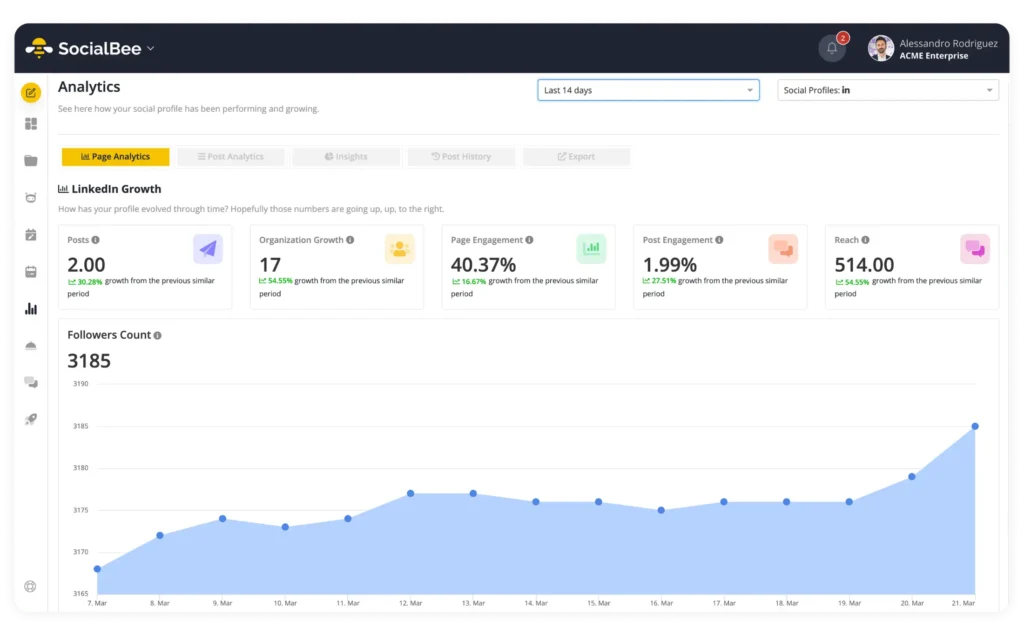
If I’m promoting videos on other social media platforms, I want to know which posts are actually driving engagement. SocialBee’s analytics can help with that by showing metrics such as post reach, engagement, clicks, and top-performing content across platforms. This gives me a better picture of which promotional posts are helping bring people back to my YouTube channel.

The most useful insights usually come from spotting patterns.

Let’s say you run a real estate channel and notice that neighborhood tours consistently outperform market updates. Or maybe videos under eight minutes keep more viewers engaged than videos that run for twenty minutes.

Those are valuable insights you can use when planning future content.

The goal isn’t to chase numbers. It’s to learn what your audience responds to.

Every video gives you feedback. YouTube Analytics and your social media analytics simply help you see it.

The creators who improve the fastest aren’t always the most talented. They’re often the ones paying attention to the data and making small adjustments over time.

Step 13: I keep improving instead of chasing viral moments

A lot of people start YouTube looking for a shortcut.

The perfect topic. The perfect thumbnail. The video that suddenly gets 500,000 views.

The problem is that most channels don’t grow that way.

More often, growth comes from making small improvements over time.

Maybe this month’s videos have better hooks than last month’s. Maybe your thumbnails are getting more clicks. Maybe you’re getting to the point faster. Maybe you’ve finally figured out what your audience wants to watch.

Those small improvements compound.

I also think it’s important to stay focused on why people subscribed in the first place.

Let’s say you’re a real estate agent helping first-time homebuyers. If one luxury mansion tour goes viral, it doesn’t mean you should suddenly turn your entire channel into luxury real estate content.

One successful video shouldn’t completely change your direction.

Instead, look for patterns. Which topics keep performing well? Which videos generate the most comments? Which ones bring in subscribers?

Then make more of those.

The biggest mindset shift for me was treating YouTube like a long-term project instead of a series of individual uploads.

Not every video needs to be a hit.

If you publish one useful video every week, you’ll have more than 50 videos by the end of the year. That’s 50 opportunities for people to discover your channel.

And usually, that’s how growth happens. Not from one viral moment, but from consistently showing up and getting a little better each time.

Step 14: I use SocialBee to keep my YouTube marketing organized

By this point, we’ve covered a lot.

Researching topics. Creating videos. Optimizing for YouTube SEO. Repurposing content. Promoting videos over time. Tracking performance.

None of these tasks are particularly difficult on their own, but together they can become overwhelming, especially if you’re managing several social media platforms at the same time.

That’s why I like keeping everything in one place.

Instead of planning my YouTube content separately from my other social media content, I manage it alongside everything else. This gives me a clear overview of what’s coming up and helps me make sure every new video gets promoted consistently.

For example, if I know I’m publishing a YouTube video next week, I can already plan the supporting content around it. Maybe there’s a LinkedIn post scheduled for launch day, a short-form clip going out a few days later, and another post highlighting a key takeaway the following week.

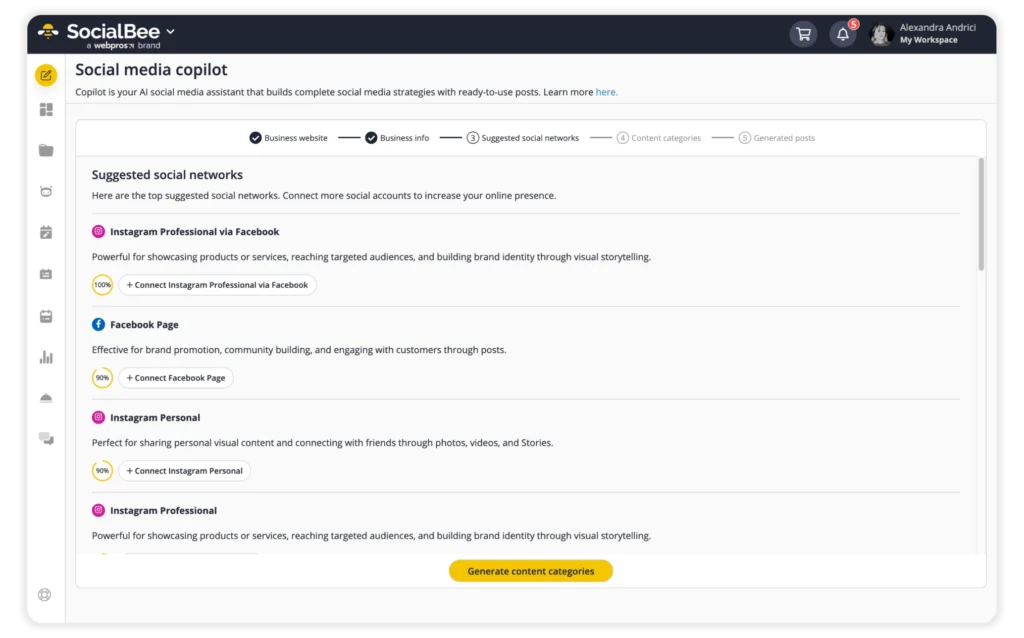
One feature I find particularly useful is SocialBee’s Copilot.

When I’m building a YouTube content strategy, I don’t start with individual social media posts. I start by creating a plan.

Copilot helps generate an initial social media strategy based on my brand, website, and goals. That gives me a solid foundation before I start creating supporting content around each YouTube video.

From there, I use SocialBee to organize and schedule the entire promotion process. As soon as a video is published, I can plan the supporting posts across LinkedIn, Facebook, Instagram, X, and other platforms from a single content calendar.

I also use SocialBee’s AI caption generator to speed up the writing process. Instead of starting every caption from scratch, I generate a first draft, adapt it for each platform, and refine the message.

The biggest benefit isn’t that it saves a few minutes here and there. It’s that everything is planned in advance. Instead of wondering what to post next or when to promote a video again, I already have a content calendar, a strategy, and my posts scheduled ahead of time.

Frequently asked questions

How often should I upload YouTube videos?

For most creators and businesses, one video per week is a great place to start.

It’s frequent enough to build momentum and give your audience something to look forward to, but not so demanding that quality starts to suffer.

If that’s not realistic, aim for two to four videos per month. A consistent schedule of two quality videos every month will usually outperform posting daily for a few weeks and then disappearing.

The best publishing schedule is the one you can maintain for the next 12 months, not just the next 12 days.

How important is YouTube SEO in 2026?

Very important, but it’s only part of the picture.

YouTube is still the second largest search engine in the world, so keyword research, titles, descriptions, and playlists still matter. They help YouTube understand what your content is about and who should see it.

That said, YouTube SEO won’t save a weak video. If viewers aren’t clicking, watching, or engaging, rankings won’t last for long. The best results come from combining strong YouTube SEO with useful content, compelling thumbnails, and good audience retention.

What is the biggest mistake creators make with YouTube content strategy?

Trying to do too much at once.

A lot of creators jump between topics, chase every trend, or change direction every time a video underperforms.

As a result, viewers never know what the channel is about.

The strongest YouTube channels usually have a clear audience, a few consistent content pillars, and a realistic publishing schedule. They focus on helping the same group of people over and over again rather than trying to appeal to everyone.

That’s not the most exciting answer, but it’s usually what works.

Is creating great videos enough to grow on YouTube?

No. Publishing is only half the job.

Once I upload a video, I don’t just hope people find it. I promote YouTube videos through my newsletter, website, and social media, then share them again over the following weeks.

That’s why I think promotion should be part of your video creation process, not an afterthought. If you wait until after you hit publish to decide how you’ll get people to watch, you’re already behind.

An effective YouTube content strategy combines useful videos with consistent promotion. That helps your content reach more people through recommendations, shares, and search engine results pages. If you have extra budget, YouTube Ads can help boost visibility, but they work best when they’re supporting your broader YouTube marketing efforts, not replacing them.

How do I get more people to find my YouTube videos?

If you want more YouTube traffic, don’t just focus on publishing more video content. Start by using YouTube Search and Google Search to see what people are already looking for. You can also use tools like Google Keyword Planner to conduct keyword research before you start filming.

Once your video is live, don’t stop there. Promote your YouTube videos on other platforms, create a few YouTube Shorts, and experiment with behind-the-scenes content or clips that encourage audience engagement. Over time, those extra touchpoints can bring more viewers back to your channel than a single post on launch day.

How can I make my YouTube videos rank higher in search?

Start by understanding what your audience is actively searching for. Use YouTube Search, Google Search, Google Video Search, and Google Trends to find topics with high search volume and identify the right keywords before you start creating.

Then, optimize your videos by naturally including your target keywords in the title, description, and chapters. Creating playlists, linking to other videos with end screens, and maintaining a consistent publishing schedule all help viewers stay on your channel longer, which can improve your search rankings over time.

Remember that YouTube is a search engine, so the goal isn’t just to publish more videos. It’s to publish content that matches search intent, gives people a reason to keep watching, and helps YouTube understand exactly who your video is for.

Does production quality matter on YouTube?

Yes, but it’s rarely the deciding factor. People usually click because your topic looks interesting, then keep watching videos if they’re helpful and easy to follow. That’s why high-quality content, clear audio, and good video thumbnails often matter more than expensive cameras.

Focus on creating engaging videos that match your audience’s interests, keep a consistent posting frequency, and pay attention to which of your performing videos generate the most views and watch time. The more you learn about your YouTube audience and their audience preferences, the easier it becomes to improve your video marketing and content creation over time.

My final thoughts on building a successful YouTube content strategy

At the end of the day, YouTube isn’t as complicated as people make it out to be.

Know who you’re creating for. Create videos that help them. Pay attention to what works. Repeat.

You don’t need to upload every day, buy expensive equipment, or spend your time chasing viral trends. A clear direction and consistent effort will take you much further.

And if managing content across YouTube and other social media platforms starts to feel like a lot, SocialBee can help. From planning and scheduling to AI-powered captions and content ideas, it gives you one place to keep everything organized.

Ready to put your YouTube strategy into action? Start your 14-day free SocialBee trial and see how much easier content marketing becomes when you have a system behind it.

SocialBee: Your AI-powered social media management tool
Create posts, publish, analyze, engage and collaborate, all from SocialBee.
Summarize this post
SocialBee logo featuring a stylized yellow bee icon on a dark hexagonal background.
SocialBee – Social Media Management Tool
Works with 10+ social media platforms

Related articles

Level up your social media marketing with exclusive resources delivered straight to your inbox

We’re SocialBee LABS SRL, part of WebPros. We use the information you provide to share relevant content and product updates, as outlined in our Privacy Policy. You can opt out anytime.

Fill in the form and get our calendar delivered to your inbox

We’re SocialBee LABS SRL, part of WebPros. We use the information you provide to share relevant content and product updates, as outlined in our Privacy Policy. You can opt out anytime.
Grab our 2026 social media calendar and unlock 500+ content ideas and ready-to-use Canva templates!