
Ever wonder why some LinkedIn profiles show up everywhere… on your feed, in LinkedIn search results, even on Google.. while others stay invisible? It’s not luck. It’s LinkedIn SEO.
The algorithm changes constantly. New features roll out, impressions dip, and what worked six months ago might not work today. But one trend remains the same: personal profiles almost always outperform company pages. More founders, creators, and experts are posting from their own accounts, and it works.
In this article, we’ll break down how to use LinkedIn SEO to make your profile easier to find, build your network, and boost engagement.
Why do we keep on posting on personal LinkedIn profiles?
LinkedIn favors human voices. Its algorithm prioritizes content that sparks conversations and feels authentic.
So it comes as no surprise that CEOs who post frequently see an average 39% increase in followers. That’s huge visibility for just showing up consistently, right?
Brand content often feels distant. Company posts may look polished, but can come across as impersonal. And the truth is, people engage with people, not logos. Personal profiles naturally feel more relatable, which is why they usually outperform company pages in both impressions and engagement, even when the person has fewer followers.
What is LinkedIn search engine optimization (SEO)?
LinkedIn SEO means optimizing your LinkedIn page so it shows up higher in LinkedIn search results and on search engines like Google. Just like with traditional SEO and keyword optimization, the goal is to make your profile easier to find when people search for valuable content, skills, or job titles.
For example, imagine someone searches for “growth marketing manager.” The LinkedIn search engine is designed to highlight the most relevant, well-optimized profiles first. If your LinkedIn page is complete, uses keyword research effectively, and has a clear SEO title, you’ll have better visibility and attract more traffic from both LinkedIn and Google.

Simply put: a well-optimized profile increases your networking opportunities, improves your ranking in LinkedIn articles and posts, and the higher your chances of being noticed by recruiters, potential customers, or even companies looking for expertise in your niche.
Why does LinkedIn SEO matter?
When your LinkedIn profile is well optimized, you show up where it counts, both in LinkedIn search results and on Google. That means potential customers, recruiters, and business partners actually find you instead of someone else.
Good keyword use and clear content help you get in front of warm leads, grow useful connections, and even catch the attention of recruiters before a job is posted. The higher your chances of showing up in searches, the more traffic you’ll pull toward your posts, LinkedIn articles, and company page.
And it’s not just about being found. A complete profile (your SEO title, banner image, and elevator pitch) makes you look credible and professional. Do it right, and LinkedIn becomes your go-to platform for steady networking opportunities and targeted traffic, running in the background for you 24/7.
What are the LinkedIn SEO ranking factors?
Here’s what the LinkedIn search engine looks at when deciding which profiles and content to show in LinkedIn search results:
- Keywords: The backbone of keyword optimization. LinkedIn scans your profile to see if it’s relevant for what people are searching.
- Profile completeness: A fully filled-out LinkedIn page gives the algorithm a clear picture of who you are, what you do, and where you fit.
- Connections and engagement: The more you connect, comment, and share valuable content, the more visibility you get. Engagement signals matter.
- Activity and consistency: Posting updates, reacting to posts, or publishing LinkedIn articles regularly shows you’re active on the platform. Consistency helps you appear in feeds and searches.
- Skills and endorsements: These aren’t just for show, LinkedIn uses them to identify what you’re good at and match you with relevant searches from potential customers, recruiters, or companies.
How to optimize your LinkedIn profile for SEO
If you want to rank higher in LinkedIn search results, attract potential customers, and catch the attention of recruiters, you need to treat your profile like SEO for any other platform.
Here’s how to create a profile that drives results, step by step:
- Find and use relevant keywords
- Complete all LinkedIn profile sections
- Optimize your profile images
- Post relevant content
- Connect with the right people
- Engage with other accounts
- Get recommendations
- Keep an eye on analytics
1. Find and use relevant keywords
If you want to show up in LinkedIn search results, you need to use the same words your target audience is typing into the LinkedIn search engine.
A simple way to start finding the right keywords is by typing your job title or niche into the LinkedIn search bar, for example, “marketing consultant” or “project manager.”
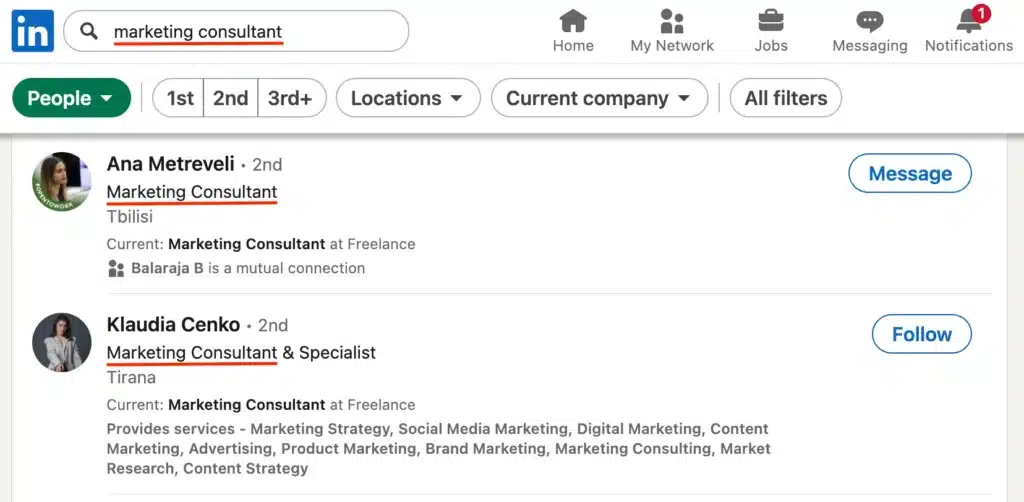
Switch the filter to “People” and study the top LinkedIn pages that appear. Check how others describe themselves in their headlines, about sections, and posts. Notice the wording recruiters and potential clients are likely to search for, and use that insight to shape your own profile.
To go deeper, you can use keyword research tools like Google’s Keyword Planner, AnswerThePublic, or SEO platforms such as Semrush and Ahrefs. These help you discover variations like “digital marketing specialist,” “B2B SaaS marketer,” or “growth strategist” that can boost your ranking.
Once you’ve built a solid list, start adding these terms naturally to the main parts of your LinkedIn page: your SEO title (headline), About section, Experience, Skills, Certifications, and Services.
The goal is to make your LinkedIn profile readable and professional while still giving it the keyword optimization needed to attract potential customers, recruiters, and business opportunities.
Tip: Don’t just stuff in keywords for the sake of it, focus on creating high quality content that feels natural to read.
2. Complete all LinkedIn profile sections
LinkedIn favors complete profiles. The more data you give it, the better it can match you to relevant searches, recommend your profile, and show your content in feeds.
Let’s take a look at all profile sections LinkedIn offers:
- Headline
- About
- Website link
- Custom profile URL
- Featured
- Services
- Experience
- Education
- Licenses & certification
A. Headline
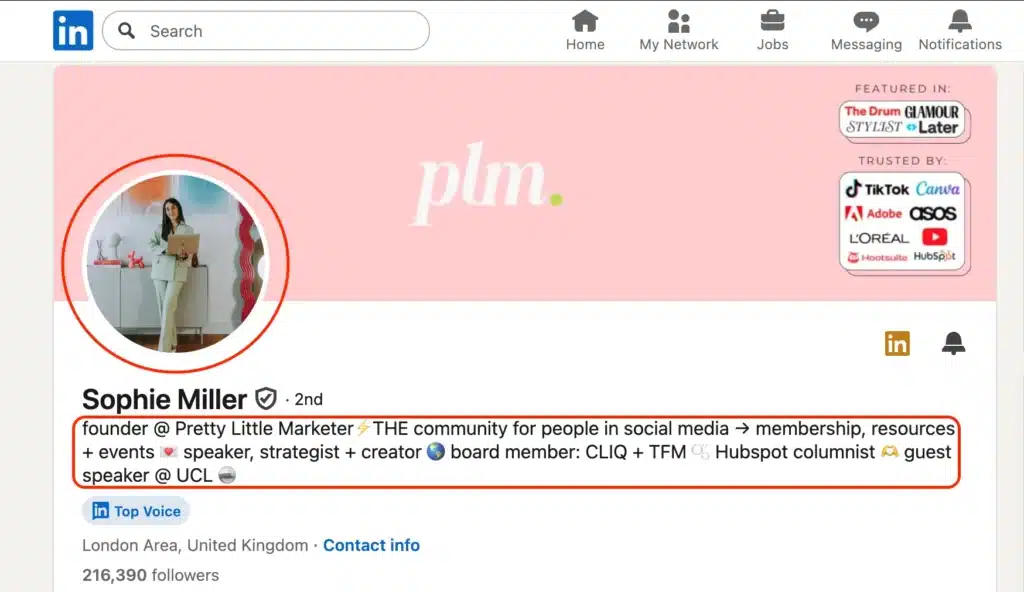
Headlines are one of the most important parts of your LinkedIn page. They appear everywhere next to your name in search engine results, comments, connection requests, and even Google searches.
With 220 characters to work with, your headline should be more than just a job title like “Marketing Manager” or “Founder.” It’s prime space for keyword optimization and a chance to show your target audience exactly what you do.
Take Sophie Miller as an example. Instead of only listing “Founder,” she uses her headline to highlight her role at Pretty Little Marketer, plus keywords like “speaker,” “strategist,” and “creator.”
B. About
The “About” summary section is where you really get to connect with your target audience.
With up to 2,600 characters, it’s your chance to tell a story about what you do, who you help, and what makes you different. Think of it as your elevator pitch on a social media platform that also functions like a search engine.
Break it into short paragraphs or bullet points to keep it easy to scan, and always end with a call to action, whether that’s inviting people to message you, book a call, or visit your website.
C. Website link
The Website link is a small but powerful part of your LinkedIn page. It shows up right under your headline and can drive targeted traffic straight to your business.
Use it wisely, whether that’s linking to your homepage, newsletter, booking calendar, or portfolio.
D. Custom profile URL
The Custom profile URL is another quick win. Instead of a long, messy link like linkedin.com/in/name-9374kq, you can create a clean one like linkedin.com/in/yourname.
Not only does it look more professional, but it’s also easier to share on other social networks like Twitter or Facebook, and it gives your SEO a small boost.
To change your LinkedIn URL, go to your profile and click “Edit public profile & URL” in the top-right corner. From there, you’ll see an option to customize your link.
E. Featured
The Featured section is your place to showcase high-quality content that backs up what you say in your profile.
You can add posts, LinkedIn articles, links, videos, or documents, anything that highlights your best work. Think of it as a mini portfolio right on your LinkedIn page.
Use it to promote things like top-performing posts, client testimonials, lead magnets, or media coverage. For example, Sophie features her newsletter sign-up and membership community, making it easy for potential customers to see her work and take action.

Tip: Keep this section fresh. Update it whenever you launch something new or want to draw more traffic to a specific page or offer.
F. Services
The Services section is where you list exactly what you offer. LinkedIn uses this to match you with people searching for those services, so it’s worth being specific.
Instead of something vague like “Consulting,” write “Social Media Strategy for Startups” or “SEO Copywriting for Tech Companies.” This helps the LinkedIn search engine connect you with the right target audience and shows potential clients how you can help.
G. Experience
The Experience section is where your LinkedIn page really shows what you’ve done.
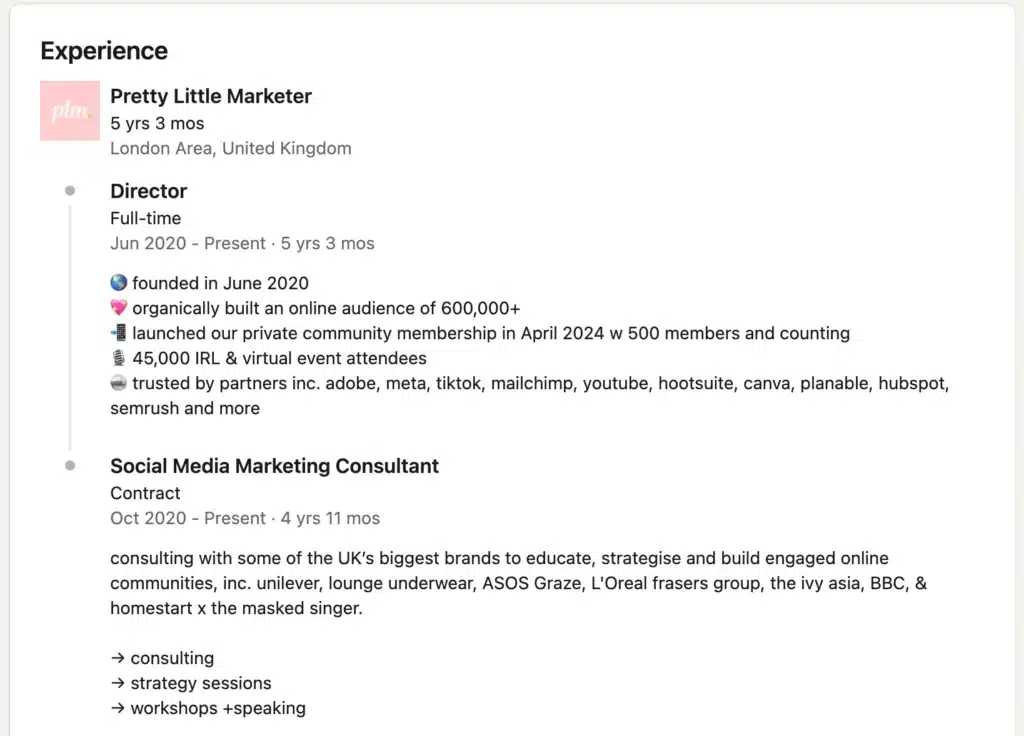
Don’t just list job titles, give context. For each role, add a short summary of your responsibilities, the impact you had, and the skills you used. Bullet points make it easy to scan, and using searchable job titles like “SEO Specialist” or “Social Media Marketing Consultant” helps with ranking in LinkedIn search results.
For example, Sophie Miller doesn’t stop at just writing “Director.” She shows the scale of her work, building a community of 600,000+, launching a membership, and working with brands like Adobe, Meta, TikTok, and HubSpot.
H. Education
The Education section is straightforward but still matters for discoverability. List your schools and degrees, but also include coursework, activities, or honors if they’re relevant.
LinkedIn includes education in its search filters, so this can be another way to get noticed, especially if you’re earlier in your career.
I. Licenses & certifications
The Licenses & Certifications section adds extra credibility. Whether it’s HubSpot, Google, Coursera, or other industry-specific programs, certifications show commitment to your field. They can also help recruiters filter profiles and give your page more visibility in searches.
3. Optimize your profile images
Your profile photo and banner image are the first things people notice, and they set the tone for how recruiters, potential customers, and business partners see you.
For making the most out of your profile photo on LinkedIn:
- Use a high-quality, recent image (not a cropped group shot)
- Face the camera and smile, it shows confidence
- Dress for your industry (save vacation pics for other social networks)
- Keep the background simple and well lit
Your background banner is also important. Use it to highlight your services, tagline, website, or even client testimonials. Think of it as a visual business card.
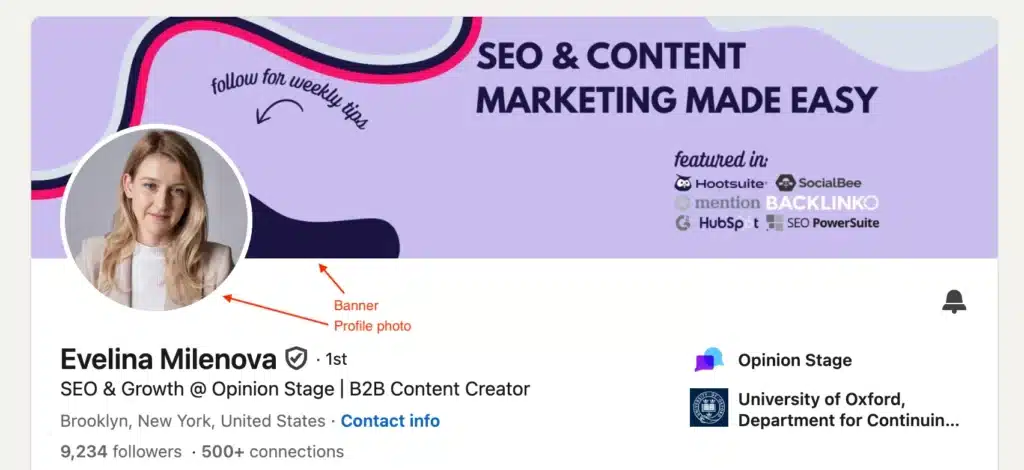
Recommended size & ratio for your LinkedIn profile images:
- Profile photo: 400 x 400 px (1:1 ratio)
- Background banner: 1584 x 396 px (4:1 ratio)
Tip: Stay consistent. Using the same colors, fonts, and style across LinkedIn, Twitter, Facebook, and other platforms strengthens your personal brand and helps you stand out in LinkedIn search results.
4. Post relevant content
Creating content on LinkedIn is the most powerful way to increase visibility and grow your audience. But here’s the thing: people don’t come to LinkedIn just for information. They come for connection, insight, and a real human perspective.
Especially now, when AI-generated content floods every corner of the internet, what people value most is authenticity.There are several LinkedIn post types to choose from:
- Text posts
- Single image posts
- Carousels
- Native videos
- Newsletters
- Polls
A. Text posts
Text-only posts are simple but powerful. They’re great for storytelling, asking questions, or sharing quick insights.
Take Tobias Müller’s post as an example. He uses short, punchy lines and breaks his message into a list, making it easy to scan. The topic (AI and prompt engineering) is timely, which helps with engagement. He also ends with a clear positioning line (“Follow me for insights…”), turning the post into both content and a soft elevator pitch.
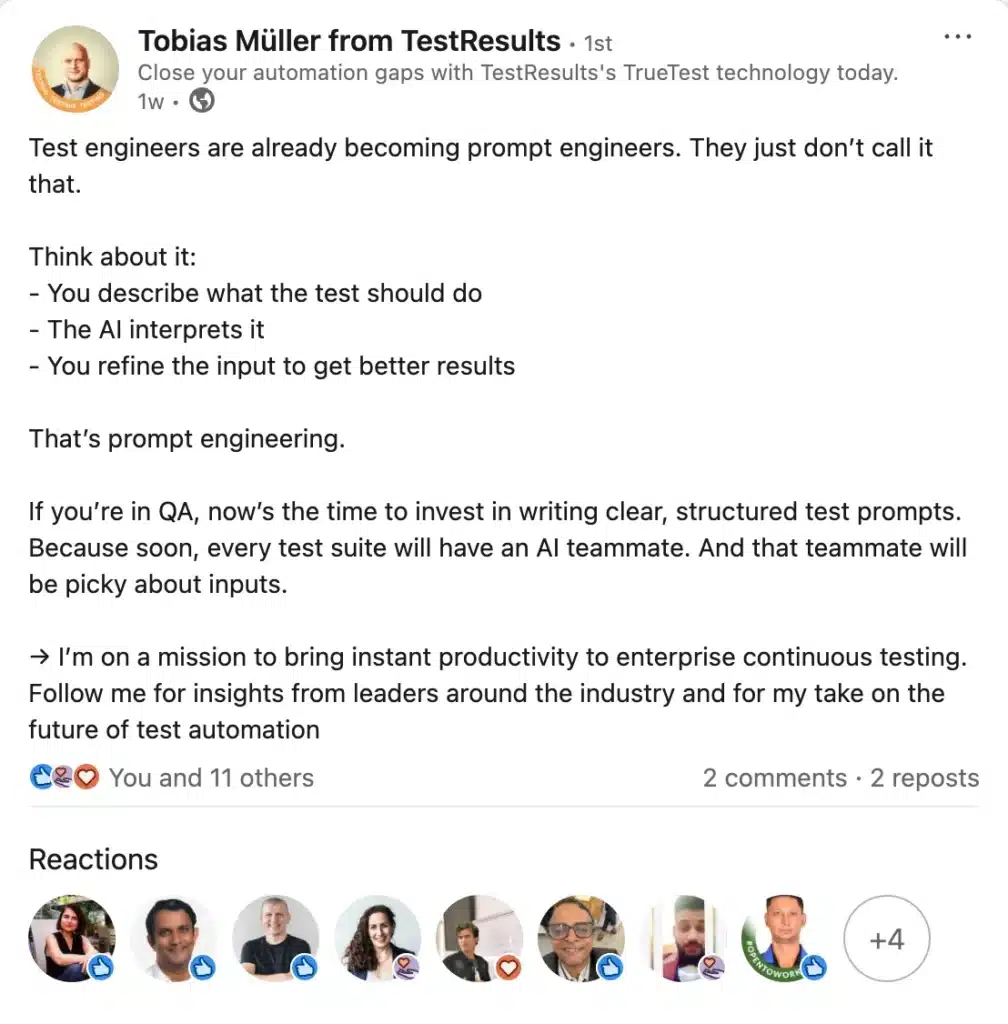
Action tip: When writing text posts, keep sentences short, use line breaks to create white space, and end with either a question or a call to action. This improves readability and increases the chances your post ranks in LinkedIn search results.
B. Single image posts
Images are scroll-stoppers. A strong visual (infographic, screenshot, etc.) paired with a short caption can drive more traffic and make your posts stand out.
Look at Penny Warnock’s post. Instead of a generic graphic, she used real quotes and reactions to her report as the image. This not only feels authentic but also doubles as social proof. The playful caption keeps it approachable while still driving readers to click her link.
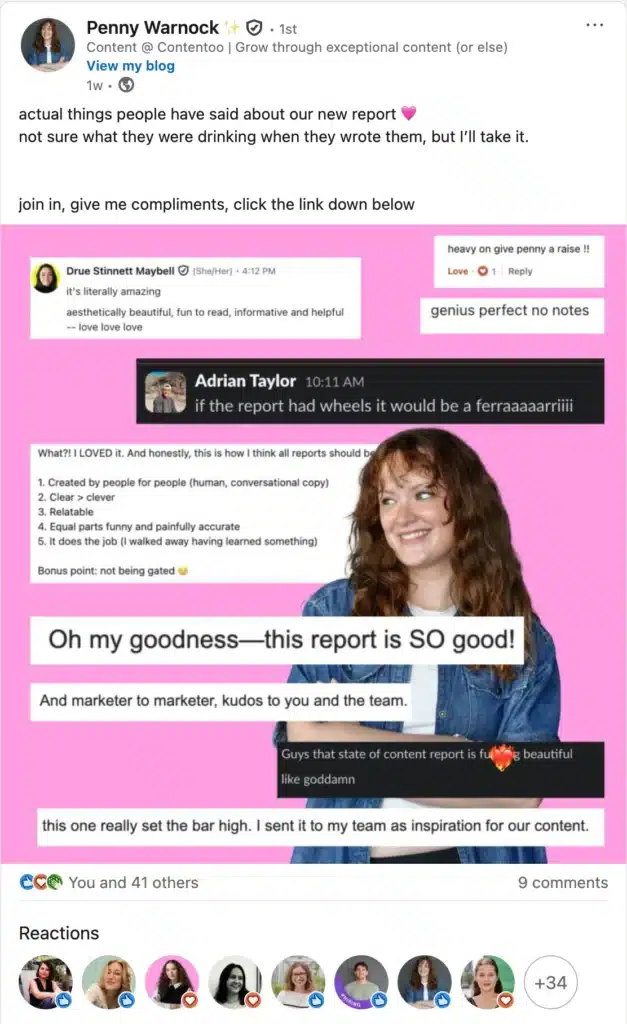
Action tip: Use screenshots, infographics, or visuals that showcase high quality content like client feedback, stats, or achievements. Pair them with a short, engaging caption that explains why the content matters to your target audience.
C. Carousels
Carousels are one of LinkedIn’s best-performing formats. They’re swipeable, easy to consume, and the algorithm favors them. They work especially well for educational content, storytelling, and breaking down tips step by step.
I’ve used carousels extensively to grow my own LinkedIn page. For example, my “7 Tips to Win at Local SEO” post reached a wide target audience because the format made the content simple to digest.
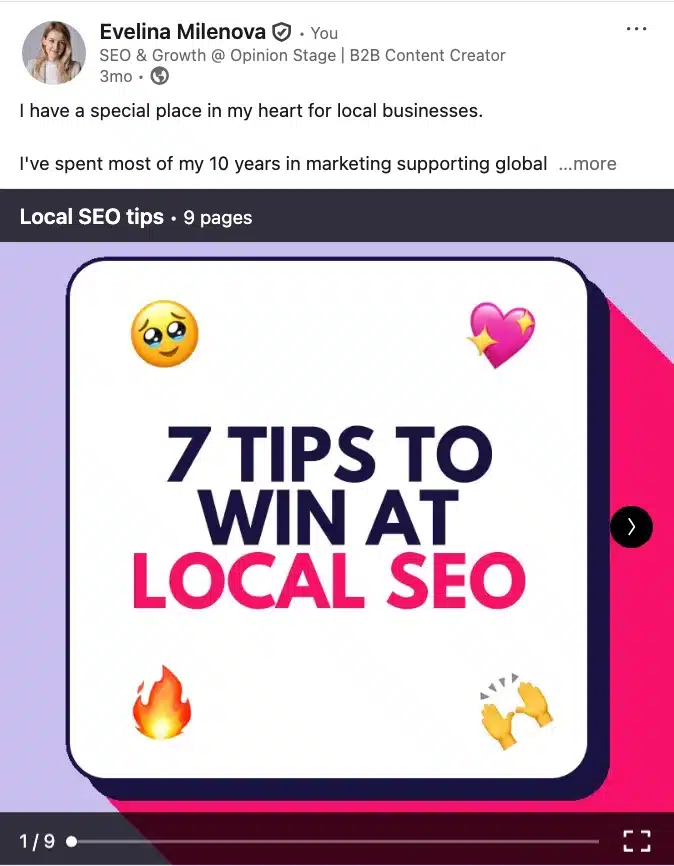
The first slide acted as a hook, the following slides shared practical, high-quality content, and the final slide included a call to action. This combination helped me attract more traffic, boost engagement, and improve my ranking in LinkedIn search results.
Action tips for designing LinkedIn carousels:
- Design each slide like a mini-presentation
- Keep text large and readable, even on mobile
- Start with a strong hook and end with a clear CTA
- Optimize the file name with keywords before uploading to help with LinkedIn SEO ranking
D. Native videos
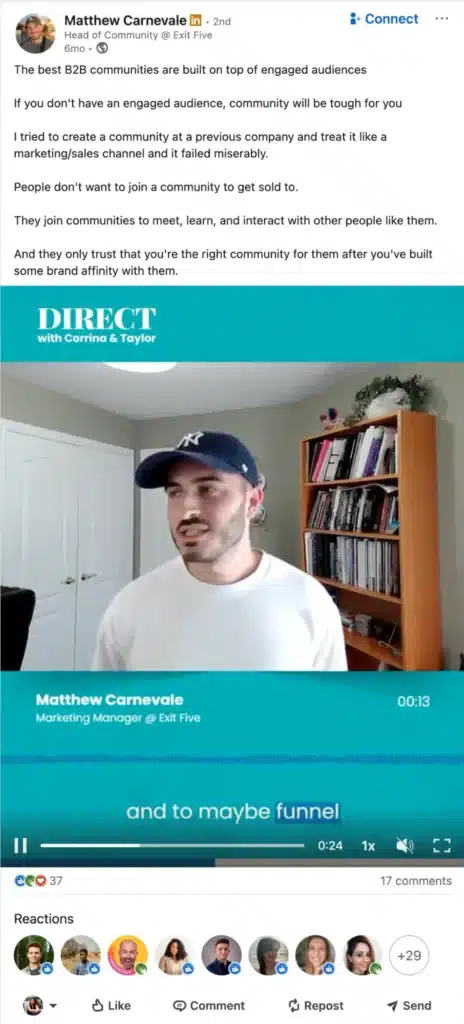
Native videos work well on LinkedIn because they feel personal and easy to consume. They’re perfect for sharing short tutorials, quick insights, or even snippets from longer content like podcasts or webinars.
The trick is to pick moments that stand on their own, add captions for people scrolling without sound, and keep it short enough to hold attention in the feed.
The clip from Matthew Carnevale is a good example. Instead of posting the full webinar, he shares a short, punchy segment about community building. It’s direct, relatable, and much easier for viewers to watch and engage with than a full hour-long recording.
E. Newsletters
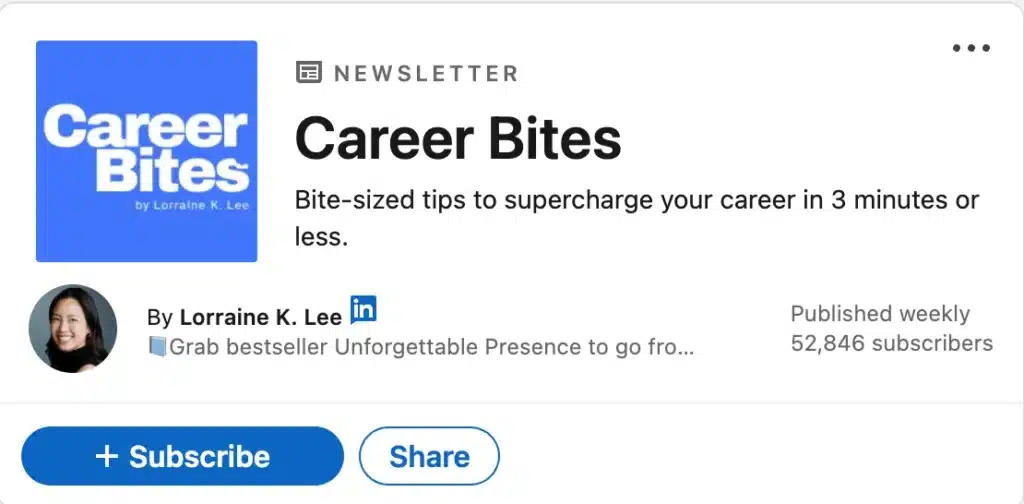
Newsletters on LinkedIn are a powerful way to build a loyal audience because subscribers get notified every time you publish. The secret is keeping them short, clear, and consistent. A set structure (like quick weekly tips or a short digest) makes it easy for readers to know what to expect.
Take Lorraine K. Lee’s Career Bites as an example. The promise is simple: “Bite-sized tips to supercharge your career in 3 minutes or less.” It’s clear, valuable, and easy to commit to, which explains why thousands of people subscribe.
F. Polls
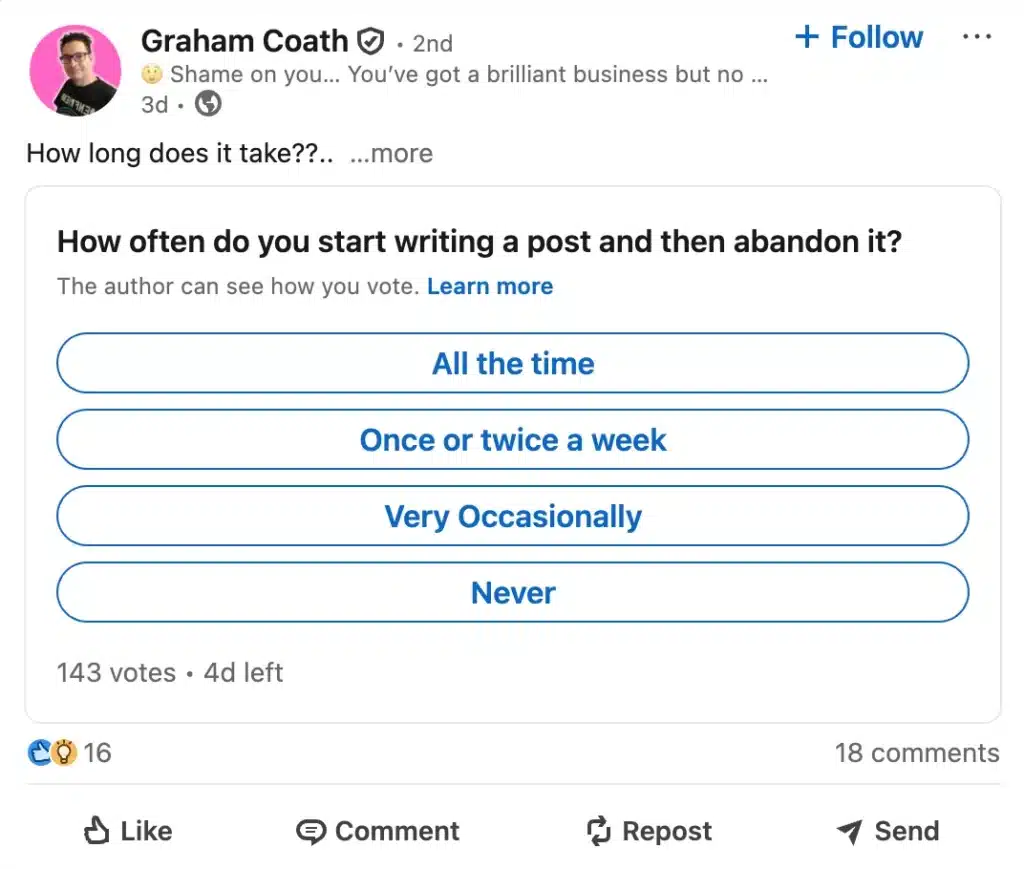
Polls are one of the easiest tools for boosting engagement. A good poll asks a relatable question, offers clear answer options, and sparks conversation in the comments.
Graham Coath’s poll works because almost everyone has been there. The answers are simple enough to click on, and the topic naturally invites people to share their experiences. Polls like this can also be repurposed later by posting a summary of the results.
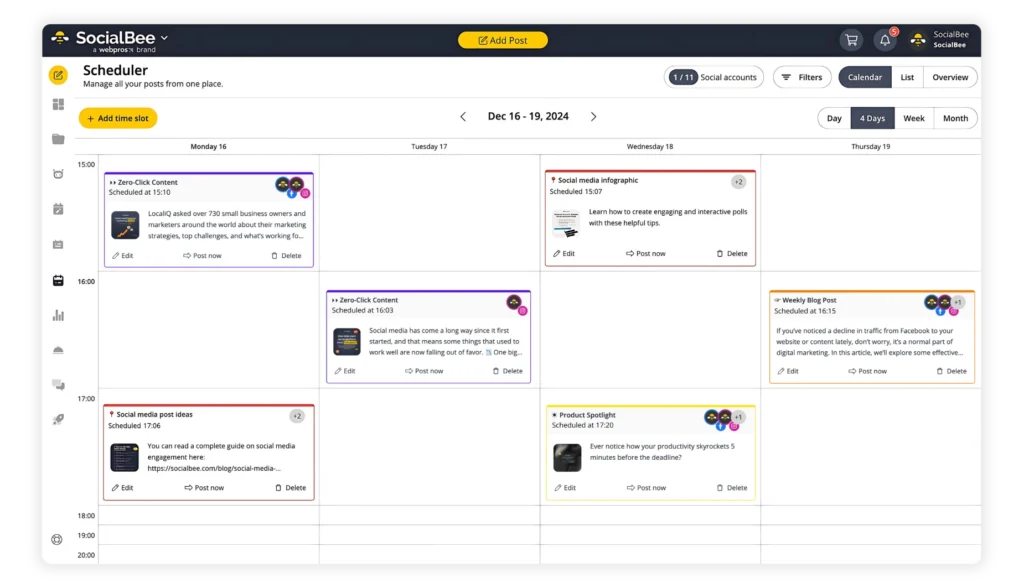
Note: LinkedIn polls are limited because you can’t add images or collect participants’ emails. If you’re looking for advanced functionalities, you’d need to use a dedicated poll maker like Opinion Stage.
5. Connect with the right people
LinkedIn’s algorithm pays attention to who interacts with your content, especially if those people are active and relevant in your industry. So connecting with them is a smart way to increase your visibility.
When someone likes or comments on a post, their connections can get notified. This helps your content reach more people beyond your immediate network.

This ripple effect helps your post gain more impressions and engagement.
If you’re trying to get the attention of a potential lead or top performer you’d love to connect with, don’t start with a cold message.
To warm up a new LinkedIn connection:
- Visit their profile.
- Like their posts over a few days.
- Leave thoughtful, relevant comments.
- Only after that, reach out with a personalized message or connection request.
And don’t start with a sales pitch. If you truly want to build connections, that’s not the way to go.
This strategy makes your name familiar and significantly increases your chances of getting a meaningful response.
Note: If you use LinkedIn for lead generation, you know that not every connection will be relevant or ready to convert. To save time and optimize your outreach process, it’s smart to verify the leads you collect.
6. Engage with other accounts
The algorithm favors active users, and that doesn’t just mean publishing content. It also means participating in conversations across the platform.
To make it a habit to expand your LinkedIn network consistently, every week:
- Maximize growth by connecting to targeted contacts: free LinkedIn accounts can send up to 100 requests weekly, while Sales Navigator users can send up to 200.
- Engage with other people’s content, especially posts that are trending in your feed. Or better yet, posts that have the potential to go viral and have just been shared.
- Leave at least 3-5 thoughtful comments/day that add to the conversation and drop 5-10 genuine likes.
This activity level shows LinkedIn that you’re here to contribute, not just broadcast. And when you engage with posts that already have reach, your name (and profile) becomes more visible to a wider, relevant audience.
Consistency is key here. Think of it as a daily warm-up for your personal brand: small, smart interactions that add up to big, long-term results.
7. Get recommendations
When others speak positively about your work, it builds instant credibility. Solid testimonials from colleagues, clients, or managers can be the extra push someone needs to reach out, follow, or hire you.
Just go to the Recommendation section on your LinkedIn profile (at the very bottom), click on the “+” sign and choose “Ask for a recommendation.” Then, select the person you’d like to ask and what’s your work relation to them (a colleague, manager, client, etc.).
Here’s a quick LinkedIn recommendation request template you can adjust to your needs:
Hi [Name],
It was great working with you on the [Project Name] project! I was wondering if you’d be open to writing me a LinkedIn recommendation. It would mean a lot, and I’d be happy to write one for you in return.
If you can, it would be great if your recommendation could highlight my [Skill / Achievement].
Let me know if you’d like me to include anything specific in my recommendation for you!

Tip: Don’t wait until you’re job hunting. Make it a habit to ask after wrapping up successful projects or collaborations.
8. Keep an eye on analytics
Creating great content is only half the game. The other half is understanding what actually works. Without tracking performance, you’re basically flying blind.
LinkedIn’s native analytics make it easy to get started and give you a few powerful insights:
- Impressions & engagement: how many people see and interact with your posts
- Profile views: how often your profile gets visited
- Follower growth: who’s following you and how that changes over time
- Search appearances: how often you show up in searches and what keywords people might be using
Regularly track on LinkedIn:
- Which post formats perform best for you?
- What topics drive the most engagement?
- Are certain days or times more effective?
- Is your follower count growing steadily?
- Are you attracting the right audience?
Tip: Make sure to review your analytics once a week. It only takes 10–15 minutes, but can help you dramatically improve results.
Frequently asked questions