Illustration of a social media planning scene with a laptop, coffee cup, notebook, and floating chat message elements in blue and yellow, representing content scheduling and online communication.

 [Template] How to create a Facebook content calendar

Most Facebook pages struggle because posting happens without a plan. As social media managers, if we plan our content in advance, we’re 356% more likely to report success than those who don’t.

At the same time, people spend an average of 2 hours and 23 minutes per day on social media, which means competition for attention is constant. 

A Facebook content calendar brings structure to that reality. It helps me plan ahead, organize social media posts, and maintain a consistent publishing schedule that supports my marketing goals. Instead of deciding what to post at the last minute, I map content by date, format, and purpose.

In this article, you’ll learn how to create a Facebook content calendar step by step, with a free template I’ve put together for my posting schedule, which you can use in Google Sheets right away.

Facebook calendar templates
Get a bundle of free, fully editable Facebook content calendar templates and customize them in seconds.

We’re SocialBee LABS SRL, part of WebPros. We use the information you provide to share relevant content and product updates, as outlined in our Privacy Policy. You can opt out anytime.

A SocialBee weekly Facebook content calendar template showing planned posts by day, time, content pillar, and engagement goal, with a date and time picker overlay for scheduling posts.

Short summary

  • Random Facebook posts lead to inconsistent results. A structured Facebook content calendar or social media content calendar helps you plan ahead, follow a clear publishing schedule, and keep your posting calendar realistic. 
  • A content calendar only works when it’s built on a solid content strategy. Defining goals, audience, topics, formats, and posting frequency upfront makes it easier to plan content and ensures every individual post supports your wider marketing goals and business priorities.
  • Picking a small set of recurring topics removes friction from content creation. Instead of reinventing the wheel, you rotate through planned posts like behind-the-scenes updates, educational content, or promotions.
  • Using a Facebook post planner to schedule posts in advance helps you stick to your plan, even during busy weeks. Whether you use Meta Business Suite or an AI-driven tool like SocialBee, scheduling content ahead of time supports a steady publishing pace and reduces daily effort.
  • A content calendar isn’t finished once posts are published. Reviewing performance data regularly helps you see what keeps your audience engaged, which post types perform best, and where to adjust. This review cycle is what turns a calendar into part of a successful social media strategy, not just a planning document.

Step-by-step: How to create your Facebook content calendar

Before you start adding posts to a calendar, you need a clear setup. A Facebook content calendar works best when goals, audience, topics, and posting frequency are defined upfront. Skipping these steps often leads to inconsistent posting and unfocused content.

The steps below walk you through building a Facebook content calendar from scratch, from setting goals to scheduling posts and reviewing results. Follow them in order to create a structure you can maintain over time.

Here are the steps you need to take to create a Facebook content calendar:

  1. Set Facebook goals that support your business
  2. Define the audience you want to attract and engage
  3. Pick 5 topics you’ll post about regularly
  4. Select the content formats you’ll use
  5. Decide how often you’ll post each week
  6. Plug everything into your content calendar
  7. Schedule posts in advance with a Facebook post planner
  8. Check results and adjust every month

Step 1: Set Facebook goals that directly support your business

Before you plan posts, decide what Facebook needs to deliver for your business. Vague goals lead to vague content. Clear goals make planning easier and results easier to track.

Use SMART goals: specific, measurable, achievable, relevant, and time-bound. For example, instead of “get more engagement,” set a goal like: increase average post engagement by 20% over the next three months by posting four times per week. That gives you something concrete to work toward and measure.

Your goals should connect directly to your wider marketing strategy. If Facebook is meant to drive traffic, focus on link posts and clear calls to action. If it’s meant to build community, plan more comments-driven posts, behind-the-scenes content, and stories. Every post should exist for a reason, not just to fill a date in the calendar.

Step 2: Define the audience you want to attract and engage

Be precise about who you’re talking to. Broad descriptions lead to generic content that gets ignored.

If you’re a business coach, your audience might be freelance designers with 3–5 years of experience, working solo, charging project-based fees, and struggling with irregular income. 

They already have clients, but they underprice their work, avoid sales conversations, and feel stuck at the same revenue level month after month.

That level of detail shapes your content. You can post about raising rates without losing clients, structuring retainers, handling pushback on pricing, or sharing behind-the-scenes examples from your own coaching work. The more specific the audience, the easier it becomes to plan relevant posts that people actually comment on and save.

Step 3: Pick 5 topics you’ll post about regularly

Posting gets easier when you stop treating every post as a one-off. A small set of recurring topics gives your content structure and keeps your page consistent.

If you run a restaurant, your five topics could be: daily specials and menu highlights, behind-the-scenes prep in the kitchen, staff stories, customer favorites and reviews, and upcoming events or seasonal dishes. These topics give you enough variety without drifting off-brand.

With clear topics in place, planning a week of posts becomes a lot faster. You’re choosing what to share, not scrambling for what to say.

PRO TIP

If you’re using a Facebook planner like SocialBee, you can turn these topics into content categories. Each category can have its own posting rules, so certain topics appear more often than others.

The planner then helps distribute posts automatically, keeping your content mix balanced without manual tracking. This makes it much easier to stick to your plan and avoid overposting the same type of content.

Step 4: Select the content formats you’ll use (e.g., Reels, Stories, Feed posts)

Facebook offers a wide range of formats, but not all of them need to be part of your plan. What matters is choosing formats you can maintain and that make sense for your cause.

If you run an NGO, you can use feed posts to share updates, impact stories, and links to campaigns or reports. 

Videos work well for explaining issues, showing work in the field, or highlighting real stories from the community you support. Stories are useful for behind-the-scenes moments, event reminders, or quick updates. 

Events can be used to promote fundraisers, talks, or volunteer days. Photo posts and albums are helpful for documenting projects and showing progress over time.

Start with a small set of formats you can publish consistently, then expand only if you have the time and resources.

Step 5: Decide how often you’ll post each week

Choose a posting frequency you can maintain long term. Consistency matters more than volume, especially when you’re planning content in advance.

For many pages, two to four posts per week is a solid starting point. While there’s no magic number of posts, it keeps your page active without putting pressure on content creation. Once that rhythm feels manageable, you can adjust based on engagement and available time.

Set your weekly cadence first, then plan content around it. That makes your calendar realistic instead of aspirational.

Step 6: Plug everything into your calendar

Now it’s time to bring all your planning together. Add your planned posts to your content calendar by date, platform, and format. This turns ideas into a clear publishing schedule you can actually follow.

A Facebook content calendar or broader social media content calendar helps you see the full week at a glance. You can check spacing between posts, balance different content types, and make sure nothing important is missing. At this point, your calendar becomes the central place where you plan ahead, organize content, and keep track of what’s coming up.

Keep it practical. Each entry should show what you’ll publish, where it goes, and when it needs to be ready.

Step 7: Schedule posts in advance with a Facebook post planner

Once your content is planned, scheduling it in advance keeps your calendar running without daily effort. The tool you choose affects how much work stays manual and how much is supported.

Meta Business Suite is Facebook’s native planner. It’s a free content calendar and works well for scheduling Facebook posts and basic Instagram content. You can publish feed posts, videos, links, and events, and see everything in a simple calendar view. It’s practical if you only manage a small number of social channels and already have content ready.

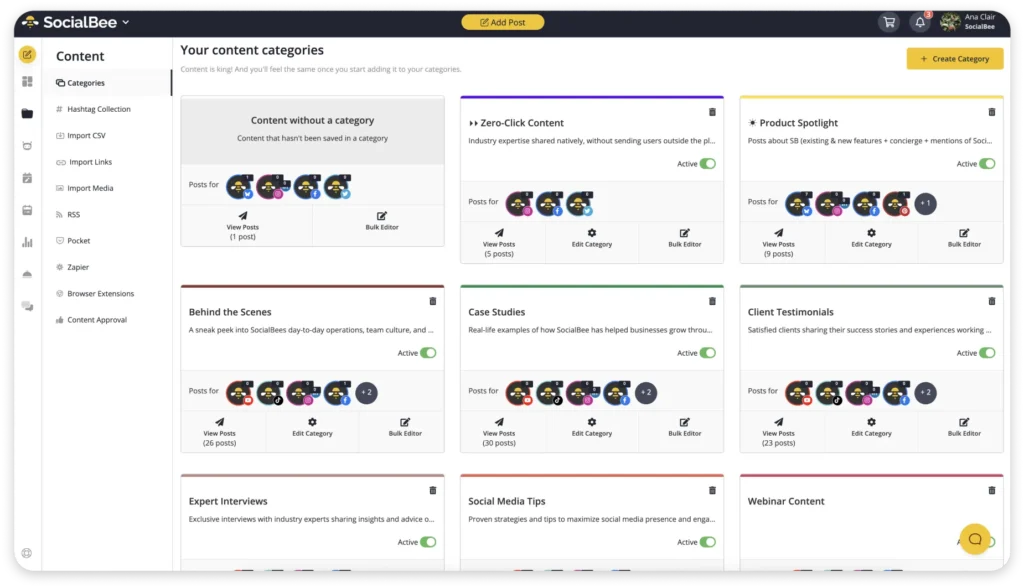
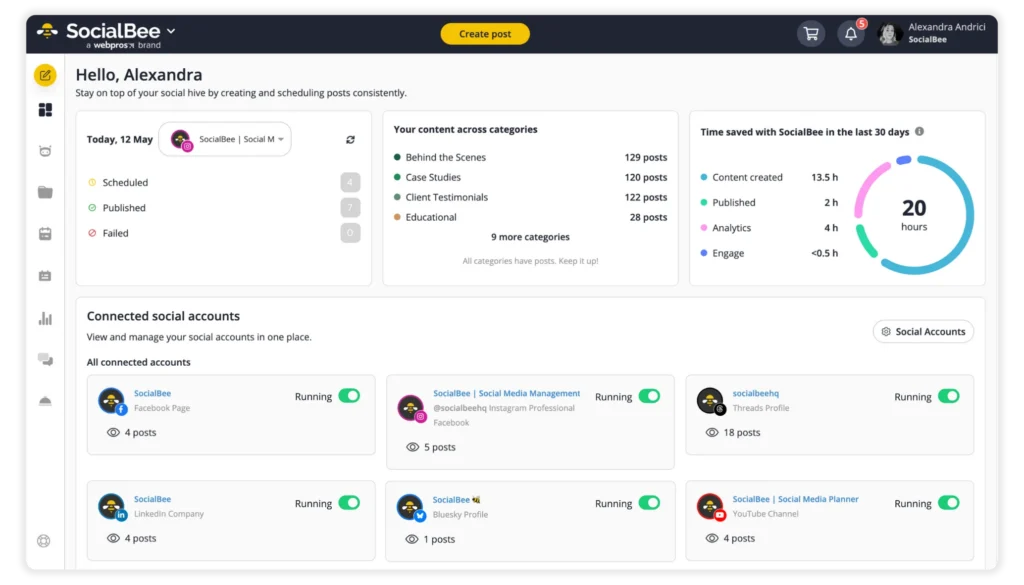
SocialBee, on the other hand,is a social media scheduling tool designed for teams and creators managing multiple social media accounts across multiple social networks. It’s built to reduce daily manual work while keeping your social media channels active and organized.

You can connect multiple accounts across popular social media platforms like Facebook Instagram, LinkedIn, X, Pinterest, and Google Business, and manage everything from one place. Creating a new post is simple: add text, upload images, choose the platform, set date and time, and publish posts in just a few clicks.

SocialBee’s AI tools help speed things up when you’re short on time. You can generate caption ideas, variations, and even images, which makes it easier to create content consistently without starting from scratch every time. This is especially useful when adapting posts for different social media accounts or platforms.

Beyond post scheduling, SocialBee includes a unified social inbox where you can reply to comments, mentions, and messages from different social media channels in one place. This keeps conversations organized and helps you stay responsive without switching between apps.

If you want a simple scheduling tool, Meta Business Suite is enough. If you want support with content creation, planning ahead, and managing a structured publishing schedule across platforms, SocialBee offers more control and flexibility.

Step 8: Check results and adjust every month

A content calendar only makes sense if you review it regularly. Once a month, look at how your social media efforts performed and what actually moved the needle. This doesn’t need to be complicated, but it does need to be consistent.

Start with a monthly view of your calendar and review a small set of key metrics:

  • Engagement (likes, comments, shares, saves)

  • Reach or impressions

  • Clicks or profile visits

  • Post format performance (text, visuals, video)

This gives you a clear picture of what supported your key marketing goals and what didn’t. Patterns usually show up fast: certain topics get more replies, some visual assets perform better, and daily posting may not be necessary to maintain consistent posting.

To keep this review simple, use social media calendar templates. Many free content calendar templates or free social media templates already include a to-do list, post status, and space for notes.

A solid media content calendar template includes sections for:

  • Content idea and platform

  • Visual assets (or links to them)

  • Important dates and campaign moments

  • Results and short performance notes

The best templates are fully customizable and allow custom fields, so you can track what matters to your social strategy instead of generic metrics. This is especially helpful for social media teams, where assigning tasks and keeping marketing communications aligned is just as important as posting itself.

After reviewing the data, update your plan for the next month:

  • Adjust content types that underperformed

  • Repeat formats that worked well

  • Refine posting frequency instead of forcing daily posting

  • Improve future posts based on real results, not assumptions

PRO TIP

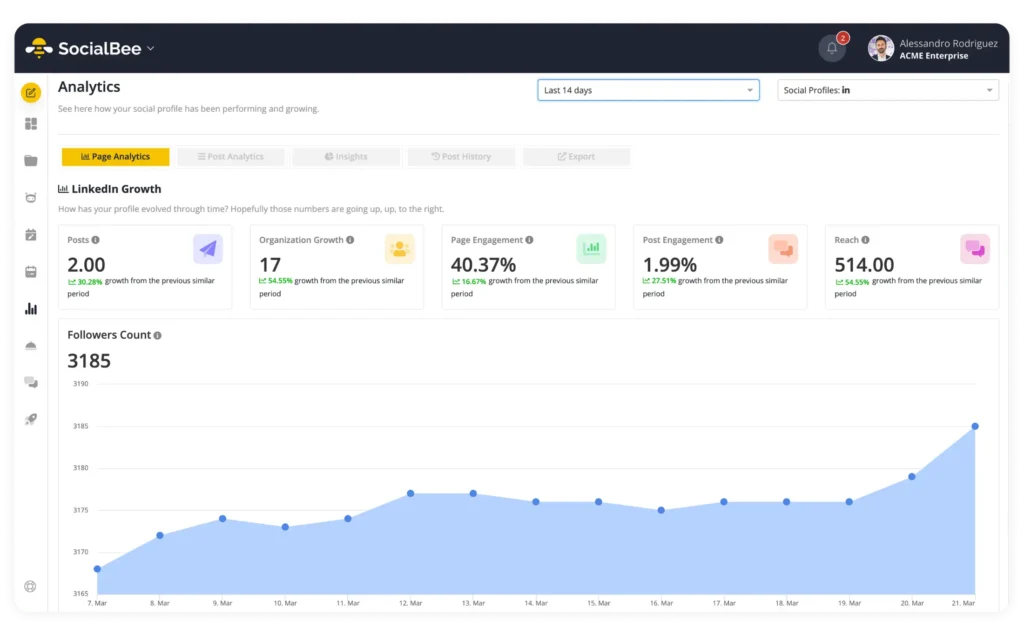
If you’re using SocialBee, you can track performance without jumping between tools. SocialBee shows metrics like reach, impressions, engagement, comments, clicks, and follower growth in one place. 

This makes it easier to track your social media presence, compare posts, spot patterns across weeks, and see which formats or topics actually perform best. Instead of guessing what works, you can use real data to adjust your content mix, posting times, and schedule with confidence.

Facebook content calendar example (with breakdown)

This example shows a social media content calendar filled out for one week. Nothing abstract. Every post has a clear purpose and supports the studio’s wider content strategy.
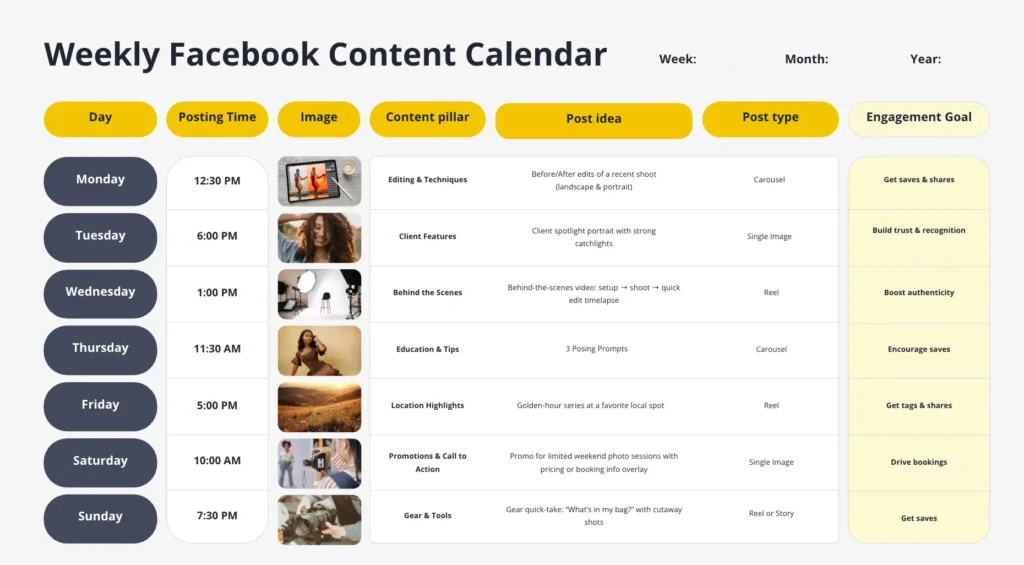
Weekly Facebook content calendar displayed in a table layout showing days of the week, posting times, image previews, content pillars, post ideas, post types, and engagement goals for a full Monday–Sunday schedule.

How this Facebook content calendar works in practice

Day and posting time
Posts are spaced out across the week at realistic moments, for example Tuesday evening or Saturday morning. This helps the studio stay visible, avoid overposting, and stay consistent without forcing daily posting. Posting at the right time also makes it easier to reach people when they’re actually scrolling.

Visual content
Each post includes a specific visual, planned in advance. That could be finished client portraits, behind-the-scenes phone shots, short setup videos, or simple location photos. Planning visuals early helps avoid last-minute scrambling and keeps visual content aligned with the brand. This is especially useful when you rely on product photos or client work.

Content pillar
The calendar rotates between clear themes to maintain content variety:

  • Client features and portraits

  • Behind-the-scenes studio work

  • Editing and posing tips

  • Location highlights

  • Limited-time offers or seasonal promos

This mix prevents repetition and supports larger campaigns without overwhelming the audience.

Post idea
Post ideas are specific and easy to execute:

  • “Before and after edit with a short caption explaining the process”

  • “Client spotlight with one quote from the shoot”

  • “Behind-the-scenes Reel showing lighting setup”

  • “Quick tip post on how to prepare for a photoshoot”

These ideas are tied directly to daily studio work, making it easier to post content without inventing new concepts each week.

Post type
Formats are chosen upfront so nothing is left to guesswork:

  • Carousels for before-and-after edits

  • Reels for behind-the-scenes moments

  • Single images for client features

  • Stories for quick updates or availability

This helps you plan multiple posts without repeating the same format over and over.

Engagement goal
Each post has one clear goal, for example:

  • Saves for educational tips

  • Shares for before-and-after edits

  • Tags for client features

  • Clicks or messages for booking posts

Tracking how posts performed makes it easier to see what works and adjust future posts.

Free Facebook content calendar template

To make planning easier, I’ve put together a free Facebook content calendar you can use right away. I built it to help you create a content calendar, plan ahead, and keep your social media posts in one place, without adding more admin to your week.

This social media content calendar makes it easier to schedule content and see what’s coming up at a glance. You can plan posts by date, platform, and content type, then simply click schedule when everything’s ready. It works as a social media calendar for Facebook, but you can also use it across other social channels if you manage Instagram posts, Stories, videos, links, events, or ads.

I’ve kept the template practical. There’s space for content ideas, post types, posting frequency, and short notes on how posts performed, so you can see what actually works. It’s useful whether you’re planning everyday posts or mapping out larger campaigns, and whether you’re sharing behind-the-scenes updates or product photos.

You can use it on your own or with a team. If you’re working with others, the calendar helps everyone stay organized and on the same page. If you manage your own account, it gives you a simple system to start building a routine that helps you stay consistent.

I’m sharing this as part of a set of free templates because the best tool is the one you’ll actually use. If your goal is to save time, post content more intentionally, and get a clearer picture of how your social media content is performing, this calendar is a solid place to start.

Facebook calendar templates
Get a bundle of free, fully editable Facebook content calendar templates and customize them in seconds.

We’re SocialBee LABS SRL, part of WebPros. We use the information you provide to share relevant content and product updates, as outlined in our Privacy Policy. You can opt out anytime.

A SocialBee weekly Facebook content calendar template showing planned posts by day, time, content pillar, and engagement goal, with a date and time picker overlay for scheduling posts.

Frequently asked questions

1. How can you view scheduled content on Facebook?

You can view scheduled posts in Meta Business Suite by opening your Facebook Page and going to Content or Planner. This shows scheduled, published, and draft posts in a calendar view. 

If you manage content across multiple platforms, tools like SocialBee also let you view and manage scheduled Facebook posts alongside other social media content in one place.

2. What is the difference between a content plan and a content calendar?

A content plan defines direction. It covers goals, audience, content types, and themes. A content calendar focuses on execution. It shows what gets published, on which date, on which platform, and in what format. 

Many teams define the plan first, then organize posts in a calendar using Google Sheets, Google Calendar, or a scheduling tool like SocialBee.

3. Can you create a calendar on Facebook?

Facebook does not provide a dedicated planning calendar for long-term content strategy. You can schedule posts inside Meta Business Suite, but it’s designed for publishing rather than planning. 

Many teams build their content calendar in Google Sheets or Google Calendar, or use tools like SocialBee to plan, schedule, and manage Facebook content alongside other platforms.

Time to create your Facebook content calendar!

A Facebook content calendar works when it’s actually used. That means planning ahead, keeping everything in one place, and making sure posting doesn’t depend on motivation or free time. When your calendar is clear, posting becomes routine instead of a weekly decision.

If you’re using a Facebook planner like SocialBee, the social media calendar becomes easier to maintain. You can plan posts in advance, group content by topic, and schedule everything in one place. SocialBee also helps with content creation by suggesting captions and variations, which cuts down manual work and speeds things up. For teams or busy businesses, that structure makes a real difference.

Instead of juggling documents, reminders, and last-minute drafts, you’re working from a system that supports consistency and visibility across your content.

Start your 14-day free SocialBee trial and build a Facebook content calendar you can actually stick to.


SocialBee blog CTA box visual with the supported platforms
SocialBee: Your AI-powered Facebook management tool
Create posts, publish, analyze, engage and collaborate, all from SocialBee.
Summarize this post

Manage your social media with SocialBee: publishing, AI assistance, Canva magic, analytics, unified inbox, and more.

14-day free trial, no credit card required

Related articles

Level up your social media marketing with exclusive resources delivered straight to your inbox

Somos SocialBee LABS SRL, parte de WebPros. Utilizamos la información que nos proporcionas para compartir contenido relevante y actualizaciones de productos, como se indica en nuestra Política de privacidad. Puedes darte de baja en cualquier momento.

Out of post ideas? Get our FREE social media calendar!

Access 500+ content ideas, post examples, and Canva templates.
We’re SocialBee LABS SRL, part of WebPros. We use the information you provide to share relevant content and product updates, as outlined in our Privacy Policy. You can opt out anytime.

... and turn your ideas in ready-to-share posts in seconds

Use SocialBee’s Free AI Post Generator to create content for your social media profiles.
SocialBee free AI generator