


Are you curious about how to start a career in social media management?
With businesses relying on social platforms more than ever, social media managers play a key role in building online connections and boosting brand visibility.
In this guide, you’ll find practical tips, must-have skills, and tools to help you get started. Whether you’re just learning the basics or ready to dive into advanced strategies, we’ve got you covered on your journey to becoming a social media manager.


What Is a Social Media Manager?
A social media manager is responsible for a brand’s presence across social media platforms.
Their job is to plan content, publish posts, engage with the audience, and support the brand’s marketing goals.
They also track performance, review analytics, and adjust the strategy based on what is working.
What Do Social Media Managers Do?
Social media managers handle the day-to-day work behind a brand’s social media presence.
Their responsibilities often include:
- Content creation: Write posts, create visuals, and find relevant content to share with the brand’s audience.
- Strategic planning: Set goals, understand the target audience, and decide how each social platform fits into the strategy.
- Project management: Manage campaigns from planning to launch, coordinate with team members, and keep deadlines on track.
- Engagement and communication: Reply to questions, join conversations, and keep the brand’s voice consistent.
- Data analysis: Track metrics such as engagement, follower growth, and conversions to see what is working.
- Content calendar management: Plan and schedule posts so content goes out consistently across platforms.
- Community management: Manage comments, messages, and conversations with followers.
- Social media advertising: Create paid campaigns, manage budgets, and track their results.
- Influencer and partner collaborations: Work with influencers and other partners to reach new audiences.
Of course, the exact responsibilities depend on the company and team. A social media manager at a small business may handle most of these tasks alone, while someone at a larger company may focus on only a few areas.
Either way, the goal is to make sure social media supports the brand’s wider marketing objectives.
How to Become a Social Media Manager
If you want to become a social media manager, you need a mix of platform knowledge, communication skills, strategy, and hands-on experience.
You also need to keep up with social media trends, since platforms and audience habits change often.
Here are the main steps to get started:
- Learn how the main social media platforms work
- Build the skills you need for the role
- Learn how to create a social media strategy
- Take digital marketing courses
- Build a social media portfolio
- Set realistic salary expectations
- Start looking for clients or job opportunities
1. Understand the Different Social Media Platforms
A good social media manager needs to understand how the main platforms work.
Each one has its own audience, content style, and best practices for content creation. Because of that, the same strategy will not work everywhere.
Here’s a quick overview of the major social media platforms:
| Platform | What to know |
| Useful for posts, Stories, live videos, Facebook Groups, and targeted ads. | |
| Built around visual content. Stories and Reels are especially important for brands that rely on images and short-form video. | |
| YouTube | Best suited to video content such as tutorials, product reviews, how-to videos, and longer brand stories. |
| X (formerly Twitter) | Focuses on real-time updates, news, opinions, and quick conversations. It can also be useful for customer service. |
| Bluesky | Bluesky focuses on public conversation and decentralized social networking. Its features and audience are still developing. |
| TikTok | Known for short-form video, viral trends, creator content, and a younger audience. |
| Works as a visual discovery platform and is especially useful for inspiration-based content and driving traffic to websites. | |
| Google Business Profile | Helps local businesses appear in Google Search and Maps while sharing details such as location, hours, services, and customer reviews. |
As a social media manager, your job is to understand these differences and adapt your content, posting style, and engagement to each platform.
2. Develop Your Necessary Skills
Social media management takes more than knowing how to publish posts.
You also need a mix of creative, strategic, analytical, and organizational skills.
Key skills include:
- Content creation: Learn how to write captions, create visuals, and edit simple videos. Tools like Canva can help with design.
- Strategic planning: Set clear goals, understand the audience, and build content calendars that support the wider marketing strategy.
- Communication: Write clearly, explain ideas, respond to feedback, and keep the brand voice consistent.
- Analytics: Use analytics tools to track performance and see what needs to change.
- Project management: Stay organized, manage deadlines, and keep several campaigns or tasks moving at the same time.
- SEO and digital marketing: Understand the basics of search, content marketing, and how social media supports other marketing channels.
- Creativity: Follow social media trends, test new ideas, and look for ways to make content stand out.
- Adaptability: Be ready to learn new platforms, features, and tools as social media changes.
- Customer service: Know how to handle questions, complaints, and feedback in a professional way.
You do not need to master every skill at once.
Start with the areas you use most often, then keep building your knowledge as you gain experience.
3. Learn How to Build a Social Media Strategy
A clear social media strategy gives direction to your content creation and helps connect your day-to-day work with the brand’s bigger marketing goals.
Here’s a simple way to build one:
- Set clear objectives: Decide what you want social media to achieve, such as more brand awareness, website traffic, leads, or sales. Make the goals specific and measurable.
- Understand your audience: Look at who you want to reach, what they care about, and which platforms they use. This will shape the content you create.
- Analyze competitors: See what similar brands are doing well, where they fall short, and where there may be room to stand out.
- Choose the right platforms: Focus on the social media platforms where your audience is active and where your content fits best.
- Build your content strategy: Decide what formats, topics, and themes you want to cover. Your content strategy should also balance promotional posts with useful content.
- Create a content calendar: Turn the strategy into a content calendar so you know what to publish, where, and when.
- Plan how you’ll engage: Decide how you’ll respond to comments, messages, and reviews so audience interaction does not become an afterthought.
- Measure and adjust: Track metrics such as engagement, follower growth, and conversions. Then use those results to improve the strategy over time.
The strategy does not need to be perfect from day one. What matters is having a clear plan, checking the results, and adjusting as you learn what works.
4. Take Digital Marketing Courses
Digital marketing courses can help you build skills faster, especially if you’re still learning the basics.
Here are a few places to start:
Course or platform | What you can learn |
Google Digital Garage | Digital marketing basics, including SEO, social media, and PPC. |
Facebook Blueprint | Facebook and Instagram marketing, ads, and performance insights. |
Coursera | Structured courses and specializations in digital marketing and social media. |
LinkedIn Learning | Practical lessons on social media, digital marketing, and related skills. |
Social media management fundamentals, copywriting, branding, and strategy. |
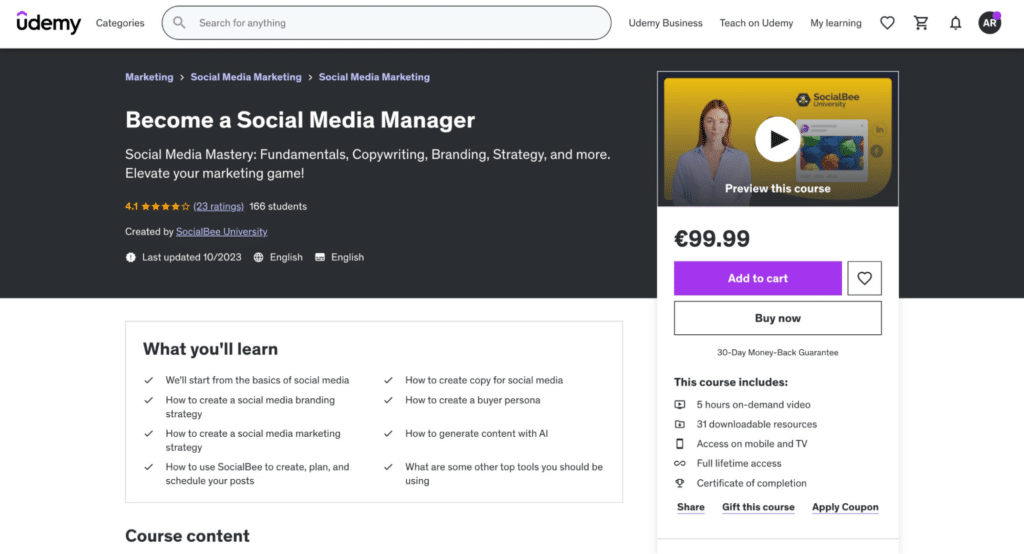
Start our “Become a Social Media Manager” course!
5. Build Your Social Media Portfolio
A strong portfolio shows what you can do, even if you do not have much paid experience yet.
Start with a few projects that show your skills, your thinking, and the results you achieved.
Here are some ways to build one:
- Start with personal projects: Manage an account around a topic you care about. Track your content creation, posting strategy, and growth.
- Use design tools: Canva and Figma can help you present your work in a clear, professional way.
- Get hands-on experience: Milou Pietersz recommends volunteering through platforms like VolunteerMatch. This gives you real projects to work on without the pressure of managing a high-stakes client account.
- Keep learning: Courses from online learning platforms like Coursera or LinkedIn Learning can strengthen your skills. Add relevant certifications to your portfolio.
- Choose a niche: Latasha James recommends specializing in an area that matches both your interests and experience.
- Show the results: For each project, explain the goal, what you did, and what changed. Include metrics such as growth, reach, or engagement when possible.
- Keep it updated: Add new projects as your skills improve and remove older work that no longer represents your best work.
- Make it easy to access: A personal website or LinkedIn profile can give potential clients or employers a simple place to review your work.
The TikTok example below shows one way to present a social media portfolio across social media platforms.
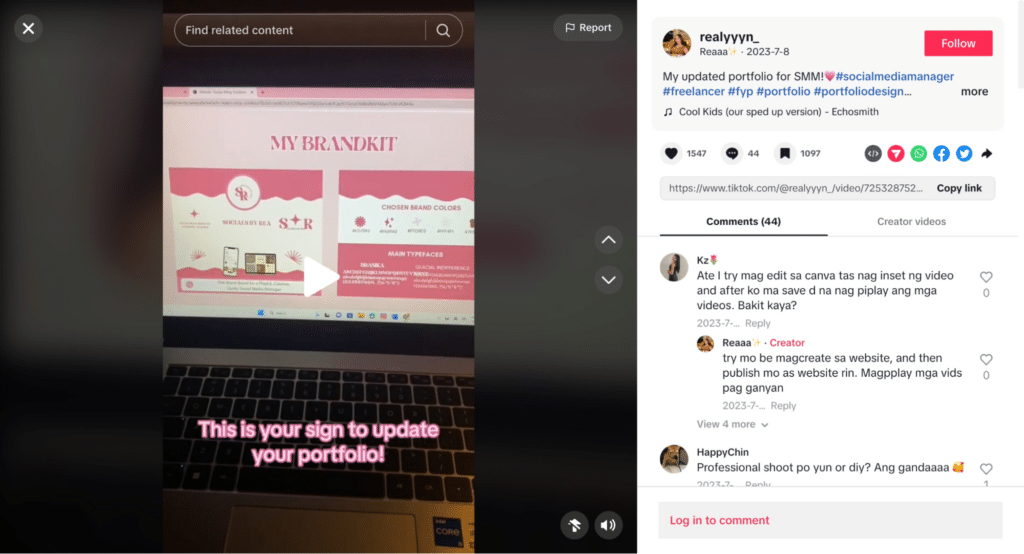
It works because it keeps the presentation simple. The portfolio highlights project goals, results, visuals, and contact details without making the viewer search for the important information.
6. Manage Your Salary Expectations
Social media manager salaries can vary a lot.
Your experience, location, industry, and the size of the company or client all affect what you can earn.
Research Market Rates
Start by checking what social media managers earn in your area and industry.
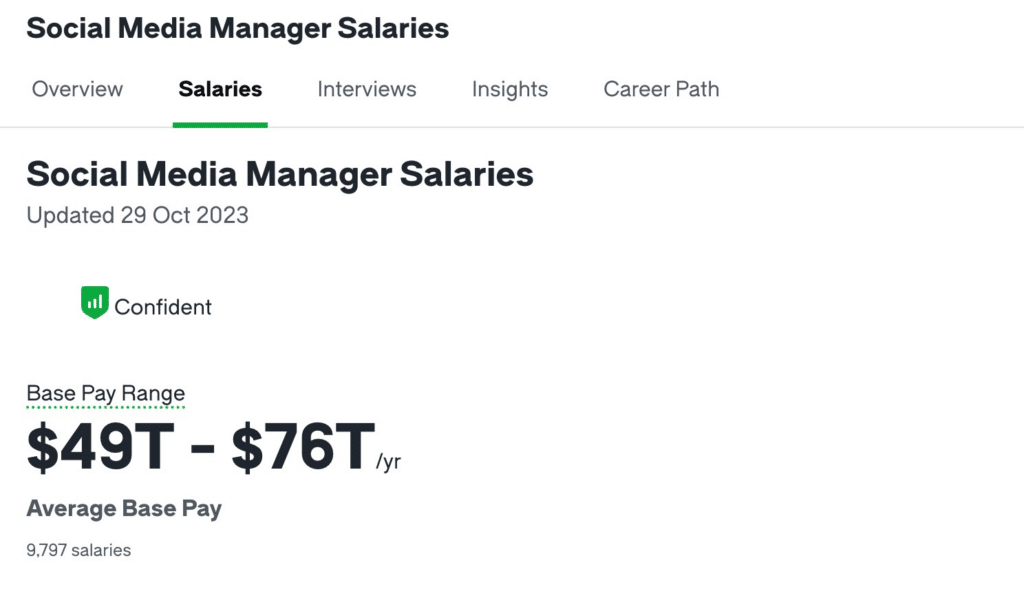
Sites like Glassdoor, Payscale, and LinkedIn Salary can give you a useful benchmark. For example, Glassdoor reports an average U.S. salary of $65,304 per year for social media managers.
Factor In Your Experience
Entry-level roles usually pay less.
However, as you build your portfolio, specialize, and show stronger results, you can ask for higher salaries or freelance rates.
Look Beyond the Base Salary
For employees, compensation includes more than salary.
Benefits, bonuses, retirement plans, training budgets, and work-life balance can all add value.
Freelancers need to look at the full picture too. That includes self-employment taxes and the lack of traditional employee benefits.
Negotiate With Evidence
When it’s time to negotiate, back up your asking price with proof.
Use your portfolio, results from social media campaigns, and examples of past work to show the value you bring.
Keep Up With the Market
Rates change as the role evolves.
New platforms, tools, and specializations can also affect what employers and clients are willing to pay.
Talk to Other Professionals
Peers can give you a clearer picture of current rates and expectations.
Industry groups, online communities, and professional networks are also useful places to learn how others price their work.
The goal is to understand what your skills are worth and have enough evidence to support the salary or rate you ask for.
7. Start Looking for Potential Clients
Once you have some skills and portfolio examples, the next step is finding real projects.
That might mean freelance clients, agency work, or a full-time role. Either way, the goal is to get more hands-on experience and build proof of what you can do.
Start With Your Network
Let people in your personal and professional circles know what services you offer.
Former colleagues, friends, and industry contacts may know businesses that need help with social media management.
Use Social Media to Show Your Skills
Your own social profiles can act as proof of what you know.
Milou Pietersz recommends practicing what you preach by staying active and consistent on your own accounts.
That way, potential clients can see how you create content, communicate, and manage a social presence before they contact you.
It also helps to join relevant LinkedIn, Facebook, and X communities where businesses may be looking for social media management services.
Create Lead Magnets
Free resources can help you attract people who may need your services later.
For example, you could offer a social media strategy template, host a short webinar, or create a checklist for small businesses.
Besides showing your expertise, these resources can help you build an email list and stay in touch with potential clients.
Try Freelance Marketplaces
Platforms like Upwork, Freelancer, and Fiverr can help you find your first projects.
Competition can be high, so focus on opportunities that match your skills rather than applying to everything.
Reach Out to Businesses Directly
You do not have to wait for clients to find you.
Look for businesses whose social media presence could be improved, then send a short, personalized message explaining where you could help.
Keep the focus on their needs rather than simply listing your services.
Build Referral Partnerships
Web designers, marketing agencies, copywriters, and content creators may work with clients who also need social media support.
Building relationships with these professionals can lead to referrals in both directions.
Create Content That Attracts Clients
Publishing useful content can also help potential clients discover your work.
That might include blog posts, case studies, social media tips, or guides based on problems your target clients often face.
You could also pitch guest posts to websites that reach a similar audience.
Attend Industry Events
Conferences, workshops, and local events give you a chance to meet potential clients and other professionals.
They also help you keep up with social media trends while growing your network.
Create a Professional Website
A website gives potential clients one place to see your portfolio, services, testimonials, and contact information.
It can also help you explain the type of work you specialize in and show examples of past projects.
Here’s one example:
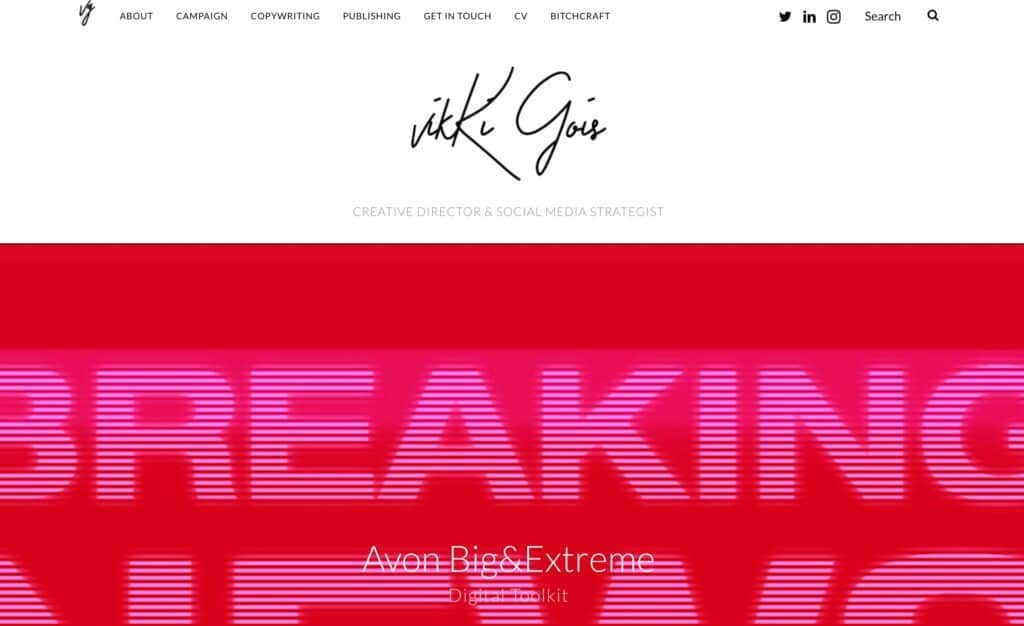
Vikki Gois uses her portfolio website to show her services, projects, and experience in one place.
5 Tools to Use as a Social Media Manager
The right tools can save time and make day-to-day social media work easier.
Here are five worth knowing:
- SocialBee for social media management
- Canva for graphic design
- Coursera for online learning
- InVideo for video creation
- Traackr for influencer marketing
1. SocialBee for Social Media Management
Managing several accounts at once can quickly become time-consuming.
SocialBee helps bring planning, content creation, publishing, analytics, and engagement into one place.
That means less time switching between tools and more time focusing on the work itself.
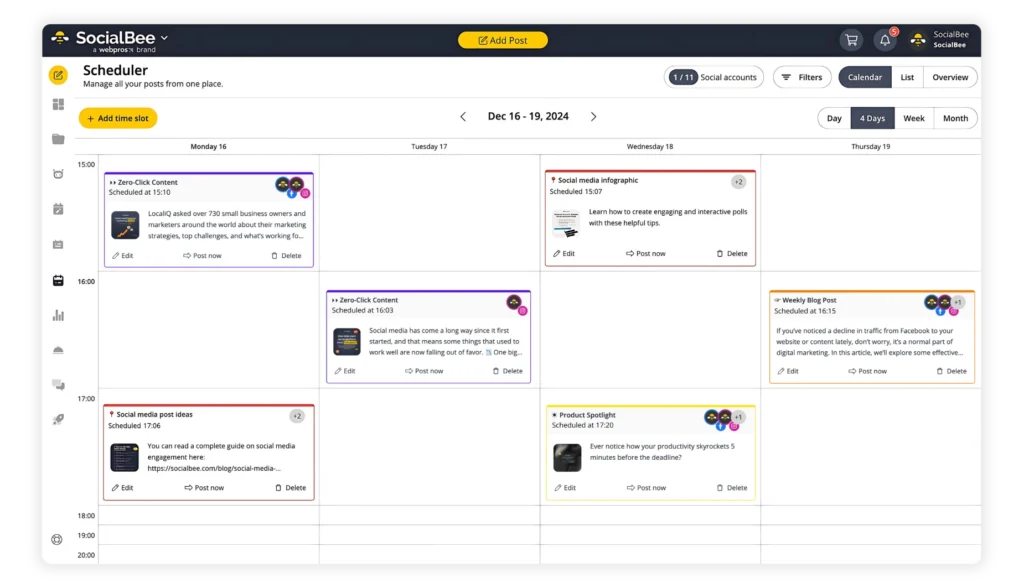
Schedule and publish your content across your social media platforms with ease from SocialBee.
Start your 14-day free trial now!
Some of the most useful SocialBee features for social media managers include:
- Platform support: Manage Facebook, Instagram, Threads, X, LinkedIn, Pinterest, Bluesky, Google Business Profile, TikTok, and YouTube.
- Visual integrations: Access Canva, Unsplash, and GIPHY without leaving SocialBee.
- AI content creation: The AI Post Generator helps create captions and images.
- Social Media Copilot: SocialBee’s Copilot helps plan a social media strategy, including platforms, content ideas, and posting schedules.
- Content categories: Organize posts by topic, campaign, or content type so your calendar stays balanced.
- Platform customization: Adapt the same post for different social networks instead of publishing one identical version everywhere.
- Evergreen posting: Recycle useful content and set time-sensitive posts to expire automatically.
- Scheduling: Use the content calendar to plan posts in advance and schedule them across profiles.
- Collaboration: Use workspaces and team features to manage different brands or clients.
- Analytics and reporting: Track account growth and post performance, then create reports to share with clients.
- Engagement: Reply to comments and mentions without checking each social platform separately.
Together, these features cover many of the tasks social media managers handle every day, especially when they are responsible for several accounts or clients.
2. Canva for Creative Graphic Design
Canva is a useful design tool for social media managers who need to create visuals quickly.
It includes templates, images, fonts, and other design elements, so you can build graphics without advanced design skills.
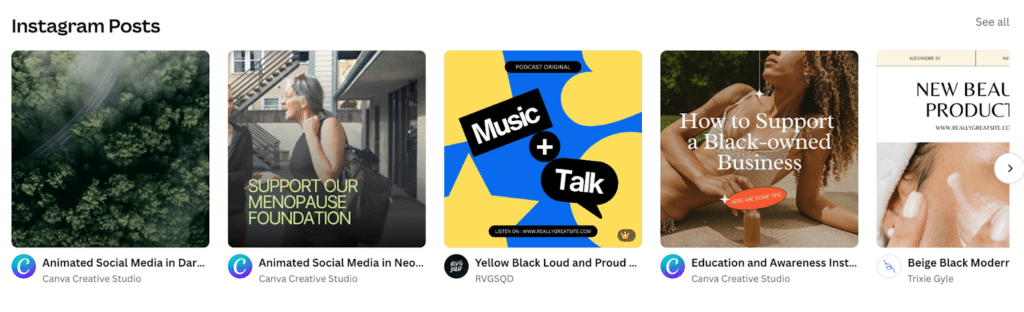
With Canva, you can create social media posts, banners, infographics, and ads in one place.
The drag-and-drop editor keeps the process simple, while collaboration features make it easier to review and edit designs with a team.
That makes Canva especially helpful when you need to produce polished visuals regularly without relying on a designer for every post.
3. Coursera for Online Courses and Free Resources
Coursera is a good option if you want to keep building your social media and digital marketing skills.
It offers courses from universities and industry experts on topics such as digital marketing, content strategy, and analytics.
You’ll find both beginner and more advanced courses, so it can be useful whether you’re just starting out or want to improve a specific skill.
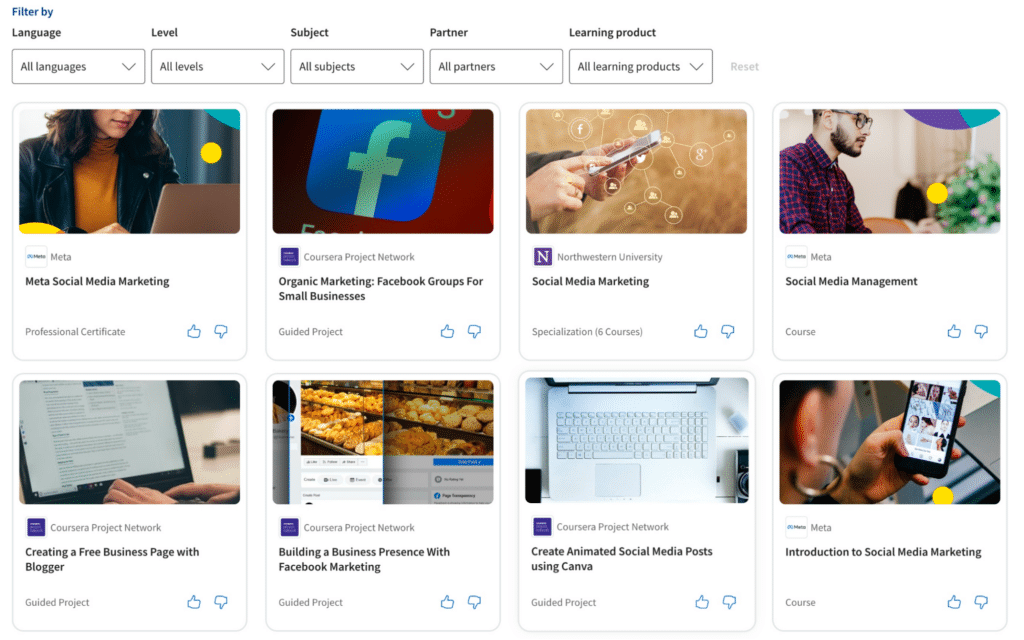
Many courses are self-paced, and some also offer certificates.
That makes Coursera a practical way to keep learning and stay up to date with social media best practices.
4. InVideo for Video Creation and Editing
InVideo helps social media managers create and edit videos without needing advanced editing skills.
It includes templates and customization options for promotional videos, testimonials, educational content, and other social media formats.
You can add text, music, animations, and other elements directly in the editor.
Because of that, InVideo can be useful for creating Instagram Stories, YouTube videos, Facebook ads, and other video content from one place.
5. Traackr for Influencer Marketing
Traackr is built for managing influencer campaigns.
It helps social media managers find creators, organize relationships, and track campaign performance.

The platform also helps you compare influencers based on audience fit and measure results such as reach and engagement.
That makes it useful when influencer partnerships are a regular part of your social media strategy.
Want to explore more useful social media tools?
Our YouTube video covers tools for tasks like turning blog posts into videos, creating visuals, finding influencers, and managing content more efficiently.
It’s a quick way to discover more tools that can save time and make day-to-day social media work easier.
Frequently Asked Questions
1. Do You Need a Marketing Degree to Be a Social Media Manager?
No, a marketing degree is not required to become a social media manager.
What matters more is whether you can do the work. That includes content creation, strategy, analytics, and understanding how different platforms work.
Because of that, many social media managers build their skills through online courses, self-study, and hands-on experience rather than formal education.
2. What Makes a Good Social Media Manager?
A good social media manager needs both creativity and strategy.
Creativity helps with writing posts, developing ideas, and making content stand out. But it also needs to support a clear goal.
That means understanding the brand, knowing the audience, planning for engagement, and tracking results.
From there, a strong social media manager uses that data to see what is working and adjusts the strategy when needed.
3. Can I Become a Social Media Manager With No Experience?
Yes, you can start without professional experience.
Begin by learning the basics of social media marketing, analytics, and content creation.
Then, put those skills into practice. Manage your own accounts, help a small business or nonprofit, or create a personal project.
As you build experience, document what you worked on and the results you achieved. Those examples can become the foundation of your portfolio and help you apply for your first role or client project.
Ready to Become a Social Media Specialist?
Becoming a social media manager takes practice, not perfection.
Start by learning the main platforms, building your core skills, and creating a few projects you can add to your portfolio. From there, keep improving through real experience, courses, and regular performance reviews.
The more you practice planning content, managing accounts, and reading analytics, the easier it becomes to show clients or employers what you can do.
When you’re ready to manage content more efficiently, SocialBee can help with planning, scheduling, content creation, analytics, and engagement.
Start your 14-day SocialBee trial and put your social media management skills into practice.
Choose your next read:
- How to Do Social Media Project Management
- Should you outsource your social media marketing?
- How to build a winning social media team from scratch
- Why Experts Use Only One Social Media Management Dashboard
- I reviewed the best social media auto posting tools – here’s my take
- Understanding share of voice in social media