Overlapping card-style graphic displaying the SocialBee and Sendible logos side by side on white rounded rectangles.

SocialBee: Best Sendible alternative for AI-powered social media management

From AI-generated content strategies to a more complete inbox, analytics, and publishing tools, SocialBee helps you do more with every post.

Before vs. after using SocialBee

Discover why our clients switched to SocialBee and never looked back.

Your life with other tools

Picture of "I've used tools like Later, Hootsuite, and Sprout Social. I found it difficult to keep up with all my tasks."
"I've used tools like Later, Hootsuite, and Sprout Social. I found it difficult to keep up with all my tasks."
Picture of "I switched from Buffer to SocialBee. I struggled with posting consistently on social media."
"I switched from Buffer to SocialBee. I struggled with posting consistently on social media."
Picture of "I tried multiple tools: Hootsuite, Recurpost, Buffer, IFTTT, Zapier - all of them with their limitations. "
"I tried multiple tools: Hootsuite, Recurpost, Buffer, IFTTT, Zapier - all of them with their limitations. "
Picture of "Before SocialBee, we used Hootsuite and faced issues like poor customer service and inconsistent service. "
"Before SocialBee, we used Hootsuite and faced issues like poor customer service and inconsistent service. "
Picture of "I had been working with SocialOomph before, and was working with MeetEdgar when I switched to SocialBee."
"I had been working with SocialOomph before, and was working with MeetEdgar when I switched to SocialBee."

Your life with SocialBee

Picture of "SocialBee has saved me so much time and stress. Their scheduling tool will let you rest all month long."
"SocialBee has saved me so much time and stress. Their scheduling tool will let you rest all month long."
Picture of "SocialBee helps you post consistently and put your social media posting on autopilot.  It's easy to use and explore."
"SocialBee helps you post consistently and put your social media posting on autopilot. It's easy to use and explore."
Picture of "SocialBee is versatile and easy to use. I can now do everything in one place and the limitations are gone!"
"SocialBee is versatile and easy to use. I can now do everything in one place and the limitations are gone!"
Picture of "SocialBee excels in providing clear function guides and timely customer support. The result? Peace of mind. "
"SocialBee excels in providing clear function guides and timely customer support. The result? Peace of mind. "
Picture of "I’ve been saving more time creating my social media presence, and the engagement of my posts has improved. "
"I’ve been saving more time creating my social media presence, and the engagement of my posts has improved. "

Why SocialBee is the best Sendible alternative

Better AI content features

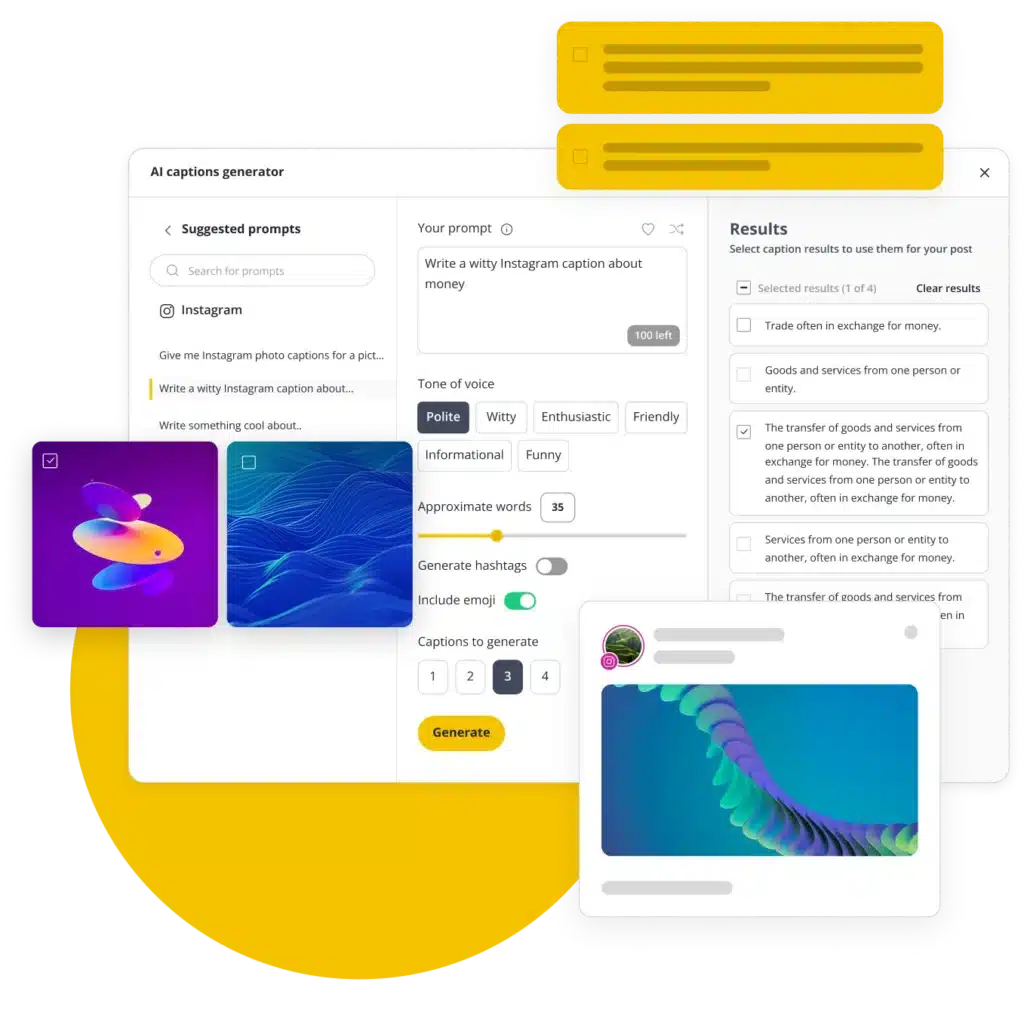
A social media post isn’t just text. While Sendible’s AI mainly focuses on captions and hashtags, SocialBee can also generate images and create platform-specific post variations, helping you create content that’s ready for every social network.

Get a strategy tailored to your business

Instead of generic AI suggestions, SocialBee can analyze your website or learn about your brand through a few simple questions. Get a personalized social media strategy, content ideas, posting recommendations, and ready-to-share posts in minutes.

Don't miss important conversations

Unlike Sendible, SocialBee lets you reply to social media mentions and supports conversations across Threads, X (Twitter), and Instagram DMs from one inbox.

Track performance across more platforms

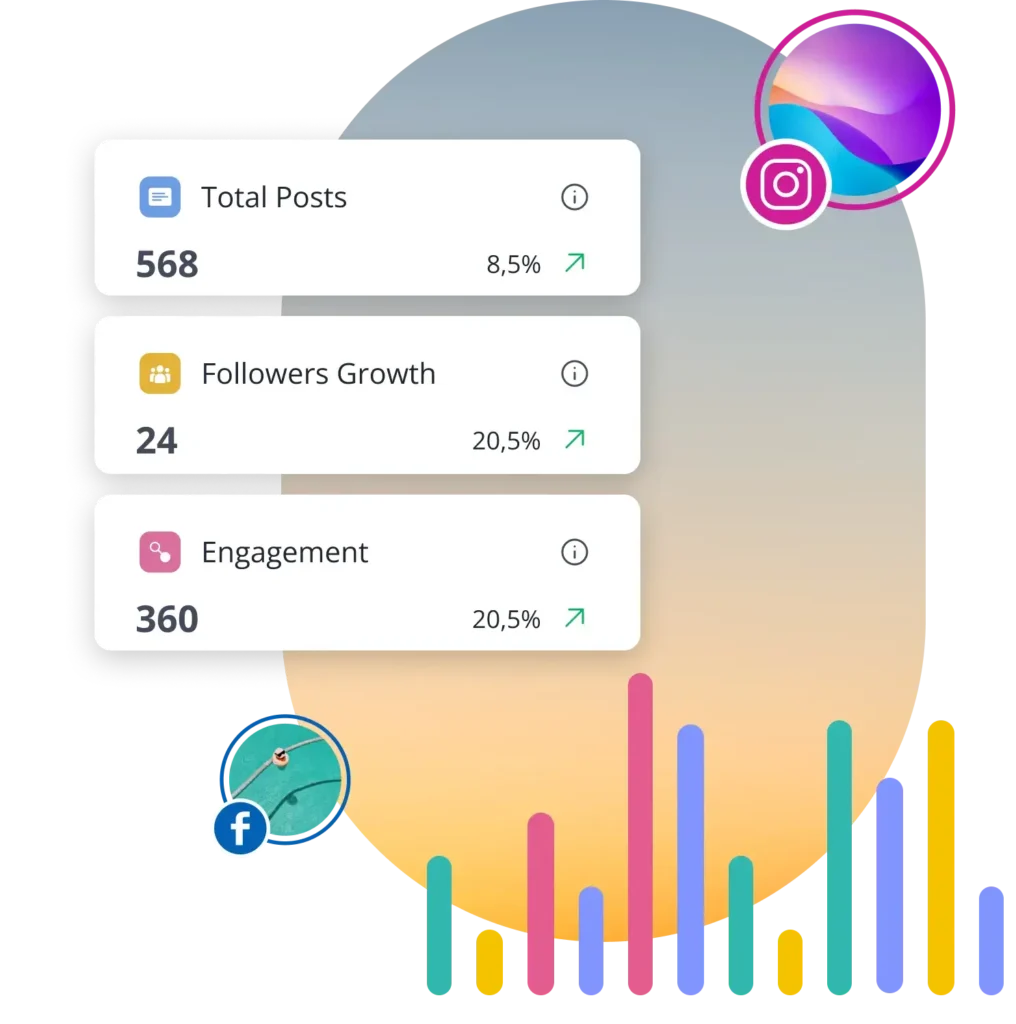
While Sendible’s analytics are limited to a smaller set of networks, SocialBee also supports X (Twitter), Threads, Pinterest, and Google Business Profile. That means fewer gaps in your reporting and less time jumping between platforms.

Schedule posts on ANY channel

Unlike Sendible, which is limited to supported platforms, SocialBee’s Universal Posting helps you plan content for virtually any channel.

Whether you’re sharing content on Reddit, Telegram, Mastodon, WhatsApp, Facebook Groups, or other communities, you can keep everything organized in one content calendar.

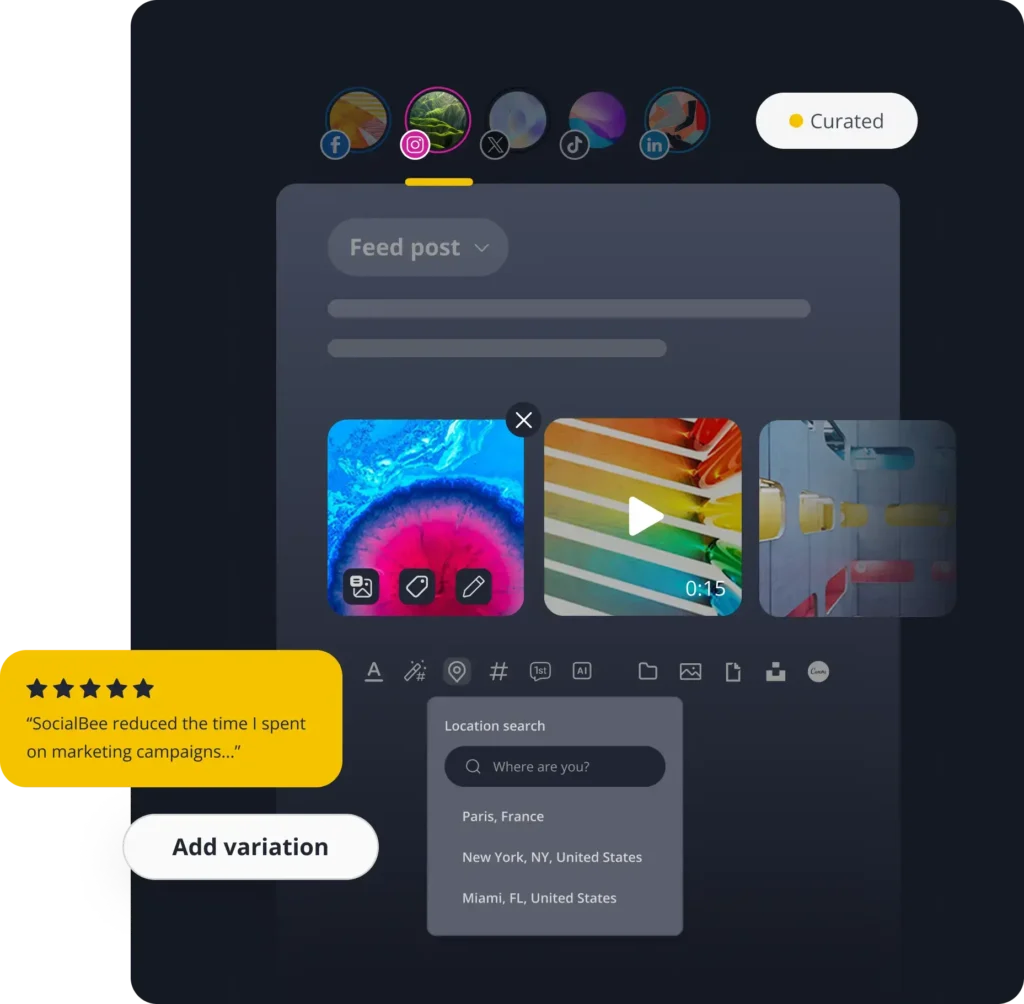
SocialBee's post editing features

SocialBee: Top-rated platform

Check out how independent sources compare and review SocialBee and Agorapulse.

Winter 2026 G2 badge displaying ‘Momentum Leader’ for social media management.
Winter 2026 G2 badge recognizing ‘High Performer’ in the Mid-Market category for social media management.
Winter 2026 G2 badge labeled ‘Leader’ for Small Business in social media management.
Winter 2026 G2 badge showing ‘Regional Leader’ for Small Business in Europe in social media management.

SocialBee vs Sendible: Feature comparison

Compare both tools, explore their features, and choose the best fit for your social media strategy.

FEATURES
SocialBee
Sendible
Content creation
AI assistant
green check icon
x icon
AI caption generation
green check icon
green check icon
AI image generation
green check icon
x icon
Manual post customization
green check icon
green check icon
Automatic AI post customization
green check icon
x icon
Instagram location tagging
green check icon
green check icon
Account tagging
green check icon
green check icon
Custom thumbnails
green check icon
green check icon
Alt text
green check icon
x icon
Hashtag generator
green check icon
green check icon
Hashtag collections
green check icon
green check icon
Image editor
green check icon
green check icon
Post variations
green check icon
x icon
Post drafts
green check icon
green check icon
Link shortening and tracking
green check icon
green check icon
CSV upload
green check icon
green check icon
RSS feeds
green check icon
green check icon
Social media scheduling and publishing
Post on
Facebook, Instagram, X (Twitter), LinkedIn, Pinterest, TikTok, YouTube, Bluesky, Threads and Google Business Profile
Facebook, Instagram, LinkedIn, X (Twitter), YouTube, TikTok, Google Business Profile, Bluesky, and Threads
Social media scheduling
green check icon
green check icon
Social media publishing
green check icon
green check icon
Content categories
green check icon
green check icon
Best posting time suggestions
green check icon
green check icon
Re-queue posts after posting
green check icon
green check icon
Post expiration
green check icon
green check icon
Bulk scheduling
green check icon
green check icon
First comment scheduling
green check icon
green check icon
Visual content calendar
green check icon
green check icon
Instagram grid preview
green check icon
green check icon
Universal posting
green check icon
x icon
Team collaboration tools
User roles & permissions
green check icon
green check icon
Approval workflows
green check icon
green check icon
Internal notes
green check icon
green check icon
Team member tagging
green check icon
x icon
Workspaces for different brands
green check icon
x icon
Social media analytics
Supported social platforms
Instagram, Facebook, X (Twitter), Pinterest, LinkedIn, YouTube, Threads, TikTok, and Google Business Profile
Facebook, Instagram, LinkedIn, TikTok, and YouTube
Export PDF reports
green check icon
green check icon
Add logos to reports
green check icon
green check icon
Account performance analytics
green check icon
green check icon
Post performance analytics
green check icon
green check icon
Top performing topics & post types
green check icon
green check icon
Category metrics
green check icon
x icon
Audience demographics
green check icon
x icon
Unified social inbox & community management
Supported social platforms
Facebook, Instagram, X (Twitter), LinkedIn, YouTube, Threads
Facebook, Instagram, LinkedIn, and YouTube
Mentions
green check icon
x icon
Comments
green check icon
green check icon
DMs
green check icon
green check icon
Integrations
Canva
green check icon
green check icon
Unsplash
green check icon
x icon
GIPHY
green check icon
green check icon
Shortlink tools
green check icon
green check icon
QUUU content curation
green check icon
x icon
Zapier
green check icon
green check icon
Pabbly
green check icon
x icon
Make
green check icon
x icon
Customer support
Help documentation
green check icon
green check icon
Email support
green check icon
green check icon
Human chat support
green check icon
green check icon
Support calls
green check icon
green check icon
Additional tools
Mobile app
green check icon
green check icon
Migration / onboarding
green check icon
x icon
Plans & pricing
Starting price
$29/mo
$29/mo
Free trial
green check icon
green check icon

We'll help you migrate to SocialBee

If you’re moving from Sendible, we’ll help you bring your social media marketing setup with you. Your posting schedule, RSS feeds, and shortlink settings can be moved over, so you don’t have to rebuild everything.

Once it’s done, you’ll get a quick summary of what was migrated, and you’re good to go.

Julia

Frequently asked questions

Do you have questions left unanswered?

Contact us or schedule a call.

What is SocialBee?

SocialBee is an AI-powered social media management tool that helps you plan, create, and schedule content across all major social media platforms, including Facebook, Instagram, X (Twitter), LinkedIn, Pinterest, TikTok, YouTube, Threads, Bluesky, and Google Business Profile.

It also includes AI tools that help you figure out what to post, write captions, and create visuals when you need a hand. You stay in control, but you do not have to start from scratch every time.

If you work with a team, SocialBee makes it easy to review and approve posts before they go live. You can also see how your social media campaigns are performing through simple analytics and reply to comments, mentions, and messages from one place.

Which is better, Sendible or SocialBee?

Both SocialBee and Sendible help you schedule and manage social media content, but SocialBee gives you more ways to create content, engage with your audience, and reach people on more platforms.

One of the biggest differences is AI. While Sendible’s AI mainly helps with captions and hashtags, SocialBee can do much more. It can analyze your website and create a personalized social media strategy with content ideas, posting recommendations, AI-generated images, captions, and platform-specific post variations.

SocialBee also helps you stay on top of more conversations. Unlike Sendible, it supports social media mentions, Threads engagement, X (Twitter) engagement, and Instagram DMs, making it easier to manage comments, mentions, and messages from one place.

When it comes to analytics, SocialBee gives you a more complete view of your performance. In addition to the social networks Sendible supports, it also includes analytics for X (Twitter), Threads, Pinterest, and Google Business Profile, so you can track more of your social media performance without jumping between different tools.

Another advantage is scheduling flexibility. Sendible only supports the platforms it integrates with directly. With SocialBee’s Universal Posting, you can also plan content for channels like Reddit, Telegram, Mastodon, WhatsApp, Facebook Groups, Quora, and more.

How can I migrate from Sendible to SocialBee?

Fill in the form from this page. Our team will contact you within a few business days for a 15-minute call to start your migration and provide a custom pricing quote. We’ll transfer all your content, schedule, and settings for you.

How much does SocialBee cost, and what’s included in each tier?

SocialBee has six plans, so you can pick the one that matches the number of social media accounts, brands, and team members you manage.

No matter which plan you choose, you’ll be able to schedule and publish content to Facebook, Instagram, X (Twitter), LinkedIn, Pinterest, TikTok, YouTube, Threads, Bluesky, and Google Business Profile. Every plan also includes AI-powered content creation, a social inbox, analytics, content organization tools, and collaboration features.

  • Bootstrap ($29/month): A great starting point for solopreneurs and small businesses. Connect up to 5 social profiles and get access to all the essentials for planning, creating, and publishing content. Analytics data is available for up to 3 months. Features like CSV imports, the hashtag organizer, bulk editing, post approvals, internal notes, and branded report exports are not included.
  • Accelerate ($49/month): A good fit for growing businesses that need more advanced tools. Connect up to 10 social profiles and get access to advanced analytics, CSV imports, bulk editing, the hashtag organizer, and post approvals. Analytics data is available for up to 2 years. Internal notes and branded report exports are not included.
  • Pro ($99/month): Built for social media managers, teams, and agencies. Manage up to 25 social profiles, work across 5 workspaces, invite up to 3 users, and access every SocialBee feature, including branded report exports and internal notes.
  • Pro50 ($179/month): Designed for agencies and teams managing more clients. Includes all features, plus support for up to 50 social profiles, 10 workspaces, and 5 users.
  • Pro100 ($329/month): Ideal for larger teams managing multiple brands. Includes all features, up to 100 social profiles, 20 workspaces, and 5 users.
  • Pro150 ($449/month): Made for agencies and organizations managing social media at a larger scale. Includes all features, up to 150 social profiles, 30 workspaces, and 5 users.
Is there a free SocialBee trial or demo available?

Yes, SocialBee offers a few ways to explore the platform before or while you get started.

You can try a 14-day free trial of the Pro plan, which gives you access to most of SocialBee’s key features so you can see how everything works in practice.

If you prefer a guided experience, you can also book a live demo. This is a video call with our customer support team, where they walk you through SocialBee and answer your questions.

There’s also an interactive demo on our website, plus a recorded full walkthrough on YouTube, along with short tutorials that explain specific features step by step.

Love and trusted by social media teams of all sizes

Built for social media managers, teams, and agencies.

Pro

Authors, coaches, solopreneurs

If you’re doing it all yourself, SocialBee helps you stay consistent, reach more people, and manage your social media without it taking over your time.

briefcase icon

Small businesses

SocialBee is the top choice for small businesses due to its time-saving features, intuitive design, and affordable pricing plans.

User with tie icon

Freelancers and agencies

Manage multiple client accounts at once, collaborate with ease, and generate PDF performance reports in seconds.

Beaufort hotel
Dublin Bus
Charles university
D-Link gray logo
Compass logo
Lehigh university
Slow cooker club
elle logo
mark cuban companies
esquire logo
Jobs in football
cosmopolitan logo
harper's bazaar logo
Expatica
Washington university

Ready to switch? SocialBee is the best Sendible alternative

See why marketers, agencies, and growing businesses choose SocialBee to create more content, stay on top of every conversation, and reach more audiences.

Fill in the form and get our calendar delivered to your inbox

We’re SocialBee LABS SRL, part of WebPros. We use the information you provide to share relevant content and product updates, as outlined in our Privacy Policy. You can opt out anytime.
Grab our 2026 social media calendar and unlock 500+ content ideas and ready-to-use Canva templates!