

Wondering how to use Instagram now that you’ve just joined the platform? We’ve got you covered. Instagram has grown far beyond a simple photo-sharing app. Today, it’s where people discover brands, learn new skills, shop for products, follow creators, and stay connected with friends and communities. With more than 3 billion monthly active users, it’s one of the world’s largest social media platforms.
If you’ve just created your first Instagram account, the app can feel surprisingly busy. Between Reels, Stories, DMs, Notes, Live videos, Broadcast Channels, and constantly evolving features, it’s not always obvious where to start or what actually matters.
The good news is that you don’t need to master every Instagram feature on day one. Once you understand how the platform is organized and how people actually use Instagram today, everything else becomes much easier.
In this guide, I’ll walk you through every step, from creating and setting up your Instagram profile to publishing your first post, understanding how the algorithm works, growing your audience, and using Instagram for business.

1. Understanding Instagram as a social media platform
1.1. What is Instagram?
Instagram is a visual social media platform where people share photos, videos, and short-form content while interacting through likes, comments, direct messages, Stories, and Live broadcasts.
You can use Instagram to:
- Share photos and videos with friends and followers
- Discover creators, businesses, and communities
- Watch short-form videos through Reels
- Chat with other Instagram users through Direct Messages (DMs)
- Shop products from brands
- Broadcast live video
- Build a personal brand or grow a business
The platform is available on iPhone, Android, as a desktop app, or on desktop browsers, although the Instagram app offers the fullest experience and includes features that aren’t always available on desktop.
Whether you’re creating a personal Instagram account or managing a business account, the core idea stays the same: Instagram helps people discover visual content they’re likely to enjoy.
1.2. What makes Instagram different from other social media platforms
Instagram isn’t the biggest social network or the biggest video platform. What it does better than almost anyone else is combine several experiences into one app.
You can catch up with friends, discover creators, shop for products, message people, and publish your own content without switching platforms.
As Adam Mosseri, Head of Instagram, explained:
“The mission has been for a long time to inspire creativity that connects people. But how people connect with their friends, how people create, how people entertain themselves has changed a lot. So the how changes constantly.”
That flexibility is a big reason why Instagram has remained one of the world’s most popular social media apps.
1.2.1. It recommends content beyond the people you follow
Unlike Facebook, where your feed mainly comes from friends and family, Instagram actively recommends content from creators and brands you haven’t discovered yet.
Reels and the Explore page constantly introduce new accounts based on your interests, giving smaller creators and businesses the chance to reach people who have never heard of them before.
1.2.2. It gives people multiple ways to share
There isn’t just one way to post on Instagram.
You can upload photos to your feed, record a Reel, share quick updates through Stories, broadcast live, or send posts privately in DMs. Each format serves a different purpose, so you can choose the one that fits what you’re trying to share.
1.2.3. It makes shopping feel natural
Instagram isn’t just where people discover products. It’s where many people decide whether they want to buy them.
A user might spot a product in a Reel, browse the brand’s profile, read comments, save the post, and visit the website a few minutes later. For businesses, that makes Instagram as much a discovery platform as it is a marketing channel.
1.2.4. It balances public and private interactions
Instagram has also become a much more private platform than many people realize.
While public posts still matter, Meta has repeatedly emphasized that sharing increasingly happens through Direct Messages, where people send Reels, memes, and posts to friends rather than sharing everything publicly.
In response, Instagram has continued investing heavily in messaging and features that help people connect over content they discover.
1.2.5. It works for almost anyone
Whether you’re looking for inspiration, documenting your life, building a business, or growing a community, Instagram offers tools that fit the way you use social media.
That’s why you’ll find everyone from influencers to global brands and local cafés using the same platform in completely different ways.
2. Navigating the Instagram interface
The Instagram interface is made up of a few tabs, menus, and features:
- Home feed
- Search and Explore tabs
- Instagram Reels
- Instagram Stories
- Direct Messages (DMs)
- Profile page
- Notifications
- Settings menu
2.1. Instagram home feed
The Home Feed is the first screen you’ll see when you open the Instagram app. You can always return to it by tapping the house icon at the bottom of the screen.
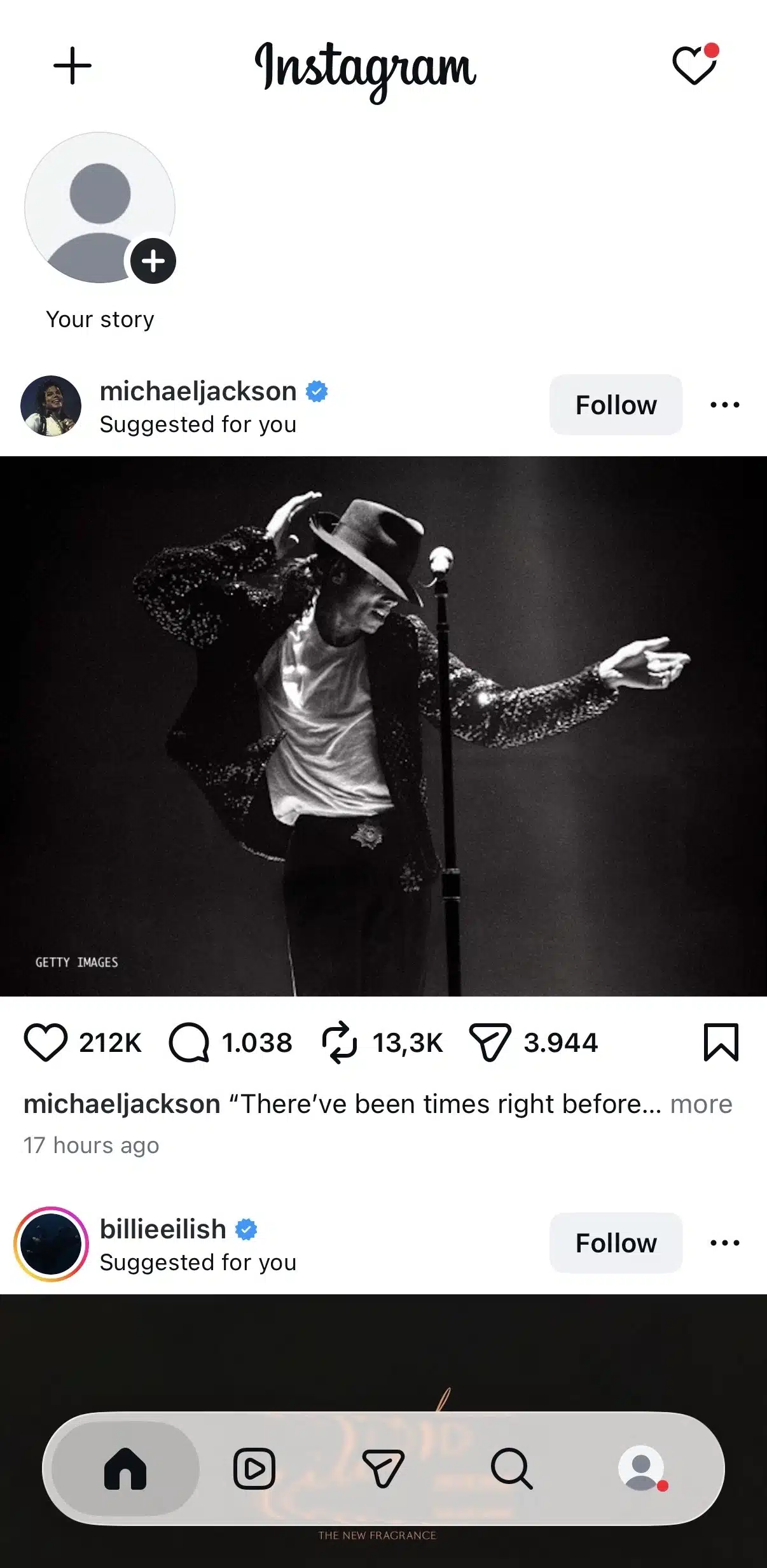
This is where Instagram shows you a mix of:
- Posts from accounts you follow
- Recommended posts from other creators
- Sponsored content (ads)
Unlike the early days of Instagram, the Home Feed is no longer chronological by default. Instead, Instagram ranks posts based on factors like your previous interactions, viewing habits, and how likely you are to engage with a piece of content. You can also switch from the “For You” page which recommends content based on your preferences, to the “Following” feed which allows you to see posts from your following list.
2.2. Instagram Search and Explore tab
Tap the magnifying glass icon at the bottom of the screen to open Search and Explore.
This section helps you discover new content beyond the accounts you already follow. You can use the search bar to find:
- People
- Brands
- Locations
- Hashtags
- Topics
Below the search bar, the Explore page displays a personalized grid of photos, videos, and Reels based on your interests and activity.
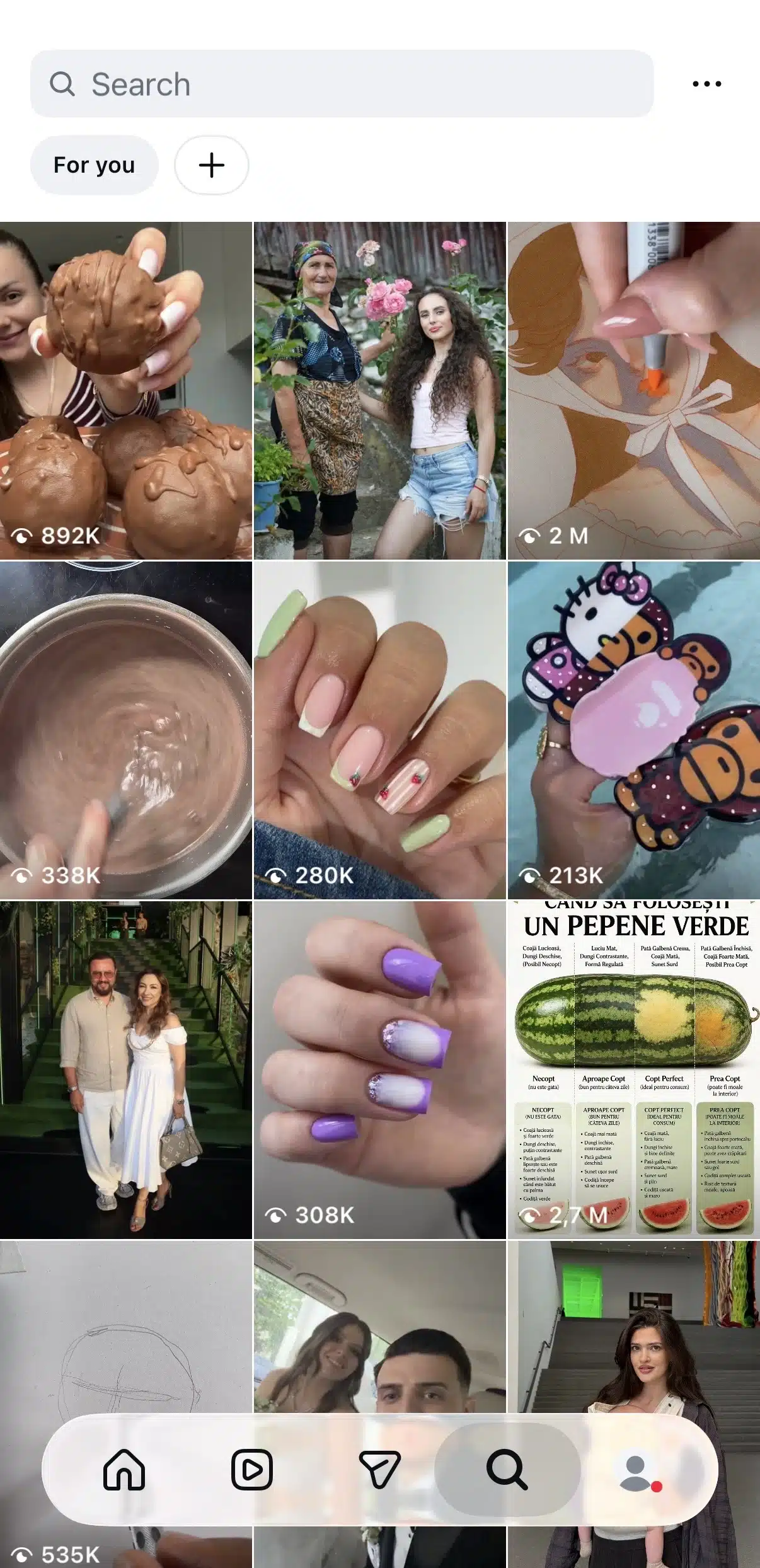
If you’ve ever wondered how people discover creators they’ve never heard of before, Explore is one of the biggest reasons.
2.3. Instagram Reels
Tap the Reels icon to enter Instagram’s dedicated short-video feed.
Here, you’ll scroll through an endless stream of vertical videos recommended specifically for you. While you’ll occasionally see content from accounts you follow, most Reels come from creators you’ve never interacted with before.
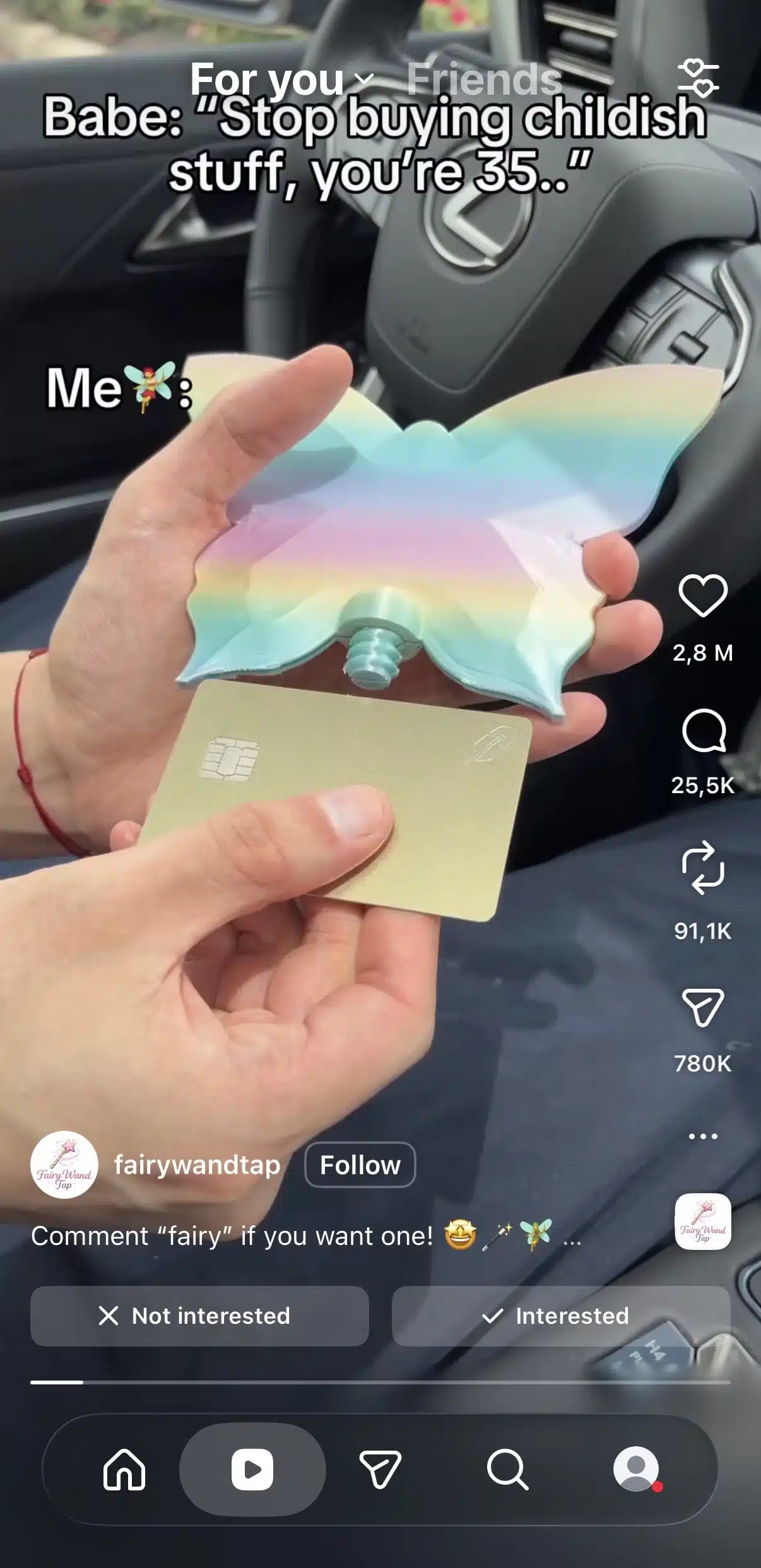
This is one of Instagram’s primary discovery surfaces, making it an important feature for creators and businesses looking to reach new audiences.
2.4. Instagram Stories
Stories appear in a row at the very top of your Home Feed.
Unlike regular Instagram posts, Stories disappear after 24 hours unless you save them as Highlights on your profile.
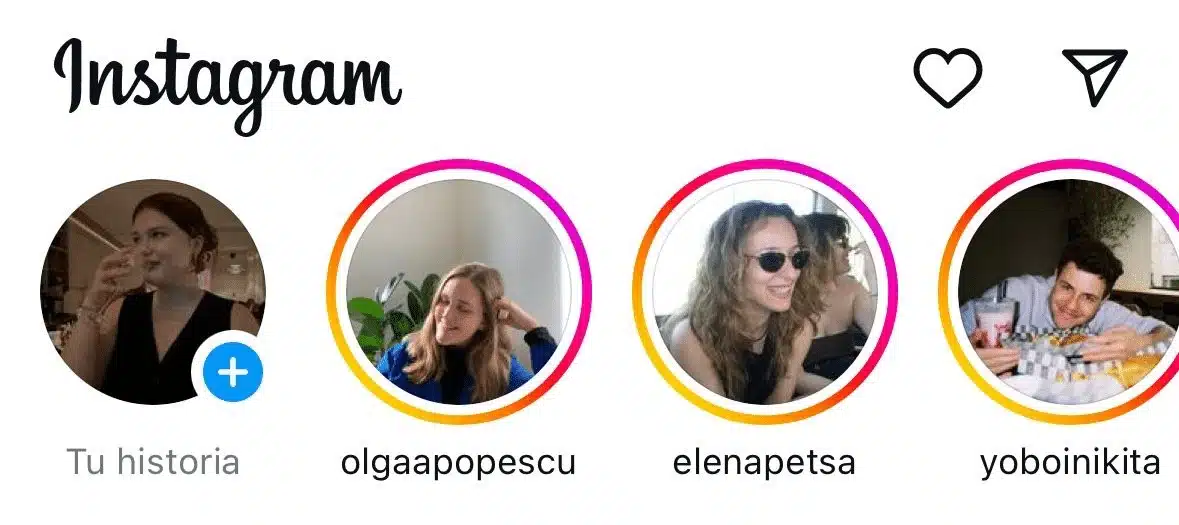
People typically use Instagram Stories to share more casual, everyday updates, such as:
- Behind-the-scenes moments
- Quick announcements
- Polls and questions
- Product launches
- Daily activities
Because Stories appear separately from the main feed, they’re a great way to stay visible without publishing multiple feed posts each day.
2.5. Instagram Direct Messages (DMs)
Tap the paper airplane or Messenger icon in the upper right corner of your Home Feed to open Direct Messages.
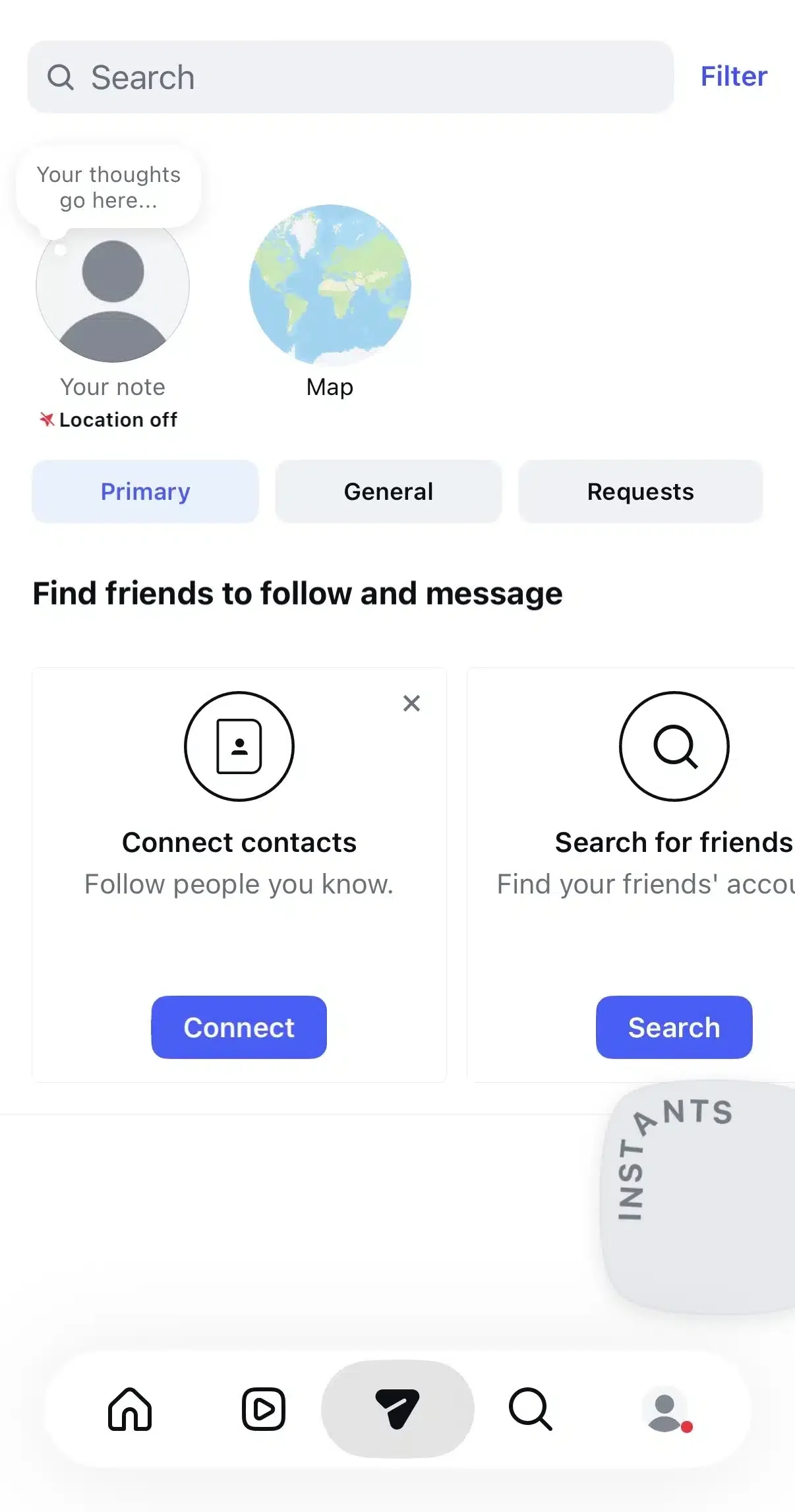
DMs let you communicate privately with other Instagram users. You can:
- Send text messages
- Share Instagram posts and Reels
- Send photos or videos
- Start group conversations
- Make voice and video calls
Private messaging has become one of the most important ways people use Instagram today. In fact, Meta says that people increasingly discover content publicly and then share it privately through DMs with friends and family.
2.6. Instagram profile page
Your profile acts as your personal homepage on Instagram.
Access it by tapping your profile icon in the bottom right corner of the app.
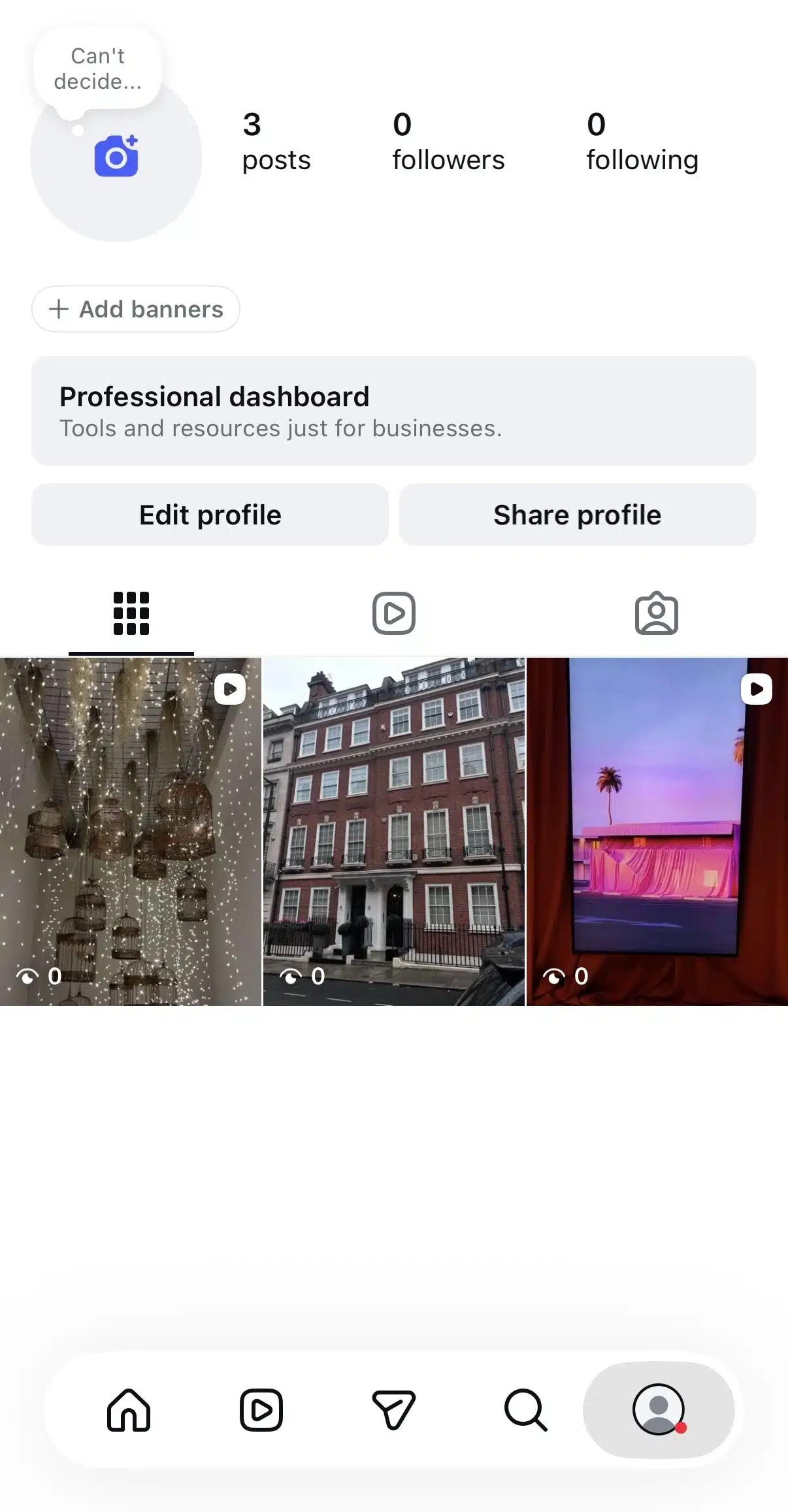
From your profile page, visitors can see:
- Your profile picture
- Your Instagram bio
- Your follower and following counts
- Your feed posts
- Your Reels
- Your tagged posts
- Your Story Highlights
This is also where you can tap Edit Profile to update your profile photo, bio, links, contact information, and other account details.
2.7. Instagram notifications
Tap the heart icon to view your notifications.
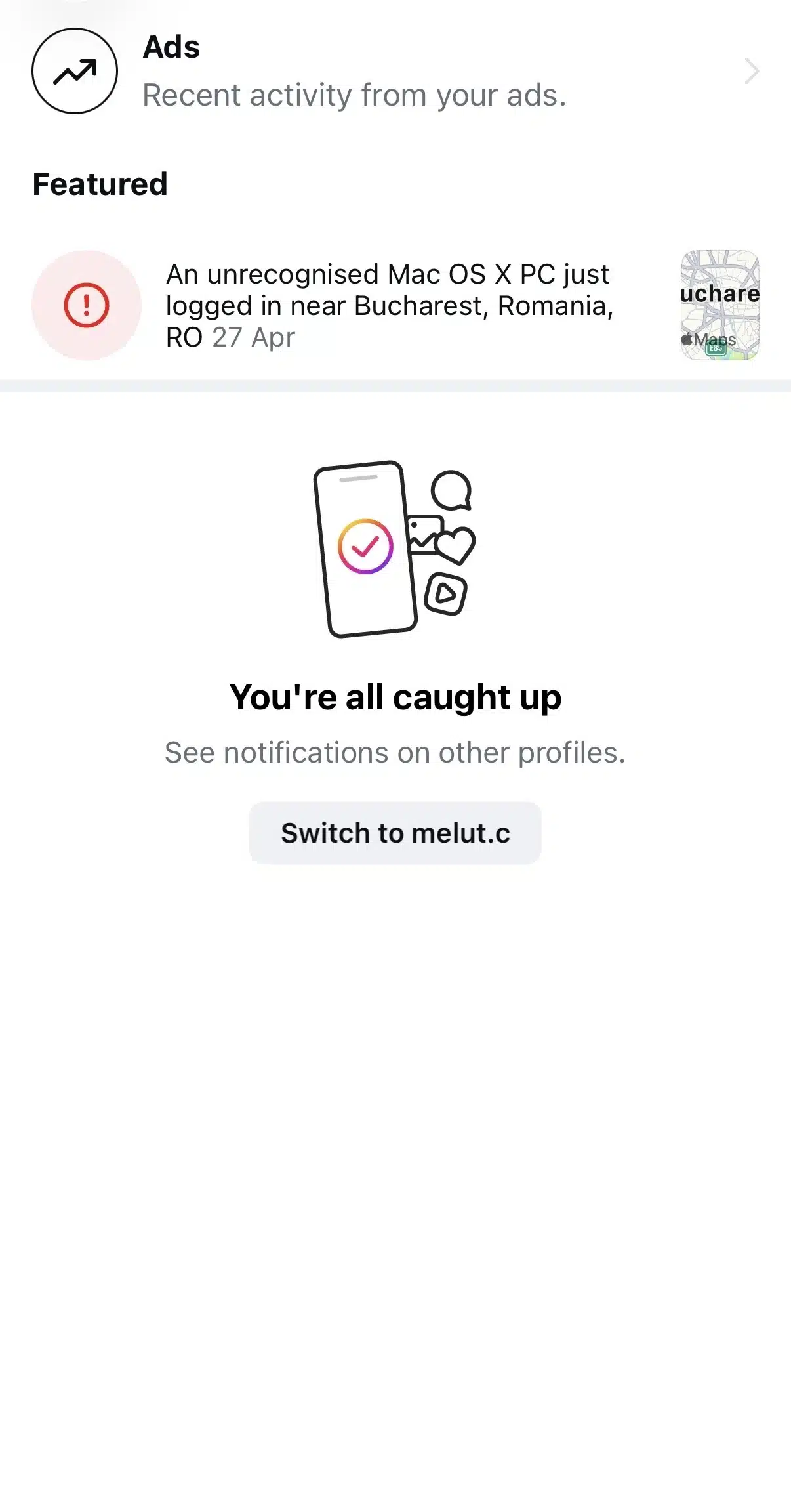
This section shows activity related to your account, including:
- New followers
- Likes
- Comments
- Mentions
- Tags
- Story replies
- Follow requests (for private accounts)
Checking your notifications regularly is one of the easiest ways to stay engaged with your audience and respond quickly to people interacting with your content.
2.8. Instagram settings menu
To manage your account, go to your profile page and tap the three-line menu in the top right corner.
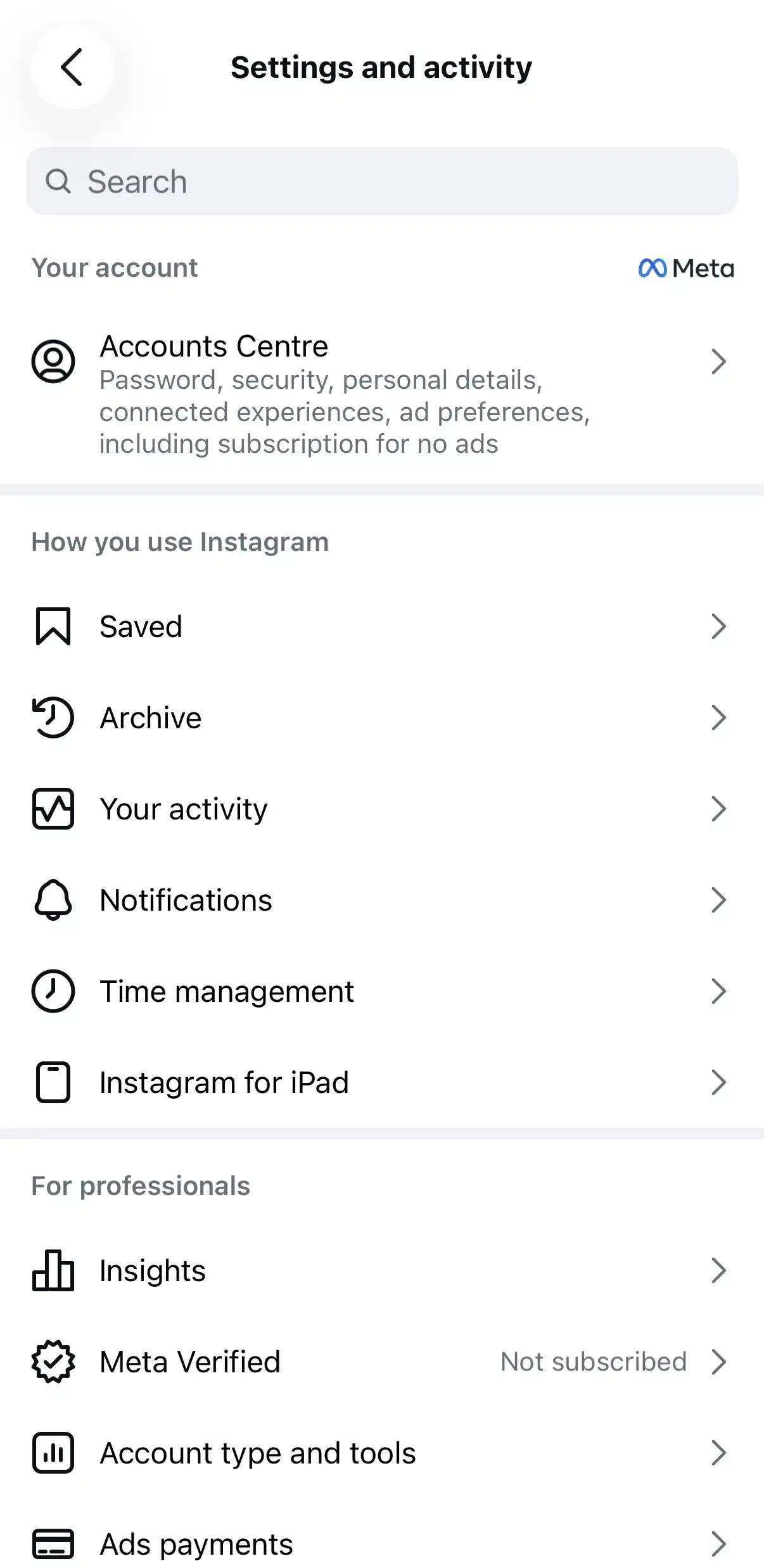
From here, you can access your account settings, where you can:
- Edit your account information
- Change your notification settings
- Switch between a personal and business account
- Manage privacy controls
- Update security settings
- Control who can message or tag you
- Review login activity
- Adjust accessibility preferences
As you continue using Instagram, you’ll probably spend more time in Settings than you expect, especially when customizing privacy options, managing push notifications, or setting up professional tools for a business account.
3. How to set up your Instagram account
3.1. Choosing an Instagram account type
Instagram offers three account types:
- Personal account
- Creator account
- Business account
A Personal account is the default option, while Creator and Business are both considered professional accounts. According to Instagram, Creator accounts are designed for public figures, content creators, artists, and influencers, while Business accounts are intended for businesses that want to grow their brand and reach customers.
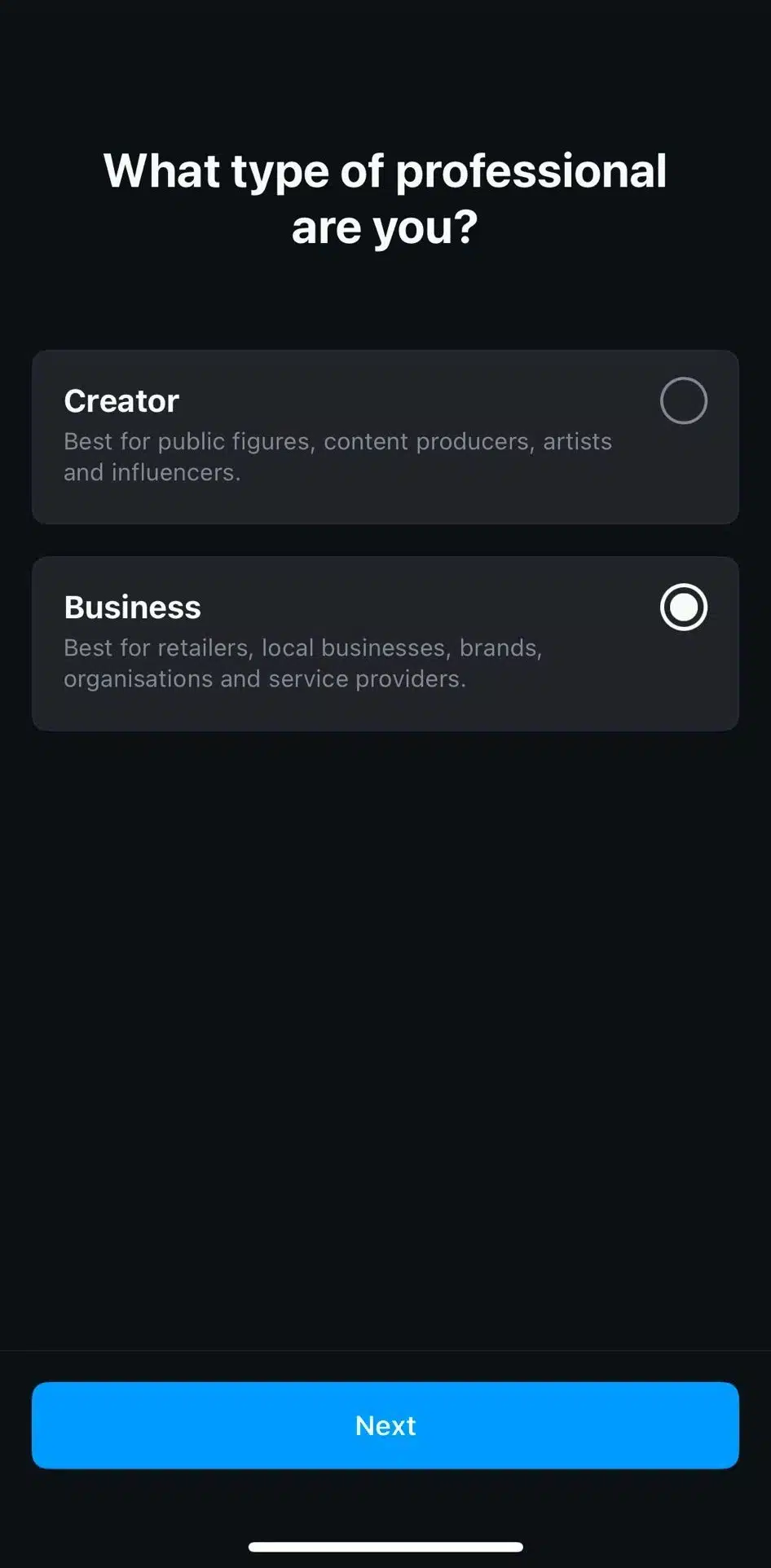
The good news is that you can switch between account types whenever you want, so you don’t have to get it perfect on day one.
Personal account
A Personal account is the best choice if you’re simply using Instagram to stay connected with friends, family, or hobbies.
With a Personal account, you can:
- Share photos, Stories, Reels, and Live videos
- Follow other Instagram users
- Send and receive Direct Messages
- Set your account to private if you want only users you approve to follow you and see your content
If you’re not planning to build a brand or track performance, this is usually all you need.
Creator account
A Creator account is designed for people who are building an audience around themselves rather than a company.
It’s a good fit for:
- Content creators
- Influencers
- Public figures
- Artists
- Coaches
- Freelancers
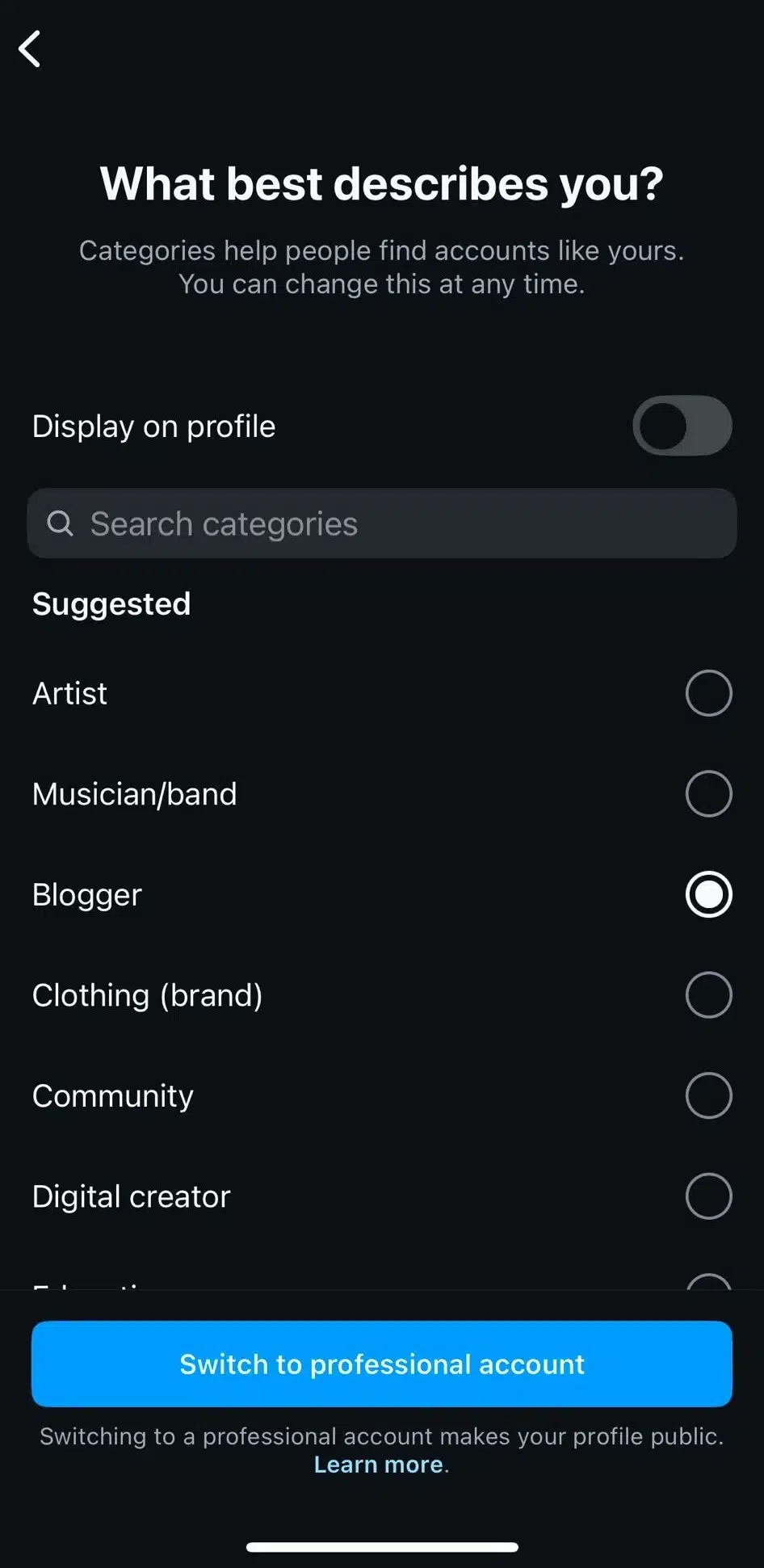
Creator accounts include professional tools like Instagram Insights, optional contact information, and audience analytics while giving you more flexibility than a Business account in certain areas, such as profile display and messaging features.
Business account
A Business account is the right choice if you’re representing a company, nonprofit, or organization.
In addition to everything available in a Creator account, you’ll gain access to features that help customers interact with your business, including:
- Contact buttons
- Business category labels
- Advertising tools
- Instagram Shopping (where available)
- More detailed performance insights
Instagram also recommends connecting your Facebook Page to your Business account to get the most out of its business tools.
If you’re using Instagram to market your business, it’s worth switching to a Business account before you start posting. It unlocks analytics, advertising features, and third-party integrations.
3.2. How to create an Instagram account
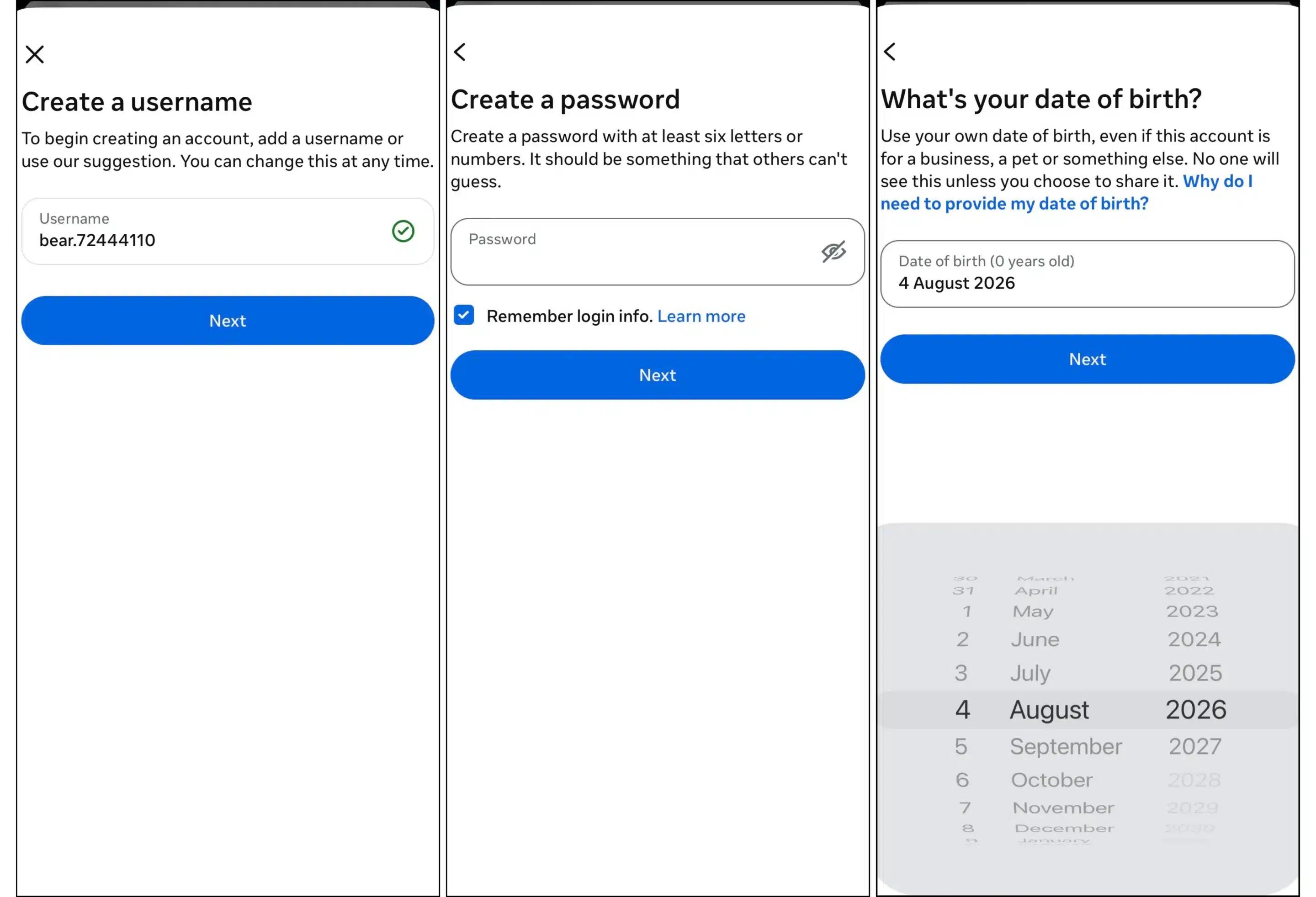
Creating an Instagram account takes just a few steps:
- Download the Instagram app from the App Store or Google Play Store, or visit Instagram.com on your desktop.
- Tap Sign up.
- Register with your email address, phone number, or an existing Facebook account.
- Choose a unique username and password.
- Add your name and date of birth.
- Upload a profile picture.
- Complete your Instagram bio with a short description and, if relevant, a website link.
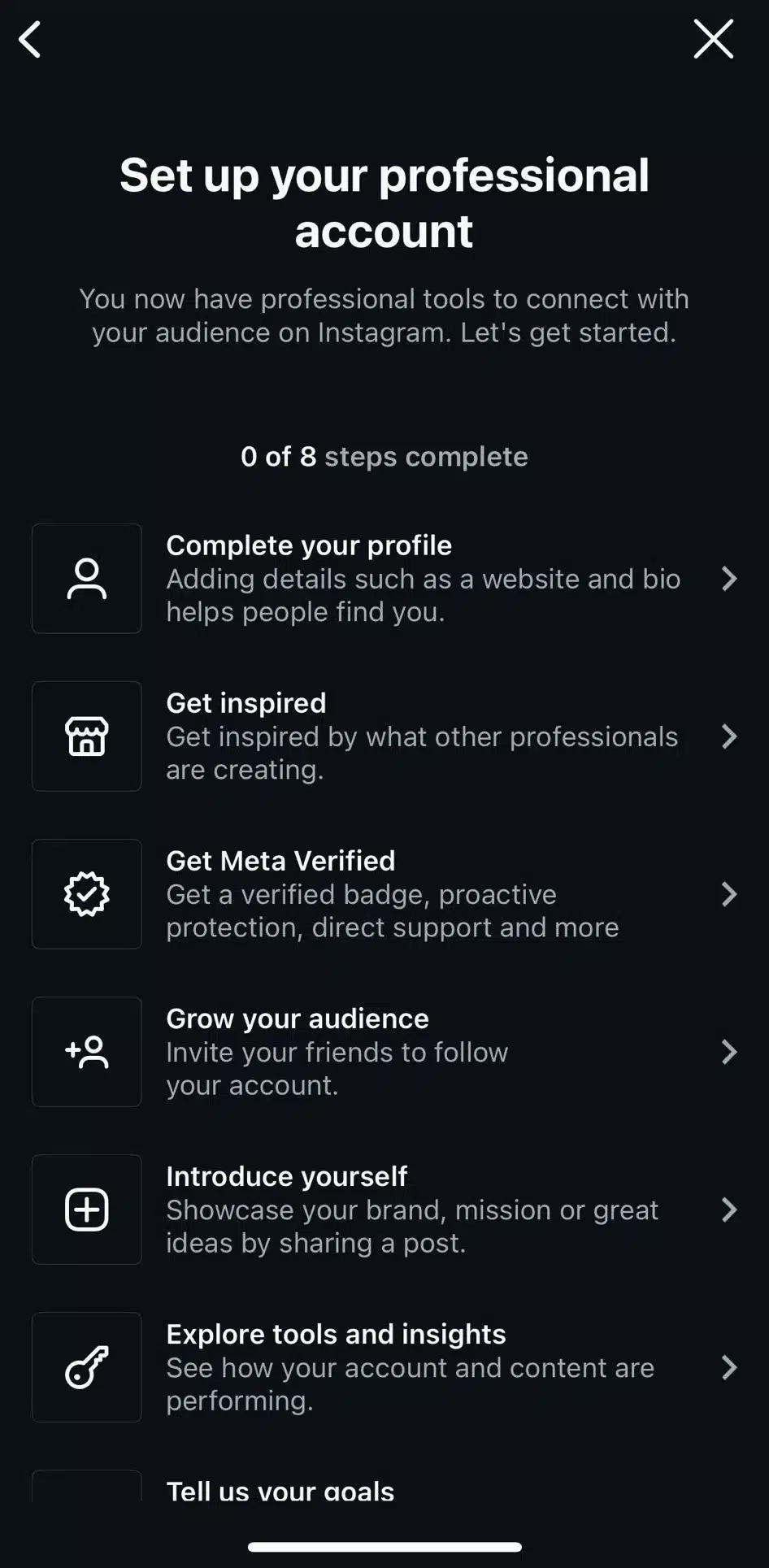
There are also steps you must take to create a Business account that will help you get discovered:
Once your account is created, you’re ready to start exploring Instagram, following other accounts, and sharing your first post.
3.3. How to get verified on Instagram
There are now two ways to get a verified badge on Instagram.
The first is through Meta Verified, a paid subscription for those with eligible personal, creator, and business accounts. It includes identity verification, a verified badge, proactive impersonation protection, account support, and additional profile features.
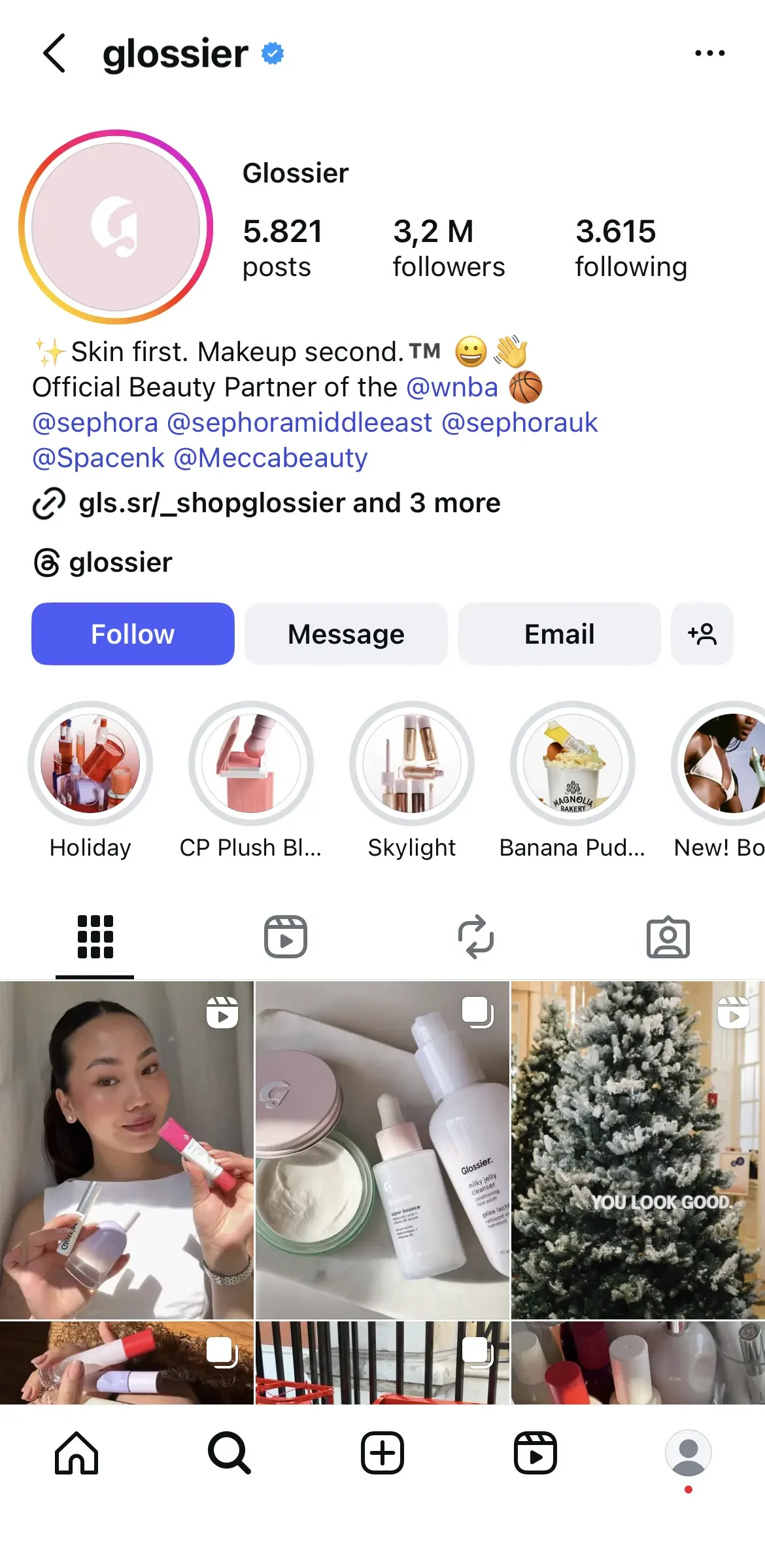
The second is the legacy verified badge, which is given to notable public figures, brands, and organizations. Instagram says these accounts are verified based on their activity across Meta’s platforms and the information or documents they provide. Existing verified accounts can keep their badge without subscribing to Meta Verified.
It’s important to know that verification doesn’t mean Instagram endorses that account or will boost its visibility. According to Instagram, the badge simply confirms that an account is the authentic profile of the person, business, or organization it represents.
3.4. Switching account types
Your needs may change over time, and Instagram makes it easy to switch account types.
To do this:
- Open your Profile.
- Tap the three-line menu in the top right corner.
- Go to Settings and activity.
- Tap Account type and tools.
- Choose Switch account type.
- Select the account type you’d like to use.
You can also do it by tapping Edit profile and scrolling down to click Switch to professional account.
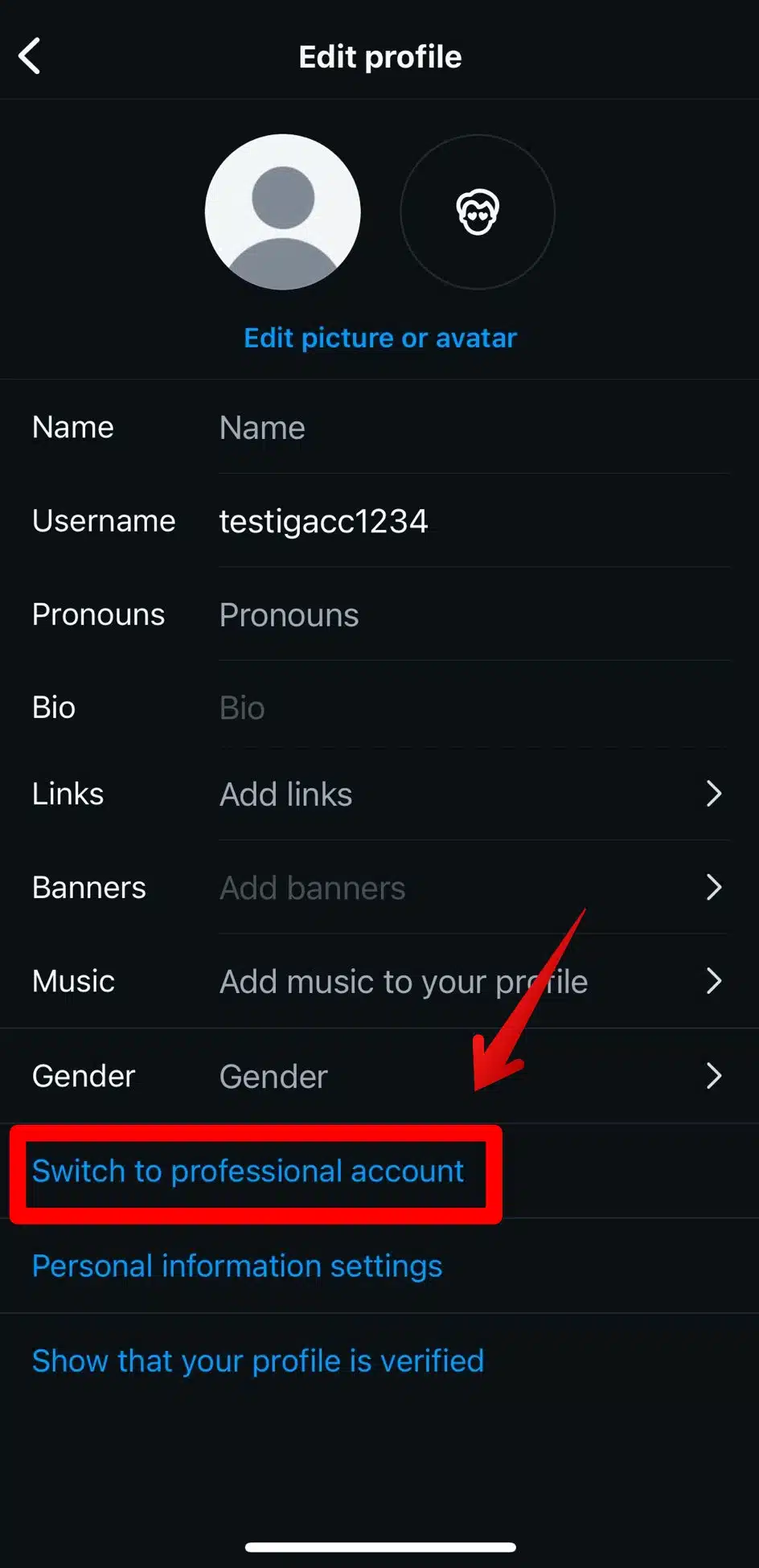
You can move between Personal, Creator, and Business accounts whenever your goals change.
3.5. Account settings to configure early
Before you start posting, take a few minutes to configure the settings that matter most.
I recommend checking these first:
- Privacy: Decide whether your Instagram account should be public or private.
- Two-factor authentication: Add an extra layer of security to protect your account.
- Notification settings: Customize which push notifications you receive to avoid unnecessary distractions.
- Profile information: Add a clear profile photo, bio, website, and contact details if applicable.
- Content preferences: Review sensitive content controls and other recommendation settings.
- Connected accounts: Link your Facebook account if you want to cross-post content or access additional business features.
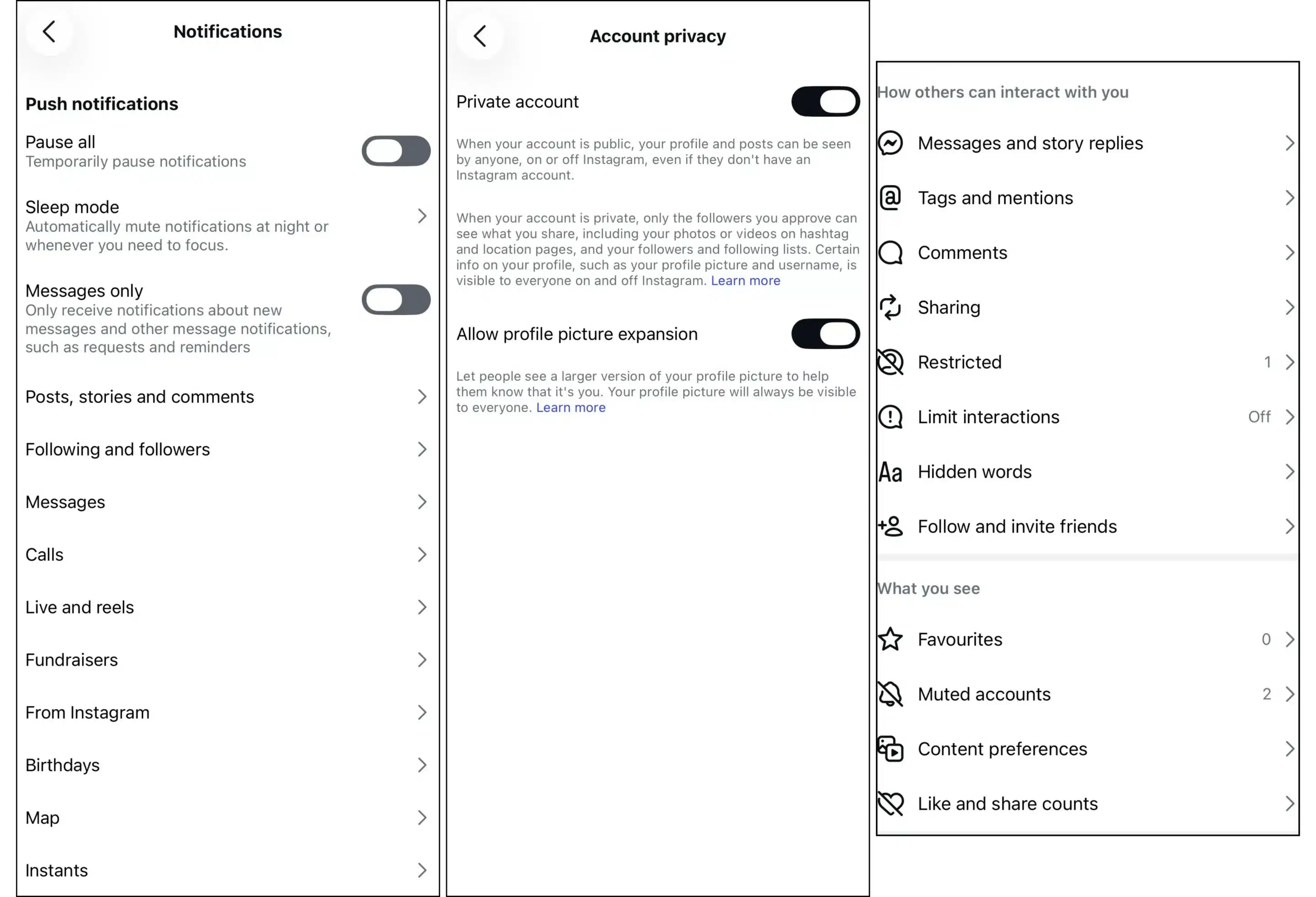
Getting these basics right early gives you a more secure account and a profile that’s ready for friends, customers, or future followers.
4. How the Instagram algorithm works
4.1. How the Instagram Feed algorithm works
The Home Feed focuses on helping you catch up with the people and accounts you care about most.
When deciding what appears near the top of your feed, Instagram considers signals such as:
- How much time you’re likely to spend on a post
- Whether you’re likely to like, comment on, save, or share it
- Your previous interactions with the creator
- How recent the post is
- Information about the creator and how other people are engaging with their content
You’ll also see recommended posts from accounts you don’t follow, but the Feed still places a strong emphasis on content from people you’ve already connected with.
in 2026, Instagram introduced Your Algorithm, a feature that gives users more control over what they see in their Feed, Reels, and Explore.
Rather than relying only on your behavior, Instagram now shows you the topics it believes you’re interested in and lets you adjust them directly. You can add topics you want to see more of and remove ones that aren’t relevant, helping shape future recommendations.
The update reflects a broader shift in how Instagram thinks about recommendations. In a Threads post announcing the feature, Instagram head Adam Mosseri acknowledged that recommendation algorithms helped creators reach new audiences but also reduced users’ sense of control over their feeds.
“Who you follow used to be a meaningful tool people had for shaping their own experience, and as recommendations took over the main feed that tool quietly stopped working… The system learns from what you tap, watch, and share, but you don’t really get to tell it what you want,” shared Mosseri on Threads.
Mosseri says Your Algorithm is intended to restore some of that agency by making Instagram’s recommendation system easier to understand and influence. While it doesn’t return the Feed to chronological order or remove recommendations from accounts you don’t follow, it gives users a more active role in shaping the content they see.
4.2. How the Instagram Reels algorithm works
Reels are Instagram’s biggest discovery engine.
Unlike the Home Feed, which prioritizes accounts you know, the Reels tab is designed to introduce you to creators you’ve probably never seen before.
When ranking Reels, Instagram looks at signals like:
- Watch time
- Whether someone watches the Reel to the end
- Replays
- Likes
- Comments
- Shares
- Saves
- The user’s previous viewing habits
- Information about the Reel, such as its audio, visuals, and overall popularity
Adam Mosseri recently explained that when it comes to overall ranking, watch time, likes, and sends (shares through DMs) are among the most important signals. There’s also an important distinction: likes matter slightly more for people who already follow you, while shares are even more important for reaching people who don’t.
That’s one reason highly shareable Reels often spread far beyond a creator’s existing audience.
4.3. How the Instagram Explore algorithm works
The Explore page has one job: help people discover new interests.
Unlike the Feed, nearly everything shown in Explore comes from accounts you don’t already follow. Instagram first identifies content it believes you’ll enjoy based on your previous activity, then ranks those recommendations according to how likely you are to engage with them.
Some of the strongest ranking signals include:
- Posts similar to ones you’ve liked or saved before
- Accounts you’ve interacted with
- The popularity of the post
- How many people are saving, sharing, and engaging with it
- Information about the creator
For businesses, Explore rewards consistency more than virality. If you regularly publish content around one topic, Instagram becomes better at understanding your niche and recommending your posts to people interested in that subject.
4.4. How Instagram SEO and discovery work
Instagram is no longer just a social network. It’s also becoming a search engine.
People now use Instagram to find restaurants, travel destinations, creators, products, tutorials, and local businesses. Adam Mosseri has acknowledged that Instagram is investing heavily in improving search, both inside the app and through better visibility in Google Search.
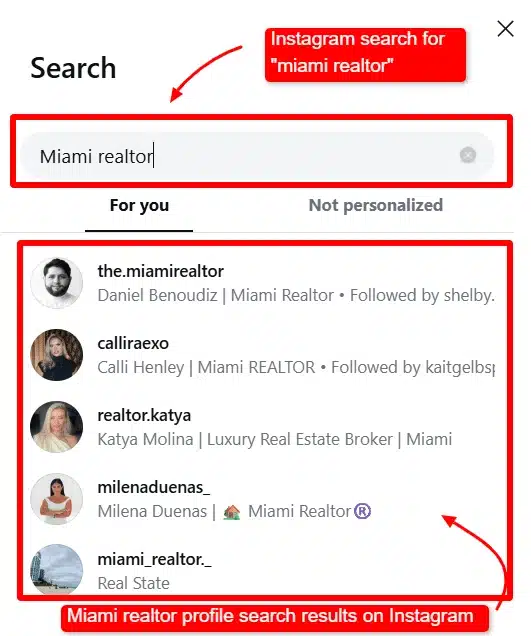
That makes Instagram SEO more important than ever.
To help Instagram understand your content:
- Use keywords naturally in your captions.
- Include relevant keywords in your profile name and bio.
- Add descriptive alt text when appropriate.
- Use location tags for local businesses.
- Choose hashtags that accurately describe your niche instead of using dozens of generic ones.
- Stay focused on a consistent topic so Instagram can better categorize your account.
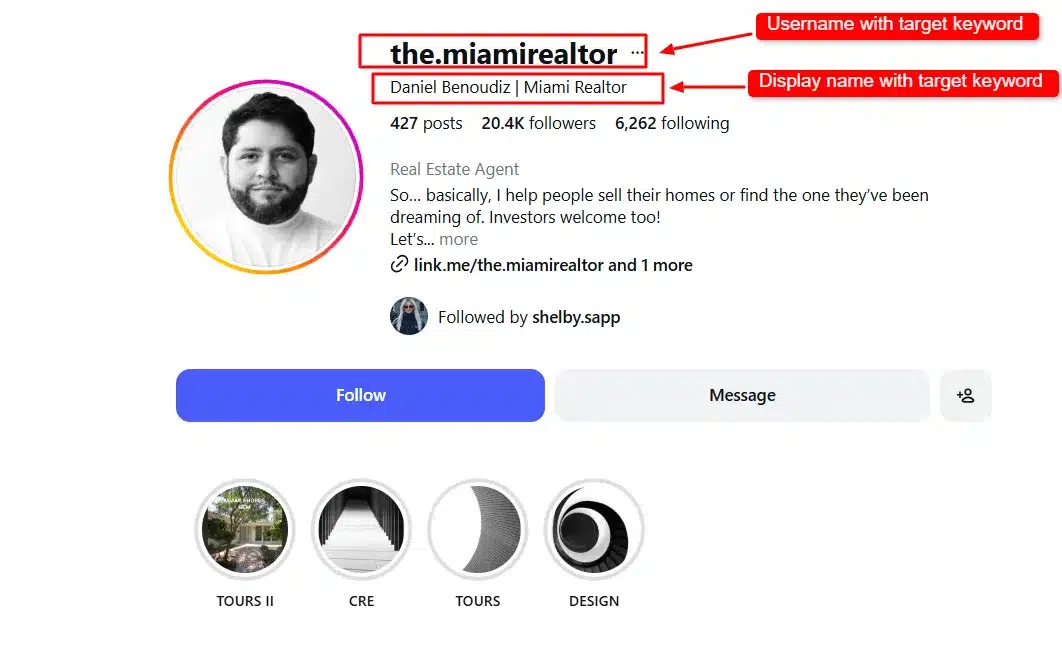
One more thing matters before any of these ranking signals come into play: recommendation eligibility.
Instagram only recommends content from public accounts that follow its Recommendations Guidelines. If your account or posts violate those guidelines, they may still be visible to your followers but won’t appear in places like Explore, Reels, Search, or Feed Recommendations for people who don’t already follow you. You can check your recommendation status anytime through Account Status in the app.
The takeaway is that there isn’t a trick for “beating” the Instagram algorithm. The platform is designed to reward content that people genuinely enjoy watching, saving, and sharing. The more consistently your posts create those signals, the more likely Instagram is to recommend them to new audiences.
5. Creating content on Instagram
5.1. Types of Instagram content
Instagram allows you to create multiple content types:
- Feed posts (photos and carousels)
- Instagram Stories
- Instagram Reels
- Instagram Live videos
- Instagram Collaborative posts
Feed posts (photos and carousels)
Feed posts are the foundation of most Instagram accounts. Unlike Stories, they remain on your profile until you delete or archive them, making them ideal for content you want people to discover weeks or even months later.
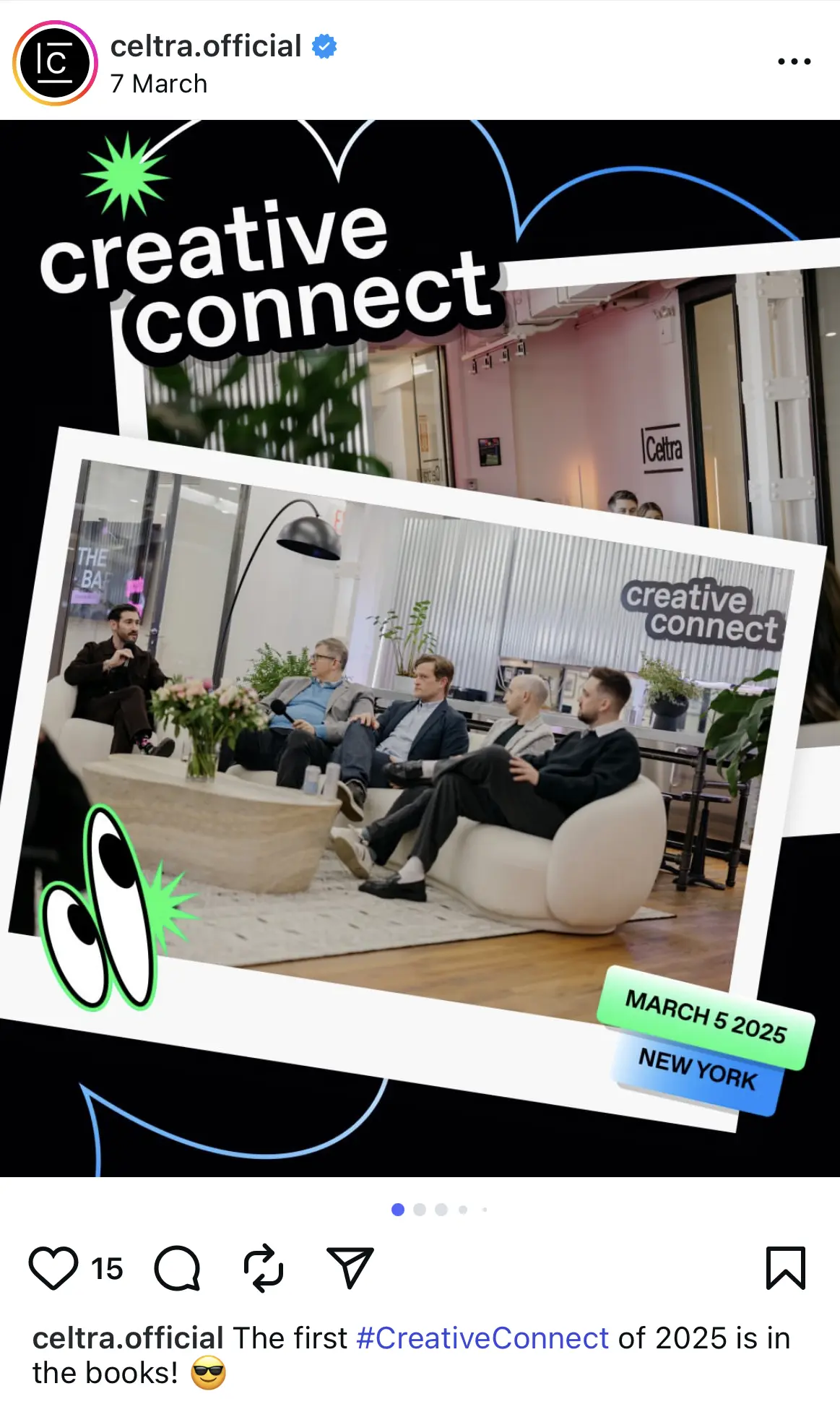
You can publish either a single photo or a carousel, which allows you to include up to 20 photos or videos in one post. Carousels have become especially popular because they encourage people to spend more time interacting with a post as they swipe through each slide. They’re perfect for tutorials, before-and-after transformations, travel guides, product collections, or any story that benefits from multiple photos.
If you’re just getting started, don’t feel like every feed post has to be highly polished. High-quality visuals matter, but authenticity often performs just as well as studio-quality photography.
Instagram Stories
Stories disappear after 24 hours unless you save them as Highlights, making them ideal for casual, timely content.
This is where most creators share the moments that don’t necessarily belong on their main profile. Behind-the-scenes updates, quick announcements, polls, countdowns, questions, and reposts of customer content all fit naturally into Stories.
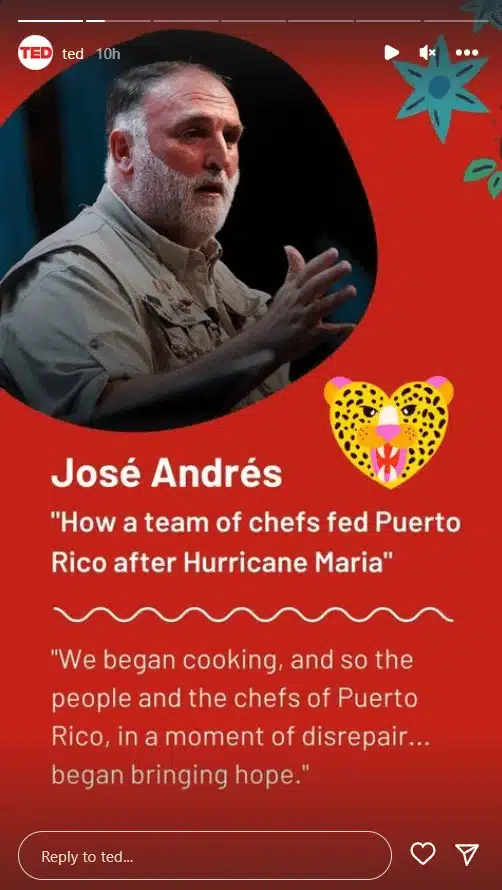
Because Stories appear at the top of the Instagram app, they’re also one of the easiest ways to stay in front of your followers without filling your feed with multiple posts every day.
Instagram Reels
Reels are Instagram’s short-form video format and remain the platform’s biggest opportunity for reaching new audiences.
Unlike feed posts, which are often shown to your existing followers first, Reels are heavily recommended to people who have never interacted with your account. That’s why they’re such an important part of any growth strategy.
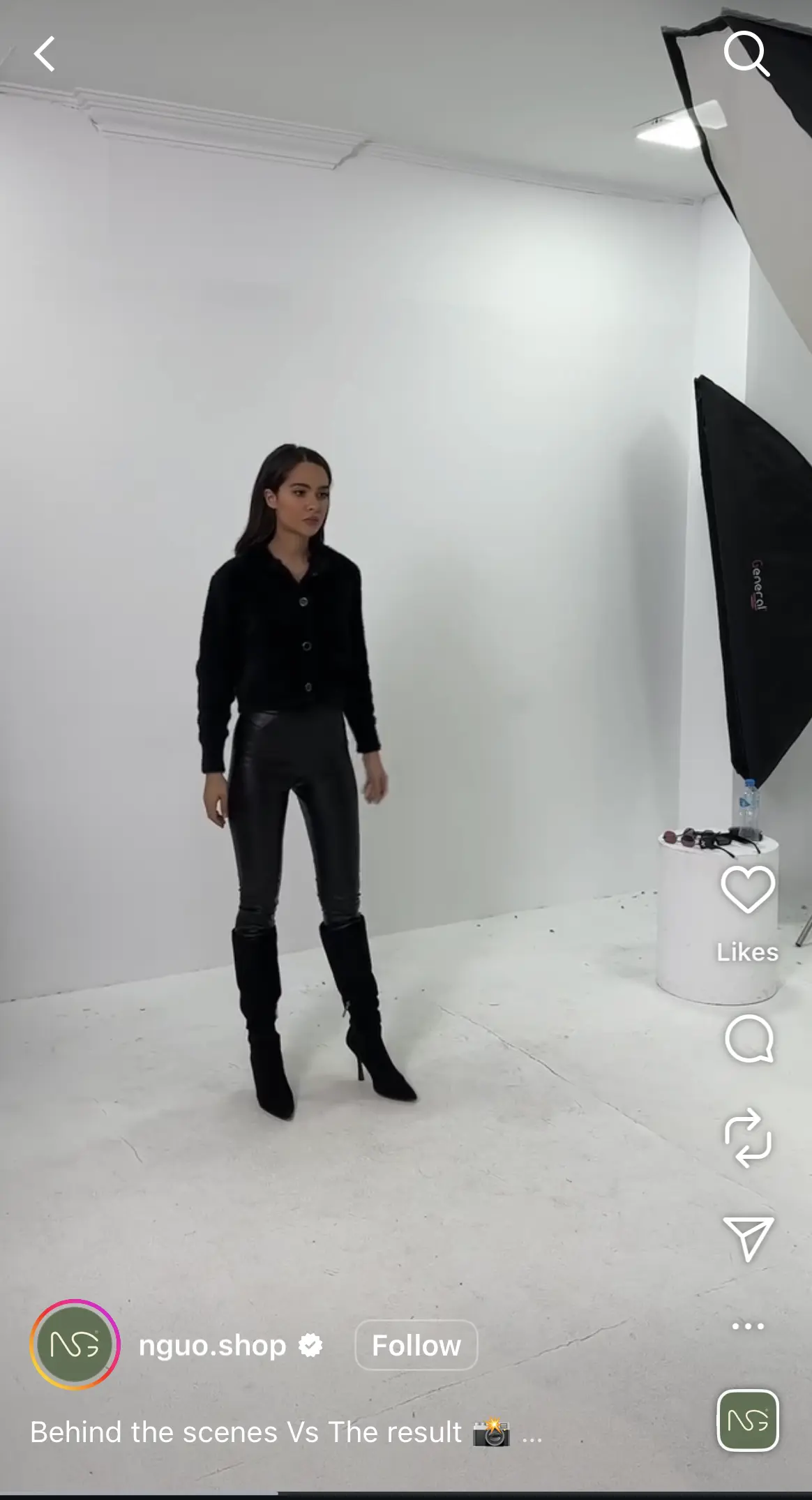
The best-performing Reels don’t necessarily have expensive production value. More often than not, they succeed because they capture attention quickly, deliver value or entertainment, and keep viewers watching until the end.
Instagram Live videos
Instagram Live lets you interact with your audience in real time through comments and questions.
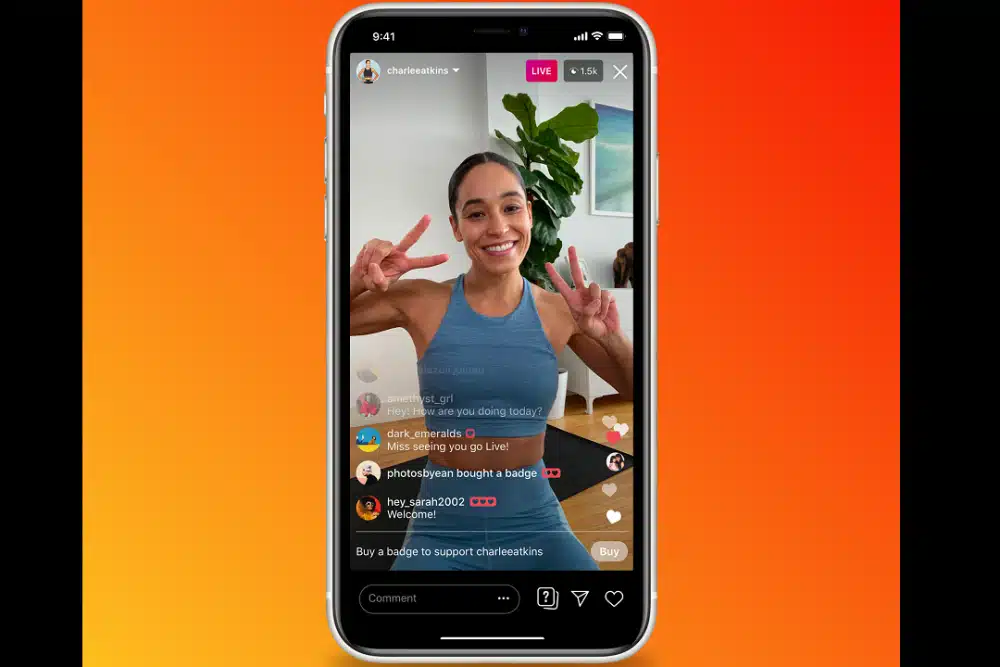
Live sessions work particularly well for product launches, interviews, workshops, Q&A sessions, and community discussions because they create a level of interaction that pre-recorded content can’t match. Once the broadcast ends, you can also choose to share the replay so people who missed it can watch later.
Instagram Collaborative posts
Collaborative posts are one of Instagram’s most underused features.
Instead of publishing separate posts, you can invite another account to become a collaborator on a feed post or Reel. Once they accept, the content appears on both profiles while sharing the same likes, comments, saves, and views.

For businesses, this is an excellent way to work with creators, partners, or clients because both audiences see the same piece of content, giving everyone involved greater reach without any extra work.
5.2. Instagram content requirements and formatting
Captions and text limits
Instagram captions can contain up to 2,200 characters.
Only the first one or two lines are visible before users have to tap More, so it’s worth putting your hook or most important message first.
A few best practices:
- Start with an attention-grabbing first sentence.
- Break long captions into short paragraphs.
- End with a clear call to action.
- Use emojis sparingly if they fit your brand voice.
Image and video sizes and aspect ratios
Using the correct image dimensions helps your content appear as intended.
Instagram content type | Recommended size | Aspect ratio |
Instagram profile photo | 320 × 320 px | 1:1 |
Instagram feed photo (square) | 1080 × 1080 px | 1:1 |
Instagram feed photo (portrait) | 1080 × 1350 px | 4:5 |
Instagram feed photo (landscape) | 1080 × 566 px | 1.91:1 |
Instagram Stories | 1080 × 1920 px | 9:16 |
Instagram Reels | 1080 × 1920 px | 9:16 |
Instagram live video | Vertical format | 9:16 |
If you’re creating content for multiple platforms, it’s often easiest to design everything in 1080 × 1920 pixels first, then crop it as needed for feed posts.
Instagram hashtags and their role in posts
Hashtags still help Instagram understand what your content is about, but they aren’t the growth hack they once were.
Adam Mosseri has said that hashtags don’t significantly increase reach on their own, although they can still help categorize content and make it easier for people to discover posts around specific topics.
Instead of adding dozens of generic hashtags, focus on a handful that are genuinely relevant to your niche.
For example, a local bakery is more likely to benefit from hashtags like #AustinBakery or #SourdoughBread than broad tags like #Food or #Love.
Tagging people, locations, and collaborators on Instagram
Instagram gives you several ways to add context to your posts.
You can:
- Tag people who appear in the photo or video.
- Add a location tag to improve local discoverability.
- Invite collaborators using the Collab feature.
- Tag products if you have access to Instagram Shopping.
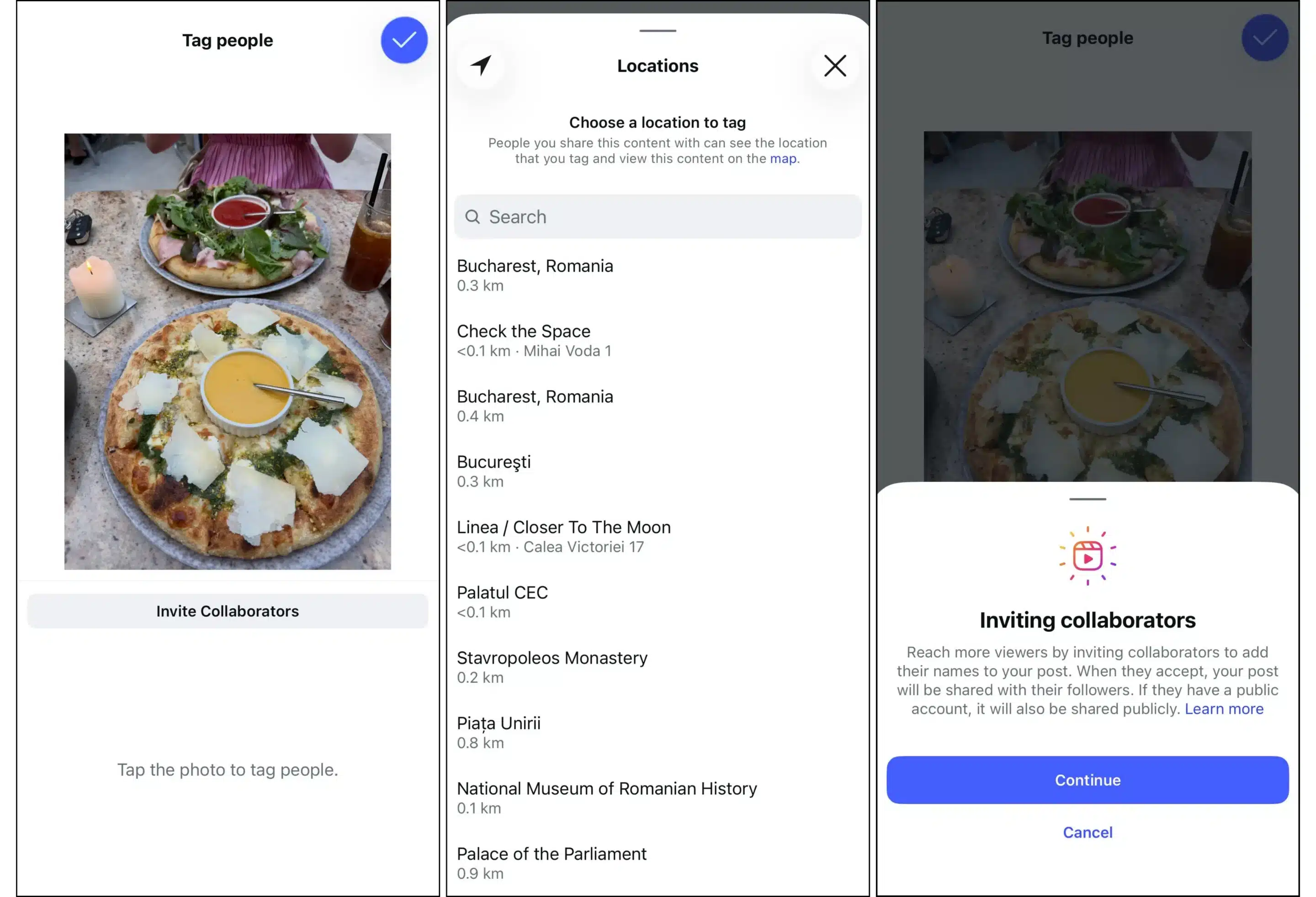
These tags do more than provide information. They also create opportunities for your content to appear in additional places across Instagram, helping new audiences discover your posts.
6. How to publish and schedule posts on Instagram
6.1. How to publish Instagram posts
How to post on Instagram from mobile
The Instagram app offers the most complete publishing experience and supports every content format.
To publish a post:
- Tap the + button at the bottom or top of the screen.
- Choose whether you want to create a Feed post, Reel, or Story.
- Select a photo or video from your phone’s camera roll, or capture one on the spot by tapping on the camera icon.
- Edit your content by cropping it, applying filters, trimming videos, or adding music if desired.
- Write your caption.
- Tag people, add a location, invite collaborators, or include product tags if applicable.
- Tap Share to publish your content.
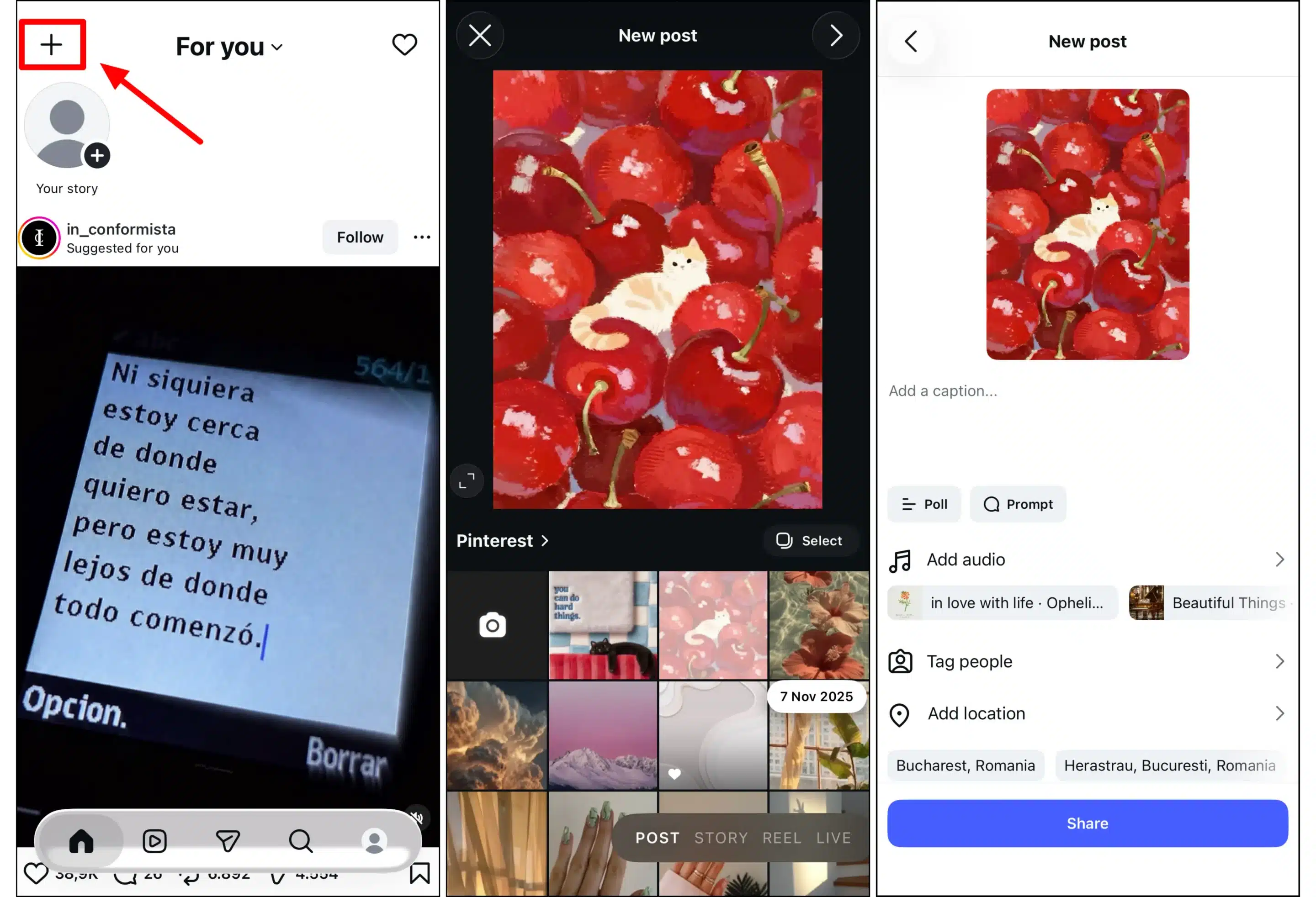
The mobile app is also where you’ll find Instagram’s newest publishing features first, so it’s still the preferred option for most creators.
How to post on Instagram from desktop
Instagram has significantly improved its desktop experience over the past few years, and you can now publish Feed posts, carousels, and Reels directly from your browser.
To publish from desktop:
- Go to Instagram.com and sign in.
- Click Create in the left-hand menu.
- Upload your photo or video.
- Crop and adjust your content if needed.
- Add your caption, location, accessibility information, and tags.
- Click Share.
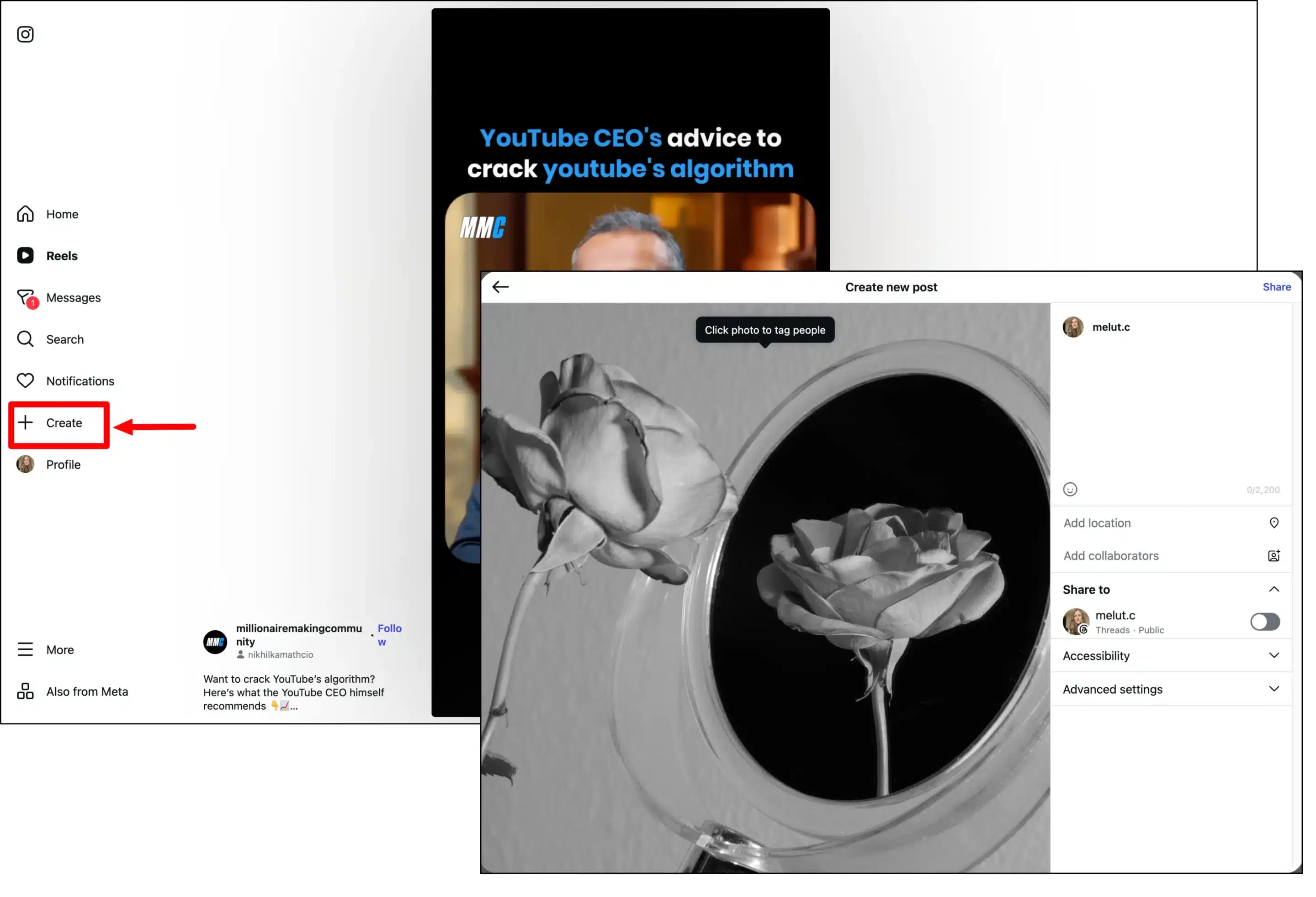
While desktop publishing is convenient, some editing tools and creative features are still exclusive to the mobile app.
6.2. How to schedule Instagram content
Native scheduling in Instagram
If you have a Creator or Business account, you can schedule Feed posts, Reels, and some other content types directly within the Instagram app.
After creating your post, tap Advanced settings before publishing and enable Schedule this post. Then choose the date and time you’d like it to go live.
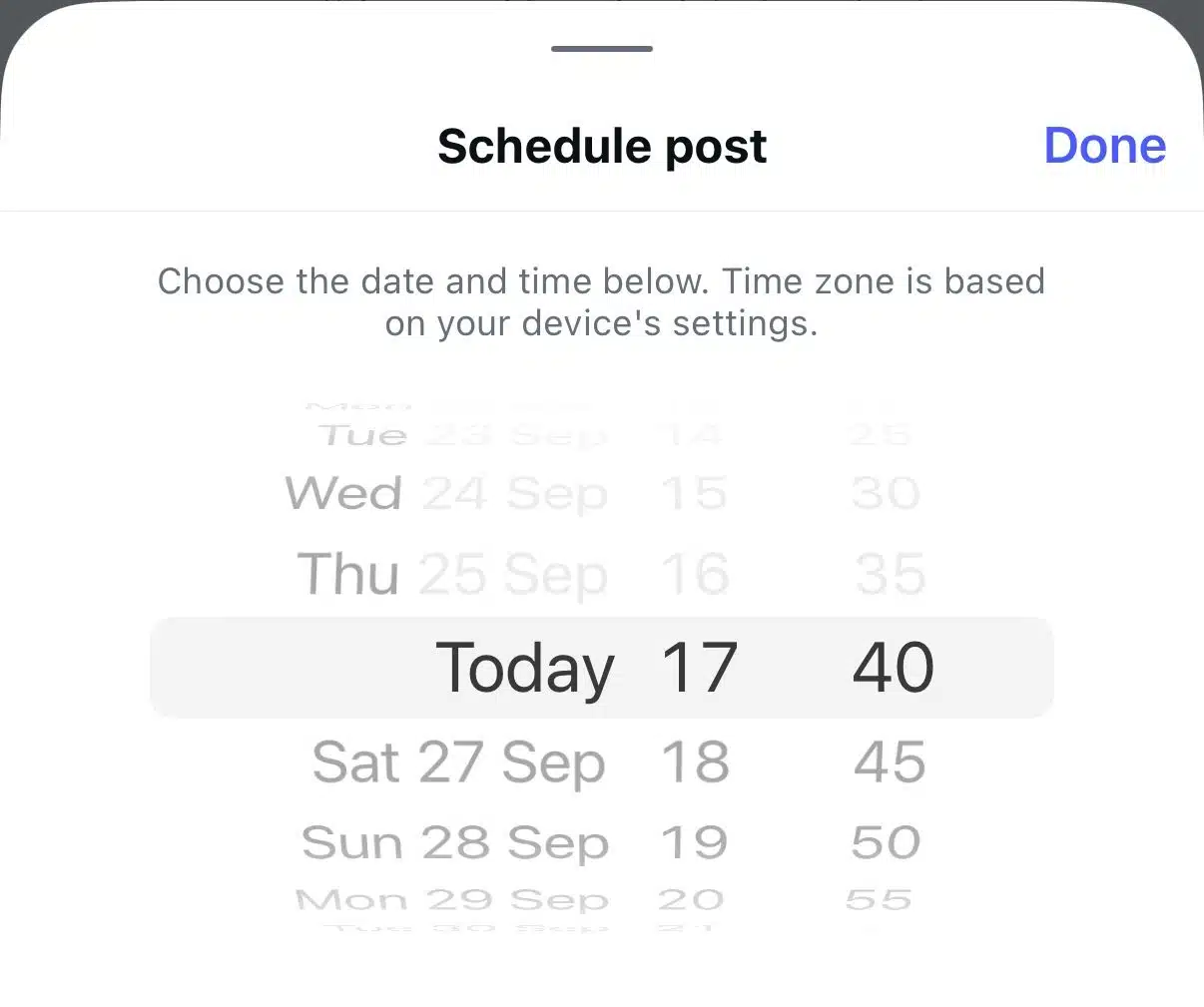
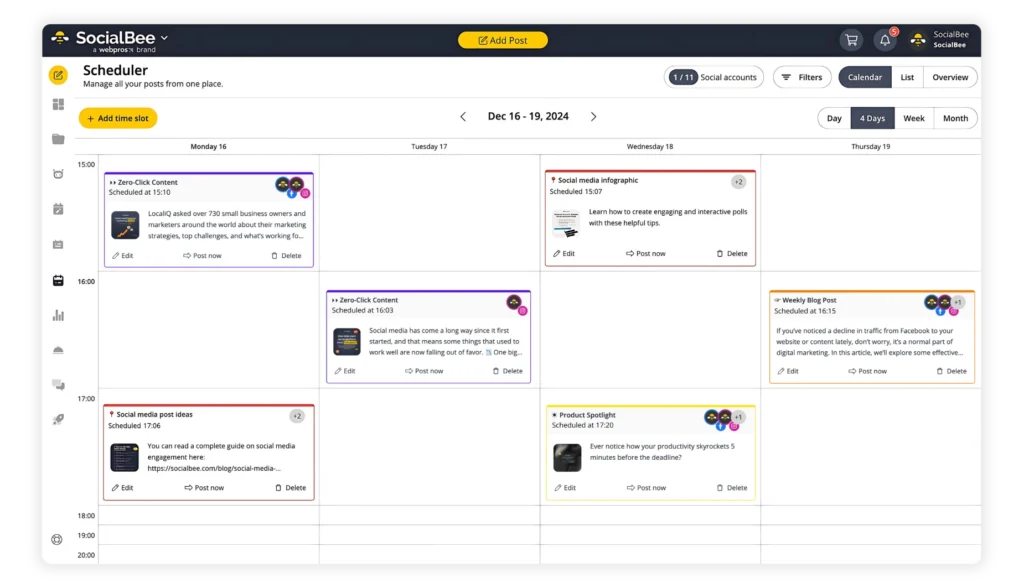
Native scheduling works well for basic planning, but it’s limited compared to dedicated social media management platforms. You won’t get features like a content calendar, category-based scheduling, approval workflows, or the ability to manage multiple social networks from one place.
Using third-party tools to schedule Instagram posts
If Instagram is only one part of your social media strategy, a dedicated scheduling tool can save a significant amount of time.
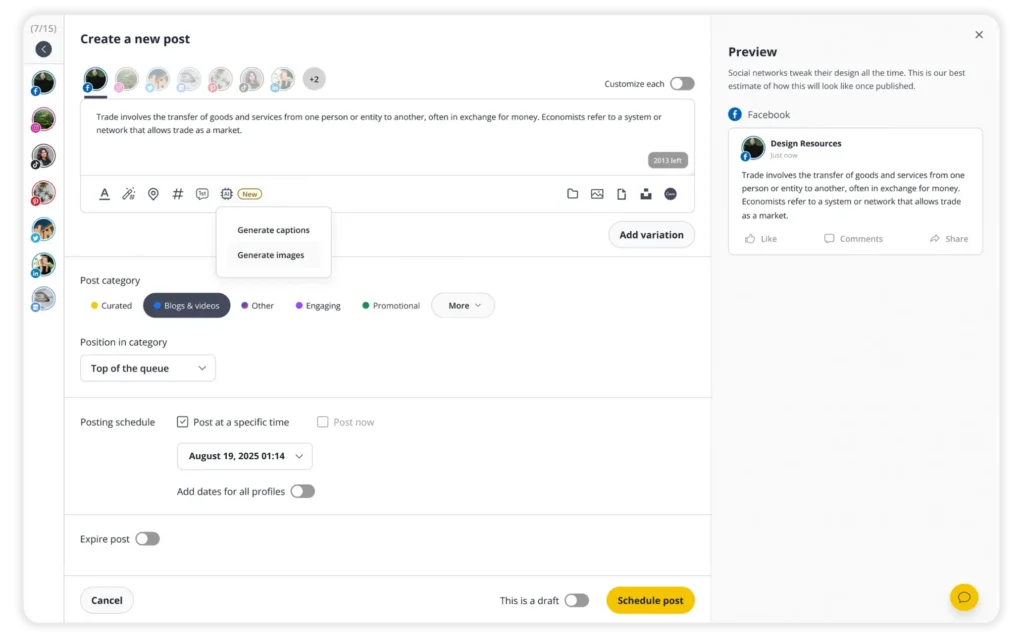
With SocialBee, you can create and schedule every major Instagram content format, including Feed posts, carousels, Reels, and Stories, from a single post editor.
Getting started is simple:
- Log in to SocialBee. From any dashboard, click “Create post” at the top of the page to open the Post Editor.
- Select your Instagram profile.
- Turn on “Customize each” if you want to tailor the post specifically for Instagram or adjust it for multiple social media platforms.
- Choose where you want to publish your content: Feed Post, Story, Reel, or Feed & Reel.
- Write your caption in the post editor, or click “AI” to generate text and images automatically.
- Add photos or videos from your computer by clicking the photo icon.
- Import visuals directly from GIPHY, Unsplash, or Canva without leaving SocialBee.
- If you’ve added an image, click the pencil icon to crop, flip, or resize it.
- Use the Hashtag Generator (wand + # icon) to find relevant hashtags. Click the # icon to save your favourite hashtag collections for future posts.
- If your post includes a video, click the thumbnail icon in the bottom-right corner to select or upload a custom thumbnail.
- Click the location icon, search for the place you want to tag, and select it.
- Mention another Instagram account in your caption, tag people in an image, or add up to five collaborators.
- To schedule a first comment, click the “1st comment” icon below the caption box and write your comment.
- Add your post to a Post Category to organise your content based on topics or content types.
- Choose how you want to publish your post:
- Click “Post now” to publish immediately.
- Click “Post at a specific time” to schedule your post.
- Turn on “Re-queue after posting” if you want the post to be reshared automatically.
- Turn on “Expire post” to stop resharing the post after a specific date.
- Review the live preview on the right and make any final changes.
- Set your post status:
- Turn on “This is approved” to schedule or publish the post.
- Select “This is a draft” if it still needs review.
- Click “Create post” to save your content. SocialBee will automatically publish it at the scheduled time.
7. How to engage on Instagram
7.1. Instagram likes and comments
Likes are the simplest way people can interact with your content. While they still matter, they’re no longer the strongest indicator of success.
Comments, on the other hand, show a much deeper level of engagement. A thoughtful conversation beneath a post tells Instagram that people found the content valuable enough to stop scrolling and participate.

To like a post, simply tap the heart symbol on the bottom left of the post, and to comment, tap the text bubble button and type what you want to say.
The easiest way to encourage comments is to give people something to respond to. Ask a question, invite opinions, or encourage followers to share their own experiences instead of ending every caption with a generic “What do you think?”
Just as importantly, respond to the comments you receive. A quick reply keeps the conversation going and shows your audience there’s a real person behind the account.
7.2. Instagram shares, reposts, and saves
If there are two engagement metrics worth paying close attention to, they’re shares and reposts.
To share, press the paper airplane button on the bottom of the post and choose whether to send it via DMs, share on your Story, or share on external apps.
To repost, tap the two arrows forming a rounded square, and the post will show up on your followers’ Home or Reels feed with the symbol showing you reposted.
Sharing is one of Instagram’s strongest ranking signals, especially when it comes to recommending content to people who don’t already follow you. If someone sends your Reel or post to a friend through Direct Messages, Instagram sees that as a strong indicator that the content is worth recommending to others.
Reposts can boost your visibility even more. Instead of a friend only showing you a certain post, they decide to share it with everyone who follows them, similar to how a TikTok repost works. It’s a seal of approval from someone you know that the content is worth it.

Saves tell a similar story. When someone bookmarks your post, they’re saying it’s valuable enough to come back to later.
That’s why educational carousels, checklists, recipes, travel guides, and how-to content often perform so well. People naturally save them for future reference.
7.3. Instagram Stories engagement
Polls, questions, sliders, and reactions
One of the easiest ways to increase Story engagement is by using Instagram’s interactive stickers.
Features like polls, quizzes, emoji sliders, and question boxes encourage people to participate with almost no effort. They’re also a great way to gather feedback, learn what your audience wants to see next, or simply make your Stories more interactive.
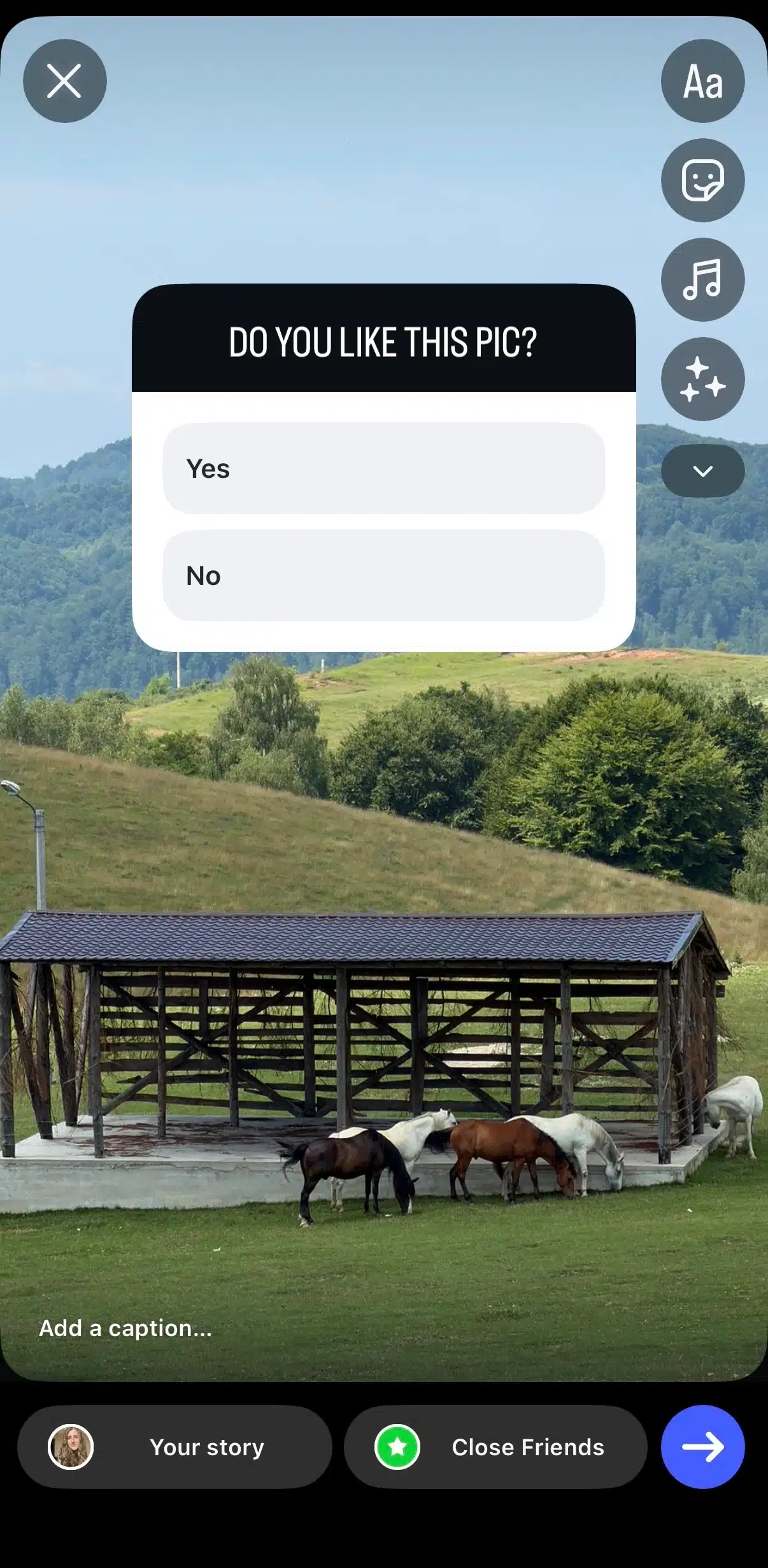
Even simple questions like “Which design do you prefer?” or “What topic should I cover next?” can generate valuable responses while helping your followers feel involved.
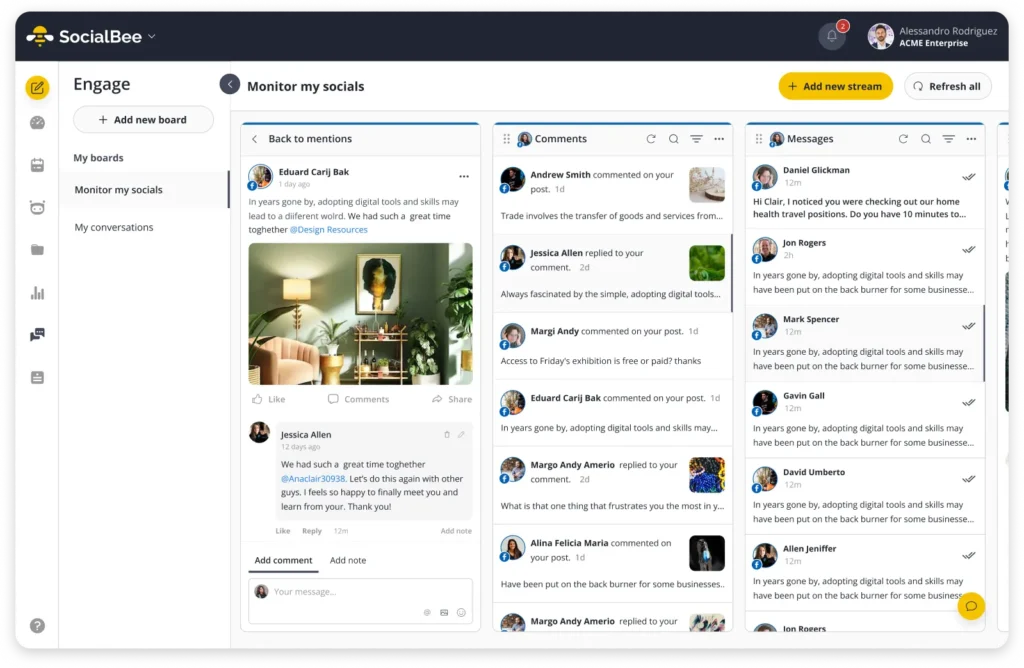
Replying to Stories and DMs on Instagram
When someone replies to your Story, the conversation automatically moves into your Direct Messages. You can reply by typing at the bottom of the Story where the “Send message…” prompt shows up. You can also like a story or share it by tapping the heart or the paper airplane buttons on the bottom right.
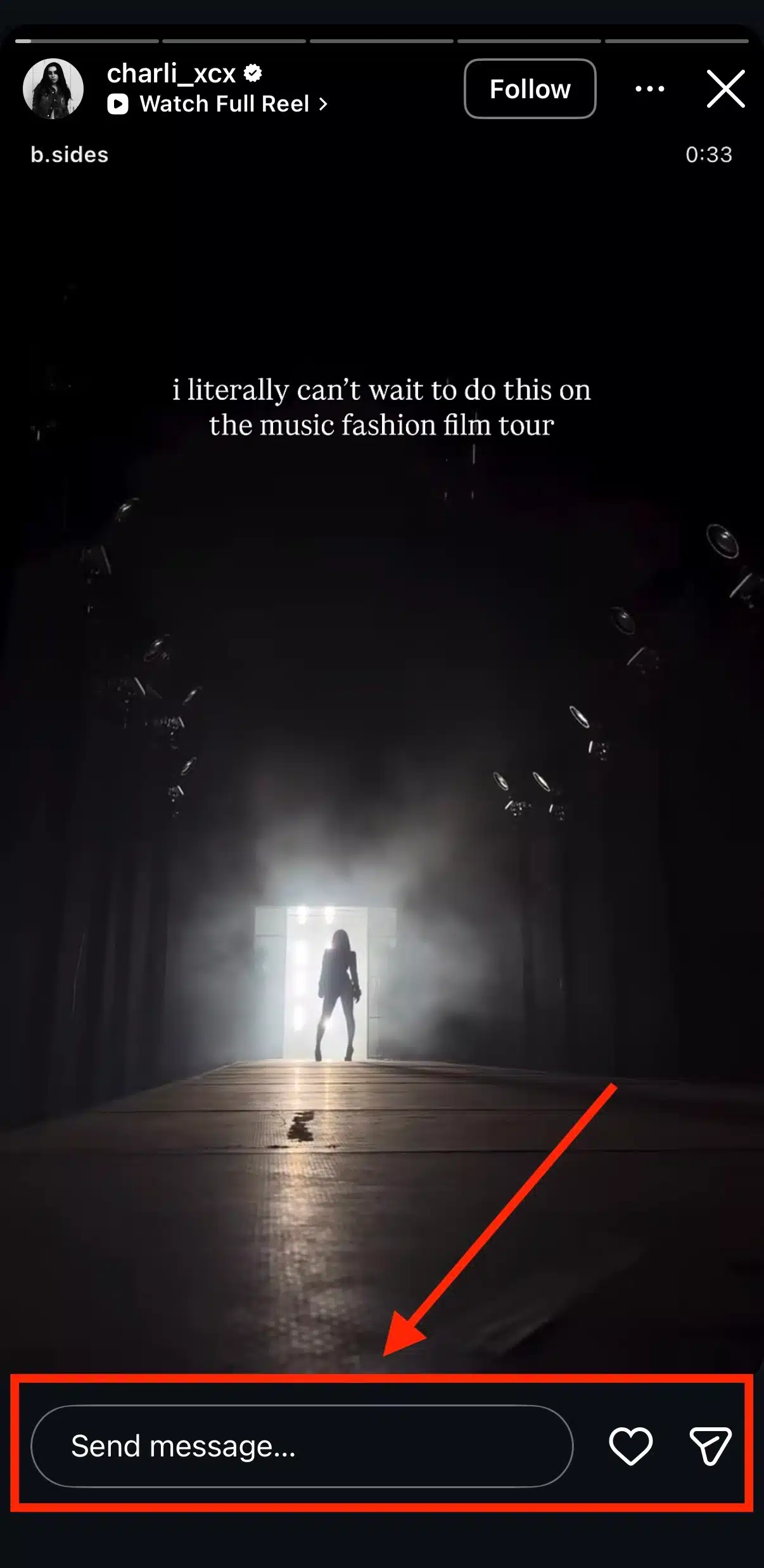
These conversations are often more valuable than public comments because they’re private, personal, and much more likely to lead to genuine relationships with your audience.
If someone takes the time to reply to your Story, try to keep the conversation going instead of responding with a simple emoji.
7.4. Direct messages
How DMs work
You can use Instagram Direct to:
- Send text messages
- Share posts, Reels, and Stories
- Send photos, videos, voice messages, and GIFs
- Start audio and video calls
- Create group conversations
Because every shared post opens directly inside the conversation, DMs have become one of the main ways content spreads across Instagram.
Message requests and group chats
If someone you don’t follow sends you a message, it usually appears in your Message Requests folder rather than your primary inbox.
This helps reduce spam while giving you control over who can contact you. You can accept, delete, or ignore these requests at any time.
Instagram also supports group chats, making it easy to share posts, plan events, collaborate with colleagues, or simply chat with multiple people in one conversation.
7.5. Broadcast channels
Broadcast Channels are a one-to-many messaging feature designed for creators.
Instead of sending individual messages, creators can share updates, behind-the-scenes content, voice notes, photos, polls, and announcements with everyone who joins the channel. Followers receive these messages in their inbox, but only the creator can post unless replies are enabled for specific interactions.
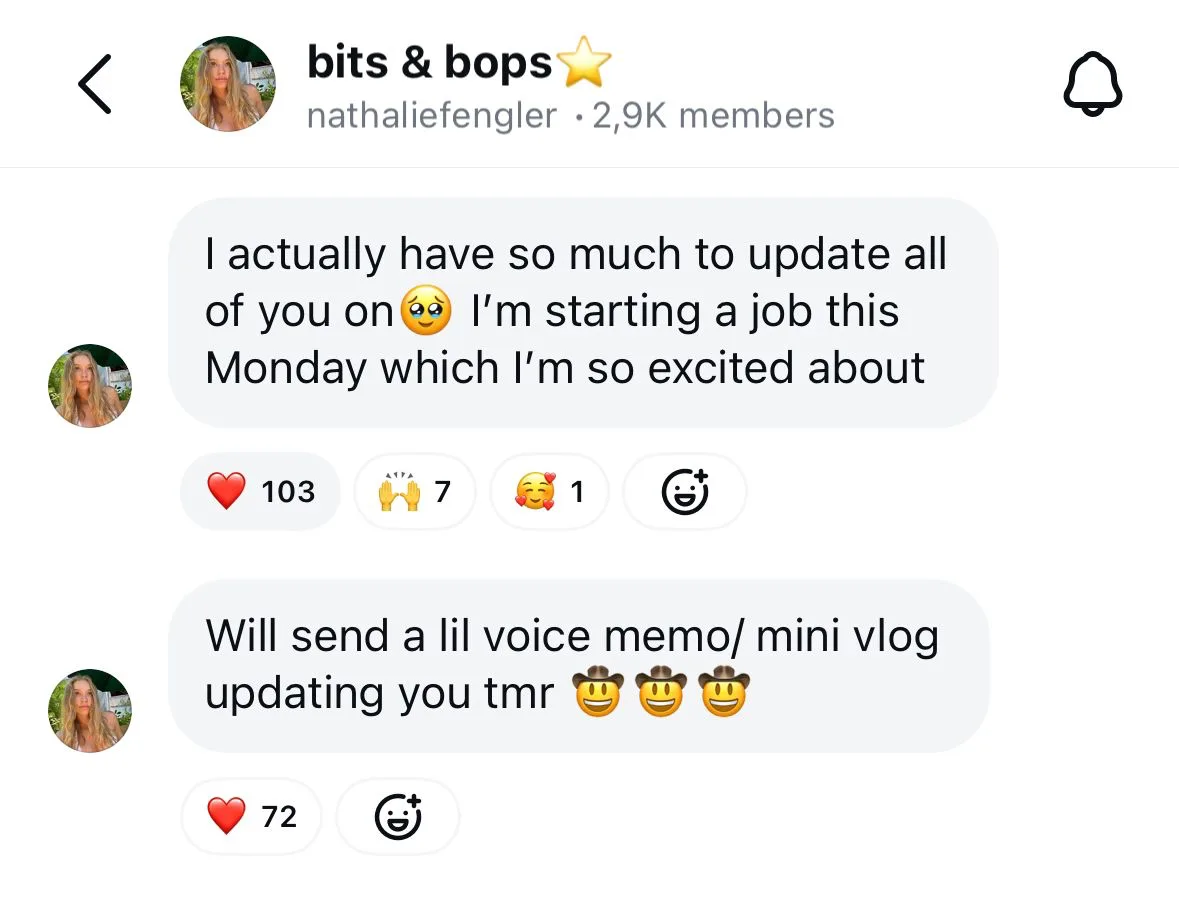
For creators and brands, Broadcast Channels provide another way to stay connected with their most engaged followers without relying solely on the algorithm.
7.6. Instagram Notes
Instagram Notes are short text updates that appear above your profile picture in Direct Messages and disappear after 24 hours.
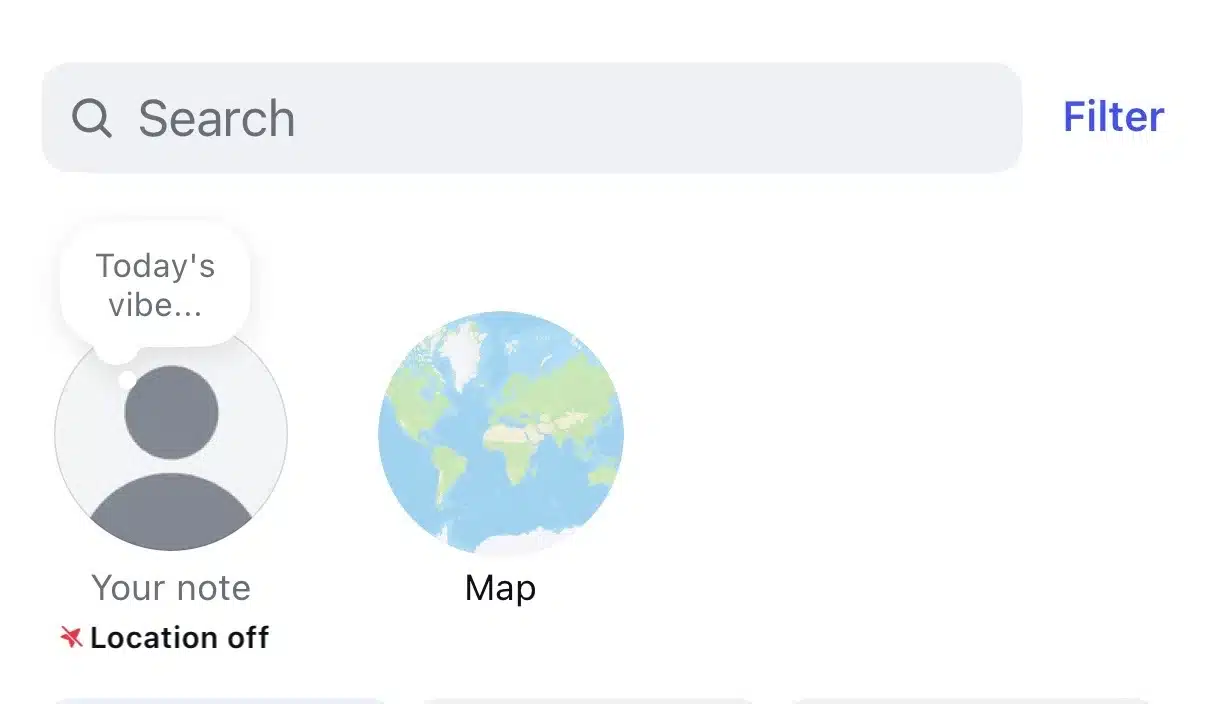
They’re limited to 60 characters, making them ideal for quick thoughts, questions, reminders, or casual updates.
While Notes won’t replace Stories or feed posts, they’re a simple way to stay visible and spark conversations with people you message regularly. Many creators use them to tease upcoming content, ask their audience a quick question, or share a thought without creating a full post.
8. How to grow on Instagram
Here are 8 tips for growing on Instagram:
- Hook attention immediately
- Design for saves, shares, and comments
- Build series-based content
- Reply to comments after posting to increase momentum
- Participate in trends
- Use Collab posts strategically
- Use SEO principles
8.1. Hook attention immediately
Whether you’re posting a Reel, carousel, or photo, the first few seconds determine whether someone keeps scrolling or stops to engage.
For Reels, that means showing the end result before explaining the process, starting with an unexpected statement, or asking a question your audience wants answered. For carousels, your first slide should make a clear promise, such as “Everything you need to know about houseplants.”
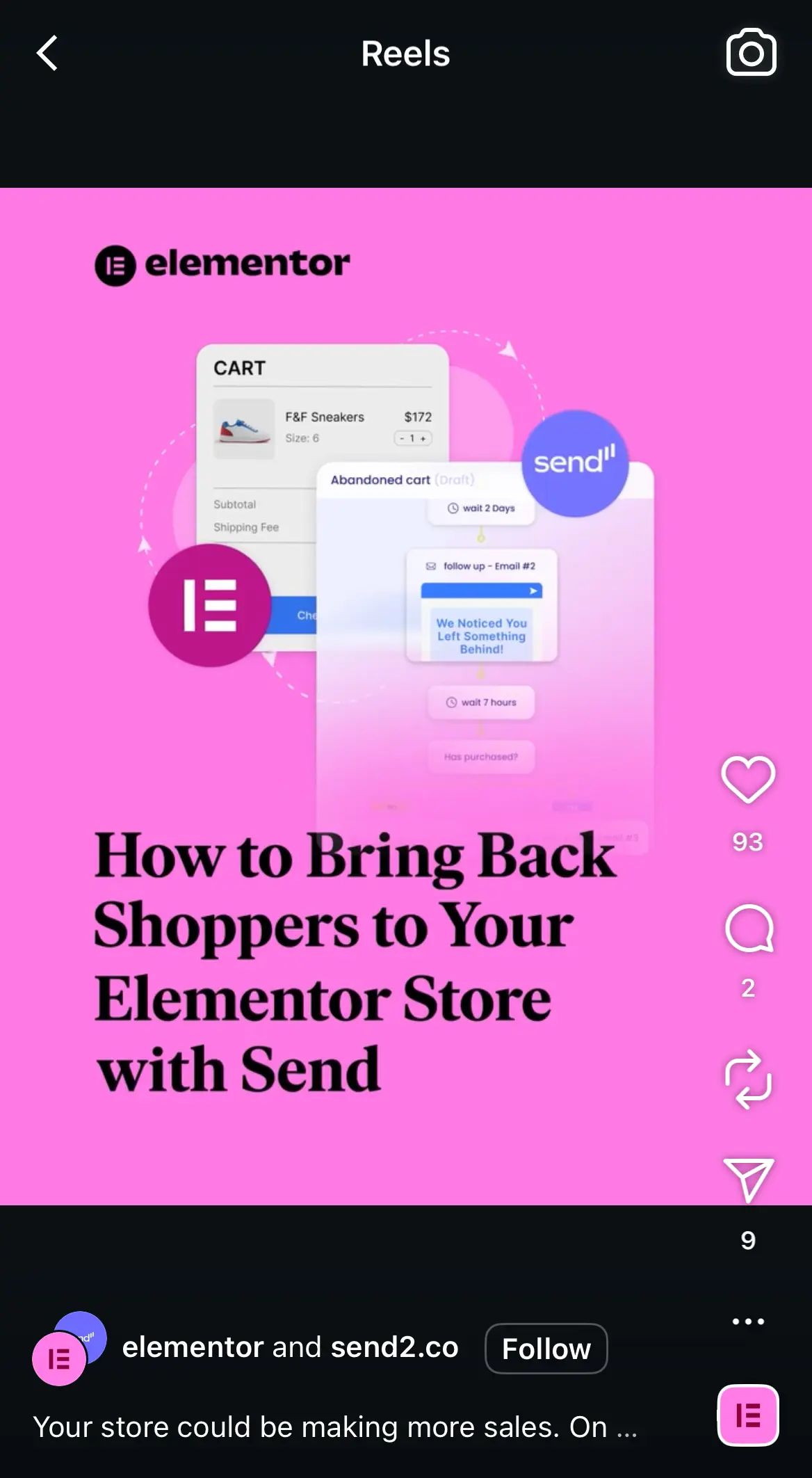
The same principle applies to captions. The first sentence is visible before people tap More, so make it count. Lead with the most interesting part of your story instead of opening with something generic like “Happy Monday!” or “Here’s another post…”
Don’t make people work to figure out why they should keep watching or reading. Tell them immediately.
8.2. Design for saves, shares, and comments
Some posts entertain people for a few seconds. Others become resources they come back to again and again.
If your goal is long-term growth, create content with lasting value. Instead of asking yourself what will get the most likes today, think about what someone might want to bookmark for later or send to a friend.
Content that performs well in this category includes:
- Step-by-step tutorials
- Checklists
- Templates
- Buying guides
- Cheat sheets
- Before-and-after examples
- Lists of tools or resources
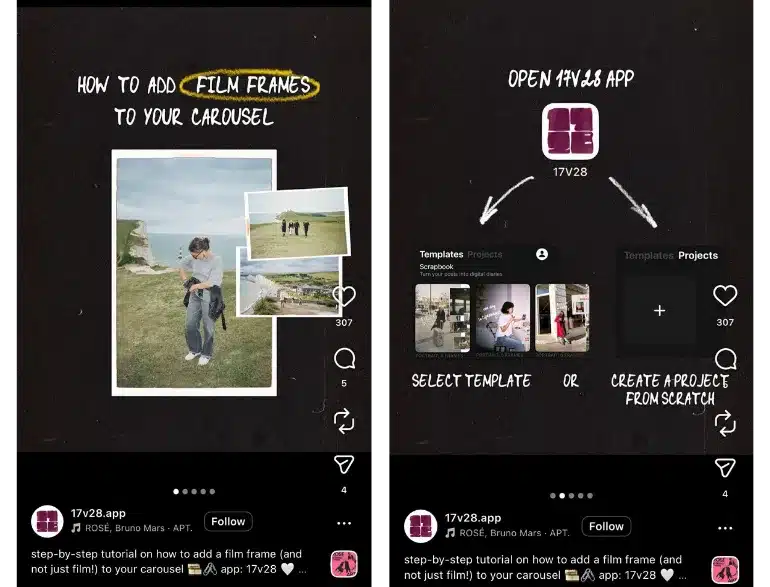
For example, a bakery could share a carousel explaining how to store homemade bread, while a fitness coach might publish a beginner workout checklist. These are the kinds of posts people save because they expect to use them again.
8.3. Build series-based content
One of the fastest ways to run out of ideas is treating every post as something completely new.
Instead, create recurring content formats that your audience begins to recognize. This reduces the pressure of constantly brainstorming while giving followers a reason to return to your profile.
A few examples include:
- A weekly tip every Tuesday
- A monthly myth-busting series
- Customer success spotlights
- Product of the week
Another great example is Tarte’s Intern Takeover series:

The format stays consistent while the topic changes each time. Over time, these series become part of your brand identity.
Content categories make recurring series much easier to manage. You can organize posts into categories like Educational, Customer Stories, Tips, or Promotions, assign each category its own publishing schedule, and let SocialBee automatically maintain a balanced content mix without manually rebuilding your calendar every week.
8.4. Reply to comments after posting to increase momentum
Many people hit Publish and immediately move on to creating the next post. That’s a missed opportunity.
Instead, spend some time engaging with your audience while the post is fresh. Reply to comments, answer questions, and acknowledge people who take the time to interact with your content.
You can also increase visibility by leaving thoughtful comments on posts from creators, customers, partners, or businesses in your niche. Focus on adding something meaningful to the conversation rather than writing generic replies like “Great post!” Genuine interactions expose your account to people who are already interested in your industry.
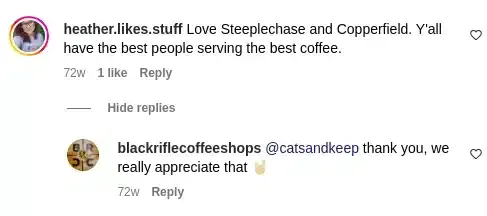
Think of publishing as the start of the conversation, not the finish line. The more active you are within your community, the easier it becomes to build relationships that lead to repeat engagement over time.
8.5. Participate in trends
Trending audio, memes, and challenges can introduce your content to people who have never heard of your brand, but only if they feel authentic.
Instead of trying to jump on every viral trend, look for ones that naturally fit your niche or message. Ask yourself whether the trend helps you communicate something useful or memorable. If it feels forced, it’s probably better to skip it.
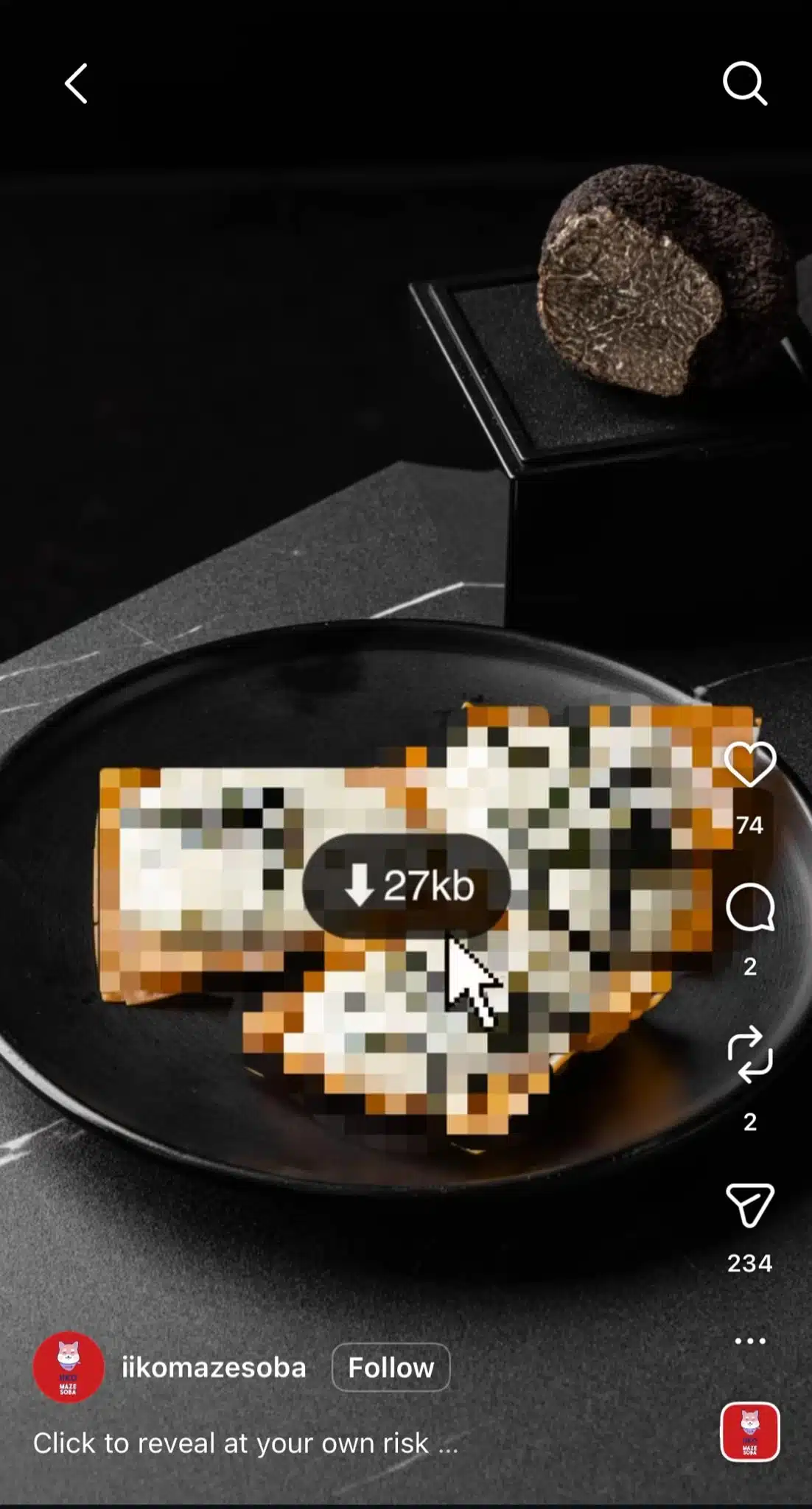
For example, a real estate agent could use a popular meme format to highlight common home-buying mistakes, while a coffee shop might use a trending audio to showcase a new seasonal drink. Both use the trend as a storytelling tool rather than the entire idea.
Remember that trends have a short lifespan. If you decide to participate, act quickly while the format is still familiar to your audience.
8.6. Use Collab posts strategically
Collab posts let two Instagram accounts publish the same post or Reel simultaneously. The content appears on both profiles and shares the same likes, comments, saves, and views.
This makes them a powerful way to expand your reach because you’re introducing your content to another account’s audience without creating duplicate posts.

Collaborations don’t have to involve influencers with millions of followers. Some of the most effective partnerships happen between complementary businesses, creators in the same niche, satisfied customers, or industry experts.
8.7. Use SEO principles
Whether someone is looking for restaurants in Chicago, beginner photography tips, or skincare routines, Instagram’s search results increasingly surface accounts and posts that clearly communicate what they’re about.
You don’t need to be an SEO expert to improve your visibility. A few simple habits can make your content easier to discover:
- Use descriptive keywords in your captions instead of relying only on hashtags.
- Include relevant keywords in your name field and bio so people can find your profile through search.
- Add location tags when your content is tied to a specific place or local audience.
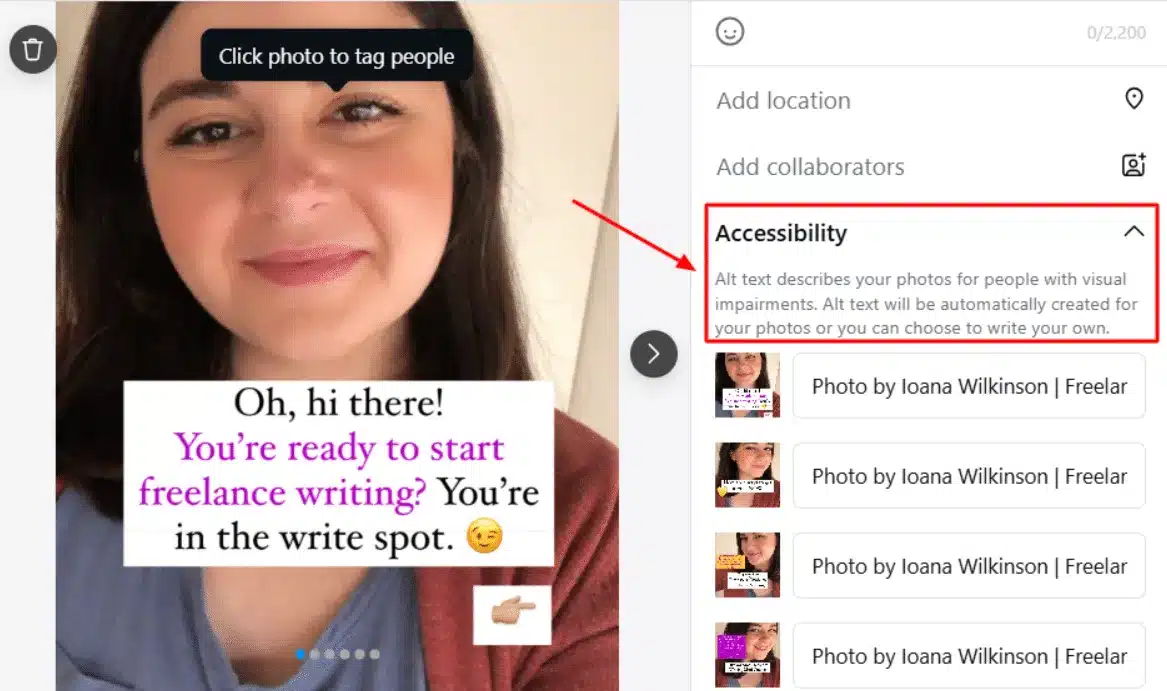
- Write descriptive alt text for images when it adds useful context.
- Stay focused on a few related topics instead of posting about everything. Consistency helps Instagram understand your niche over time.
9. Instagram analytics and performance tracking
9.1. How to access Instagram Insights
Instagram Insights is available for Business and Creator accounts.
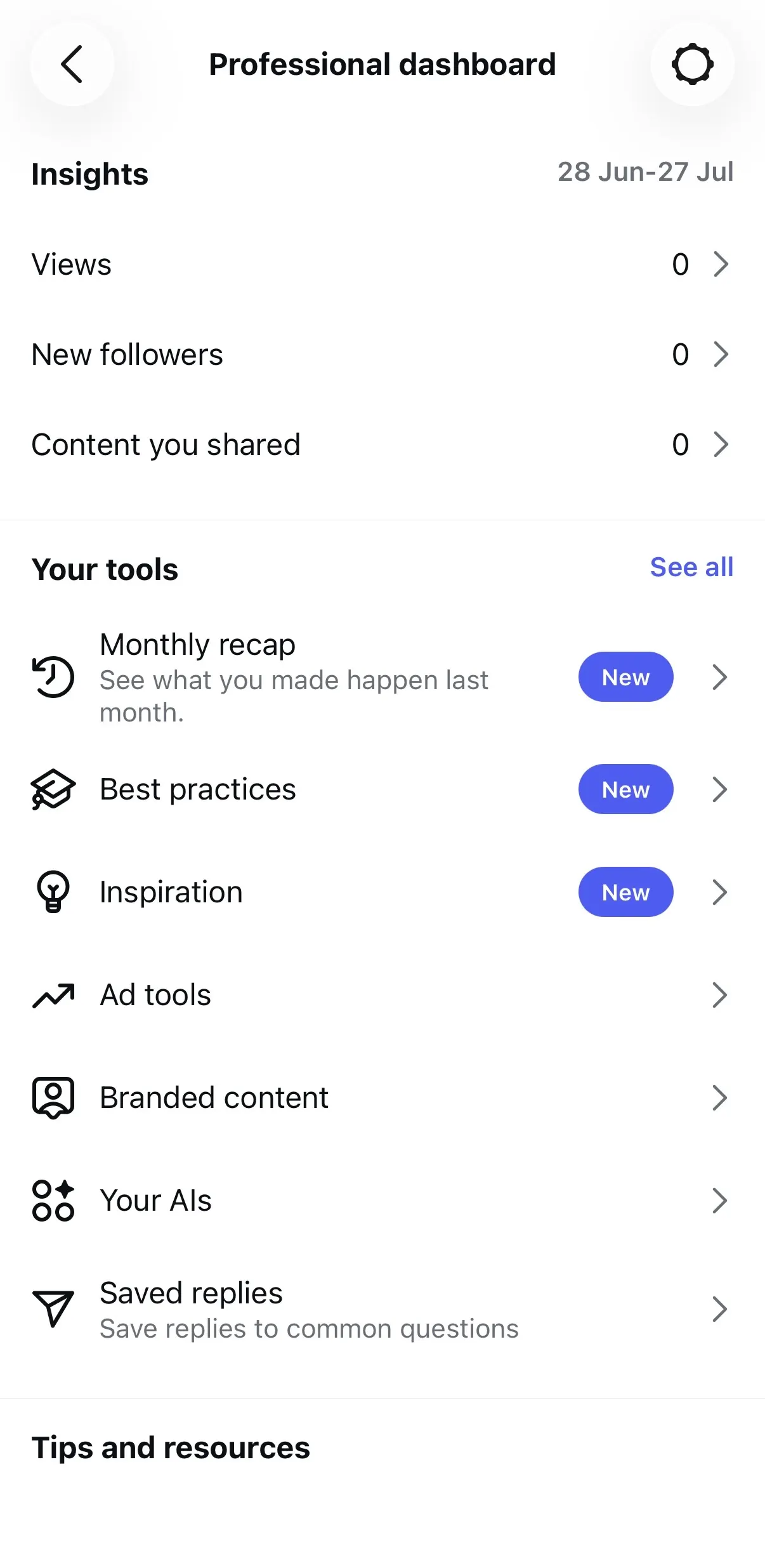
To view your analytics, open your profile and tap Professional dashboard or Insights. From there, you can explore data about your audience, your content, and your account’s overall performance.
9. Instagram analytics and performance tracking
9.1. How to access Instagram Insights
Instagram Insights is available for Business and Creator accounts.
To view your analytics, open your profile and tap Professional dashboard or Insights. From there, you can explore data about your audience, your content, and your account’s overall performance.
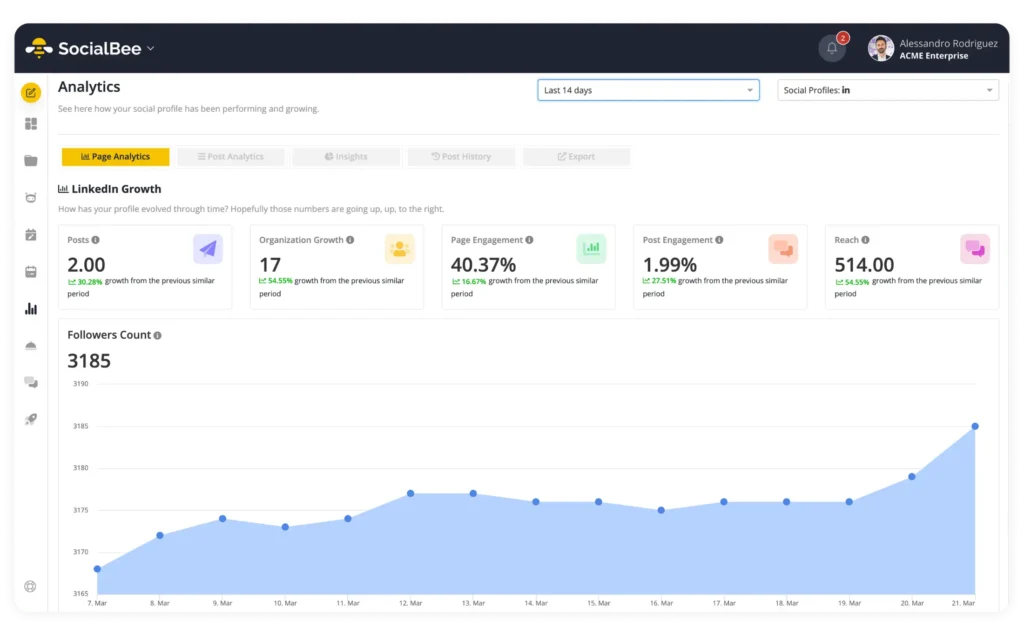
Insights lets you analyze individual posts, Reels, Stories, and Lives, as well as broader trends like follower growth and audience demographics. You can also compare performance over different time periods to see whether your strategy is improving over time.
If you’re still using a personal account, you’ll need to switch to a professional account before Insights becomes available.
9.2. Key metrics to understand
Instagram provides dozens of metrics, but you don’t need to monitor every number equally.
Instead, focus on the metrics that match your goals.
If you’re trying to grow your audience, pay attention to:
- Reach
- Accounts reached
- Follower growth
- Profile visits
If your goal is creating better content, look at:
- Shares
- Saves
- Comments
- Average watch time for Reels
And if you’re using Instagram to drive business results, keep an eye on metrics like:
- Website clicks
- Link sticker taps
- Product page visits
- Messages started
Rather than chasing vanity metrics like likes alone, look for patterns. You might discover that tutorials consistently generate more saves than product announcements, or that short educational Reels bring in more followers than static images.
9.3. How to improve content using analytics
Analytics become useful when you turn them into decisions.
Start by identifying your top-performing posts from the last month. Instead of simply celebrating their success, ask why they worked. Was it the topic, the format, the opening hook, the posting time, or the way the information was presented?
The same applies to underperforming posts. Low reach doesn’t necessarily mean the idea was bad. It could mean the first slide wasn’t compelling enough, the Reel was too slow to get started, or the caption didn’t encourage people to engage.
Over time, these patterns help you build a content strategy based on evidence rather than assumptions.
10. Instagram for business
10.1. Selling on Instagram
Product tagging and Instagram Shopping
If you have an eligible Business account, you can connect your product catalog and tag products directly in your Instagram content.
Product tags can be added to feed posts, Reels, and Stories, allowing people to tap on an item to view details such as its name, price, and a link to purchase it. This removes friction from the buying journey by letting people discover products while they’re already engaging with your content.
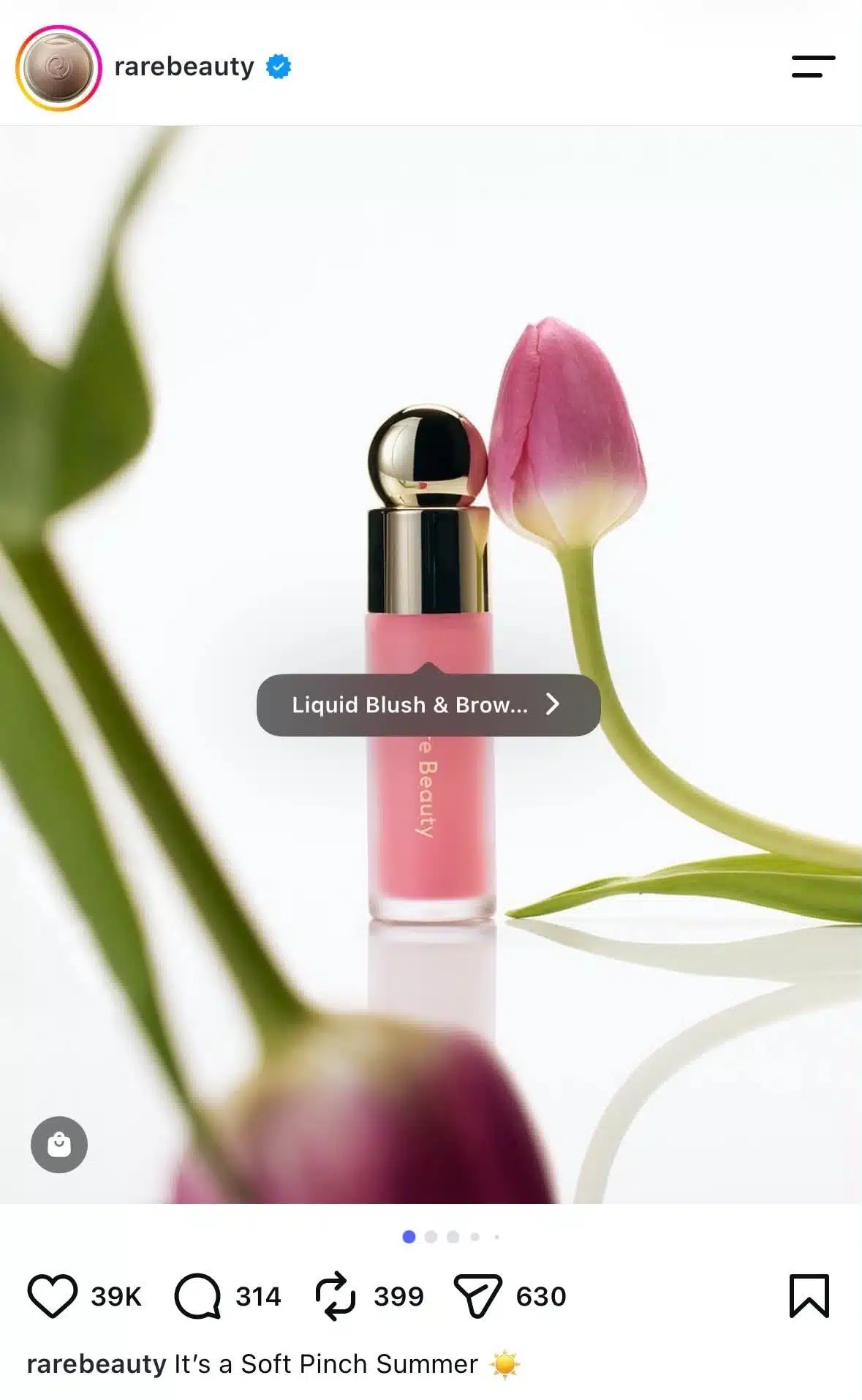
Product tagging works particularly well for businesses that sell visually appealing products like clothing, home décor, beauty products, food, or handmade goods, but it can benefit almost any ecommerce brand.
Even if you don’t have a large following, tagging products makes your content more actionable by giving interested viewers an immediate next step.
Using posts and Reels to showcase offers
People rarely open Instagram intending to shop. They open it to be entertained, inspired, or learn something new.
That’s why the best-performing promotional content doesn’t feel like a traditional advertisement. Instead of focusing only on the product itself, show how it solves a problem or fits into someone’s daily life.
For example, instead of posting a single product photo with a price, you could:
- Demonstrate how the product is used.
- Show the transformation or results it delivers.
- Answer common customer questions.
- Compare different options or variations.
- Share customer reviews or user-generated content.
- Highlight what’s included in a limited-time offer.
Another good example is a transformation Reel like the one posted by Anastasia Beverly Hills, showing the results a beauty product can have:

Reels are especially effective for product demonstrations because they allow people to see the product in action before making a purchase. Pairing them with product tags and a clear call to action makes it easy for interested viewers to learn more without interrupting their browsing experience.
10.2. Brand collaborations
How influencer partnerships work
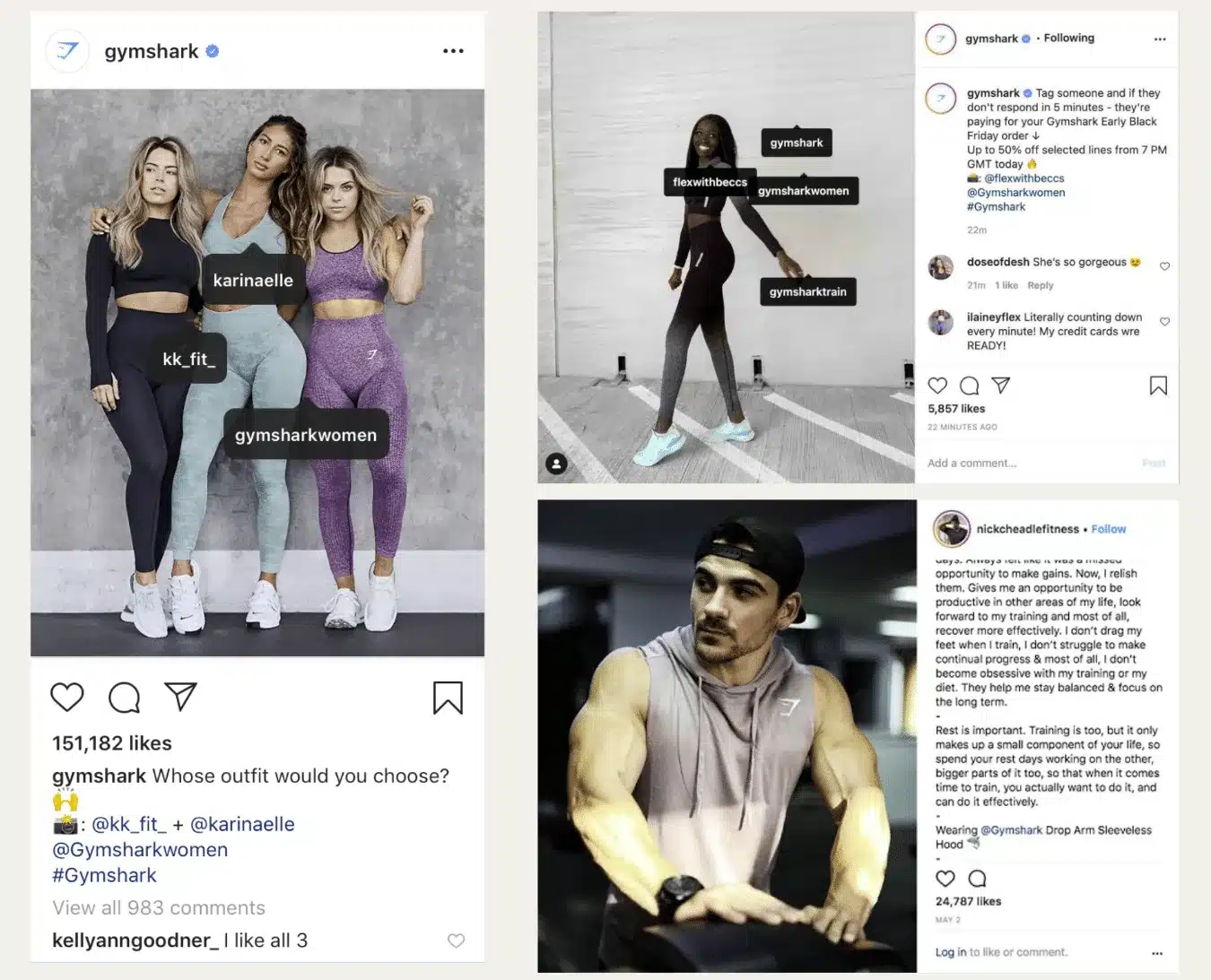
An influencer partnership is simply an agreement between a brand and a creator to promote a product, service, or campaign.
The exact arrangement varies depending on the goals and budget. Some creators are paid a flat fee, while others receive free products, earn commission through affiliate links, or agree to a long-term ambassador partnership.
Successful collaborations start with choosing the right creator, not necessarily the biggest one. Look for someone whose audience matches your target market, whose content feels authentic, and whose engagement shows that followers genuinely interact with their posts.
Before starting a partnership, agree on expectations such as:
- The type and number of posts or Reels to create
- Deadlines and publishing dates
- Creative guidelines and key messages
- Payment or compensation
- Whether the content can be reused in ads or on other marketing channels
Setting these expectations upfront helps avoid misunderstandings and gives creators enough freedom to produce content that feels natural to their audience.
Sponsored content basics
Whenever a creator is compensated to promote a product or service, the partnership should be clearly disclosed.
Instagram offers a Paid Partnership label that identifies sponsored content, and many countries also require creators to disclose advertisements using labels such as #ad or #sponsored in accordance with local advertising regulations.
Transparency benefits everyone involved. It helps audiences understand when content is promotional, builds trust between creators and their followers, and ensures brands comply with advertising guidelines.
10.3. Monetization on Instagram
Paid partnerships and brand deals
Paid partnerships are one of the primary ways creators earn money on Instagram.
According to Meta, branded content is any content that features or is influenced by a business partner in exchange for something of value. That value doesn’t have to be cash. It can also include free products, gifted experiences, discounts, or affiliate commissions.
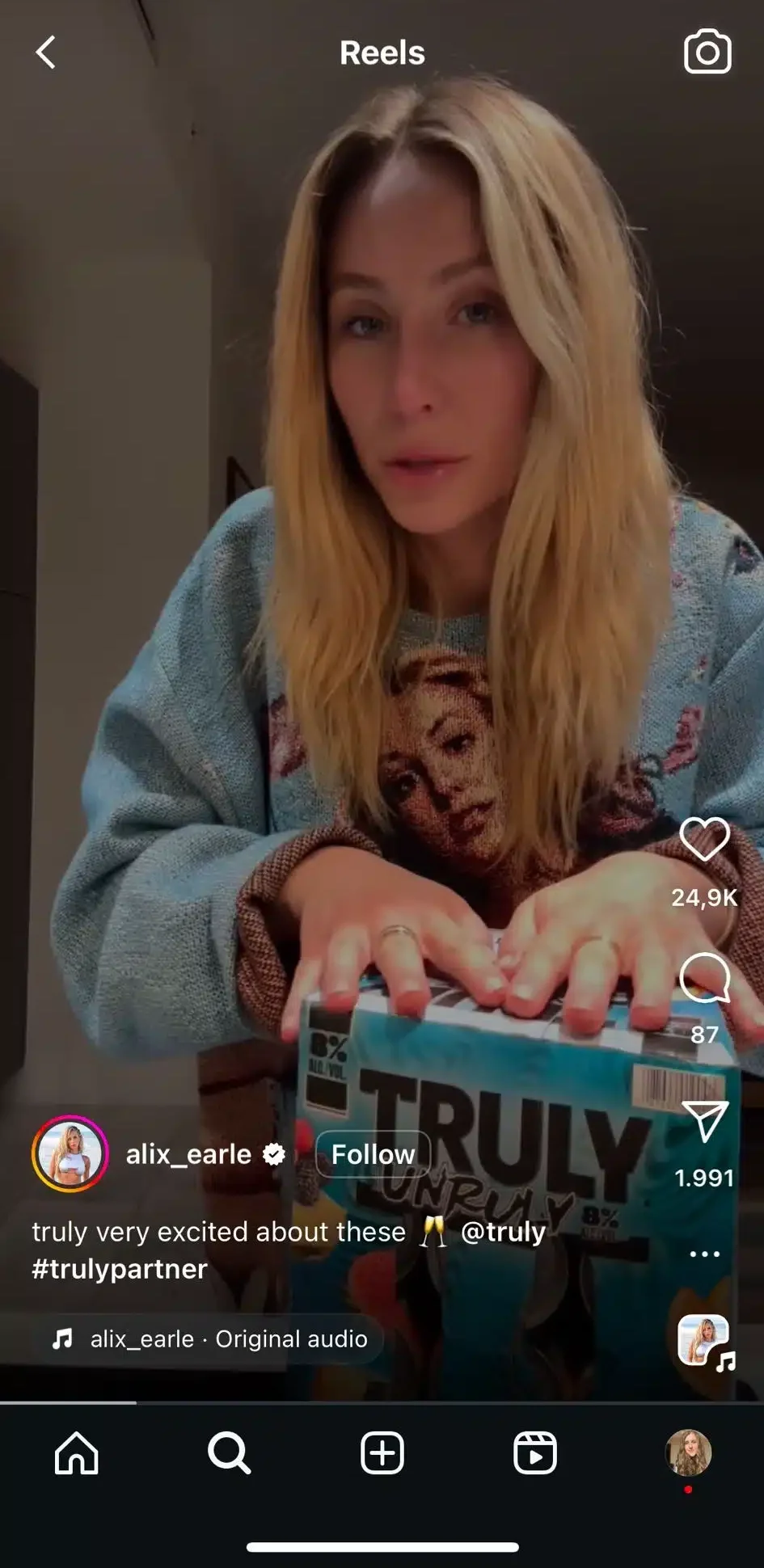
To help creators and brands work together, Instagram offers Creator Marketplace, a built-in platform where eligible professional accounts can discover partnership opportunities.
Creators can create a portfolio highlighting their niche and interests, browse campaigns from brands, receive partnership messages in a dedicated inbox, and express interest in projects directly from the Instagram app. Brands can search for creators using filters and audience insights to find partners that fit their campaign goals.
Instagram monetization tools for creators
Beyond brand collaborations, Instagram includes several tools that allow eligible creators to monetize their audience directly. Availability depends on your country, account status, and whether you meet Meta’s eligibility requirements.
Some of the most widely available monetization features include:
- Instagram Subscriptions, which let creators offer exclusive content and subscriber-only benefits for a recurring monthly fee.
- Instagram Gifts, which allow viewers to financially support creators on eligible Reels by sending virtual gifts.
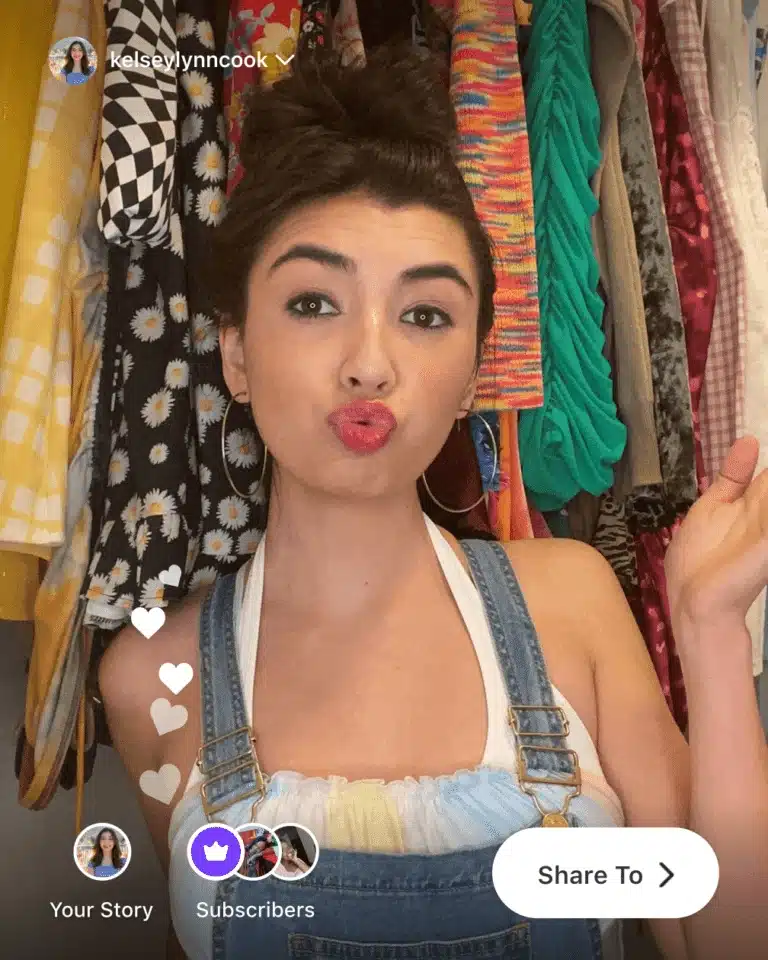
You can check which monetization features are available for your account by opening your Professional dashboard in the Instagram app. Meta regularly expands these tools and introduces new creator products, so eligibility and feature availability may change over time.
Affiliate marketing on Instagram
Affiliate marketing is another way creators can generate income by recommending products they already use.
Instead of being paid upfront by a brand, creators earn a commission when someone purchases through their affiliate link or referral code. Many ecommerce brands and affiliate networks offer programs that creators can join without negotiating an individual sponsorship agreement.
Meta also considers affiliate content to be branded content because the creator receives value from resulting sales. For that reason, Instagram requires creators to use the Paid Partnership label on posts featuring affiliate links or products that generate commission.
The most successful affiliate content doesn’t feel like an advertisement. Rather than simply posting a product link, show how the product solves a problem, demonstrate it in use, or explain why you chose it over alternatives. Recommendations that fit naturally within your niche are far more likely to earn your audience’s trust and lead to long-term results.
10.4. Instagram ads and paid promotion
What Instagram ads are
Instagram ads are paid posts that businesses use to reach people beyond their existing followers. Unlike organic content, ads can be targeted to specific audiences based on factors such as demographics, interests, behaviors, or previous interactions with your business through Meta’s advertising platform.
You can create Instagram ads in Meta Ads Manager or, for simpler campaigns, promote an existing post directly from the Instagram app. During campaign setup, you’ll choose your marketing objective, define your audience, set a budget and schedule, and decide where you want your ads to appear.
One advantage of running Instagram ads through Meta Ads Manager is that you can manage campaigns across Instagram, Facebook, Messenger, and other Meta placements from a single dashboard while tracking performance in one place.
Types of Instagram ads (Feed, Stories, Reels, Explore)
Instagram offers several ad placements, allowing you to reach people at different stages of their journey through the app.
Feed ads
Feed ads appear alongside the organic posts people see while scrolling their Home feed. They look similar to regular posts, except they’re labeled Sponsored or Ad and include a call-to-action button such as Shop Now, Learn More, or Sign Up.

Feed ads support several creative formats, including single images, videos, and carousels, making them a versatile option for everything from brand awareness to product promotions.
Stories ads
Stories ads appear between users’ Instagram Stories in a full-screen, vertical format.
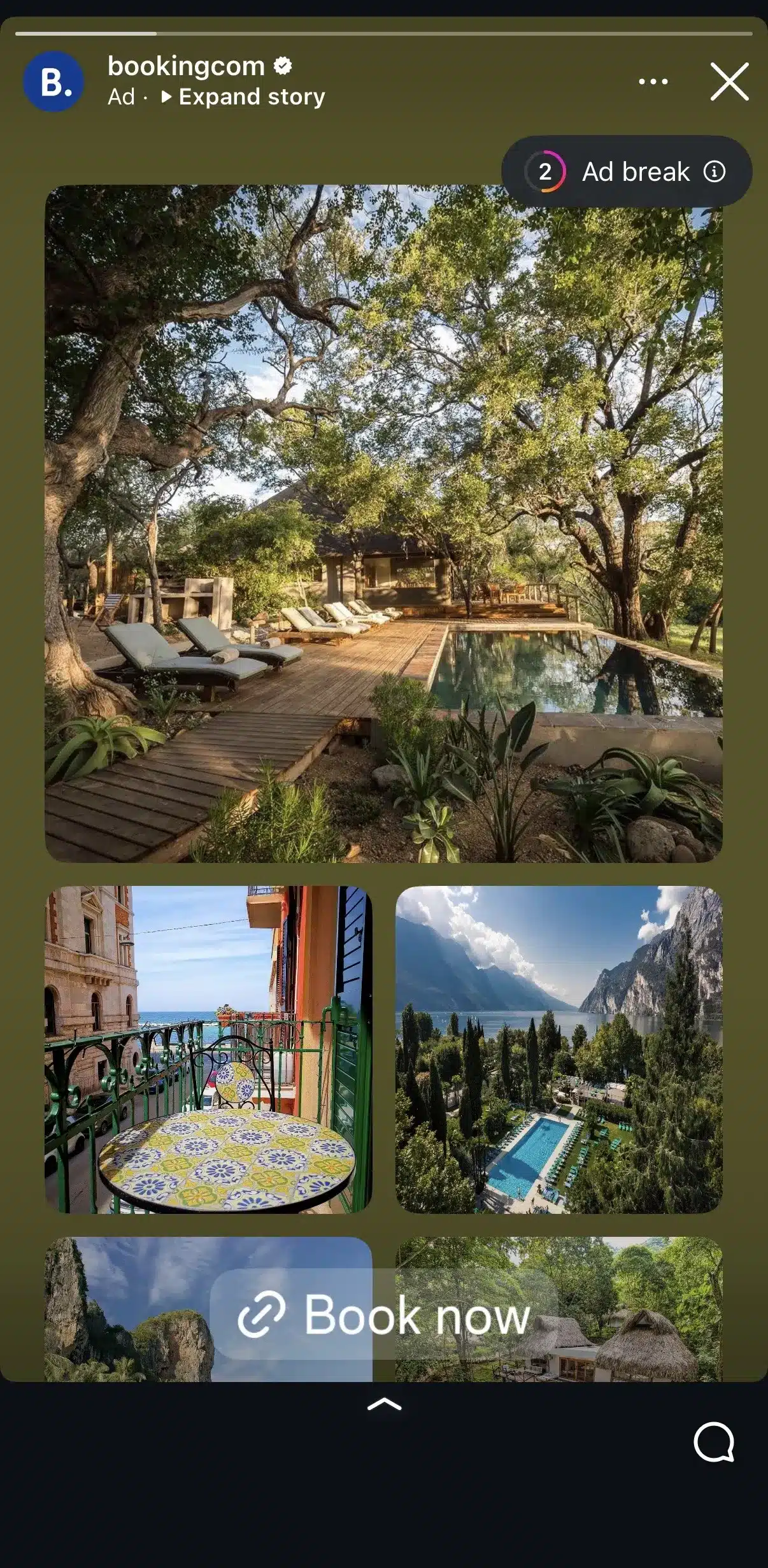
Because they take up the entire screen, they’re well suited for immersive visuals, limited-time offers, app installs, and other campaigns that benefit from a clear call to action. Viewers can tap links, stickers, or CTA buttons without leaving the experience.
Reels ads
Reels ads are shown between organic Reels as people scroll through the Reels experience. Like organic Reels, users can like, comment, share, and skip these ads.
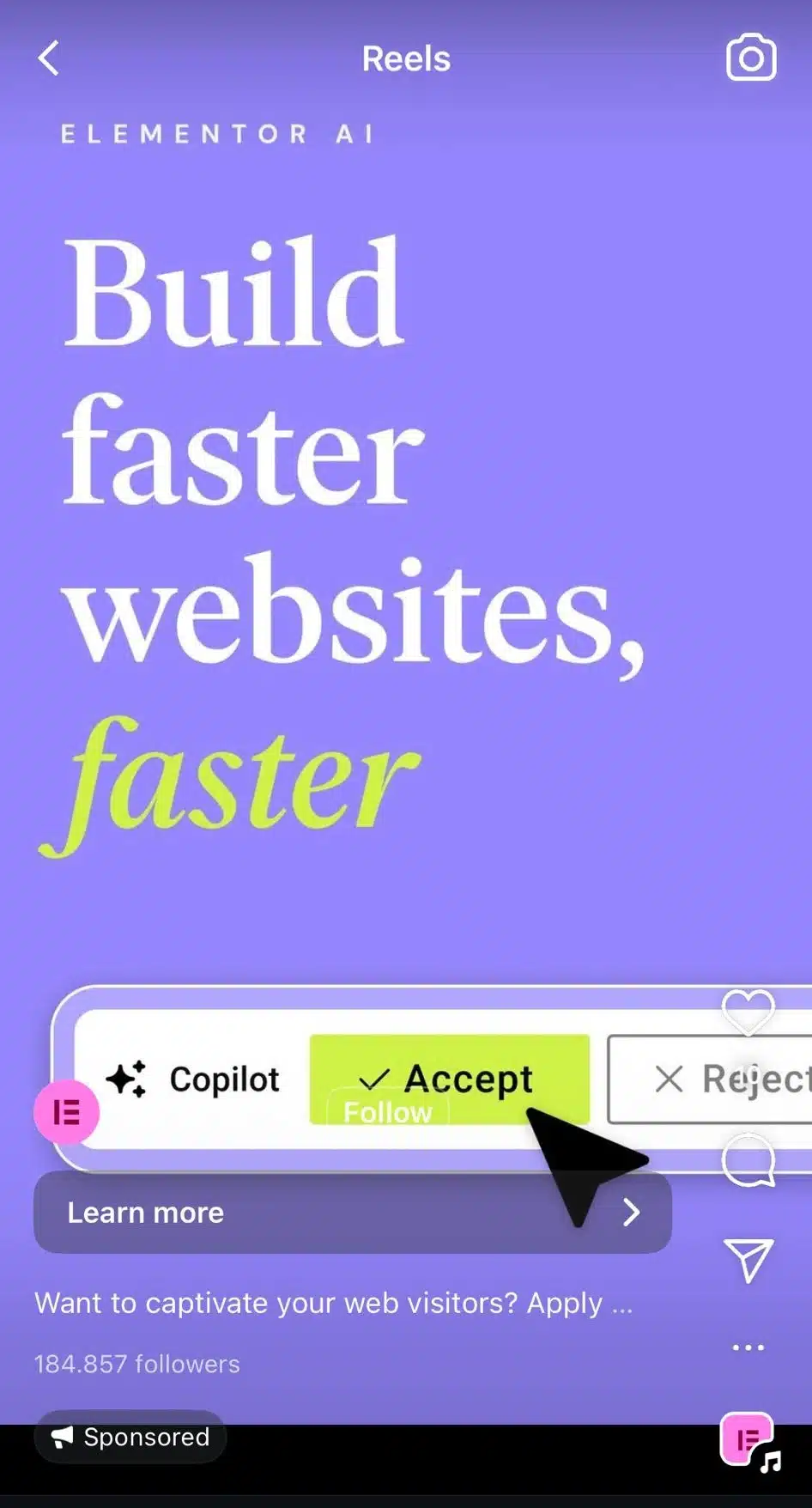
Meta recommends creating Reels ads specifically for the vertical, full-screen format instead of simply repurposing horizontal or feed-style videos. Because they blend naturally into the Reels experience, they often feel less disruptive than traditional display ads.
Explore ads
Explore ads reach people while they’re actively looking for new creators, products, and content.
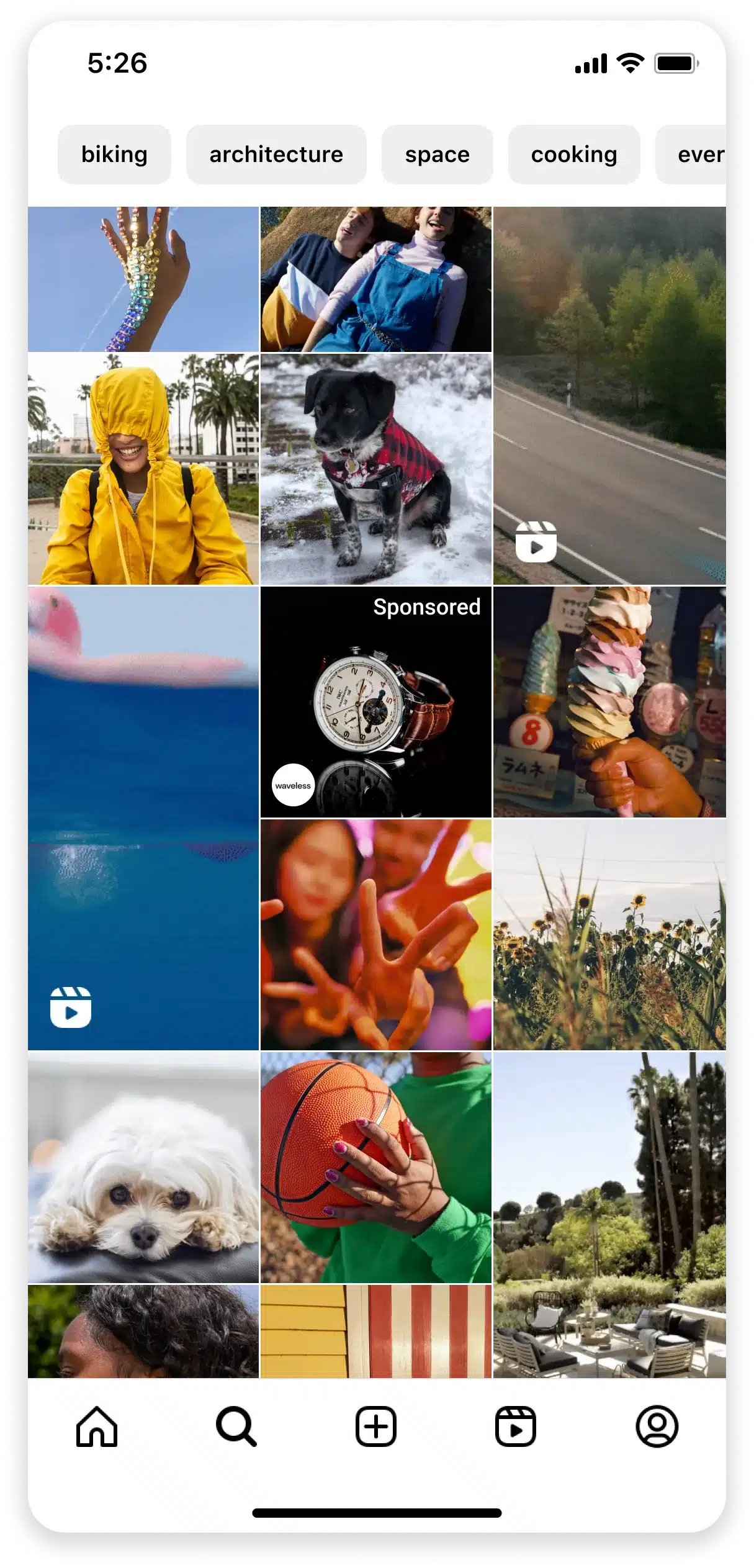
Rather than appearing directly in the Explore grid, these ads are shown after someone taps into a piece of content from Explore and continues browsing. This placement allows businesses to reach users who are already in a discovery mindset, making it a popular choice for introducing new products or expanding brand awareness.
Frequently asked questions
How often should you post on Instagram?
There’s no universal posting schedule that guarantees growth. The best frequency is one you can maintain consistently without sacrificing quality.
For most creators and businesses, posting 3 to 5 times per week is a realistic starting point. Pair that with regular Stories to stay visible between feed posts. As you become more comfortable creating content, review your Instagram Insights to identify which posting cadence produces the best engagement for your audience.
Do hashtags still matter on Instagram?
Yes, but they’re no longer the growth hack they once were.
Hashtags help Instagram understand what your content is about and can make it easier for people to discover posts related to specific topics. However, they’re just one ranking signal among many. Your content, caption, engagement, and overall relevance have a much greater impact on reach.
What type of content works best on Instagram?
The best-performing content is the kind your audience finds useful, entertaining, or worth sharing.
Educational tutorials, relatable stories, behind-the-scenes content, customer success stories, product demonstrations, and entertaining Reels consistently perform well because they provide value beyond simply promoting a product or service.
Get started with Instagram
It’s easy to look at successful creators and businesses and assume they have Instagram figured out. In reality, most of them got there by publishing consistently, paying attention to what resonated with their audience, and improving one post at a time.
You don’t need expensive equipment, thousands of followers, or a perfectly curated feed to succeed. What matters is understanding who you’re creating for and consistently giving them content that’s useful, entertaining, or inspiring. The more you experiment, review your analytics, and refine your approach, the faster you’ll find what works.
Once you’ve built that foundation, the challenge shifts from what to post to how to stay consistent. That’s where having a workflow makes a difference.
SocialBee helps you plan your Instagram content in advance, organize it into content categories, schedule Feed posts, Reels, and Stories, respond to messages from one inbox, and track your results alongside your other social channels. Instead of scrambling to post every day, you can focus on creating content your audience actually wants to see.
Start your 14-day free SocialBee trial and build an Instagram strategy you can stick with.