

If you’re wondering how to get verified on Twitter (now X), the process has changed significantly. The platform’s updated verification system no longer focuses only on public figures and high-profile verified accounts. Today, anyone with a qualifying X account, a premium subscription, and a complete profile can work toward earning a verification badge.
Getting a verified Twitter account signals authenticity. Whether you run an official account for a brand, manage journalist accounts reporting on breaking news, represent a public figure, or work in social media marketing, verification helps audiences trust that your Twitter profile truly belongs to you.
The well-known blue checkmark (now tied to X Premium, formerly Twitter Blue) confirms that your account meets the platform’s eligibility criteria and verification standards.
In this guide, you’ll learn the updated process for Twitter verification, including the different verification badge types, the eligibility requirements your account must meet, and the exact step-by-step process to request verification.

What is a verified Twitter account?
On X (formerly Twitter), verification is now primarily tied to a paid subscription, not the older system that verified accounts mainly based on public notoriety.
A verified Twitter account displays a blue checkmark next to the account’s display name, showing that the Twitter account is connected to an active X Premium (formerly Twitter Blue) premium subscription and meets the platform’s basic eligibility requirements.
Even though it’s a paid feature, to guarantee verification and maintain it, the account must meet several baseline conditions. In most cases, this includes:
- A complete profile with a profile photo and display name
- Activity on the platform within the last 30 days (only active accounts can remain verified)
- A verified phone number or confirmed phone number
- Compliance with the platform’s authentic criteria and rules against misleading information
Before assigning the verification badge, X reviews the account to ensure it isn’t impersonating someone, spreading misleading information, or using automated content in ways that violate the platform’s policies. If the platform later detects violations, the blue checkmark can be removed and the account’s verified status revoked.
Additionally, here are a few key things to keep in mind about verification:
- The blue badge appears next to your Twitter profile name in tweets, replies, and search results.
- Having a verified Twitter account does not mean X endorses the account or its content.
- Verification simply confirms that the account meets the platform’s requirements and is connected to a premium account.
Why do you need an X (Twitter) verified account?
A verified Twitter account helps people quickly confirm that your X account belongs to the real person, brand, or organization behind it. 12% of Americans use X as a data source, according to Pew Research Center, and a verification can tell your audience that it’s safe to get their information from you.
Here’s where verification can make a practical difference:
- Establish trust with your audience. Public-facing accounts are more vulnerable to impersonation. This is especially true for public figures, and a verification badge helps followers confirm they are interacting with the legitimate account.
- Resolve impersonation issues more easily. If someone creates a fake account pretending to be you, the platform can more easily identify the legitimate profile when your account is verified. This makes it simpler to report impersonation or misleading content.
- Stand out in conversations. The blue check appears next to your display name in replies, mentions, and search results. This visual signal helps users quickly recognize your official account, which can influence how they interpret and engage with your posts.
- Increase credibility for partnerships. Brands, media outlets, and creators often verify accounts before collaborating. A verified status can help confirm your identity when reaching out for business partnerships, interviews, or cross-promotions.
- Unlock additional platform tools. A premium-subscribed account through X Premium includes several features, such as enhanced analytics and early access to certain platform updates.
Is paying for Twitter verification worth it?
In my experience, the value of Twitter verification depends on how you use your account.
It’s usually worth the monthly fee if you:
- represent a brand or official account
- rely on credibility for partnerships or media visibility
- run campaigns where identity confirmation matters (such as for local political leaders)
- are vulnerable to impersonation
It’s less useful if you:
- post rarely
- don’t rely on identity signals
- primarily use X casually rather than professionally
For accounts that depend on reputation and visibility, the blue checkmark can act as a simple but effective trust signal.
What are the types of X (Twitter) verification?
X replaced its legacy verification program with a subscription-based system in 2023. Today, the platform uses different badge colors and labels to show what type of account you’re looking at and why it has a verified status instead of the previous criteria.
These visual markers in the new verification system help users distinguish between individual accounts, organizations, government accounts, and automated accounts.
Remember that only X can complete the verification process and assign a verification badge. Third-party apps or tools cannot verify a Twitter account on your behalf.
Here are the main types of verification badges currently used on X:
- Blue check
- Gold check
- Gray check
- Affiliation badge
- Automated account label
1. Blue check on X (Twitter)
What it looks like
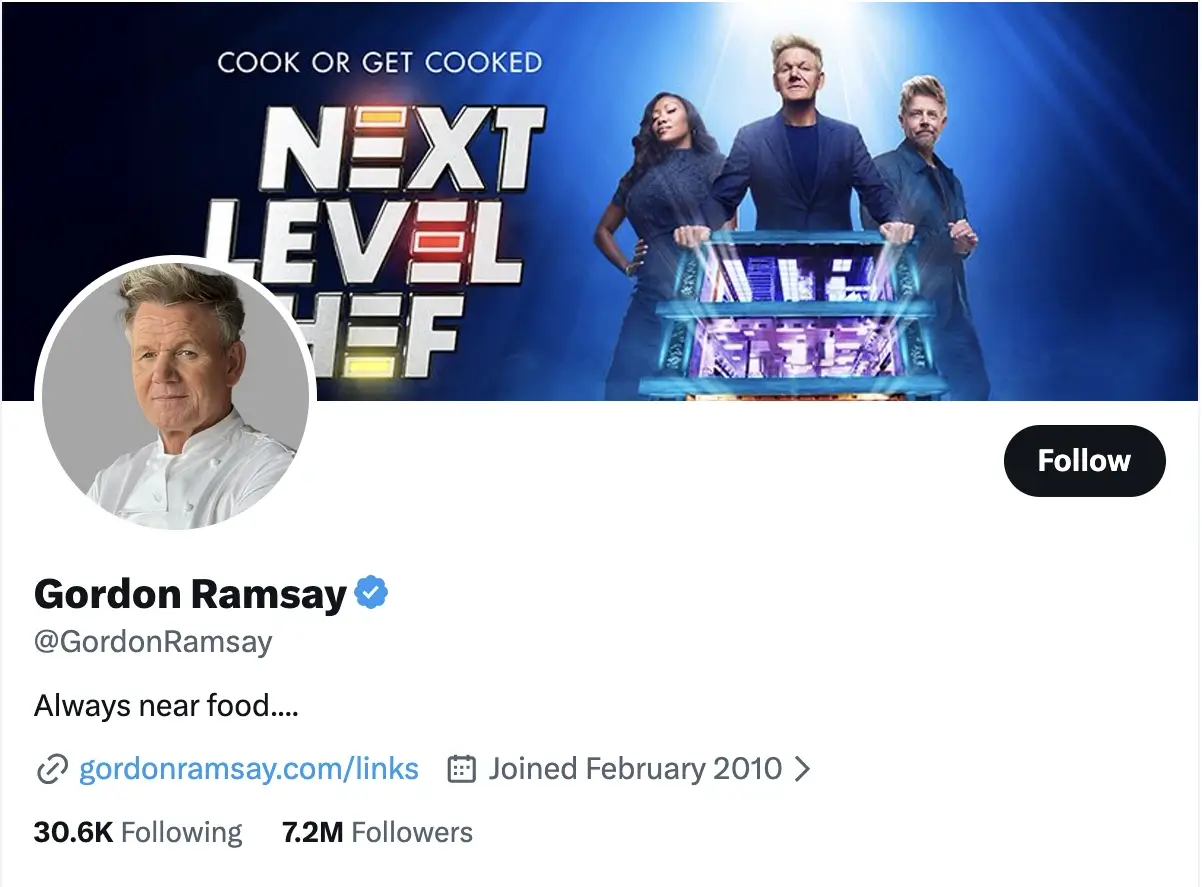
A blue checkmark displayed next to the account’s display name on the Twitter profile, in replies, and in search results.
Who it’s for
Individuals, creators, and brands with an active subscription to X Premium.
How to get it
Subscribe to X Premium and meet the platform’s eligibility requirements, such as maintaining a complete profile, adding a profile picture, and connecting a verified phone number.
What it signals
The blue badge shows that the account is connected to a premium subscription and has passed the platform’s basic verification checks.
2. Gold check and square profile picture on X (Twitter)
What it looks like
A gold checkmark paired with a square profile picture instead of the standard circular avatar.

Who it’s for
Only accounts of businesses and institutions with an X Premium Business subscription.
How to get it
Organizations apply for X Premium Business and confirm their business identity with X.
What it signals
The gold checkmark indicates the official account of a company, nonprofit, news organization, or other institution.
3. Gray check on X (Twitter)
What it looks like
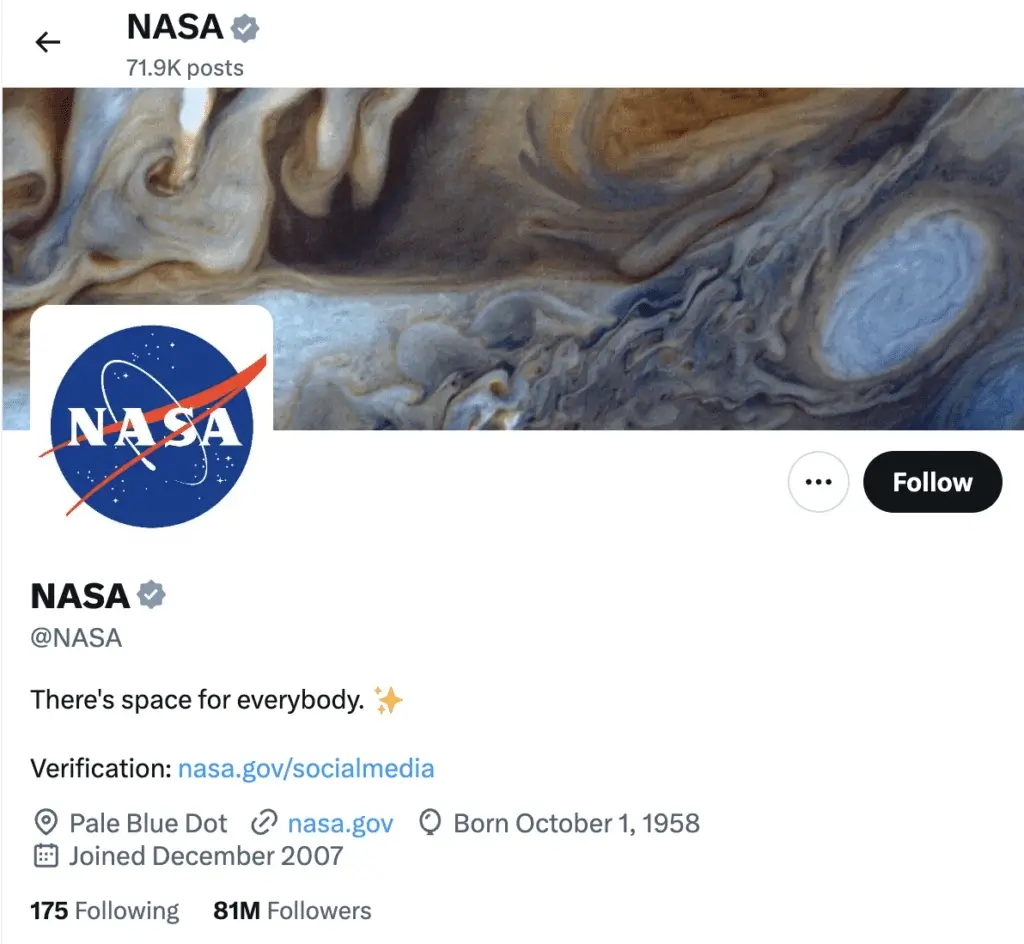
A gray checkmark displayed next to the account name.
Who it’s for
Government institutions and public officials, including agencies, embassies, and official spokespeople.
How to get it
These accounts are verified directly by X through internal review rather than by being premium users.
What it signals
The gray badge confirms the account represents an official government authority or public institution.
4. Affiliation badges on X (Twitter)
What it looks like
A small badge that includes the profile picture of the parent organization next to the account.
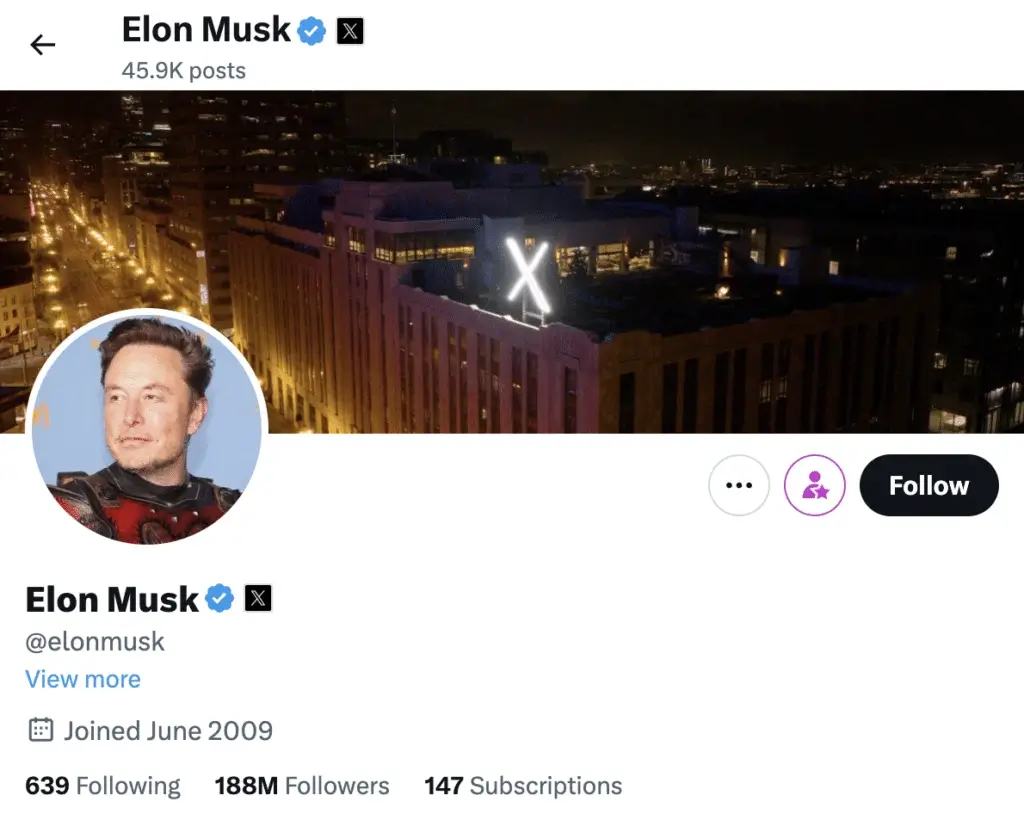
Who it’s for
Employees or representatives connected to a verified organization.
How to get it
Organizations assign secondary affiliated accounts through the Verified Organizations program.
What it signals
The badge shows the individual account is officially linked to an organization.
5. Automated account labels on X (Twitter)
What it looks like
A visible label identifying the account as publishing automated content.
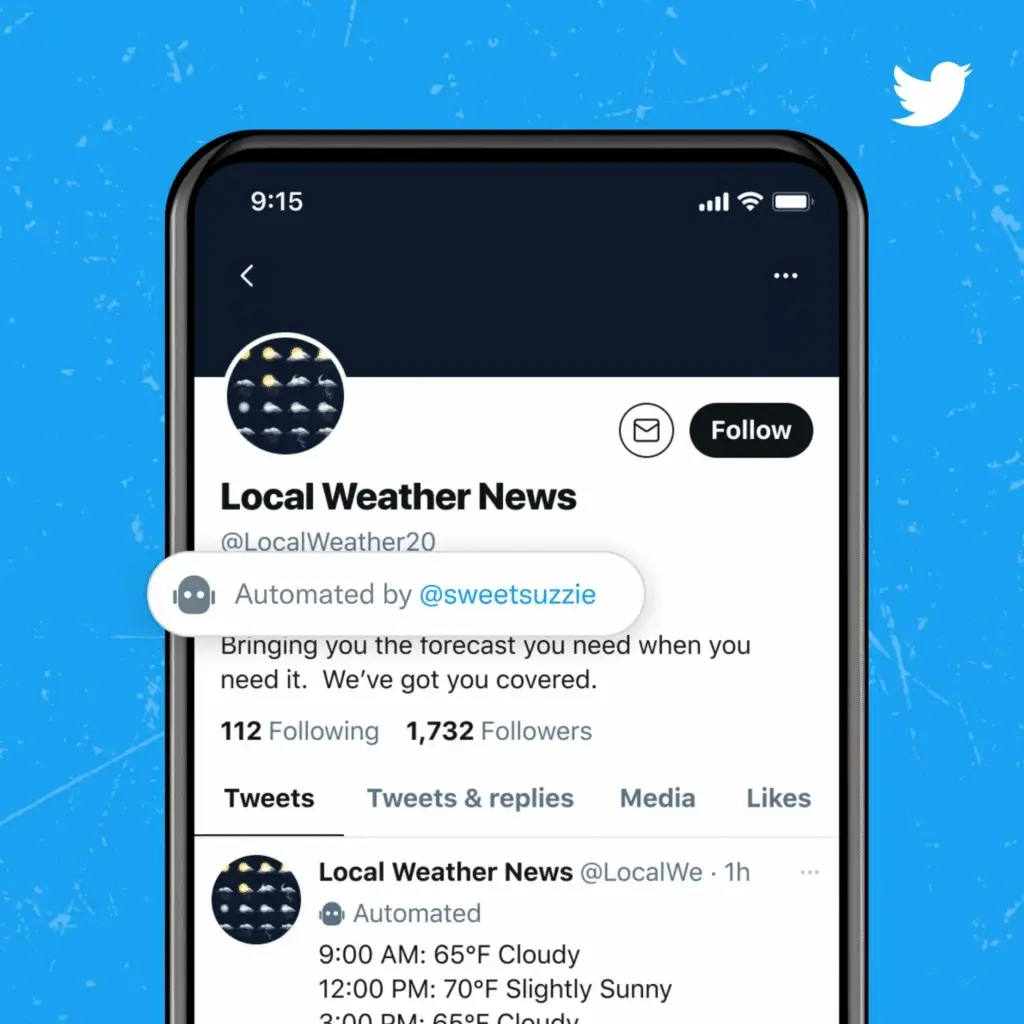
Who it’s for
Accounts that use bots or automation to generate posts.
How to get it
Account owners must label automated accounts according to X platform policies.
What it signals
The label helps users distinguish between human-run accounts and automated systems. Accounts that rely heavily on automation may struggle to meet certain verification criteria.
How to apply for an X (Twitter) verification badge in 5 steps
If you want to get verified on Twitter (X) and earn the blue checkmark, the process today revolves around meeting the platform’s X Premium eligibility requirements and maintaining a credible account.
Before you apply, make sure your X account meets these basic conditions before starting the verification process:
- Your account must be at least 90 days old
- Your profile details are stable (avoid recent changes to your display name, profile picture, or username)
- Your phone number is confirmed
- Your profile is complete and your tweets are public
Once these conditions are met, you can move forward with the steps below.
1. Get an X Premium subscription
First, become an X Premium subscriber or confirm that your premium subscription is active.
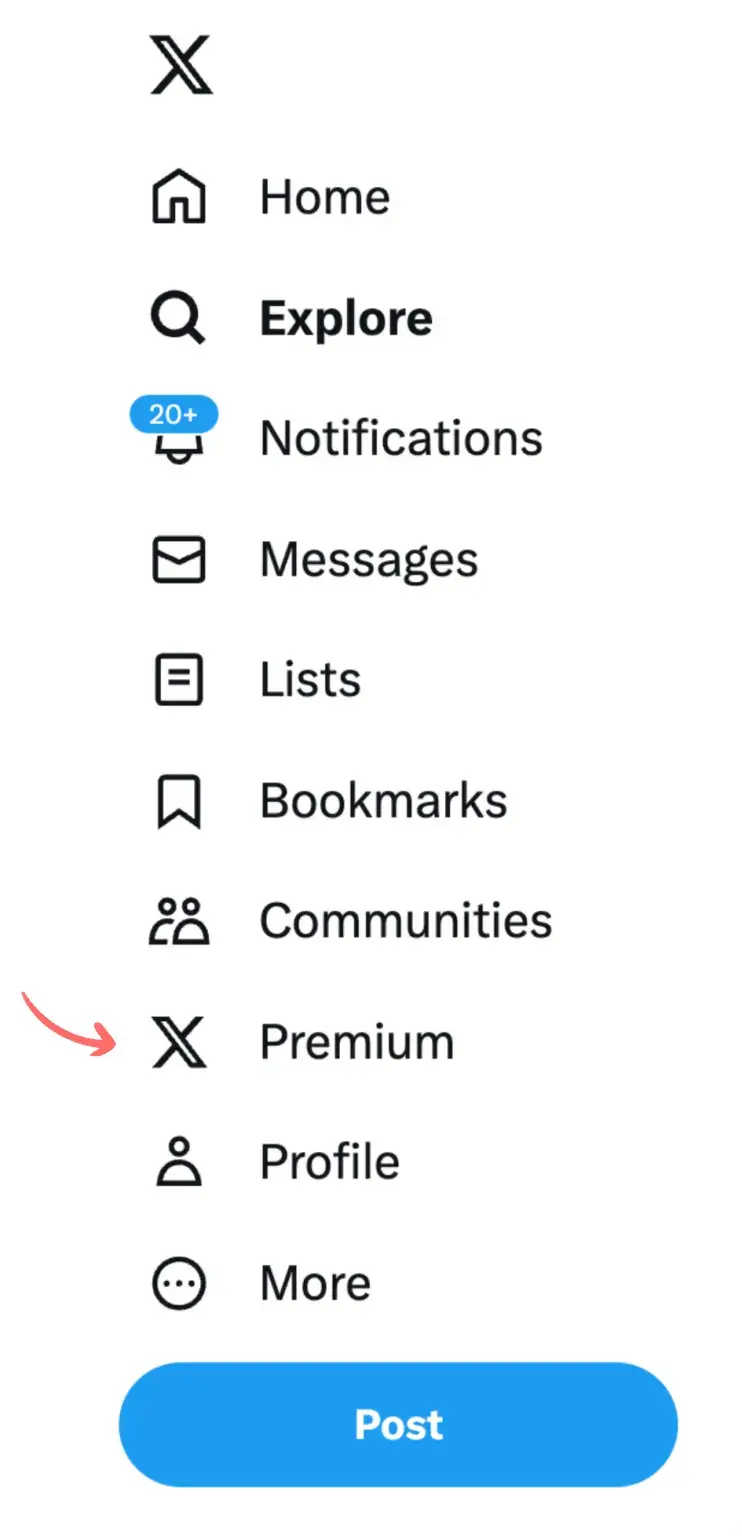
X offers several tiers, including Basic, Premium, and Premium+, each with different premium features. Pricing varies depending on the plan and region, so check the official X pricing page for the latest monthly subscription details.
2. Complete your profile
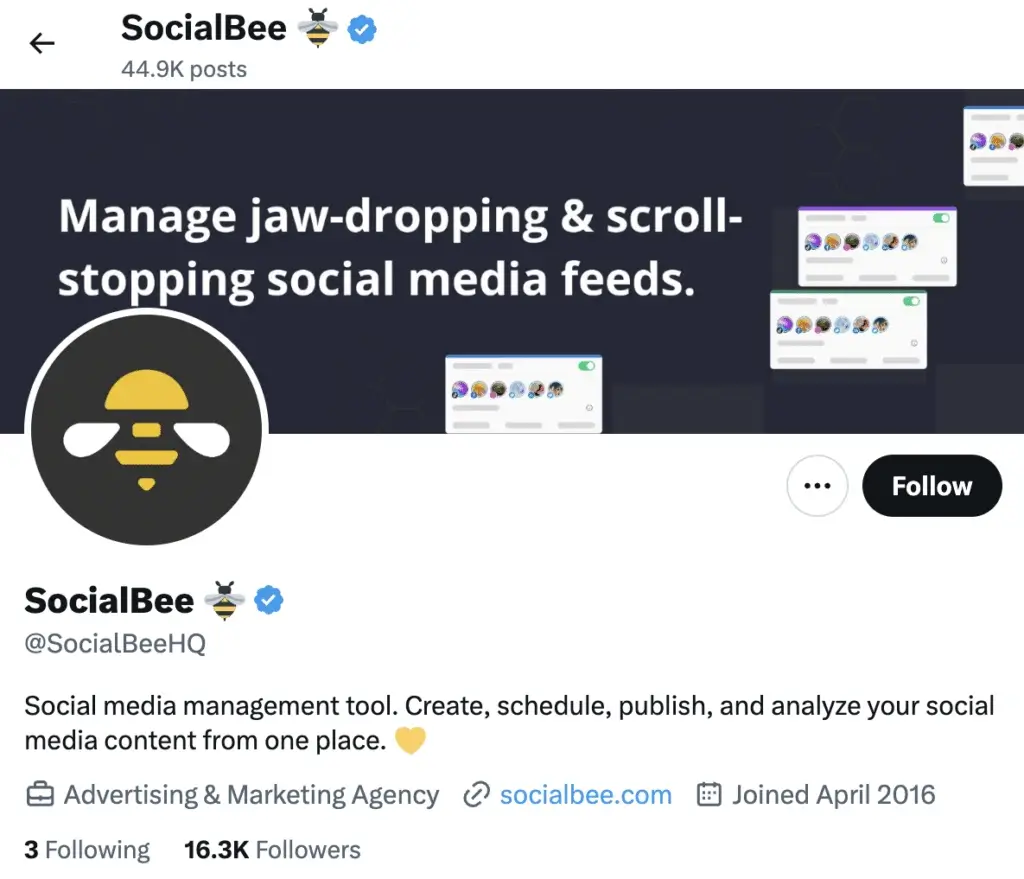
Next, make sure your Twitter profile is fully set up. X uses profile details to confirm that your account represents a real person or organization.
Focus on these elements:
- Profile photo: Use a recent, recognizable photo of yourself or your brand logo. A clear profile picture helps users identify your account.
- Cover image: Choose a cover photo that reflects your brand, role, or area of expertise.
- Twitter bio: Write a concise bio that clearly explains who you are and what you do.
- Website link: Adding an official website or official email address can provide additional context.
X also values profile stability, so avoid frequently changing your display name, profile picture, or other key account information right before applying for verification.
3. Stay active on the platform
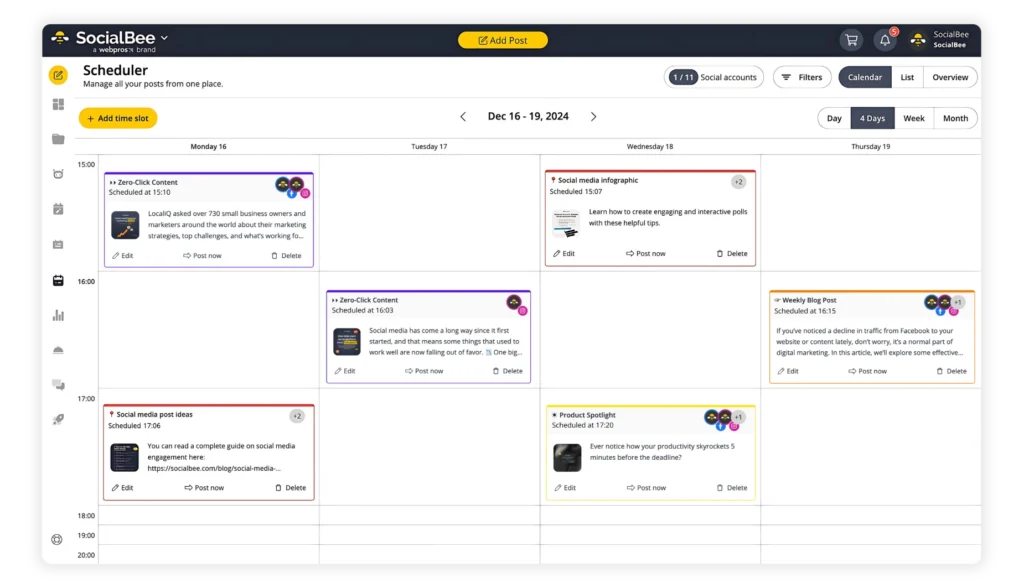
X only grants verified status to active accounts, so consistent activity is important. People use X mostly for getting the news, researching brands, and looking for entertaining content and all of these require you to have a solid posting plan.
If you haven’t posted in several weeks, start sharing updates, participating in conversations, and replying to relevant posts. However, avoid spammy behavior or automated content designed to game the system.
Consistency matters more than volume. Regular activity signals that your Twitter account is actively maintained.
Getting verified followers is also a way to signal to the platform that you’re trustworthy, and “the easiest way to gain verified followers is by interacting with other verified users in your niche. So for example, if your niche is software development, then look for some of the biggest accounts talking about that. And in their comment section, you will find other people who are interested in software development. When you see blue checks, visit their profile, interact with some of their posts, and give them a follow… a good goal to aim for is gaining 10 verified followers a day. So if you can do that, you will reach 500 verified followers in 50 days.” advises Jacob C. Edmunds, marketing manager and founder of Ensign Media.
4. Confirm your phone number
For security purposes, your premium-subscribed account must be connected to a confirmed phone number.
If you haven’t completed this step, X will send a phone verification code by SMS to confirm your identity. This helps the platform verify that the account belongs to a real user. Make sure to also have a confirmed email address
5. Wait for verification confirmation
Once your account meets the platform’s eligibility requirements, the blue checkmark typically appears after X confirms your account details.
There isn’t always a manual application process. Instead, the system checks whether your premium account meets the platform’s verification criteria.
Keep in mind that verification isn’t permanent. If your account violates platform rules, frequently changes key profile details, or fails to meet the authentic criteria, the verification badge may be removed.
Maintaining a stable and credible presence on the platform is essential for keeping your verified Twitter account.
Best practices to increase your chances of X (Twitter) verification
Even with subscription-based verification, X still looks for signals that an account is real, stable, and behaving like a legitimate person or brand. Meeting the technical requirements is necessary, but how your X account presents itself also plays a role in whether it appears credible and trustworthy.
Here are several practical ways to strengthen your Twitter profile before seeking your verification status.
1. Make your tweets public
On X, users can restrict their posts so only followers can see them. However, private accounts usually don’t meet the platform’s eligibility criteria for verification because their content is not visible to the public.
To improve eligibility, make sure your tweets are public:
- Go to Settings and Privacy in the left hand menu.
- Select Privacy and Safety.
- Under Audience and tagging, make sure Protect your Tweets is turned off.
Keeping your tweets public allows X to evaluate your account activity, engagement, and overall presence. It also helps your X account appear more transparent and easier to assess during the verification process.
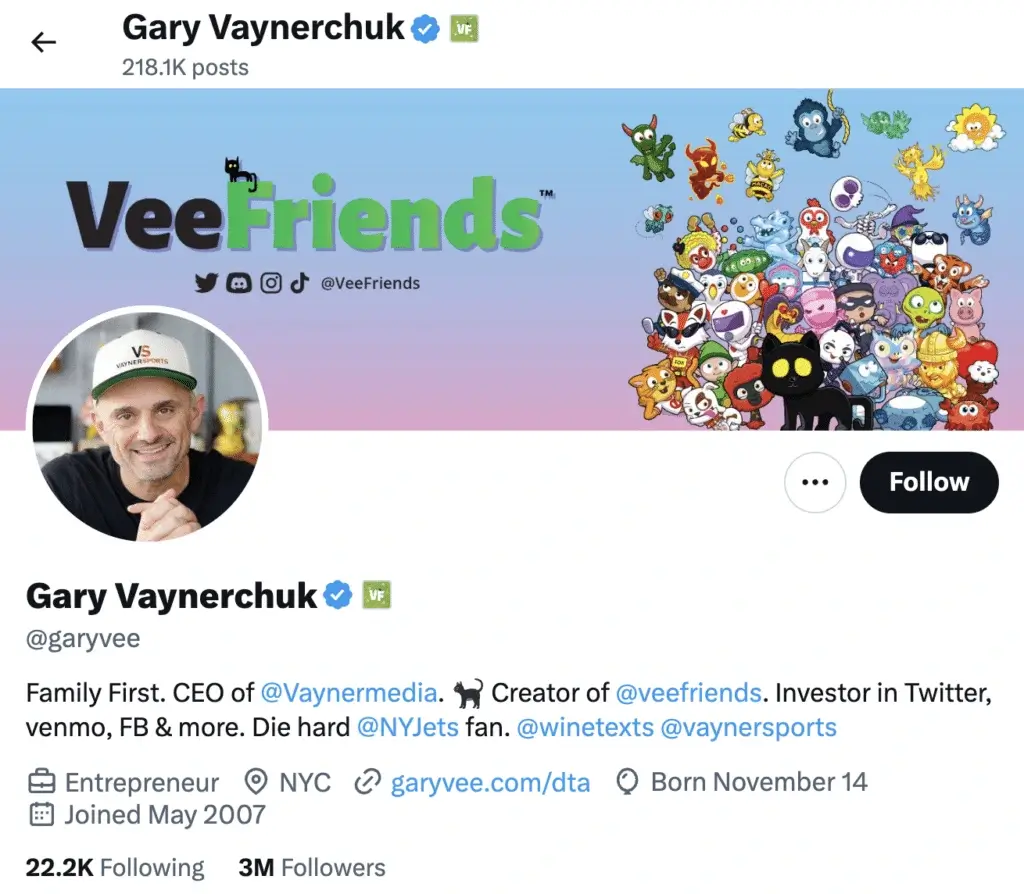
2. Include links to verified accounts in your bio
Your bio is one of the first places Twitter users look to understand who you are and what you do. Mentioning organizations, companies, or projects connected to you can help provide useful context.
For example, you might reference:
- your company’s official account
- a startup you founded
- a media outlet you contribute to
- a nonprofit or community initiative you support
These references can help clarify your professional network and make your X profile easier to understand.
For some inspiration, take a look at Gary Vaynerchuk’s bio, as he lists the verified organizations he’s a part of:
However, only include affiliations you can clearly support or defend. Avoid implying partnerships, employment, or connections that don’t actually exist. Misleading claims can undermine credibility and may violate platform rules.
3. Showcase your authenticity
Your profile should clearly communicate who you are and what you do. This helps both users and the platform understand the purpose of your X account.
For businesses, your bio should explain the product or service you offer and the value it provides. For individuals, include details such as your job title, role, or professional focus.
Instead of writing something vague like “writer,” add context such as:
- Columnist @PublicationName
- Founder of @StartupName
- Marketing strategist helping SaaS brands grow
Take columnist Jamelle Bouie’s profile on X as an example:
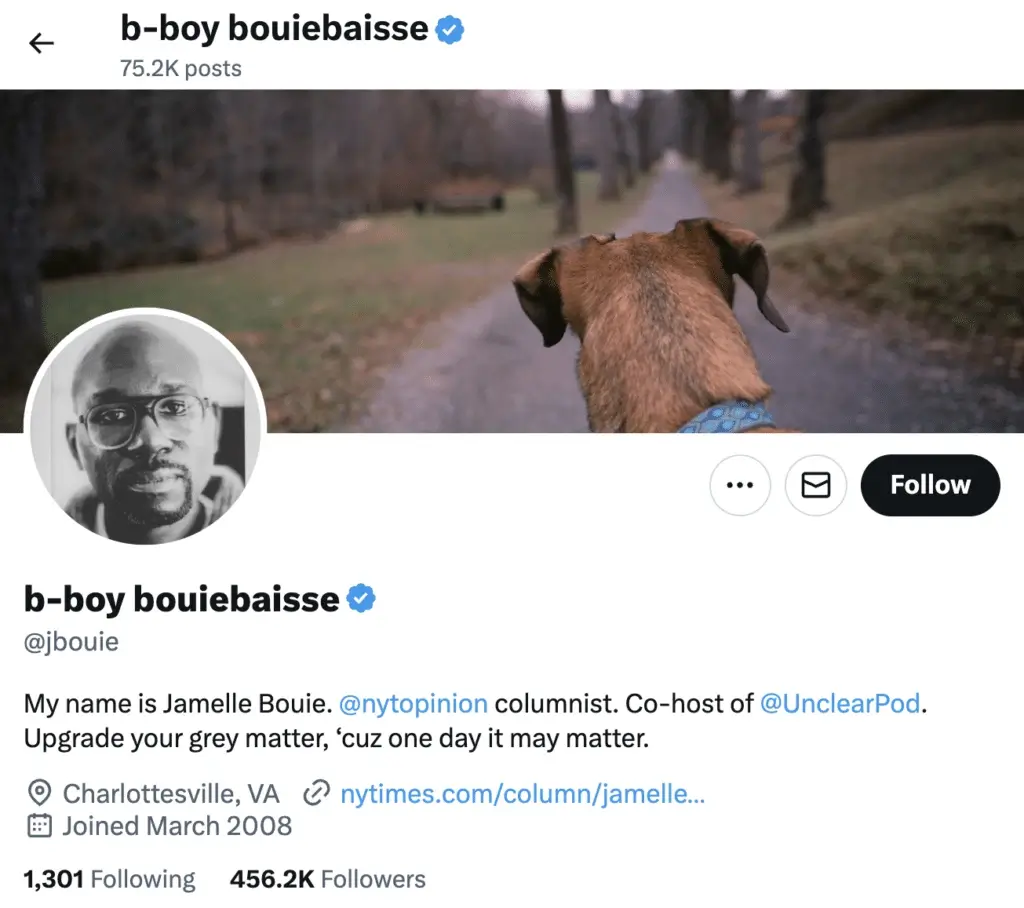
Clear descriptions make it easier for others to recognize your expertise and understand your role.
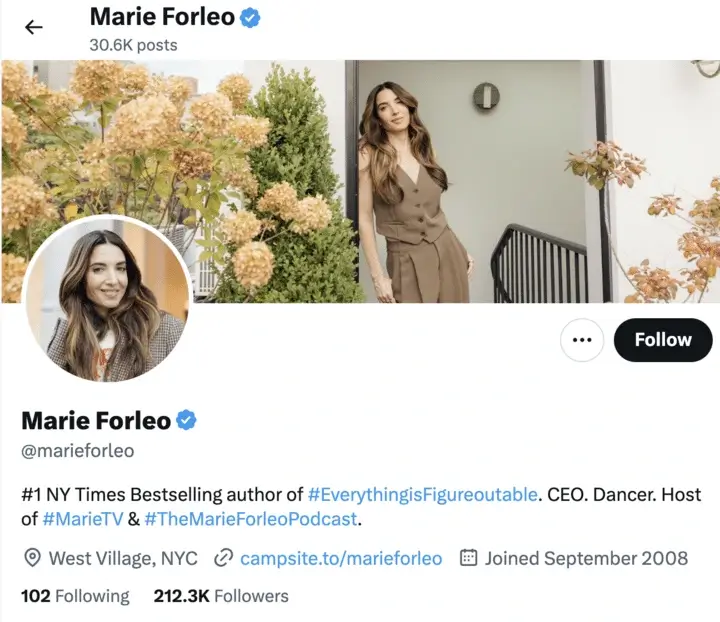
4. Highlight your achievements
Achievements can strengthen the credibility of your profile and help people understand your background.
Consider including accomplishments such as:
- professional certifications
- notable publications
- awards or recognition
- leadership roles
- major projects or campaigns
You can reference these directly in your bio or highlight them visually through your cover image.
For example, Marie Forleo has effectively summarized all his significant achievements in her Twitter bio:
Even smaller achievements can add useful context and make for notable accounts, such as:
- “Marketing Specialist at XYZ Company”
- “Certified Project Manager”
- “Volunteer at Local Animal Shelter”
- “Organizer of @LocalEventName”
- “Featured in @LocalNewsOutlet”
These details help present a clearer picture of who you are and what you contribute.
5. Position your account for public interest
Some accounts attract more attention because they regularly talk about topics that matter to a broader audience. This is often called public-interest content. It usually comes from people who share useful knowledge, updates, or commentary tied to their work or community.
For example, a cybersecurity researcher might post about new online scams, a climate scientist might explain recent environmental findings, a nonprofit founder might discuss community projects, or an industry expert might break down new regulations affecting their field.
If your work connects to topics people care about, use your X account to share updates, explain developments, or add your perspective when something relevant happens. You can also spark conversation by asking questions, running polls, or starting threads that invite people to weigh in.
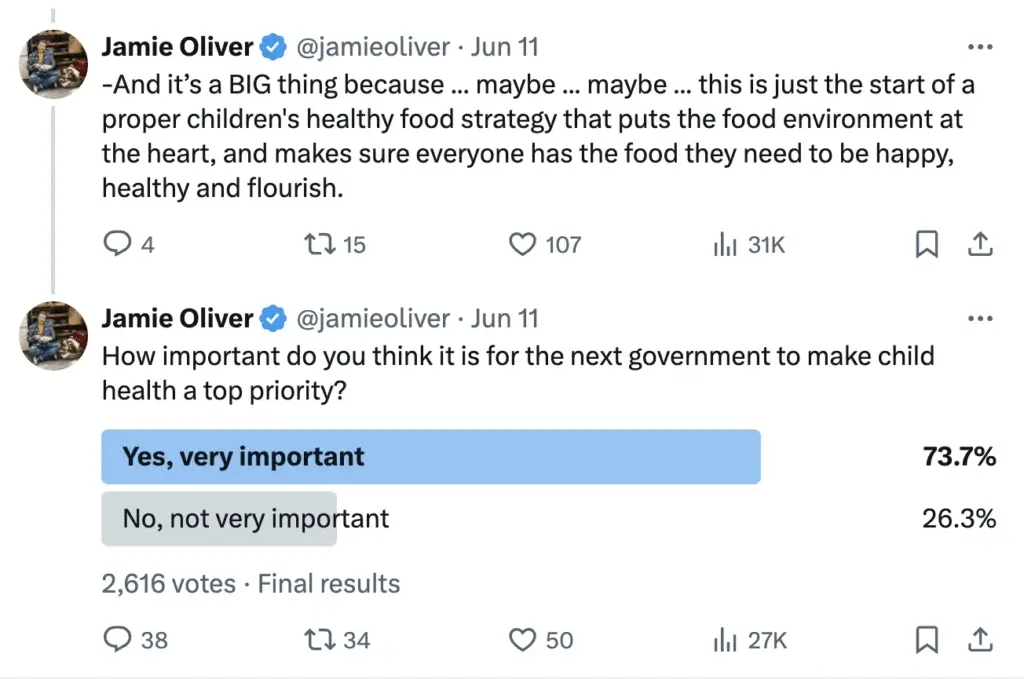
The key is to talk about things you genuinely understand and care about. Over time, that kind of consistent, thoughtful posting helps people see your account as a credible voice in your space.
Frequently asked questions
1. How long does it take to get verified on Twitter?
Verification on X (formerly Twitter) usually takes 24 hours to a few days after subscribing to X Premium and meeting the platform’s eligibility requirements. In many cases, the blue checkmark appears once X confirms your account details, although some accounts may wait up to a week depending on review and account verification checks.
2. Can you pay to be verified on Twitter?
Yes, you can get verified on X by subscribing to X Premium. The blue checkmark is now tied to a premium subscription, meaning accounts that meet the platform’s eligibility criteria can receive verification once they subscribe and complete the required account checks.
3. How many followers do you need to be verified on Twitter?
There is no minimum for your account’s follower count required to get verified on X. As long as your account meets the platform’s eligibility requirements and has an active X Premium subscription, you can receive the blue checkmark regardless of how many followers you have.
Get verified on X (Twitter) with the help of SocialBee
Getting verified on X usually comes down to a few fundamentals: maintaining a complete profile, meeting the platform’s eligibility requirements, and staying consistently active on your account. Subscribing to X Premium makes the verification badge possible, but how you manage your profile and content still matters.
One useful thing to remember is that consistency matters more than volume. Posting regularly over a period of 30 to 90 days sends a stronger signal than posting heavily for a short burst and then disappearing.
If staying active on X feels difficult while managing multiple accounts, a scheduling tool can make the process much easier. With SocialBee, you can schedule your posts in advance so your content continues to publish throughout the week without needing to log in constantly.
Start a 14-day SocialBee free trial and take the first step to a verified X account by keeping your profile alive and your posting schedule consistent.