





















Schedule and publish your Stories directly to Instagram

Create, edit, and plan your Instagram Stories in advance with SocialBee. Pick the perfect publishing date and post consistently without having to stay glued to your phone.

No credit card required
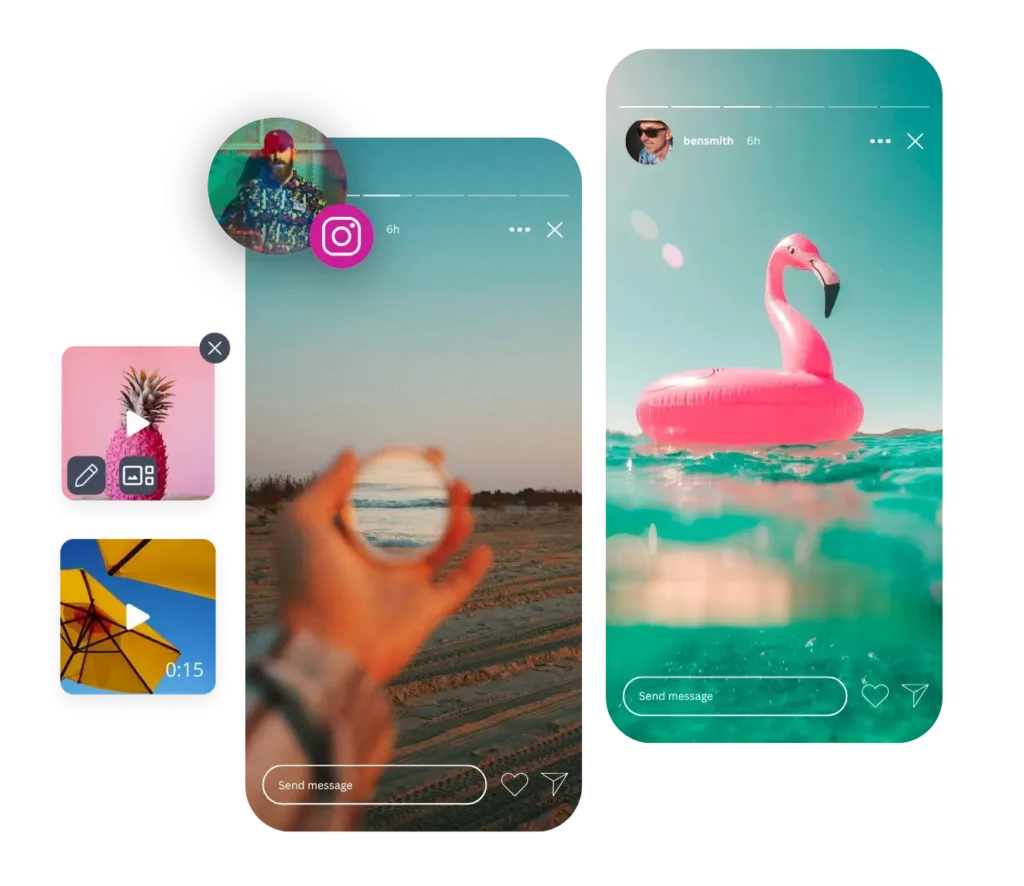
Two Instagram stories are displayed: one shows a beach, the other a pink flamingo floating in turquoise water. Below them are two smaller preview images featuring a pineapple and yellow umbrellas. Above the left story, there's a profile picture of a person wearing a red cap and patterned shirt, placed next to the Instagram logo.

Supported posting for Personal, Creator and Business Instagram accounts

Direct Instagram Story posting

Available for Business and Creator accounts, this feature lets you publish Instagram Stories directly to your profiles.

Posting Stories via Reminders (mobile notifications)

For Personal Instagram accounts, get timely notifications on your phone to post your scheduled Stories using SocialBee's mobile app. It only takes just a few clicks extra.

How to schedule your Instagram Stories with SocialBee

Don’t have a SocialBee account yet? Create one for free, start your 14-day trial, connect your Instagram account, and start posting.

1. Upload your Story content

Click “Create post” and upload media like photos and videos you want to share on Instagram Stories.

2. Preview your Instagram Story

See exactly how your Story will look before it goes live. Make any tweaks to get it just right.

3. Choose a posting time

Post right away or schedule content for later. SocialBee will even suggest the best times to post your Instagram Story based on your past content performance.

4. Organize you Stories

Add your Instagram Story to a category. Think of these like folders that help you group similar content together, like behind-the-scenes moments or tutorials.

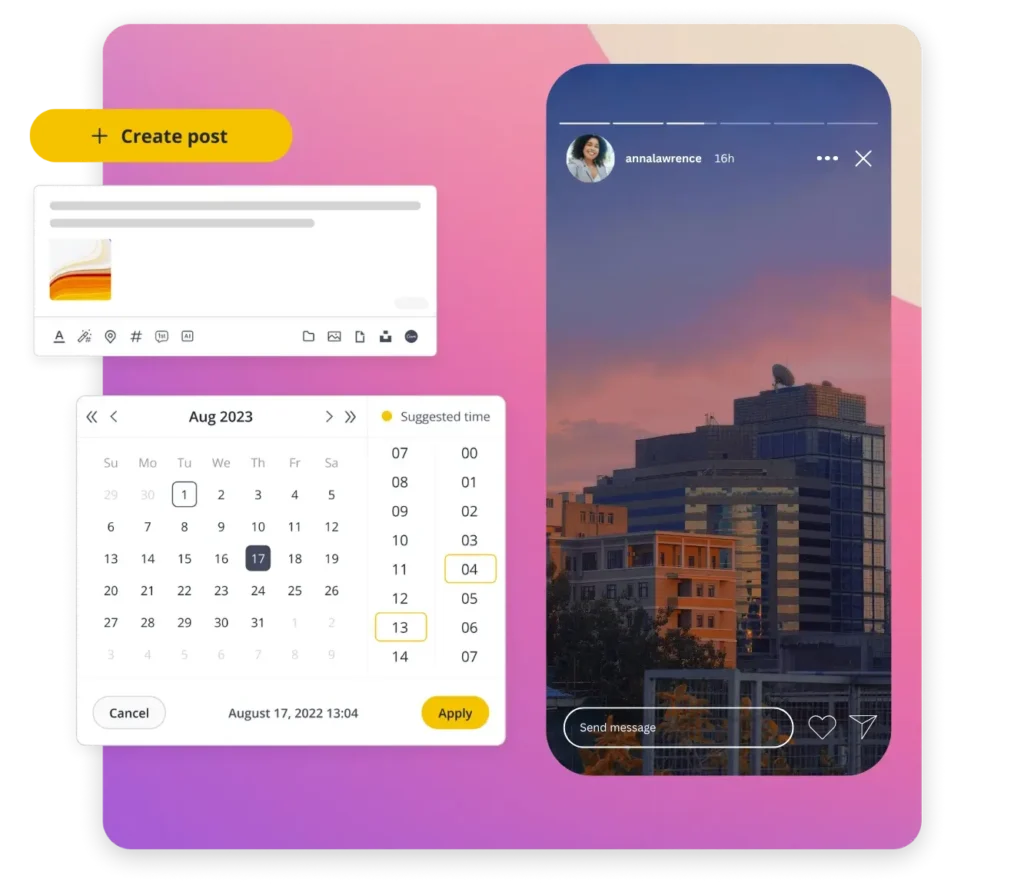
On the left, a yellow "Create post" button appears above a post creation window that includes an image thumbnail and editing icons. Below, a calendar suggests optimal posting times. On the right, an Instagram story shows buildings against a sunset sky.

5. Put your Stories on repeat (if you want)

If your Stories are evergreen, you can set them as recurring posts that automatically repost. Choose whether to remove them after a few shares or keep them in your rotation.

6. Save as draft or mark as ready

Still working on your Story? Save it as a draft. Ready to go? Mark it as approved, and SocialBee will handle the posting.

7. Get team feedback

Invite your team to review and leave notes on your Instagram Story.

8. Use the visual calendar to plan with ease

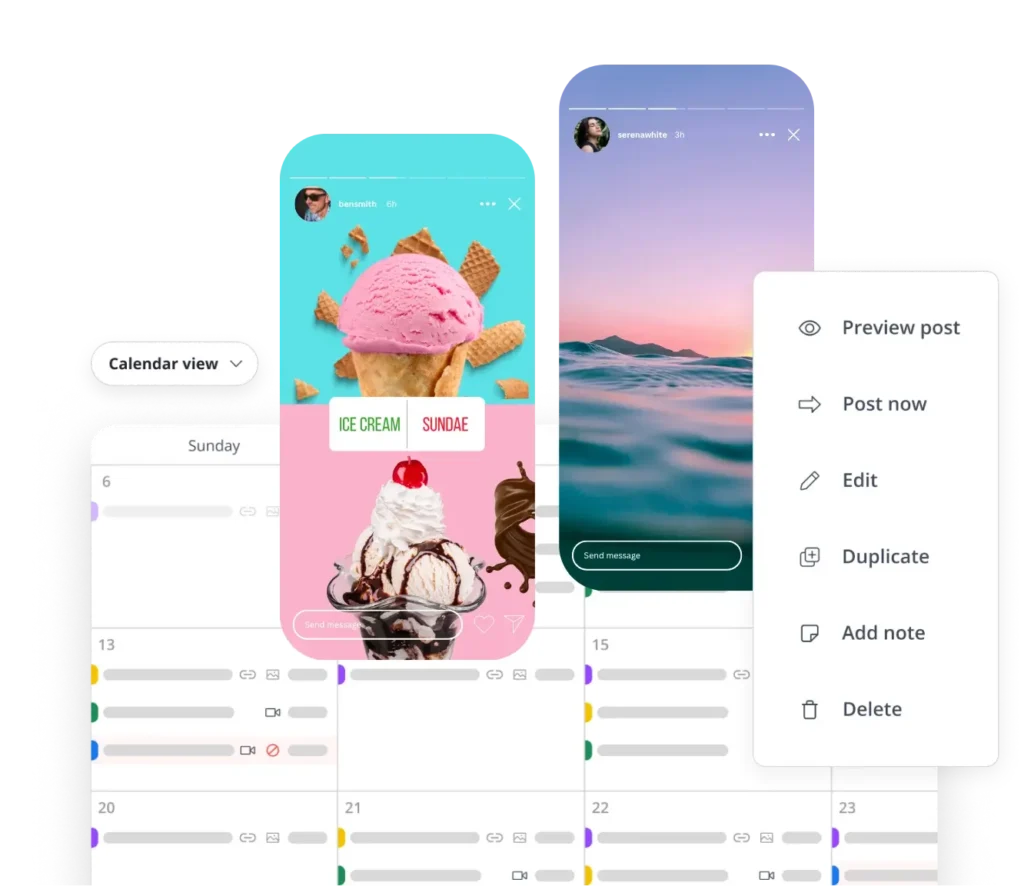
See your upcoming Instagram Stories in a calendar view. You can edit them, move things around, or fill in gaps to keep your content flowing.
SocialBee's social media calendar interface with two Instagram stories overlaid on the calendar: a poll with two options to choose between ice cream and a sundae, and a photo of a body of water. A dropdown menu provides options such as Preview post, Post now, Edit, Duplicate, Add note, and Delete.

Frequently asked questions

Do you have questions left unanswered?

Contact us or schedule a call.

We help thousands of professionals improve their social media game

Beaufort hotel
Dublin Bus
Charles university
D-Link gray logo
Compass logo
Lehigh university
Slow cooker club
elle logo
mark cuban companies
esquire logo
Jobs in football
cosmopolitan logo
harper's bazaar logo
Expatica
Washington university
The Productive Physician

Mark Lavercombe

Founder, The Productive Physician

"SocialBee makes managing social media much easier."

Since working with SocialBee, I have reduced the time and headspace dedicated to managing social media.

SocialBee is a tool that is easy to learn, incredibly powerful, and incredibly configurable. A service that just works.

Bjorn Beheydt

Bjorn Beheydt

Chief Technical Officer, BVBA Luna

"SocialBee will make your social profiles rock again."

It offers a great combination of curation tools, importing possibilities, evergreen posting, audience expansion tools, and reporting. 

SocialBee offers everything you need to work on your social.

Kathleen Marrero

Kathleen Marrero

Founder, First Fig Marketing

“Since working with SocialBee, I have grown my audience and increased engagement."

SocialBee is, by far, the best social media platform I have worked with.

The content curation features and customer service are superior and have made the task of engaging with potential clients fun.


"SocialBee makes managing social media much easier."

Since working with SocialBee, I have reduced the time and headspace dedicated to managing social media.

SocialBee is a tool that is easy to learn, incredibly powerful, and incredibly configurable. A service that just works.

Mark Lavercombe

Founder, The Productive Physician

"SocialBee will make your social profiles rock again."

It offers a great combination of curation tools, importing possibilities, evergreen posting, audience expansion tools, and reporting. 

SocialBee offers everything you need to work on your social.

Bjorn Beheydt

Chief Technical Officer, BVBA Luna

“Since working with SocialBee, I have grown my audience and increased engagement."

SocialBee is, by far, the best social media platform I have worked with.

The content curation features and customer service are superior and have made the task of engaging with potential clients fun.

Kathleen Marrero

Founder, First Fig Marketing

Start scheduling Instagram Stories with SocialBee

SocialBee helps you easily plan ahead Instagram posts and stay on top of all your social media accounts.

14-day free trial, no credit card required

Level up your social media marketing with exclusive resources delivered straight to your inbox

We’re SocialBee LABS SRL, part of WebPros. We use the information you provide to share relevant content and product updates, as outlined in our Privacy Policy. You can opt out anytime.

Fill in the form and get our calendar delivered to your inbox

We’re SocialBee LABS SRL, part of WebPros. We use the information you provide to share relevant content and product updates, as outlined in our Privacy Policy. You can opt out anytime.
Grab our 2026 social media calendar and unlock 500+ content ideas and ready-to-use Canva templates!

