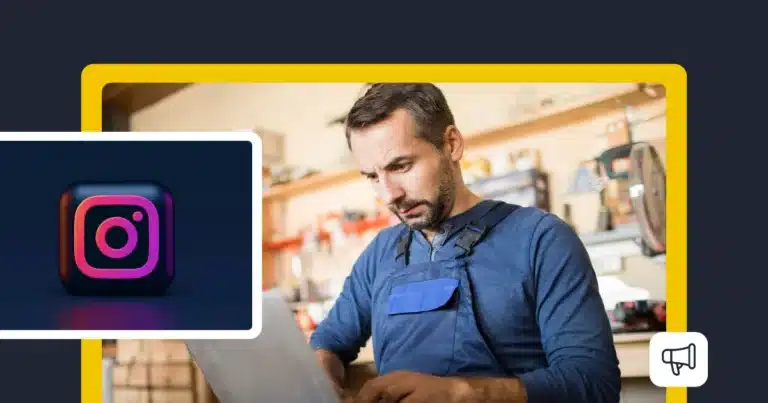
A small business owner wearing a blue apron works on a laptop inside a retail shop. A large Instagram logo appears in an inset panel on the left, while a megaphone icon in the lower-right corner represents digital promotion. The yellow and dark navy graphic highlights the use of Instagram for small business marketing and advertising.

Instagram for small business: 10 marketing strategies that work

Instagram for small businesses is a great way to get your business in front of people who might otherwise never hear about it. A local coffee shop can show off its latest specials, while an online store can give customers a closer look at its products before they buy.

And people are already using Instagram to make buying decisions. According to DataReportal, 62.3% of Instagram’s active adult users research brands and products on the platform.

The tricky part is finding time for Instagram when you’re already busy running a business. What should you post? How often? And how do you know whether any of that effort is bringing in customers?

This guide walks you through 10 practical ways to make Instagram work for your small business, even if you’re starting from scratch or only have a few hours a week to spend on it.

SocialBee logo featuring a stylized yellow bee icon on a dark hexagonal background.
SocialBee – Social media management tool
Social media management tool
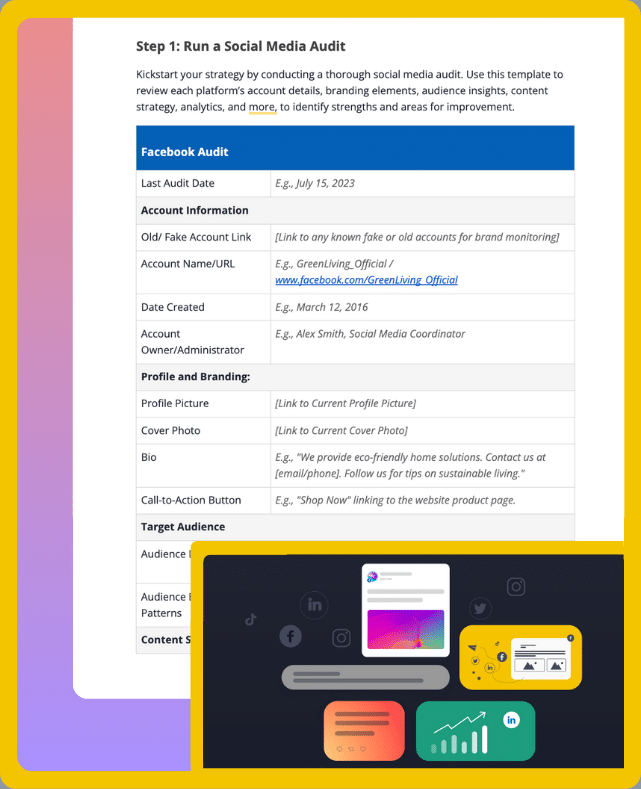
Get your free social media strategy template!

We’re SocialBee LABS SRL, part of WebPros. We use the information you provide to share relevant content & updates, as outlined in our Privacy Policy. You can opt out anytime.

Short summary

  • Instagram for small business starts with a professional account, an optimized profile, and clear marketing goals.
  • Create an Instagram marketing strategy around your target audience, using content pillars to plan relevant Instagram posts.
  • Use Instagram Reels and Stories to reach new customers and build relationships with existing followers.
  • Grow your Instagram presence through local content, relevant hashtags, and collaborations with businesses or creators.
  • Turn engagement into business results with clear calls to action that encourage website visits or customer inquiries.
  • Track your Instagram analytics to understand which content formats generate interest and adjust your posting schedule.
  • Manage your Instagram marketing with SocialBee. Schedule posts in advance, organize your content calendar, and monitor performance.

Why is Instagram important for small businesses?

The Instagram app gives people a chance to discover your business and get to know what you offer before they decide to buy. For a small business, that can mean reaching someone who lives just around the corner but hasn’t heard of you yet, or helping a potential customer feel confident enough to place their first order.

Here’s how Instagram can help your business grow:

  • Get your business noticed by new customers. Your Instagram posts can reach people who don’t follow you yet, especially through Instagram Reels and the Explore page. A local bakery, for example, could attract nearby customers by sharing a Reel of its morning pastry selection and adding a location tag.
  • Show people what they’re paying for. Photos and videos help potential customers see your products in action or understand what a service involves. If you run a sustainable fashion boutique, you could show how an item fits on different body types or share customer photos of people wearing your clothes.
  • Give people a reason to trust you. Customer reviews and behind-the-scenes content can answer questions that might otherwise stop someone from buying. A hairstylist could share before-and-after results, while a restaurant could show how its most popular dish is prepared.
  • Turn interest into inquiries and sales. Someone who discovers your business on Instagram might visit your website, book an appointment, or send a direct message to ask about pricing. Make that next step easy by including a clear call to action in your posts and a useful link in your Instagram profile.
  • Stay connected with your customers. Instagram Stories and comments give you opportunities to keep the conversation going after someone makes a purchase. You can ask for feedback, answer questions, or give existing followers a first look at something new.

Of course, Instagram won’t be equally useful for every small business. If your target audience rarely uses the platform, spending hours creating content probably isn’t the best use of your time.

Think about how people choose a business like yours. Would seeing your work help them make a decision? Do they look for recommendations on Instagram? If the answer is yes, building an Instagram presence is worth considering.

And remember, a large follower count doesn’t guarantee more customers. A smaller audience of people who genuinely want what you offer can be far more valuable than thousands of followers who never buy anything.

How to use Instagram for small business marketing

To make Instagram work for your small business, start by setting clear goals. Decide whether you want to increase brand awareness, attract new customers, or drive more website traffic. This will help you choose what content to create and how to measure its performance.

Next, switch to an Instagram Business account to access Instagram analytics and business features. Optimize your profile with a recognizable profile picture, a bio that clearly explains what you offer, and a link that directs visitors to the next step, such as making a purchase or booking an appointment.

Create a manageable posting schedule and choose content pillars based on what your target audience wants to see. Focus on sharing useful Instagram content consistently rather than posting frequently without a clear purpose.

Finally, review your performance regularly. Look beyond follower count and other vanity metrics to track meaningful results, such as profile visits, website clicks, and customer inquiries. Use these insights to improve your Instagram marketing strategy over time.

With these basics covered, you can start applying the following 10 strategies to grow your professional account on Instagram.

10 Instagram marketing strategies for small businesses

These 10 Instagram marketing strategies cover what to post, how to reach new customers, and how to turn attention into business results.

1. Build an Instagram content strategy for your small business

Start by choosing content pillars based on what customers need to know about your business. These are the topics you’ll return to regularly instead of coming up with a completely new idea for every post.

Look through recent customer questions and reviews to find useful topics. Pay attention to what people want to know before buying and which parts of your products or services need more explanation.

Then match each topic to an Instagram content format:

  • Instagram Reels: Show how a product works or demonstrate something that’s easier to understand on video.
  • Carousels: Explain a process step by step or answer a question that needs more detail.
  • Single-image posts: Share product photos or announcements that don’t need a longer explanation.
  • Instagram Stories: Post timely updates and collect feedback from existing followers.

Don’t assume Reels are always the best option. According to Socialinsider’s Instagram benchmarks, carousels had an average engagement rate of 0.55% in 2025, compared with 0.52% for Reels and 0.37% for single-image posts.

Use these benchmarks as a reference, then check which formats work best for your own account.

Plan your Instagram posts a week or two ahead. You can use a content calendar to assign topics to publishing dates and prepare captions before you need them.

Pro tip

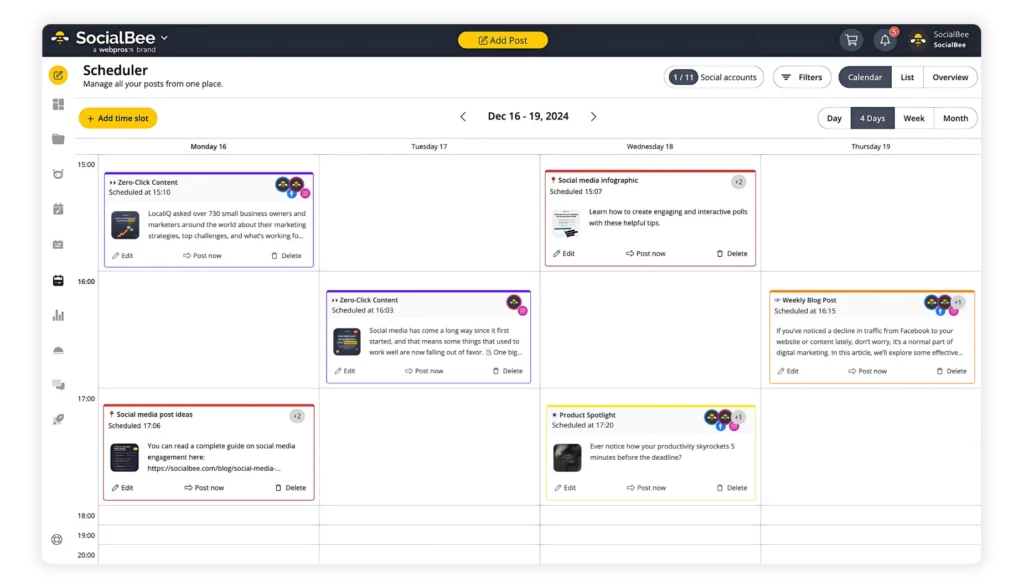
In SocialBee, you can organize posts into content categories and schedule them using the visual calendar. This is especially helpful when you’re managing Instagram alongside the rest of your business.

2. Create a recurring Instagram content series

A recurring series gives you a topic you can return to without having to invent a new post idea every week.

Choose something your audience would find useful on a regular basis. It could be a weekly product recommendation or a short video answering a common customer question.
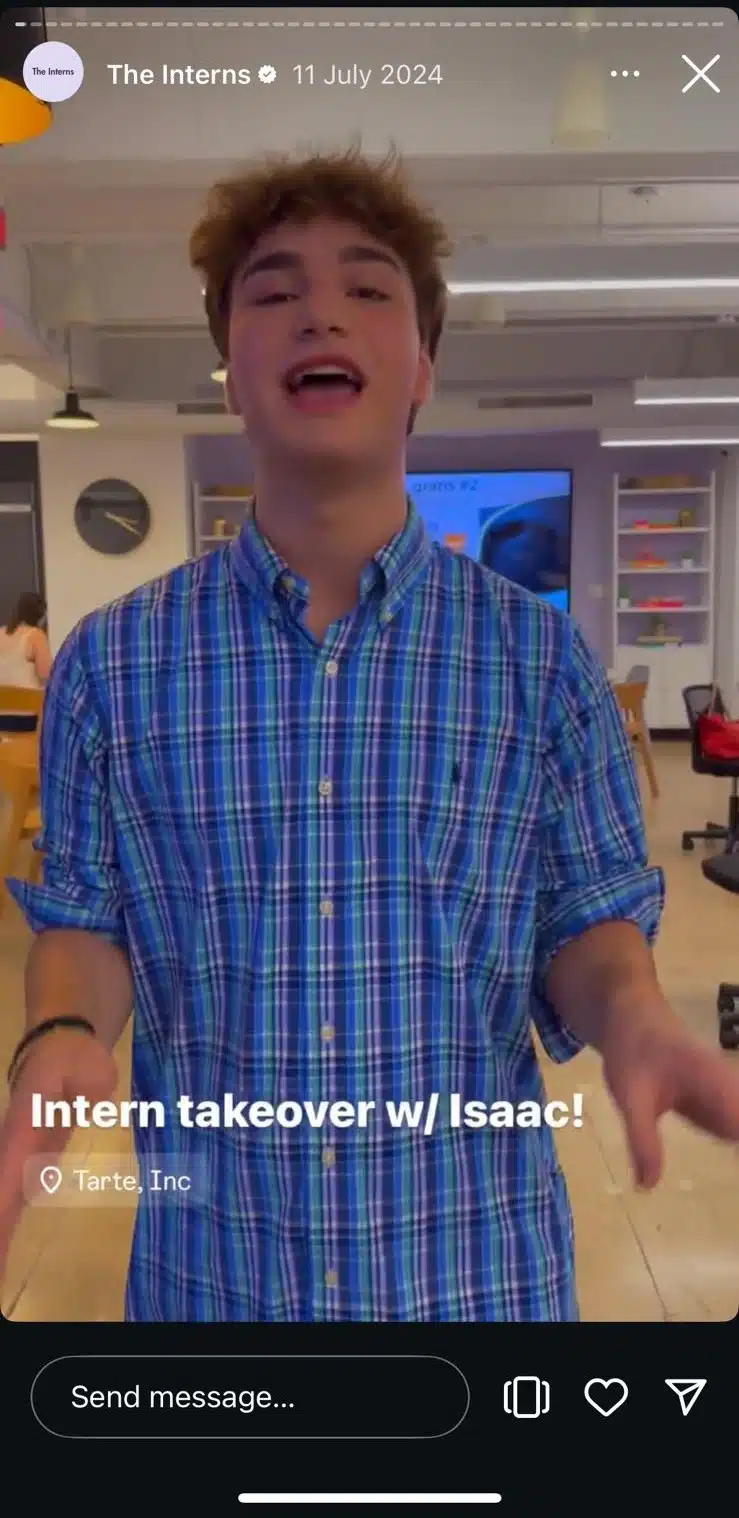
Instagram Direct Messages inbox showing the Notes feature at the top. A profile displays a note reading "Today's vibe..." above the profile picture, while a globe icon labeled "Map" appears beside it. A search bar and filter option are shown at the top of the screen. Instagram Story from the verified account The Interns, dated 11 July 2024, featuring a person speaking in an office. Text on the story reads "Intern takeover w/ Isaac!" with a location tag for Tarte, Inc. At the bottom of the screen are the Send message field, story like button, and share icon for interacting with the story.

To get started:

  1. Choose one topic you can cover from several angles.
  2. Decide how often you’ll publish it.
  3. Give the series a recognizable name.
  4. Prepare the first four posts before launching.
  5. Publish on the same day each week.

You can also invite followers to participate by submitting questions or sharing their own experiences.

If you want to feature customer photos or other user-generated content, ask for permission before reposting it.

After four weeks, compare the posts in your series. Check whether people are saving them or returning with new questions.

If one topic consistently gets more interest, explore it further. If the series gets little response, change the subject before committing to another month.

3. Use location tags to attract local customers

Location tags help connect your Instagram content to the places your business serves.
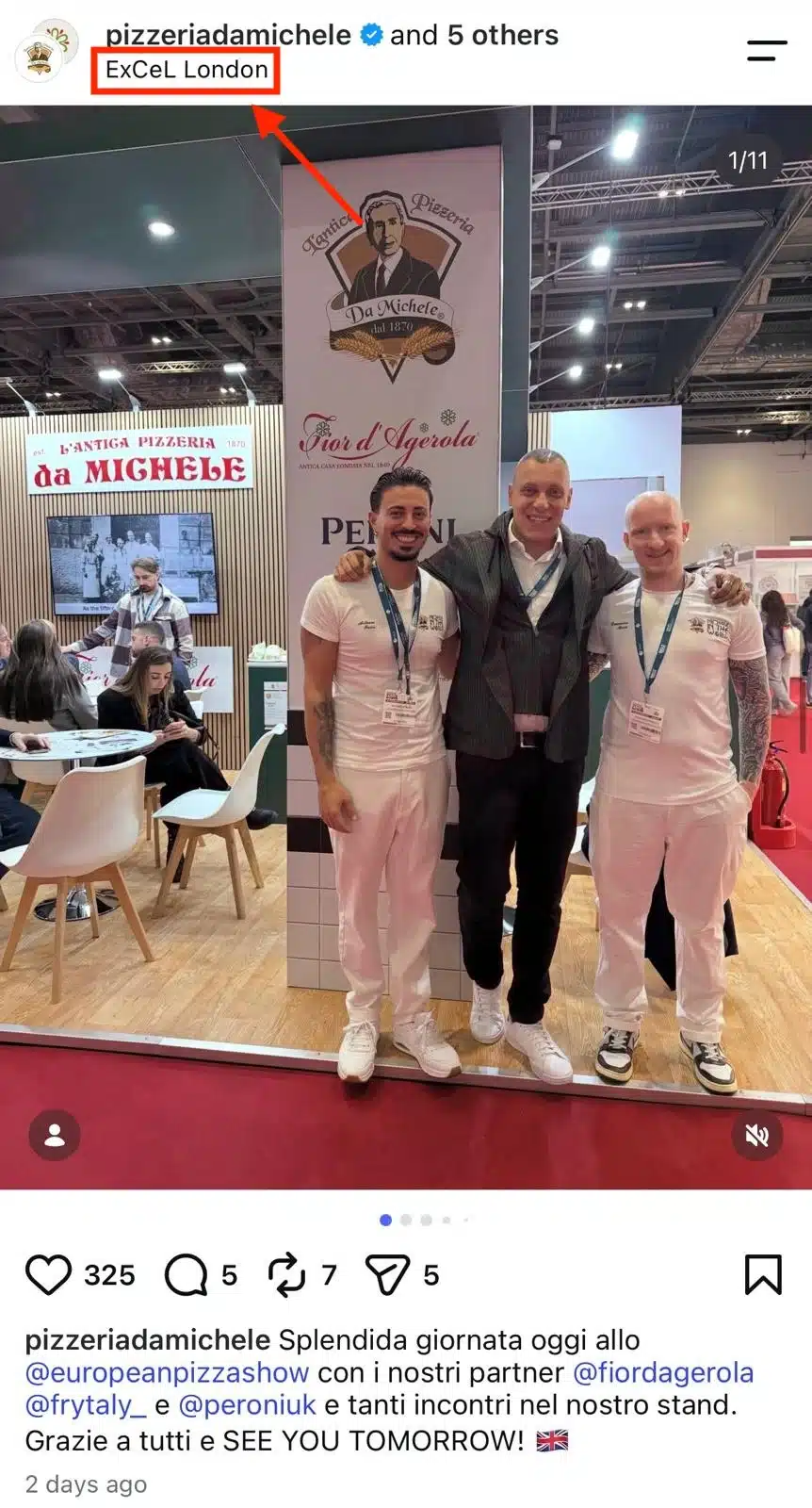
An Instagram post from the verified account @pizzeriadamichele showing three men posing together at a food exhibition booth for Pizzeria Da Michele. The booth features Italian food brands and promotional signage. A red box and arrow highlight the location tag “ExCeL London” at the top of the post. The caption mentions the European Pizza Show, business partners, and the team's participation in the event.

When creating an Instagram post, select Add location and search for your business or the place featured in the content. For Instagram Stories, you can use the location sticker.

Choose locations that accurately describe where the content was created or where your business operates. Avoid tagging popular places that have nothing to do with your post.

You can also make your Instagram profile easier for your local community to find:

  • Include your city or service area in your bio.
  • Add your business address if customers can visit you.
  • Mention relevant neighborhood names in captions when appropriate.
  • Use local hashtags that describe your business or the area you serve.

If your business participates in a local event, tag the event location and mention the organizer. This gives people looking for information about the event another opportunity to discover your account.

Make sure your contact information is up to date so someone who finds your business can easily get directions or make an inquiry.

4. Collaborate with other small businesses

Look for businesses that serve the same type of customer but offer something different from you.

A useful collaboration should give people a reason to follow both accounts. That could mean creating content together or promoting an event you’re both involved in.

Start by contacting businesses you already know or whose customers would genuinely benefit from your products or services.

When suggesting a collaboration, explain:

  • What you’d like to create together.
  • Why the topic would interest their followers.
  • What each business would need to contribute.
  • When you’d like to publish the content.

For joint Instagram posts, use the Collab feature. Create the post, select Tag people, and invite the other business as a collaborator. Once they accept, the post can appear on both profiles.

Instagram collaboration post by barbiestyle and Beis featuring a Barbie doll in a pink outfit and sunglasses sitting on a stack of pink suitcases from the #BeisxBarbieTheMovie Collection, promoting travel accessories.

Agree on the caption and visuals before publishing. You should also decide who will respond to questions about the collaboration.

If you’re promoting a joint event or offer, use a dedicated booking link or another way to identify inquiries from the campaign.

That will help you judge whether the collaboration brought in interested customers rather than simply generating likes.

5. Run Instagram giveaways with prizes related to your business

Giveaways can help more people discover your Instagram account, but a popular giveaway doesn’t necessarily bring in potential customers.

Choose a prize that appeals to someone who would actually buy from your business.

Offering one of your products or a voucher for your services is usually more relevant than offering an unrelated prize.

Before launching, decide who can enter. If you only serve customers locally, make that restriction clear so you’re not attracting entries from people who can’t use the prize.

Veloura Perfume Instagram giveaway post with a purple and yellow background, showing three featured perfume bottles (Kay Ali, Veloura Perfume, and Yves Saint Laurent) and a gift box, alongside instructions to follow, tag three friends, and share the post to win.

Your giveaway post should explain:

  • What participants can win.
  • Who is eligible.
  • How to enter.
  • When the giveaway closes.
  • How the winner will be chosen and contacted.

Include the necessary terms and follow Instagram’s promotion guidelines. Your promotion must also acknowledge that it isn’t sponsored, endorsed, administered by, or associated with Instagram.

Check the applicable laws before running a giveaway, particularly if participation involves purchases or other conditions.

Once the giveaway ends, review how many new followers stayed and whether you received relevant inquiries.

You can also check whether the giveaway increased visits to the product or service featured in the prize.

If most participants disappear afterward, reconsider the prize or entry requirements before running another giveaway.

6. Create Instagram Reels that people want to watch

Instagram Reels can help your business reach people who aren’t already following you.

Start with short-form videos that answer a specific question or show something customers would find useful.

You can record product demonstrations or explain how a service works. Behind-the-scenes content can also be useful when it shows something customers wouldn’t normally get to see.
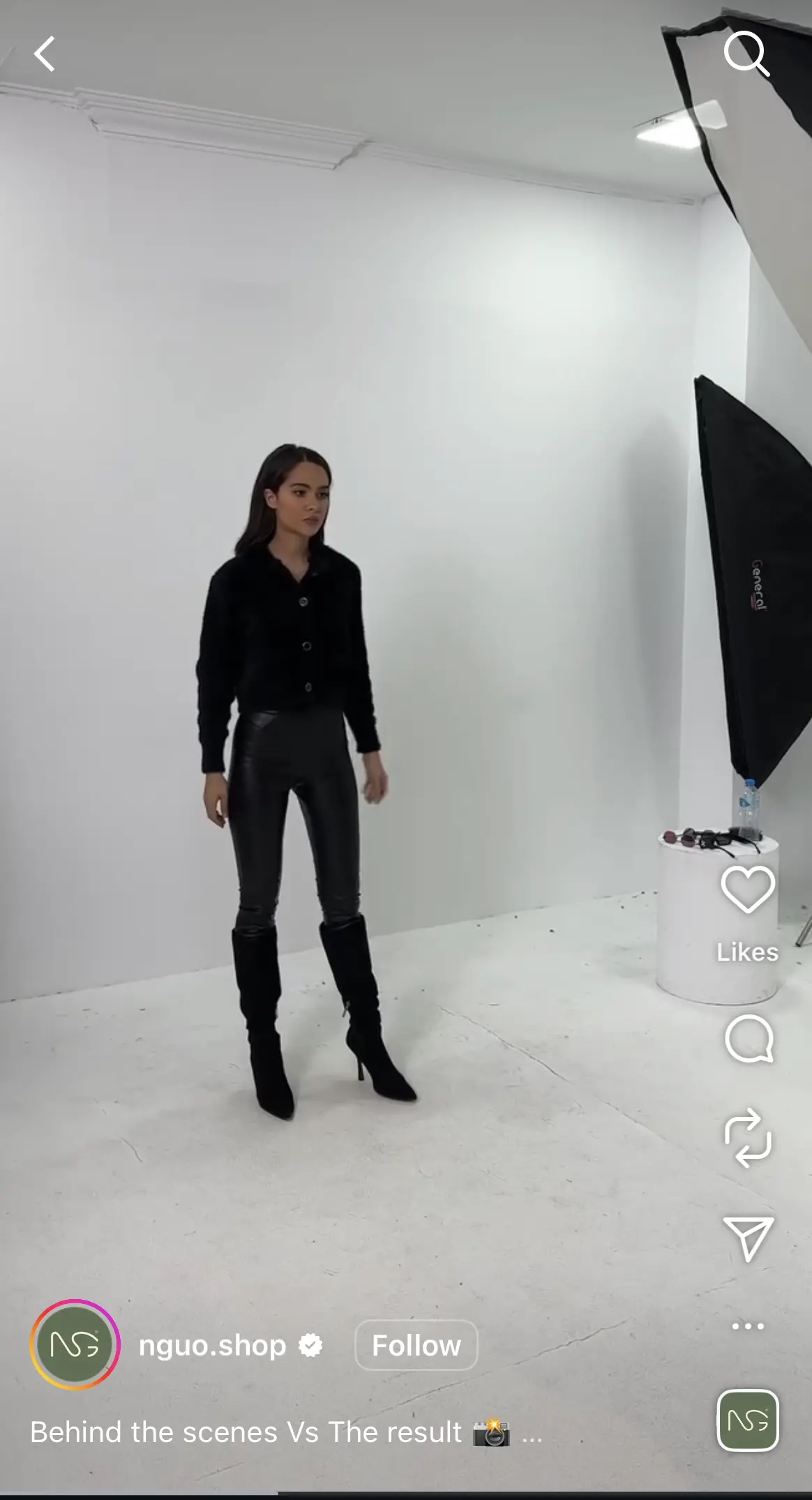
A behind-the-scenes look in a Reel at a fashion shoot shows a model in a black top, shiny black pants, and heeled boots posing in a white studio with professional lighting equipment.

Pay particular attention to the beginning of each Reel.

Show the subject immediately instead of spending several seconds introducing your business. If you’re demonstrating a product, let viewers see what it does before explaining the details.

When editing:

  • Remove pauses that don’t add anything.
  • Add captions so the video makes sense without sound.
  • Use on-screen text to explain anything that isn’t obvious.
  • Choose a cover image that clearly shows the topic.
  • End with a relevant next step if viewers need more information.

Don’t add trending audio simply because it’s popular. Use it when it fits the content and your business has the appropriate rights to use it.

To understand how well your Reels are doing, look at average watch time and shares.

Instagram head Adam Mosseri explained why these numbers matter: “The top three signals that matter most for ranking are watch time, likes, and sends. So when looking at your insights, pay close attention to average watch time, likes per reach, and sends per reach.”

Compare Reels that cover similar topics. If viewers regularly stop watching near the beginning, try opening with the demonstration rather than an introduction.

If a Reel gets shared frequently, consider creating another video that answers a related question.

You can prepare and schedule Instagram Reels in SocialBee, including their captions and publishing times.

7. Use Instagram Stories to stay connected with customers

Instagram Stories work well for updates that don’t need a permanent place on your feed.

They also give existing followers an easy way to interact with your business without writing a public comment.

Use Stories when you have something timely to share, such as a newly available appointment or a product that’s back in stock.

You can also use Instagram’s interactive stickers to collect feedback.

For instance:

  • Poll stickers: Let customers choose between available options.
  • Question stickers: Collect questions about a product or upcoming service.
  • Link stickers: Direct interested viewers to a relevant page on your website.
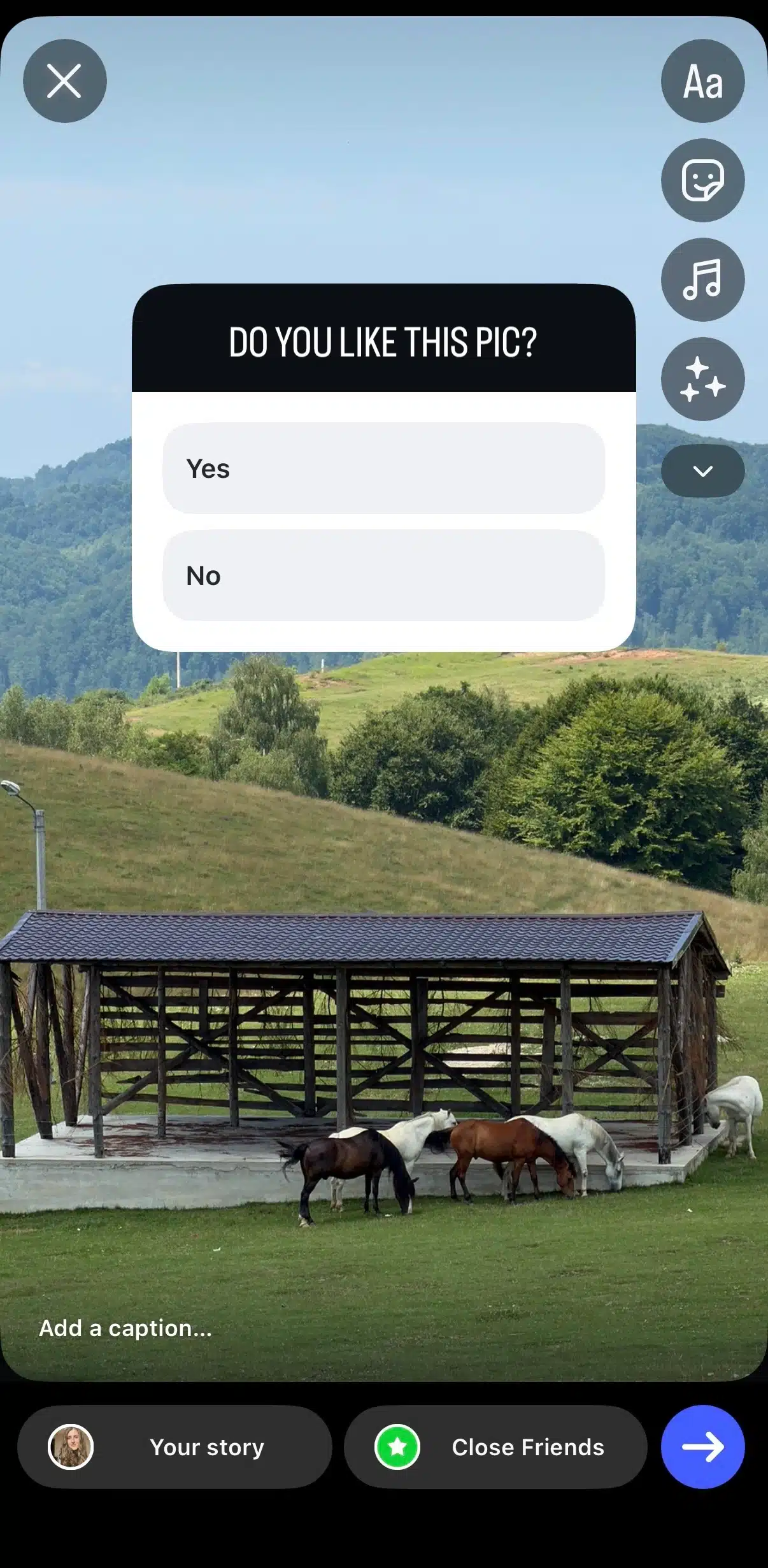
Instagram Story creation screen displaying the Poll sticker over a landscape photo with horses grazing in a field. The poll asks "Do you like this pic?" with Yes and No response options. Story editing tools, including text, stickers, music, and effects, appear along the right side, while sharing options for Your story and Close Friends are shown at the bottom.

Keep each Story focused on one message. If you’re sharing a product update, show the product and include the information customers need to act.

For Stories that contain important information, use readable text and leave enough time for viewers to understand what’s on screen.

Save useful Stories to Highlights so new visitors can find them later. Organize Highlights around information customers regularly look for, such as prices or booking details.
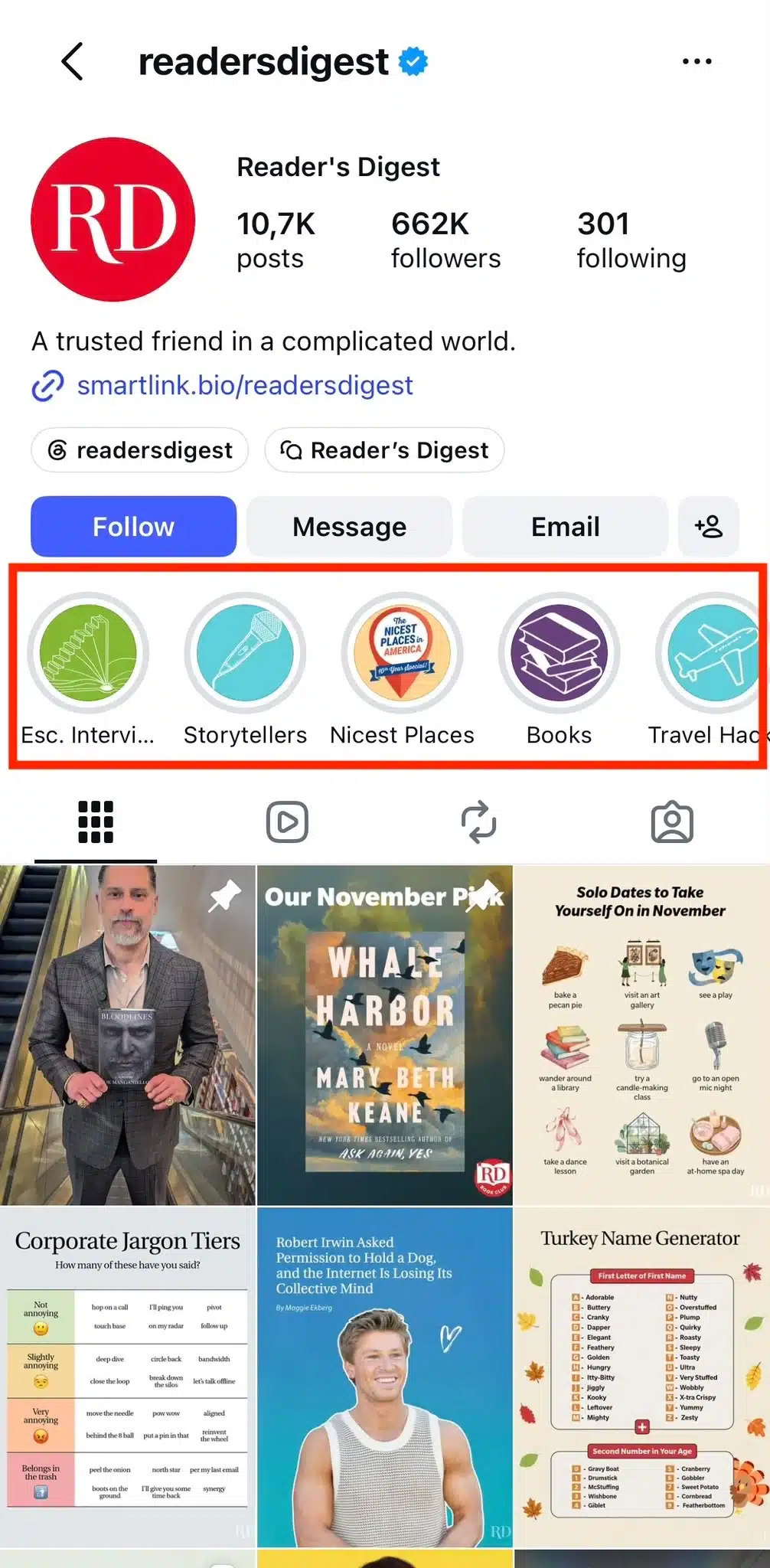
Instagram profile for Reader’s Digest (@readersdigest), with a red box highlighting Story Highlights titled “Esc. Intervi...,” “Storytellers,” “Nicest Places,” “Books,” and “Travel Hacks.”


You can schedule prepared Instagram Stories through SocialBee and leave spontaneous updates for when something happens during the day.

Check Story replies and link activity to see which updates prompt people to take action.

8. Use Instagram Live to answer customer questions

Instagram Live is worth considering when people would benefit from seeing a demonstration or asking questions while you’re explaining something.

Before planning a session, check that your account meets Instagram’s current eligibility requirements for Live.

Choose a specific subject based on questions you’ve received from customers. A focused session about how to use a product is easier to promote than a general conversation about your business.
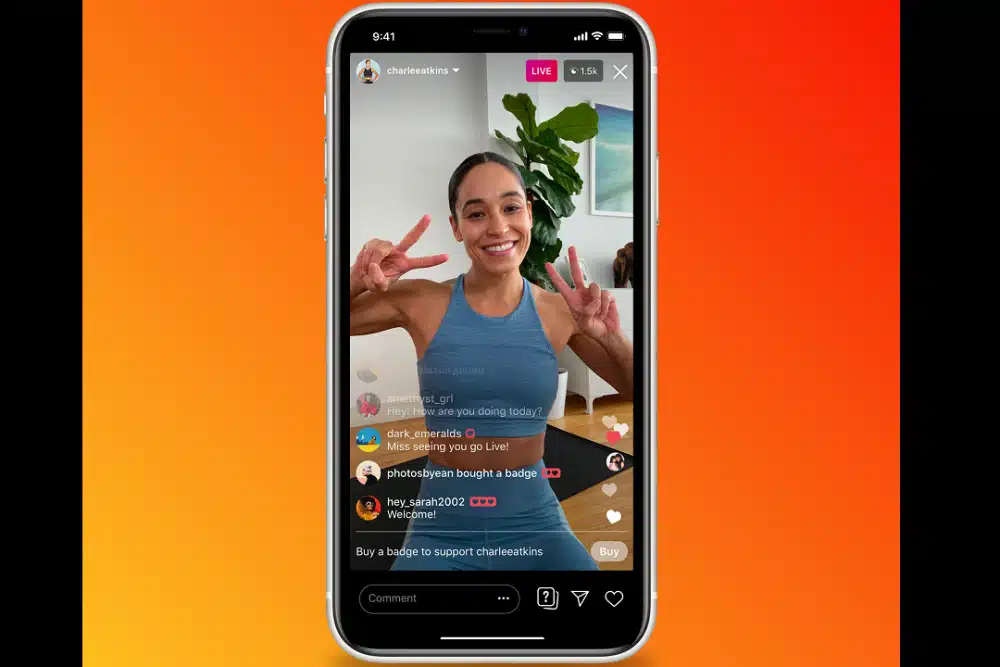
A promotional image of an Instagram Live session displayed on a smartphone against an orange-to-red gradient background. A fitness creator is smiling at the camera and holding up peace signs with both hands while streaming live. At the top of the screen, a LIVE label and a viewer count are visible. The live chat shows viewers commenting and one notification indicating that a viewer bought a badge, highlighting Instagram's creator monetization feature. A banner near the bottom invites viewers to buy a badge to support the creator, alongside a Buy button. Standard Instagram Live controls, including the comment field and interaction icons, appear at the bottom of the screen.

You can prepare by collecting questions through Instagram Stories.

For the session itself:

  1. Announce the topic and start time in advance.
  2. Prepare the demonstration or main explanation.
  3. Keep a short list of questions you want to answer.
  4. Leave time to respond to viewers.
  5. End by explaining where people can find more information.

You don’t need to stay live for an hour. Set aside enough time to cover the topic properly and answer the most relevant questions.

If the recording is available to save, review it afterward. You may be able to turn useful answers into shorter Instagram videos or educational content for your feed.

This can save you from recording the same explanation again.

9. Respond to comments and direct messages

Customers often use Instagram to ask questions before making a purchase.

Check your comments and direct messages regularly so those inquiries don’t go unanswered.

You can set aside time each morning and afternoon to reply instead of constantly checking notifications.

Instagram comment exchange showing Duolingo replying “you mean choronno??” to a user discussing how locals pronounce Toronto, with the brand reply receiving thousands of likes.

When responding, give people the information they need. If someone asks about availability, confirm what’s available and explain how to book or buy.

Avoid replying with a generic message that sends them elsewhere when you could answer the question directly.

It’s also worth keeping track of questions you receive repeatedly.

If several people ask about delivery times, add that information to your website and create an Instagram post explaining it. You can then share the post when the question comes up again.

To encourage more conversations, ask for feedback when it’s relevant to the content you’re sharing. Avoid adding a question to every caption simply to get comments.
Pro tip

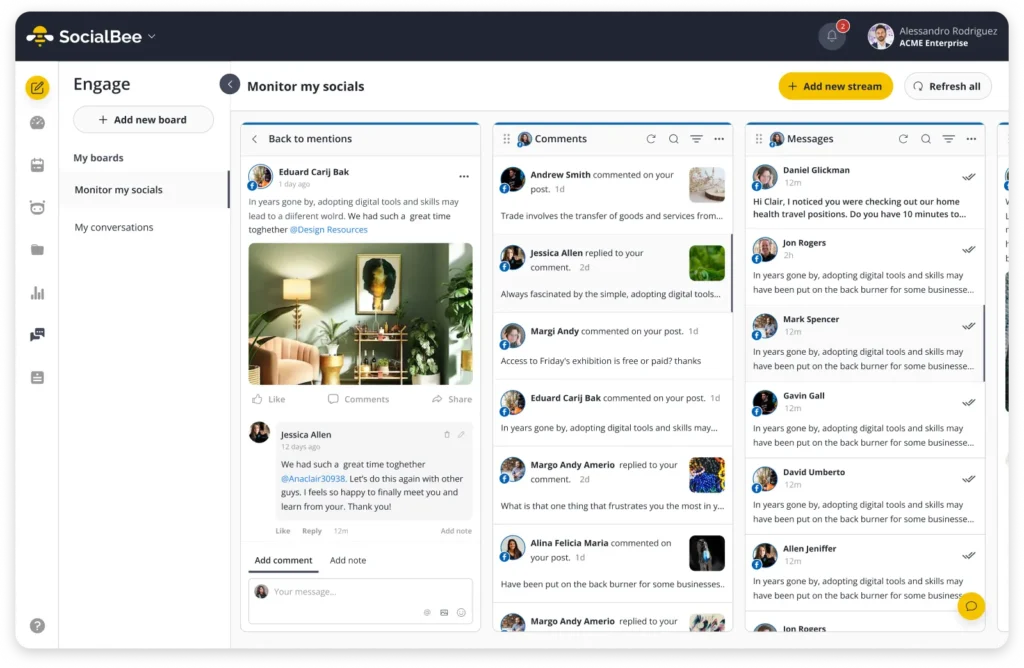
SocialBee‘s unified inbox lets you manage supported comments, mentions, and messages without checking each connected account separately.

This can be particularly helpful when you’re handling customer inquiries across multiple social media platforms.

10. Work with Instagram creators who reach your target audience

A creator partnership can introduce your business to people who already trust someone’s recommendations.
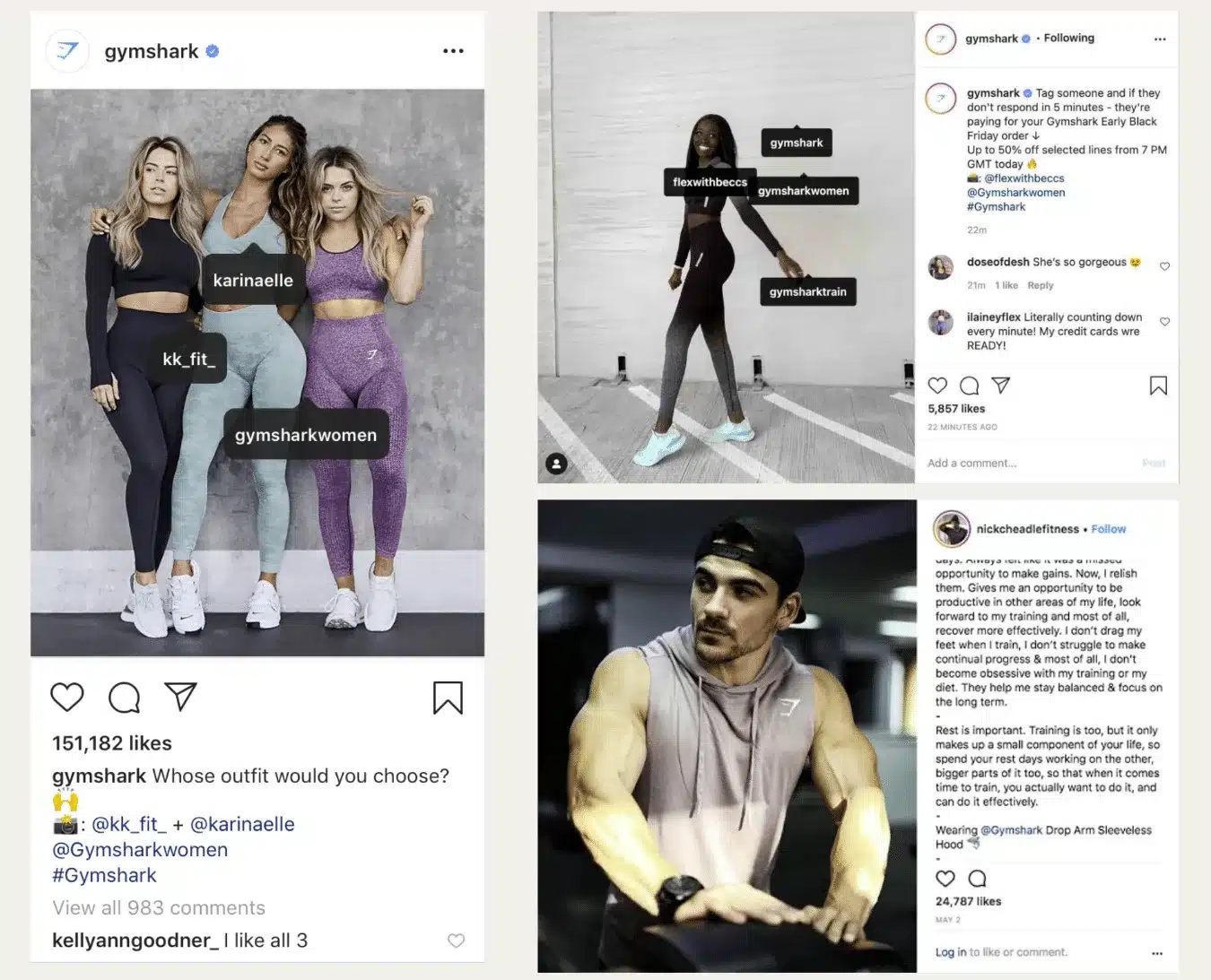
Collage of three Instagram posts from Gymshark featuring fitness creators and athletes. The examples show creators tagged directly in photos and captions, highlighting influencer partnerships and branded content. One post features three women in Gymshark activewear with tagged creator accounts, another shows a creator modeling workout apparel with multiple account tags, and the third features a male fitness creator wearing Gymshark clothing alongside a caption discussing training and recovery.

For a small business, the creator’s audience matters more than their follower count.

Start by looking for creators who regularly post about topics related to your business. If you serve a particular area, prioritize creators whose followers are based nearby.

Nano-influencers typically have between 1,000 and 10,000 followers, while micro-influencers generally have between 10,000 and 100,000. These ranges are approximate, and audience size alone won’t tell you whether someone is a good fit.

Before reaching out, review their recent posts.

Check whether their followers ask genuine questions and whether the creator responds to them. Look at previous sponsored content to see how they introduce products to their audience.

Ask potential partners for audience information, especially location data if your business serves a specific area.

Once you’ve found someone suitable, agree on the content before the campaign begins.

Your agreement should cover the deliverables and payment terms. It should also specify when the content will be published and whether your business can reuse it.

Make sure sponsored or gifted partnerships include the appropriate disclosures.

You can measure results using a unique discount code or a tracked link to a relevant product page.

Compare the sales or inquiries generated with what you spent on the partnership. This will give you a clearer idea of whether it’s worth working with the creator again.

How to measure your Instagram marketing results

More followers and likes are always nice to see, but are they bringing you any closer to your business goals? That’s what you should be looking at when reviewing your Instagram performance.

Start by separating your results into three categories:

  • Visibility: How many people are discovering your content?
  • Engagement metrics: Are people interested enough to interact with your posts?
  • Business results: Is that interest turning into website visits or customer inquiries?

You can find most of these numbers in Instagram Insights, which is available with a professional Instagram account.

Metric

What it tells you

Reach and views

How many people your content reaches and how often it’s viewed

Follower growth

Whether more people are choosing to follow your business

Shares and saves

Which posts people want to share or come back to

Profile visits

Whether your content makes people curious about your business

Website clicks

How many people visit your website through your Instagram profile

Messages and inquiries

Whether potential customers are reaching out about your offerings

Leads, bookings, or sales

Whether your Instagram efforts are helping you get customers

You don’t need to track every metric equally. If your goal is to get more bookings, pay attention to appointment inquiries and how many turn into actual customers. If you want to reach a broader audience, look at reach and profile visits.

Keep in mind that Instagram won’t always show you the full customer journey. Someone might see your post and visit your store a few days later without ever clicking a link. Asking new customers how they heard about your business can help you spot results that Instagram Insights doesn’t capture.

Review your Instagram results once a month

Set aside 20 to 30 minutes each month to see what’s working and what needs changing.

  1. Find your three best-performing posts. Start with shares and saves to see which content people found useful. Don’t automatically assume the post with the most likes was the most successful.
  2. Check what happened after people saw your content. Look at profile visits and website clicks. Review your direct messages to see whether certain posts prompted questions about your products or services.
  3. Look for patterns. Are people responding better to Reels or carousels? Do certain topics keep getting shared? Make a note of what your strongest posts have in common.
  4. Use what you’ve learned to plan next month’s posts. Keep the topics that are getting results, try a different approach with underperforming content, and stop spending time on posts that aren’t helping you reach your goals.
Pro tip

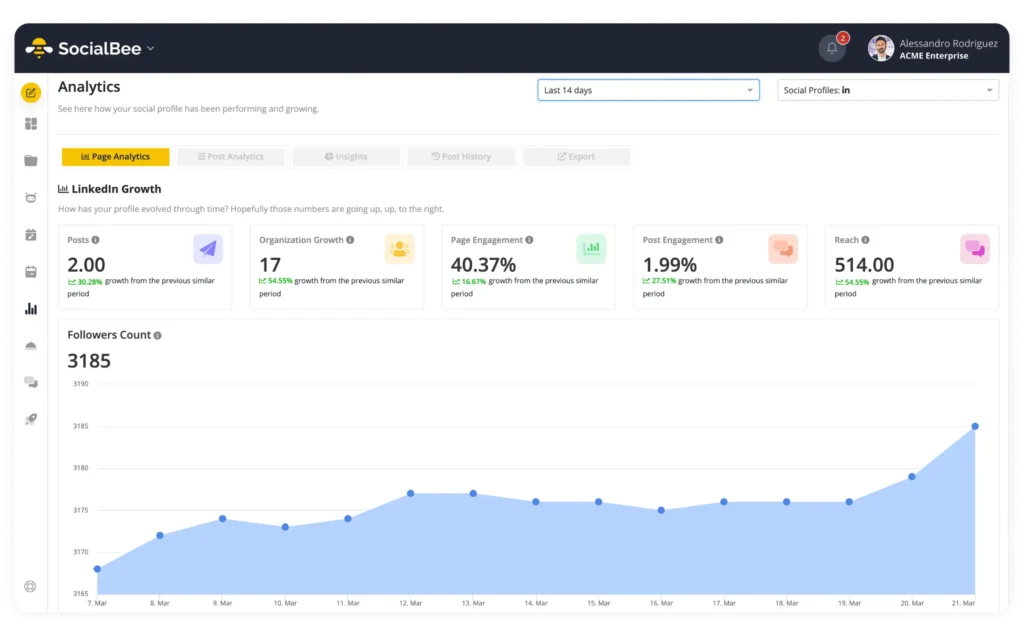
You can use SocialBee’s analytics to see how your Instagram posts are performing and identify which ones are getting the most engagement.

The point of reviewing your results is to make better decisions about what to post next, rather than spending more time on Instagram without knowing whether it’s paying off.

Frequently asked questions

1. Is Instagram good for small businesses?

Yes, especially if your customers already use Instagram to discover products or find businesses like yours.

It’s particularly useful when people want to see what they’re buying before making a decision. Local businesses can also use Instagram to reach people in their area and stay in touch with existing customers.

Before investing too much time, make sure your target audience is actually active on the platform.

2. How do I start using Instagram for my small business?

Start by switching to a professional Instagram Business account. Add your business information and a profile picture people will recognize. Your bio should explain what you offer and include a link to your website or booking page.

Then decide what you want to achieve with Instagram and start posting content that supports that goal. Check your results after the first month to see what people respond to.

3. How often should a small business post on Instagram?

Posting two or three times a week is a reasonable starting point for many small businesses. You can share Instagram Stories whenever you have something timely to show your followers.

There’s no need to force yourself to post daily if you don’t have enough useful content to share.

Try a schedule for a month, review your results, and increase your posting frequency only if you have the time to maintain it.

4. How can I promote my small business on Instagram for free?

Start with Instagram Reels to reach people who don’t follow you yet. If you serve a specific area, add relevant location tags and mention your city in your profile.

You can also collaborate with other small businesses or encourage customers to share photos of your products.

Make time to reply to comments and direct messages, too. Being active in conversations with potential customers can be more useful than publishing another post.

5. How can I get more customers from Instagram?

Make sure people can quickly understand what you offer when they visit your profile. Show your products or services clearly and answer the questions customers usually have before buying.

Share customer reviews to help build trust, and give people an easy way to take the next step.

If you want someone to book an appointment, link directly to your booking page. If you’re promoting a product, send them to the relevant product page rather than your website homepage.

Keep track of the inquiries and purchases that come from Instagram so you know which posts are helping you attract customers.

Grow your small business on Instagram with a strategy you can maintain

You don’t have to post every day or try every Instagram trend to make the platform work for your business. Focus on the content your customers find useful and stick to a posting schedule that fits around everything else you have to do.

Keep an eye on what gets Instagram users interested in your business. If a certain type of post regularly brings in inquiries, make more of it. If something isn’t working, change your approach instead of continuing to post it out of habit.

And if keeping up with Instagram is taking more time than you’d like, social media management tools like SocialBee can help you plan your content ahead of time. You can schedule your Instagram posts, organize them in a visual calendar, and check how they’re performing without having to manage everything manually.

Start your 14-day free trial and spend less time managing your Instagram posts.

SocialBee: Your AI-powered Instagram management tool
Create posts, publish, analyze, engage and collaborate, all from SocialBee.
Summarize this post

SocialBee

Social media management made simple

Join thousands of brands growing with SocialBee

Read the latest articles

Level up your social media marketing with exclusive resources delivered straight to your inbox

We’re SocialBee LABS SRL, part of WebPros. We use the information you provide to share relevant content and product updates, as outlined in our Privacy Policy. You can opt out anytime.

Black Friday sale: Save 70% on monthly plans or 50% on yearly subscriptions  🎉