

Social media management packages pricing can be confusing when two tools charge similar monthly fees but include different features. A $29 subscription can cover everything a freelancer needs, while a growing agency will find itself paying extra for client approvals, reporting, or additional profiles.
The challenge is figuring out what you’ll actually use. Paying for advanced features you never use wastes money, but choosing a basic plan that can’t handle your daily tasks creates its own problems.
This guide explains how much social media management software costs, what influences pricing, and how to choose a package that fits your business and budget.

How much does social media management software cost?
Social media management software can cost anywhere from $0 for a free plan to $500 or more per month for advanced packages.
Entry-level paid plans typically start at around 20-50 per month, while more comprehensive packages for growing teams and agencies often range from 100-300 per month. Larger businesses managing dozens of social media channels can expect to pay $500 or more, depending on the number of users, connected profiles, and features included.
The biggest difference is how providers structure their pricing.
Pricing model | How it works | What to watch |
Per social account | Pay based on connected profiles | Costs rise as you add channels |
Per user | Pay for each team member | Collaboration can become expensive |
Per brand or workspace | Pay for separate businesses or client groups | One brand may have several profiles |
Tiered packages | Choose a plan with predefined limits | Important features may require an upgrade |
Custom pricing | Request a quote for larger teams | Final costs depend on negotiated requirements |
Software subscriptions are different from social media management services pricing. Hiring an in-house or freelance social media manager or a social media marketing agency covers human work such as content creation, social media strategy, community engagement, and campaign management.
How to buy social media management software that meets your needs and budget
Here are the best ways to decide which social media management software is worth buying:
- Set your budget and list what you need for your social media presence
- Research available social media management tools
- Shortlist tools that fit your needs
- Understand what affects software pricing
- Compare pricing plans
- Read reviews and check customer support
- Try the tools before you buy
- Choose the plan that works best for you
1. Set your budget and list what you need
Before looking at social media pricing pages, write down what the software must handle.
Start with four questions:
- How many social media profiles do you manage today?
- How many people need access?
- How often do you publish, and what content formats do you use?
- Which tasks currently take the most time?
Separate your requirements into essential features and nice-to-have features. If scheduling posts across multiple platforms is your main problem, paying extra for social listening or competitor tracking is unnecessary.
Set a monthly spending limit that takes into account all of your social media needs, from the software to the ad spend, and make sure you keep it flexible enough for the changes that will inevitably appear along the way.
2. Research available social media management tools
Start with three to five tools that fit your budget and support the social media accounts you manage. You can find options through software review sites, recommendations from other social media managers, or a quick Google search.

Once you have a few names, check what each tool actually lets you do. If short-form video is a big part of your content strategy, find out whether you can schedule Instagram Reels and TikTok videos directly or still need to publish them manually.
Your priorities will also depend on how you manage social media. One person handling multiple clients means separate client workspaces and monthly reporting, while a bigger marketing team cares more about content approvals and scheduling across multiple platforms.
Pricing pages and help centers will tell you everything you need to know about the features you get and how they match your social media services or needs, so don’t neglect to look at them closely.
3. Shortlist tools that fit your needs
Cut down your options to two or three platforms before looking into every pricing detail.
A simple comparison table makes gaps obvious:
Requirement | Tool A | Tool B | Tool C |
Supports all required platforms | Yes | Yes | No |
Enough accounts on the selected plan | Yes | No | Yes |
Content approvals | Yes | Yes | No |
Exportable analytics reports | Yes | No | Yes |
Fits monthly budget | Yes | Yes | Yes |
A tool that doesn’t support one of your main platforms should usually leave the shortlist, even if its pricing looks attractive.
If your social media agency manages multiple clients, also check how easily you can separate brands and control access.
4. Understand what affects software pricing
Two social media packages can cost almost the same and still offer completely different features.
4.1. Number of social media accounts, users, and team members
Start with how many accounts you manage and who needs access to them. A business with two Instagram accounts, two Facebook pages, and a LinkedIn profile needs space for five social profiles, even though it’s only active on three platforms.
Pricing also changes depending on whether a tool charges per account, per user, or offers a fixed number of each. A package with 20 social profiles sounds generous until you realize it only allows one user. Adding more people could push the monthly cost well beyond your original budget.
4.2. Scheduling and publishing limits
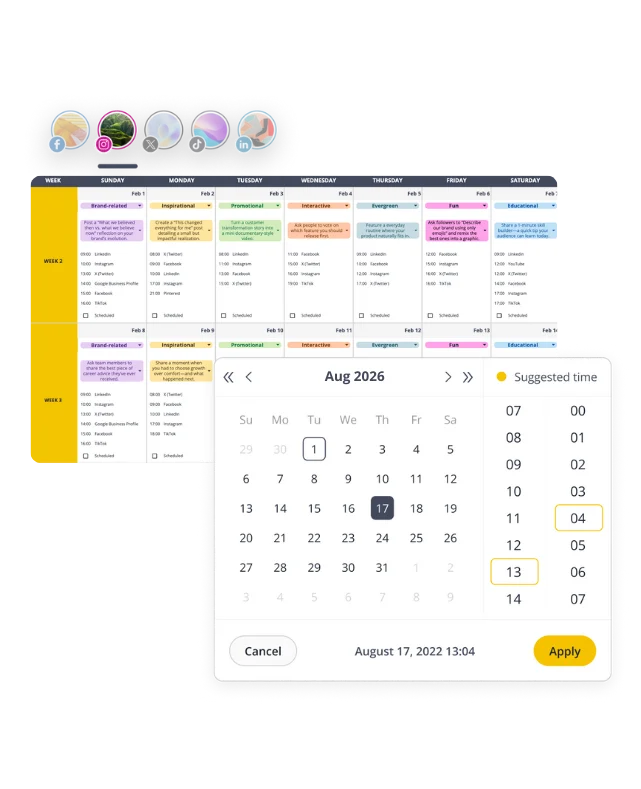
The number of posts you can schedule isn’t always unlimited. Entry-level plans sometimes restrict how many posts you can keep in your queue, which becomes inconvenient when you’re preparing content several weeks ahead.
Publishing features also affect pricing. Bulk uploads, content recycling, and post variations can make a substantial difference to how quickly you prepare a content calendar.
4.3. AI content creation features
AI features deserve a closer look because the label doesn’t tell you much about what’s included.
Caption generation, hashtag suggestions, image creation, and AI-powered content planning are separate capabilities.
Usage limits are another thing to consider. An allowance of 50 AI-generated posts per month could run out quickly when you’re preparing several social media campaigns. Find the actual credit or generation limit in the plan details rather than assuming AI access is unlimited.
4.4. Analytics and reporting tools
Start with the social media analytics features you already use: engagement rates, audience growth, top-performing posts, and performance comparisons.
Then get specific about exports and historical data. Can you download a PDF report? How far back can you access your results? Are branded reports included?
A three-month data history won’t cover a year-end performance review. And if monthly reporting is part of your social media marketing package, having to copy results into a separate document every month defeats the purpose of delegating to your software.
4.5. Social inbox and engagement features
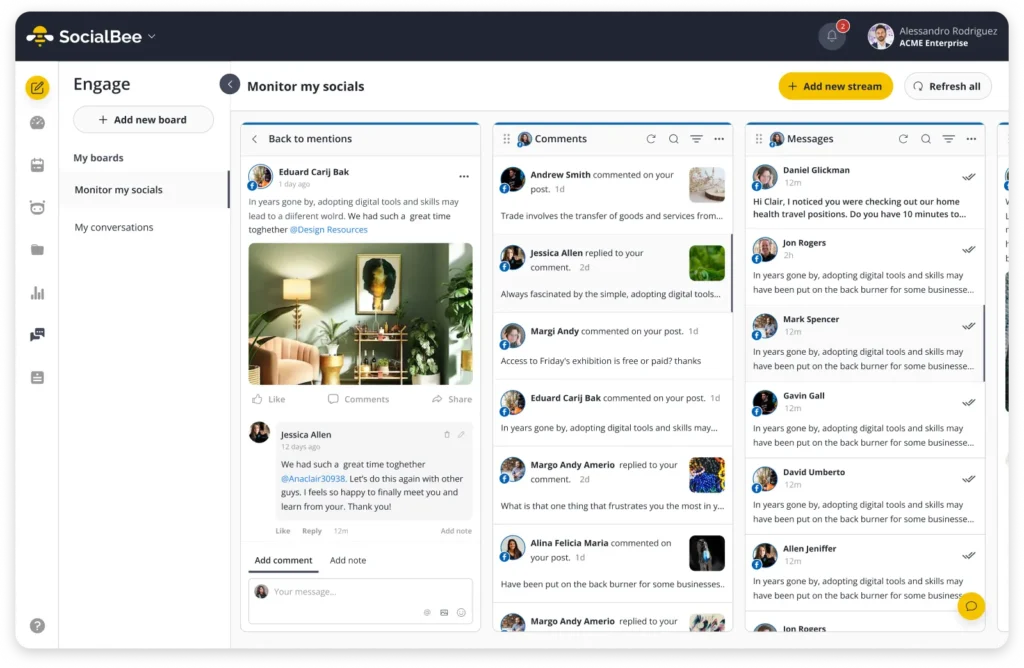
If responding to comments and messages is part of your day, a unified inbox is worth having.
The main thing to look at is which conversations you can manage, and if the platforms your audience is most active on are supported.
With SocialBee, you can manage:
- Facebook Pages: Comments, mentions, and DMs.
- Instagram Business and Creator profiles: Comments, mentions, and DMs.
- Threads: Comments and mentions.
- LinkedIn Company Pages: Comments and mentions.
- X (formerly Twitter): Comments and mentions.
- YouTube: Comments.

4.8. Social listening and competitor analysis
These are the tools you need when you follow conversations about your brand outside your own social media accounts or like to keep an eye on what competitors are posting
These features often cost extra, though, so think about how often you’d actually use them. If your main goal is content creation and scheduling, you can probably leave them off your must-have list.
4.9. Customer support and onboarding
Sooner or later, you’ll have a question about connecting an account, scheduling a video, or figuring out why a post didn’t publish.
You should be able to get an answer without spending half the day searching for it.
Look at the support options included in the plan. Email, live chat, tutorials, and onboarding sessions can all help, depending on how much assistance you need.
You can even test support during your free trial. Send a question you’d genuinely need help with and see how useful the response is.
5. Compare pricing plans
You’ve found a few tools you like. Now it’s time to figure out what they’ll actually cost you.
The monthly price on the website is a starting point. You might need to pay extra for additional accounts, team members, or features that aren’t included in the plan you originally chose.

Say you’re comparing two tools:
Expense | Tool A | Tool B |
Monthly subscription | $30 | $45 |
Two additional users | $20 | Included |
Extra social profiles | $15 | Included |
Total monthly cost | $65 | $45 |
These are hypothetical prices to show how additional charges affect the total.
Tool B ends up being $20 cheaper, despite having a higher starting price.
Annual billing deserves a look too, especially when you’re trying to keep your marketing budget under control, since it comes with discounts. Just make sure you’ve tested the software before committing to a full year.
And think about what happens when your business grows. Adding five new clients shouldn’t automatically mean your software bill doubles.
Don’t confuse software pricing with social media management services pricing
There’s another cost worth separating from your software subscription: the actual work involved in managing social media.
Social media services pricing covers the time, expertise, and resources needed to create and manage content. That includes everything from basic management and organic management to creative production, community engagement, and paid social campaigns.
A software subscription helps you organize and publish that work. It doesn’t replace the people doing it.
This detail is a must-know for small businesses comparing software subscriptions with the cost of hiring professional services.
Here’s what usually sits outside a software subscription:
- Content and creative support: Writing captions, producing short-form videos, arranging professional photography, and developing creative assets for marketing campaigns.
- Social strategy and planning: Building a marketing strategy, deciding which social media programs to invest in, and adjusting content based on business outcomes.
- Advertising: Setting up paid ads, managing an ad account, handling ad management, and improving paid social performance.
- Community and client management: Responding to customers, proactive outreach, influencer management, and keeping up with client expectations.
- Specialist expertise: Working with a senior strategist, dedicated account manager, or ad managers who understand your industry.
Social media advertising also comes with its own expenses. The money you spend showing ads to your target audience is separate from the cost of paid ad management.
If your goal is to generate qualified leads, your budget might cover paid social advertising on Meta or LinkedIn, creative production for the ads, and someone to manage the campaigns. The ad spend goes to the advertising platform. Management fees cover the work involved in running and improving those campaigns.
6. Read reviews and see how helpful the support team is
Before you commit to a tool, spend some time reading reviews from people who use it for the same kind of work you do and make sure they have a proven track record of working well.

G2 and Capterra are good places to start. Search for the features you’re most interested in and read what users say about them.
Don’t rely entirely on star ratings. A detailed review explaining how someone uses the software will tell you more than a five-star review saying it’s easy to use.
7. Try the software with your own content
A free trial is much more useful when you treat it like a normal working week.
Connect your accounts and prepare content you actually plan to publish. Write a few captions, upload your visuals, customize posts for different platforms, and schedule them.
Then try the things that usually slow you down. Maybe you need to move several posts to another day. Use the trial to see how the task feels in the software.
You can keep a few questions in mind as you go:
- How long does it take to prepare and schedule a week’s content?
- Can you find and edit posts without digging through several menus?
- Does the calendar make it easy to see what’s going out?
- Are the analytics useful for the reports you prepare?
- Have you run into any features that require an upgrade?
A tool might have everything you need on paper and still feel frustrating to use. That’s exactly what a trial should help you discover.
8. Choose your plan and get started
By now, you should have a clear idea of which tool you prefer and how much you’ll need to spend.
Go with the plan that covers your accounts, users, and everyday tasks. There’s no point paying for features you haven’t found a use for.
Before subscribing, take one final look at the account limits, billing terms, and upgrade options. It’s worth knowing how much you’ll pay when you add another profile or bring someone new onto your team.
Once you’ve chosen a plan, connect your accounts, set up your posting schedule, and start moving your content into the tool.
You can always revisit your subscription later as your needs change.
How much does SocialBee cost?
SocialBee offers a 14-day free trial, so you can test its features before spending anything. After that, plans start at $29/month, with discounts available for annual billing.
And here’s the good news: unlimited AI content generation is included in every plan, even the cheapest one. You don’t need to pay more to get access to AI tools. The higher-priced plans mainly give you more accounts, better analytics, and extra features for managing content and teams.
Here’s how the monthly prices compare:
Plan | Price/month | Social profiles | Workspaces | Best for |
Bootstrap | $29 | 5 | 1 | Solopreneurs and freelancers |
Accelerate | $49 | 10 | 1 | Growing businesses |
Pro | $99 | 25 | 5 | Small agencies and marketing teams |
Pro50 | $179 | 50 | 10 | Growing agencies |
Pro100 | $329 | 100 | 20 | Established agencies |
Pro150 | $449 | 150 | 30 | Large agencies |
Bootstrap, Accelerate, and Pro: 29–99/month
If you’re managing social media for yourself, a business, or a handful of clients, these are the SocialBee plans worth looking at:
- Bootstrap ($29/month) gives you five social profiles, 10 content categories, 10 content sources, and three months of analytics. It’s a good fit for solopreneurs and small businesses that want to create, schedule, and track content without paying for features they won’t use.
- Accelerate ($49/month) doubles your social profiles to 10 and adds bulk editing, CSV uploads, post approvals, and advanced analytics covering up to two years. You also get 50 content categories and 30 content sources. If you’re publishing dozens of posts every month, the extra $20 is easy to justify: bulk editing alone can save you plenty of time.
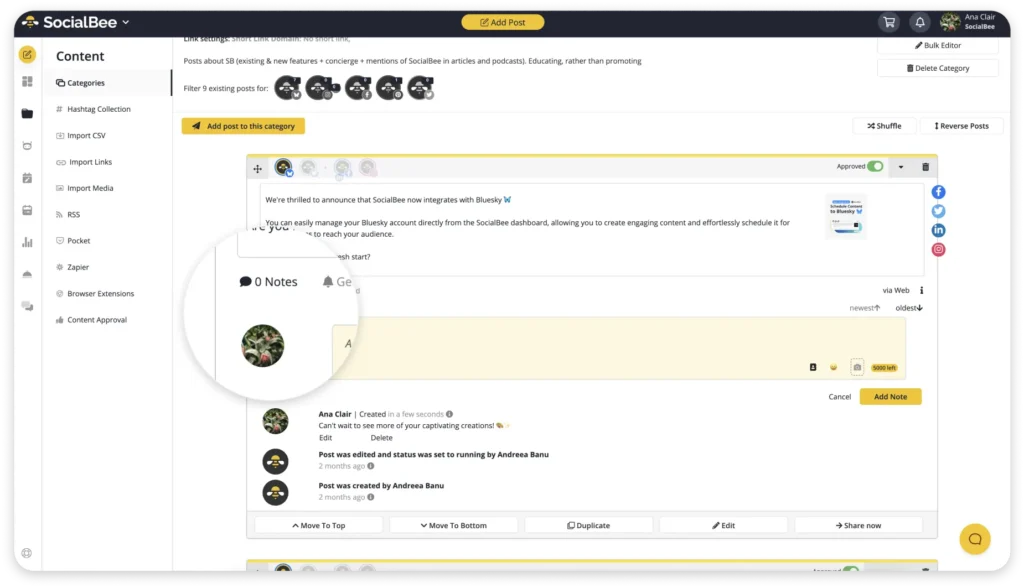
- Pro ($99/month) is where things get interesting for agencies. You get 25 social profiles, five workspaces, three users per workspace, and unlimited content categories and sources. Internal notes, post approvals, and analytics report exports make it easier to manage content with colleagues and keep clients updated. For example, a social media management agency managing five clients could give each one a separate workspace instead of mixing all their accounts and posts together.
Pro50, Pro100, and Pro150: 179–449/month
If your agency manages dozens of social accounts, you’ll probably need one of SocialBee’s larger plans with more social profiles, workspaces, and users:
- Pro50 ($179/month): 50 profiles and 10 workspaces.
- Pro100 ($329/month): 100 profiles and 20 workspaces.
- Pro150 ($449/month): 150 profiles and 30 workspaces.
Each plan supports five users per workspace.
To put that into perspective, Pro50 could cover 10 clients with five social profiles each, with a separate workspace for every client. Your team can handle content approvals, publishing, and reporting without needing separate subscriptions for each business.
And if you’re close to your plan’s limit, you can purchase extra profiles, users, or workspaces instead of upgrading immediately.
You can see the full feature breakdown on SocialBee’s pricing page.
Frequently asked questions
1. How much should I pay for social media management software?
It depends on how many accounts you manage and the features you need. Free plans are available, and paid subscriptions can start at around 20–50 per month. Managing dozens of profiles or working with a larger team will generally cost more.
2. What’s the cheapest social media management software?
Buffer and Metricool offer free plans, although you’ll have limits on accounts, scheduling, or features. For paid software, compare the cost of connecting all your profiles rather than choosing the tool with the lowest advertised price. SocialBee offers the best value for money at its starting price of $29/month.
3. Can I manage social media for free?
Yes, you can publish directly through social media platforms and use their built-in scheduling tools where available. Free software can also help with basic management, although you may need paid features for more accounts, reporting, or team collaboration.
4. What’s included in premium social media management packages?
Premium software plans generally offer more social profiles, additional users, advanced analytics, reporting, and collaboration features. Some also include social listening, competitor analysis, or more extensive AI tools.
The exact features depend on the provider, so read the plan details before subscribing.
5. Is annual billing cheaper than monthly billing?
Many social media management companies offer a discount when you pay annually. The savings can be worthwhile once you’re confident you’ll keep using the software. Try the tool first and make sure the plan covers everything you need.
Find the right social media management package for your budget
Before choosing a social media management tool, make sure you know exactly what you’re paying for. A low monthly price isn’t much of a deal if you have to upgrade to connect all your accounts, invite your team, or access the features you need.
Narrow down your options, compare the full costs of your social media investment, and take advantage of free trials. Spending a little time testing the software now can save you from switching tools a few months later.
With SocialBee, you can create content, schedule posts, manage engagement, and track performance without juggling several tools. Start your 14-day free trial and see how it fits into your day-to-day social media management.