
What does it mean to scale social media content?
Scaling social media content means being able to publish more without every extra post adding another hour to your team’s workload.
Say you’re currently publishing three times a week and want to move to five. The easiest way to do that probably isn’t to come up with two completely new ideas, write two new briefs, and design two new assets every week. Instead, you could turn Tuesday’s blog post into a LinkedIn post, pull one statistic from it for an Instagram graphic, and use one of its main points as the basis for a short video.
The same applies to content you create regularly. If customer stories tend to perform well, create a format you can reuse instead of starting from scratch every time. If the same topic works on LinkedIn and Instagram, adapt it to each platform rather than creating two separate posts.
In practice, scaling might mean getting five social posts from one blog instead of one, creating a month’s worth of recurring posts in one afternoon, or scheduling content across several platforms at once instead of publishing everything manually.
You’re still creating more content. You’re just making sure the amount of work doesn’t grow at the same rate.
Why adding more people doesn’t always make content easier to scale
Hiring can help, but it’s not always the solution teams expect it to be.
If your current content process is slow, adding more people often means adding more handoffs, more feedback rounds, and more opportunities for things to get stuck. A bigger team can’t fix a broken process.
Let’s say it takes two weeks to get a social post approved. Bringing in another content creator won’t solve that problem. You’ll just end up with more content waiting for approval.
The same thing happens when teams don’t have clear processes, content guidelines, or defined responsibilities. Work gets duplicated, feedback gets scattered across multiple tools, and content takes longer to publish than it should.
Before investing in hiring, look at how your team works today. Are you spending too much time on reviews? Creating the same types of posts over and over again? Jumping between tools to plan, publish, and report on content?
In many cases, teams can increase their content output by improving their processes, repurposing existing content, automating repetitive tasks, and using the right tools. Once those foundations are in place, adding more people becomes much more effective because there’s already a system that can support growth.
How to scale content creation without growing your team
Often, creating more content comes down to making better use of your time, your ideas, and the content you already have. A few small changes can help your team produce more without feeling like they’re constantly racing to keep up.
Here are five practical ways to scale content creation without growing your team:
- Find out what’s taking up most of your team’s time
- Get more posts from every good idea
- Make the content you create regularly easier to produce
- Use AI to speed up content creation
- Automate the manual work that takes up your team’s time
1. Find out what’s taking up most of your team’s time
Look back at the last few weeks of content and find where work tends to pile up. Is it ideas, visuals, feedback, approvals, or publishing?
Fix the biggest bottleneck first. If approvals delay every post, adding more writers won’t help. Solving one major time drain can make the whole content process faster.
Here’s a simple exercise:
- Review the content you’ve published in the last month.
- Write down every step required to get a post from idea to publication.
- Highlight the steps that consistently take the longest.
- Start by improving the biggest bottleneck.
2. Get more posts from every good idea
One of the fastest ways to scale content creation is to stop treating every post as a separate piece of work.
Most teams are already sitting on a goldmine of content. Blogs, webinars, podcast episodes, customer questions, case studies, newsletters, product updates, and even sales calls can all become social media content.
Instead of coming up with five new ideas, start with one strong idea and turn it into several pieces of content.
For example, a blog post could become:
- A LinkedIn thought-leadership post
- A carousel highlighting key takeaways
- A short video summarizing the main points
- Several social posts built around individual tips
- A poll or question designed to spark engagement
Storyblok is a good example. They created a larger Content Debt Recovery Plan, then pulled one idea from it and used it for a LinkedIn post.
The carousel gets the main point across, while the full report is there for anyone who wants to learn more. So instead of coming up with a separate LinkedIn idea, Storyblok got another post out of research they’d already done.
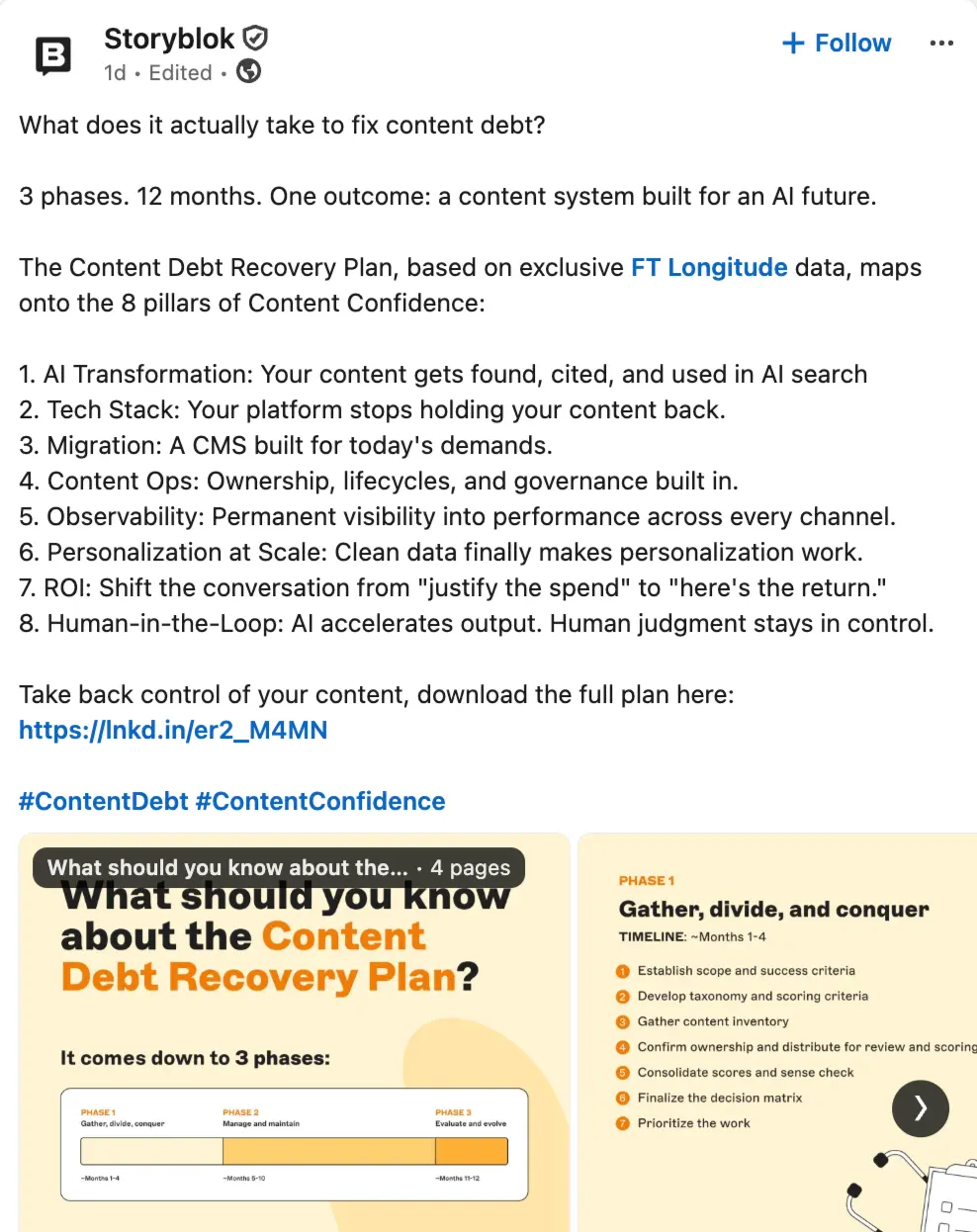
And the same report could go much further than one post. One of its findings could become a poll, another section could become a short video, the eight pillars mentioned in the post could become eight separate posts, and a particularly interesting statistic could become a standalone graphic.
That’s what repurposing should look like. You’re not simply reposting the same thing everywhere. You’re looking at one substantial piece of content and asking: how many useful social posts are hiding inside this?
The same principle applies across multiple channels. A piece of content that performs well on LinkedIn can often be adapted for Facebook, Instagram, X, or Threads with a few platform-specific adjustments. The message stays the same, but the format changes.
The key is to avoid simply copying and pasting content everywhere. Instead, think about how the same idea can be presented in different ways. A statistic can become a graphic, a blog section can become a carousel slide, and a customer story can become a short video.
Content repurposing also helps maintain a consistent brand voice because you’re building from content that already aligns with your strategy, expertise, and brand guidelines.
If you’re trying to scale content creation without adding headcount, this is often the highest-impact place to start. Rather than asking your team to create more from scratch, focus on getting more value from the content you’re already creating.
A good rule of thumb: before creating a new piece of content, ask yourself, “Have we fully used the last one?” Often, the answer is no.
3. Make the content you create regularly easier to produce
Not every piece of content needs a brand-new process.
If your team regularly creates the same types of social posts, it makes sense to make those as easy as possible to produce. The less time you spend reinventing the wheel, the more time you have for bigger projects and creative work.
Start by identifying the content types you create over and over again. These might include promotional posts, blog post announcements, customer testimonials, product updates, event promotions, or industry tips.
Once you’ve spotted the patterns, create simple templates and briefs your team can reuse. A few guidelines around structure, messaging, visuals, and tone can speed up content creation while helping maintain a consistent brand voice.
For example, you might create:
- A template for sharing new blog articles
- A standard format for customer success stories
- Reusable social post structures for product launches
- Design templates that match your brand guidelines
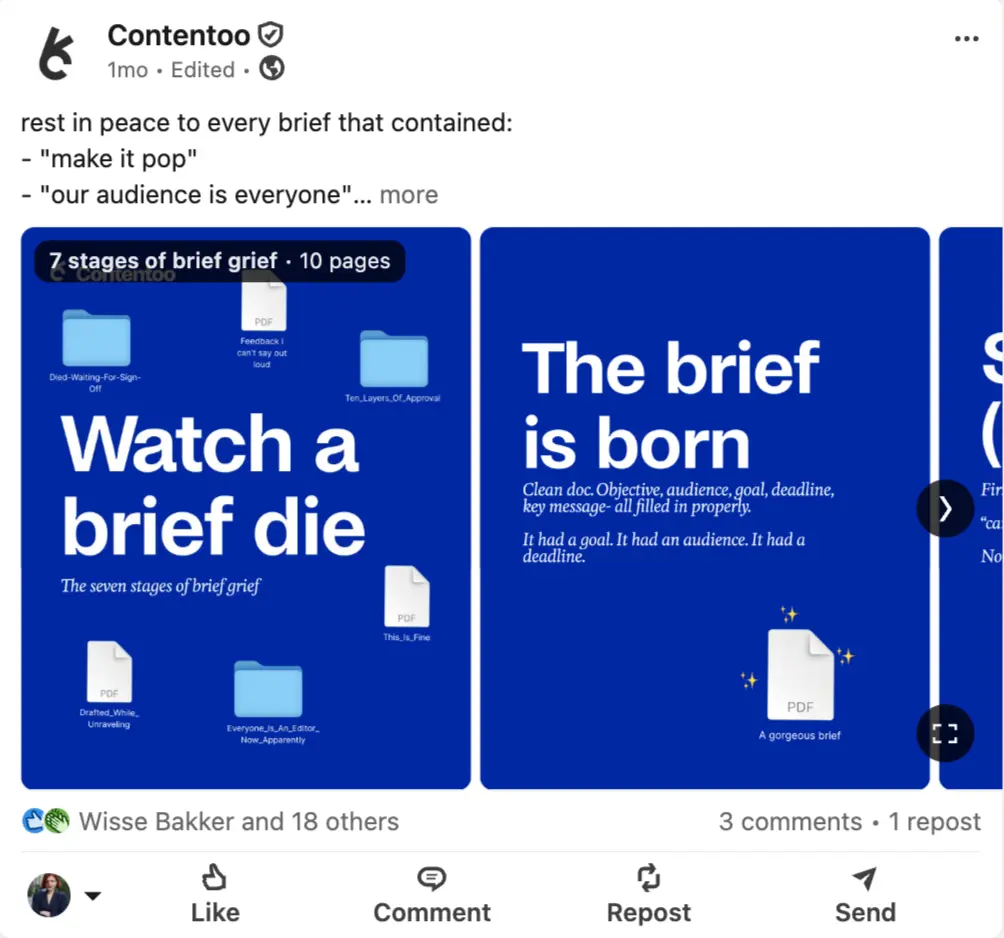
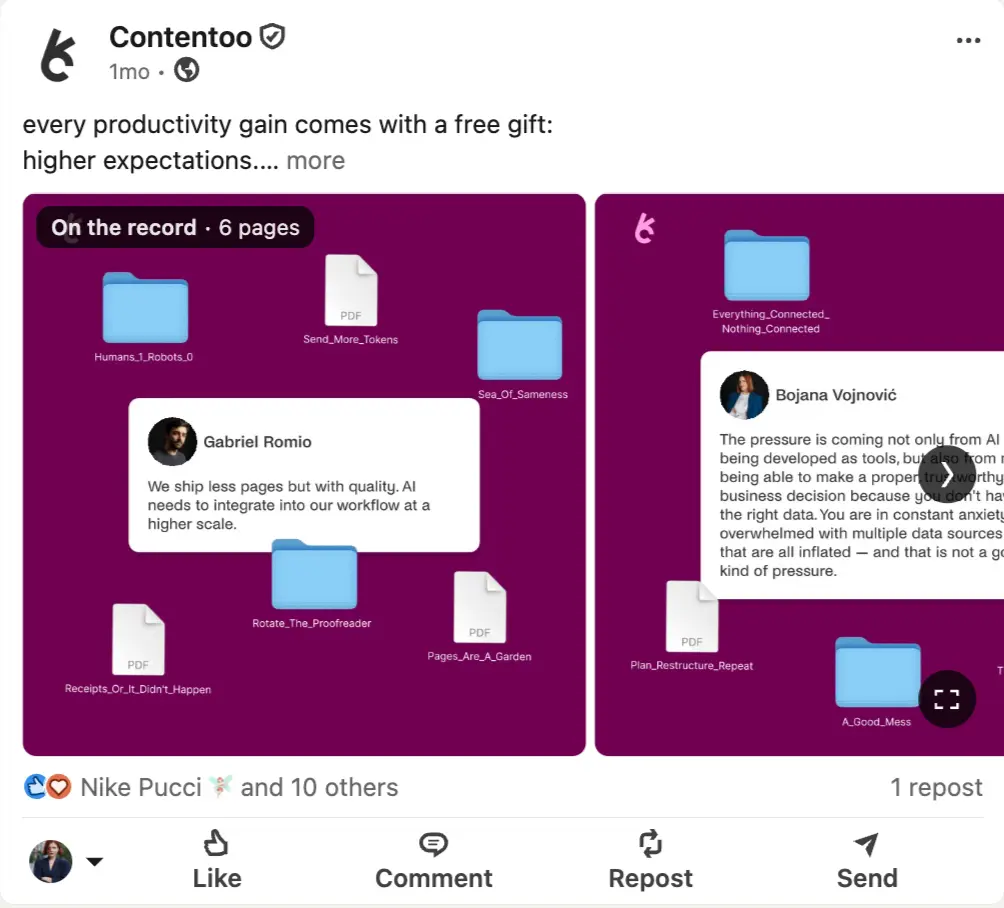
Contentoo is a good example of what this can look like in practice. They use recurring visual formats for different types of social content, rather than designing every post from scratch.
For example, their “Watch a brief die” and “The brief is born” posts use the same recognizable format, while another series uses a different template for conversations and scenarios. The topic and copy can change from post to post, but the basic visual system is already there.
This means the team doesn’t need a completely new creative concept every time they want to publish something. They can take a new idea, choose the format that fits it, adapt the copy and visuals, and get the post ready much faster.
That’s the point of templates when you’re trying to scale content. They’re not there to make everything identical. They’re there to make sure every new post doesn’t start with an empty Canva or Figma file.
Another easy win is batching similar tasks together. Instead of writing, designing, reviewing, and publishing one post at a time, dedicate blocks of time to specific tasks.
For example, you could spend Monday morning writing captions for the week, Tuesday creating visuals, and Wednesday scheduling content. Working this way helps your team stay focused and reduces the time lost switching between different types of work.
4. Use AI to speed up content creation
If your team is spending hours on the same tasks every week, AI can help speed things up.
Think about everything that goes into creating a piece of content: brainstorming ideas, writing captions, pulling key points from blogs, creating post variations, adapting content for different platforms, or writing video descriptions. Individually, these are small tasks. Together, they take up a lot of time.
You can use AI to:
- Turn a blog post into five LinkedIn post ideas
- Pull key takeaways from a webinar and turn them into social posts
- Generate multiple caption variations for the same post
- Rewrite a LinkedIn post for Instagram or Facebook
- Create a first draft for a newsletter, blog outline, or video script
- Summarize customer interviews and highlight useful quotes
- Write product descriptions based on your existing website copy
- Turn a list of tips into a carousel structure
Let’s say your team publishes a blog about social media trends. Instead of manually creating every supporting asset, you could use AI to pull out the main points, suggest social post angles, draft captions, and create a video outline. Your team can then review, edit, and polish the content before publishing.
The important thing is to treat AI as a starting point, not the final product.
Your audience follows your brand because of its expertise, perspective, and personality. AI can help you get words on the page faster, but it still needs human judgment to make sure the content is accurate, useful, and aligned with your brand voice.
This is especially important when creating thought leadership content, sharing industry insights, or discussing topics where nuance matters. A quick review process helps maintain quality and ensures every piece of content feels like it came from your team, not a tool.
Another practical tip is to save prompts that work well. If your team regularly creates blog summaries, social posts, video scripts, or content briefs, keeping a library of proven prompts can save time and improve consistency.
5. Automate the manual work that takes up your team’s time
Creating content is only part of the job.
A lot of time gets spent on things like scheduling posts, getting approvals, switching between tools, and pulling together reports. None of these tasks are particularly difficult, but they add up fast.
For example, your content might live in one document, your designs in another tool, your approvals in Slack, your publishing schedule in a spreadsheet, and your reports somewhere else entirely. When your team has to jump between all those places, even simple tasks take longer than they should.
The easier it is to manage content, the easier it is to scale it.
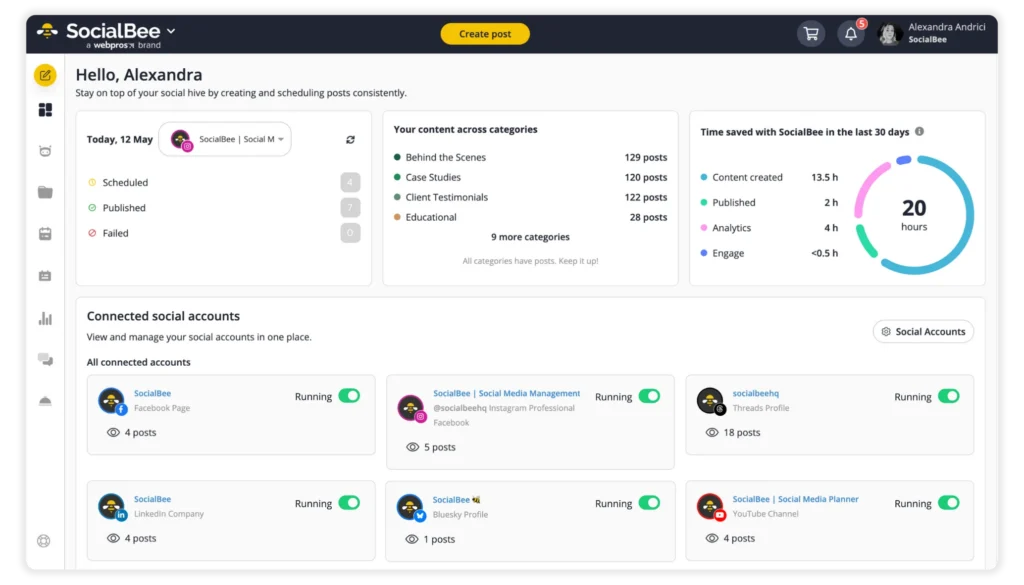
5.1. Manage all your social media accounts from one place
The more platforms you manage, the harder it becomes to keep track of everything.
Having one place where you can view, organize, and manage your social media accounts makes it easier to stay on top of your content and avoid unnecessary back-and-forth between platforms.
5.2. Schedule and publish content automatically
If you’re still publishing every post manually, you’re creating extra work for yourself.
Scheduling content ahead of time allows your team to plan weeks in advance, maintain a consistent posting schedule, and spend less time worrying about daily publishing.
Instead of stopping what you’re doing every few hours to post content, you can focus on creating it.
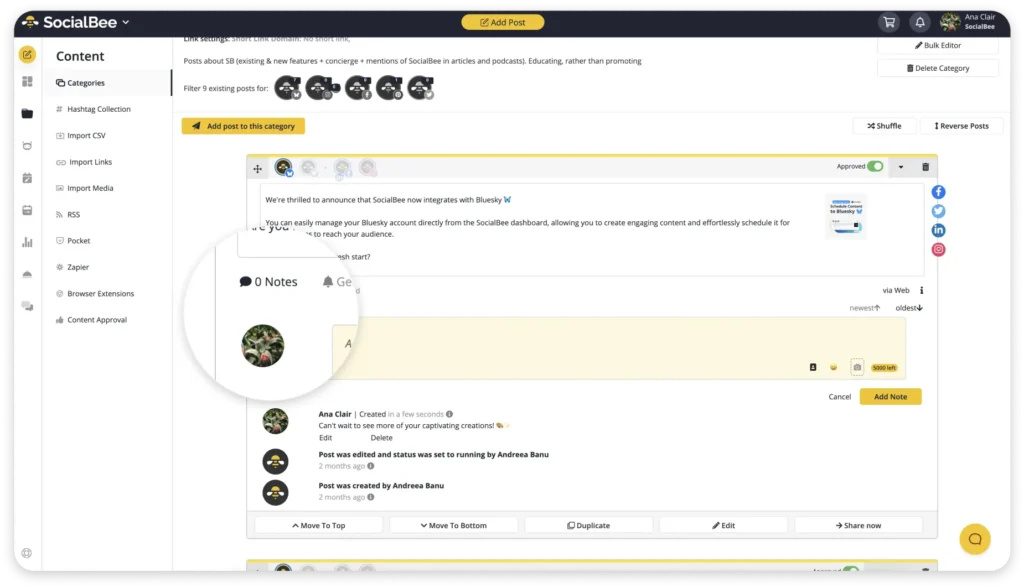
5.3. Manage reviews and approvals in one place
Approvals are one of the most common reasons content gets delayed.
When feedback is spread across emails, messages, and documents, it becomes difficult to know what’s approved and what’s still waiting for review.
Keeping approvals in one place makes the process much simpler and helps content move from draft to published faster.
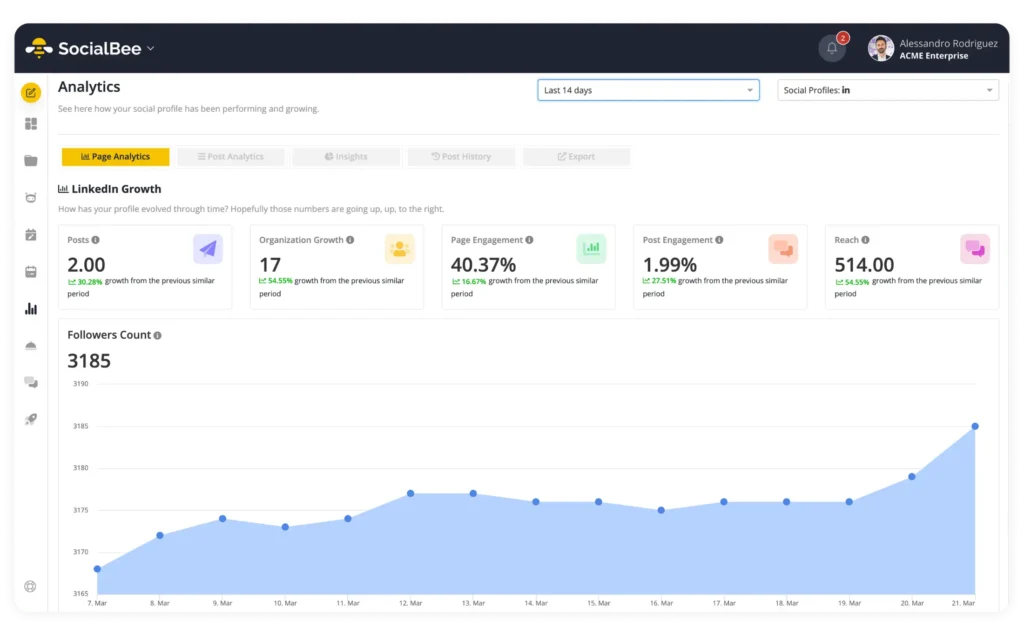
5.4. Generate social media performance reports automatically
Reporting often ends up being a monthly scramble.
Rather than manually collecting data from every platform, use tools that automatically generate reports for you. This makes it easier to see what’s working, share results with stakeholders, and make informed decisions about future content.
The less time your team spends on admin work, the more time they can spend creating content. That’s what scaling content should look like: not squeezing more work into the day, but removing the work that doesn’t need to be there in the first place.
How to scale social media content faster with SocialBee
At a certain point, creating content stops being the problem. The real challenge is keeping everything organized.
You have content ideas in one place, drafts in another, design files somewhere else, feedback buried in email threads, and performance data spread across multiple platforms. None of these tasks take much time on their own, but together they can eat up hours every week.
That becomes even more frustrating when you’re trying to create more content without hiring more people.
SocialBee helps bring that work into one place. Instead of using separate tools for planning, publishing, collaborating, and reporting, you can manage your social media activities from the same platform.
Here are three ways you can use SocialBee to scale your content without adding more work to your team:
- Organize and schedule your content
- Keep feedback and approvals in one place
- Spend less time on reporting
1. Organize and schedule your content
As your content output grows, so does the admin around it. You might be repurposing blog posts, posting on more platforms, or involving more people in creating and reviewing content.
With SocialBee, you can organize content into categories, schedule posts in advance, and reuse evergreen content without manually filling every slot in your calendar.