

Managing multiple Instagram accounts gets easier the moment switching stops requiring a full logout, and it gets harder again the moment a second brand, client, or teammate enters the picture.
This guide covers native switching between accounts, what Meta Business Suite adds once Facebook enters the mix, and when a dedicated tool ends up doing the job better than either one.
The native app and Meta Business Suite both hold up well for a while. The question worth answering upfront is what changes once you’re managing more accounts than one person can comfortably track. That’s also when a tool like SocialBee can help you plan and schedule content for multiple Instagram accounts from one calendar instead of managing each account separately.

We’re SocialBee LABS SRL, part of WebPros. We use the information you provide to share relevant content & updates, as outlined in our Privacy Policy. You can opt out anytime.
Short summary
- Instagram lets you stay logged into up to five accounts at once and switch between them without logging out.
- The five-account limit applies to accounts you’re logged into at the same time, not the total number of Instagram accounts you can own.
- Accounts Center connects Facebook and Instagram accounts and makes it easier to switch between connected profiles.
- Meta Business Suite adds scheduling, insights, and shared access for teams managing Facebook and Instagram.
- If you manage multiple brands, clients, or social networks, SocialBee gives you one place to schedule content, collaborate with your team, manage engagement, and track performance.
Can you have multiple Instagram accounts?
Yes, and there is no published limit on how many an individual or business may own. The five-account figure only caps how many can stay logged into the app on one device at once; a sixth requires logging one out first, or opening a browser session instead.
Personal, Creator, and Business accounts all count toward that same five-account device limit, regardless of type.
Do Instagram accounts need separate emails?
No, Instagram can let you create and manage multiple accounts using the same email address, although each account still needs its own username. Accounts Center can connect these accounts and manage login across them, but that is separate from the five-account device limit.
1. Manage multiple Instagram accounts natively
Accounts get added once, then switching between them takes a tap, which suits an individual or a small business comfortably.
1.1 Add multiple Instagram accounts
Open the profile, tap the username at the top, tap “Add account”, then choose to create a new account or log in to an existing one with its own email, phone number, or third-party login. The account then joins the switcher, up to five active logins per device.
1.2 Switch between Instagram accounts
Tap the profile picture or username, then select the account to switch to.
1.3 What native switching covers and misses
Native switching handles account switching and manual publishing. Professional accounts can also schedule posts and Reels, reply to comments and DMs, and view “Insights“, one account at a time.
It stops working well once the job involves several brands at once, organizing content across them, bringing in a teammate or client, approving posts before they publish, comparing analytics side by side, or managing conversations across more than one inbox.
2. Manage Instagram accounts with Meta Business Suite
Meta Business Suite handles this well, and it costs nothing extra for a Facebook-and-Instagram-only setup. Business Suite connects to Business and Creator accounts, not Personal accounts, and it centers on a Business Portfolio that groups Pages and Instagram accounts together.
It is worth setting up once more than one Page or Instagram account needs shared oversight, or once a second person needs access.
2.1 What Meta Business Suite handles
You can switch between connected businesses and accounts, schedule posts and Reels, use a shared content calendar, manage comments and messages from one inbox, give teammates access, and view “Insights” and reports.
2.2 Where Meta Business Suite falls short
Meta Business Suite becomes more limited when you manage many clients at once, publish outside Facebook and Instagram, need a more structured approval workflow, want to recycle evergreen content automatically, need deeper content organization or cross-platform analytics, or need more detailed team permissions.
3. Choose the best way to manage multiple Instagram accounts
The right setup depends on how many accounts you manage, whether you work alone or with a team, and whether you also publish on platforms outside Meta.
What matters | Meta Business Suite | SocialBee | |
Organize | Switch between accounts, with no cross-account content view | One dashboard for connected Facebook and Instagram accounts | Create a separate “Workspace” for each brand or client, connect all of its social media channels, and keep its content. |
Schedule | Manual publishing plus native scheduling for Professional accounts | Scheduling and a content calendar for Facebook and Instagram | Plan content for multiple social media accounts from one calendar, preview your Instagram grid, and get best posting time suggestions based on past performance. |
Collaborate | No built-in team role system | Shared access and permissions | Role-based access, notes, drafts, and content approval. |
Inbox | Manage comments and DMs from each account | Inbox for connected Facebook and Instagram accounts | Reply to comments, mentions, and messages across multiple social media accounts. |
Analytics | “Insights” for individual Professional accounts | Facebook and Instagram insights and reporting | Monitor account and content analytics, review post history, and generate PDF reports in seconds. |
3.1 Organize multiple Instagram accounts
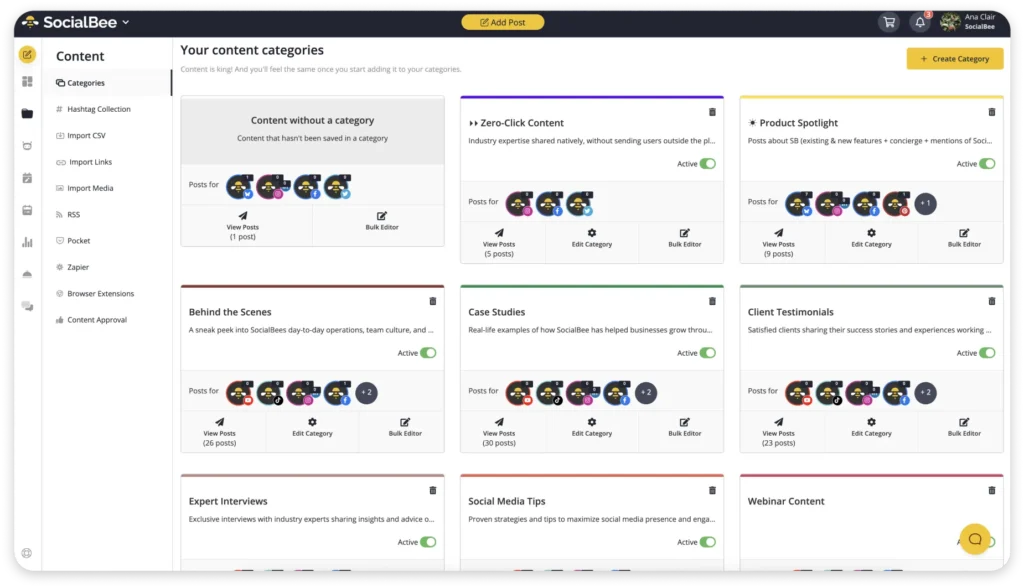
Compare how easy it is to switch accounts, keep brands or clients separate, and find a scheduled or draft post quickly. With SocialBee, you can use separate Workspaces for different brands or clients, organize posts with Content Categories, and filter scheduled content instead of searching through everything in one place.
3.2 Create, schedule, and publish content
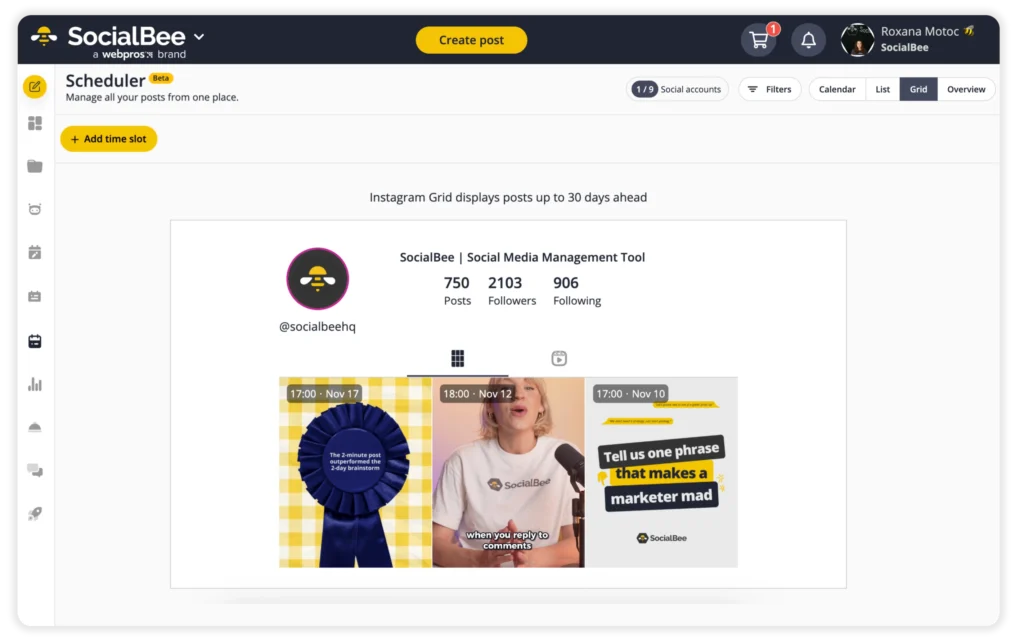
Compare native scheduling limits, how far ahead you want to plan, and whether you need to publish Reels, Stories, carousels, or collaborative posts. SocialBee gives you calendar, list, and Instagram grid views, plus best posting time suggestions based on past performance, which makes it easier to plan several accounts from the same dashboard.
3.3 Work with teammates and clients
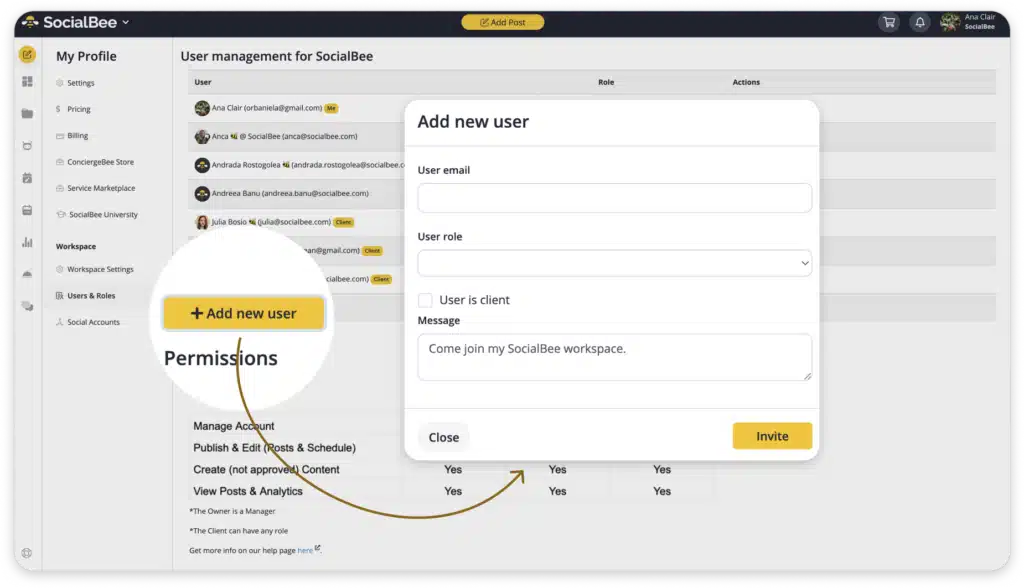
Compare roles and permissions, content review, feedback, and whether people need access without sharing Instagram passwords. SocialBee lets you invite teammates or clients to a Workspace, assign roles such as Manager, Publisher, or Contributor, leave posts as drafts, and approve them before publishing.
3.4 Manage comments, DMs, and mentions
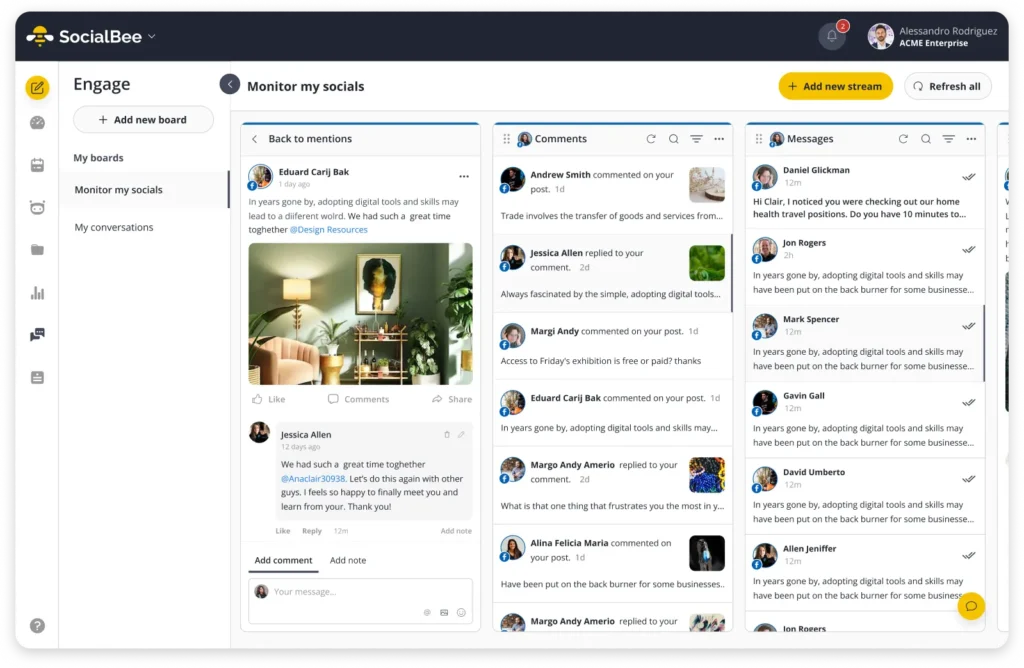
SocialBee’s social inbox brings your Instagram comments, mentions, and messages, along with conversations from your other connected social accounts, into one place, so you don’t have to keep switching between social apps.
3.5 Track Instagram performance
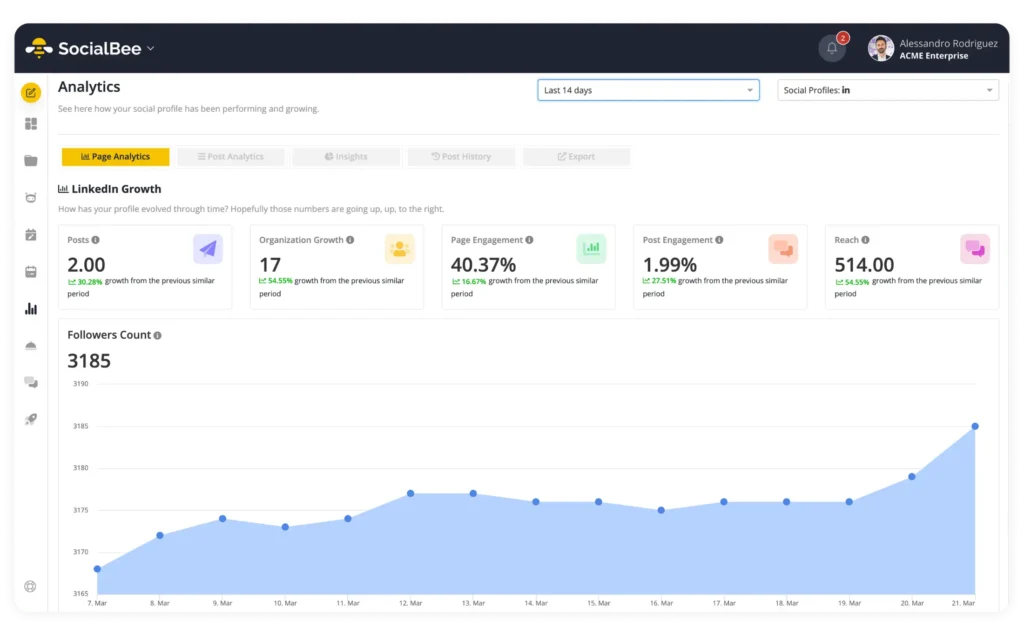
Compare reach, engagement, follower growth, post performance, and how easy it is to share results. SocialBee’s analytics includes page and post analytics, additional insights, post history, and PDF report exports.
Frequently asked questions
How many Instagram accounts can you have?
You can stay logged into up to five Instagram accounts at once and switch between them without logging out.
Can multiple people manage the same Instagram account?
Yes, Business and Creator accounts can give other people access through Meta’s business tools without sharing the Instagram password.
If you need a more structured team setup, SocialBee lets you manage the account from a shared social media workspace where teammates or clients can create content, leave feedback, work with different permission levels, and approve posts before they go live.
Do you need Meta Business Suite to manage multiple Instagram accounts?
No, you can switch between multiple Instagram accounts directly in the Instagram app. Meta Business Suite is useful if you also manage Facebook Pages or need shared access, while SocialBee is a better fit when you want to manage multiple brands, channels, content, collaboration, engagement, and analytics from one platform.
Can you schedule posts to multiple Instagram accounts?
Yes, you can schedule posts natively in Instagram for Professional accounts, use Meta Business Suite to plan Facebook and Instagram content together, or use SocialBee to schedule content across multiple Instagram accounts and other social channels from one place.
How do you unlink two Instagram accounts without deleting one?
Open “Accounts Center“, remove the account you no longer want connected, and confirm the change. This removes the connection between the accounts but does not delete the Instagram account itself.
How do you separate a personal and business Instagram account?
Use two different Instagram accounts: keep one as your personal account and use the other for your business. If needed, switch the business account to a Professional account so you can access business tools without changing your personal profile.
Manage multiple Instagram accounts more efficiently
Instagram works well when you’re only handling a few accounts, and Meta Business Suite is useful if most of your work stays on Facebook and Instagram.
If you’re managing several brands, clients, teammates, or social channels, SocialBee helps you keep everything in one place. You can give each brand its own Workspace, schedule content across accounts, work with your team, manage engagement, and check performance without constantly jumping between tools.
Start your 14-day SocialBee trial and make managing multiple Instagram accounts a lot easier.