

Zoho Social gets the job done for scheduling and managing social media, but it won’t be the right fit for every team. If you need more from your analytics, collaboration tools, or multi-account management, it’s worth looking at what other Zoho Social alternatives offer.
In this article, I’ll break down the top Zoho Social alternatives, explain where each one excels, and show you who each tool is best suited for.
Each social media management tool on this list was evaluated through hands-on testing, detailed research, and insights from expert and user reviews to understand how it performs in real-world scenarios.

Who is SocialBee best for?
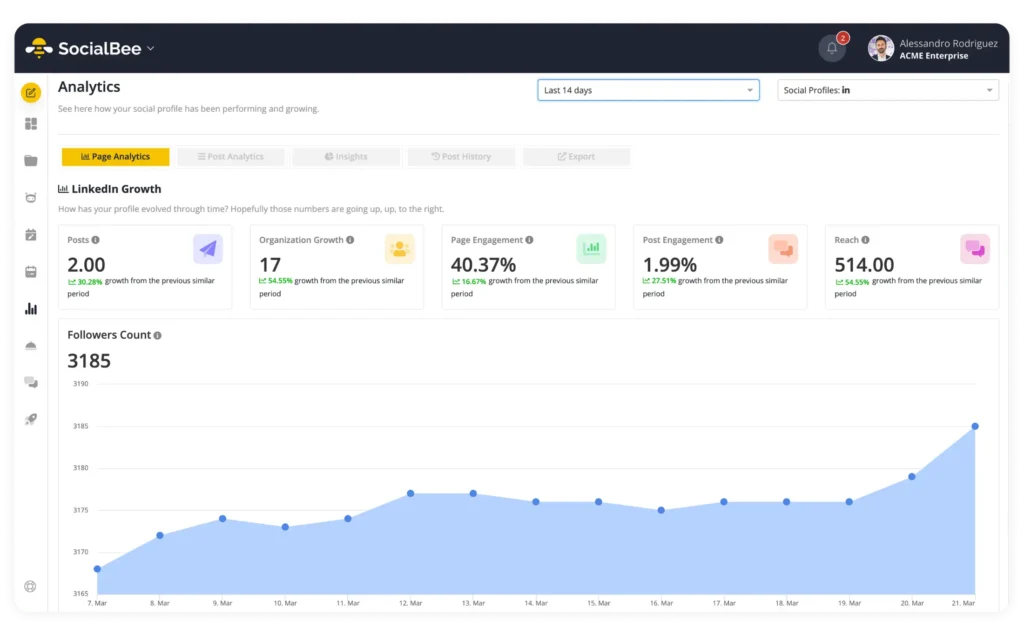
SocialBee is best for small businesses, freelancers, social media managers, and agencies that want to create, schedule, manage, and analyze social media content from one platform.
SocialBee feature overview
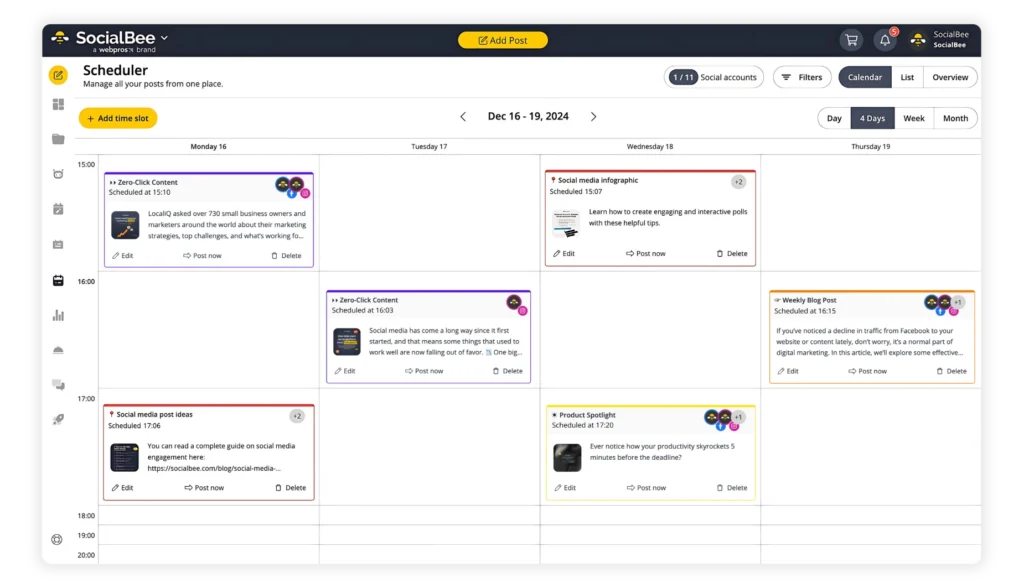
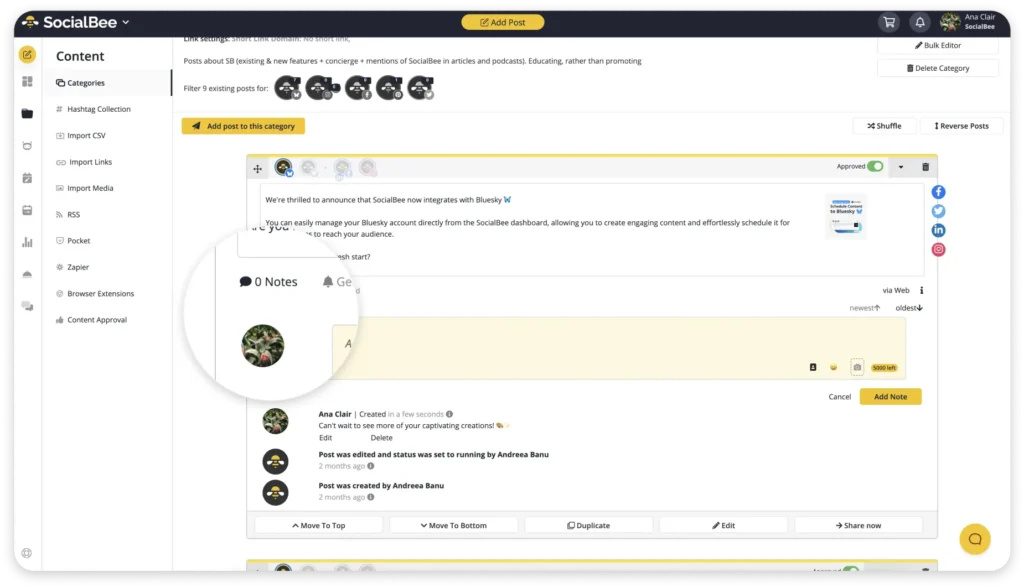
SocialBee covers each stage of social media management, from deciding what to post and publishing content to responding to your audience and measuring results.
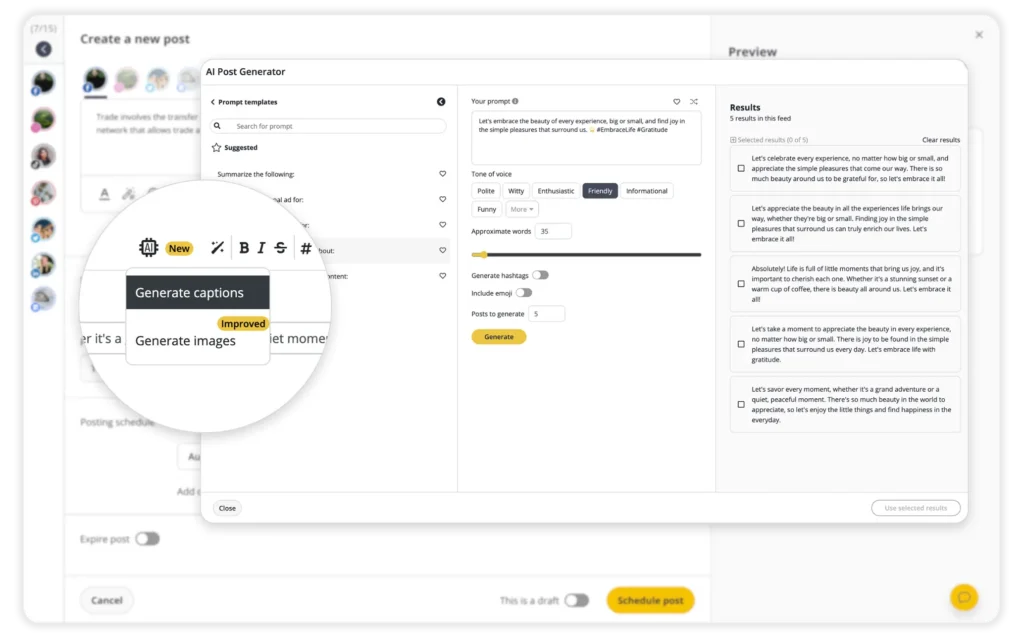
For example, Copilot, SocialBee’s AI assistant, helps you build a social media strategy around your goals. It recommends platforms, posting frequencies, content topics, and post ideas, giving you a practical starting point for your content plan.
Universal Posting also lets you publish to channels that aren’t available through standard integrations, including Facebook Groups, Reddit, and WhatsApp.
Here are SocialBee’s key features:
- Plan, schedule, and publish posts across Facebook, Instagram, LinkedIn, X (Twitter), Pinterest, TikTok, YouTube, Threads, Bluesky, and Google Business Profile.
- Generate captions, hashtags, content ideas, and visuals with AI.
- Customize posts for each platform manually or use AI to adjust their tone, length, and formatting.
- Create multiple variations of the same post for different platforms.
- Edit captions, resize images, update hashtags, tag profiles, add first comments, and set custom locations before publishing.
- Build and reuse hashtag collections across campaigns.
- Edit images, add alt text, and select custom video thumbnails.
- Add account mentions and location tags to posts.
- Get recommended posting times based on past performance.
- Recycle evergreen content and set expiration dates for time-sensitive posts.
- Create custom posting schedules for individual social media profiles.
- Edit and schedule multiple posts at once with the bulk editor.
- Save unfinished posts as drafts.
- Create, import, and manage visuals with Canva, Unsplash, and GIPHY integrations.
- Collaborate with teammates through comments, approvals, and content reviews.
- Separate clients or brands into dedicated workspaces.
- Track performance with detailed analytics and exportable PDF reports.
- Manage comments, messages, and mentions from a centralized social inbox.
- Automatically import new blog posts and schedule them with pre-filled captions, images, and links.
- Shorten and track links through integrations with more than ten URL shorteners.
SocialBee pros
- SocialBee makes it easier to organize and manage multiple brands and social media accounts from one place (source, source).
- Content categories help organize posts, while category-based scheduling makes it easier to maintain a balanced content mix (source, source).
- Posts can be customized for individual social platforms while keeping the overall brand voice consistent (source, source).
- Evergreen content recycling helps keep accounts active without constantly scheduling new posts (source, source).
- Approval features make it easier to review content before it goes live (source).
- Users consistently praise SocialBee’s responsive customer support (source, source).
- The unified inbox brings social media conversations into the same platform as publishing and scheduling (source).
- Pricing can be more affordable than competing social media management tools (source).
SocialBee cons
- There can be a learning curve when first getting familiar with SocialBee’s more advanced features (source, source).
- Users have less control over editing posts through SocialBee once they have already been published on the native social platforms (source).
- Occasional glitches can happen, although one reviewer noted that customer support was quick to help resolve them (source).
SocialBee pricing
- 14-day free trial
- Paid plans start at $29/month.
Zoho Social vs SocialBee: Which should you choose?
- Zoho Social is a good fit for small teams that mainly need scheduling, monitoring, and basic analytics. It covers the essentials for publishing content, tracking mentions, and maintaining a consistent social media presence. Plus, it can make sense for teams already using other Zoho products.
- SocialBee is the better fit if you need to manage more accounts, brands, or campaigns. Along with broader platform support, you get flexible scheduling, content categories, AI content creation, a unified inbox, team collaboration, and detailed reporting. This makes it particularly useful for freelancers, agencies, and marketing teams that need to keep a growing number of accounts and campaigns organized.
#2 Zoho Social alternative: Sprout Social – Best for enterprise reporting and advanced social CRM
Who is Sprout Social best for?
Sprout Social is best for mid-sized and enterprise teams that need advanced analytics, detailed reporting, and more structured collaboration across multiple social platforms.

Sprout Social feature overview
Sprout Social is designed for teams that need more advanced reporting, customer care, and tools for managing a large social media presence. It combines cross-platform publishing with a shared inbox, detailed analytics, customer information, and integrations with major business tools.
Reporting is one of its biggest strengths. For example, teams can track results across profiles and networks, compare competitors, create custom reports, and connect social media data with Google Analytics and business reporting tools.
Customer care is another area where Sprout Social goes beyond Zoho Social. Features include case management, automatic message routing, conversation history, customer satisfaction surveys, chatbots, and AI-assisted replies and summaries.
However, these additional features come at a higher price. Costs can increase quickly as you add users or need more advanced tools. Social listening, for instance, is limited to more expensive plans or sold separately.
Here are Sprout Social’s key features:
- Manage multiple social profiles across Instagram, Facebook, X, TikTok, LinkedIn, Threads, YouTube, Pinterest, Google Business Profile, WhatsApp, and other channels.
- Plan and schedule content with a collaborative calendar, queues, drafts, bulk scheduling, Instagram grid planning, and multi-network publishing.
- Create and optimize posts with image editing, location tagging, alt text, hashtag suggestions, and recommended publishing times.
- Use AI tools for post improvements, content suggestions, alt text, and ViralPost® timing recommendations.
- Automate publishing with RSS feeds, automated feeds, evergreen queues, post pausing, and advanced publishing rules.
- Organize campaigns and assets with tags, content libraries, digital asset libraries, and link tracking.
- Manage messages from a shared inbox with assignments, collision detection, moderation, saved replies, tagging, and conversation history.
- Monitor keywords and conversations with social listening, sentiment analysis, spike alerts, and automated message classification.
- Manage customer care with case routing, reply approvals, surveys, chatbots, inbox rules, macros, and AI-assisted replies and summaries.
- Track post, profile, group, and cross-network performance, along with competitor and paid social results.
- Build, schedule, and brand custom reports, with BI integrations available on higher-tier plans.
- Connect Sprout Social with business tools such as Salesforce, HubSpot, Zendesk, Microsoft Dynamics, Shopify, WooCommerce, and Marketo.
- Integrate with Canva, Adobe Express, Google Drive, Dropbox, Slack, Bitly, and DAM platforms.
- Use the iOS and Android apps to publish, engage, and monitor social media on the go.
- Access 24/5 phone and live chat support, onboarding assistance, and self-service training.
Sprout Social pros
- Scheduling across multiple social platforms is straightforward to manage (source).
- Sprout Social’s reporting is detailed while still being easy to use and integrate with existing systems (source).
- Teams can track social activity across multiple platforms and brands from one place (source).
- Cross-platform publishing makes it easy to publish content across several channels at once and then track how those posts perform (source).
- The interface is intuitive, with flexible customization and clear performance data (source).
Sprout Social cons
- Pricing can get expensive as you add more users and social accounts (source).
- Sentiment, priority, and message intent aren’t always classified accurately (source).
- Social listening data can sometimes be delayed (source).
- Social listening could offer more flexibility and depth (source).
Sprout Social pricing
- Offers a 30-day free trial.
- Paid plans start at $199/month.
Zoho Social vs Sprout Social: Which should you choose?
- Zoho Social is a better fit for small teams and businesses that mainly need scheduling, monitoring, and basic analytics at a lower price. It covers the essentials without the added cost and complexity of a platform designed for larger organizations.
- Sprout Social, on the other hand, makes more sense if you need detailed analytics, custom reports, social listening, and advanced customer care tools. It’s particularly useful for larger teams that manage multiple brands or regularly need to share detailed performance reports with clients and stakeholders.
#3 Zoho Social alternative: Sendible – Best for agencies needing client workspaces and approvals
Who is Sendible best for?
Sendible is best for agencies, consultants, and in-house teams managing multiple brands or client accounts. It’s a good fit if you need bulk scheduling, separate client workspaces, content approvals, and branded reporting without moving to a more complex enterprise platform.
Sendible feature overview
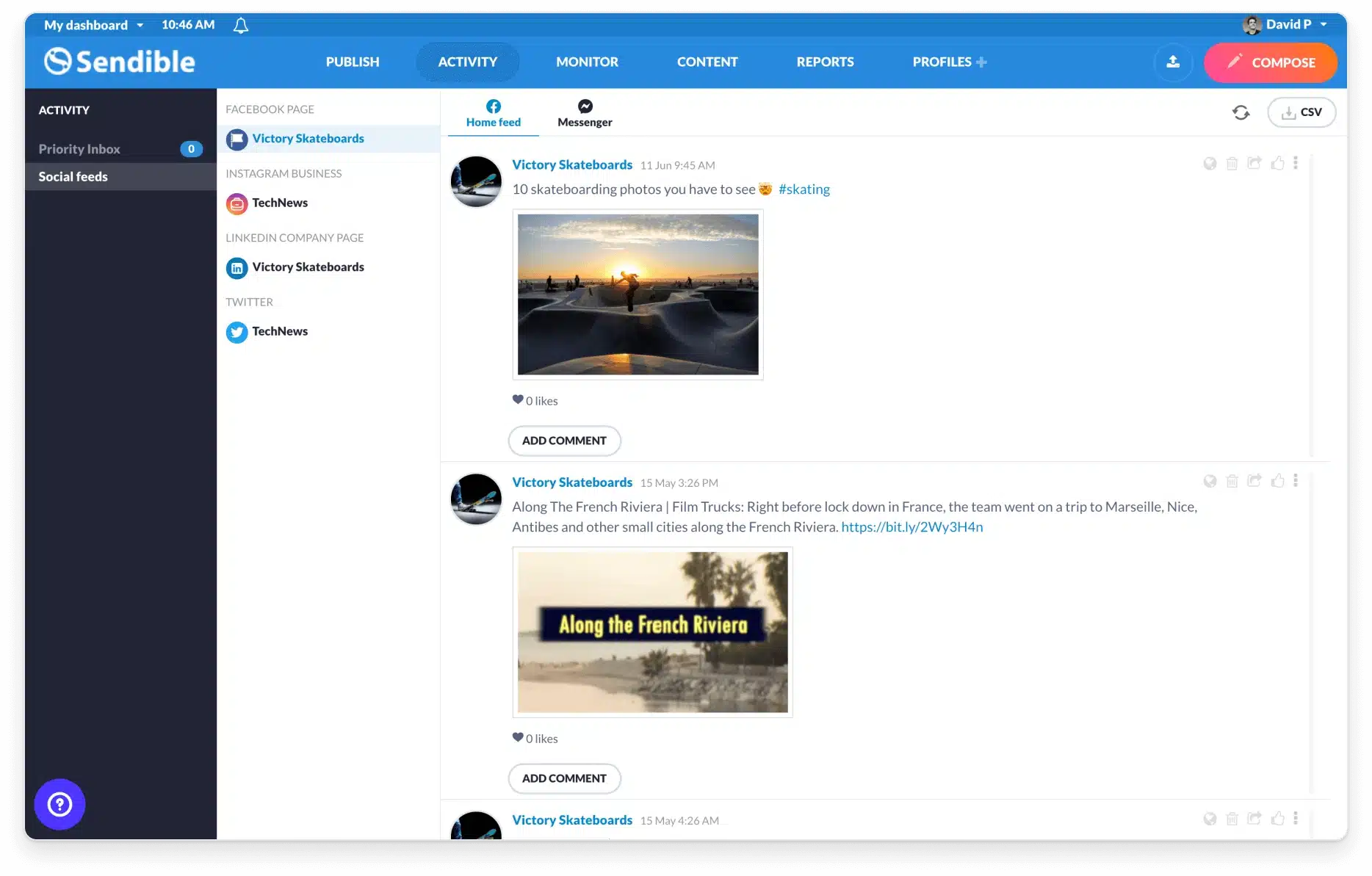
Sendible is designed to help teams manage social media for multiple clients, brands, or locations. You can separate accounts into dedicated dashboards, schedule content in bulk, manage approvals, and give clients controlled access to their accounts.
For publishing, the platform supports both everyday content and larger campaigns. You can tailor posts to each social network, plan content in a drag-and-drop calendar, create recurring queues, and upload posts in bulk through CSV files.
Sendible also includes a priority inbox where you can manage audience interactions. Meanwhile, its reporting tools let you track results, create branded reports, schedule them for automatic delivery, or share live report links with clients.
However, there are some limitations to consider. Reporting could offer more detail and flexibility, while some integrations, particularly LinkedIn, can be less reliable. Costs also rise as you add users and profiles, which is worth considering if your team or client list is growing.
Here are Sendible’s key features:
- Manage 6 to 400 social profiles and 1 to 80 users, depending on your plan, with separate dashboards for different clients or brands.
- Publish to Instagram, Facebook, TikTok, X (Twitter), LinkedIn, Google Business Profile, YouTube, Threads, Bluesky, and WordPress.
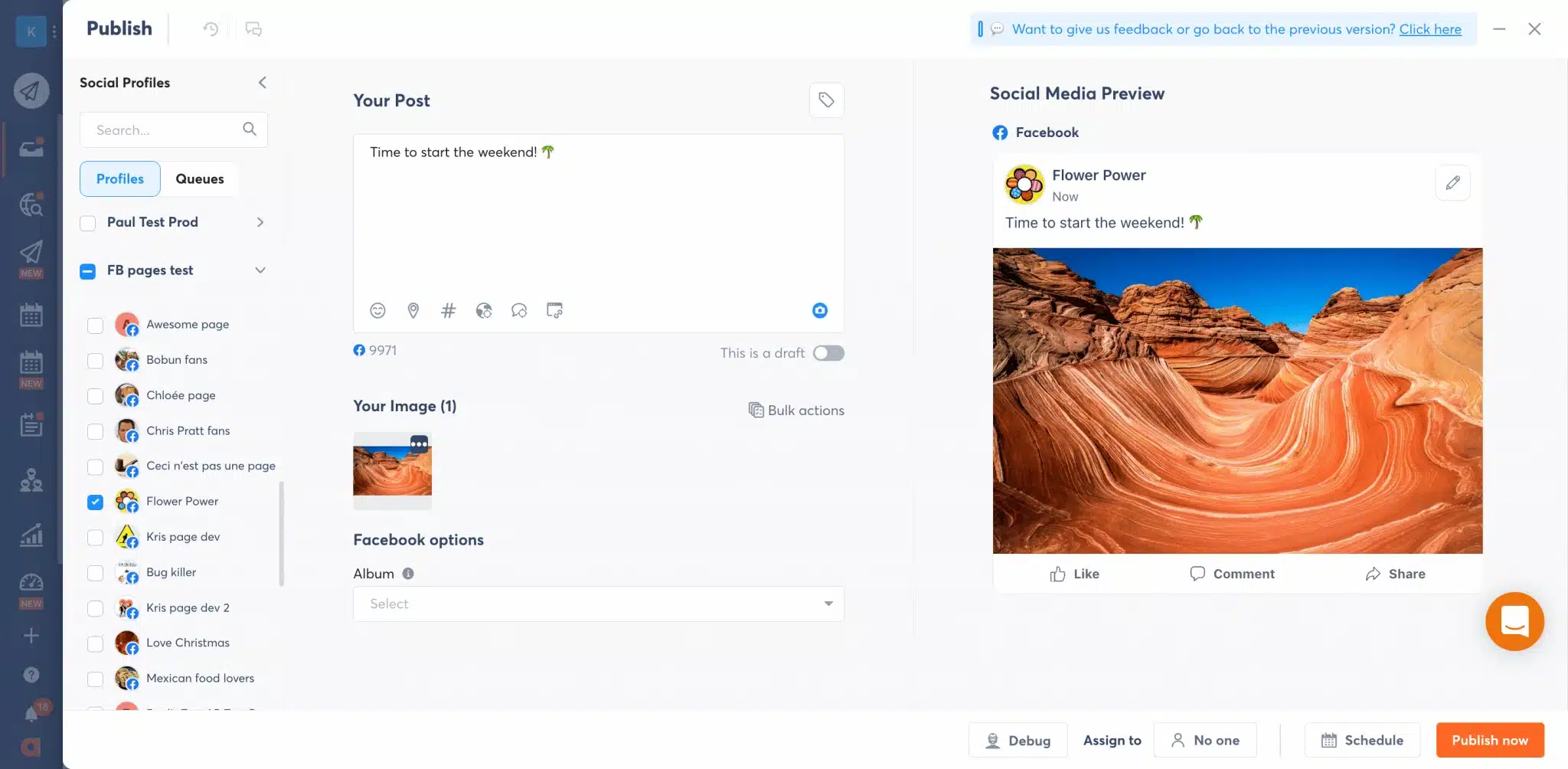
- Customize posts for each platform with different copy, hashtags, tags, geotags, and post previews.
- Plan content with a drag-and-drop calendar, smart queues, recurring posts, bulk scheduling, and CSV uploads.
- Publish Instagram Reels, Stories, and carousels, as well as Facebook and Instagram Stories.
- Create content with an image editor, Canva integration, AI Assist, and reusable asset libraries.
- Find and share content through RSS feeds, auto-posters, holiday calendars, Creative Commons images, and browser tools.
- Manage comments and replies through a priority inbox with real-time monitoring for organic and ad comments.
- Track performance with pre-built and custom reports, Google Analytics data, campaign reporting, PDFs, scheduled emails, and live report links.
- Track links and campaigns with Bitly, UTM parameters, and link tracking.
- Manage approvals and permissions with client dashboards, Client Connect, permission groups, and approval flows.
- Create white-label experiences and use custom fields and tags to organize franchises or locations.
- Connect with Google Drive, Dropbox, Pexels, GIPHY, Flickr, and other content sources.
Sendible pros
- Publishing to multiple social accounts at once saves time when managing content across several channels (source).
- Scheduling is straightforward, and profile groups make it easier to keep different companies and accounts organized (source, source).
- Team collaboration makes it easier for multiple people to manage the same social media presence (source, source).
- Bulk planning and scheduling can significantly reduce the time spent preparing a month of social media content (source).
- Custom tags and profile groups help teams organize and manage multiple social media accounts (source).
Sendible cons
- Posts can occasionally fail to publish, requiring users to go back and troubleshoot them (source).
- LinkedIn connections can require reauthorization, and users report occasional issues with posts not publishing as scheduled (source, source).
- Reporting could offer more depth and flexibility (source).
Sendible pricing
- Offers a 14-day free trial.
- Paid plans start at $29/month.
Zoho Social vs Sendible: Which should you choose?
- Zoho Social is a good fit for small teams that mainly need scheduling, monitoring, and basic analytics. It can also be a practical choice for businesses already using other Zoho products.
- Sendible, in comparison, is better suited to agencies, consultants, and teams managing multiple brands or clients. Profile groups and client dashboards help keep accounts separate, while bulk scheduling and content approvals support teams that need to plan and review content together.
| Curious what tools might be a better fit for you than Sendible? I’ve created a list of Sendible alternatives where I analyzed 5 options that will meet your social media needs. Check it out here! |
#4 Zoho Social alternative: Agorapulse – Best for teams that need inbox management and structured workflows
Who is Agorapulse best for?
Agorapulse is best for agencies and brands that need strong inbox management, comment moderation, content approvals, and reports they can easily share with clients or stakeholders.
Agorapulse feature overview
Agorapulse brings publishing, engagement, teamwork, and reporting into one place. Its main strength is helping teams stay organized when they handle a lot of conversations, content, and client work.
The inbox is especially useful for busy accounts. Comments, messages, reviews, and other interactions appear in one place, so you can assign them to teammates, add notes, use saved replies, and check previous conversations. On top of that, moderation and spam controls help reduce the amount of manual sorting.
Content planning is also straightforward. You can schedule posts in bulk, create queues, leave internal comments, set up approval steps, and share calendars with clients or stakeholders. As a result, it’s easier to keep everyone on the same page before content goes live.
Reporting covers post performance, audience growth, team activity, and results tied to social media. If you need more detail, higher plans add cross-network reports, branded reports, custom comparisons, and scheduled delivery.
That said, Agorapulse can feel restrictive if you need a lot of customization. Some automation options are limited, and several advanced publishing, reporting, and collaboration features are only available on more expensive plans.
Here are Agorapulse’s key features:
- Manage 10 to unlimited social profiles, depending on your plan.
- Publish across multiple social networks with a unified calendar, drafts, audience targeting, and multi-profile publishing.
- Create content with AI writing assistance, AI-generated alt text, a shared content library, and link tracking.
- Add first comments and threads, preview your Instagram grid, upload video subtitles, tag products, and create a link-in-bio page.
- Schedule content in bulk, create publishing queues, use recommended posting times, and organize posts with labels.
- Collaborate through internal comments, approval flows, shared calendars, custom fields, and team permissions.
- Manage comments, messages, and Google reviews from a unified social inbox.
- Organize conversations with assignments, saved replies, labels, custom inbox views, conversation notes, and contact history.
- Manage larger inboxes with bulk actions, collision detection, spam controls, translations, and inbox search.
- Track profile, post, community, and social media ROI performance.
- Create white-label reports, export results, and use AI-generated reporting summaries.
- Access team performance, cross-network, label, ads, and custom comparison reports on higher plans.
- Store 6 to 24 months of data, depending on your plan, with historical imports and reporting APIs available on Custom plans.
- Integrate with Bitly, Google Analytics, Google Drive, Canva, Tenor, Zapier, Looker Studio, HubSpot, Salesforce, Slack, and Microsoft Teams, with some integrations limited to higher plans.
Agorapulse pros
- Agorapulse is easy to learn and use, with responsive customer support (source, source).
- The platform keeps social media management organized, even when managing multiple accounts or clients (source, source, source).
- The unified inbox brings social media replies and DMs into one dashboard (source).
- Scheduling is intuitive and makes it easier to manage content across multiple social accounts (source).
- The built-in UTM builder and link-in-bio tool are useful for agencies managing campaigns for clients (source).
Agorapulse cons
- Some Facebook comments may not always appear in the Agorapulse inbox (source).
- Pricing can feel high compared with other social media management options (source).
- Custom workflows can feel rigid, and approval processes may be clunky for some teams (source).
- Large asset libraries and switching between client workspaces can occasionally be slow (source).
Agorapulse pricing
- Offers a 30-day free trial.
- Paid plans start at $99/month.
Zoho Social vs Agorapulse: Which should you choose?
- Zoho Social is a good fit for small teams that mainly need scheduling, monitoring, and basic analytics. It can also make sense if your business already uses other Zoho products.
- Agorapulse, on the other hand, is better for teams that spend a lot of time handling comments, messages, approvals, and client reports. Its shared inbox, moderation tools, collaboration features, and reporting options are especially useful when audience engagement is a big part of the job.
#5 Zoho Social alternative: Brandwatch – Best for social listening, analytics, and enterprise insights
Who is Brandwatch best for?
Brandwatch is best for large companies and agencies that need to follow online conversations, competitors, trends, and audience behavior across a large number of sources.
It makes the most sense when social media data is used for market research, reputation management, or broader business decisions, rather than just everyday publishing.
Brandwatch feature overview
Brandwatch goes much further than Zoho Social when it comes to understanding what people are saying online. It monitors conversations across more than 100 million sources, so businesses can follow brand mentions, competitors, trends, and audience sentiment beyond their own social media accounts.
The platform also gives you access to more historical data. Teams can review 12 months of consumer data and up to seven years of competitor channel data. As a result, it’s easier to identify long-term changes and see how your social media performance compares with other brands.
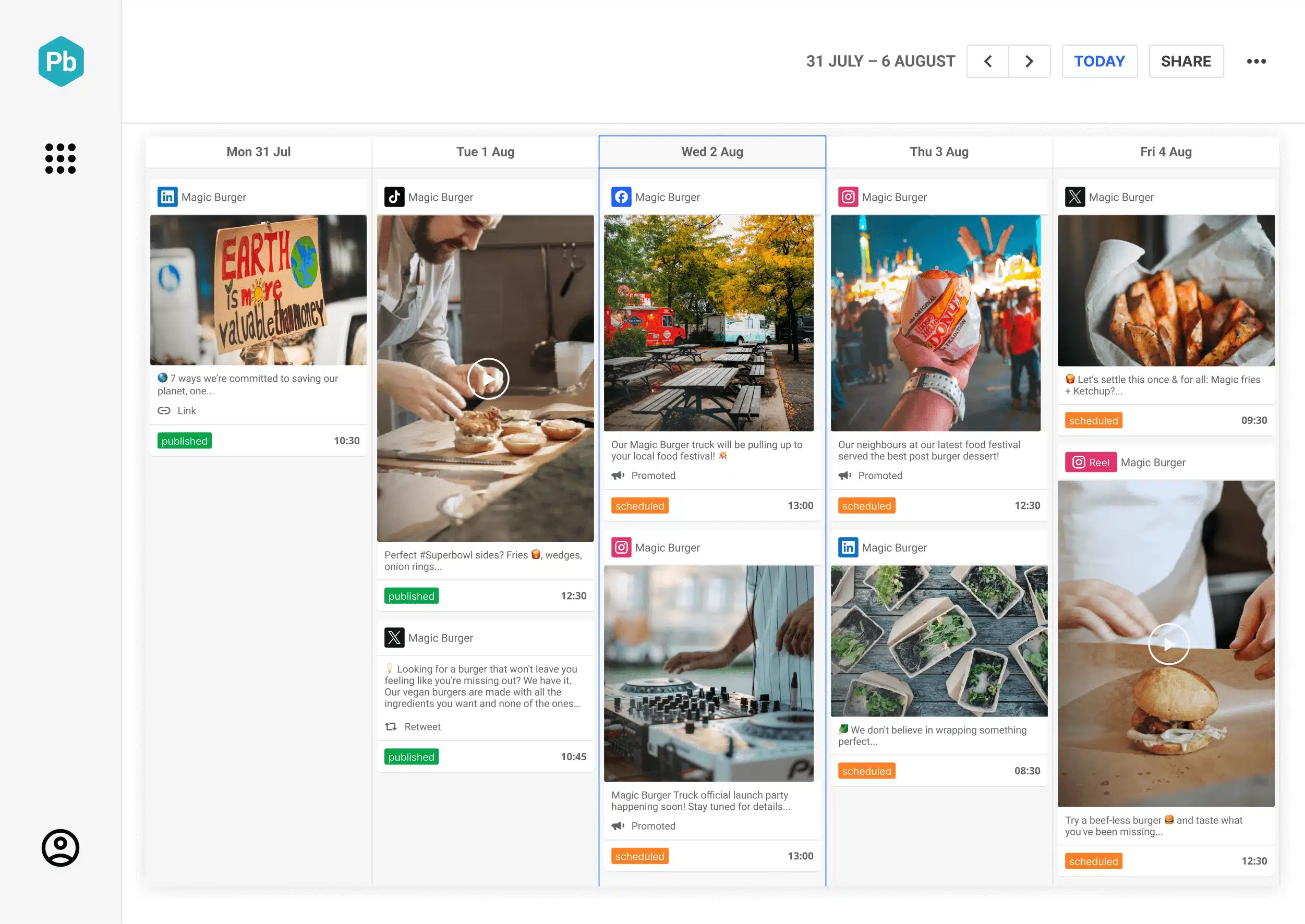
However, Brandwatch isn’t limited to research and listening. Its social media management tools cover everyday tasks as well. You can plan and approve organic and paid posts, respond to conversations from a shared inbox, automatically send messages to the right team members, and keep campaign media in one content library.
The main drawback is complexity. Brandwatch is built for large companies and agencies with more demanding social media needs, so the publishing experience can involve more steps than tools focused primarily on scheduling. In addition, pricing isn’t publicly available.
Here are Brandwatch’s key features:
- Plan and approve organic and paid social content from a unified calendar.
- Set user roles and approval flows to control how content moves from creation to publishing.
- Store campaign assets and reusable media in a shared content library.
- Manage conversations across Facebook, Instagram, X (Twitter), TikTok, LinkedIn, WhatsApp, and YouTube from one inbox.
- Automatically route messages to the right teams or users.
- View audience profiles and previous interactions across social channels.
- Monitor brand mentions and conversations across more than 100 million online sources.
- Access 12 months of consumer data and up to seven years of competitive channel analytics.
- Compare competitors, track share of voice, and identify emerging topics and trending content.
- Build custom analytics dashboards to track the metrics and insights that matter to your team.
- Connect an unlimited number of social channels as a Brandwatch Suite customer.
- Integrate with tools such as Salesforce and Google Business Profile, along with employee advocacy and UGC platforms.
- Use Brandwatch’s wider product suite for publishing, advertising, engagement, listening, benchmarking, and audience analysis.
- Access onboarding and customer support designed for agencies and enterprise teams.
Brandwatch pros
- Scheduling is straightforward, and reviewers can leave comments directly on posts during the approval process (source).
- Social listening alerts help teams monitor activity for larger brands and clients (source).
- Bulk scheduling makes it easier to plan content months in advance across multiple clients (source).
- Client approval features make it easy to send groups of content for review before publishing (source).
- Teams can manage multiple platforms from one place, with shared oversight, approvals, and internal collaboration (source).
- Publishing across platforms is easy to learn, with a simple interface for adding media and syncing posts (source).
Brandwatch cons
- There’s no grid view showing all scheduled and unscheduled posts, which can make it harder to see the full content plan at a glance (source).
- Publishing can involve too many steps, particularly when sharing the same content across multiple platforms (source).
- Some users find the reporting limited and want more competitor analytics and benchmarking insights (source).
- Social channels can occasionally disconnect and may be difficult to reconnect, especially when managing multiple clients (source, source).
- Pricing can be expensive, particularly as you add more team members (source, source).
Brandwatch pricing
Brandwatch doesn’t publish its pricing. You need to contact the sales team for a quote.
Zoho Social vs Brandwatch: Which should you choose?
- Zoho Social is a better fit for small to mid-sized teams that mainly need scheduling, monitoring, and basic analytics. It covers everyday social media tasks without the added complexity of a platform built for large organizations.
- Brandwatch, by comparison, is designed for large companies and agencies that need to understand conversations beyond their own accounts. Its social listening, competitor comparisons, and historical data are particularly useful when social media insights inform market research, reputation management, and wider business planning.
Frequently asked questions
1. What is the best Zoho Social alternative for small businesses?
SocialBee is a good fit for small businesses that have outgrown basic scheduling but don’t need an enterprise platform. Starting at $29/month, it combines content creation, scheduling, analytics, and engagement in one place.
2. Which Zoho Social alternative has better analytics and reporting?
That depends on what you want to learn from your data. For example, Sprout Social gives teams more control over performance reports and lets them create custom reports.
Agorapulse, on the other hand, is useful if you also want to connect social media activity with revenue and conversions. If you need to look beyond your own accounts, Brandwatch tracks online conversations, competitors, and longer-term trends.
3. What is the most affordable alternative to Zoho Social?
Of the alternatives covered in this guide, SocialBee and Sendible have the lowest starting price at $29/month.
The best Zoho Social alternative for your team
If you’re considering leaving Zoho Social, focus on the limitation you’re trying to solve. Sprout Social offers deeper reporting, Sendible focuses on client management, Agorapulse has stronger engagement tools, and Brandwatch is built for advanced social listening.
SocialBee, meanwhile, is a strong option if you want more flexibility without moving to an enterprise platform. You can create and adapt content, schedule posts across platforms, manage engagement, collaborate with your team, and track performance in one place.
If that’s what you’re missing from Zoho Social, start a 14-day free SocialBee trial and see how it fits your needs.