

Instagram collab posts have become one of the most effective ways to reach new audiences and strengthen partnerships on social media. Instead of posting the same content twice, you and your collaborator can share one post that appears on both profiles, doubling visibility while keeping your feeds consistent.
But one of the most common questions marketers ask is: can you schedule a collab post on Instagram?
The short answer: not natively, at least not yet. Instagram’s built-in scheduling tools are still limited when it comes to collaborative posts. The good news is that you can plan and automate collab posts easily using a tool like SocialBee, which fully supports Instagram collaborator posts across feeds, carousels, Reels, and Stories.
Let’s walk through exactly how to create, schedule, and optimize your collab posts for maximum engagement.

What is an Instagram collab post?
An Instagram collab post is a shared piece of content, such as a feed post, carousel, or Reel that appears on the profiles of two brands or more at once. Instead of tagging another user in the caption or comments, you can invite collaborators directly in the post editor.

Once your collaborator accepts the invitation, the post shows up on both of your feeds with shared likes, comments, and engagement metrics. Currently, Instagram allows up to five collaborators per post.
Why use Instagram collab posts?
Collab posts make it easy to reach new audiences through genuine partnerships. When two accounts share a post, it appears in both feeds and gathers engagement from both communities. Every like, comment, and view contributes to a shared result, giving the content greater visibility and social proof.
According to an Emplifi study of over 1.14 million posts from 6,690 Instagram profiles, posts with collaborators generated 4.39 times the interactions and 4.78 times the impressions compared to solo posts.
For creators and brands, collab posts work best when they feel personal. It might be an influencer sharing your product in their own voice, or a company teaming up with a partner on a single announcement instead of two separate ones. Whatever the setup, the shared post pulls both audiences into one story and makes the interaction feel more genuine than a tag or repost ever could.
How to create a collab post on Instagram
You can create a collab post directly in the Instagram mobile app in just a few steps.
- Open the Instagram app and start a new post. Tap the “+” icon, choose your feed post, carousel, or Reel, and upload your media.
- Write your caption, include relevant hashtags, and tag people if needed. You can also add a location if it’s relevant to your content.
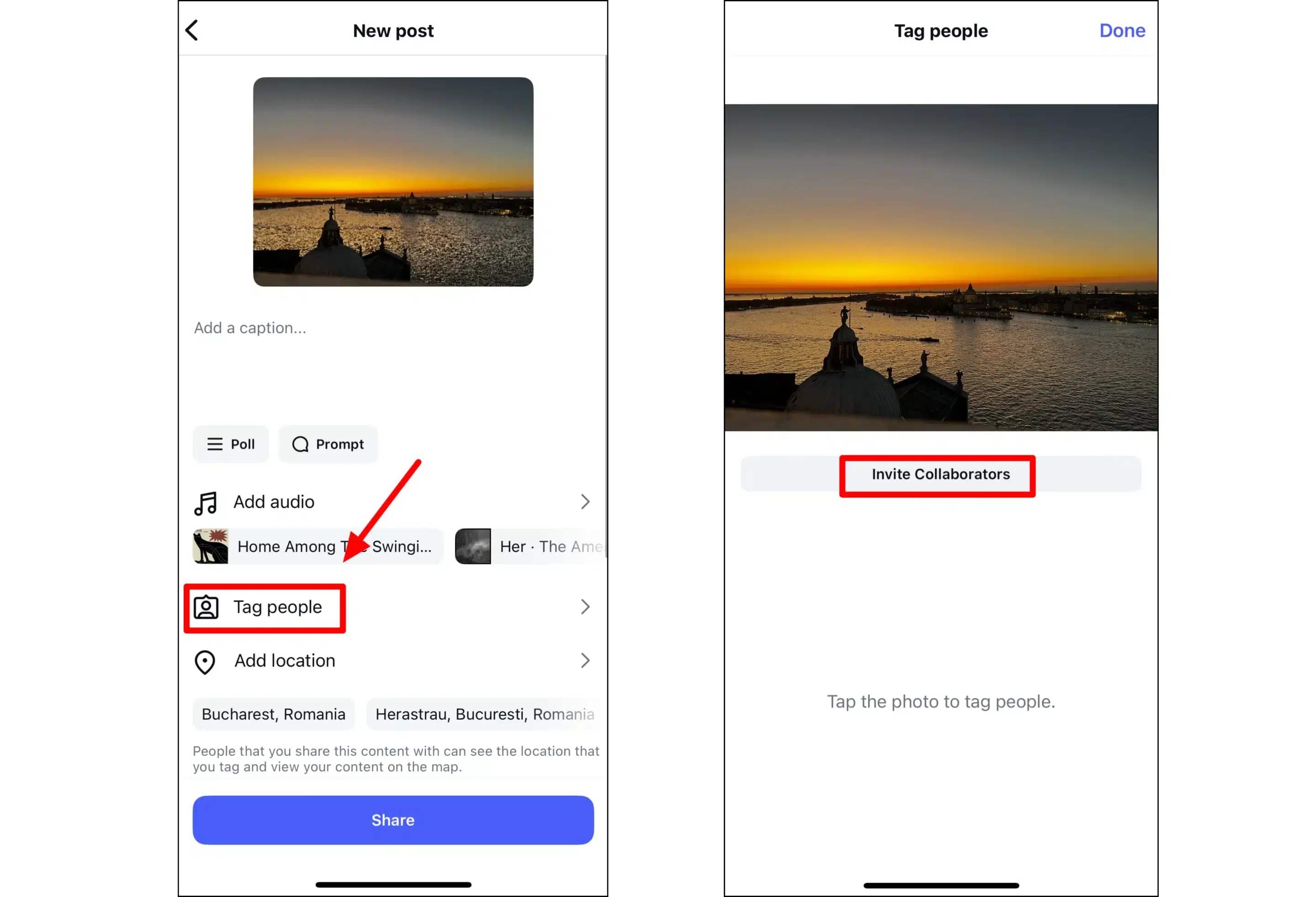
- Tap “Tag people”, then choose “Invite collaborator.” Search for the username of the person or brand you want to invite. Each collaborator must have a public profile to appear as a co-author.
- Once your collaborator accepts the invitation from their notifications, the post will appear on both of your feeds and in both sets of followers’ timelines.
- If you forgot to invite someone before publishing, open your post, tap the three dots → Edit → Invite collaborator. They’ll receive a new invitation and can still accept it after publishing.
According to Instagram CEO Adam Mosseri in one of his Instagram Stories, who initiates the collab is also important for future engagement: “I would recommend having the larger of the two creators initiate the collab, that seems to do better…it will allow that post to go to not just your followers but their followers as well, and because they have more, that will help your reach.”
Can you schedule a collab post on Instagram?
You can only schedule collab posts on your Instagram profile through a third-party app. Instagram introduced a scheduling feature within the app and Meta Business Suite, but it has some limitations, one of which is that you can’t schedule collaboration posts directly.
You can only schedule regular posts from Creator or Business accounts. For collab posts, you can draft the post, but collaborators can’t be invited until it’s published manually. You can schedule up to 75 days in advance, but you still need to log in and send the invitation at posting time.
How to schedule a collab post with SocialBee
SocialBee makes it simple to plan, create, and schedule Instagram collab posts automatically without logging in again to add collaborators later. It supports all post types, including feed posts, carousels, Reels, and Stories.
Here’s how to do it:
1. From your dashboard, click “Add Post.” Choose your Instagram account from the left sidebar. If you manage multiple profiles, such as a brand and influencer account, you can connect and switch between them easily.
2. Activate the “Customize each” toggle to unlock Instagram-specific options. Tap on the post next to your Instagram profile if you’re publishing to multiple social accounts at once.
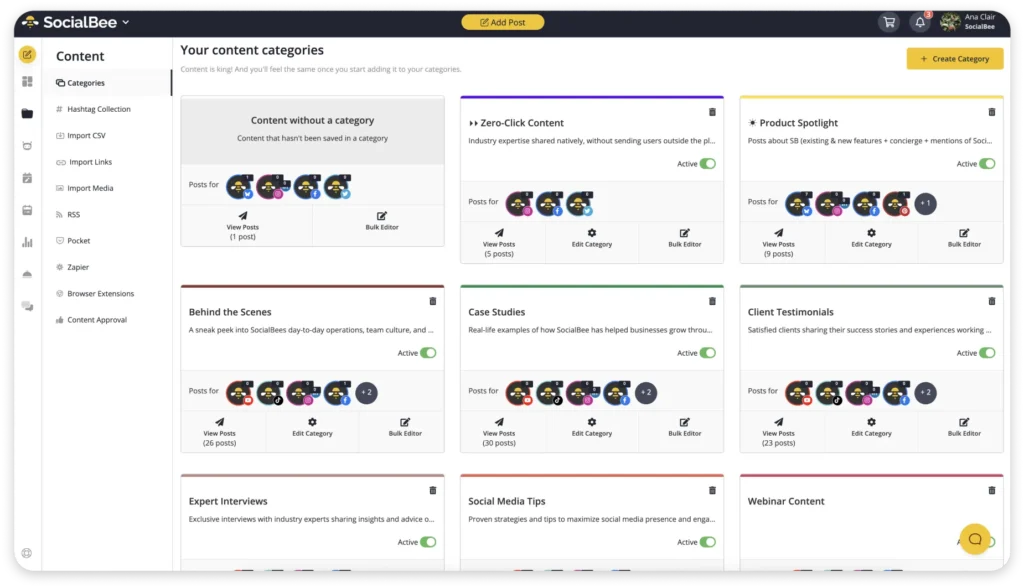
3. Select a category to keep your content organized. Categories make it easier to plan balanced content types, recycle evergreen posts, or pause specific themes during campaigns.
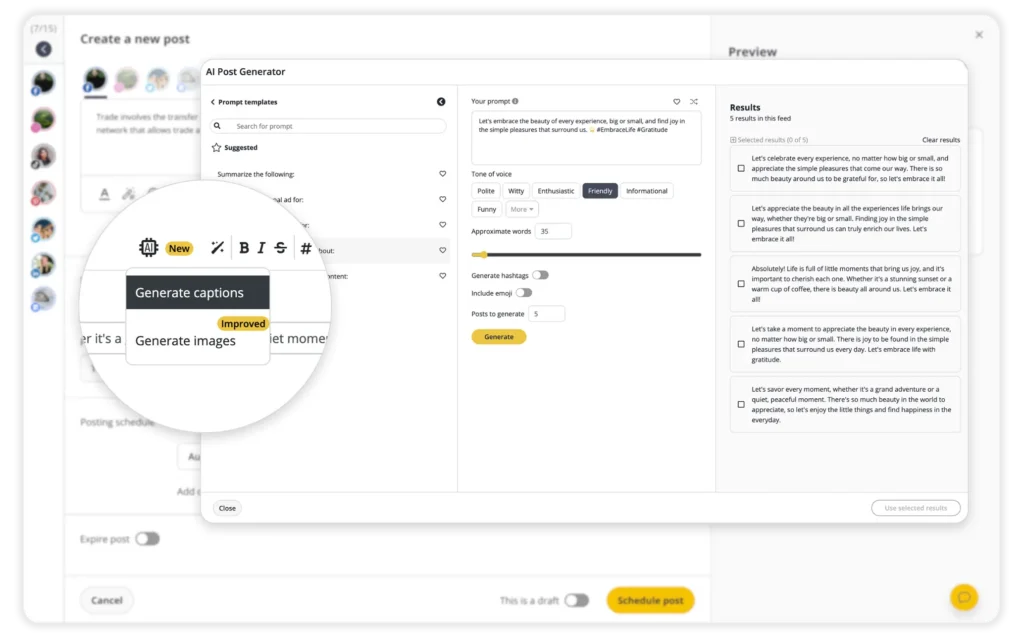
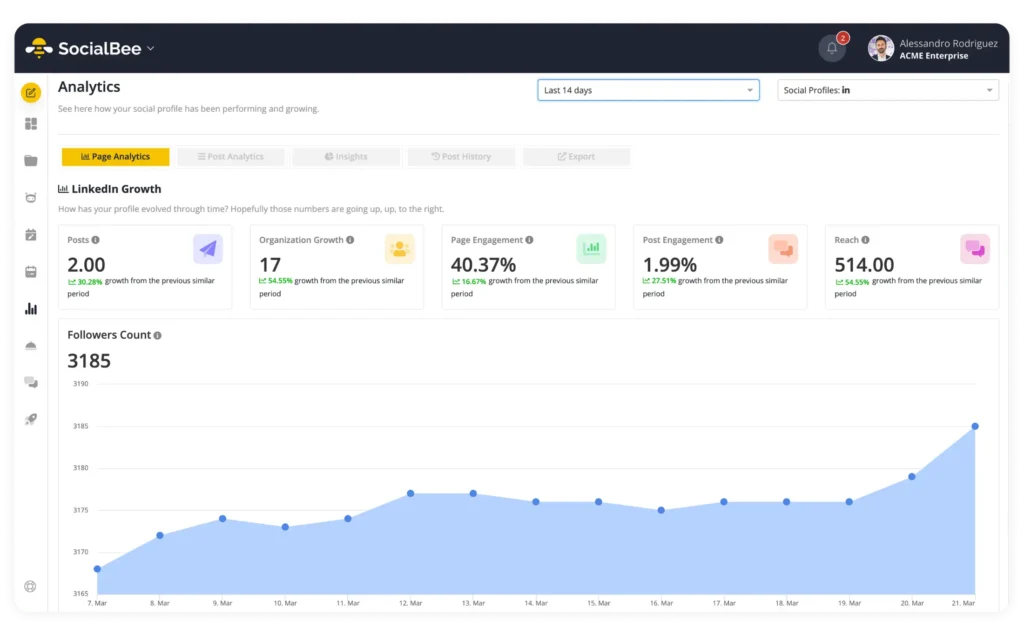
11. Finally, manage all interactions through the Social Inbox, which lets you reply to comments and mentions across accounts from one place, so no message goes unanswered during a joint campaign or giveaway.
With SocialBee, you can plan collaborative posts well ahead of time, coordinate across multiple accounts, and keep your brand aesthetic intact, all while saving hours of manual work in the process.
Creative ideas for Instagram collab posts
Collab posts are a practical way to connect with people and show your brand working alongside others in real time. When done well, they create a sense of partnership that feels natural to your audience. Below are a few tested ideas for using Instagram collaborations to grow your presence and add genuine value to your community.
1. Partner with creators or celebs to launch new products
Collaborating with influencers or celebrities during a product launch gives your announcement instant credibility and exposure to fresh audiences. Choose partners whose audiences overlap with yours but aren’t identical, ensuring meaningful new reach.
Here’s an example from Cacharel:

Create a shared feed post or Reel that introduces the product and features both brands as co-authors. Include behind-the-scenes clips, unboxing moments, or short tutorials that highlight real-world use.
Consider sequencing your content: a teaser post before launch, a live announcement on launch day, and a recap post highlighting reactions or reviews. This keeps your campaign visible for several days rather than a single burst.
2. Feature employees or partners as co-authors
Putting a face to your brand builds trust faster than any graphic or slogan. Feature a team member, partner, or loyal customer as a co-author in a post that celebrates their story.
Nike is an iconic brand for all things sports, therefore professional footballer Georgia Stanway is the ideal partner for them:

For example, a marketing agency could share a Reel of its designer explaining how a recent campaign came together, while a skincare brand might highlight a customer sharing genuine before-and-after results. Encourage your collaborator to add their own caption or perspective once the post is live. The shared ownership naturally boosts engagement and authenticity.
3. Co-host giveaways or live events
Collaborative giveaways are one of the simplest ways to grow both audiences simultaneously. Choose a relevant prize and simple entry rules that require following both accounts and engaging with the shared post.

For events, such as workshops, webinars, or in-person activations, use a collab post to announce key details and cross-promote registration links. After the event, post a shared recap with photos or short clips that tag all contributors. This not only reinforces your partnership but also gives attendees a reason to reshare your content.
4. Cross-promote sub-brands or regional accounts
If your organization manages multiple Instagram accounts, collab posts can unify your messaging while still respecting each audience’s focus.

Shared posts are helpful for announcing company-wide initiatives, seasonal campaigns, or content that applies across branches. For example, a restaurant chain could share a single post between the main brand and local franchises to promote a new menu item. This approach ensures consistency while letting local teams join the conversation through shared comments and replies.
5. Highlight community impact or shared causes
Cause-driven collaborations often generate deeper engagement because they appeal to shared values. Partner with local nonprofits, charities, or social initiatives to spotlight efforts that matter to both of your communities.
If finding shelter for abandoned animals is something you and your brand believe in, here’s an example of a post that seeks to find homes for five dogs:

Feature real stories from volunteers or beneficiaries, include clear calls to action (such as “Learn more” or “Donate now”), and keep visuals authentic rather than overly polished. When audiences see genuine collaboration tied to a meaningful goal, they’re more likely to engage, share, and remember your brand.
Frequently asked questions
1. Can I add a collaborator after posting on Instagram?
Yes. Open your post, tap the three dots → Edit → Invite collaborator. The collaborator will receive a notification and can choose to accept or decline.
2. How many collaborators can I include in one post?
You can add up to five collaborators, including yourself. Everyone must have a public profile for the post to display correctly.
3. Why can’t I invite collaborators?
If you cannot invite someone, ensure your post type supports collaboration, such as feed posts, carousels, or Reels. Make sure your account is public, and the collaborator has not restricted tagging.
4. Can you delete a collaborator from your post?
Yes. To remove a collaborator, open the post, tap the three dots → Edit → Tag people, and select “Remove collaborator.” Once removed, the post will stay live on your profile but will disappear from the collaborator’s feed.
All shared metrics, such as likes and comments, will remain visible on your version of the post, but future interactions will come solely from your feed.
Bring collaboration and consistency together
Collaboration is one of Instagram’s strongest engagement levers, but consistency is what sustains growth.
By planning ahead and using SocialBee’s scheduling and analytics tools, you can manage Instagram content like collab posts, carousels, Stories, and Reels effortlessly. You will stay organized, post on time, and make every partnership count.
If you are ready to combine collaboration with consistency, try scheduling your next collab post with SocialBee and see how easy it is to grow together. Start your 14-day free trial today.