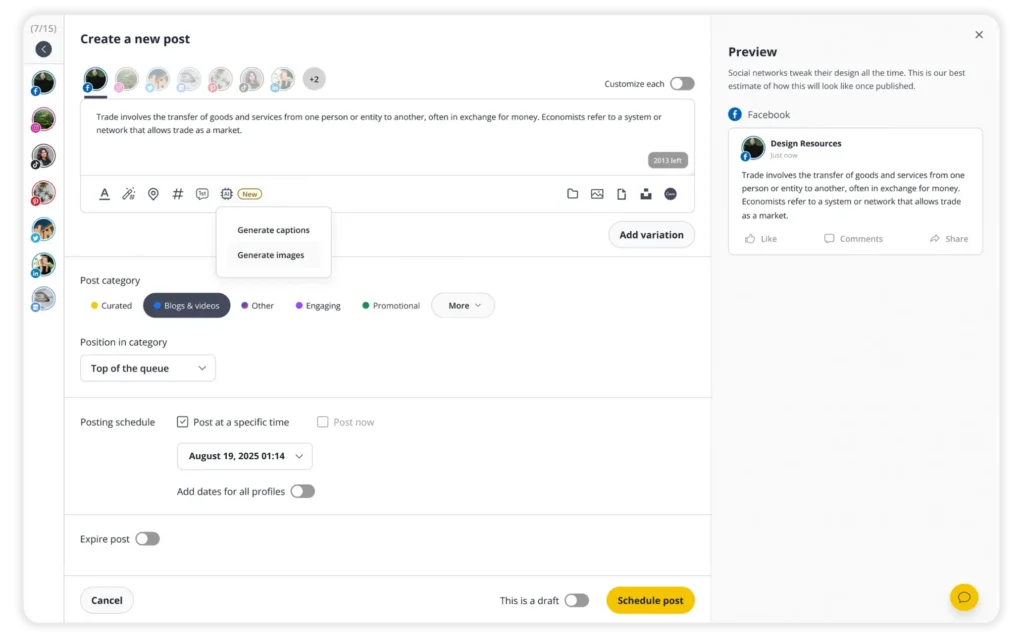



















I no longer have to worry about logging into a bunch of social media sites. Instead, I can schedule different post variations for each platform, and then not think about it again.

SocialBee makes it easy to stay organized, track, and deliver high-quality content daily across multiple platforms I will be a loyal customer for a long time.

I no longer dread managing my social media presence. It’s easy to recycle or pre-plan content, so I can go on vacation without my accounts skipping a beat.

There is no way that I would consider utilizing another scheduling platform because SocialBee provides everything that I truly need for my social media.

SocialBee makes it easy to schedule weeks’ worth of posts for three separate organizations, all with a single login. SocialBee is just the social media management platform I need.

SocialBee is the best scheduling tool that saved us hundreds of hours. I love using Content Categories, the RSS Feed integration, and their chat support.

I love that in one shot, I can post the same content in different ways for different channels. I am able to manage about two weeks of content in about four hours.

SocialBee helps me make money without being online all the time.I love that I can post even when I’m on vacation. SocialBee is a key piece of my social media plan.

I've tried other schedulers, but none have impressed me like SocialBee has. If you're looking for a set-it-and-forget-it tool, SocialBee gets the job done.

I set up a year’s posts in one day with SocialBee. SocialBee changed me from an inconsistent poster to one who is constantly producing content and repurposing it.

Our social media marketing is more effective, with smoother scheduling and growing exposure. SocialBee is an easy-to-use and affordable scheduling app.

SocialBee is an amazing social media scheduler – it makes it easy for you to create and plan ahead, so you don’t have to be on your phone 24/7.

With SocialBee, I manage to post daily and have it all planned out for the whole week. This has generated an increase in our inbound results.

With SocialBee, I'm posting regularly and consistently to all my accounts and sharing content that is customized to each platform but without all the manual labor.

SocialBee is a solid social media scheduling platform with a great support system. I feel like we brought on a partner – as opposed to just buying a SAAS platform.

SocialBee is the only scheduler that doesn’t disappoint. It helps me save time by allowing me to schedule posts in advance, rather than doing it manually.

I love that I can schedule a week’s worth of posts in under an hour. SocialBee is a lifesaver and the #1 life hack for more efficient social media management.