Managing multiple TikTok accounts usually starts with a small annoyance: switching between profiles mid-scroll, forgetting which account is active, and occasionally posting a client’s video to the wrong page. It happens to almost everyone running more than one account, and it gets worse as the number climbs.
The app’s built-in switcher handles the first few accounts fine. Past that point, the limiting factor stops being TikTok’s rules and starts being how much manual switching one person can tolerate, which is where it helps to plan your TikTok content in advance rather than logging into each account separately.
This guide covers how multiple TikTok accounts work, how to switch between them, and when it makes sense to use a TikTok management tool like SocialBee to plan, schedule, and manage several accounts from one place.
We’re SocialBee LABS SRL, part of WebPros. We use the information you provide to share relevant content & updates, as outlined in our Privacy Policy. You can opt out anytime.
Short summary
- TikTok lets you run more than one account and switch between them inside the app.
- The in-app switcher typically holds three to five accounts at a time; the exact cap has crept up over the years and varies by device and rollout.
- Each account generally needs its own email address or phone number at signup.
- Running multiple accounts does not violate TikTok’s rules on its own; spam-like behavior between them does.
- The in-app switcher works well for two or three accounts and slows down past that.
- A TikTok management tool like SocialBee can help you schedule content across several accounts, work with teammates, and keep each brand or client organized separately.
Can you have multiple TikTok accounts?
Yes, you can have multiple TikTok accounts. Just keep in mind that there’s a difference between how many accounts you can create and how many you can stay logged into on the same device. TikTok doesn’t give an exact limit for either.
Common reasons for running more than one account include keeping a personal profile separate from a brand account, running separate regional or language pages, and managing accounts for different clients as an agency or freelancer. You might also create separate accounts for different audiences or types of content.
Do TikTok accounts need separate emails?
Yes, if you use email to create your TikTok accounts. TikTok does not allow the same email address to be associated with multiple accounts. The same rule applies to phone numbers: one phone number can only be linked to one TikTok account. So, if you want to create another account using email or a phone number, you’ll need to use a different one.
Add and switch between TikTok accounts
Accounts get added once, and switching afterward takes a single tap, with no logging out required.
- Open your profile and tap your username at the top of the screen.
- Tap “Add account.”
- Choose to log in to an existing account or create a new one, using a unique email, phone number, or third-party login.
- Repeat for each account, up to the number the app allows on that device.
- To switch later, tap your username again and select the account you want.
Switching accounts is invisible to anyone viewing a profile. Followers only see the account currently posting, and there is no public list connecting the accounts one person or team manages unless that connection is mentioned directly in a bio or a video.
TikTok app versus a management tool
The built-in TikTok switcher works fine for a small number of accounts. Once scheduling, teammates, or reporting enter the picture, SocialBee makes it easier to manage multiple TikTok accounts without handling everything separately in the app.
What matters | TikTok app | SocialBee |
Account switching | Switch between the accounts you’re logged into. | Manage connected TikTok accounts without switching logins, and separate brands or clients into Workspaces so it’s easier to stay organized and avoid working in the wrong account. |
Scheduling | Schedule content for each account separately. | Plan content for multiple TikTok accounts from the same calendar, schedule videos and images ahead of time, and use best-time-to-post suggestions to choose when they go live. |
Draft management | Drafts are saved separately within each account. | Keep unfinished posts as drafts until they’re ready, so you can prepare content ahead of time without accidentally publishing it. |
Collaboration and approvals | Limited options for managing content with a team. | Give teammates and clients the access they need without sharing logins, then use notes, tags, and approvals to get feedback before content goes live. |
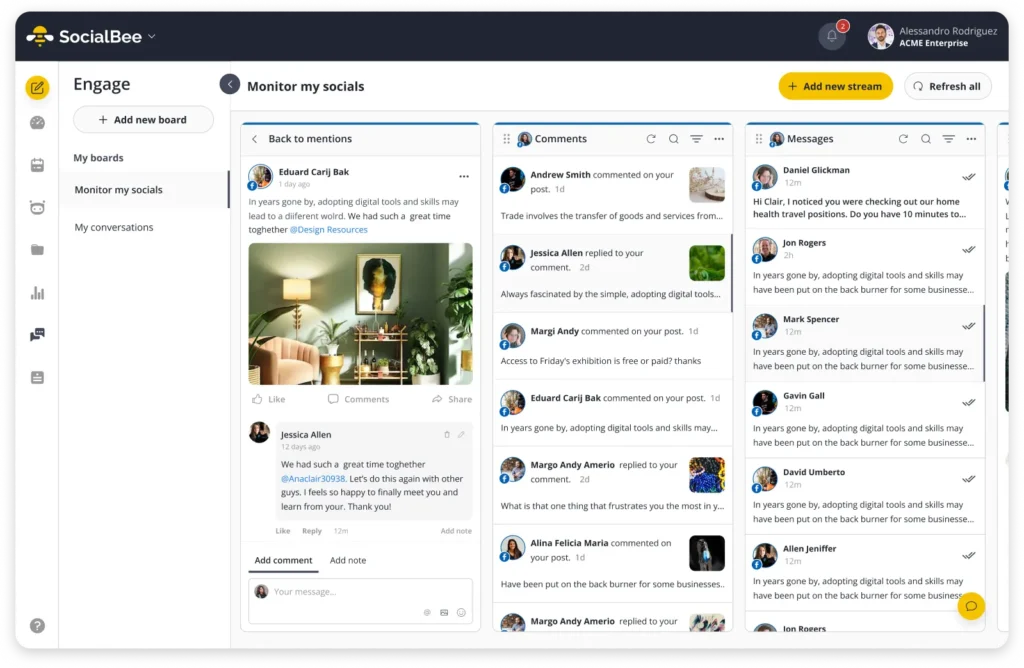
Inbox and replies | Switch accounts to read and reply to comments. | TikTok interactions still need to be handled in TikTok, but you can manage comments, mentions, and DMs from LinkedIn, Facebook, Instagram, X, YouTube, and Threads in SocialBee’s Engage module. |
Analytics and reporting | View analytics separately for each TikTok account. | Check how each TikTok account and its posts are performing, then export PDF reports when you need to share results with a client or team. |
Organize and control account access
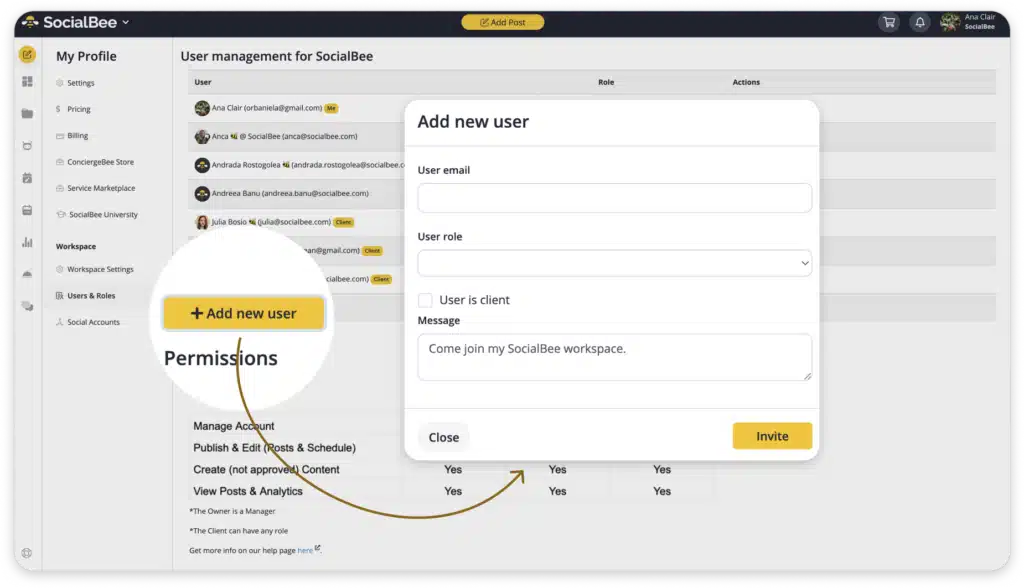
Switching accounts natively means tapping between logins, and giving someone access means sharing the password outright. There is no way to hand a teammate partial access without handing over full control of the account. SocialBee keeps separate workspaces per brand or client, with role-based access, so a teammate gets exactly what the job needs without anyone typing a shared TikTok password.
Create, schedule, and publish content
TikTok lets you schedule content, but you still have to manage each account separately. If you’re planning posts for several accounts, that means going through the same steps again for each one.
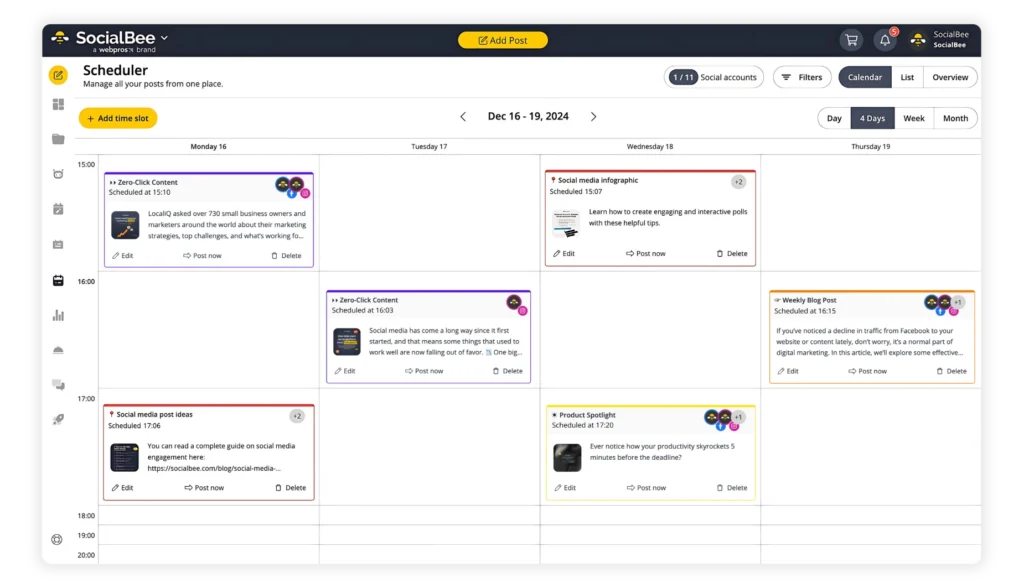
With SocialBee’s TikTok scheduler, you can plan and schedule videos and images for multiple TikTok accounts from the same calendar. You can also see suggested posting times and prepare content ahead of time instead of opening each TikTok account whenever something needs to go live.
Work with teammates and clients
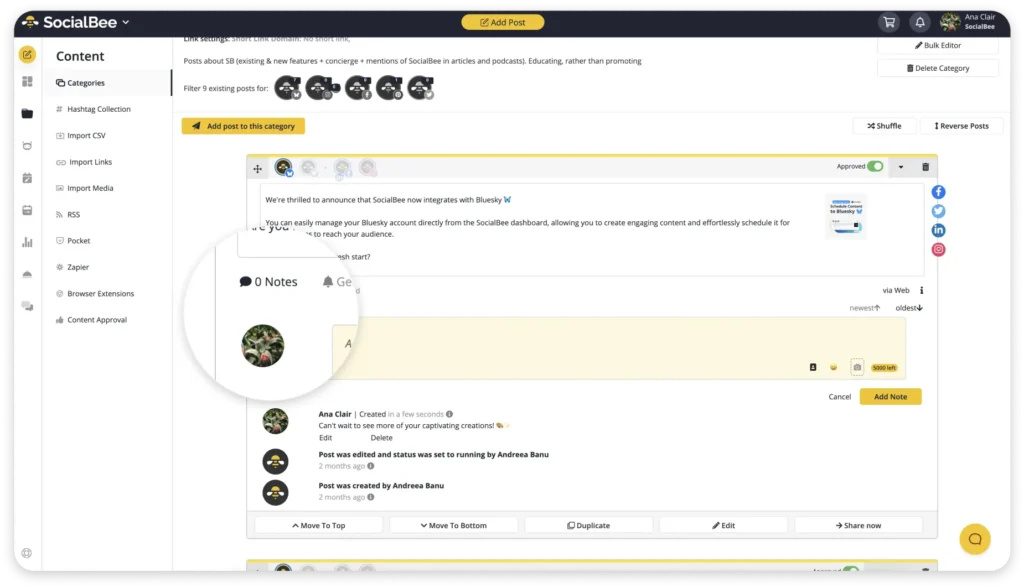
There is no native approval step, no shared notes, nothing between drafting a post and publishing it. SocialBee’s internal notes and approval workflow let a client or manager review a post before it goes out, and client access never requires sharing a login, which is built for agencies running several client accounts at once.
Monitor and reply to conversations
TikTok comments and DMs still need to be handled in TikTok because they aren’t currently supported in SocialBee’s Engage module.
If you manage other social channels too, you can use SocialBee to handle comments, mentions, and DMs from LinkedIn, Facebook, Instagram, X, YouTube, and Threads. TikTok is the account you’ll still need to check separately for replies.
Track performance
You can check analytics for each TikTok account directly in TikTok or use SocialBee to track the accounts you’ve connected there.
With SocialBee’s analytics, you can see how each TikTok account is growing, learn more about its audience, and check which posts are performing well. You can also export the data as a PDF when you need to send a report to a client or share results with your team.
Frequently asked questions
Does TikTok penalize you for having multiple accounts?
No, not for the number of accounts alone. TikTok’s systems pay closer attention to how those accounts behave, such as accounts liking and commenting on each other’s posts in a pattern, or accounts created and switched between in rapid succession from the same device.
How do I make a second TikTok account if I already have one?
Open your profile, tap your username, tap “Add account,” then choose to create a new account with an email, phone number, or a login method different from the one already in use.
Can I delete a TikTok account and reuse the same email for a new one?
Usually not right away. TikTok holds an email or phone number for a period after an account is deleted before it can be reused, so plan on a different address for a new account in the meantime.
How do I log into multiple TikTok accounts at once?
Add each account through the in-app switcher (profile, then username, then Add account). The app keeps them all signed in simultaneously up to its device limit, and switching between them takes one tap.
Can I post the same video to two TikTok accounts?
Yes, either by uploading it separately to each account in the app, or by scheduling it once and sending it to multiple connected accounts through a management tool.
Manage multiple TikTok accounts more efficiently
Managing several TikTok accounts gets much easier when content planning, reviews, and reporting aren’t handled separately for every profile.
SocialBee brings those tasks together while keeping each brand or client organized. You can plan and schedule TikTok content, involve teammates or clients in reviews, and track performance while managing your other social channels alongside TikTok.
Ready to spend less time managing accounts manually? Start your 14-day SocialBee trial today!