

Getting on the Instagram Explore page is how an account reaches people who have never followed it, and the process behind it is more learnable than the mystery around it suggests.
This piece covers what Explore actually is, how Instagram decides what belongs there, and the specific steps that improve the odds of a post reaching that audience.
Some of what drives Explore has not changed in years. What has changed is which signals carry the most weight, and that shift is worth understanding before chasing tactics built to create Reels that reach new audiences under an outdated playbook.

We’re SocialBee LABS SRL, part of WebPros. We use the information you provide to share relevant content & updates, as outlined in our Privacy Policy. You can opt out anytime.
Short summary
- Explore recommends content to people who do not already follow the account, based on their own interests, so no two people see the same Explore page.
- Likes, saves, shares, and other interactions can all influence which posts Instagram recommends in Explore.
- Public accounts can appear in Explore; private accounts cannot.
- Reels are designed to help people discover content from accounts they don’t already follow, making them an important format for reaching new audiences.
- How people interact with a post can influence whether Instagram recommends it more widely, but there is no confirmed “first-hour” rule for reaching Explore.
What is the Instagram Explore page?
Explore is a personalized feed of recommended content from accounts a person does not already follow. It differs from the Home Feed, which centers on accounts already followed, and from Reels and Search, which are built around different intents entirely.
Since Explore is built around individual interests, two people rarely see the same content there, even at the same moment. It can surface Reels, photos, and carousels, depending on what each person tends to engage with.
Why Explore matters for a business
Explore puts an account in front of people who do not follow it yet, and that is where new reach, new followers, and new customers actually come from.
- Reaching people outside an existing follower base.
- Building general brand awareness.
- Growing followers organically.
- Sending traffic to a website or bio link.
- Generating leads.
- Adding social proof once a post is clearly reaching beyond its usual audience.
A local business might see Explore traffic turn into foot traffic. An ecommerce brand might see it turn into product page visits. A SaaS company might use it to put a feature in front of exactly the kind of account that would want it. A creator might use it as the main growth lever for the whole account.
How the Instagram Explore algorithm works
How Instagram recommends content
Instagram finds a pool of candidate posts, ranks them by engagement and quality, then matches the top of that ranking to the people most likely to enjoy it. That is a three-step process in practice: gather everything eligible to be shown, rank it by how well it is performing and how well it is made, then match the top results to individual interests.
Which ranking signals matter most
Saves signal that a post was useful enough to want to find again later. Shares, especially sent through DMs to a specific person, signal that content was worth passing along, and Instagram now treats that as one of its strongest indicators of quality. Watch time matters heavily for video, since a completed view says more than a quick scroll-past. Comments and genuine conversation carry real weight, more than their raw count alone. Likes still count, just less than any of the above.
How quickly a post picks up engagement in its first hour matters almost as much as how much it eventually earns. The account’s own recent track record and the viewer’s past interests round out the rest of the picture. The reason saves and shares outweigh likes is straightforward: a like takes almost no thought, while a save or a share is a small vote that the content was worth keeping or passing on, and Instagram treats that as a much stronger signal of real value.
Why personalization changes the picture
There is no single Explore page to chase. A post can surface across thousands of different personalized feeds depending on who Instagram thinks would want to see it, which means two accounts posting near-identical content can get very different results based on who each one’s followers and engagers actually are.
Get on the Instagram Explore page
1. Keep the account public
A private account cannot be recommended to non-followers at all, which makes this the one requirement nothing else on this list can work around.
2. Create content worth saving and sharing
Formats that tend to earn saves include checklists, short tutorials, templates, and carousel-based guides people want to reference again later. These formats work because they are useful beyond the first viewing, not because of any trick in how they are posted.
3. Lean on Reels for new audiences
A strong hook in the first second or two, a completion rate that holds up through the whole clip, original footage over recycled clips, and trending audio used where it genuinely fits all help a Reel travel past an existing follower base faster than any other format currently does.
4. Optimize every post for Instagram search
Keywords in a caption, a profile bio that states clearly what an account is about, alt text on images, and language that matches how a real person would search all help more with discovery now than hashtags alone do. Hashtags still work as a secondary classification signal, just not as the main discovery lever they once were.
5. Post when the audience is actually active
Early engagement gives Instagram a faster read on whether a post is worth pushing further, so posting into a window when an account’s own audience is online gives that early signal a real chance to build. Instagram’s own Insights show this per account, and best-posting-time suggestions based on past performance take the guesswork out of finding that window.
6. Encourage real interaction
Questions that invite an actual answer, replying once comments start coming in, and a caption that gives people a reason to save or send the post can all encourage the kinds of interactions Instagram considers when recommending content.
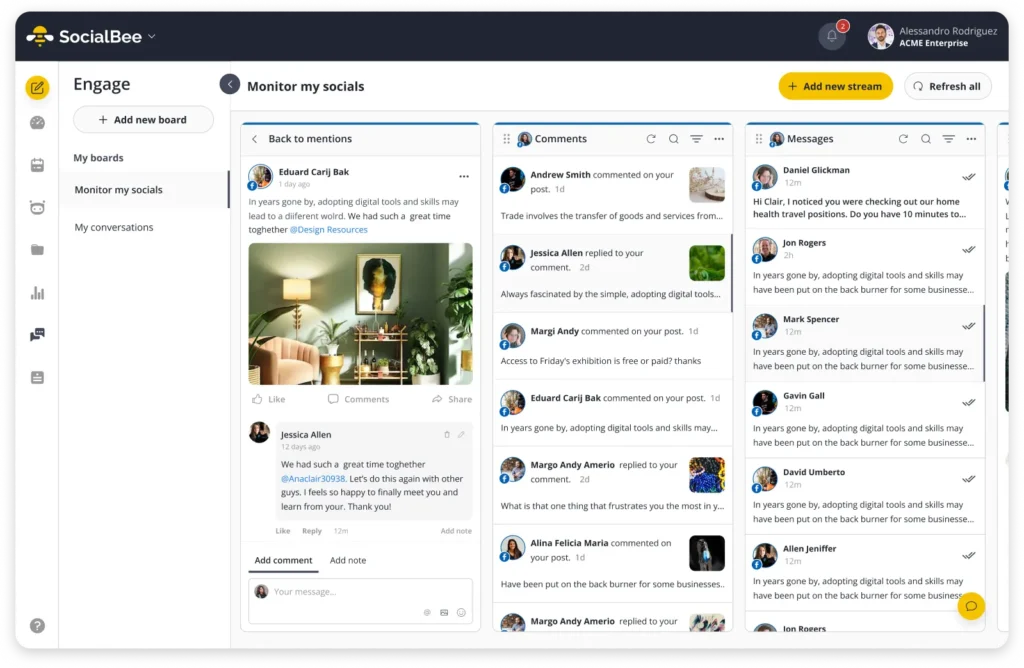
If your posts start getting more comments, SocialBee’s social inbox makes it easier to stay on top of them. You can see and reply to Instagram comments alongside interactions from your other social accounts, instead of jumping between platforms to check for new responses.
Frequently asked questions
Do hashtags still help you reach the Instagram Explore page?
A little, as a secondary signal that helps Instagram classify what a post is about. Caption keywords and profile context now carry more discovery weight than hashtags alone.
Are Reels better than carousels for Explore?
For non-follower reach specifically, yes, Reels currently outperform carousels. Carousels still earn strong saves, which matters for the Home Feed and for building a following once someone has already found an account.
How can I tell if my post appeared on Explore?
Check the post’s Insights and look at the breakdown of where views came from. A meaningful share attributed to Explore confirms it reached that surface.
How long does it take for a post to reach Explore?
There is no fixed timeline. Some posts pick up Explore traffic within hours if early engagement is strong; others build more gradually over several days.
Does posting more often improve your chances of reaching Explore?
Not directly. Consistency helps in a general sense, but a single post’s own engagement signals matter far more than how many posts came before it.
Start reaching more people on Instagram Explore
There’s no guaranteed way to land on the Explore page. The best approach is to consistently create original content around topics your audience cares about and pay attention to what gets people to watch, save, share, and interact.
With SocialBee, you can plan and schedule your Instagram posts and Reels, use your past performance to find the best times to post, and track your results to see which content is reaching and engaging your audience. Use those insights to shape what you create next and give your best content more chances to reach new people.
Start your 14-day SocialBee trial today. No credit card required.