
You’ve partnered with an agency to manage your social media accounts. The challenge is granting them access to post content, engage with your audience, and run campaigns while maintaining account security. Your goal is smooth operations without compromising brand safety.
Let’s explore how you can give access to your team members to manage your social media accounts without risking security.

We’re SocialBee LABS SRL, part of WebPros. We use the information you provide to share relevant content & updates, as outlined in our Privacy Policy. You can opt out anytime.
Short summary
- Be the primary administrator to monitor activities and revoke access when needed.
- Use role-based permissions based on responsibilities instead of full access for everyone.
- Enable multi-factor authentication and use company-managed emails/phones to protect accounts.
- Train teams on password security and conduct periodic access audits to remove inactive users.
Why Is It Necessary To Give Social Media Access?
To help agencies or employees manage your social media, it is necessary to give them access to your social media. Here’s why it becomes essential to give social media access:
- A social media manager or agency needs access to plan content, publish it, track the results, and make changes accordingly.
- If you are facing technical issues in your social media accounts, it becomes essential to give them access so they can check and fix the issue.
Risks Associated With Granting Social Media Access
When you grant an agency or employee access to your social media, there are risks of fraudulent activities. Here are the risks associated with granting social media access:
- Your account could be used to post obscene or harmful content, which could affect your reputation.
- If the user falls victim to phishing, your account could also be compromised.
- If the user clicks on malicious links or does not handle social media responsibly, your account could be misused or stolen.
- As the user has access to sensitive information, you may fall victim to fraudulent activity or identity theft.
- When you share your credentials with multiple people, it increases the risk of the credentials being reused, leaked, or stolen. A report states that 22% of data breaches last year happened due to credential abuse.
How Controlling Access To Social Media Accounts Helps?
It is essential to maintain access to your social media accounts to maintain the security of your account for the following reasons:
- With controlled access, you can ensure accountability. When you assign a specific role, it is easier to track who published the content, responded to comments or customer queries, or launched advertising campaigns.
- Employees or agencies may leave your company at any point in time. If you do not remove access, former team members can still access your accounts, which increases security risk.
Also read: How to Build a Social Media Marketing Plan
Tips To Give Team Members Access To Social Media Without Losing Control
Here is how you can give access to team members to handle your social media without losing control:
Set Yourself as an Administrator
Set yourself as an administrator to help them monitor and edit posts that aren’t up to standard. Here’s how you can give access on each platform:
- Facebook: Assign one of editor, moderator, admin, advertiser, and analyst access based on their role.
- Instagram: You can have multiple people log in to your Instagram account, but you cannot assign administrative roles. Make sure that you have a Business account to get access perks.
- LinkedIn: An agency can request access to your company. You can set one of these access controls: Designated Admin, Lead Gen Forms Manager, Sponsored Content Poster, and Pipeline Builder Admin.
- TikTok: Invite team members to your TikTok management tool with roles and permissions so they can draft, edit, and schedule content without full account access.
- Twitter/X: Give team members access through your social media management tool or business account permissions so they can create, schedule, and manage posts without sharing your password.
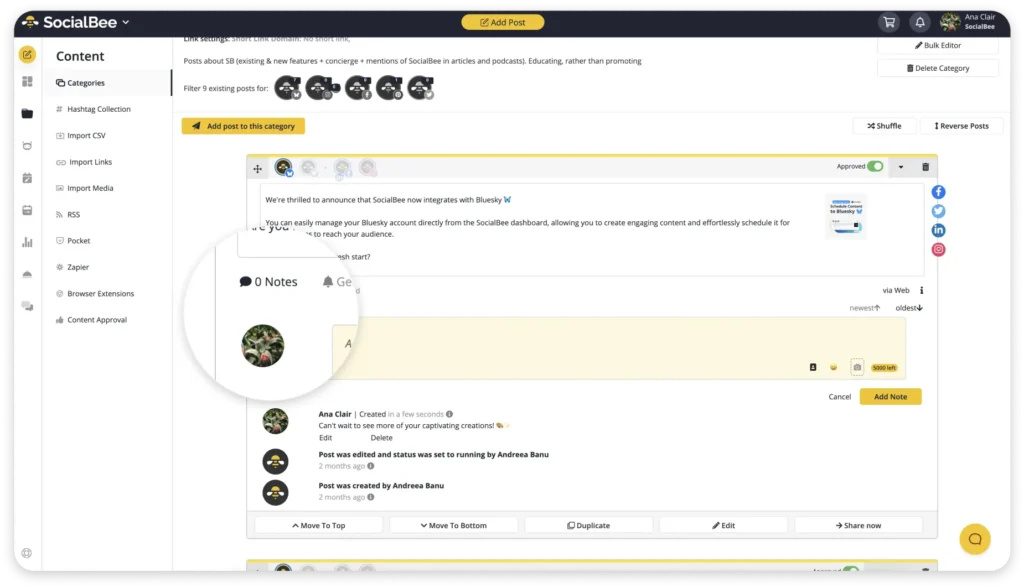
If several people manage your social media accounts, SocialBee’s collaboration features make it easier to share the work without giving up control. You can give team members the access they need and review content before it goes live, reducing the risk of someone publishing the wrong post or making changes they shouldn’t.
Want a safer way to manage social media as a team?
Use Corporate-Managed Credentials
Use corporate-managed emails and phone numbers. This way, you can ensure that only the right person can access them. If you have hired an agency, you don’t need to revoke access one by one.
Implement Multi-Factor Authentication
Just sharing the password is not the best way to give access to agencies. Always implement multi-factor authentication to ensure that no one can access without permission. Change passwords regularly to remove unauthorised access.
Train Your Team For Password Security
Train employees to manage passwords to protect sensitive data and company systems. Train your team to recognise and take action during common cyber threats.
Best Practices To Manage Social Media Access
An old agency might still have access to your social media account. And you don’t want that. Here are the best practices you should follow to manage social media access:
- Audit permissions regularly. You might add new hires, or some projects might be finished. Make sure that you audit permissions and revoke access no longer required.
- Grant the minimum access needed to complete the job. Give the advertiser access to your agency. Your CMO should get reporting access because they only need visibility.
- Revoke the access on departure day. Ensure that project-based access expires automatically after the project is finished.
- If you have integrated a third-party tool, such as a chatbot, scheduling tool, or analytics platform, assess the security practices before granting access. Remove the tools you no longer need to maintain security. Make sure to update the software regularly to access the latest security patches.
- Monitor your social media regularly to check for unauthorised access, fake accounts, or suspicious posts or messages.
Manage Social Media Seamlessly With SocialBee
Giving team members access to your social media accounts does not mean giving up control. Maintain administrator ownership, use role-based permissions, implement corporate-managed credentials, enable multi-factor authentication, and educate your team about security best practices, so you can create a secure and efficient workflow.
These measures allow agencies and employees to contribute effectively while protecting your brand’s reputation, data, and online presence. With the right access management strategy in place, you can confidently scale your social media efforts without compromising security.
And when you need help with managing your social media accounts, from content creation to posting, SocialBee offers a comprehensive platform. Give team members the access they need, collaborate on posts, and review content before it goes live, so you can share the work without giving up control.
Start your 14-day SocialBee trial and manage social media securely with your team!
FAQs
Should social media accounts be connected to personal email addresses?
Use business-owned email addresses instead of personal ones for social media accounts. They help avoid ownership issues, simplify recovery, and keep alerts and notifications under company control.
What should I do if a social media account is compromised?
If a social media account is compromised, immediately change passwords, revoke suspicious access, and enable multi-factor authentication if it is not already active. Review recent activity to identify unauthorized actions and report the incident to the platform’s support team. Notify relevant stakeholders if customer communications or sensitive information may have been affected. Conduct a security review to determine how the breach occurred and implement corrective measures to prevent future incidents.
How do I decide what level of access to give a social media agency?
The level of access you grant should depend on the agency’s responsibilities. Avoid granting administrator privileges unless absolutely necessary. Before assigning permissions, clearly define tasks, responsibilities, and approval processes.
How often should social media passwords be changed?
Passwords should be updated periodically, especially after staffing changes, suspected security incidents, or when credentials may have been exposed. Regular reviews help maintain security and reduce the risk of unauthorized access.