

Not sure which YouTube hashtags to use this September? Hashtags can help people find videos about topics they’re interested in and give viewers a quick idea of what your video is about.
But you don’t need to use a hashtag just because it’s popular. The best choices are the ones that actually match your video and the people you want to reach.
In this guide, you’ll find YouTube hashtag ideas for September 2026, plus simple tips for finding current trends, using hashtags on videos and Shorts, and checking what works.

We’re SocialBee LABS SRL, part of WebPros. We use the information you provide to share relevant content & updates, as outlined in our Privacy Policy. You can opt out anytime.
Short summary
- Use hashtags that clearly match your video or Short. A popular hashtag won’t help if it has nothing to do with your content.
- Check what’s currently popular before publishing. YouTube trends can change, and what people search for can vary by topic and audience.
- Use a small, focused set of hashtags instead of adding as many as possible.
- Check YouTube Studio and search suggestions to find topics and hashtags people are interested in.
- Look at your YouTube Analytics to see how viewers find your videos and which topics perform well for your channel.
- Save hashtag groups you use regularly so you don’t have to research the same ones every time you publish.
What do YouTube hashtags do?
YouTube hashtags make it easier to find videos and Shorts about the same topic. When someone clicks a hashtag in a video’s title or description, YouTube takes them to a results page with other content using that hashtag.
Hashtags are different from video tags. Video tags are added in YouTube Studio and play only a small role in discovery. YouTube says they’re mainly useful when words related to your video are commonly misspelled.
Hashtags can help people discover related content, but they won’t make a video perform well on their own. YouTube also looks at what viewers choose to watch and how they respond to videos when deciding what to recommend.
Which YouTube hashtags can you try in September?
There isn’t one list of trending YouTube hashtags that works for every channel. What makes sense depends on your topic, audience, and the video you’re publishing.
Still, these are useful hashtag ideas to check when planning your September content:
- Shorts: #Shorts or #YouTubeShorts, along with hashtags that describe the actual topic of your Short.
- Food: #EasyRecipes, #MealPrep, or #CakeDecorating for recipes, meal ideas, and baking tutorials.
- Gaming: #Gaming, #Minecraft, or #GamingTips when they accurately describe the game or advice in your video.
- Tech: #TechReview, #TechTips, or #YouTubeTutorial for reviews, tips, and tutorials.
- Seasonal: #BackToSchool, #StudyTips, or other hashtags connected to events and topics your audience is interested in during September.
For example, if you’re publishing a cake decorating tutorial, #CakeDecorating and #Buttercream tell viewers much more about the video than a broad hashtag that happens to be popular.
Before publishing, search the hashtags on YouTube and look at the content that appears for each one. This helps you check whether the hashtag is active, relevant to your video, and being used in the way you expect.
How do you find current YouTube hashtag trends?
To find trending YouTube hashtags and topics for your next video or Short, check these sources directly on YouTube:
- Check the Trends tab in YouTube Studio. Go to Analytics and open Trends to explore what your audience and viewers across YouTube are searching for. You can also find content gaps for Shorts, which can help you spot topics viewers may want to see more of.
- Search for your topic on YouTube. Pay attention to the suggestions that appear as you type. They can give you ideas for the words and topics people are searching for.
- Look at the videos already appearing for the topic or hashtag. This gives you a better idea of how other creators are using it and whether it actually matches your video.
- Check again before you publish. Interest can change, so a topic you found while planning your video may not be as relevant by the time it goes live.
You don’t need to chase every popular topic. Focus on trends that fit your channel and give you a natural reason to create a video your audience will want to watch.
How should you add hashtags to YouTube videos and Shorts?
Once you’ve found relevant YouTube hashtags, you can add them to your video or Short in a few simple steps:
- Start with a few relevant hashtags. Two or three is a simple starting point, but YouTube doesn’t recommend a specific number. Focus on hashtags that accurately describe your video.
- Add hashtags to your title or description. According to YouTube’s hashtag guidelines, hashtags can be added to either place. Up to three hashtags from the description may also appear by the video title.
- Keep every hashtag relevant. YouTube warns against adding hashtags that aren’t directly related to your video. Misleading or unrelated hashtags can result in the video being removed.
- Don’t use more than 60 hashtags. If a video contains more than 60 hashtags, YouTube ignores all of them.
These rules apply to both regular YouTube videos and Shorts. For either format, choose hashtags that clearly describe what viewers are about to watch.
How can SocialBee organize your YouTube hashtags?
If you post about the same topics regularly, you’ll probably use some of the same hashtags again. SocialBee’s Hashtag Collections let you save those hashtags in groups, so you don’t have to search for or type them every time.
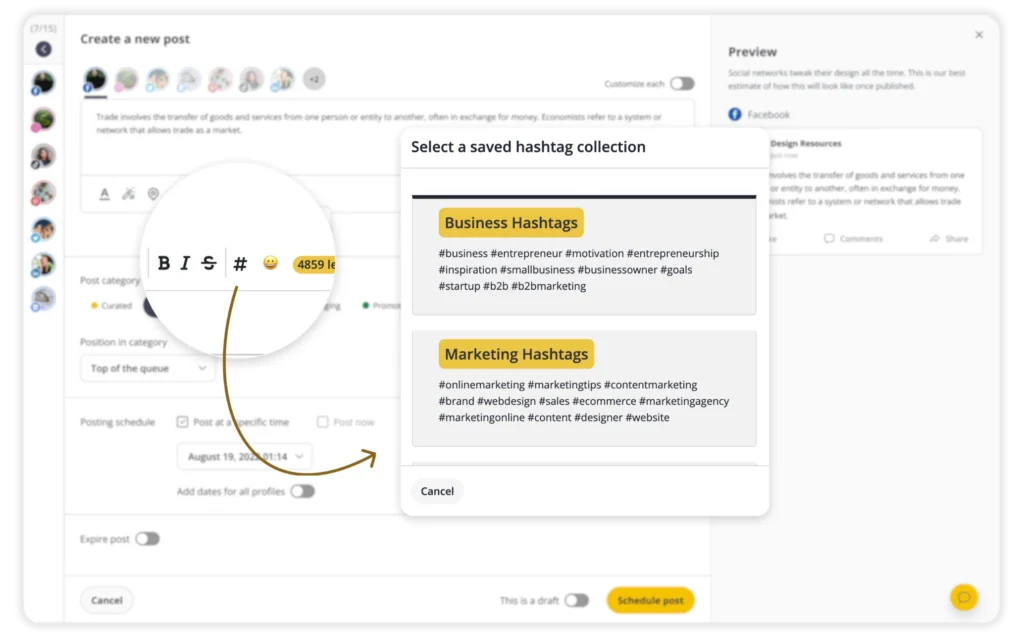
For example, a cooking channel could save separate hashtag groups for baking tutorials, quick recipes, and meal prep. When it’s time to publish, you can use a saved group as a starting point and replace any hashtags that no longer fit the video.
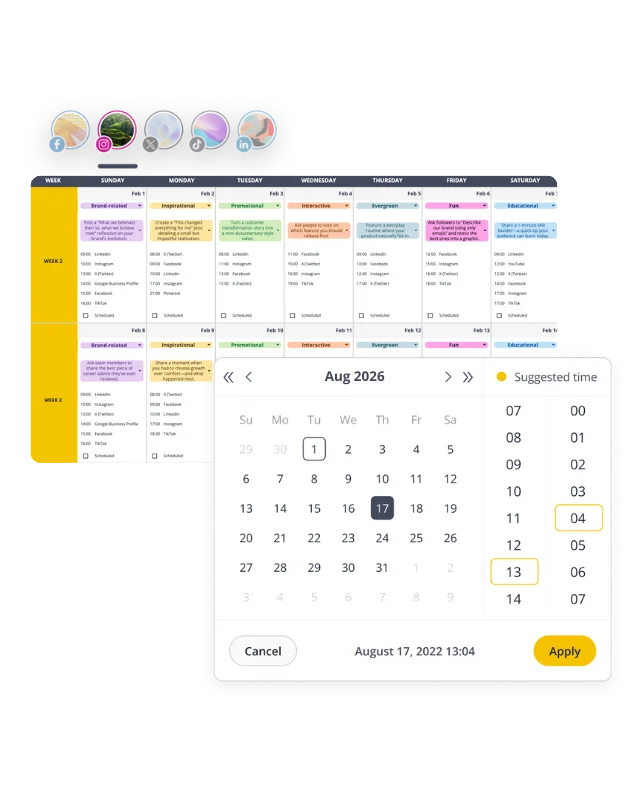
SocialBee can also help with the rest of your YouTube content. You can use AI to write post copy, plan upcoming videos in your calendar, schedule videos and Shorts, get feedback and approvals from your team, and check your analytics after publishing. This means fewer small tasks to handle every time you upload a video.
Start your 14-day SocialBee trial and spend more of that time creating your next one.

How can you measure your YouTube hashtag results?
After publishing, check YouTube Analytics to see how people are finding and watching your videos. Look at your traffic sources and YouTube search terms to see whether viewers are discovering your content through search. You can also check audience retention to see how long they keep watching.
Compare videos about similar topics over time. If certain topics, search terms, or types of videos consistently bring in viewers, you can use that information when planning future content.
Just remember that more views don’t prove a hashtag was responsible. Your title, thumbnail, topic, and the way viewers respond to the video can all affect its performance, so look for patterns across several uploads rather than judging a hashtag based on one video.
FAQs
Which YouTube hashtags are trending this month?
Trends differ by topic, audience, and location, so there isn’t one global list. Check Studio Trends and live suggestions, then date your evidence before choosing candidates that accurately describe the upload.
How many hashtags should a YouTube video have?
Begin with two or three relevant hashtags, then test. YouTube permits more, but stuffing the description reduces clarity, and more than 60 makes YouTube ignore every hashtag on that upload completely.
Where should hashtags go on YouTube?
Add hashtags to the title or description, with no spaces inside each phrase. Keep the title readable, and place a relevant set near the description’s end for clear viewer context.
Does using the #Shorts hashtag help YouTube Shorts get more views?
Adding #Shorts won’t directly increase your views. The hashtag can help people find your video through hashtag searches, but how widely YouTube shows your Short depends much more on how viewers respond to it, including whether they choose to watch, how long they stay, and whether they enjoy it.
Can trending hashtags make a video go viral?
No, hashtags can help discovery, but YouTube weighs viewer preferences and performance signals, including whether people watch, viewing duration, and satisfaction. A promise, strong opening, and delivery still matter more.
Choose YouTube hashtags that match your content
Trending YouTube hashtags can give you ideas, but the most popular hashtag isn’t always the best one for your video. Start with what your video is actually about, then choose a few hashtags that clearly match the topic and your audience.
Before publishing, check YouTube search and Studio Trends to see what people are currently interested in. After your video goes live, use YouTube Analytics to see how viewers found it and which topics keep bringing people to your channel.
And if YouTube is only one of the social networks you manage, SocialBee can help you keep it connected with the rest of your social media presence. Manage your YouTube content alongside your other channels from one place, so you don’t have to jump between different tools to keep everything moving. Start your 14-day SocialBee trial and bring your social media accounts together in one place.